2022 LINCOLN CORSAIR stop start
[x] Cancel search: stop startPage 131 of 676

Information display.
E
Engine coolant temperature gauge.
F
Information Bar
Displays information related to the
navigation, outside air temperature,
odometer and distance to empty.
Distance to Empty - Indicates the
approximate distance your vehicle can travel
on the fuel remaining in the tank. Changes
in driving pattern can cause the value to not
only decrease but also increase or stay
constant for periods of time.
Information Display
Information that appears depends on your
vehicle settings. See General Information
(page 136). Engine Coolant Temperature Gauge
Shows the temperature of the engine
coolant. At normal operating temperature,
the needle remains in the center section. If
the needle enters the red section, the engine
is overheating. Stop the engine, switch the
ignition off and determine the cause once
the engine has cooled down.
Note:
Do not restart the engine until the
cause of the overheating has been resolved. WARNING:
Do not remove the
coolant reservoir cap when the engine is
on or the cooling system is hot. Wait 10
minutes for the cooling system to cool
down. Cover the coolant reservoir cap with
a thick cloth to prevent the possibility of
scalding and slowly remove the cap.
Failure to follow this instruction could result
in personal injury. Fuel Gauge
The fuel gauge indicates about how much
fuel is in the fuel tank.
The arrow adjacent to the fuel pump symbol
indicates on which side of your vehicle the
fuel filler door is located.
Note:
The fuel gauge may vary slightly when
your vehicle is moving or on a slope.
Low Fuel Reminder
A low fuel level reminder displays and
sounds when the distance to empty reaches
75 mi (120 km) to empty for MyKey, and at
50 mi (80 km), 25 mi (40 km), 10 mi (20 km)
and 0 mi (0 km) for all vehicle keys.
Note: The low fuel reminder can appear at
different fuel gauge positions depending on
fuel economy conditions. This variation is
normal.
128
2022 Corsair (CTF) Canada/United States of America, enUSA, Edition date: 202106, First-Printing Instrument Cluster
Page 134 of 676
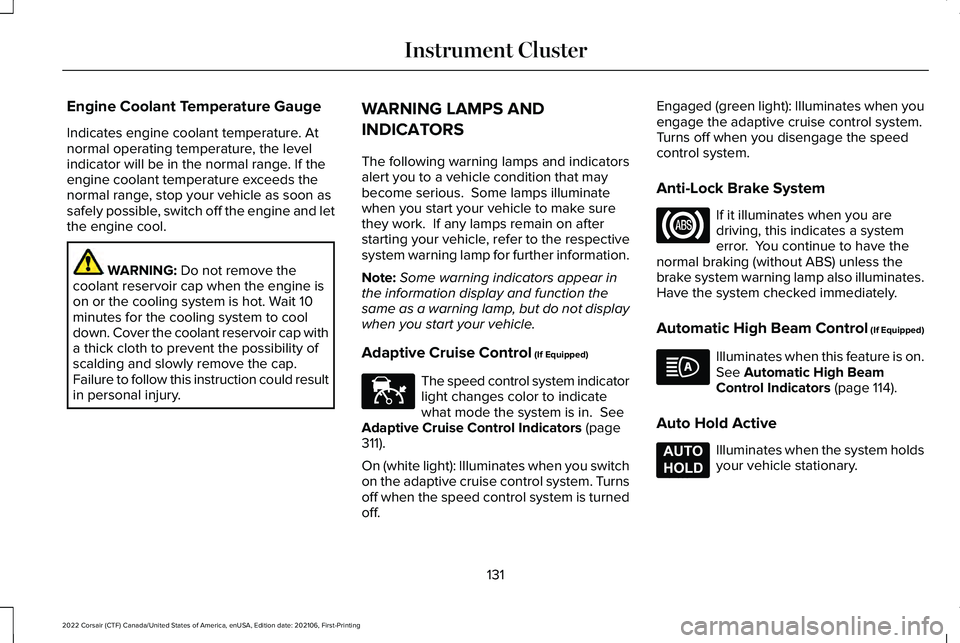
Engine Coolant Temperature Gauge
Indicates engine coolant temperature. At
normal operating temperature, the level
indicator will be in the normal range. If the
engine coolant temperature exceeds the
normal range, stop your vehicle as soon as
safely possible, switch off the engine and let
the engine cool.
WARNING: Do not remove the
coolant reservoir cap when the engine is
on or the cooling system is hot. Wait 10
minutes for the cooling system to cool
down. Cover the coolant reservoir cap with
a thick cloth to prevent the possibility of
scalding and slowly remove the cap.
Failure to follow this instruction could result
in personal injury. WARNING LAMPS AND
INDICATORS
The following warning lamps and indicators
alert you to a vehicle condition that may
become serious. Some lamps illuminate
when you start your vehicle to make sure
they work. If any lamps remain on after
starting your vehicle, refer to the respective
system warning lamp for further information.
Note:
Some warning indicators appear in
the information display and function the
same as a warning lamp, but do not display
when you start your vehicle.
Adaptive Cruise Control
(If Equipped) The speed control system indicator
light changes color to indicate
what mode the system is in.
See
Adaptive Cruise Control Indicators (page
311).
On (white light): Illuminates when you switch
on the adaptive cruise control system. Turns
off when the speed control system is turned
off. Engaged (green light): Illuminates when you
engage the adaptive cruise control system.
Turns off when you disengage the speed
control system.
Anti-Lock Brake System
If it illuminates when you are
driving, this indicates a system
error. You continue to have the
normal braking (without ABS) unless the
brake system warning lamp also illuminates.
Have the system checked immediately.
Automatic High Beam Control (If Equipped) Illuminates when this feature is on.
See
Automatic High Beam
Control Indicators (page 114).
Auto Hold Active Illuminates when the system holds
your vehicle stationary.
131
2022 Corsair (CTF) Canada/United States of America, enUSA, Edition date: 202106, First-Printing Instrument ClusterE144524 E197933
Page 135 of 676

Auto Hold Unavailable
Illuminates when the system is on,
but unavailable to hold your
vehicle stationary.
Auto Start-Stop (If Equipped) Illuminates to inform you when the
engine shuts down or in
conjunction with a message.
Battery If it illuminates while driving, it
indicates a system error. Switch off
all unnecessary electrical
equipment and have the system checked
immediately.
Blind Spot Monitor Illuminates when you switch this
feature off or in conjunction with a
message.
See Blind Spot
Information System (page 324). Brake System Warning Lamp WARNING:
Driving your vehicle with
the warning lamp on is dangerous. A
significant decrease in braking
performance may occur. It may take you
longer to stop your vehicle. Have your
vehicle checked as soon as possible.
Driving extended distances with the
parking brake engaged can cause brake
failure and the risk of personal injury.
This lamp is a dual function lamp and
illuminates when:
• You apply the parking brake with the
ignition on.
• Your vehicle has a brake fault or low
brake fluid level, regardless of parking
brake position. If the lamp illuminates when you
are moving, you may have the
parking brake applied. Make sure
the parking brake is off. Have your
vehicle checked as soon as
possible if the lamp continues to
illuminate. Note:
Indicator varies depending on region.
Cruise Control
(If Equipped) Illuminates when you switch this
feature on.
Direction Indicator Illuminates when you switch on the
left-hand or right-hand direction
indicator or the hazard flasher. If
the indicators stay on or flash faster, check
for a burned out bulb. See Changing a Bulb
(page
412).
Distance Alert Flashes when your vehicle is
rapidly approaching another
vehicle or a pedestrian within your
driving path. See Pre-Collision Assist (page
331
).
132
2022 Corsair (CTF) Canada/United States of America, enUSA, Edition date: 202106, First-Printing Instrument ClusterE197934 E151262 E270480 E71340 E281485
Page 136 of 676

Door Ajar
Illuminates when the ignition is on
and any door is not completely
closed.
Electric Parking Brake Illuminates or flashes when the
electric parking brake has a system
error. See Electric Parking Brake
(page 271).
Note: Indicators vary depending on region.
Engine or Motor Coolant Temperature Illuminates when your vehicle
coolant temperature is high. Stop
your vehicle as soon as possible,
switch off the engine and let it cool.
See
Engine Coolant Check (page 400). Engine Oil If it illuminates with the engine
running or when you are driving,
this indicates a system error. Stop
your vehicle as soon as it is safe to do so
and switch the engine off. Check the engine
oil level. See Engine Oil Check (page 396).
Note: Do not resume your journey if it
illuminates despite the level being correct.
Have the system checked immediately.
Fasten Seatbelt Illuminates and a tone sounds to
remind you to fasten your seatbelt.
See Seatbelt Reminder (page 47).
Fasten Rear Seatbelt
(If Equipped) Illuminates and a tone sounds to
signal the rear seatbelts are not
fastened.Front Airbag If it fails to illuminate when you
start your vehicle, continues to
flash or remains on, it indicates
there is a system error. Have the system
checked as soon as possible.
Front Fog Lamps
(If Equipped) Illuminates when you switch the
front fog lamps on.
High Beam Illuminates when you switch the
high beam headlamps on. It flashes
when you use the headlamp
flasher.
Hood Ajar Illuminates when the ignition is on
and the hood is not completely
closed.
133
2022 Corsair (CTF) Canada/United States of America, enUSA, Edition date: 202106, First-Printing Instrument Cluster E146190 E71880 E206718 E67017 E246598
Page 138 of 676
If it flashes, engine misfire may be occurring.
Continuing to drive your vehicle may cause
reduced power or the engine to stop. Failure
to respond to the warning lamp may cause
component damage not covered by the
vehicle Warranty. Have your vehicle
checked as soon as possible.
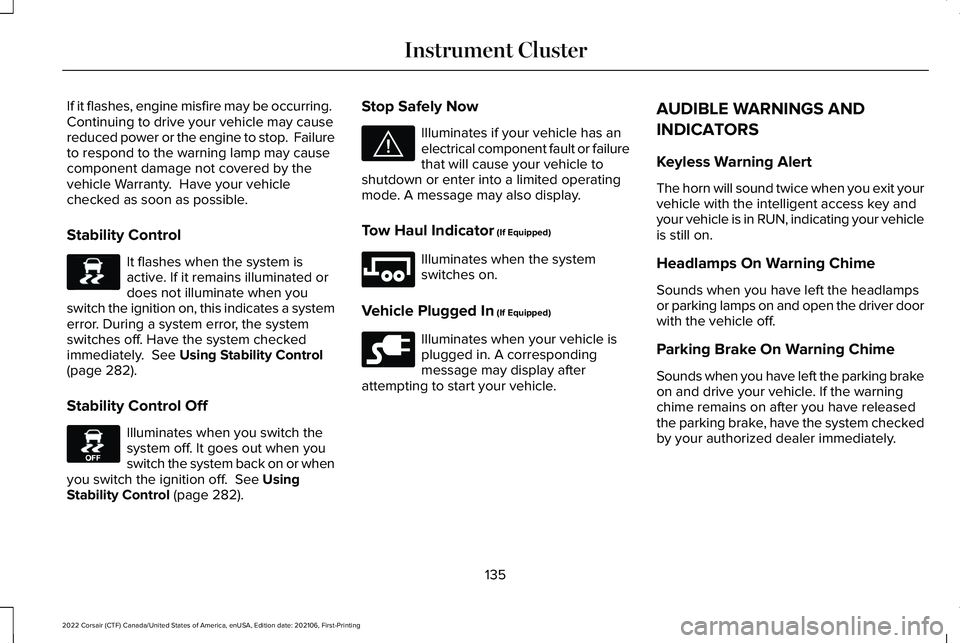
Stability Control
It flashes when the system is
active. If it remains illuminated or
does not illuminate when you
switch the ignition on, this indicates a system
error. During a system error, the system
switches off. Have the system checked
immediately. See Using Stability Control
(page 282).
Stability Control Off Illuminates when you switch the
system off. It goes out when you
switch the system back on or when
you switch the ignition off.
See Using
Stability Control (page 282). Stop Safely Now Illuminates if your vehicle has an
electrical component fault or failure
that will cause your vehicle to
shutdown or enter into a limited operating
mode. A message may also display.
Tow Haul Indicator
(If Equipped) Illuminates when the system
switches on.
Vehicle Plugged In
(If Equipped) Illuminates when your vehicle is
plugged in. A corresponding
message may display after
attempting to start your vehicle. AUDIBLE WARNINGS AND
INDICATORS
Keyless Warning Alert
The horn will sound twice when you exit your
vehicle with the intelligent access key and
your vehicle is in RUN, indicating your vehicle
is still on.
Headlamps On Warning Chime
Sounds when you have left the headlamps
or parking lamps on and open the driver door
with the vehicle off.
Parking Brake On Warning Chime
Sounds when you have left the parking brake
on and drive your vehicle. If the warning
chime remains on after you have released
the parking brake, have the system checked
by your authorized dealer immediately.
135
2022 Corsair (CTF) Canada/United States of America, enUSA, Edition date: 202106, First-Printing Instrument ClusterE138639 E130458 E144693 E246592 E228962
Page 142 of 676
Audio
Audio
Menu options covered in the SYNC chapter. See Entertainment (page 521).
Navigation
(If Equipped) Navigation
Menu options covered in the SYNC chapter.
See Navigation (page 538).
Hybrid Display Information
For plug-in hybrid vehicles it displays unique
hybrid vehicle information when you shut off
your vehicle or come to a stop.
Brake Coach
The brake coach appears after you bring
your vehicle to a stop. It coaches you to
brake in a manner that maximizes the
amount of energy returned through the
regenerative braking system. The percent displayed is an indication of the
regenerative braking efficiency with 100%
representing the maximum amount of energy
recovery. You can switch brake coach on or
off in the settings menu.
Trip Summary
Displays upon switching off your vehicle. The
values are cumulative since you last started
your vehicle.
The information shown is the same as the
This Trip
on demand screen. See
Personalized Settings (page 140).
Vehicle Charging Status
Displays when you switch off your vehicle
and when you switch it on when plugged in.
Charging status includes the charge start or
charge end time as appropriate. You can
modify your vehicles charge settings through
the touchscreen.
See SYNC™ 3 (page 507).
139
2022 Corsair (CTF) Canada/United States of America, enUSA, Edition date: 202106, First-Printing Information Displays
Page 143 of 676

PERSONALIZED SETTINGS
Information On Demand
Note:
On Demand information appears on the right-hand side of the instrument c\
luster in single gauge view and in the center of the instrument
cluster in dual gauge view when you switch on certain drive modes.
Note: Pure EV information is only available when you switch on the Pure EV dri\
ve mode.
Note: Some menu items are regional specific or optional and may appear slightl\
y different or not at all. Information Screens
Calm ScreenPURE EV Trip 1
Trip 2
This Trip
Fuel Economy
Auto StartStop Seatbelts
Tire Pressure
Power Distribution
140
2022 Corsair (CTF) Canada/United States of America, enUSA, Edition date: 202106, First-Printing Information Displays
Page 148 of 676

Alarm
Details
Message
Alarm triggered due to unauthorized entry. See What Is the Anti-Theft Alarm System (page 96).
Vehicle Alarm To Stop Alarm, Start Vehicle.
Automatic Engine Shutdown Details
Message
The engine is getting ready to shut off.
Vehicle Shuts Off In {seconds:#0} Seconds
The engine has shut off to help increase fuel economy.
Vehicle Shut Off to Save Energy
The engine is getting ready to shut off. You can press OK on the left-hand steering wheelbutton to override the shut down.
Vehicle Shuts Off in {seconds:#0} Seconds
Press Ok to Override
145
2022 Corsair (CTF) Canada/United States of America, enUSA, Edition date: 202106, First-Printing Information Displays