2022 KIA TELLURIDE change
[x] Cancel search: changePage 198 of 316
9-10
Automatic Ventilation (if equipped)
You can set to prevent condensation inside and keep inside air pleasant using this feature.
\225Auto Dehumidify: Once the inside air circulation mode has been used for a long time, it
is switched to the outside air inflow mode to prevent condensation.
Defog/Defrost Options (if equipped)
You can set to enable the defogger to secure driver visibility.
\225Auto Defog: When the sensor detects fog on the windshield, the automatic ventilati\
on is
run for defogging.
Climate Features (if equipped)
You can set or change the settings for the climate system.
\225Rear Climate Controls: Used to move to the climate control screen for the rear seat. You
can check or set the climate status for the rear seat.
0000
A
For more information about controlling the rear-seat climate control system:
> see "Using the rear-seat climate control system (if equipped)"
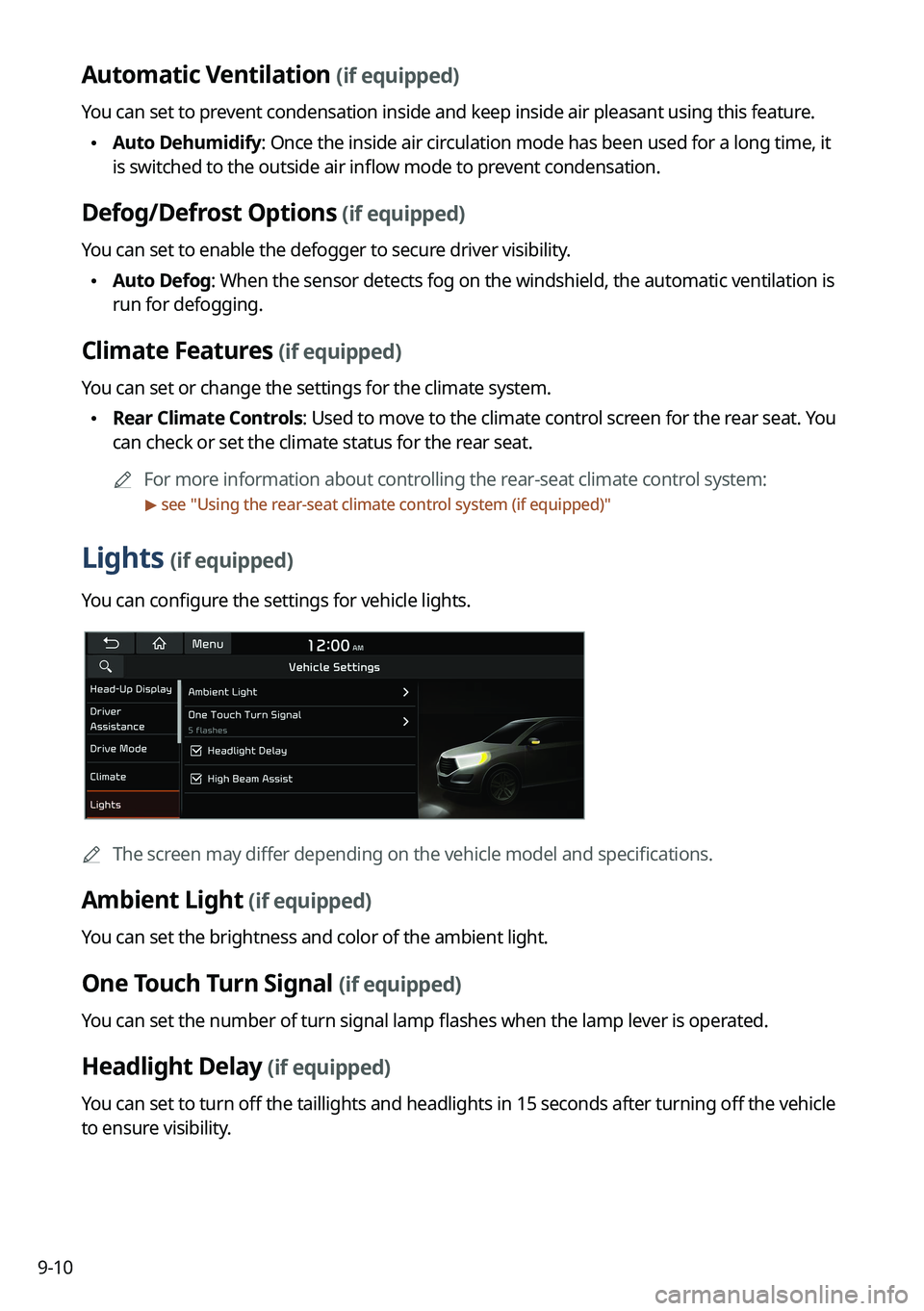
Lights (if equipped)
You can configure the settings for vehicle lights.
0000
A
The screen may differ depending on the vehicle model and specifications.
Ambient Light (if equipped)
You can set the brightness and color of the ambient light.
One Touch Turn Signal (if equipped)
You can set the number of turn signal lamp flashes when the lamp lever is operated.
Headlight Delay (if equipped)
You can set to turn off the taillights and headlights in 15 seconds after turning off the vehicle
to ensure visibility.
Page 201 of 316
9-13
Cluster Voice Guidance Volume (if equipped)
You can adjust the volume of guiding beep.
Welcome Sound (if equipped)
You can set to generate the notification sound when turning on or off the instrument cluster.
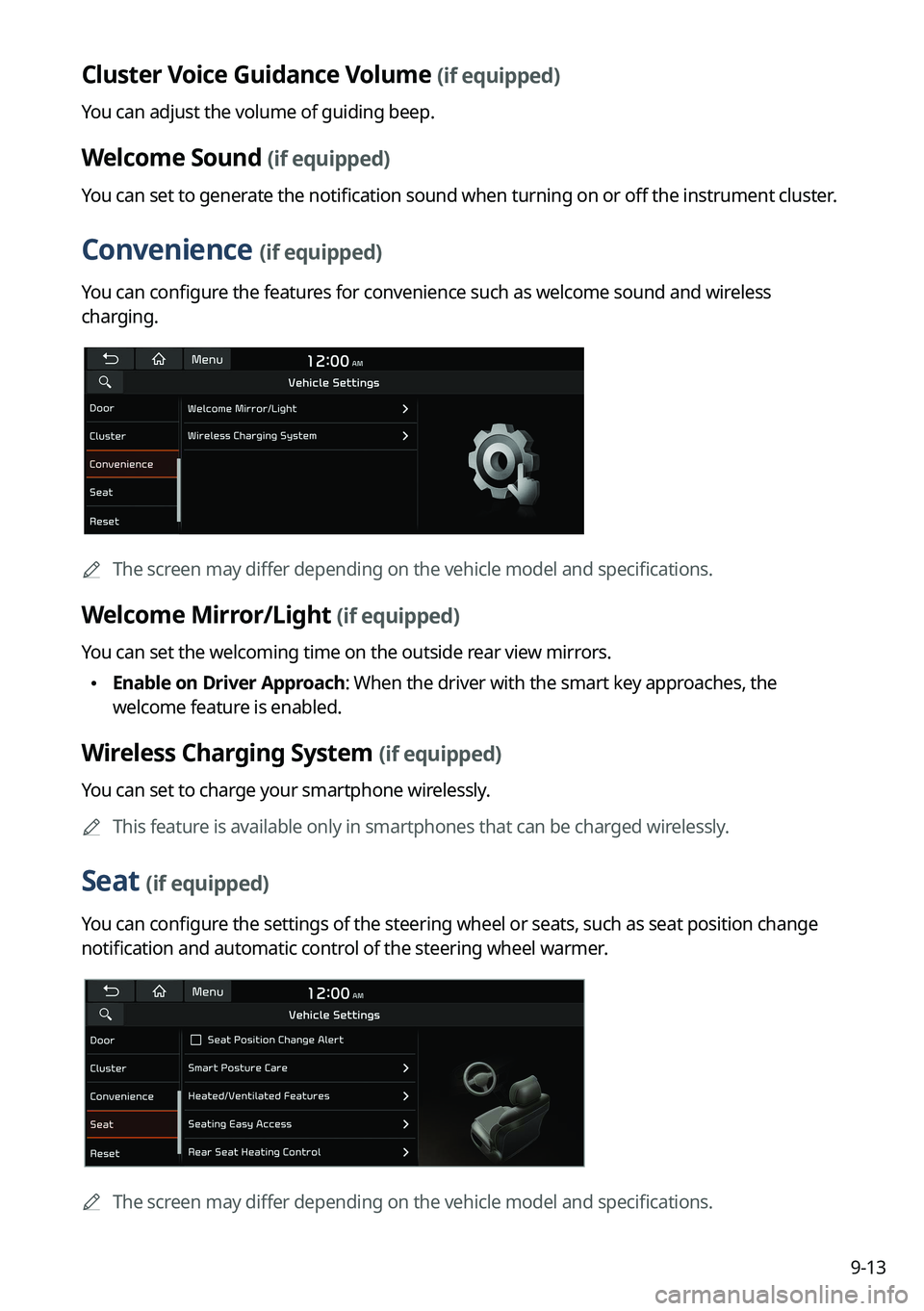
Convenience (if equipped)
You can configure the features for convenience such as welcome sound and wireless
charging.
0000
A
The screen may differ depending on the vehicle model and specifications.
Welcome Mirror/Light (if equipped)
You can set the welcoming time on the outside rear view mirrors.
\225Enable on Driver Approach: When the driver with the smart key approaches, the
welcome feature is enabled.
Wireless Charging System (if equipped)
You can set to charge your smartphone wirelessly.
0000
A
This feature is available only in smartphones that can be charged wirelessly.
Seat (if equipped)
You can configure the settings of the steering wheel or seats, such as seat position change
notification and automatic control of the steering wheel warmer.
0000
A
The screen may differ depending on the vehicle model and specifications.
Page 202 of 316
9-14
Seat Position Change Alert (if equipped)
You can set the system to display a notification message along with the seat image on the
screen when a seat position is changed.
Smart Posture Care (if equipped)
You can see the recommended driving posture according to your physical data, and the
clinical inspection result for your waist.
Heated/Ventilated Features (if equipped)
You can set to make the driving environment pleasant by controlling the steering wheel
warmer and driver's seat warmer/ventilation.
\225Auto. Controls That Use Climate Control Settings: Automatically controls the heating
wire or ventilation for the driver's seat and steering wheel, in sync with the climate control
function.
000DSteering Wheel Warmer: Steering Wheel Warmer adjusts automatically based on
Climate settings.
000DSeat Warmer/Ventilation: Seat Warmer/Ventilation adjusts automatically based on
Climate settings.
Seating Easy Access (if equipped)
For convenience upon getting on and off, you can adjust the position of the driver's seat or
steering wheel to secure space inside the vehicle.
\225
Steering Easy Access: The steering wheel moves upward when getting on and off.
\225Seat Slide Easy Access: Can set the distance to automatically move the driver's seat
when getting on or off.
Rear Seat Heating Control (if equipped)
You can set to enable the warmer for the rear-left and rear-right seats.
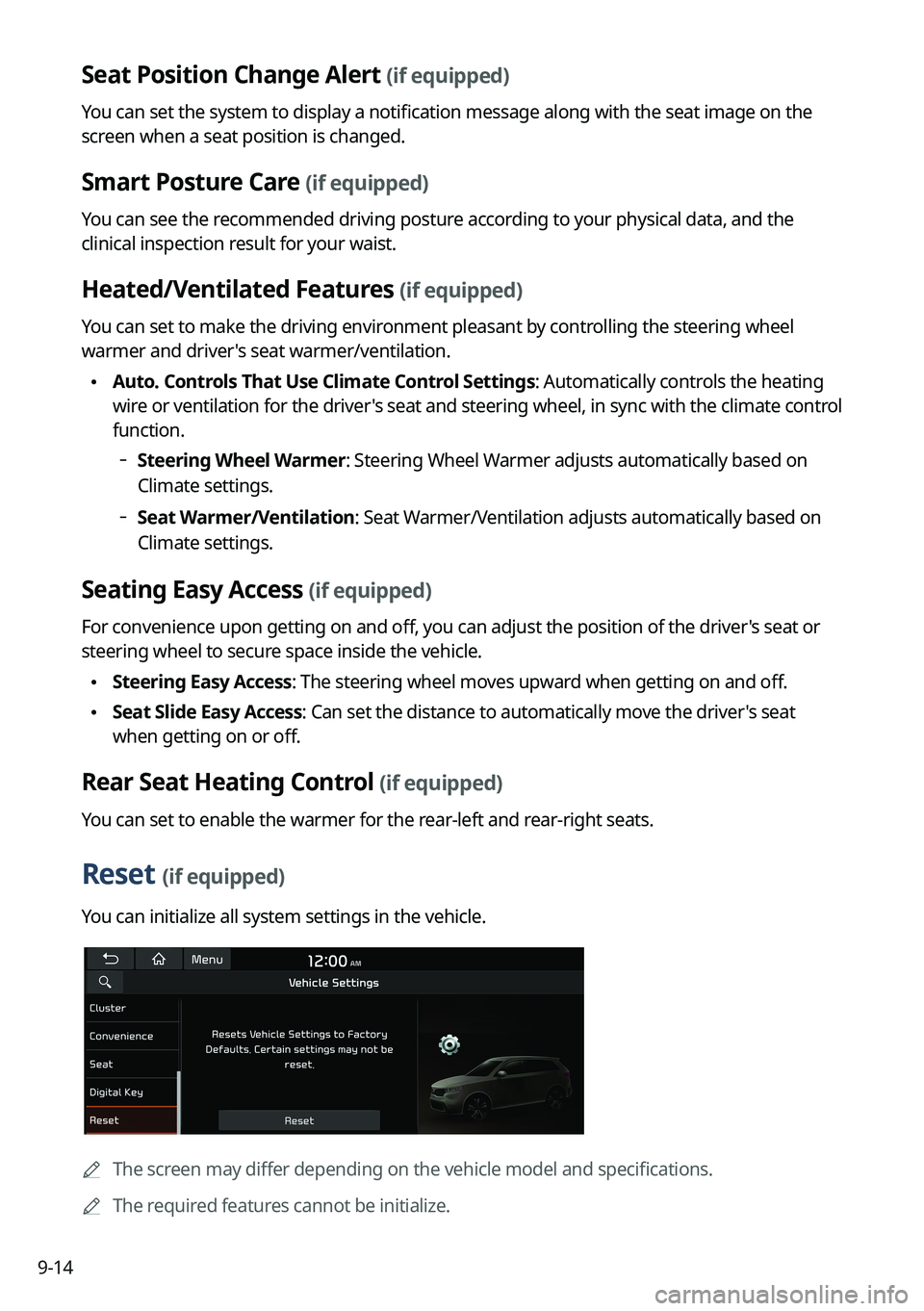
Reset (if equipped)
You can initialize all system settings in the vehicle.
0000
A
The screen may differ depending on the vehicle model and specifications.
0000
A
The required features cannot be initialize.
Page 203 of 316
9-15
Configuring the vehicle settings (Type2)
(if equipped)
You can configure the functions for driving and related environments.
\335Warning
Make sure you stop the vehicle before changing settings to ensure safety.0000
A
Vehicle settings can be changed only when the vehicle is on.
0000
A
Available settings may differ depending on the vehicle model and specifications.
0000
A
Depending on the climate control system, some functions may not be supported.
1 On the All Menus screen, press Setup >
Vehicle.
The vehicle settings screen appears.
2 Configure the settings required:
0000
A
Press >
Search for Settings or press and enter a keyword to search for a
setting item. You can also search for a setting item by voice.
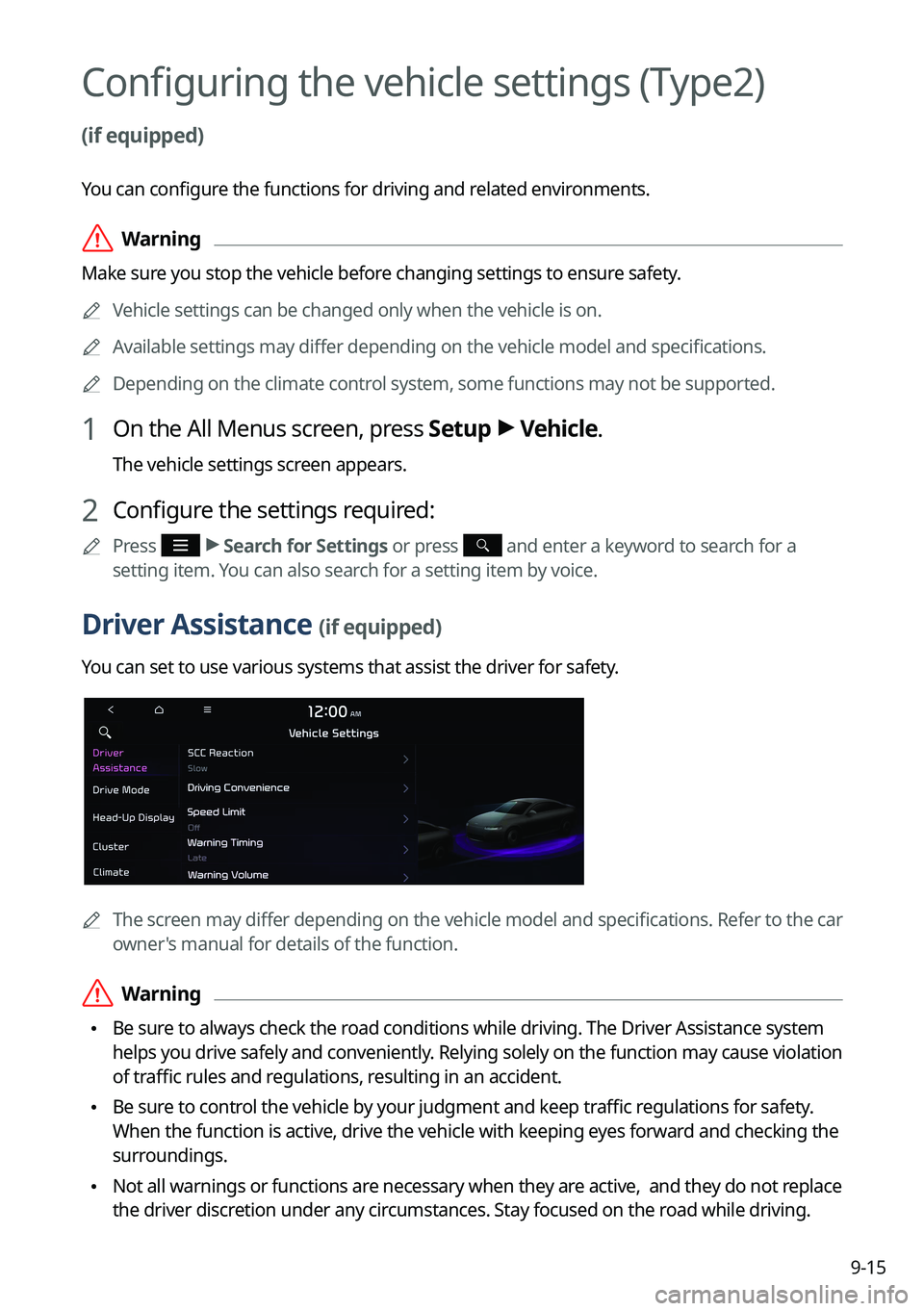
Driver Assistance (if equipped)
You can set to use various systems that assist the driver for safety.
0000
A
The screen may differ depending on the vehicle model and specifications. Refer to the car
owner's manual for details of the function.
\335Warning
\225Be sure to always check the road conditions while driving. The Driver Assistance system
helps you drive safely and conveniently. Relying solely on the function may cause violation
of traffic rules and regulations, resulting in an accident.
\225Be sure to control the vehicle by your judgment and keep traffic regulations for safety.
When the function is active, drive the vehicle with keeping eyes forward and checking the
surroundings.
\225Not all warnings or functions are necessary when they are active, and they do not replace
the driver discretion under any circumstances. Stay focused on the road while driving.
Page 204 of 316
9-16
\334\334Caution
Be sure to always check the vehicle surroundings while driving. The equipped cameras and
sensors may not operate properly under all driving conditions.
SCC Reaction (if equipped)
Adjusts the responsiveness of Smart Cruise Control to the acceleration of a leading vehicle.
Driving Convenience (if equipped)
Sets the properties of Driving Convenience system.0000
A
The Driving Convenience system operates based on the information from the navigation
system so you must use the system only when the navigation system operates properly.
\225Highway Driving Assist: Assists driving in a highway according to the set speed and
distance to the leading vehicle while keeping the vehicle centered in the lane.
0000
A
The highway driving assist system operates only on a highway. When the vehicle exits
from the highway, the system is turned off automatically.
\225Highway Auto Speed Zone Slowdown: Automatically decelerates in a highway speed
enforcement zone.
0000
A
The highway auto speed zone slowdown system operates only on a highway. When
the vehicle exits from the highway, the system is turned off automatically.
0000
A
It operates considering the speed cameras located on the selected route.
\225Highway Auto Curve Slowdown: Automatically decelerates in a highway curve zone.
0000
A
It operates based on the curve zones on the route. When the destination is not set, it
operates based on the curve zones on the expected path.
\225Highway Auto Speed Change: Automatically adjusts the vehicle speed on a highway
based on navigation data.
Page 208 of 316
9-20
\225Surround View Monitor Auto On: Automatically activates Surround View Monitor when
Parking Distance Warning is active.
\225Parking Distance Warning Auto On: Automatically activates Parking Distance Warning
when traveling at low speeds.
\225Rear Active Assist: Provides a warning and emergency braking when a risk of rear
collision is detected while reversing.
\225Rear Warning Only: Provides a warning when a risk of rear collision is detected while
backing up.
\225Off: Disables Parking Safety functions.
\335Warning
\225Even though the vehicle is equipped the Parking Safety system, be sure to check any
obstacles in the surroundings while driving. Relying on the Parking Safety system may
cause an accident. Accordingly, be sure to control the vehicle by your judgment.
\225When the sensors cannot detect any obstacles due to the detection limit,\
it may cause an
accident. Be sure to always check the surroundings while parking.
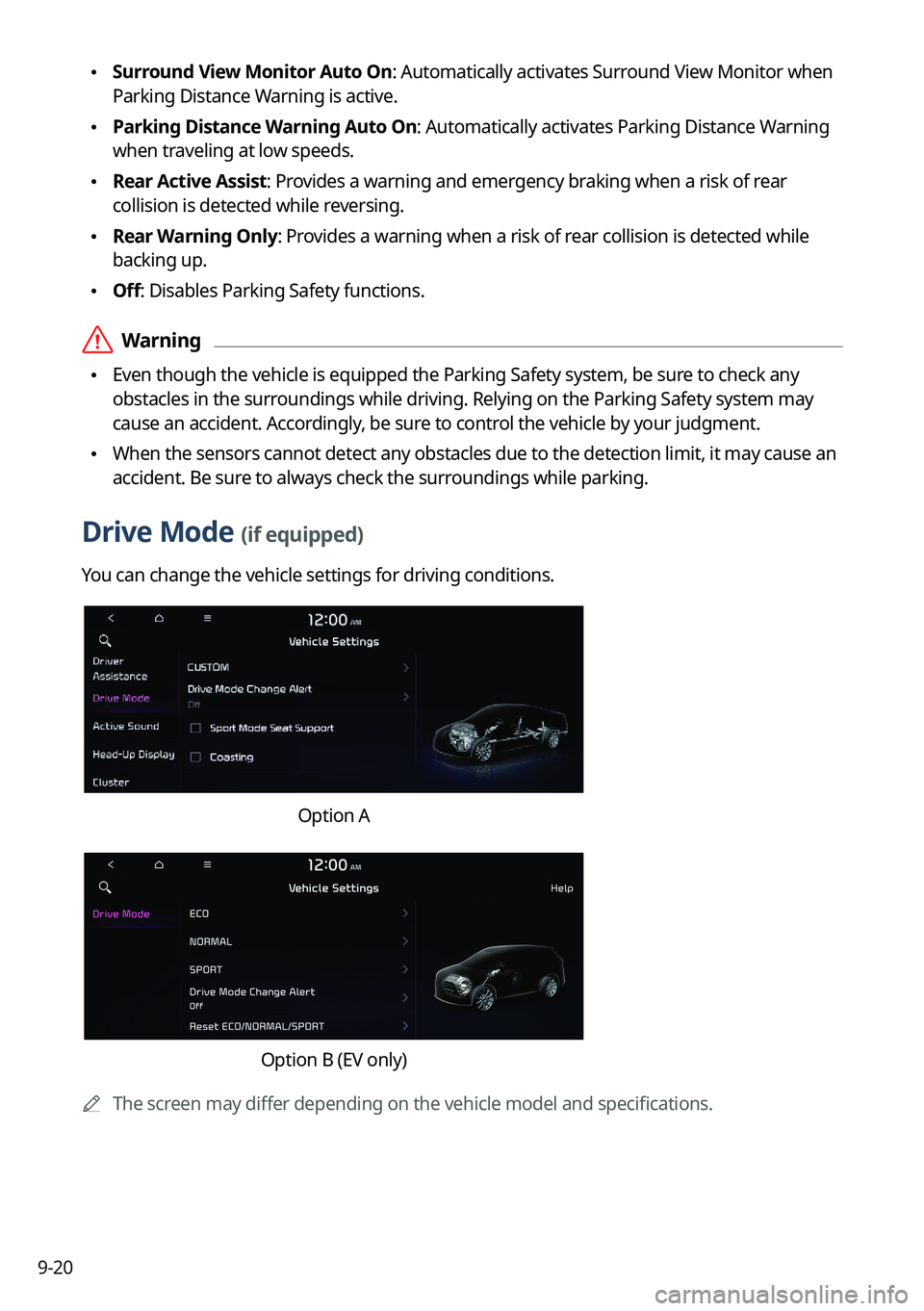
Drive Mode (if equipped)
You can change the vehicle settings for driving conditions.
Option A
Option B (EV only)
0000
A
The screen may differ depending on the vehicle model and specifications.
Page 209 of 316

9-21
CUSTOM (if equipped)
You can set to select the drive mode optimized for the driving habits or road conditions.
\225Powertrain: Select a drive mode that performs optimum engine and transmission
control depending on the driving situation.
000DNORMAL: Optimized for balanced comfort.
000DSPORT: Optimized for agile driving.
\225
Steering: Select a drive mode that performs optimum steering wheel control depending
on the driving situation.
000DNORMAL: Optimized for smooth steering.
000DSPORT: Optimized for agile steering.
ECO (EV only)
This is a drive mode for increasing the vehicle's fuel efficiency. You can change the climate
control mode, the active coast energy regeneration level, and speed limit settings.
NORMAL (EV only)
This is a drive mode focused on the driver and passenger's comfort. You can change the
climate control mode and the active coast energy regeneration level.
SPORT (EV only)
This drive mode enables a more dynamic driving performance. You can change the climate
control mode and the active coast energy regeneration level.
Drive Mode Change Alert (if equipped)
You can set how to display the notification message when the drive mode is changed.
\225
Detailed Alert: Displays a detailed notification message along with the vehicle image
when the drive mode is changed.
\225Simple Alert: Displays the notification at the top or on the split screen when the drive
mode is changed.
\225Off: When the drive mode changes, no notification is provided.
Page 214 of 316

9-26
Climate (if equipped)
You can configure the operation environment for climate control system.
0000
A
The screen may differ depending on the vehicle model and specifications.
Recirculate Air (if equipped)
You can set to keep the inside air pleasant by blocking inflow of outside air.
\225Activate upon Washer Fluid Use
: Sets to automatically switch to the inside air circulation
mode to prevent inflow of washer fluid scent when spraying washer fluid.
Automatic Ventilation (if equipped)
You can set to prevent condensation inside and keep inside air pleasant using this feature.
\225 Auto Dehumidify: Once the inside air circulation mode has been used for a long time, it
is switched to the outside air inflow mode to prevent condensation.
\225Scheduled Ventilation: Automatically ventilates the cabin at the scheduled time.
Ventilation occurs while the vehicle is off.
Defog/Defrost Options (if equipped)
You can set to enable the defogger to secure driver visibility.
\225Defog/Defrost: When the sensor detects humidity on the windshield and glasses, it
enables the outside air inflow mode and air conditioner for defogging and defrosting.
\225Auto Defog: When the sensor detects fog on the windshield, the automatic ventilati\
on is
run for defogging.
Climate Features (if equipped)
You can set or change the settings for the climate system.
\225Lock Rear Climate Controls: Prevents changes to the climate control system from rear
seats.
\225Rear Climate Controls: Used to move to the climate control screen for the rear seat. You
can check or set the climate status for the rear seat.
0000
A
For more information about controlling the rear-seat climate control system:
> see "Using
the rear-seat climate control system (if equipped)"