2022 HYUNDAI TUCSON LED
[x] Cancel search: LEDPage 418 of 638
07
7-55
Safe Exit Warning Malfunction
and Limitations
Safe Exit Warning malfunction
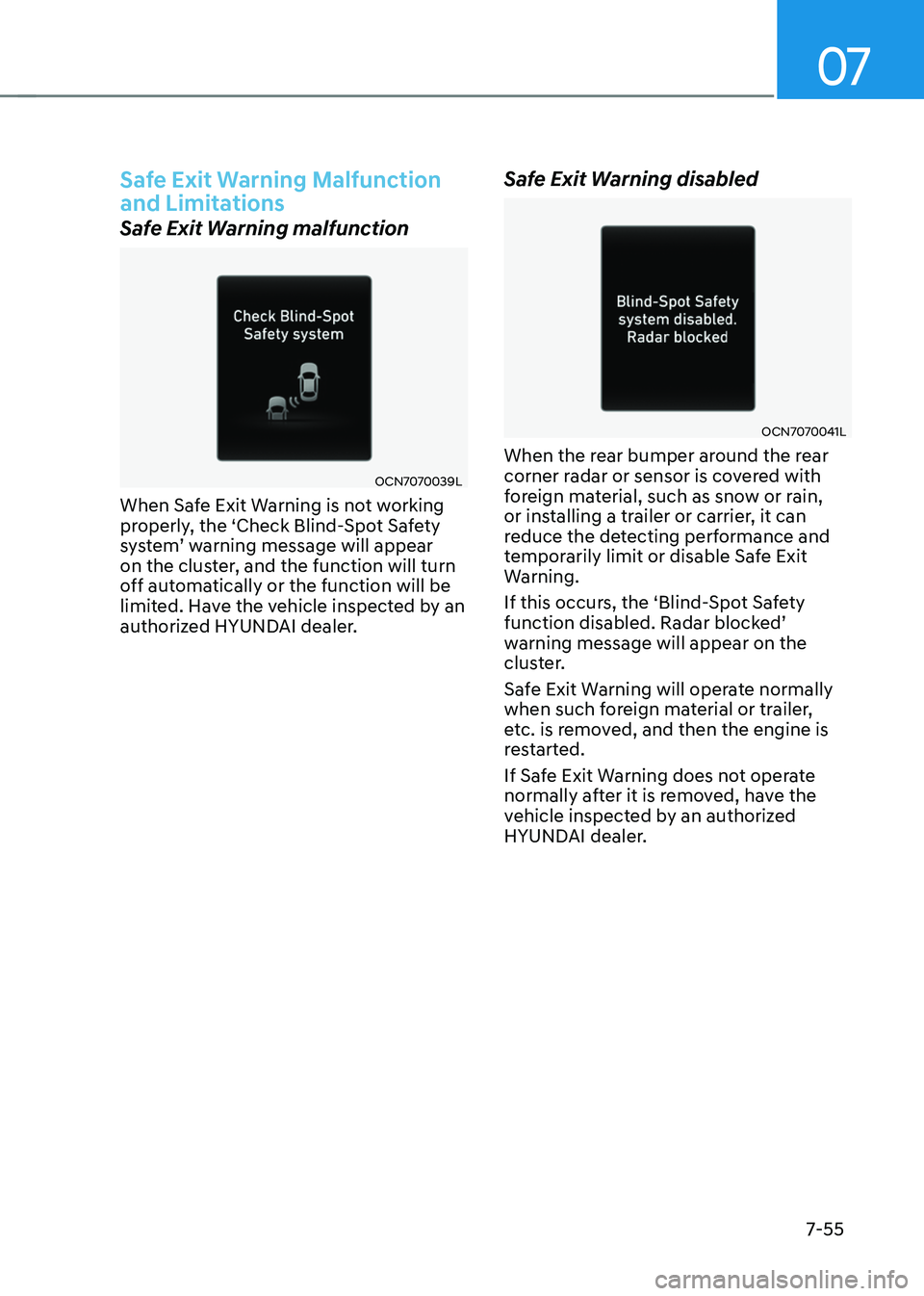
OCN7070039L
When Safe Exit Warning is not working
properly, the ‘Check Blind-Spot Safety
system’ warning message will appear on the cluster, and the function will turn
off automatically or the function will be
limited. Have the vehicle inspected by an
authorized HYUNDAI dealer.
Safe Exit Warning disabled
OCN7070041L
When the rear bumper around the rear
corner radar or sensor is covered with
foreign material, such as snow or rain,
or installing a trailer or carrier, it can
reduce the detecting performance and
temporarily limit or disable Safe Exit
Warning.
If this occurs, the ‘Blind-Spot Safety
function disabled. Radar blocked’ warning message will appear on the
cluster.
Safe Exit Warning will operate normally
when such foreign material or trailer,
etc. is removed, and then the engine is
restarted.
If Safe Exit Warning does not operate
normally after it is removed, have the
vehicle inspected by an authorized
HYUNDAI dealer.
Page 420 of 638
07
7-57
MANUAL SPEED LIMIT ASSIST (MSLA)
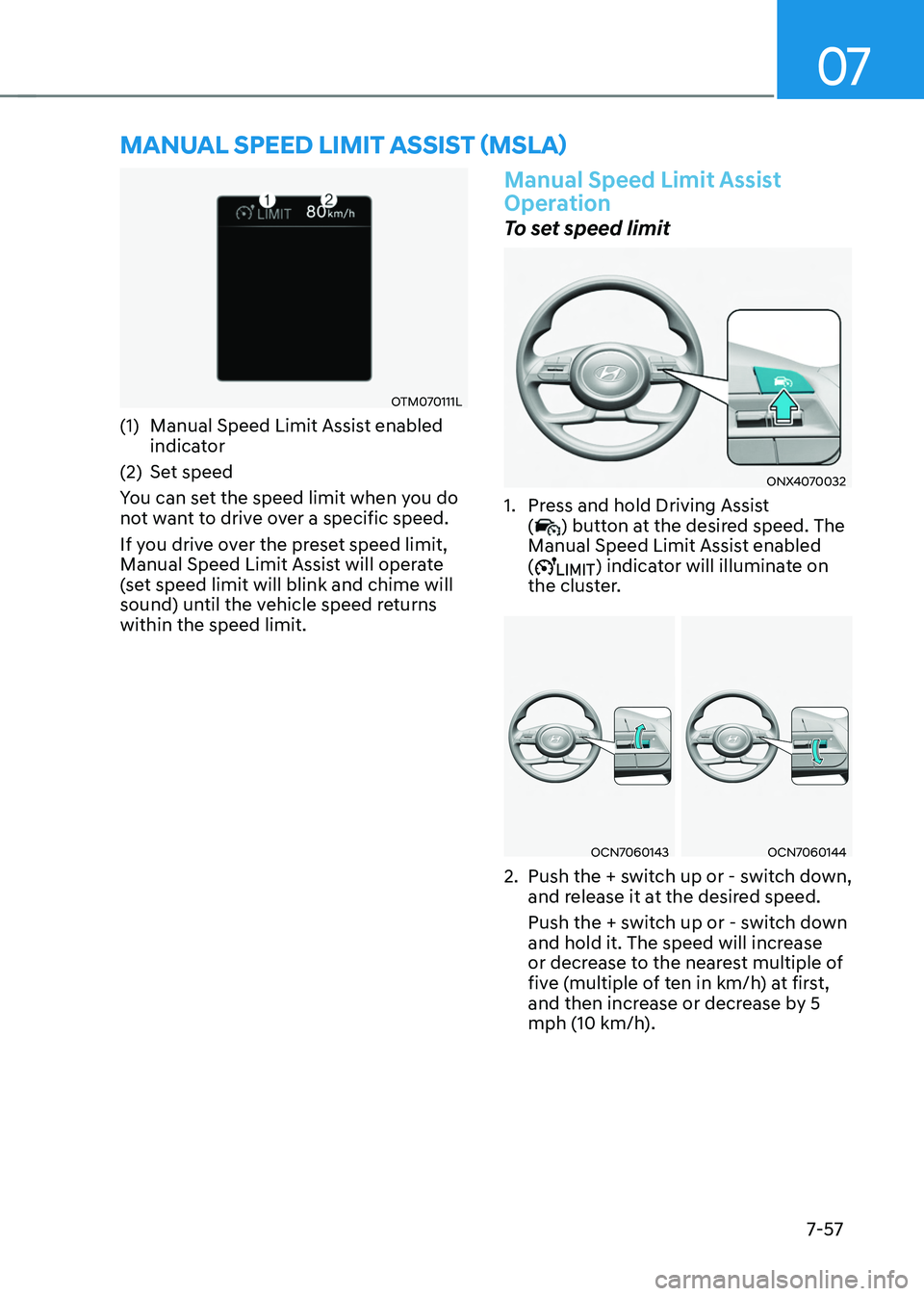
OTM070111L
(1) Manual Speed Limit Assist enabled
indicator
(2) Set speed
You can set the speed limit when you do
not want to drive over a specific speed.
If you drive over the preset speed limit,
Manual Speed Limit Assist will operate
(set speed limit will blink and chime will
sound) until the vehicle speed returns
within the speed limit.
Manual Speed Limit Assist
Operation
To set speed limit
ONX4070032
1. Press and hold Driving Assist
() button at the desired speed. The
Manual Speed Limit Assist enabled
(
) indicator will illuminate on
the cluster.
OCN7060143OCN7060144
2. Push the + switch up or - switch down,
and release it at the desired speed.
Push the + switch up or - switch down
and hold it. The speed will increase
or decrease to the nearest multiple of
five (multiple of ten in km/h) at first,
and then increase or decrease by 5
mph (10 km/h).
Page 421 of 638
Driver assistance system
7-58
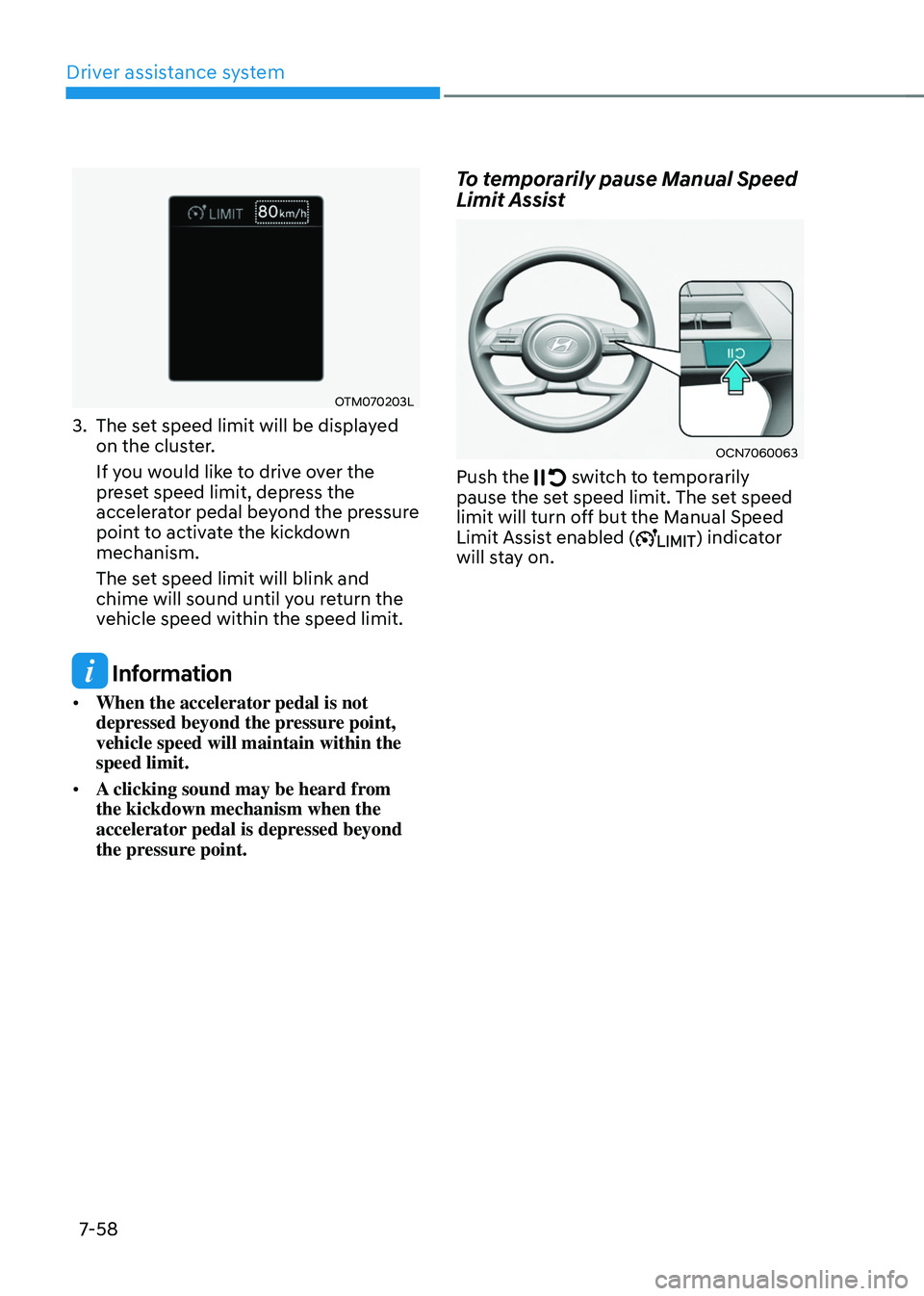
OTM070203L
3. The set speed limit will be displayed
on the cluster.
If you would like to drive over the
preset speed limit, depress the
accelerator pedal beyond the pressure
point to activate the kickdown
mechanism.
The set speed limit will blink and
chime will sound until you return the
vehicle speed within the speed limit.
Information
• When the accelerator pedal is not
depressed beyond the pressure point,
vehicle speed will maintain within the
speed limit.
• A clicking sound may be heard from
the kickdown mechanism when the
accelerator pedal is depressed beyond
the pressure point.
To temporarily pause Manual Speed
Limit Assist
OCN7060063
Push the switch to temporarily pause the set speed limit. The set speed
limit will turn off but the Manual Speed
Limit Assist enabled (
) indicator
will stay on.
Page 422 of 638
07
7-59
To resume Manual Speed Limit
Assist
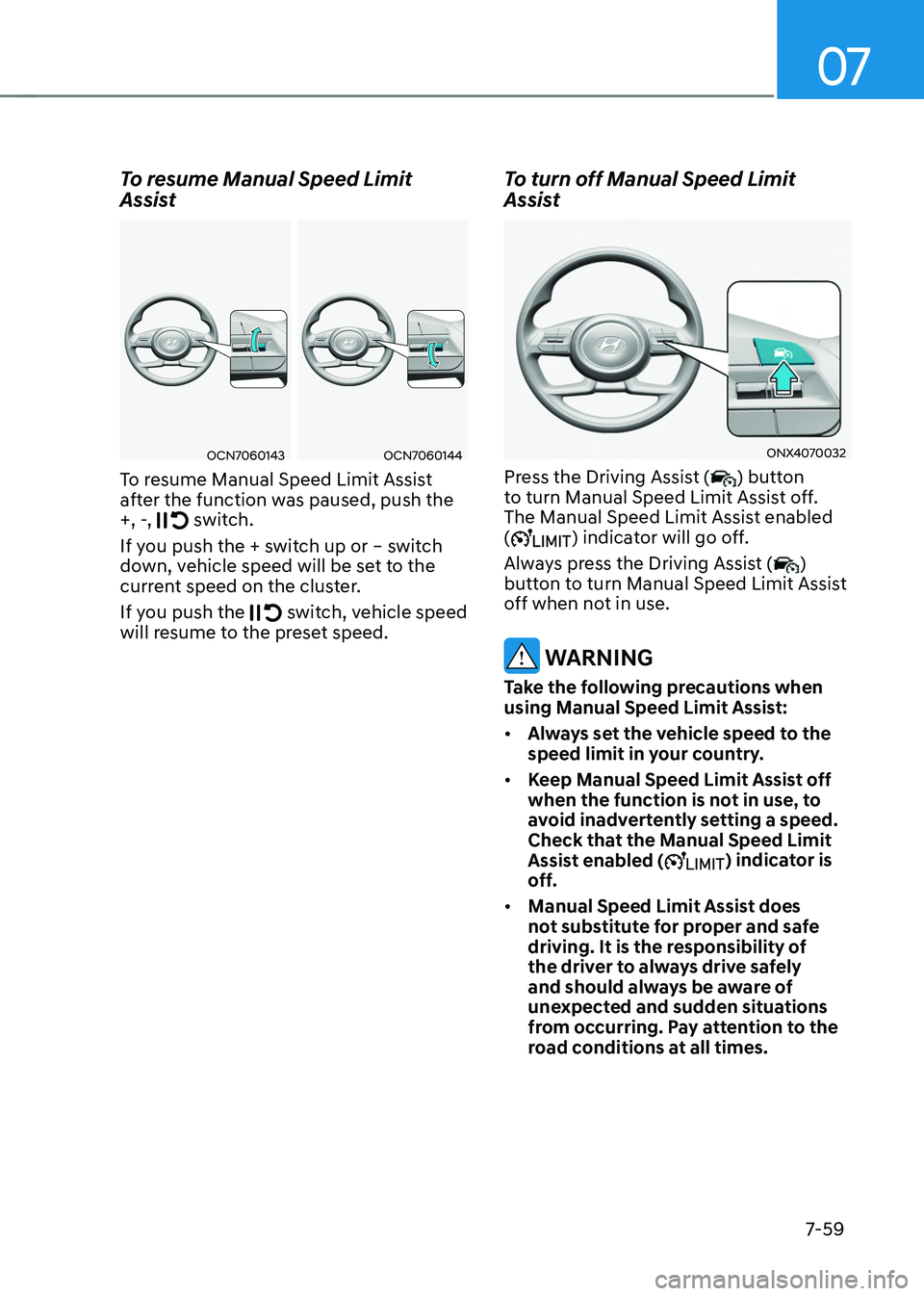
OCN7060143OCN7060144
To resume Manual Speed Limit Assist
after the function was paused, push the
+, -,
switch.
If you push the + switch up or – switch
down, vehicle speed will be set to the
current speed on the cluster.
If you push the
switch, vehicle speed will resume to the preset speed.
To turn off Manual Speed Limit
Assist
ONX4070032
Press the Driving Assist () button
to turn Manual Speed Limit Assist off.
The Manual Speed Limit Assist enabled
(
) indicator will go off.
Always press the Driving Assist (
)
button to turn Manual Speed Limit Assist
off when not in use.
WARNING
Take the following precautions when
using Manual Speed Limit Assist:
• Always set the vehicle speed to the
speed limit in your country.
• Keep Manual Speed Limit Assist off
when the function is not in use, to
avoid inadvertently setting a speed.
Check that the Manual Speed Limit
Assist enabled (
) indicator is
off.
• Manual Speed Limit Assist does
not substitute for proper and safe
driving. It is the responsibility of
the driver to always drive safely
and should always be aware of
unexpected and sudden situations
from occurring. Pay attention to the
road conditions at all times.
Page 423 of 638
Driver assistance system7-60
INTELLIGENT SPEED LIMIT ASSIST (ISLA) (IF EQUIPPED)
Intelligent Speed Limit Assist uses
information from the detected road sign
and navigation system to inform the
driver of the speed limit and additional
information of the current road. Also,
Intelligent Speed Limit Assist helps the
driver to maintain within the speed limit
of the road.
CAUTION
Intelligent Speed Limit Assist may not
operate properly if the function is used
in other countries.
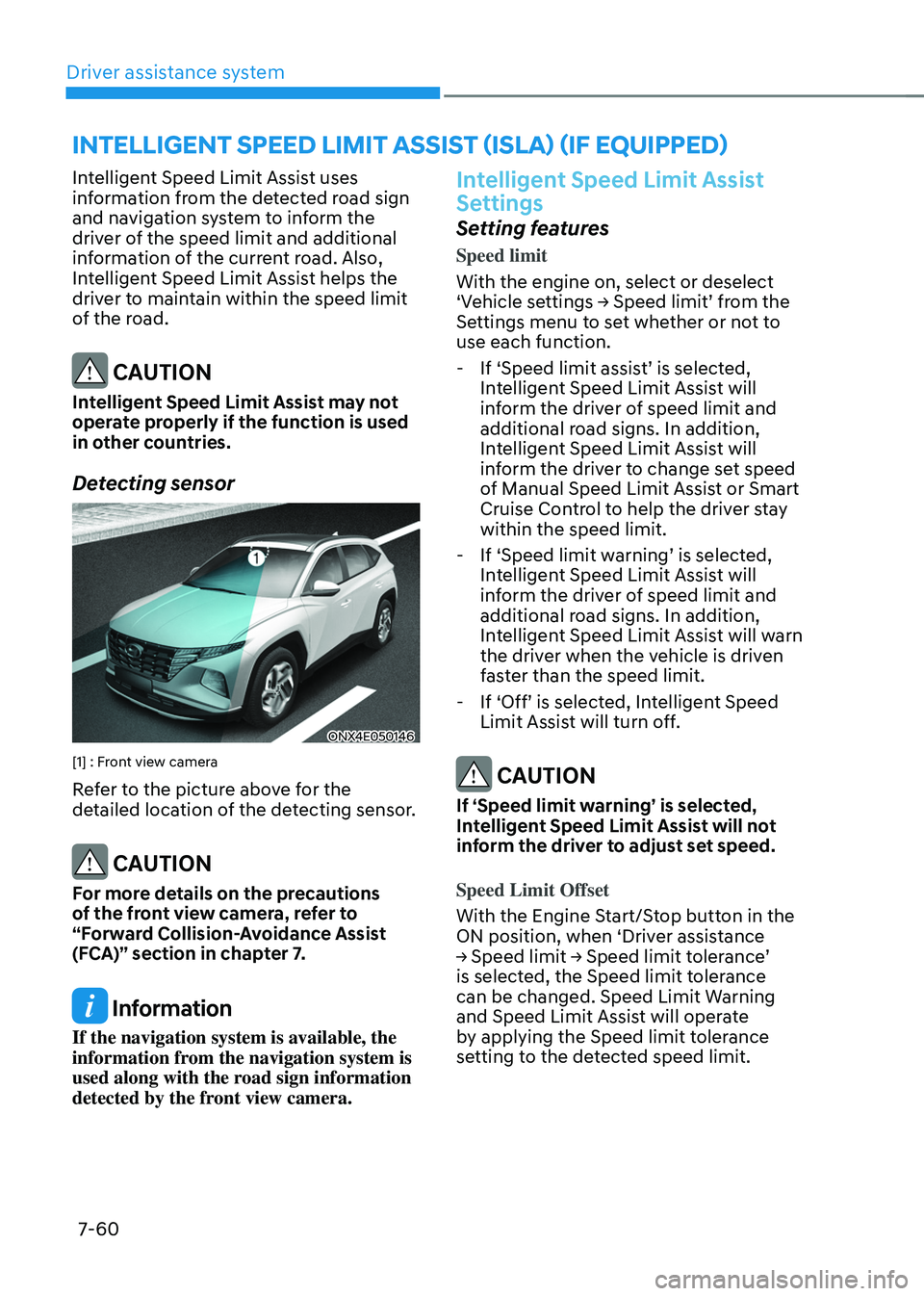
Detecting sensor
ONX4E050146
[1] : Front view camera
Refer to the picture above for the
detailed location of the detecting sensor.
CAUTION
For more details on the precautions
of the front view camera, refer to
“Forward Collision-Avoidance Assist
(FCA)” section in chapter 7.
Information
If the navigation system is available, the
information from the navigation system is
used along with the road sign information
detected by the front view camera.
Intelligent Speed Limit Assist
Settings
Setting features
Speed limit
With the engine on, select or deselect
‘Vehicle settings → Speed limit’ from the Settings menu to set whether or not to
use each function.
-If ‘Speed limit assist’ is selected, Intelligent Speed Limit Assist will
inform the driver of speed limit and
additional road signs. In addition,
Intelligent Speed Limit Assist will
inform the driver to change set speed
of Manual Speed Limit Assist or Smart
Cruise Control to help the driver stay
within the speed limit.
-If ‘Speed limit warning’ is selected, Intelligent Speed Limit Assist will
inform the driver of speed limit and
additional road signs. In addition,
Intelligent Speed Limit Assist will warn
the driver when the vehicle is driven
faster than the speed limit.
-If ‘Off’ is selected, Intelligent Speed Limit Assist will turn off.
CAUTION
If ‘Speed limit warning’ is selected,
Intelligent Speed Limit Assist will not
inform the driver to adjust set speed.
Speed Limit Offset
With the Engine Start/Stop button in the
ON position, when ‘Driver assistance
→ Speed limit → Speed limit tolerance’ is selected, the Speed limit tolerance
can be changed. Speed Limit Warning
and Speed Limit Assist will operate
by applying the Speed limit tolerance
setting to the detected speed limit.
Page 426 of 638
07
7-63
Intelligent Speed Limit Assist
Malfunction and Limitations
Intelligent Speed Limit Assist
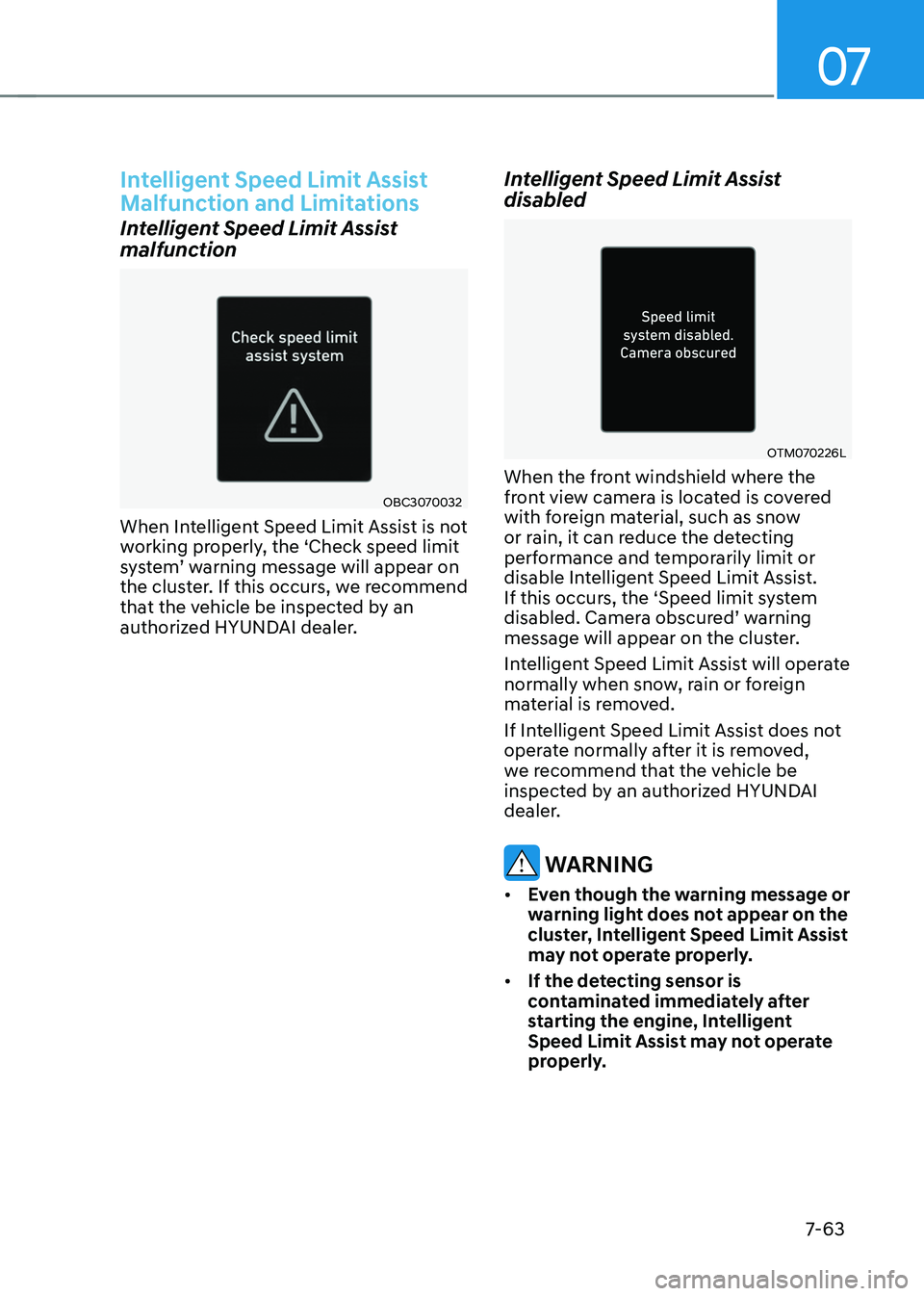
malfunction
OBC3070032
When Intelligent Speed Limit Assist is not
working properly, the ‘Check speed limit
system’ warning message will appear on the cluster. If this occurs, we recommend
that the vehicle be inspected by an
authorized HYUNDAI dealer.
Intelligent Speed Limit Assist
disabled
OTM070226L
When the front windshield where the
front view camera is located is covered
with foreign material, such as snow
or rain, it can reduce the detecting
performance and temporarily limit or
disable Intelligent Speed Limit Assist.
If this occurs, the ‘Speed limit system
disabled. Camera obscured’ warning message will appear on the cluster.
Intelligent Speed Limit Assist will operate
normally when snow, rain or foreign
material is removed.
If Intelligent Speed Limit Assist does not
operate normally after it is removed,
we recommend that the vehicle be
inspected by an authorized HYUNDAI
dealer.
WARNING
• Even though the warning message or
warning light does not appear on the
cluster, Intelligent Speed Limit Assist
may not operate properly.
• If the detecting sensor is
contaminated immediately after
starting the engine, Intelligent
Speed Limit Assist may not operate
properly.
Page 427 of 638
Driver assistance system
7-64
Limitations of Intelligent Speed
Limit Assist
Intelligent Speed Limit Assist may not
operate or may not provide correct
information under the following
circumstances:
• The road sign is contaminated or
indistinguishable
-The road sign is difficult to see due
to bad weather, such as rain, snow,
fog, etc.
-The road sign is not clear or
damaged
-The road sign is partially obscured
by surrounding objects or shadow
• The road signs do not conform to the
standard
-The text or picture on the road sign
is different from the standard
-The road sign is installed between
the main line and the exit road or
between diverging roads
-There is no conditional road signs
on the road sign located on the exit
road
-A sign is attached to another vehicle
• The brightness changes suddenly, for
example when entering or exiting a
tunnel or passing under a bridge
• Headlamps are not used or the
brightness of the headlamps are weak
at night or in the tunnel
• Road signs are difficult to recognize
due to the reflection of sunlight, street
lights, or oncoming vehicles
• The distance between the driving lane
and the road sign is far
• Luminous road signs
• There is a similar object or text which
is in the road sign or an object like a
road sign
• There is an error in the navigation map
data or GPS data
• The vehicle does not drive based on
the route guidance •
The field of view of the front view
camera is obstructed by sun glare
• Driving on a road that is sharply
curved or continuously curved
• Driving through speed bumps, or
driving up and down or left to right on
steep inclines
• The vehicle is shaking heavily
Information
For more details on the limitations of the
front view camera, refer to “Forward
Collision-Avoidance Assist (FCA)” section
in chapter 7.
WARNING
• Intelligent Speed Limit Assist is a
supplemental function that helps the
driver to comply with the speed limit
on the road, and may not display the
correct speed limit or control the
driving speed properly.
• Always set the vehicle speed to the
speed limit in your country.
Page 428 of 638
07
7-65
DRIVER ATTENTION WARNING (DAW)
Basic function
Driver Attention Warning will help
determine the driver's attention level by
analyzing driving pattern, driving time,
etc. while vehicle is being driven. Driver
Attention Warning will recommend a
break when the driver’s attention level falls below a certain level.
Leading Vehicle Departure Alert
function
Leading Vehicle Departure Alert function
will inform the driver when a detected
vehicle in front departs from a stop.
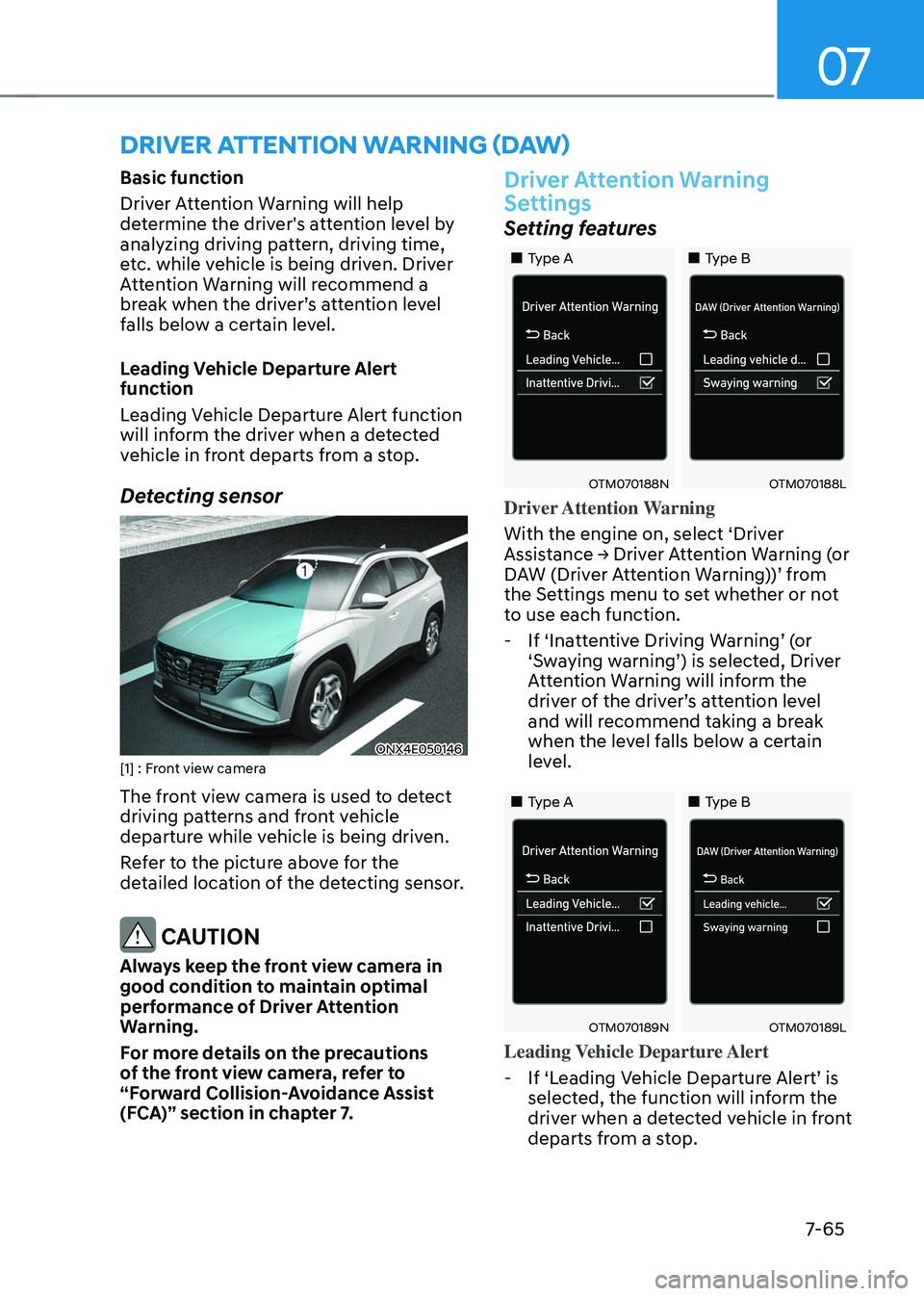
Detecting sensor
ONX4E050146[1] : Front view camera
The front view camera is used to detect
driving patterns and front vehicle
departure while vehicle is being driven.
Refer to the picture above for the
detailed location of the detecting sensor.
CAUTION
Always keep the front view camera in
good condition to maintain optimal
performance of Driver Attention
Warning.
For more details on the precautions
of the front view camera, refer to
“Forward Collision-Avoidance Assist
(FCA)” section in chapter 7.
Driver Attention Warning
Settings
Setting features
„„Type A„„Type B
OTM070188NOTM070188L
Driver Attention Warning
With the engine on, select ‘Driver
Assistance → Driver Attention Warning (or DAW (Driver Attention Warning))’ from the Settings menu to set whether or not
to use each function.
-If ‘Inattentive Driving Warning’ (or ‘Swaying warning’) is selected, Driver Attention Warning will inform the driver of the driver’s attention level and will recommend taking a break
when the level falls below a certain
level.
„„Type A„„Type B
OTM070189NOTM070189L
Leading Vehicle Departure Alert
-If ‘Leading Vehicle Departure Alert’ is selected, the function will inform the
driver when a detected vehicle in front
departs from a stop.