2022 HYUNDAI TUCSON LED
[x] Cancel search: LEDPage 319 of 638
Driving your vehicle
6-34
Anti-lock Brake System (ABS)
WARNING
Anti-Lock Braking System (ABS) or
Electronic Stability Control (ESC)
system will not prevent accidents
due to improper or dangerous driving
maneuvers. Even though vehicle
control is improved during emergency
braking, always maintain a safe
distance between you and objects
ahead of you. Vehicle speeds should
always be reduced during extreme
road conditions. The braking distance
for vehicles equipped with ABS or ESC
may be longer than for those without
these systems in the following road
conditions.
Drive your vehicle at reduced speeds
during the following conditions:
• Rough, gravel or snow-covered
roads.
• On roads where the road surface is
pitted or has different surface height.
• Tire chains are installed on your
vehicle.
The safety features of ABS or ESC
equipped vehicle should not be tested
by high speed driving or cornering. This
could endanger the safety of yourself or
others.
ABS is an electronic braking system that
helps prevent a braking skid. ABS allows
the driver to steer and brake at the same
time.
Using ABS
To obtain the maximum benefit from
your ABS in an emergency situation,
do not attempt to modulate your brake
pressure and do not try to pump your
brakes. Depress your brake pedal as hard
as possible.
When you apply your brakes under
conditions which may lock the wheels,
you may hear sounds from the brakes,
or feel a corresponding sensation in the
brake pedal. This is normal and it means
your ABS is active.
ABS does not reduce the time or distance
it takes to stop the vehicle.
Always maintain a safe distance from the
vehicle in front of you.
ABS will not prevent a skid that results
from sudden changes in direction, such
as trying to take a corner too fast or
making a sudden lane change. Always
drive at a safe speed for the road and
weather conditions.
ABS cannot prevent a loss of stability.
Always steer moderately when braking
hard. Severe or sharp steering wheel
movement can still cause your vehicle to
veer into oncoming traffic or off the road.
On loose or uneven road surfaces,
operation of the anti-lock brake system
may result in a longer stopping distance
than for vehicles equipped with a
conventional brake system.
The ABS (
) warning light will stay
on for several seconds after the Engine
Start/Stop button is in the ON position.
During that time, ABS will go through
self-diagnosis and the light will go off
if everything is normal. If the light stays
on, you may have a problem with your
ABS. We recommend that you contact an
authorized HYUNDAI dealer as soon as
possible.
Page 321 of 638
Driving your vehicle
6-36
ESC operation
ESC ON condition
When the Engine Start/Stop button is
in the ON position, ESC and the ESC
OFF indicator lights illuminate for
approximately three seconds. After both
lights go off, ESC is enabled.
When operating
When ESC is in operation, the
ESC indicator light blinks:
• When you apply your brakes under
conditions which may lock the wheels,
you may hear sounds from the brakes,
or feel a corresponding sensation in
the brake pedal. This is normal and it
means your ESC is active.
• When ESC activates, the engine may
not respond to the accelerator as it
does under routine conditions.
• If Cruise Control was in use when
ESC activates, Cruise Control
automatically disengages. Cruise
Control can be reengaged when the
road conditions allow. See “Cruise
Control (CC)” section in chapter 7 (if
equipped).
• When moving out of the mud or
driving on a slippery road, the engine
RPM (revolutions per minute) may
not increase even if you press the
accelerator pedal deeply. This is to
maintain the stability and traction of
the vehicle and does not indicate a
problem. ESC OFF condition
To cancel ESC operation:
• State 1
Press the ESC OFF button briefly. The
ESC OFF indicator light and/or message
'Traction Control disabled' will illuminate.
In this state, the traction control function
of ESC (engine management) is disabled,
but the brake control function of ESC
(braking management) still operates.
• State 2
Press and hold the ESC OFF button
continuously for more than 3 seconds.
The ESC OFF indicator light and/or
message 'Traction & Stability Control
disabled' illuminates and a warning
chime sounds. In this state, both the
traction control function of ESC (engine
management) and the brake control
function of ESC (braking management)
are disabled.
If the Engine Start/Stop button is pressed
to the OFF position when ESC is off, ESC
remains off. Upon restarting the vehicle,
ESC will automatically turn on again.
Page 322 of 638
06
6-37
Indicator lights
■ ESC indicator light (blinks)
■ ESC OFF indicator light (comes on)
When the Engine Start/Stop button is
pressed to the ON position, the ESC
indicator light illuminates, then goes off
if the ESC system is operating normally.
The ESC indicator light blinks whenever
ESC is operating.
If the ESC indicator light stays on, your
vehicle may have a malfunction with
the ESC system. When this warning light
illuminates we recommend that the
vehicle be checked by an authorized
HYUNDAI dealer as soon as possible.
The ESC OFF indicator light comes on
when ESC is turned off.
WARNING
When ESC is blinking, this indicates ESC
is active:
Drive slowly and NEVER attempt to
accelerate. NEVER turn ESC off while
the ESC indicator light is blinking or you
may lose control of the vehicle resulting
in an accident.
NOTICE
Driving with wheels and tires with
different sizes may cause the ESC
system to malfunction. Before replacing
tires, make sure all four tires and wheels
are the same size. Never drive the
vehicle with different sized wheels and
tires installed.
ESC OFF usage
When Driving
The ESC OFF mode should only be used
briefly to help free the vehicle if stuck in
snow or mud, by temporarily stopping
operation of ESC, to maintain wheel
torque.
To turn ESC off while driving, press the
ESC OFF button while driving on a flat
road surface.
NOTICE
To prevent damage to the transmission:
• Do not allow wheel(s) of one axle to
spin excessively while the ESC, ABS,
and Parking Brake warning lights
are displayed. The repairs would not
be covered by the vehicle warranty.
Reduce engine power and do not
spin the wheel(s) excessively while
these lights are displayed.
• When operating the vehicle
on a dynamometer, make sure
ESC is turned off (ESC OFF light
illuminated).
Information
Turning ESC off does not affect ABS or
standard brake system operation.
Page 324 of 638
06
6-39
VSM OFF condition
To cancel VSM operation, press the ESC
OFF button. ESC OFF (
) indicator light
will illuminate.
To turn on VSM, press the ESC OFF
button again. The ESC OFF indicator light
will go out.
WARNING
If the ESC () indicator light or EPS
() warning light stays illuminated
or blinks, your vehicle may have a
malfunction with the VSM system.
When the warning light illuminates
we recommend that the vehicle be
checked by an authorized HYUNDAI
dealer as soon as possible.
NOTICE
Driving with wheels and tires with
different sizes may cause the VSM
system to malfunction. Before replacing
tires, make sure all four tires and wheels
are the same size. Never drive the
vehicle with different sized tires and
wheels installed.
Trailer stability assist (TSA)
Trailer stability assist is operated as a
vehicle stability control system. The
Trailer stability assist system stabilizes
the vehicle and trailer when the trailer
sways or oscillates. There are various
reasons making vehicle sway and
oscillate. In most case it happens at high
speed however, if the trailer is affected
by crosswinds, buffeting, and improper
overloading, it may also be a risk of sway.
Factors of swaying such as:
- High speed
-Strong crosswinds
-Improper overloading
-Sudden controlling of steering wheel
-Uneven road
Trailer stability assist system
continuously analyzes the vehicle
and trailer instability. When the
Trailer stability assist system detects
some sway, the brakes are applied
automatically to stabilize the vehicle
on the front wheel. However, if it is
not enough to stabilize, the brakes are
applied on all wheels automatically and
engine power is properly reduced. When
the vehicle is stable from swaying, trailer
stability assist system does not operate.
Page 327 of 638
Driving your vehicle
6-42
OJX1069039L
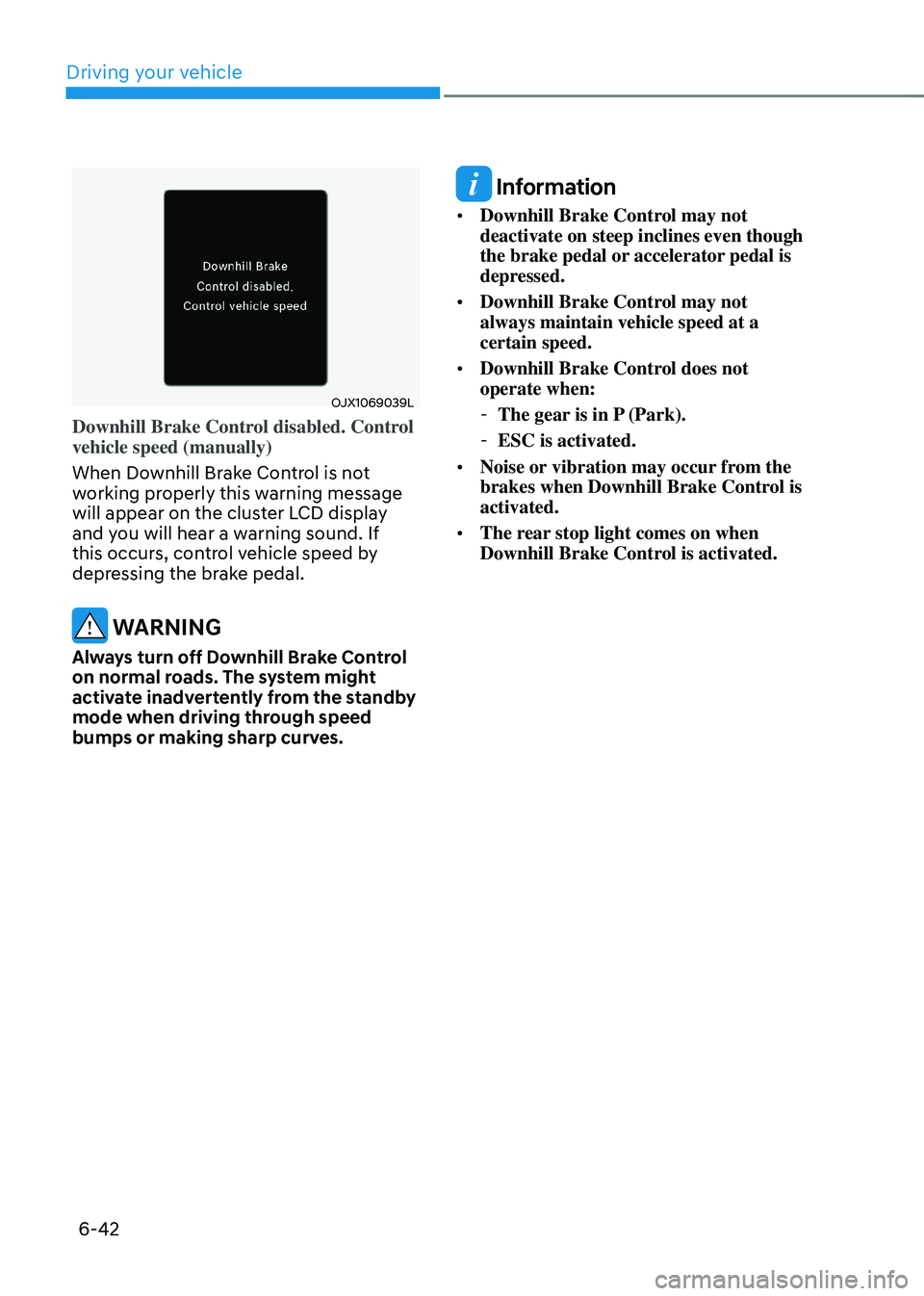
Downhill Brake Control disabled. Control
vehicle speed (manually)
When Downhill Brake Control is not
working properly this warning message
will appear on the cluster LCD display
and you will hear a warning sound. If
this occurs, control vehicle speed by
depressing the brake pedal.
WARNING
Always turn off Downhill Brake Control
on normal roads. The system might
activate inadvertently from the standby
mode when driving through speed
bumps or making sharp curves.
Information
• Downhill Brake Control may not
deactivate on steep inclines even though
the brake pedal or accelerator pedal is
depressed.
• Downhill Brake Control may not
always maintain vehicle speed at a
certain speed.
• Downhill Brake Control does not
operate when:
-The gear is in P (Park).
-ESC is activated.
• Noise or vibration may occur from the
brakes when Downhill Brake Control is
activated.
• The rear stop light comes on when
Downhill Brake Control is activated.
Page 334 of 638
06
6-49
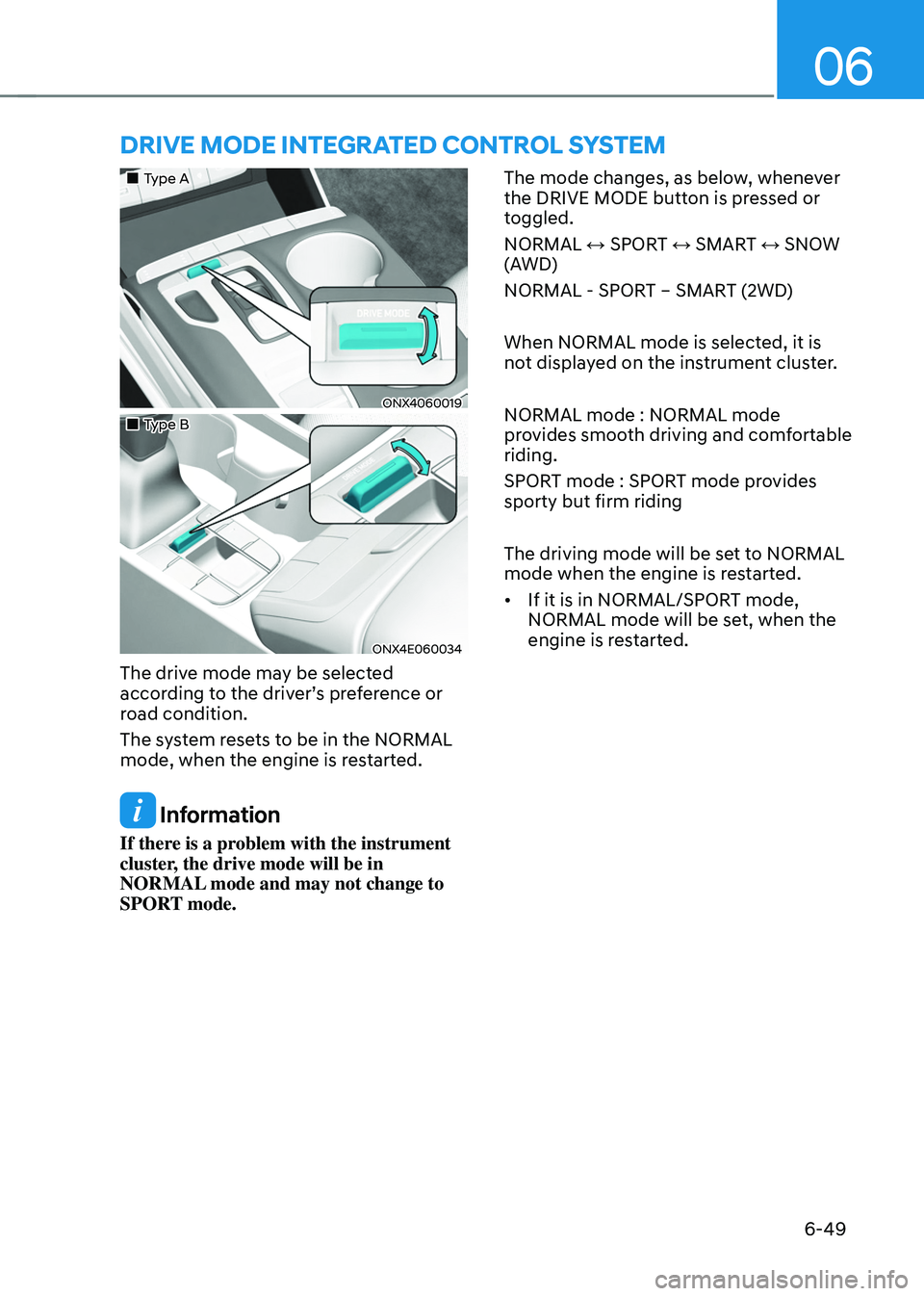
DRIVE MODE INTEGRATED CONTROL SYSTEM
„„Type A
ONX4060019
„„Type B
ONX4E060034
The drive mode may be selected
according to the driver’s preference or
road condition.
The system resets to be in the NORMAL
mode, when the engine is restarted.
Information
If there is a problem with the instrument
cluster, the drive mode will be in
NORMAL mode and may not change to
SPORT mode. The mode changes, as below, whenever
the DRIVE MODE button is pressed or
toggled.
NORMAL ↔ SPORT ↔ SMART ↔ SNOW
(AWD)
NORMAL - SPORT – SMART (2WD)
When NORMAL mode is selected, it is
not displayed on the instrument cluster.
NORMAL mode : NORMAL mode
provides smooth driving and comfortable
riding.
SPORT mode : SPORT mode provides
sporty but firm riding
The driving mode will be set to NORMAL
mode when the engine is restarted.
•
If it is in NORMAL/SPORT mode,
NORMAL mode will be set, when the
engine is restarted.
Page 336 of 638
06
6-51
Various driving situations, which you may
encounter in SMART mode
• The driving mode automatically
changes to ECO mode after a certain
period of time, when you gently
depress the accelerator pedal (Your
driving is categorized to be mild.).
• The driving mode automatically
changes from SMART ECO mode
to SMART COMFORT mode after a
certain period of time, when you
sharply or repetitively depress the
accelerator pedal.
• The driving mode automatically
changes to SMART COMFORT mode
with the same driving patterns, when
the vehicle starts to drive on an
upward slope of a certain angle. The
driving mode automatically returns to
SMART ECO mode, when the vehicle
enters a leveled road.
• The driving mode automatically
changes to SMART SPORT, when
you abruptly accelerate the vehicle
or repetitively operate the steering
wheel (Your driving is categorized
to be sporty.). In this mode, your
vehicle drives in a lower gear for
abrupt accelerating/decelerating
and increases the engine brake
performance.
• You may still sense the engine brake
performance, even when you release
the accelerator pedal in SMART
SPORT mode. It is because your
vehicle remains to be in a lower gear
over a certain period of time for next
acceleration. Thus, it is a normal
driving situation, not indicating any
malfunction. •
The driving mode automatically
changes to SMART SPORT mode
only in harsh driving situations. In
most of the normal driving situations,
the driving mode sets to be either
in SMART ECO mode or in SMART
COMFORT mode.
Limitation of SMART mode
The SMART mode may be limited in
following situations. (The OFF indicator
illuminates in those situations.)
• The driver manually moves the shift
lever : It deactivates SMART mode.
The vehicle drives, as the driver
manually moves the shift lever.
• Cruise Control is activated : Cruise
Control may deactivate the SMART
mode. When a higher system is set
by Cruise Control, it starts to control
vehicle speed and deactivates
SMART mode. (SMART mode is not
deactivated just by activing Cruise
Control.)
• The transmission oil temperature is either
extremely low or extremely high : The
SMART mode can be active in most of
the normal driving situations. However,
an extremely high/ low transmission oil
temperature may temporarily deactivate
the SMART mode, because the
transmission condition is out of normal
operation condition.
Page 337 of 638
Driving your vehicle
6-52
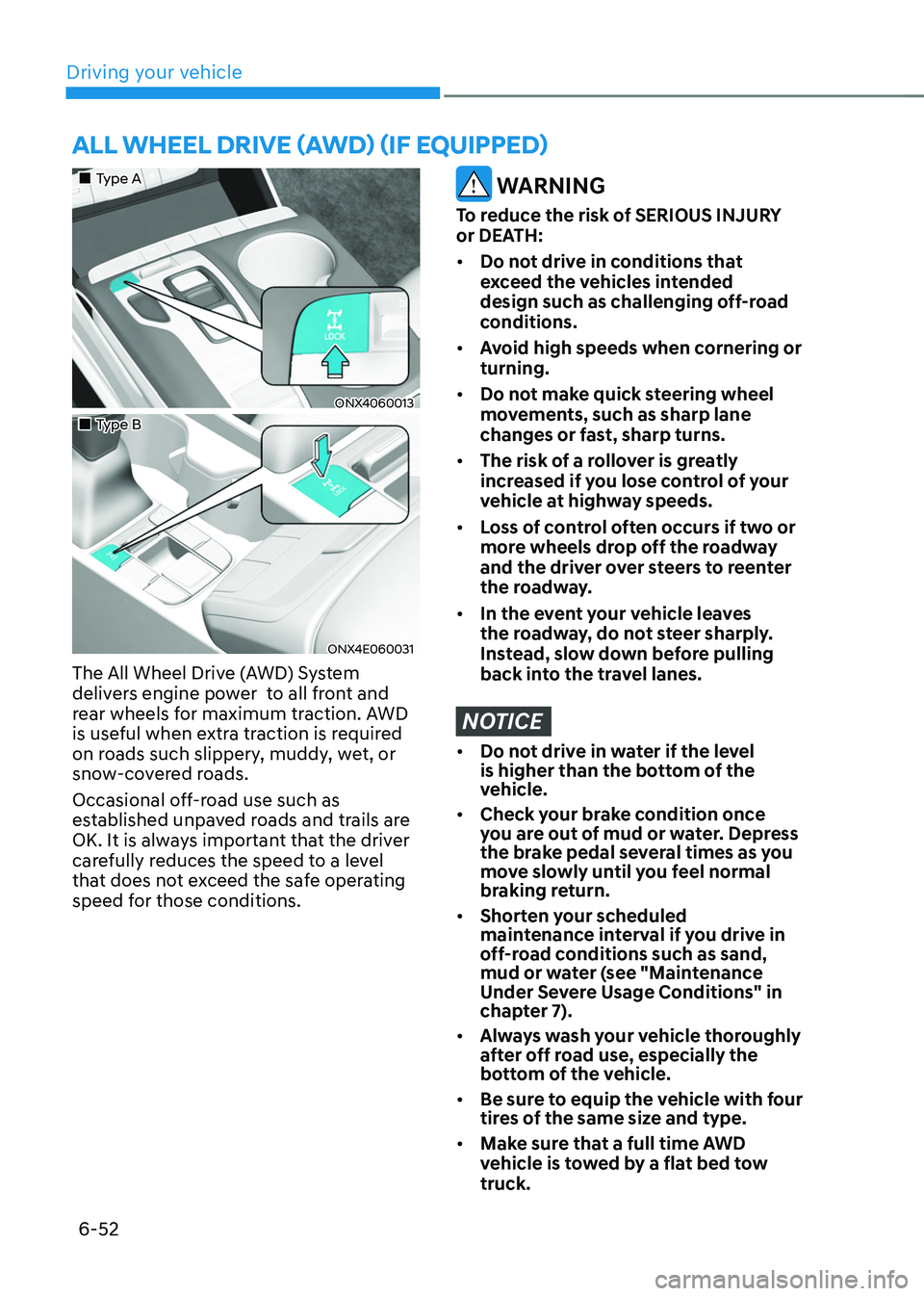
ALL WHEEL DRIVE (AWD) (IF EQUIPPED)
„„Type A
ONX4060013
„„Type B
ONX4E060031
The All Wheel Drive (AWD) System
delivers engine power to all front and
rear wheels for maximum traction. AWD
is useful when extra traction is required
on roads such slippery, muddy, wet, or
snow-covered roads.
Occasional off-road use such as
established unpaved roads and trails are
OK. It is always important that the driver
carefully reduces the speed to a level
that does not exceed the safe operating
speed for those conditions.
WARNING
To reduce the risk of SERIOUS INJURY
or DEATH:
• Do not drive in conditions that
exceed the vehicles intended
design such as challenging off-road
conditions.
• Avoid high speeds when cornering or
turning.
• Do not make quick steering wheel
movements, such as sharp lane
changes or fast, sharp turns.
• The risk of a rollover is greatly
increased if you lose control of your
vehicle at highway speeds.
• Loss of control often occurs if two or
more wheels drop off the roadway
and the driver over steers to reenter
the roadway.
• In the event your vehicle leaves
the roadway, do not steer sharply.
Instead, slow down before pulling
back into the travel lanes.
NOTICE
• Do not drive in water if the level
is higher than the bottom of the
vehicle.
• Check your brake condition once
you are out of mud or water. Depress
the brake pedal several times as you
move slowly until you feel normal
braking return.
• Shorten your scheduled
maintenance interval if you drive in
off-road conditions such as sand,
mud or water (see "Maintenance
Under Severe Usage Conditions" in
chapter 7).
• Always wash your vehicle thoroughly
after off road use, especially the
bottom of the vehicle.
• Be sure to equip the vehicle with four
tires of the same size and type.
• Make sure that a full time AWD
vehicle is tow ed by a flat bed tow
truck.