Page 396 of 579
Driver assistance system
7-64
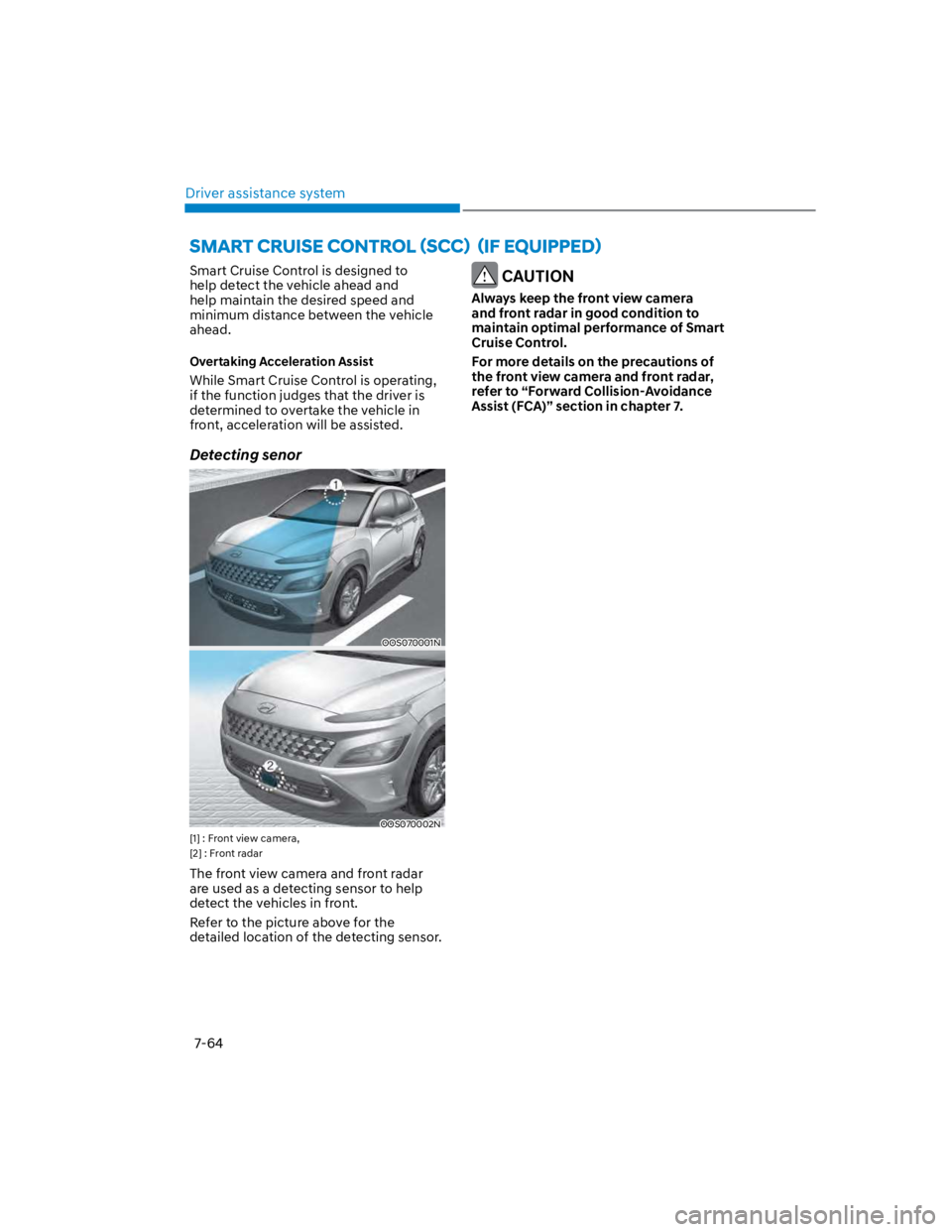
Smart Cruise Control is designed to
help detect the vehicle ahead and
help maintain the desired speed and
minimum distance between the vehicle
ahead.
Overtaking Acceleration Assist
While Smart Cruise Control is operating,
if the function judges that the driver is
determined to overtake the vehicle in
front, acceleration will be assisted.
Detecting senor
OOS070001N
OOS070002N
[1] : Front view camera,
[2] : Front radar
The front view camera and front radar
are used as a detecting sensor to help
detect the vehicles in front.
Refer to the picture above for the
detailed location of the detecting sensor.
CAUTION
Always keep the front view camera
and front radar in good condition to
maintain optimal performance of Smart
Cruise Control.
For more details on the precautions of
the front view camera and front radar,
refer to “Forward Collision-Avoidance
Assist (FCA)” section in chapter 7.
Page 407 of 579
07
7-75
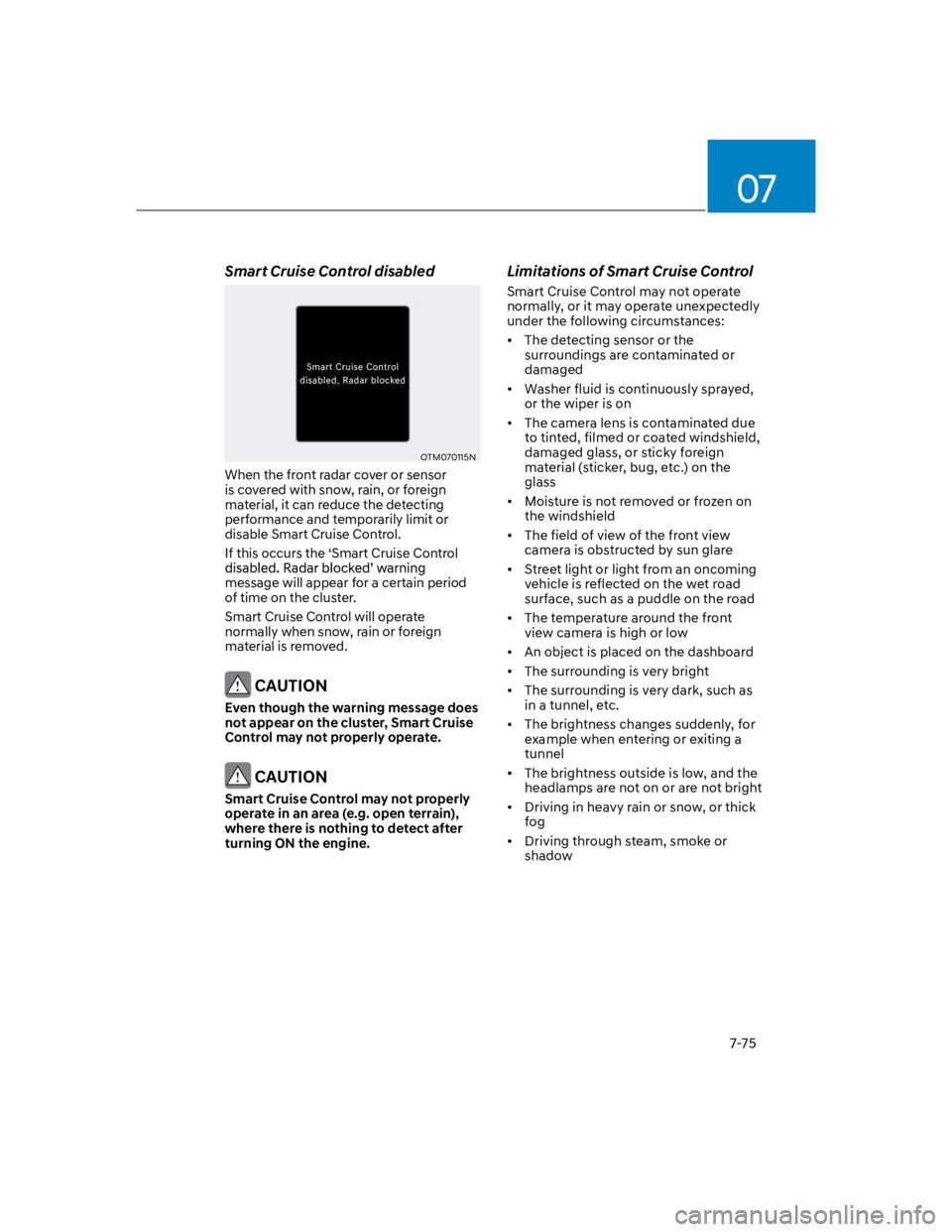
Smart Cruise Control disabled
OTM070115N
When the front radar cover or sensor
is covered with snow, rain, or foreign
material, it can reduce the detecting
performance and temporarily limit or
disable Smart Cruise Control.
If this occurs the ‘Smart Cruise Control
message will appear for a certain period
of time on the cluster.
Smart Cruise Control will operate
normally when snow, rain or foreign
material is removed.
CAUTION
Even though the warning message does
not appear on the cluster, Smart Cruise
Control may not properly operate.
CAUTION
Smart Cruise Control may not properly
operate in an area (e.g. open terrain),
where there is nothing to detect after
turning ON the engine.
Limitations of Smart Cruise Control
Smart Cruise Control may not operate
normally, or it may operate unexpectedly
under the following circumstances:
The detecting sensor or the
surroundings are contaminated or
damaged
Washer fluid is continuously sprayed,
or the wiper is on
The camera lens is contaminated due
to tinted, filmed or coated windshield,
damaged glass, or sticky foreign
material (sticker, bug, etc.) on the
glass
Moisture is not removed or frozen on
the windshield
The field of view of the front view
camera is obstructed by sun glare
Street light or light from an oncoming
vehicle is reflected on the wet road
surface, such as a puddle on the road
The temperature around the front
view camera is high or low
An object is placed on the dashboard
The surrounding is very bright
The surrounding is very dark, such as
in a tunnel, etc.
The brightness changes suddenly, for
example when entering or exiting a
tunnel
The brightness outside is low, and the
headlamps are not on or are not bright
Driving in heavy rain or snow, or thick
fog
Driving through steam, smoke or
shadow
Page 410 of 579
![HYUNDAI KONA 2022 Owners Manual Driver assistance system
7-78
Changing lanes
OADAS030
[A] : Your vehicle, [B] : Lane changing vehicle
When a vehicle moves into your lane
from an adjacent lane, it cannot be
detected by the sensor](/manual-img/35/41169/w960_41169-409.png "HYUNDAI KONA 2022 Owners Manual Driver assistance system
7-78
Changing lanes
OADAS030
[A] : Your vehicle, [B] : Lane changing vehicle
When a vehicle moves into your lane
from an adjacent lane, it cannot be
detected by the sensor")
Driver assistance system
7-78
Changing lanes
OADAS030
[A] : Your vehicle, [B] : Lane changing vehicle
When a vehicle moves into your lane
from an adjacent lane, it cannot be
detected by the sensor until it is in the
sensor's detection range. Smart Cruise
Control may not immediately detect
the vehicle when the vehicle changes
lanes abruptly. In this case, you must
maintain a safe braking distance, and
if necessary, depress the brake pedal
to reduce your driving speed in order
to maintain a safe distance.
Detecting vehicle
OJX1079181
In the following cases, some vehicles
in your lane cannot be detected by the
sensor:
- Vehicles offset to one side
- Slow-moving vehicles or sudden-
decelerating vehicles
- Oncoming vehicles
- Stopped vehicles
- Vehicles with small rear profile, such
as trailers
- Narrow vehicles, such as
motorcycles or bicycles
- Special vehicles
- Animals and pedestrians
Adjust your vehicle speed by
depressing the brake pedal according
to the road and driving conditions
ahead.
Page 411 of 579
07
7-79
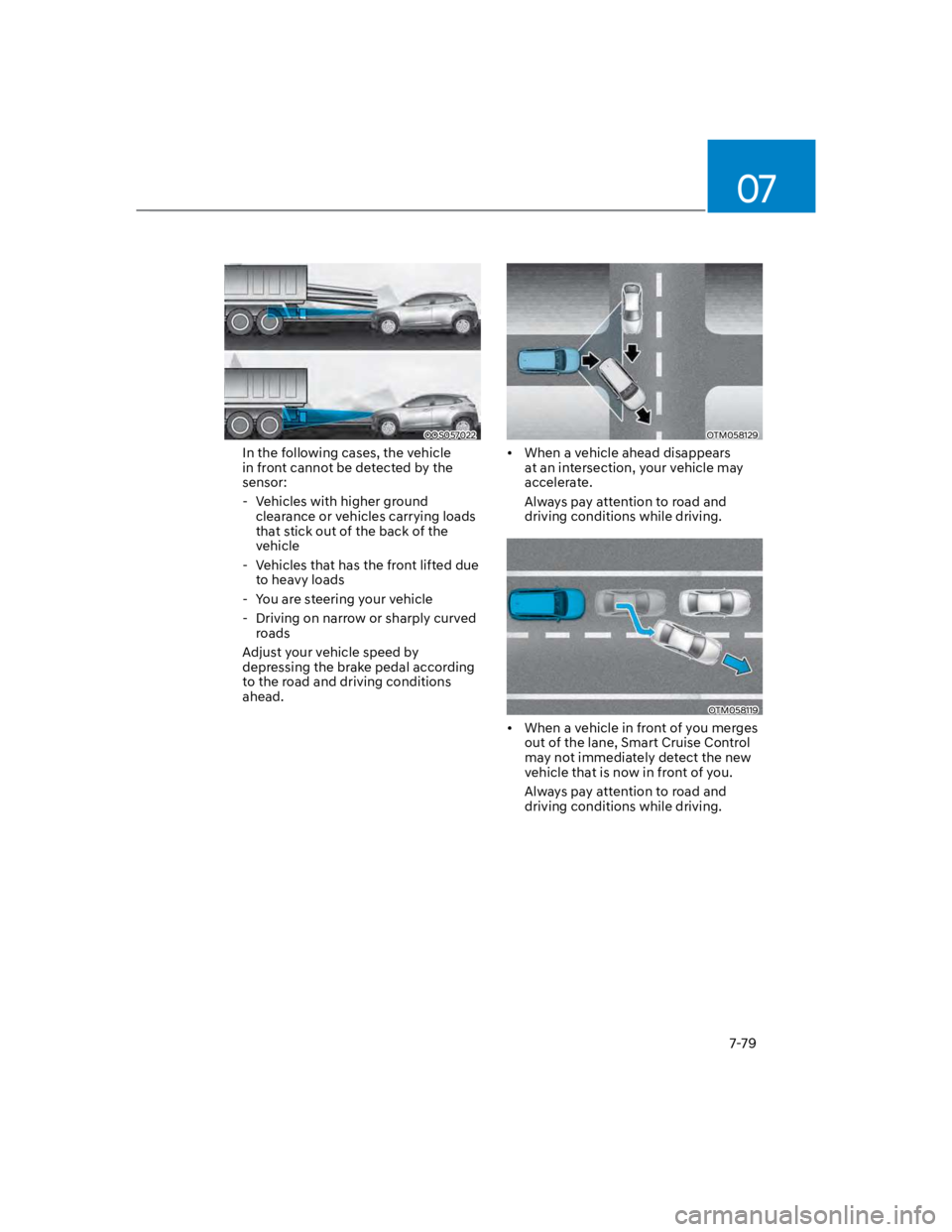
OOS057022
In the following cases, the vehicle
in front cannot be detected by the
sensor:
- Vehicles with higher ground
clearance or vehicles carrying loads
that stick out of the back of the
vehicle
- Vehicles that has the front lifted due
to heavy loads
- You are steering your vehicle
- Driving on narrow or sharply curved
roads
Adjust your vehicle speed by
depressing the brake pedal according
to the road and driving conditions
ahead.
OTM058129
When a vehicle ahead disappears
at an intersection, your vehicle may
accelerate.
Always pay attention to road and
driving conditions while driving.
OTM058119
When a vehicle in front of you merges
out of the lane, Smart Cruise Control
may not immediately detect the new
vehicle that is now in front of you.
Always pay attention to road and
driving conditions while driving.
Page 420 of 579
Driver assistance system
7-88
Lane Following Assist is designed to help
detect lane markings and/or vehicles on
to help center the vehicle in the lane.
Detecting sensor
OOS070001N
[1] : Front view camera
The front view camera is used as a
detecting sensor to help detect lane
markings and vehicles in front.
Refer to the picture above for the
detailed location of the detecting sensor.
CAUTION
For more details on the precautions
of the front view camera, refer to
“Forward Collision-Avoidance Assist
(FCA)” section in chapter 7.
Lane Following Assist settings
Setting features
OOS070014K
With the engine on, shortly press the
Lane Driving Assist button located on the
steering wheel to turn on Lane Following
Assist. The white or green indicator
light will illuminate on the cluster.
Press the button again to turn off the
function.
Page 424 of 579
Driver assistance system
7-92
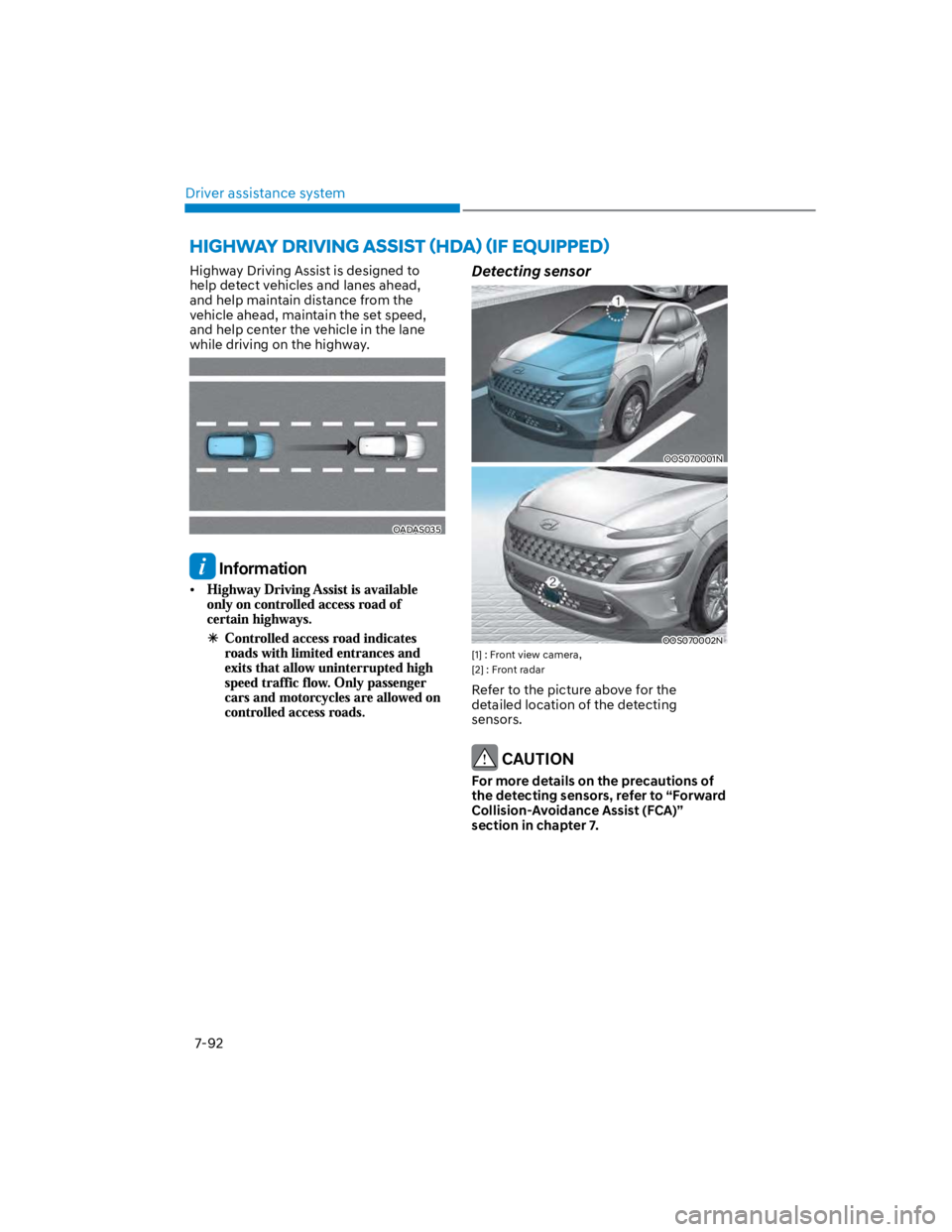
Highway Driving Assist is designed to
help detect vehicles and lanes ahead,
and help maintain distance from the
vehicle ahead, maintain the set speed,
and help center the vehicle in the lane
while driving on the highway.
OADAS035
Information
Detecting sensor
OOS070001N
OOS070002N
[1] : Front view camera,
[2] : Front radar
Refer to the picture above for the
detailed location of the detecting
sensors.
CAUTION
For more details on the precautions of
the detecting sensors, refer to “Forward
Collision-Avoidance Assist (FCA)”
section in chapter 7.
Page 429 of 579

07
7-97
Highway Driving Assist may
inadvertently operate or turn off
depending on road conditions
(navigation information) and
surroundings.
Lane Following Assist function may
be temporarily disabled when the
front view camera cannot detect
lanes properly or the hands-off
warning is on.
You may not hear the warning sound
of Highway Driving Assist if the
surrounding is noisy.
If the vehicle is driven at high speed
above a certain speed at a curve,
your vehicle may drive to one side or
may depart from the driving lane.
When you are towing a trailer or
another vehicle, we recommend that
Highway Driving Assist is turned off
due to safety reasons.
The hands–off warning message
may appear early or late depending
on how the steering wheel is held or
road conditions. Always have your
hands on the steering wheel while
driving.
For your safety, please read the
owner's manual before using the
Highway Driving Assist.
Highway Driving Assist will not
operate when the engine is started,
or when the detecting sensors or
navigation is being initialized.
Limitations of Highway Driving
Assist
Highway Driving Assist may not operate
normally, or may not operate under the
following circumstances:
The map information and the
actual road is different because the
navigation is not updated
The map information and the actual
road is different because of real-time
GPS data or map information error
The infotainment system is overloaded
by simultaneously performing
functions such as route search, video
playback, voice recognition, etc.
GPS signals are blocked in areas such
as a tunnel
The driver goes off course or the
route to the destination is changed or
canceled by resetting the navigation
The vehicle enters a service station or
rest area
Android Auto or Car Play is operating
The navigation cannot detect the
current vehicle position (ex: elevated
roads including overpass adjacent to
general roads or nearby roads exist in
a parallel way)
Information
Page 434 of 579
Driver assistance system
7-102
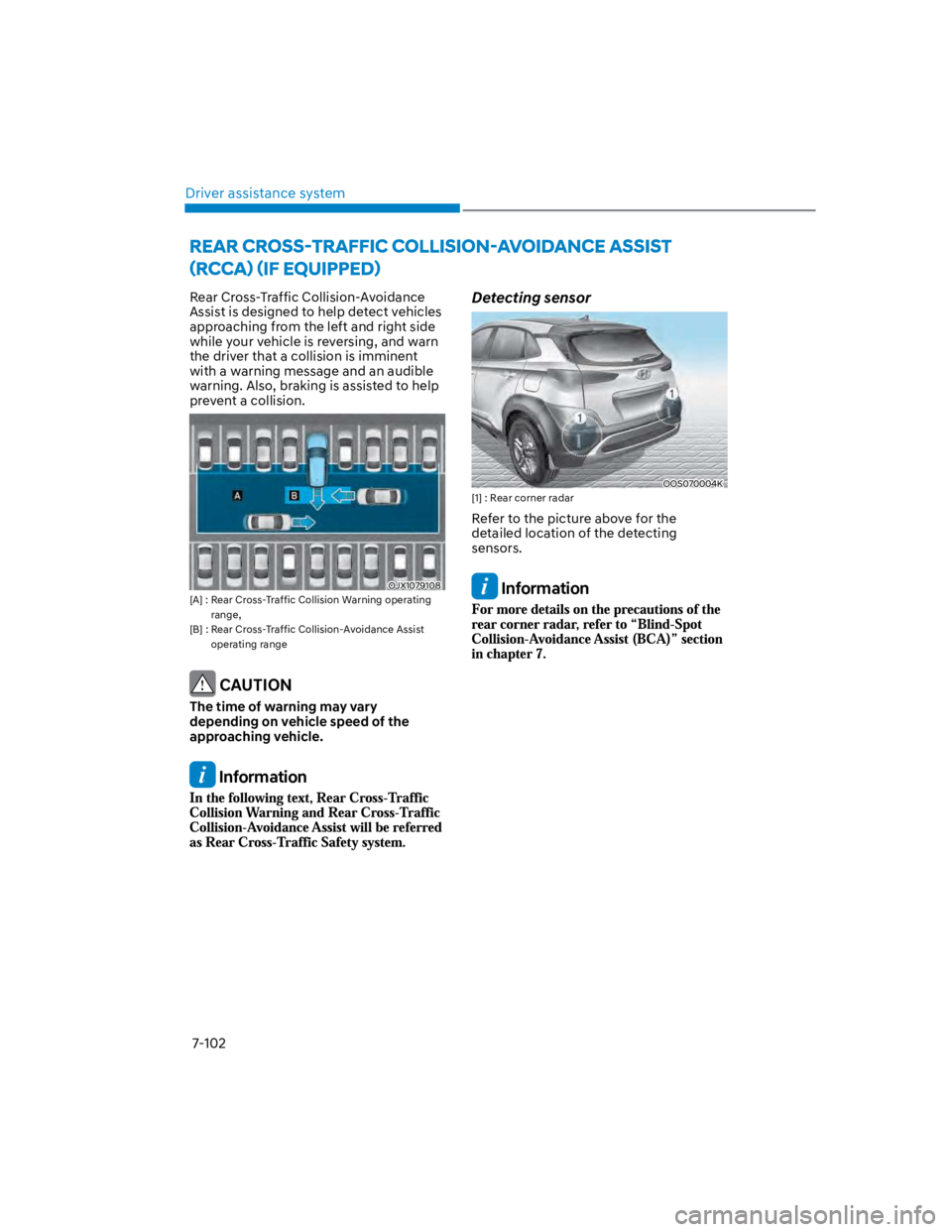
Rear Cross-Traffic Collision-Avoidance
Assist is designed to help detect vehicles
approaching from the left and right side
while your vehicle is reversing, and warn
the driver that a collision is imminent
with a warning message and an audible
warning. Also, braking is assisted to help
prevent a collision.
OJX1079108
[A] : Rear Cross-Traffic Collision Warning operating
range,
[B] : Rear Cross-Traffic Collision-Avoidance Assist
operating range
CAUTION
The time of warning may vary
depending on vehicle speed of the
approaching vehicle.
Information
Detecting sensor
OOS070004K
[1] : Rear corner radar
Refer to the picture above for the
detailed location of the detecting
sensors.
Information
![HYUNDAI KONA 2022 Owners Manual Driver assistance system
7-88
Lane Following Assist is designed to help
detect lane markings and/or vehicles on
to help center the vehicle in the lane.
Detecting sensor
OOS070001N
[1] : Front view](/manual-img/35/41169/w960_41169-419.png "HYUNDAI KONA 2022 Owners Manual Driver assistance system
7-88
Lane Following Assist is designed to help
detect lane markings and/or vehicles on
to help center the vehicle in the lane.
Detecting sensor
OOS070001N
[1] : Front view")