2022 HYUNDAI KONA sensor
[x] Cancel search: sensorPage 313 of 579
Driving your vehicle
6-56
Condition of ISG system
operation
The driver’s seatbelt is fastened
The driver’s door and hood are closed
The brake vacuum pressure is
adequate
The battery sensor is activated and
the battery is sufficiently charged
Outside temperature is not too low or
too high
The vehicle is driven over a constant
speed and stops
The climate control system satisfies
the conditions
The vehicle is sufficiently warmed up
The vehicle is not on a steep road
grade
The steering wheel is not at a sharp
angle
The vehicle is not at a high elevation
The front windshield defroster is off
You have not selected Manual shift
mode
When sufficient time has elapsed after
shifting to R (Reverse) was released
The brake vacuum pressure is low.
You have exceeded the maximum
engine off time
The air conditioning is ON with the fan
speed set to the highest position.
Fogging of the windows could occur
and the air conditioning is on.
The battery is not within optimal
operating conditions.
The cooling and heating performance
of the climate control system is
unsatisfactory.
When you press the ISG OFF button
with the engine automatically stopped
Your vehicle is moving after standstill.
You press the accelerator and the
brake pedal at the same time.
The driver safety belt becomes
unfastened or the driver door is ajar
conditions.
The green AUTO STOP indicator ()
on the instrument cluster will blink for 5
seconds.
NOTICE
If the ISG system does not meet that
operation condition, the ISG system is
deactivated.
Page 315 of 579
Driving your vehicle
6-58
ISG malfunction
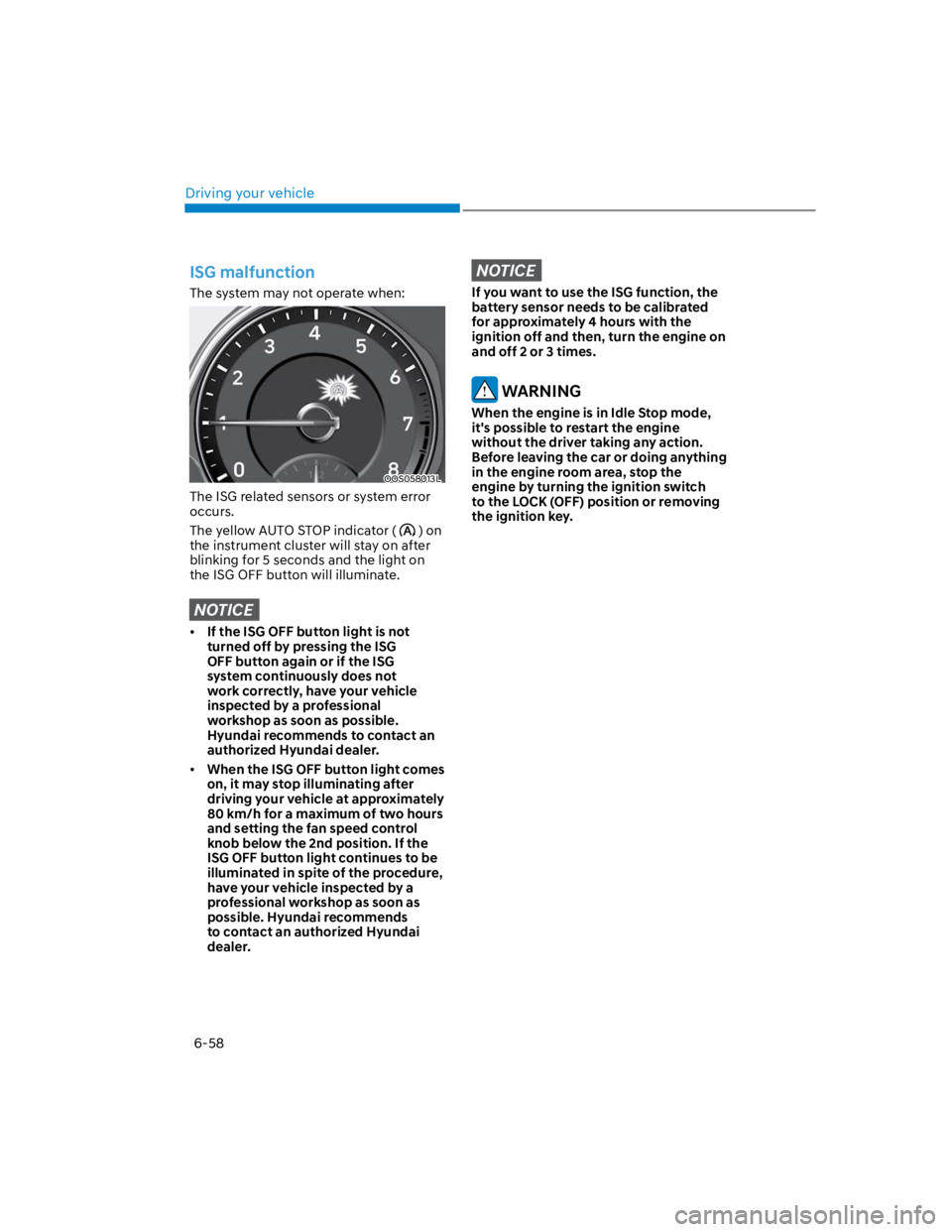
The system may not operate when:
OOS058013L
The ISG related sensors or system error
occurs.
The yellow AUTO STOP indicator () on
the instrument cluster will stay on after
blinking for 5 seconds and the light on
the ISG OFF button will illuminate.
NOTICE
If the ISG OFF button light is not
turned off by pressing the ISG
OFF button again or if the ISG
system continuously does not
work correctly, have your vehicle
inspected by a professional
workshop as soon as possible.
Hyundai recommends to contact an
authorized Hyundai dealer.
When the ISG OFF button light comes
on, it may stop illuminating after
driving your vehicle at approximately
80 km/h for a maximum of two hours
and setting the fan speed control
knob below the 2nd position. If the
ISG OFF button light continues to be
illuminated in spite of the procedure,
have your vehicle inspected by a
professional workshop as soon as
possible. Hyundai recommends
to contact an authorized Hyundai
dealer.
NOTICE
If you want to use the ISG function, the
battery sensor needs to be calibrated
for approximately 4 hours with the
ignition off and then, turn the engine on
and off 2 or 3 times.
WARNING
When the engine is in Idle Stop mode,
it's possible to restart the engine
without the driver taking any action.
Before leaving the car or doing anything
in the engine room area, stop the
engine by turning the ignition switch
to the LOCK (OFF) position or removing
the ignition key.
Page 316 of 579
![HYUNDAI KONA 2022 Owners Manual 06
6-59
The battery sensor deactivation
OOS090040E
[A] : Battery sensor
The battery sensor is deactivated, when
the battery is disconnected from the
negative pole for maintenance purpose.
In this c](/manual-img/35/41169/w960_41169-315.png "HYUNDAI KONA 2022 Owners Manual 06
6-59
The battery sensor deactivation
OOS090040E
[A] : Battery sensor
The battery sensor is deactivated, when
the battery is disconnected from the
negative pole for maintenance purpose.
In this c")
06
6-59
The battery sensor deactivation
OOS090040E
[A] : Battery sensor
The battery sensor is deactivated, when
the battery is disconnected from the
negative pole for maintenance purpose.
In this case, the ISG system is limitedly
operated due to the battery sensor
deactivation. Thus, the driver needs
to take the following procedures to
reactivate the battery sensor after
disconnecting the battery.
Prerequisites to reactivate the
battery sensor
Keep the engine in the OFF status for 4
hours, and attempt to restart the engine
3 to 4 times for the battery-sensor
reactivation.
Pay extreme caution not to connect any
accessories (i.e. navigation and black
box) to the vehicle with the engine in the
OFF status. If not, the battery sensor may
not be reactivated.
Information
-
-
-
NOTICE
Use only the genuine HYUNDAI ISG
battery for replacement. If not, the ISG
system may not normally operate.
Page 333 of 579
7
Driving Safety
Forward Collision–Avoidance Assist (FCA) (Front view camera only) ................... 7-2
Forward Collision–Avoidance Assist (FCA) (Sensor fusion) .................................. 7-14
Lane Keeping Assist (LKA) ...................................................................................... 7-29
Blind-Spot Collision-Avoidance Assist (BCA) ........................................................ 7-35
Safe Exit Warning (SEW) ..........................................................................................7-49
Driver Attention Warning (DAW) ............................................................................ 7-54
Driving Convenience
Cruise Control (CC) .................................................................................................7-60
Smart Cruise Control (SCC) ....................................................................................7-64
Navigation-Based Smart Cruise Control (NSCC) ...................................................7-81
Lane Following Assist (LFA) ....................................................................................7-88
Highway Driving Assist (HDA) ................................................................................. 7-92
Parking Safety
Rear View Monitor (RVM) .......................................................................................7-99
Rear Cross-Traffic Collision-Avoidance Assist (RCCA) ........................................7-102
Reverse Parking Distance Warning (PDW) .............................................................7-113
Declaration of conformity ............................................................................. 7-116
7. Driver assistance system
Page 334 of 579
Driver assistance system
7-2
Basic function
OTM070237
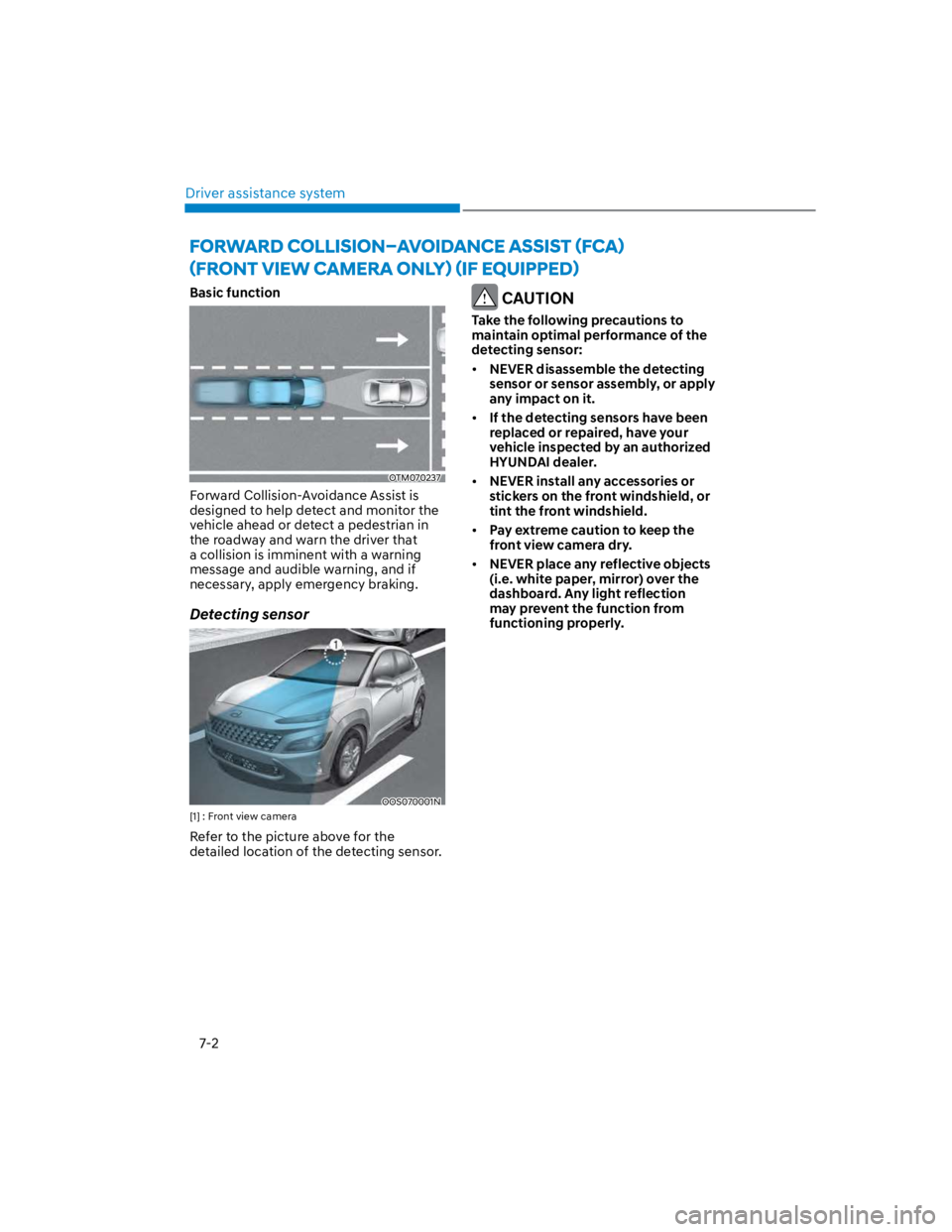
Forward Collision-Avoidance Assist is
designed to help detect and monitor the
vehicle ahead or detect a pedestrian in
the roadway and warn the driver that
a collision is imminent with a warning
message and audible warning, and if
necessary, apply emergency braking.
Detecting sensor
OOS070001N
[1] : Front view camera
Refer to the picture above for the
detailed location of the detecting sensor.
CAUTION
Take the following precautions to
maintain optimal performance of the
detecting sensor:
NEVER disassemble the detecting
sensor or sensor assembly, or apply
any impact on it.
If the detecting sensors have been
replaced or repaired, have your
vehicle inspected by an authorized
HYUNDAI dealer.
NEVER install any accessories or
stickers on the front windshield, or
tint the front windshield.
Pay extreme caution to keep the
front view camera dry.
NEVER place any reflective objects
(i.e. white paper, mirror) over the
dashboard. Any light reflection
may prevent the function from
functioning properly.
Page 340 of 579
Driver assistance system
7-8
Forward Collision-Avoidance Assist
disabled
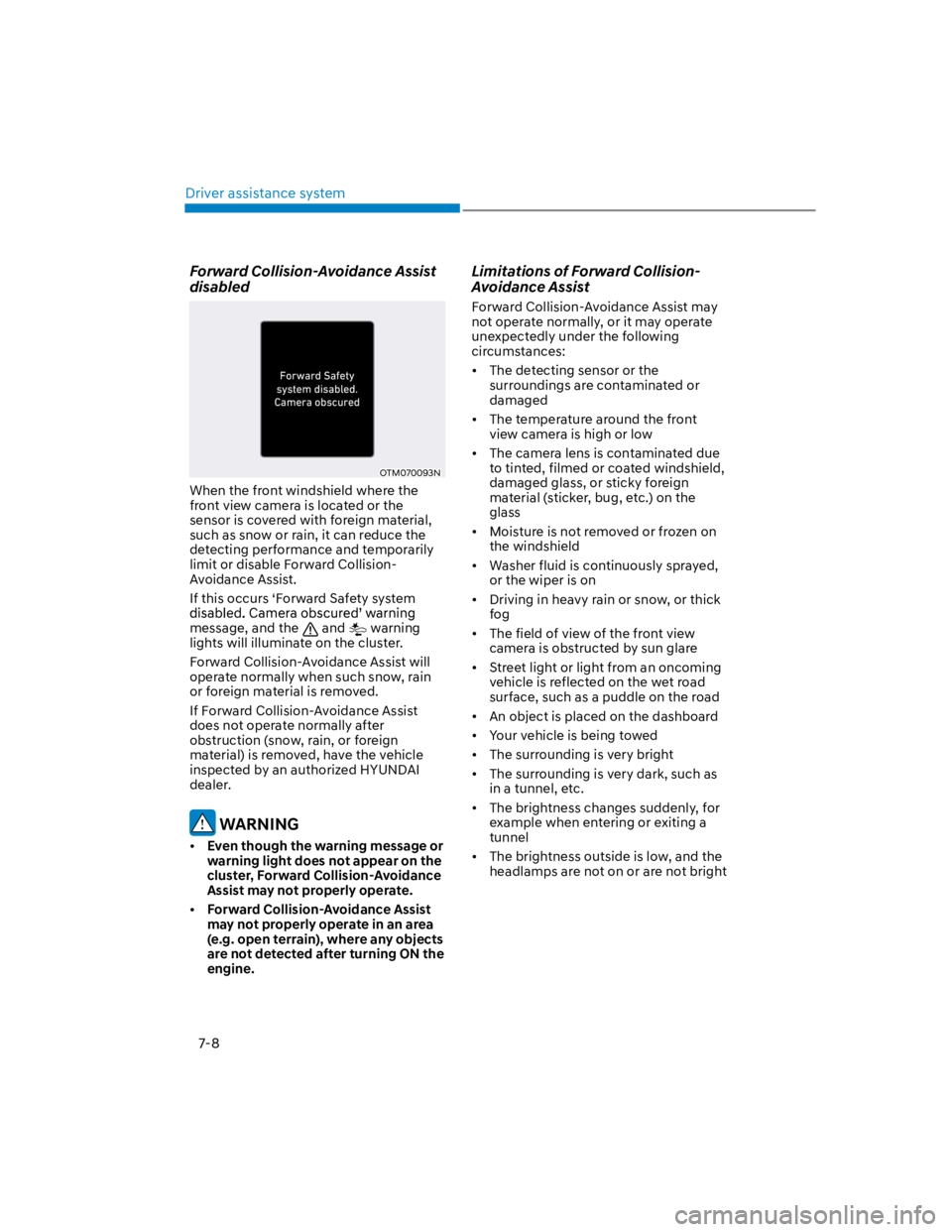
OTM070093N
When the front windshield where the
front view camera is located or the
sensor is covered with foreign material,
such as snow or rain, it can reduce the
detecting performance and temporarily
limit or disable Forward Collision-
Avoidance Assist.
If this occurs ‘Forward Safety system
message, and the and warning
lights will illuminate on the cluster.
Forward Collision-Avoidance Assist will
operate normally when such snow, rain
or foreign material is removed.
If Forward Collision-Avoidance Assist
does not operate normally after
obstruction (snow, rain, or foreign
material) is removed, have the vehicle
inspected by an authorized HYUNDAI
dealer.
WARNING
Even though the warning message or
warning light does not appear on the
cluster, Forward Collision-Avoidance
Assist may not properly operate.
Forward Collision-Avoidance Assist
may not properly operate in an area
(e.g. open terrain), where any objects
are not detected after turning ON the
engine.
Limitations of Forward Collision-
Avoidance Assist
Forward Collision-Avoidance Assist may
not operate normally, or it may operate
unexpectedly under the following
circumstances:
The detecting sensor or the
surroundings are contaminated or
damaged
The temperature around the front
view camera is high or low
The camera lens is contaminated due
to tinted, filmed or coated windshield,
damaged glass, or sticky foreign
material (sticker, bug, etc.) on the
glass
Moisture is not removed or frozen on
the windshield
Washer fluid is continuously sprayed,
or the wiper is on
Driving in heavy rain or snow, or thick
fog
The field of view of the front view
camera is obstructed by sun glare
Street light or light from an oncoming
vehicle is reflected on the wet road
surface, such as a puddle on the road
An object is placed on the dashboard
Your vehicle is being towed
The surrounding is very bright
The surrounding is very dark, such as
in a tunnel, etc.
The brightness changes suddenly, for
example when entering or exiting a
tunnel
The brightness outside is low, and the
headlamps are not on or are not bright
Page 342 of 579
Driver assistance system
7-10
There is a group of pedestrians or a
large crowd in front
The pedestrian is wearing clothing
that easily blends into the
background, making it difficult to
detect
The pedestrian is difficult to
distinguish from the similar shaped
structure in the surroundings
You are driving by a pedestrian,
traffic sign, structure, etc. near the
intersection
Driving in a parking lot
Driving through a tollgate,
construction area, unpaved road,
partial paved road, uneven road,
speed bumps, etc.
Driving on an incline road, curved
road, etc.
Driving through a roadside with trees
or streetlights
The adverse road conditions cause
excessive vehicle vibrations while
driving
Your vehicle height is low or high
due to heavy loads, abnormal tire
pressure, etc.
Driving through a narrow road where
trees or grass are overgrown
There is interference by
electromagnetic waves such as
driving in an area with strong radio
waves or electrical noise
WARNING
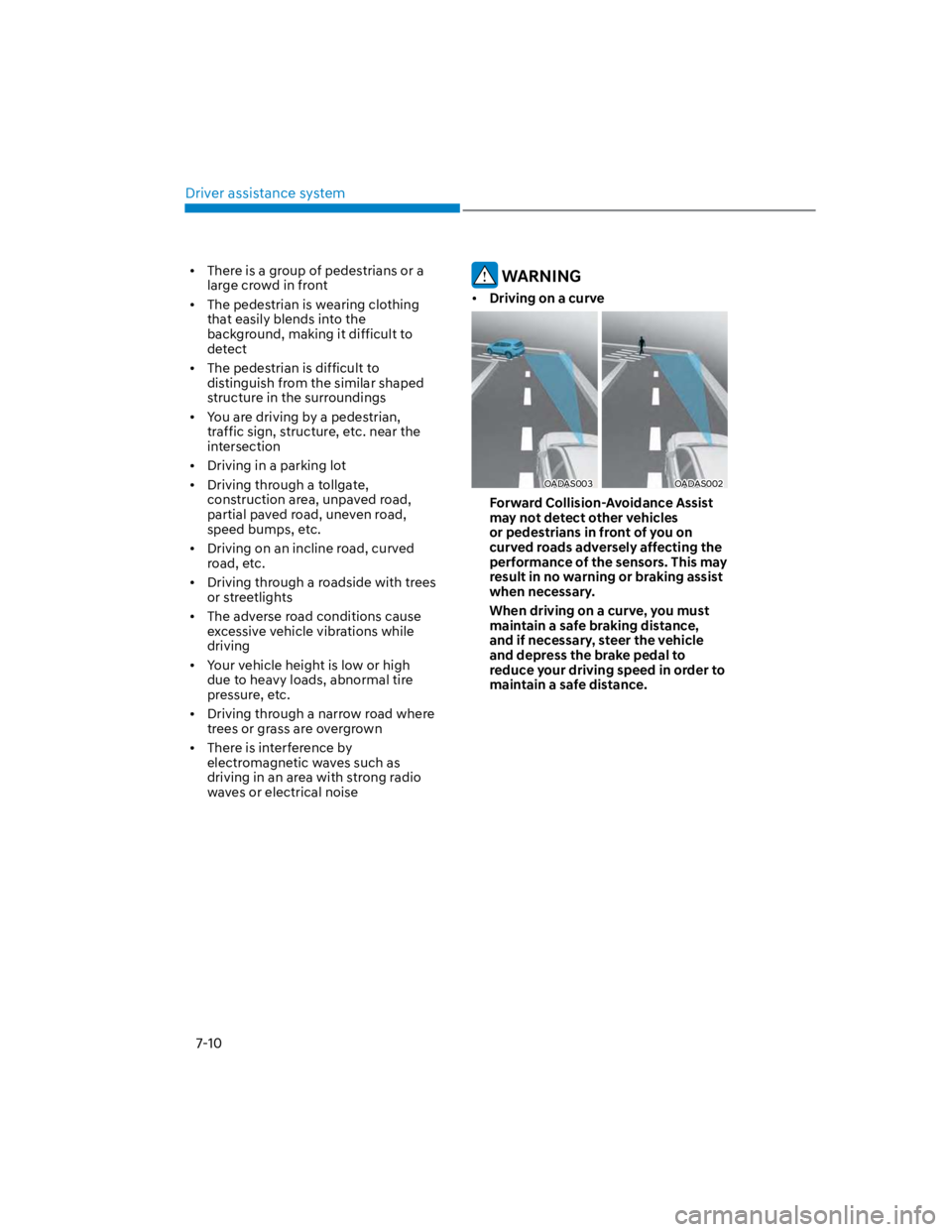
Driving on a curve
OADAS003OADAS002
Forward Collision-Avoidance Assist
may not detect other vehicles
or pedestrians in front of you on
curved roads adversely affecting the
performance of the sensors. This may
result in no warning or braking assist
when necessary.
When driving on a curve, you must
maintain a safe braking distance,
and if necessary, steer the vehicle
and depress the brake pedal to
reduce your driving speed in order to
maintain a safe distance.
Page 343 of 579
07
7-11
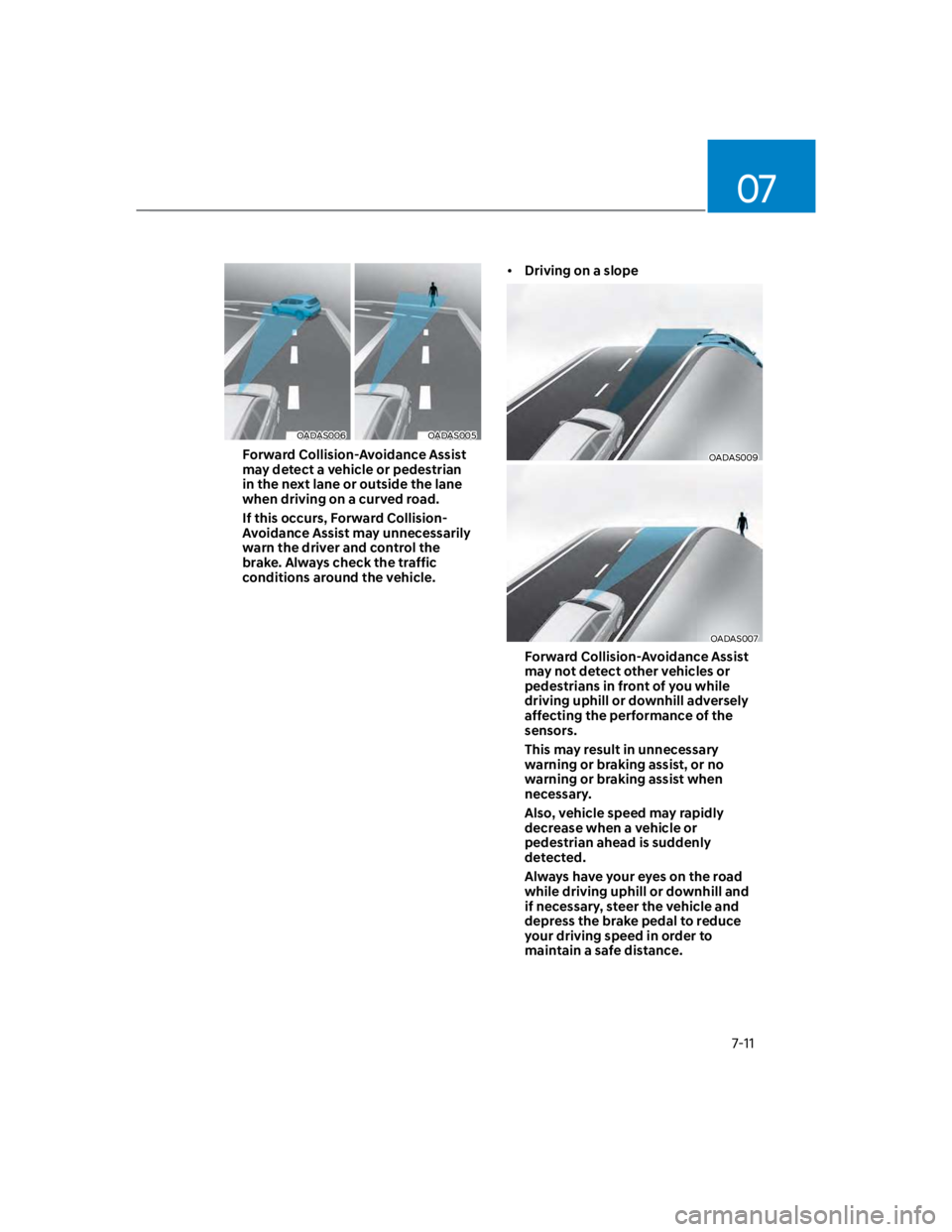
OADAS006OADAS005
Forward Collision-Avoidance Assist
may detect a vehicle or pedestrian
in the next lane or outside the lane
when driving on a curved road.
If this occurs, Forward Collision-
Avoidance Assist may unnecessarily
warn the driver and control the
brake. Always check the traffic
conditions around the vehicle.
Driving on a slope
OADAS009
OADAS007
Forward Collision-Avoidance Assist
may not detect other vehicles or
pedestrians in front of you while
driving uphill or downhill adversely
affecting the performance of the
sensors.
This may result in unnecessary
warning or braking assist, or no
warning or braking assist when
necessary.
Also, vehicle speed may rapidly
decrease when a vehicle or
pedestrian ahead is suddenly
detected.
Always have your eyes on the road
while driving uphill or downhill and
if necessary, steer the vehicle and
depress the brake pedal to reduce
your driving speed in order to
maintain a safe distance.