Page 162 of 548
04
4-19
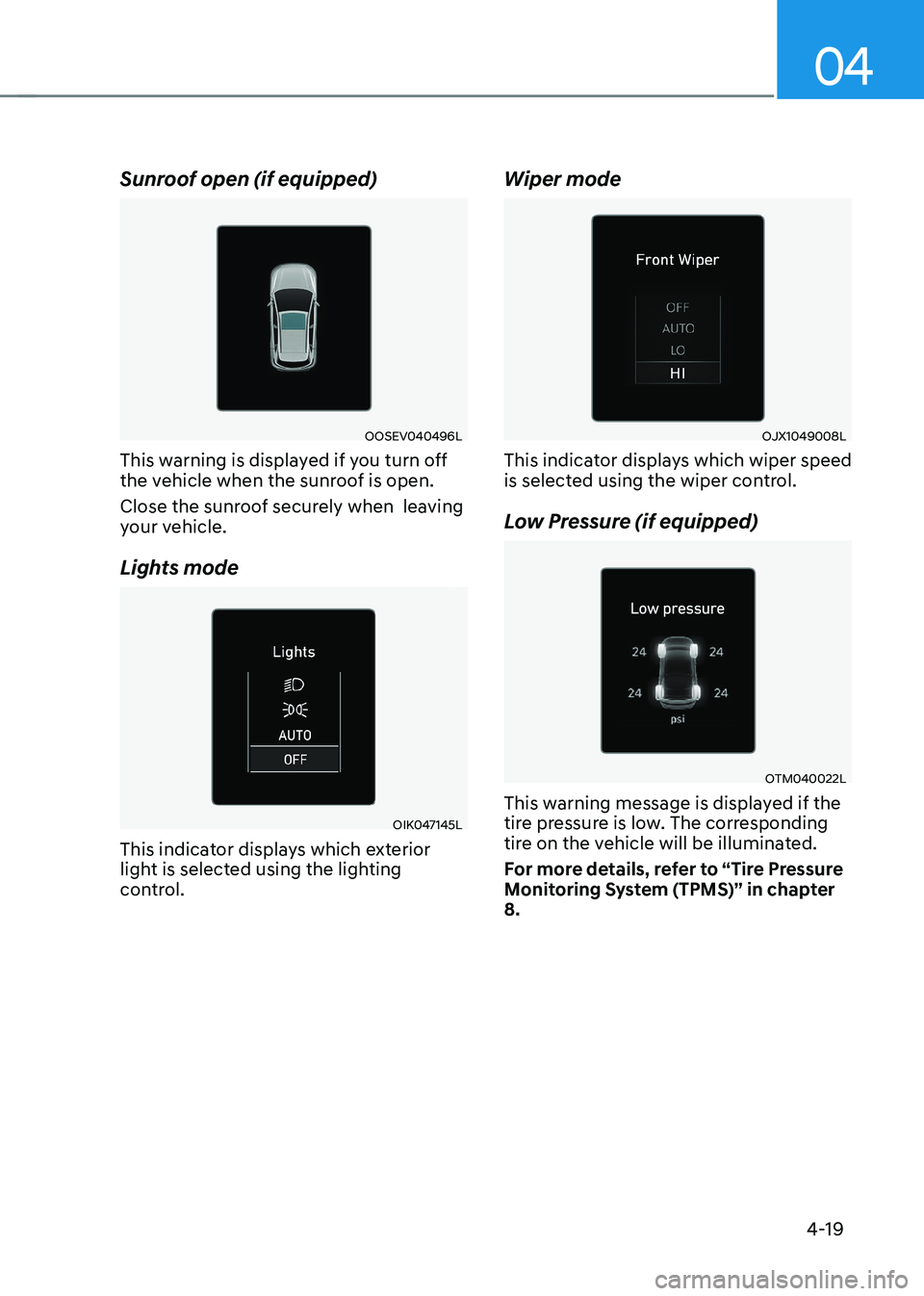
Sunroof open (if equipped)
OOSEV040496L
This warning is displayed if you turn off
the vehicle when the sunroof is open.
Close the sunroof securely when leaving
your vehicle.
Lights mode
OIK047145L
This indicator displays which exterior
light is selected using the lighting
control. Wiper mode
OJX1049008L
This indicator displays which wiper speed
is selected using the wiper control.
Low Pressure (if equipped)
OTM040022L
This warning message is displayed if the
tire pressure is low. The corresponding
tire on the vehicle will be illuminated.
For more details, refer to “Tire Pressure
Monitoring System (TPMS)” in chapter 8.
Page 172 of 548
04
4-29
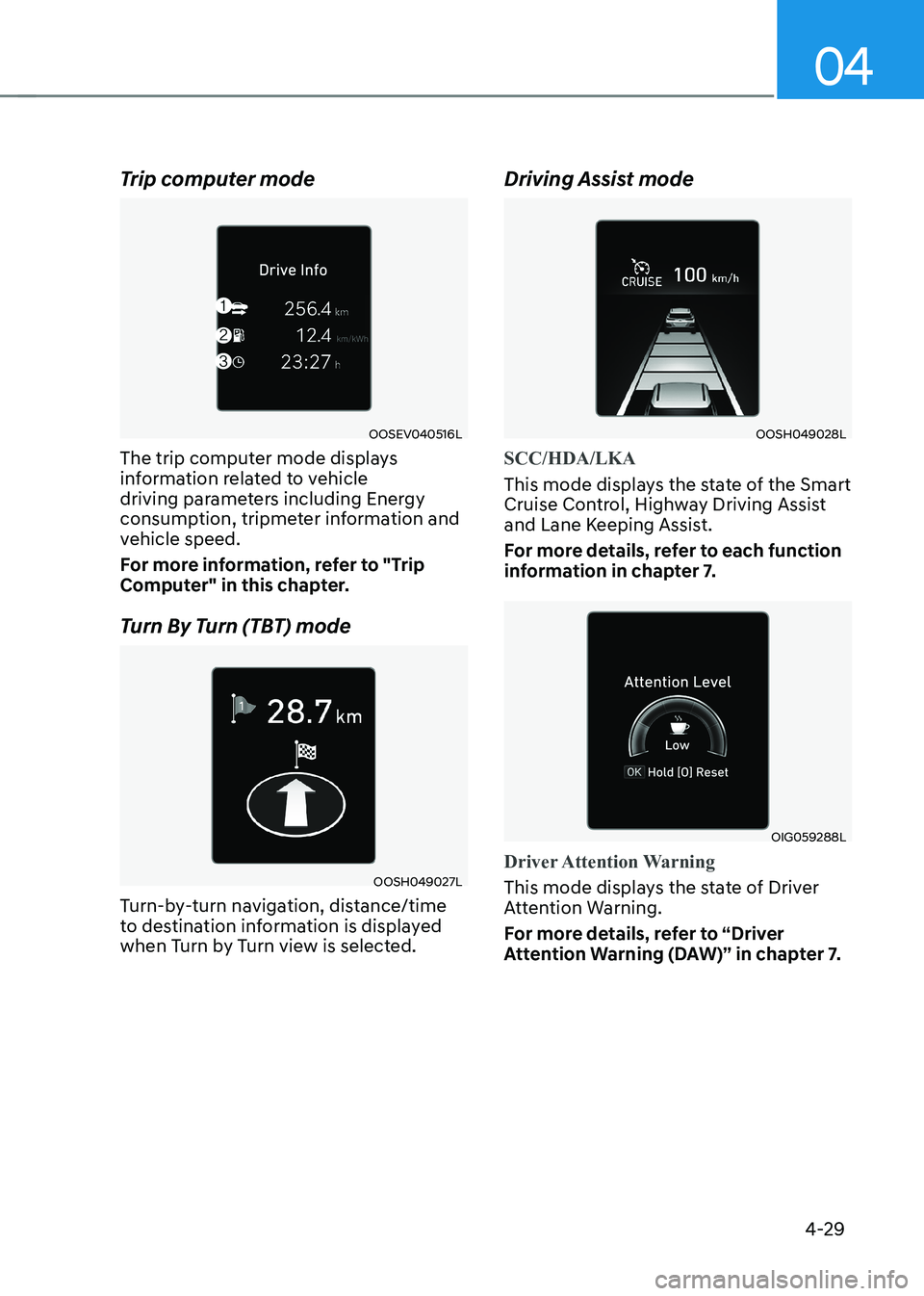
Trip computer mode
OOSEV040516L
The trip computer mode displays
information related to vehicle
driving parameters including Energy
consumption, tripmeter information and
vehicle speed.
For more information, refer to "Trip
Computer" in this chapter.
Turn By Turn (TBT) mode
OOSH049027L
Turn-by-turn navigation, distance/time
to destination information is displayed
when Turn by Turn view is selected. Driving Assist mode
OOSH049028L
SCC/HDA/LKA
This mode displays the state of the Smart
Cruise Control, Highway Driving Assist
and Lane Keeping Assist.
For more details, refer to each function
information in chapter 7.
OIG059288L
Driver Attention Warning
This mode displays the state of Driver
Attention Warning.
For more details, refer to “Driver
Attention Warning (DAW)” in chapter 7.
Page 182 of 548
04
4-39
trIp computer
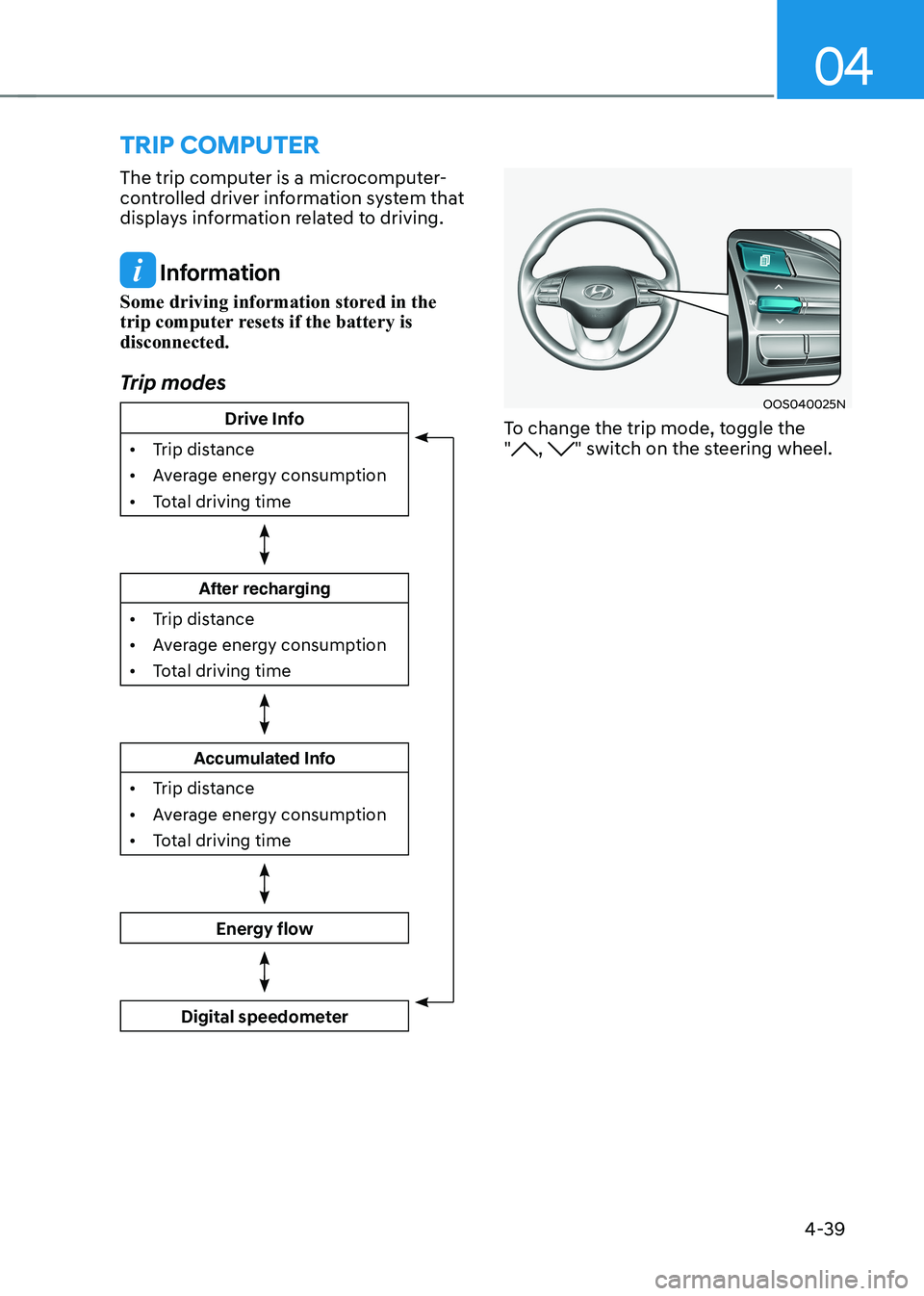
The trip computer is a microcomputer-
controlled driver information system that
displays information related to driving.
Information
Some driving information stored in the
trip computer resets if the battery is disconnected.
Trip modes
Drive Info
• Trip distance
• Average energy consumption
• Total driving time
After recharging
• Trip distance
• Average energy consumption
• Total driving time
Accumulated Info
• Trip distance
• Average energy consumption
• Total driving time
Energy flow
Digital speedometer
OOS040025N
To change the trip mode, toggle the "
, " switch on the steering wheel.
Page 184 of 548
04
4-41
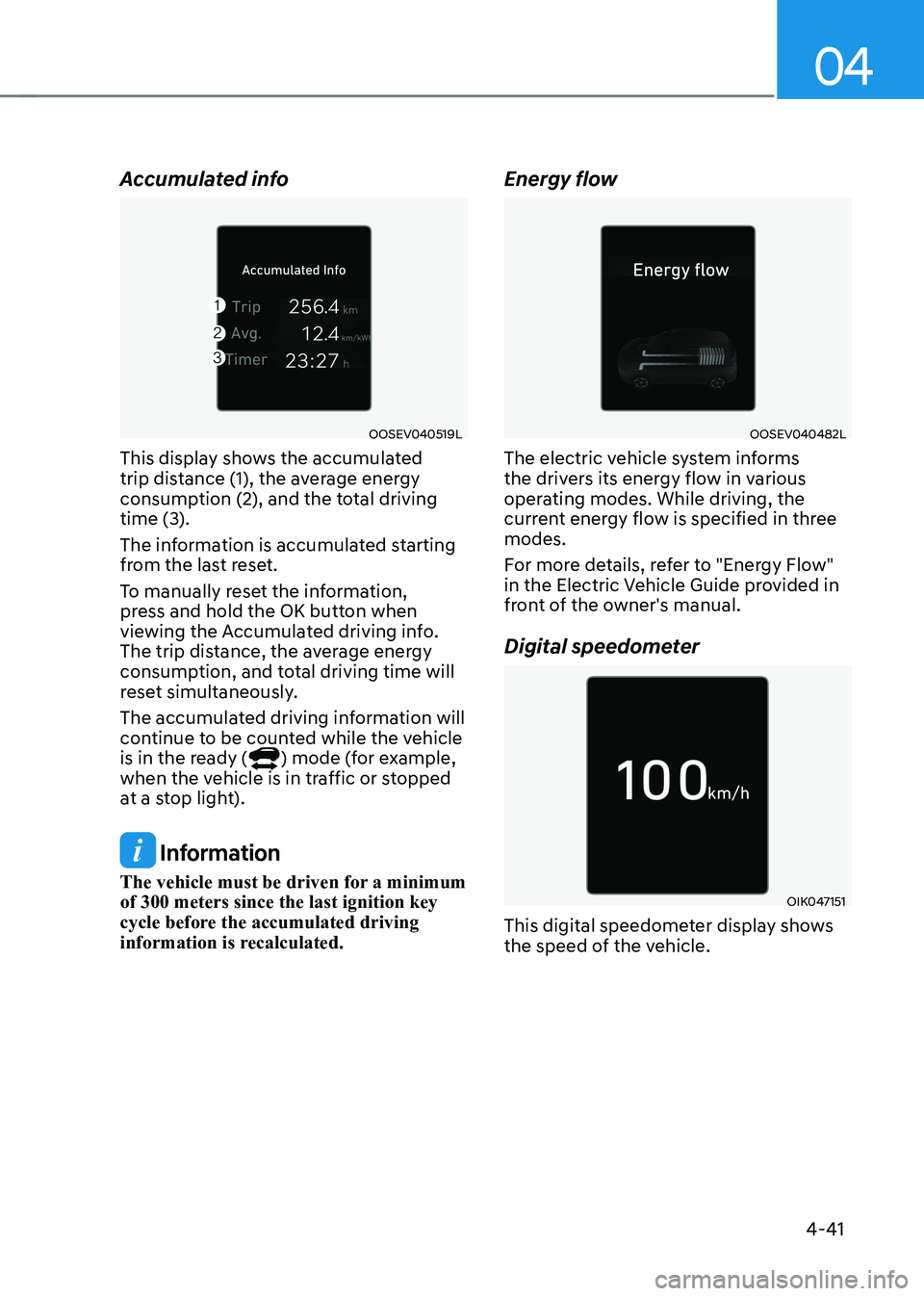
Accumulated info
OOSEV040519L
This display shows the accumulated
trip distance (1), the average energy
consumption (2), and the total driving
time (3).
The information is accumulated starting
from the last reset.
To manually reset the information,
press and hold the OK button when
viewing the Accumulated driving info.
The trip distance, the average energy
consumption, and total driving time will
reset simultaneously.
The accumulated driving information will
continue to be counted while the vehicle
is in the ready (
) mode (for example,
when the vehicle is in traffic or stopped
at a stop light).
Information
The vehicle must be driven for a minimum of 300 meters since the last ignition key
cycle before the accumulated driving
information is recalculated. Energy flow
OOSEV040482L
The electric vehicle system informs
the drivers its energy flow in various
operating modes. While driving, the
current energy flow is specified in three modes.
For more details, refer to "Energy Flow"
in the Electric Vehicle Guide provided in
front of the owner's manual.
Digital speedometer
OIK047151
This digital speedometer display shows
the speed of the vehicle.
Page 197 of 548
05
5-13
WARNING
Do not leave children or animals
unattended in your vehicle. An enclosed
vehicle can become extremely hot,
causing death or serious injury to
unattended children or animals who
cannot escape the vehicle. Children
might operate features of the vehicle
that could injure them, or they could
encounter other harm, possibly from
someone gaining entry to the vehicle.
WARNING
Leaving your vehicle unlocked increases
the potential risk to you or others from
someone hiding in your vehicle.
To secure your vehicle, while
depressing the brake, move the shift
lever to the P (Park) position, engage
the parking brake, and place the START/
STOP button OFF position, close all
windows, lock all doors, and always
take the key with you.
CAUTION
Opening a door when something is
approaching may cause damage or
injury. Be careful when opening doors
and watch for vehicles, motorcycles,
bicycles or pedestrians approaching the
vehicle in the path of the door.
WARNING
If you stay in the vehicle for a long time
while the weather is very hot or cold,
there are risks of injuries or danger to
life. Do not lock the vehicle from the
outside when someone is in the vehicle.
Auto door lock/unlock features
Impact sensing door unlock system (if equipped)
All doors will be automatically unlocked
when an impact causes the air bags to
deploy.
Speed sensing door lock system (if equipped)
All doors will be automatically locked
when vehicle speed exceeds 15 km/h
(9 mph).
You can activate or deactivate the Auto
Door Lock/Unlock features from the User
Settings mode on the LCD display. For
more details, refer to “LCD Display” in
this chapter.
Page 231 of 548
05
5-47
Head Up Display ON/OFF
OOSEV040061L
Use the head-up display ON/OFF button
to activate or deactivate the head-up
display when the START/STOP button is
in the ON position or when the vehicle is
in the ready (
) mode.
The head-up display will retract
automatically when the vehicle is turned
OFF and the doors are locked with the
Smart Key or when pressing the button on the outside door handle.
Note that if the vehicle is turned OFF and
the doors are not locked, the head-up
display will automatically retract after
approximately five minutes.
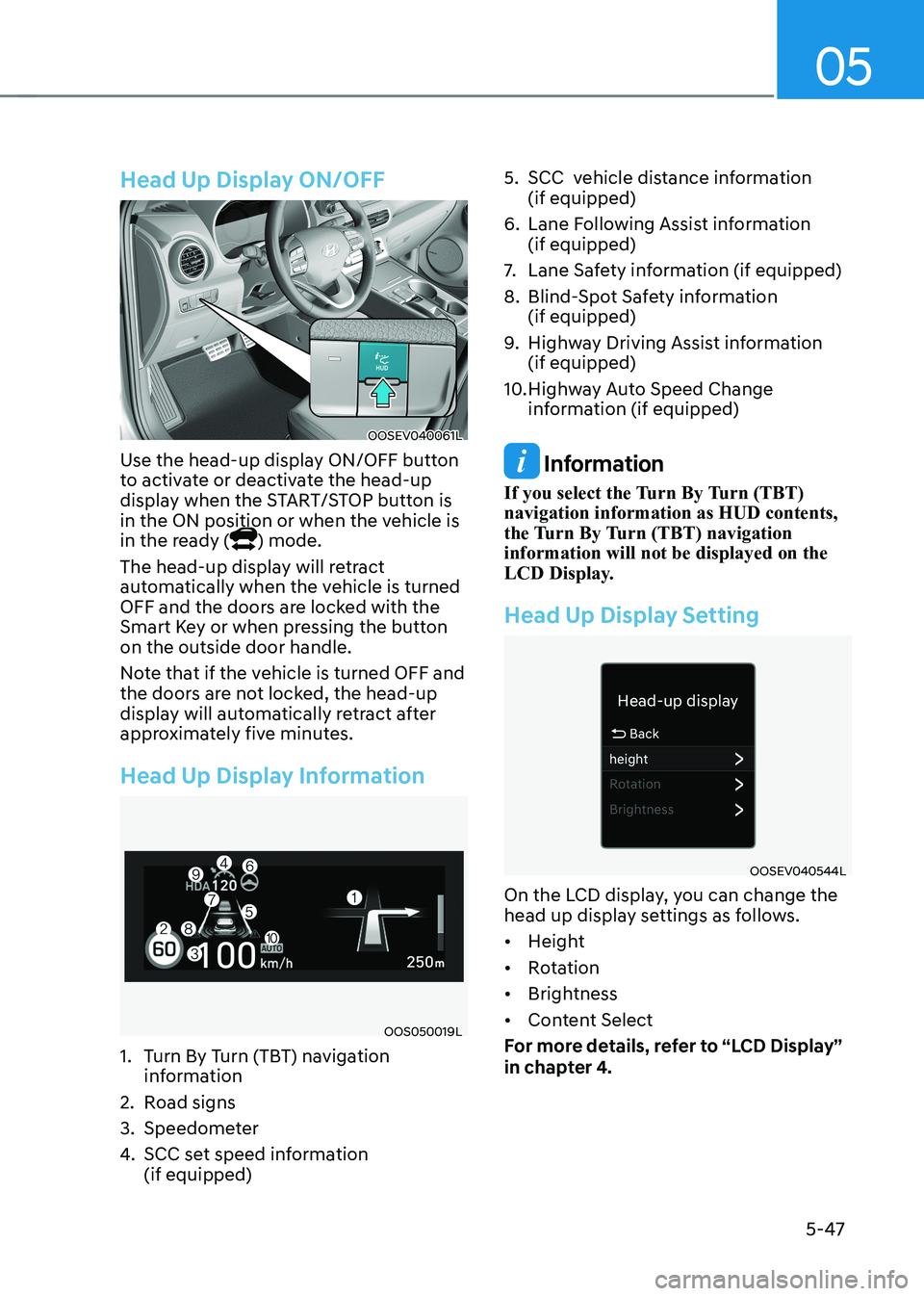
Head Up Display Information
OOS050019L
1. Turn By Turn (TBT) navigation information
2. Road signs
3. Speedometer
4. SCC set speed information (if equipped) 5. SCC vehicle distance information
(if equipped)
6. Lane Following Assist information (if equipped)
7. Lane Safety information (if equipped)
8. Blind-Spot Safety information (if equipped)
9. Highway Driving Assist information (if equipped)
10. Highway Auto Speed Change information (if equipped)
Information
If you select the Turn By Turn (TBT) navigation information as HUD contents,
the Turn By Turn (TBT) navigation information will not be displayed on the
LCD Display.
Head Up Display Setting
OOSEV040544L
On the LCD display, you can change the
head up display settings as follows. • Height
• Rotation
• Brightness
• Content Select
For more details, refer to “LCD Display”
in chapter 4.
Page 245 of 548
05
5-61
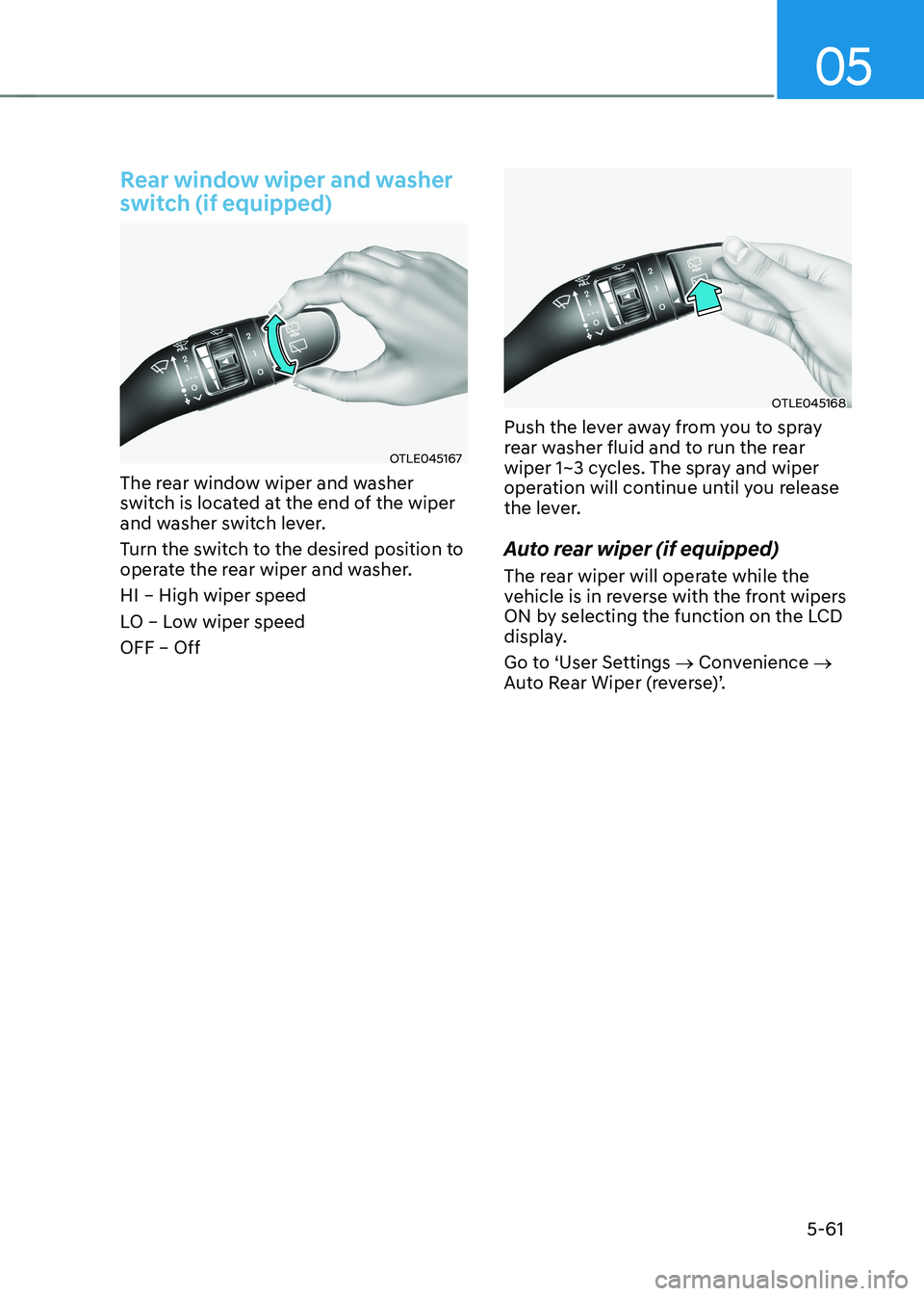
Rear window wiper and washer
switch (if equipped)
OTLE045167
The rear window wiper and washer
switch is located at the end of the wiper
and washer switch lever.
Turn the switch to the desired position to
operate the rear wiper and washer. HI – High wiper speed
LO – Low wiper speed OFF – Off
OTLE045168
Push the lever away from you to spray
rear washer fluid and to run the rear
wiper 1~3 cycles. The spray and wiper
operation will continue until you release
the lever.
Auto rear wiper (if equipped)
The rear wiper will operate while the
vehicle is in reverse with the front wipers
ON by selecting the function on the LCD
display.
Go to ‘User Settings → Convenience →
Auto Rear Wiper (reverse)’.
Page 247 of 548
05
5-63
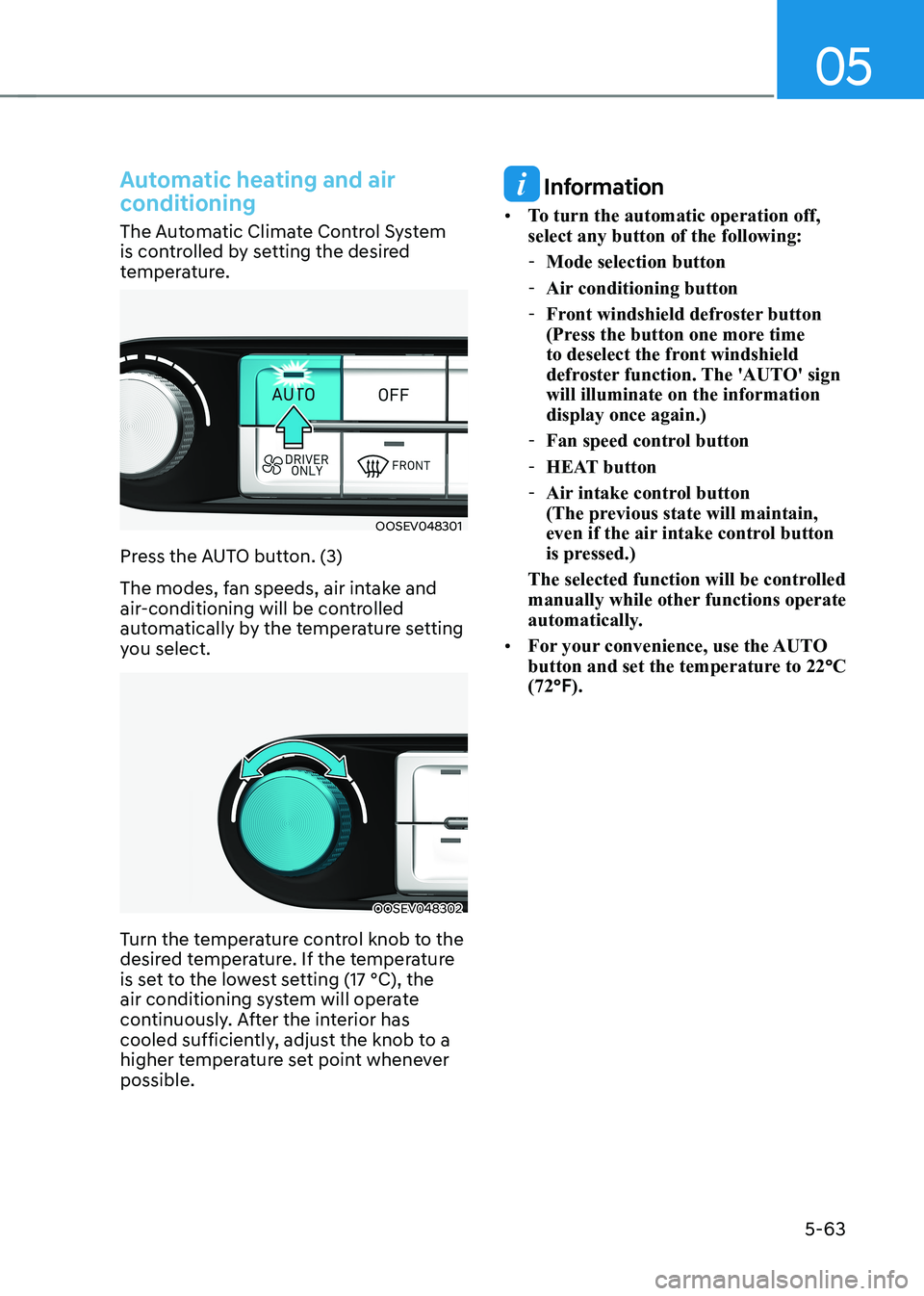
Automatic heating and air
conditioning
The Automatic Climate Control System
is controlled by setting the desired
temperature.
OOSEV048301
Press the AUTO button. (3)
The modes, fan speeds, air intake and
air-conditioning will be controlled
automatically by the temperature setting
you select.
OOSEV048302
Turn the temperature control knob to the
desired temperature. If the temperature
is set to the lowest setting (17 °C), the
air conditioning system will operate
continuously. After the interior has
cooled sufficiently, adjust the knob to a
higher temperature set point whenever possible.
Information
• To turn the automatic operation off, select any button of the following:
- Mode selection button
- Air conditioning button
- Front windshield defroster button
(Press the button one more time
to deselect the front windshield
defroster function. The 'AUTO' sign will illuminate on the information display once again.)
- Fan speed control button
- HEAT button
- Air intake control button
(The previous state will maintain,
even if the air intake control button
is pressed.)
The selected function will be controlled
manually while other functions operate
automatically.
• For your convenience, use the AUTO
button and set the temperature to 22 °C
(72 °F).