Page 152 of 546
Wipers and washers .........................................3-104Windshield Wipers .......................................................3-104
Windshield Washers ....................................................3-105
Rear View Monitor (RVM) ...............................3-106
Defroster .............................................................3-108 Rear Window Defroster ..............................................3-108
Automatic climate control system ...................3-109 Automatic Heating and Air Conditioning.................3-110
Manual Heating and Air Conditioning......................3-111
System Operation .........................................................3-118
System Maintenance....................................................3-120
Windshield defrosting and defogging ............3-122 To Defog Inside Windshield ........................................3-122
To Defrost Outside Windshield ..................................3-123
Defogging Logic ............................................................3-123
Auto Defogging System .............................................3-124
Climate control additional features ...............3-125 Automatic Ventilation ...................................................3-125
Storage compartment ........................................3-126 Center Console Storage ..............................................3-126
Glove Box ........................................................................3-126
Sunglass Holder.............................................................3-127
Multi Box .........................................................................3-127 Interior features ...............................................3-128
Cup Holder ......................................................................3-128
Sunvisor ...........................................................................3-129
Power Outlet ..................................................................3-129
Wireless Cellular Phone Charging System ............3-130
Clock .................................................................................3-132
Clothes Hanger ..............................................................3-133
Floor Mat Anchor(s).....................................................3-134
Cargo Security Screen .................................................3-134
3
Page 193 of 546
3-43
Convenient features of your vehicle
3
Charging Door
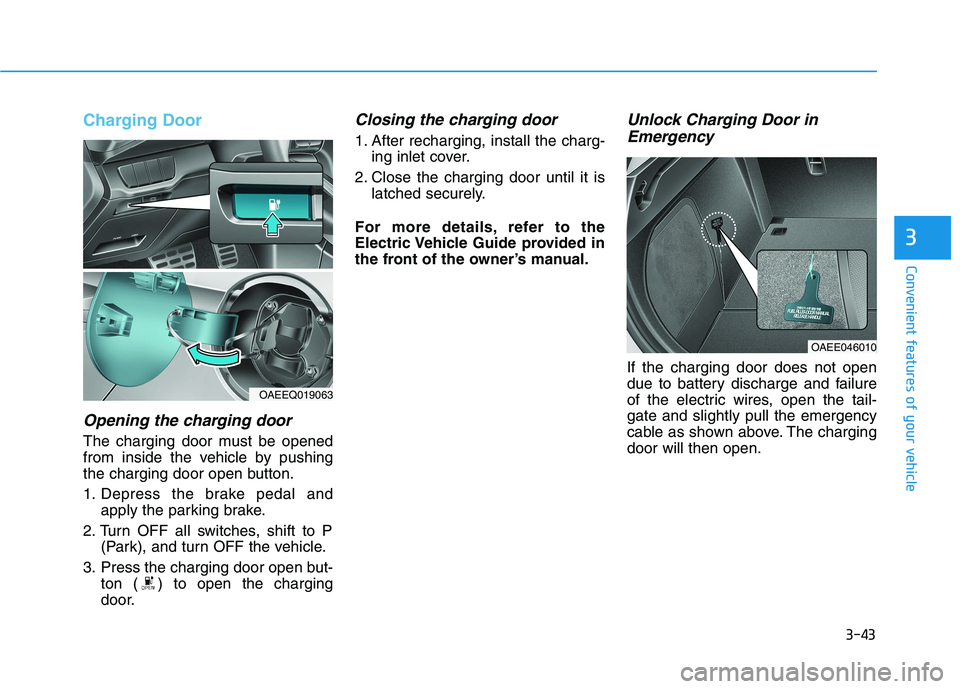
Opening the charging door
The charging door must be opened
from inside the vehicle by pushing
the charging door open button.
1. Depress the brake pedal andapply the parking brake.
2. Turn OFF all switches, shift to P (Park), and turn OFF the vehicle.
3. Press the charging door open but- ton ( ) to open the charging
door.
Closing the charging door
1. After recharging, install the charg-ing inlet cover.
2. Close the charging door until it is latched securely.
For more details, refer to the
Electric Vehicle Guide provided in
the front of the owner’s manual.
Unlock Charging Door in Emergency
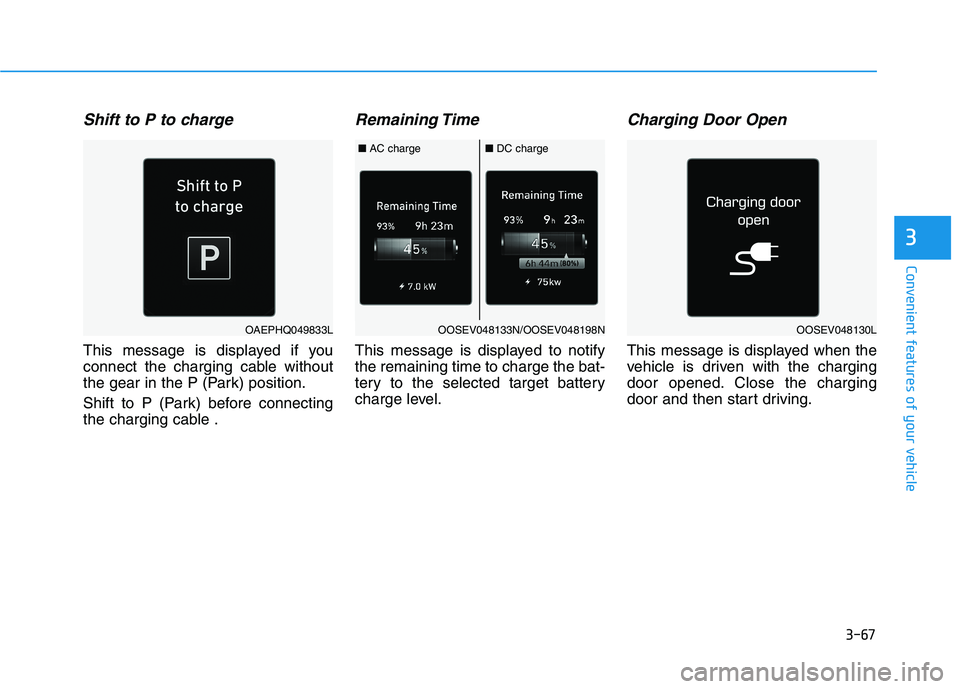
If the charging door does not open
due to battery discharge and failure
of the electric wires, open the tail-gate and slightly pull the emergency
cable as shown above. The chargingdoor will then open.
OAEE046010
OAEEQ019063
Page 196 of 546
3-46
Convenient features of your vehicle
Gauges and Meters
Speedometer/Eco guide
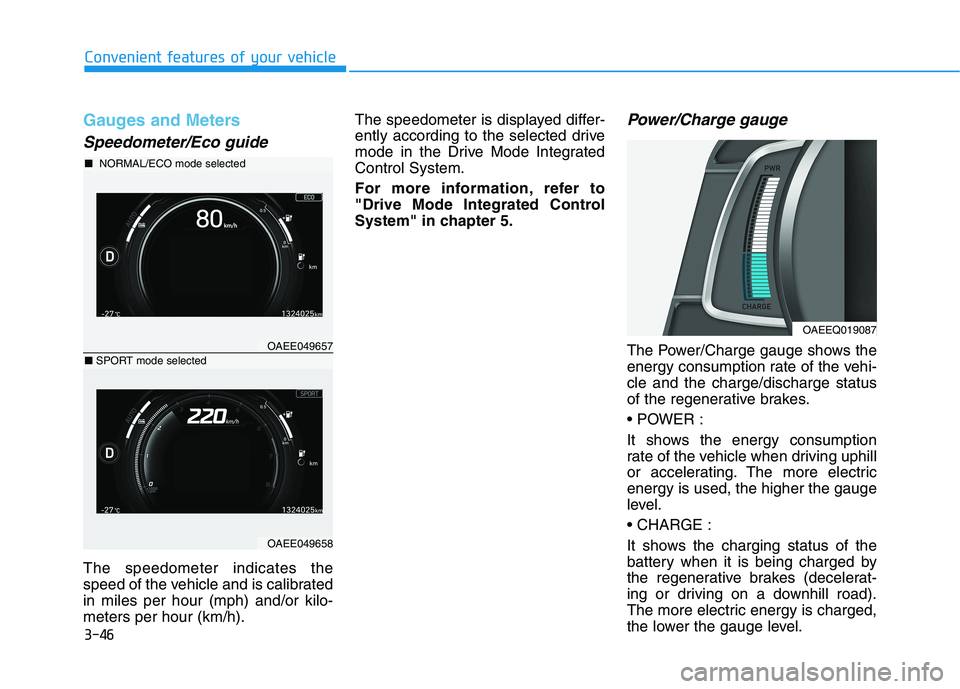
The speedometer indicates the
speed of the vehicle and is calibratedin miles per hour (mph) and/or kilo-meters per hour (km/h).The speedometer is displayed differ-
ently according to the selected drive
mode in the Drive Mode IntegratedControl System.
For more information, refer to
"Drive Mode Integrated Control
System" in chapter 5.
Power/Charge gauge
The Power/Charge gauge shows the
energy consumption rate of the vehi-cle and the charge/discharge status
of the regenerative brakes.
It shows the energy consumption
rate of the vehicle when driving uphill
or accelerating. The more electricenergy is used, the higher the gauge
level.
It shows the charging status of the
battery when it is being charged by
the regenerative brakes (decelerat-
ing or driving on a downhill road).
The more electric energy is charged,
the lower the gauge level.
OAEEQ019087
OAEE049657
■
NORMAL/ECO mode selected
OAEE049658
■SPORT mode selected
Page 197 of 546
3-47
Convenient features of your vehicle
3
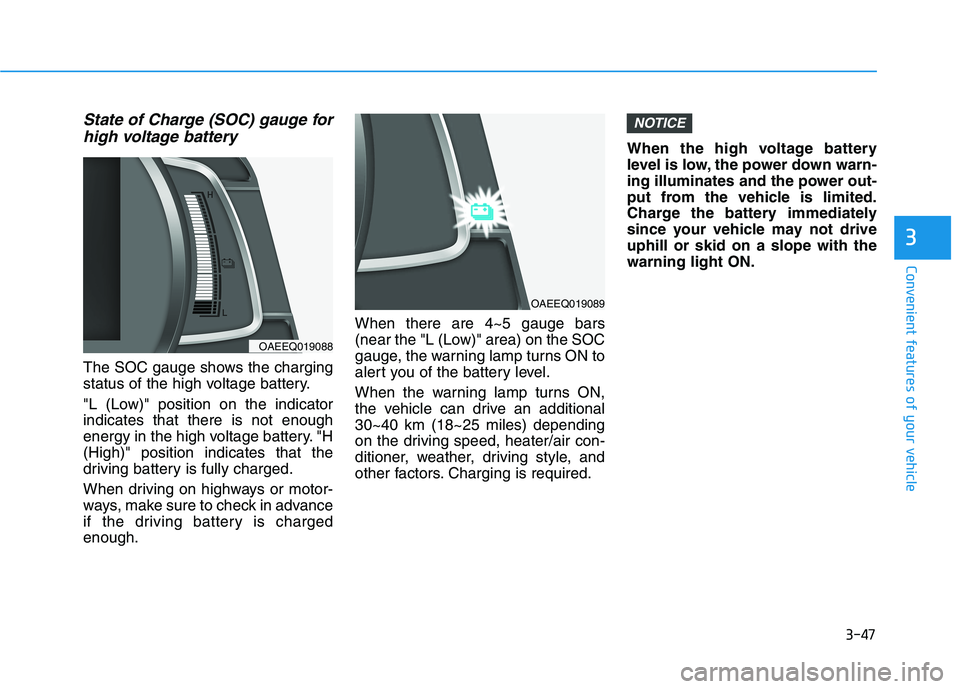
State of Charge (SOC) gauge forhigh voltage battery
The SOC gauge shows the charging
status of the high voltage battery.
"L (Low)" position on the indicator indicates that there is not enough
energy in the high voltage battery. "H(High)" position indicates that the
driving battery is fully charged.
When driving on highways or motor-
ways, make sure to check in advance
if the driving battery is chargedenough. When there are 4~5 gauge bars
(near the "L (Low)" area) on the SOC
gauge, the warning lamp turns ON to
alert you of the battery level.
When the warning lamp turns ON,
the vehicle can drive an additional30~40 km (18~25 miles) depending
on the driving speed, heater/air con-
ditioner, weather, driving style, and
other factors. Charging is required.When the high voltage battery
level is low, the power down warn-
ing illuminates and the power out-
put from the vehicle is limited.
Charge the battery immediately
since your vehicle may not driveuphill or skid on a slope with thewarning light ON.
NOTICE
OAEEQ019088
OAEEQ019089
Page 201 of 546
3-51
Convenient features of your vehicle
3
Do not accelerate or start thevehicle suddenly when the
power down warning light is ON.
When the high voltage battery level is low, the power downwarning illuminates and the
power output from the vehicle is
limited. Charge the battery
immediately since your vehicle
may not drive uphill or skid on aslope with the warning light ON.
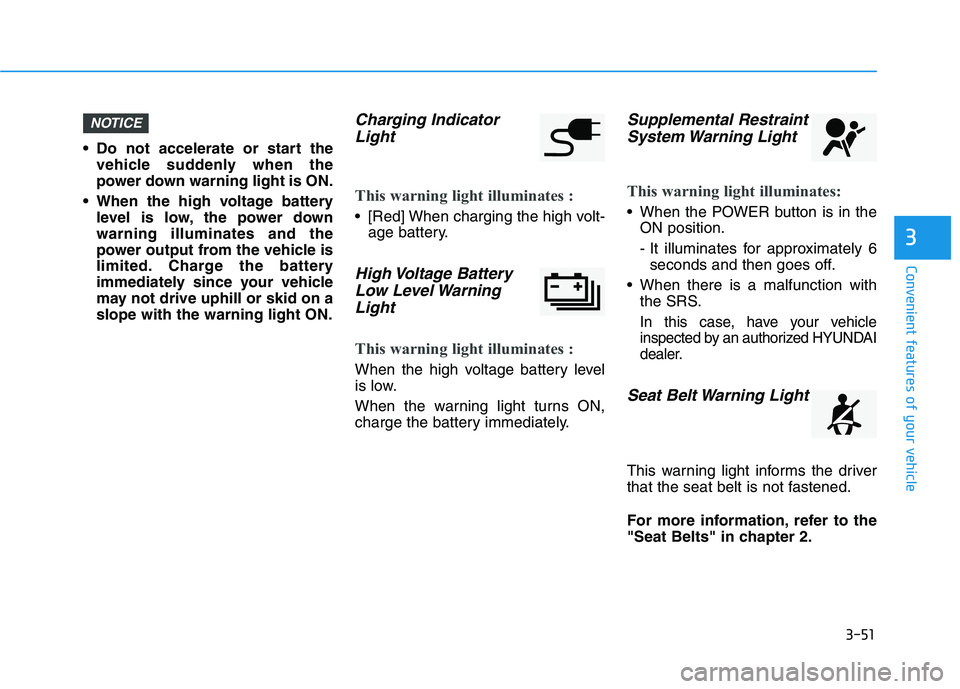
Charging Indicator
Light
This warning light illuminates :
[Red] When charging the high volt- age battery.
High Voltage Battery
Low Level WarningLight
This warning light illuminates :
When the high voltage battery level
is low.
When the warning light turns ON,
charge the battery immediately.
Supplemental RestraintSystem Warning Light
This warning light illuminates:
When the POWER button is in the ON position.
- It illuminates for approximately 6seconds and then goes off.
When there is a malfunction with the SRS.
In this case, have your vehicle
inspected by an authorized HYUNDAI
dealer.
Seat Belt Warning Light
This warning light informs the driver
that the seat belt is not fastened.
For more information, refer to the
"Seat Belts" in chapter 2.
NOTICE
Page 204 of 546
3-54
Convenient features of your vehicle
Information - Electronic
Brake Force Distribution
(EBD) System Warning Light
When the ABS Warning Light is on or
both ABS and Parking Brake & Brake
Fluid Warning Lights are on, the
speedometer, odometer, or tripmeter
may not work. Also, the EPS Warning
Light may illuminate and the steering
effort may increase or decrease.
In this case, have your vehicle inspect-
ed by an authorized HYUNDAI dealer.Electric Power Steering (EPS)
Warning Light
This warning light illuminates:
When the POWER button is in the ON position.
- It illuminates for approximately 3seconds and then goes off.
When there is a malfunction with the EPS.
In this case, have your vehicle
inspected by an authorized HYUNDAI
dealer.
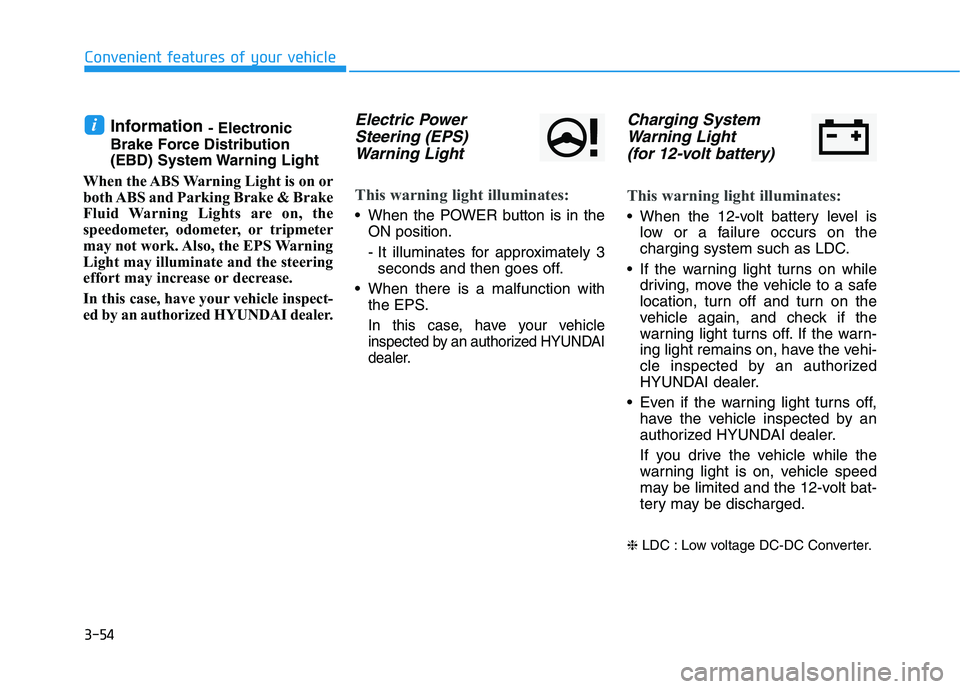
Charging System
Warning Light
(for 12-volt battery)
This warning light illuminates:
When the 12-volt battery level is low or a failure occurs on the
charging system such as LDC.
If the warning light turns on while driving, move the vehicle to a safe
location, turn off and turn on the
vehicle again, and check if the
warning light turns off. If the warn-
ing light remains on, have the vehi-
cle inspected by an authorized
HYUNDAI dealer.
Even if the warning light turns off, have the vehicle inspected by an
authorized HYUNDAI dealer.
If you drive the vehicle while the
warning light is on, vehicle speed
may be limited and the 12-volt bat-
tery may be discharged.
❈ LDC : Low voltage DC-DC Converter.
i
Page 213 of 546
3-63
Convenient features of your vehicle
3
Press POWER button with key
This warning message is displayed if
you press the POWER button while
the warning message "Key not
detected" is displayed.
At this time, the immobilizer indicator
light blinks.
Check BRAKE SWITCH fuse
This warning message is displayed if
the brake switch fuse is disconnected.
You need to replace the fuse with a
new one before starting the vehicle.
If that is not possible, you can start the
vehicle by pressing the POWER but-
ton for 10 seconds in the ACC posi-tion.
Shift to P to start vehicle
This warning message is displayed if
you try to start the vehicle without
shifting to the P (Park) position.
Unplug vehicle to start
This message is displayed when you
start the vehicle without unplugging
the charging cable. Unplug the
charging cable, and then start the
vehicle.
Low Washer Fluid (if equipped)
This warning message is displayed
if the washer fluid level in the reser-
voir is nearly empty.
Have the washer fluid reservoir refilled.
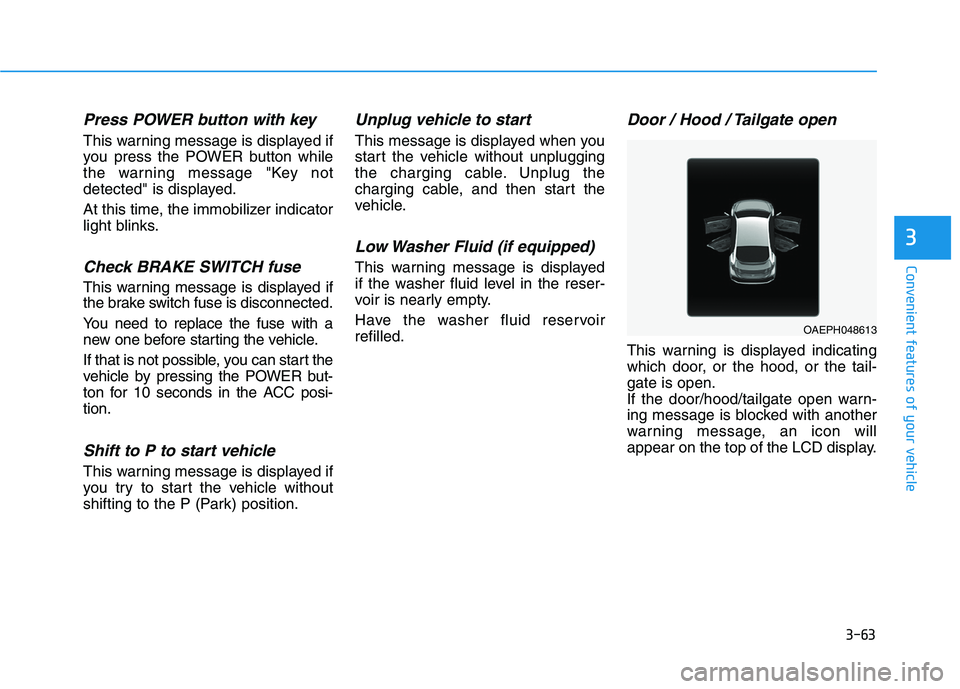
Door / Hood / Tailgate open
This warning is displayed indicating
which door, or the hood, or the tail-gate is open.
If the door/hood/tailgate open warn-
ing message is blocked with another
warning message, an icon will
appear on the top of the LCD display.
OAEPH048613
Page 217 of 546
3-67
Convenient features of your vehicle
3
Shift to P to charge
This message is displayed if you
connect the charging cable without
the gear in the P (Park) position.
Shift to P (Park) before connecting
the charging cable .
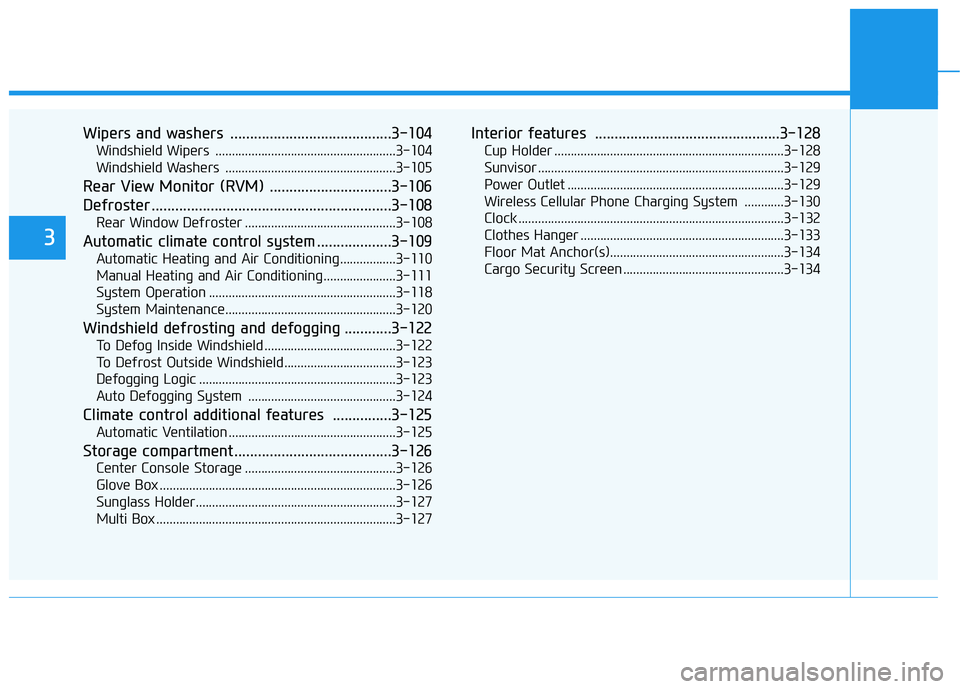
Remaining Time
This message is displayed to notifythe remaining time to charge the bat-
tery to the selected target battery
charge level.
Charging Door Open
This message is displayed when the
vehicle is driven with the charging
door opened. Close the charging
door and then start driving.
OAEPHQ049833LOOSEV048130LOOSEV048133N/OOSEV048198N
■AC charge■ DC charge