Page 36 of 546
H27
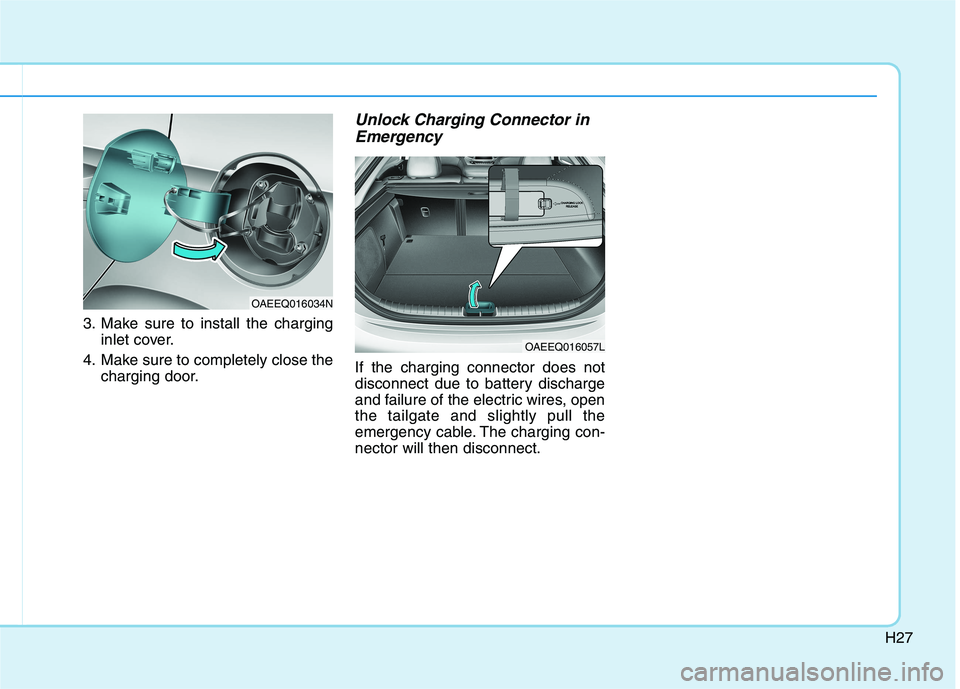
3. Make sure to install the charginginlet cover.
4. Make sure to completely close the charging door.
Unlock Charging Connector in
Emergency
If the charging connector does not
disconnect due to battery discharge
and failure of the electric wires, openthe tailgate and slightly pull the
emergency cable. The charging con-nector will then disconnect.
OAEEQ016034N
OAEEQ016057L
Page 37 of 546
H28
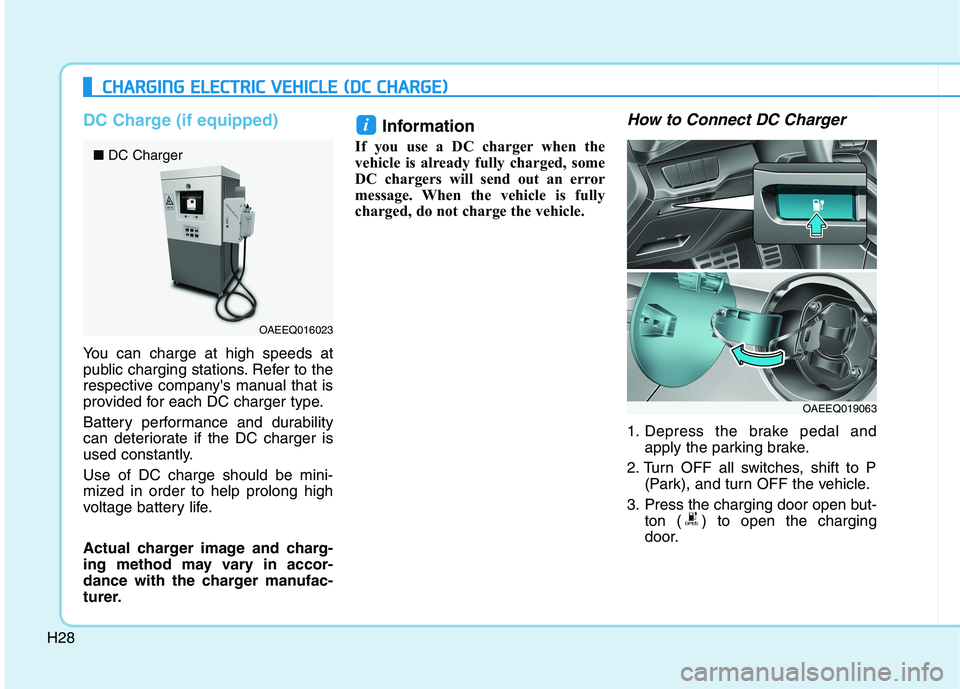
DC Charge (if equipped)
You can charge at high speeds at
public charging stations. Refer to the
respective company's manual that is
provided for each DC charger type.
Battery performance and durability
can deteriorate if the DC charger is
used constantly. Use of DC charge should be mini-
mized in order to help prolong high
voltage battery life.
Actual charger image and charg-
ing method may vary in accor-
dance with the charger manufac-
turer.Information
If you use a DC charger when the
vehicle is already fully charged, some
DC chargers will send out an error
message. When the vehicle is fully
charged, do not charge the vehicle.
How to Connect DC Charger
1. Depress the brake pedal and apply the parking brake.
2. Turn OFF all switches, shift to P (Park), and turn OFF the vehicle.
3. Press the charging door open but- ton ( ) to open the charging
door.
i
CCHH AARRGG IINN GG EE LLEE CCTT RR IICC VV EEHH IICC LLEE (( DD CC CC HH AARRGG EE))
OAEEQ016023
■
DC Charger
OAEEQ019063
Page 38 of 546
H29
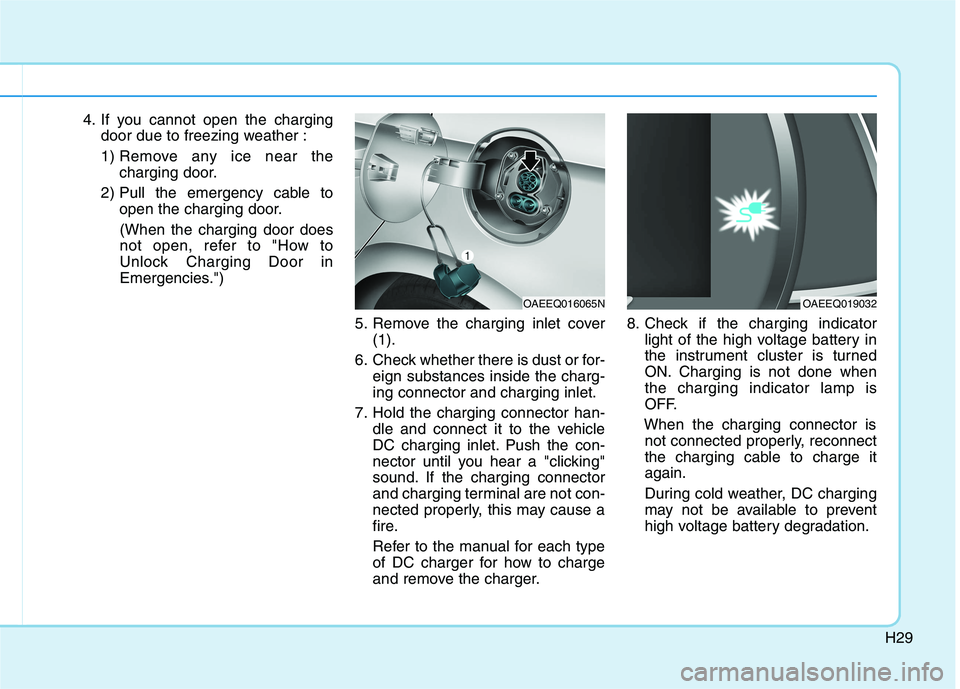
4. If you cannot open the chargingdoor due to freezing weather :
1) Remove any ice near the charging door.
2) Pull the emergency cable to open the charging door.
(When the charging door does
not open, refer to "How to
Unlock Charging Door in
Emergencies.")
5. Remove the charging inlet cover(1).
6. Check whether there is dust or for- eign substances inside the charg-ing connector and charging inlet.
7. Hold the charging connector han- dle and connect it to the vehicle
DC charging inlet. Push the con-
nector until you hear a "clicking"
sound. If the charging connector
and charging terminal are not con-
nected properly, this may cause a
fire.
Refer to the manual for each type
of DC charger for how to charge
and remove the charger. 8. Check if the charging indicator
light of the high voltage battery in
the instrument cluster is turned
ON. Charging is not done whenthe charging indicator lamp is
OFF.
When the charging connector is not connected properly, reconnect
the charging cable to charge itagain.
During cold weather, DC charging
may not be available to prevent
high voltage battery degradation.
OAEEQ016065NOAEEQ019032
Page 39 of 546
H30
CCHH AARRGG IINN GG EE LLEE CCTT RR IICC VV EEHH IICC LLEE (( DD CC CC HH AARRGG EE)) (( CC OO NNTT..))
Information
Even though charging is possible with the POWER button in the
ON/START position, for your safe-
ty, start charging when the POWER
button is in the OFF position and
the vehicle shifted to P (Park).
After charging has started, you can
use electrical components such as
the radio by pressing the POWER
button to ACC or ON position.
During charging, the gear cannot be shifted from P (Park) to any other
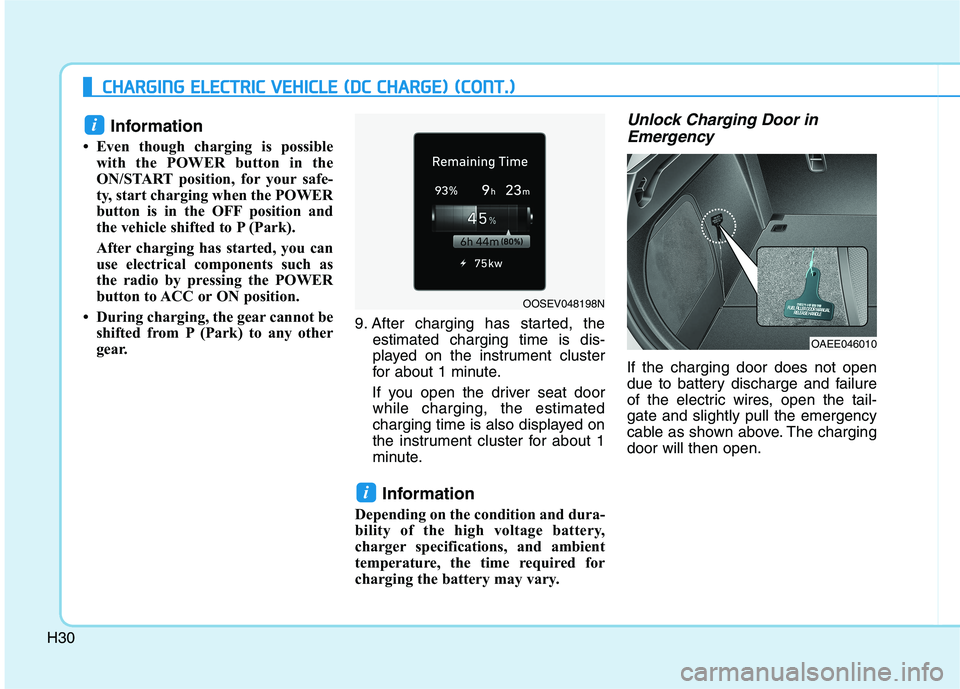
gear. 9. After charging has started, the
estimated charging time is dis-
played on the instrument cluster
for about 1 minute.
If you open the driver seat door while charging, the estimated
charging time is also displayed on
the instrument cluster for about 1
minute.
Information
Depending on the condition and dura-
bility of the high voltage battery,
charger specifications, and ambient
temperature, the time required for
charging the battery may vary. Unlock Charging Door in Emergency
If the charging door does not open
due to battery discharge and failure
of the electric wires, open the tail-gate and slightly pull the emergency
cable as shown above. The chargingdoor will then open.
i
i
OOSEV048198N
OAEE046010
Page 40 of 546
H31
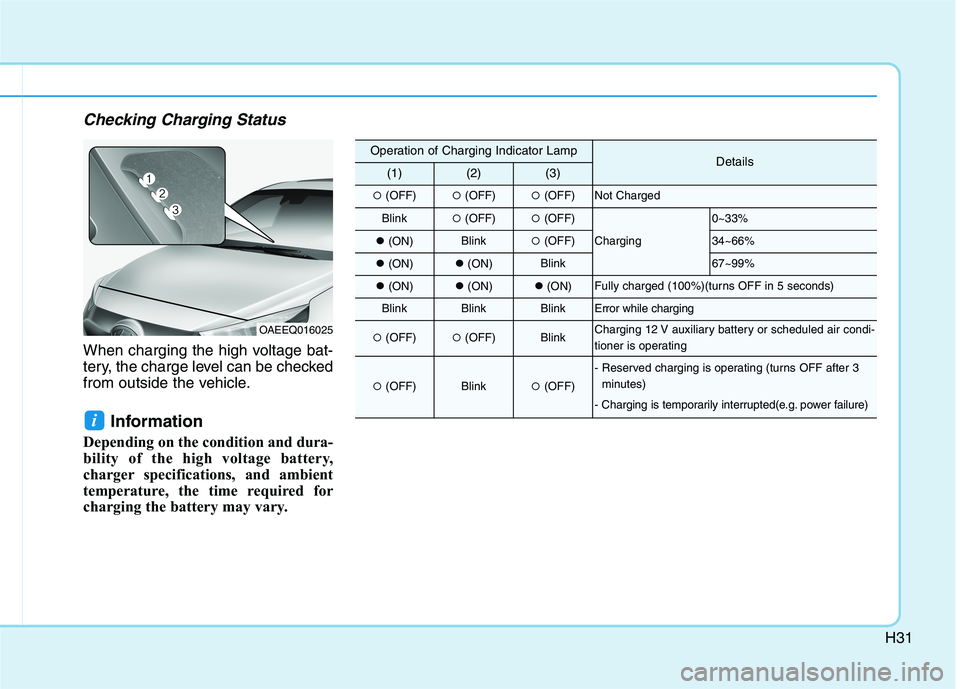
Checking Charging Status
When charging the high voltage bat-
tery, the charge level can be checked
from outside the vehicle.Information
Depending on the condition and dura-
bility of the high voltage battery,
charger specifications, and ambient
temperature, the time required for
charging the battery may vary.
i
OAEEQ016025
Operation of Charging Indicator LampDetails(1)(2)(3)
(OFF) (OFF)(OFF)Not Charged
Blink (OFF)(OFF)
Charging
0~33%
(ON)Blink (OFF)34~66%
(ON)(ON)Blink67~99%
(ON)(ON)(ON)Fully charged (100%)(turns OFF in 5 seconds)
BlinkBlinkBlinkError while charging
(OFF) (OFF)BlinkCharging 12 V auxiliary battery or scheduled air condi-
tioner is operating
(OFF)Blink(OFF)
- Reserved charging is operating (turns OFF after 3
minutes)
- Charging is temporarily interrupted(e.g. power failure)
Page 41 of 546
H32
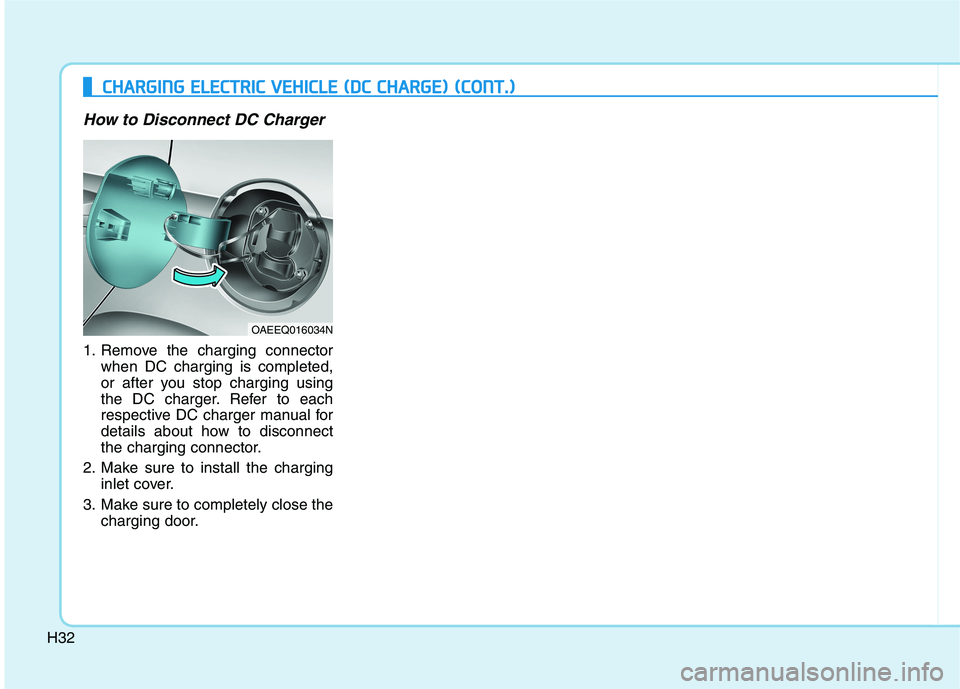
How to Disconnect DC Charger
1. Remove the charging connectorwhen DC charging is completed,
or after you stop charging using
the DC charger. Refer to each
respective DC charger manual for
details about how to disconnect
the charging connector.
2. Make sure to install the charging inlet cover.
3. Make sure to completely close the charging door.
OAEEQ016034N
CCHH AARRGG IINN GG EE LLEE CCTT RR IICC VV EEHH IICC LLEE (( DD CC CC HH AARRGG EE)) (( CC OO NNTT..))
Page 42 of 546
H33
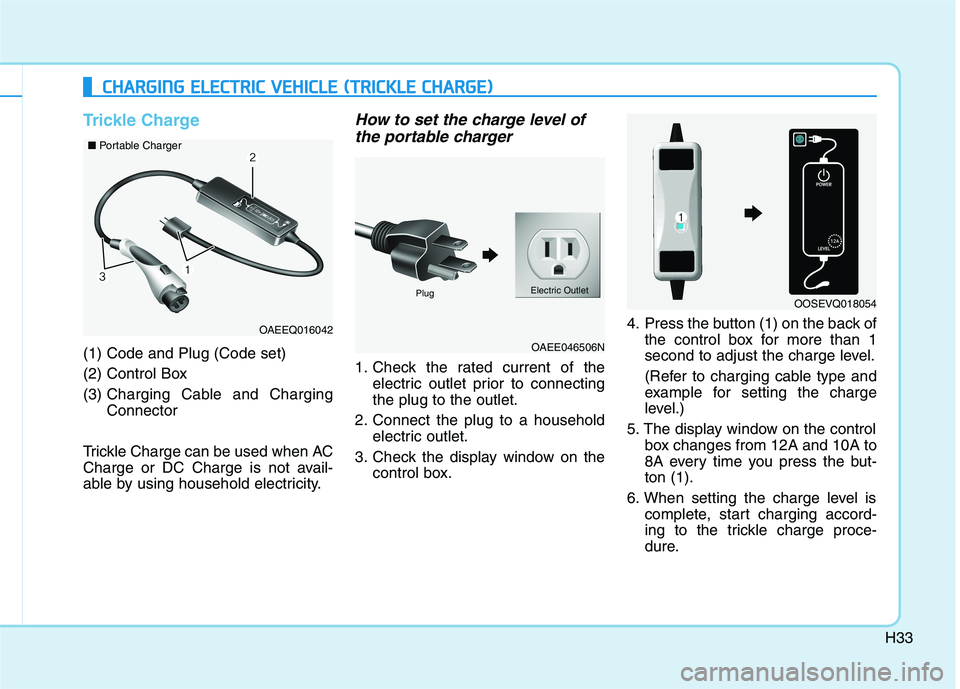
Trickle Charge
(1) Code and Plug (Code set)
(2) Control Box(3) Charging Cable and Charging Connector
Trickle Charge can be used when AC
Charge or DC Charge is not avail-
able by using household electricity.
How to set the charge level of the portable charger
1. Check the rated current of the electric outlet prior to connectingthe plug to the outlet.
2. Connect the plug to a household electric outlet.
3. Check the display window on the control box. 4. Press the button (1) on the back of
the control box for more than 1
second to adjust the charge level.
(Refer to charging cable type and
example for setting the charge
level.)
5. The display window on the control box changes from 12A and 10A to
8A every time you press the but-ton (1).
6. When setting the charge level is complete, start charging accord-
ing to the trickle charge proce-
dure.
CCHH AARRGG IINN GG EE LLEE CCTT RR IICC VV EEHH IICC LLEE (( TT RR IICC KK LLEE CC HH AARRGG EE))
OAEEQ016042
OAEE046506N
■
Portable Charger
OOSEVQ018054Plug Electric Outlet
Page 44 of 546
H35
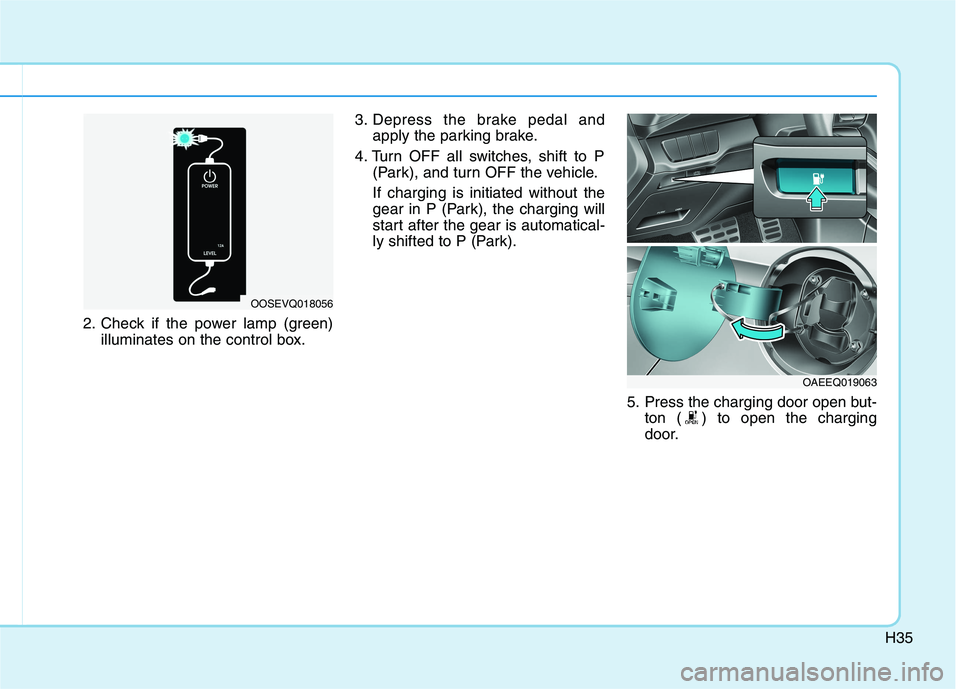
2. Check if the power lamp (green)illuminates on the control box. 3. Depress the brake pedal and
apply the parking brake.
4. Turn OFF all switches, shift to P (Park), and turn OFF the vehicle. If charging is initiated without the
gear in P (Park), the charging will
start after the gear is automatical-
ly shifted to P (Park).
5. Press the charging door open but-ton ( ) to open the charging
door.
OOSEVQ018056
OAEEQ019063