Page 218 of 546
3-68
Convenient features of your vehicle
Charging Stopped.Check the AC/DC charger
This warning message is displayed when charging is stopped, possibly
due to one of the following reasons:
- There is a problem with the exter-nal AC charger or DC charger charger
- The external AC charger stopped charging
- The charging cable is damaged If this warning message appears,
check if there is a problem with the
charging cable or connector, or ifthere is an error message on the
charging station display screen.
If the same problem occurs when
charging the vehicle with a normally
operating AC charger or genuine
HYUNDAI portable charger, have
your vehicle inspected by an author-
ized HYUNDAI dealer.
Charging Stopped.
Check the cable connection
This warning message is displayedwhen charging is stopped becausethe charging connector is not cor-
rectly connected to the vehicle
charging port.
If this message is displayed, discon-
nect the charging cable from the
vehicle charging port and reconnect
it. Before reconnecting, check to
make sure there is no foreign debrisor damage to the connector or
charging port on the vehicle.
OOSEV048131N/OOSEV048132N
■ AC charge■DC charge
OOSEV048196N
Page 219 of 546
3-69
Convenient features of your vehicle
3
If the same problem occurs when
charging the vehicle with a replaced
charging cable or genuine HYUNDAI
portable charger, we recommend
that you have your vehicle inspected
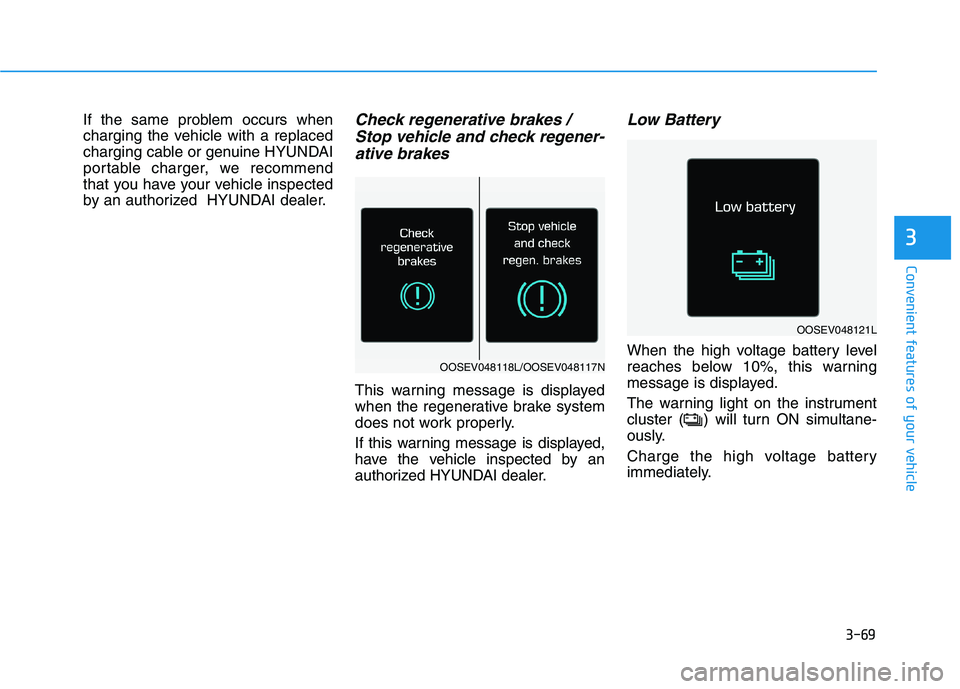
by an authorized HYUNDAI dealer.Check regenerative brakes / Stop vehicle and check regener-
ative brakes
This warning message is displayed
when the regenerative brake system
does not work properly.
If this warning message is displayed,
have the vehicle inspected by an
authorized HYUNDAI dealer.
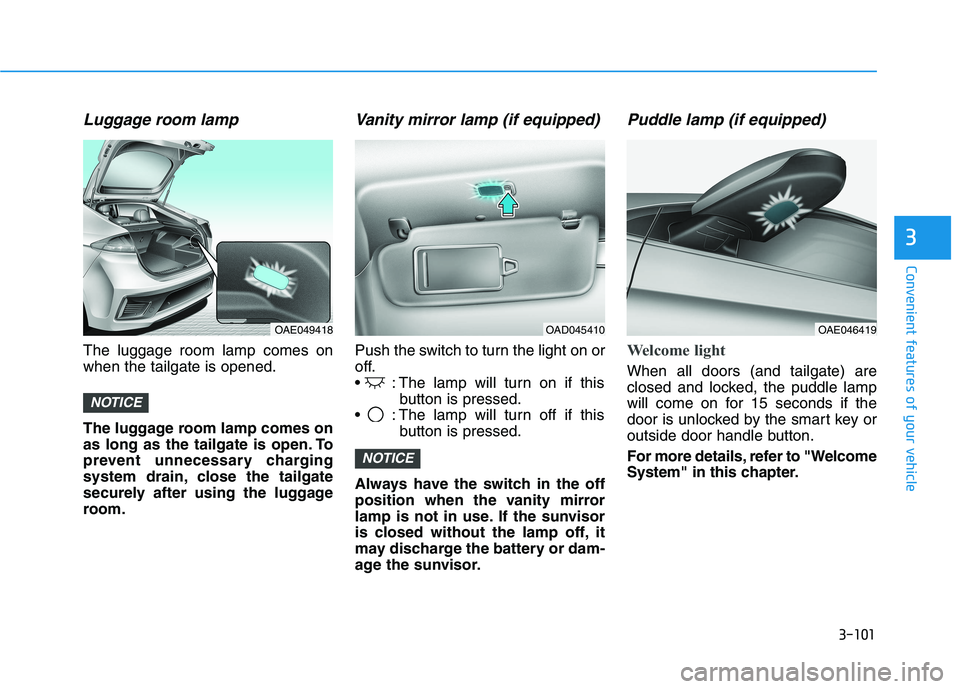
Low Battery
When the high voltage battery level
reaches below 10%, this warning
message is displayed.
The warning light on the instrument
cluster ( ) will turn ON simultane-
ously.
Charge the high voltage battery
immediately.
OOSEV048121L
OOSEV048118L/OOSEV048117N
Page 220 of 546
3-70
Convenient features of your vehicle
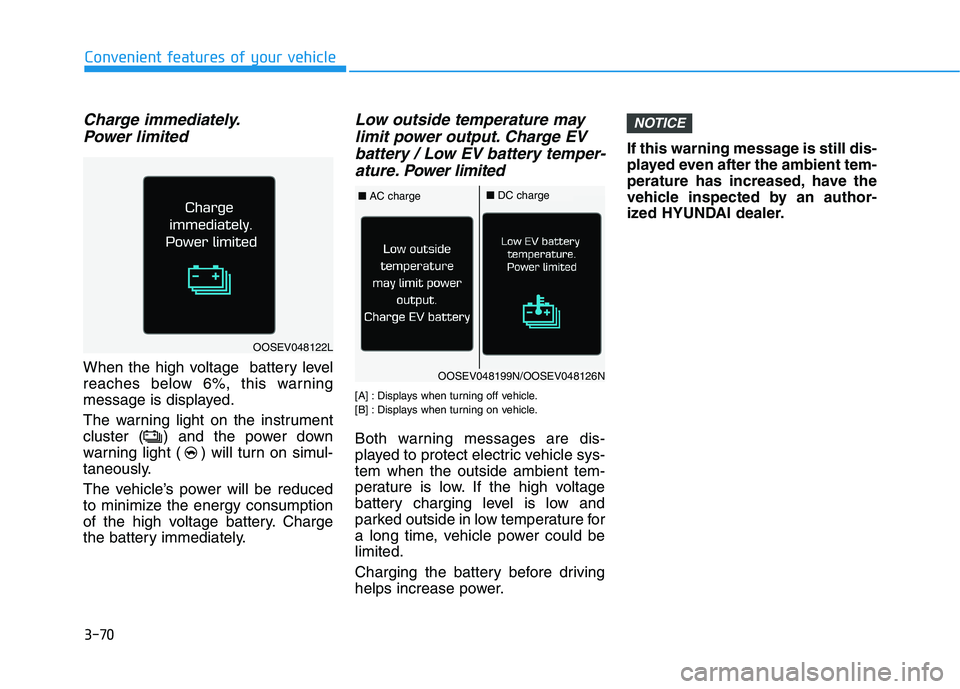
Charge immediately.Power limited
When the high voltage battery level
reaches below 6%, this warning
message is displayed.
The warning light on the instrument
cluster ( ) and the power down
warning light ( ) will turn on simul-
taneously.
The vehicle’s power will be reduced
to minimize the energy consumption
of the high voltage battery. Charge
the battery immediately.
Low outside temperature maylimit power output. Charge EV
battery / Low EV battery temper- ature. Po wer limited
[A] : Displays when turning off vehicle.
[B] : Displays when turning on vehicle.
Both warning messages are dis-
played to protect electric vehicle sys-tem when the outside ambient tem-
perature is low. If the high voltage
battery charging level is low and
parked outside in low temperature for
a long time, vehicle power could belimited.
Charging the battery before driving
helps increase power. If this warning message is still dis-
played even after the ambient tem-
perature has increased, have the
vehicle inspected by an author-
ized HYUNDAI dealer.
NOTICE
OOSEV048122L
OOSEV048199N/OOSEV048126N
■
AC charge■DC charge
Page 232 of 546
3-82
Convenient features of your vehicle
ItemsExplanation
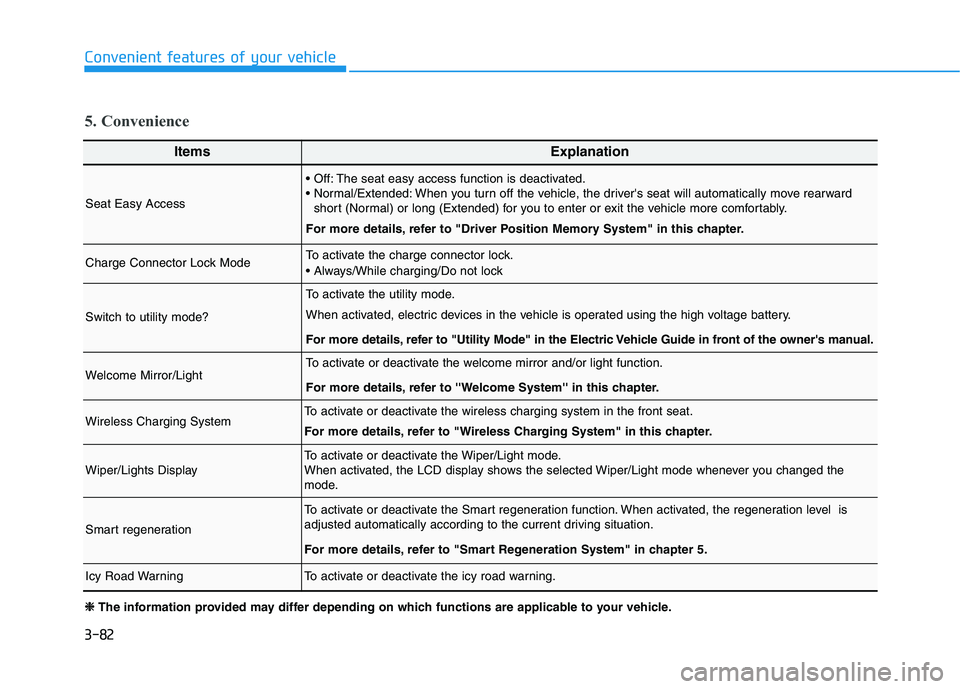
Seat Easy Access
The seat easy access function is deactivated.
When you turn off the vehicle, the driver's seat will automatically move rearwardshort (Normal) or long (Extended) for you to enter or exit the vehicle more comfortably.
For more details, refer to "Driver Position Memory System" in this chapter.
Charge Connector Lock ModeTo activate the charge connector lock.
Switch to utility mode?
To activate the utility mode.
When activated, electric devices in the vehicle is operated using the high voltage battery.
For more details, refer to "Utility Mode" in the Electric Vehicle Guide in front of the owner's manual.
Welcome Mirror/LightTo activate or deactivate the welcome mirror and/or light function.
For more details, refer to ''Welcome System'' in this chapter.
Wireless Charging SystemTo activate or deactivate the wireless charging system in the front seat.
For more details, refer to "Wireless Charging System" in this chapter.
Wiper/Lights DisplayTo activate or deactivate the Wiper/Light mode.
When activated, the LCD display shows the selected Wiper/Light mode whenever you changed the
mode.
Smart regeneration
To activate or deactivate the Smart regeneration function. When activated, the regeneration level is
adjusted automatically according to the current driving situation.
For more details, refer to "Smart Regeneration System" in chapter 5.
Icy Road WarningTo activate or deactivate the icy road warning.
5. Convenience
❈❈
The information provided may differ depending on which functions are applicable to your vehicle.
Page 234 of 546
3-84
Convenient features of your vehicle
ItemsExplanation
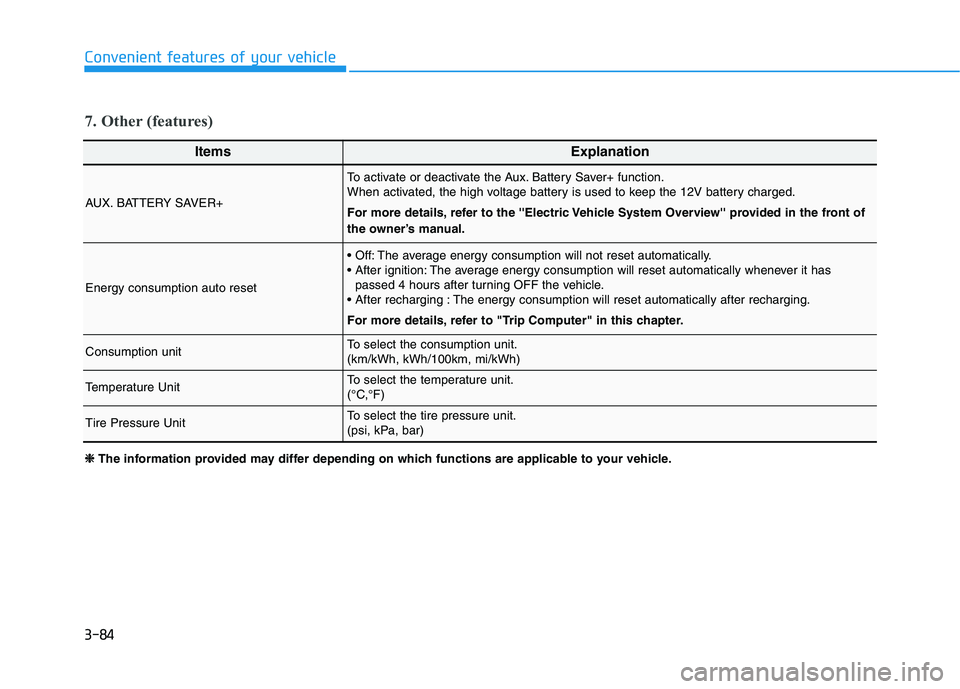
AUX. BATTERY SAVER+
To activate or deactivate the Aux. Battery Saver+ function.
When activated, the high voltage battery is used to keep the 12V battery charged.
For more details, refer to the ''Electric Vehicle System Overview'' provided in the front of
the owner’s manual.
Energy consumption auto reset
The average energy consumption will not reset automatically.
The average energy consumption will reset automatically whenever it haspassed 4 hours after turning OFF the vehicle.
The energy consumption will reset automatically after recharging.
For more details, refer to "Trip Computer" in this chapter.
Consumption unitTo select the consumption unit. (km/kWh, kWh/100km, mi/kWh)
Temperature UnitTo select the temperature unit.
(°C,°F)
Tire Pressure UnitTo select the tire pressure unit.
(psi, kPa, bar)
7. Other (features)
❈❈
The information provided may differ depending on which functions are applicable to your vehicle.
Page 237 of 546
3-87
Convenient features of your vehicle
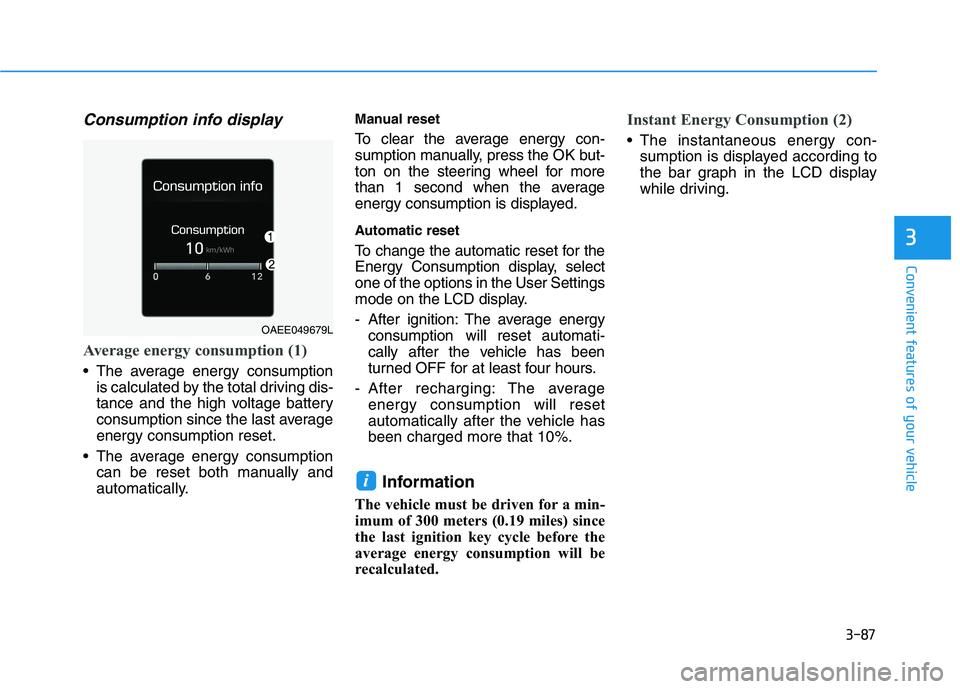
Consumption info display
Average energy consumption (1)
The average energy consumptionis calculated by the total driving dis-
tance and the high voltage battery
consumption since the last averageenergy consumption reset.
The average energy consumption can be reset both manually and
automatically. Manual reset
To clear the average energy con-
sumption manually, press the OK but-
ton on the steering wheel for more
than 1 second when the average
energy consumption is displayed.
Automatic reset
To change the automatic reset for the
Energy Consumption display, selectone of the options in the User Settings
mode on the LCD display.
- After ignition: The average energy
consumption will reset automati-
cally after the vehicle has been
turned OFF for at least four hours.
- After recharging: The average energy consumption will reset
automatically after the vehicle hasbeen charged more that 10%.
Information
The vehicle must be driven for a min-
imum of 300 meters (0.19 miles) since
the last ignition key cycle before the
average energy consumption will be
recalculated.
Instant Energy Consumption (2)
The instantaneous energy con- sumption is displayed according to
the bar graph in the LCD display
while driving.
i
3
OAEE049679L
Page 251 of 546
3-101
Convenient features of your vehicle
3
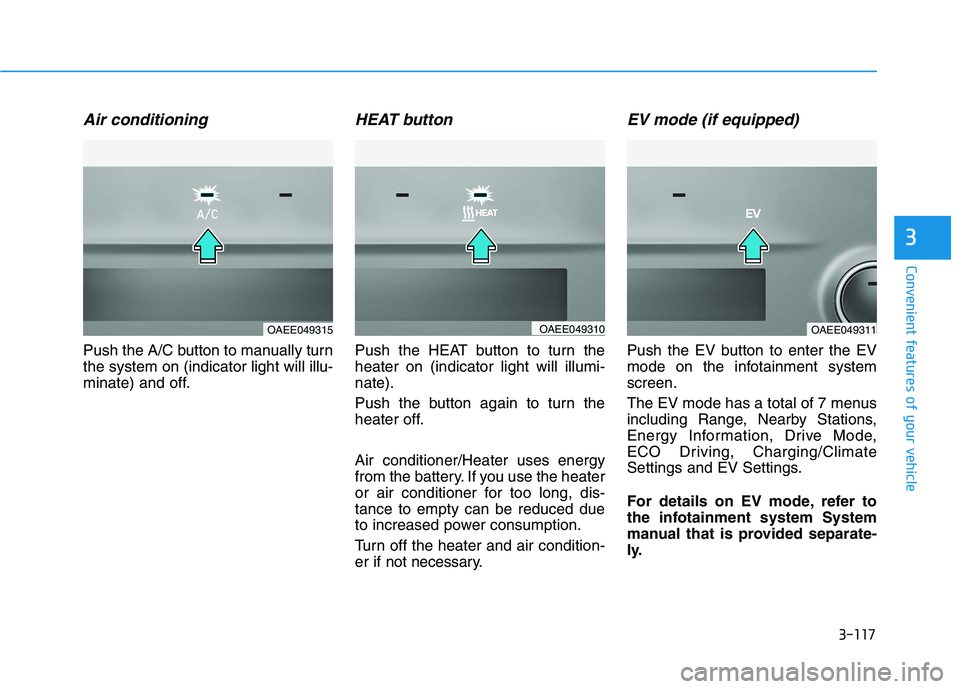
Luggage room lamp
The luggage room lamp comes on when the tailgate is opened.
The luggage room lamp comes on
as long as the tailgate is open. To
prevent unnecessary charging
system drain, close the tailgate
securely after using the luggage
room.
Vanity mirror lamp (if equipped)
Push the switch to turn the light on or
off.
: The lamp will turn on if thisbutton is pressed.
: The lamp will turn off if this button is pressed.
Always have the switch in the off
position when the vanity mirror
lamp is not in use. If the sunvisor
is closed without the lamp off, it
may discharge the battery or dam-
age the sunvisor.
Puddle lamp (if equipped)
Welcome light
When all doors (and tailgate) are
closed and locked, the puddle lamp
will come on for 15 seconds if the
door is unlocked by the smart key or
outside door handle button.
For more details, refer to "Welcome
System" in this chapter.
NOTICE
NOTICE
OAE049418OAE046419OAD045410
Page 267 of 546
3-117
Convenient features of your vehicle
3
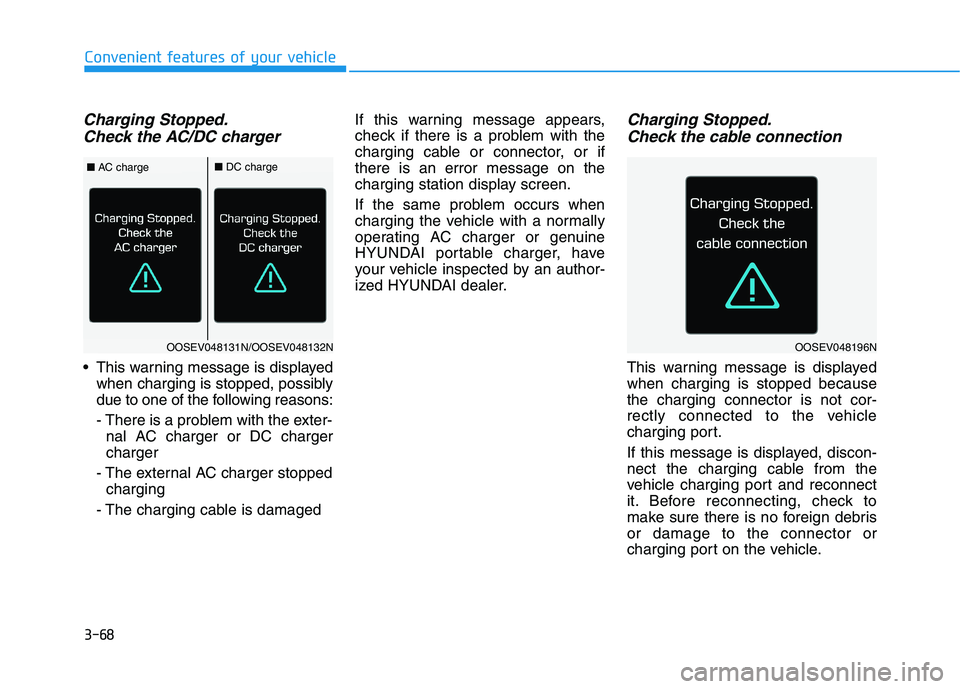
Air conditioning
Push the A/C button to manually turn the system on (indicator light will illu-
minate) and off.
HEAT button
Push the HEAT button to turn theheater on (indicator light will illumi-nate).
Push the button again to turn the
heater off. Air conditioner/Heater uses energy
from the battery. If you use the heater
or air conditioner for too long, dis-tance to empty can be reduced due
to increased power consumption.
Turn off the heater and air condition-
er if not necessary.
EV mode (if equipped)
Push the EV button to enter the EV
mode on the infotainment systemscreen.
The EV mode has a total of 7 menus
including Range, Nearby Stations,
Energy Information, Drive Mode,
ECO Driving, Charging/Climate
Settings and EV Settings.
For details on EV mode, refer to
the infotainment system System
manual that is provided separate-
ly.
OAEE049315OAEE049310OAEE049311