2021 TOYOTA YARIS CROSS Motor
[x] Cancel search: MotorPage 251 of 650
249
4
YARIS CROSS Owner's Manual_Europe_M52K60_en
4-5. Using the driving support systems
Driving
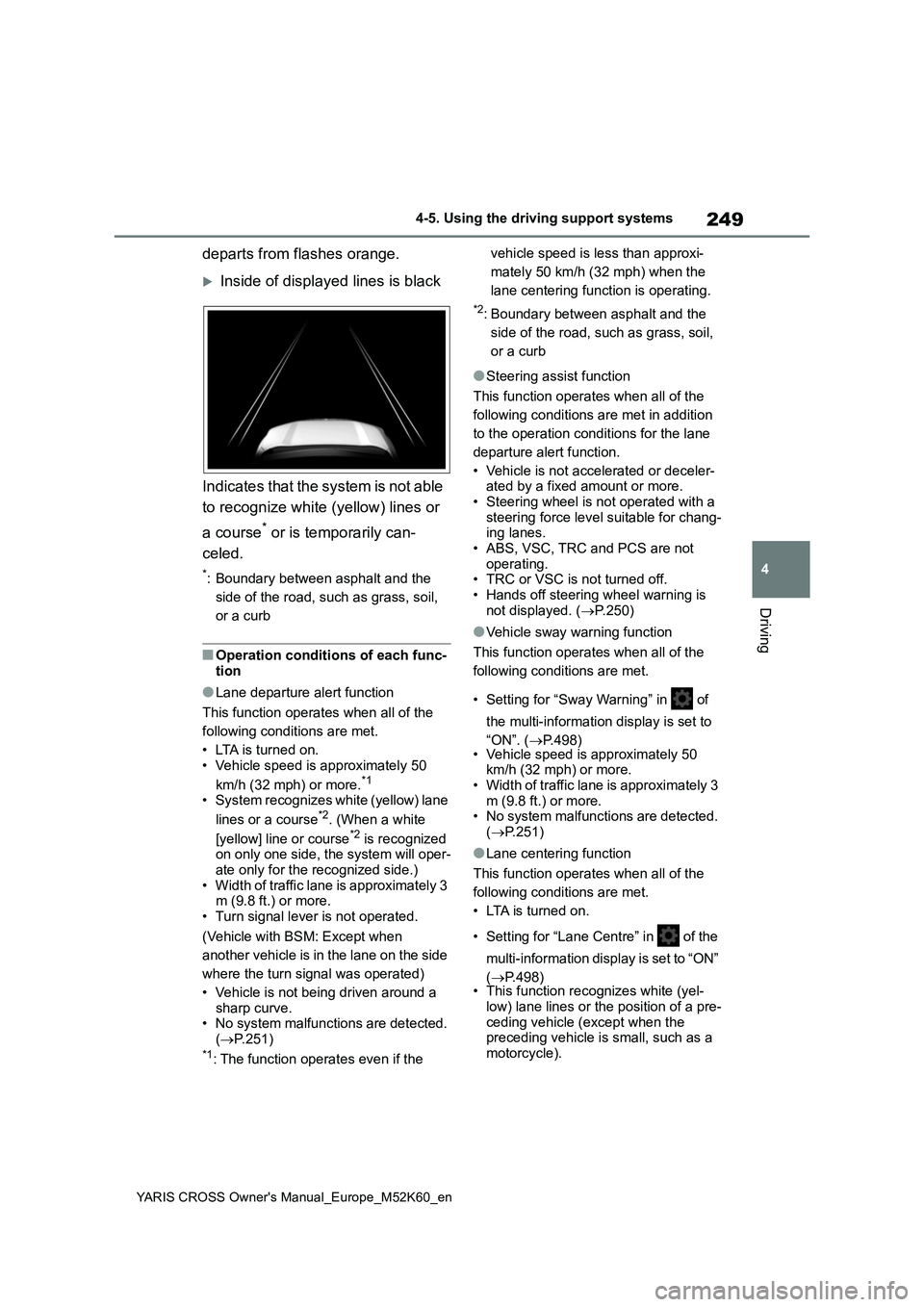
departs from flashes orange.
Inside of displayed lines is black
Indicates that the system is not able
to recognize white (yellow) lines or
a course* or is temporarily can-
celed.
*: Boundary between asphalt and the
side of the road, such as grass, soil,
or a curb
■Operation conditions of each func- tion
●Lane departure alert function
This function operates when all of the
following conditions are met.
• LTA is turned on. • Vehicle speed is approximately 50
km/h (32 mph) or more.*1
• System recognizes white (yellow) lane
lines or a course*2. (When a white
[yellow] line or course*2 is recognized on only one side, the system will oper-ate only for the recognized side.)
• Width of traffic lane is approximately 3 m (9.8 ft.) or more.• Turn signal lever is not operated.
(Vehicle with BSM: Except when
another vehicle is in the lane on the side
where the turn signal was operated)
• Vehicle is not being driven around a sharp curve.• No system malfunctions are detected.
( P.251)*1: The function operates even if the
vehicle speed is less than approxi-
mately 50 km/h (32 mph) when the
lane centering function is operating.
*2: Boundary between asphalt and the
side of the road, such as grass, soil,
or a curb
●Steering assist function
This function operates when all of the
following conditions are met in addition
to the operation conditions for the lane
departure alert function.
• Vehicle is not accelerated or deceler- ated by a fixed amount or more.
• Steering wheel is not operated with a steering force level suitable for chang-ing lanes.
• ABS, VSC, TRC and PCS are not operating.• TRC or VSC is not turned off.
• Hands off steering wheel warning is not displayed. ( P.250)
●Vehicle sway warning function
This function operates when all of the
following conditions are met.
• Setting for “Sway Warning” in of
the multi-information display is set to
“ON”. ( P.498) • Vehicle speed is approximately 50 km/h (32 mph) or more.• Width of traffic lane is approximately 3
m (9.8 ft.) or more. • No system malfunctions are detected. ( P.251)
●Lane centering function
This function operates when all of the
following conditions are met.
• LTA is turned on.
• Setting for “Lane Centre” in of the
multi-information display is set to “ON”
( P.498) • This function recognizes white (yel-
low) lane lines or the position of a pre- ceding vehicle (except when the preceding vehicle is small, such as a
motorcycle).
Page 264 of 650

262
YARIS CROSS Owner's Manual_Europe_M52K60_en
4-5. Using the driving support systems
■Automatic cancelation of constant
speed control mode
Constant speed control mode is auto- matically canceled in the following situa-
tions:
●Actual vehicle speed is more than
approximately 16 km/h (10 mph) below the set vehicle speed.
●Actual vehicle speed falls below approximately 30 km/h (20 mph).
●VSC is activated.
●TRC is activated for a period of time.
●When the VSC or TRC system is turned off.
●When the brake control or output restriction control of a driving support
system operates. (For example: Pre-Collision System, Drive-Start Control)
●The parking brake is operated.
If constant speed control mode is auto-
matically canceled for any reasons other than the above, there may be a malfunc-tion in the system. Contact any autho-
rized Toyota retailer or Toyota authorized repairer, or any reliable repairer.
■The Dynamic Radar Cruise Control
with Road Sign Assist may not operate properly when (if equipped)
As the Dynamic Radar Cruise Control with Road Sign Assist may not operate properly in conditions in which RSA may
not operate or detect correctly ( P.269), when using this function, make sure to check the speed limit sign
displayed.
In the following situations, the set speed may not be changed to the recognized
speed limit by pressing and holding the “+RES”/“-SET” switch.
●If speed limit information is not avail-able
●When the recognized speed limit is the same as the set speed
●When the recognized speed limit is
outside of the speed range that the
dynamic radar cruise control system can operate
■Brake operation
A brake operation sound may be heard
and the brake pedal response may change, but these are not malfunctions.
■Warning messages and buzzers for dynamic radar cruise control with
full-speed range
Warning messages and buzzers are used to indicate a system malfunction or
to inform the driver of the need for cau- tion while driving. If a warning message is shown on the multi-information dis-
play, read the message and follow the instructions. ( P.229, 449)
■When the sensor may not be cor- rectly detecting the vehicle ahead
In the case of the following and depend- ing on the conditions, operate the brake pedal when deceleration of the system
is insufficient or operate the accelerator pedal when acceleration is required.
As the sensor may not be able to cor-
rectly detect these types of vehicles, the approach warning ( P.259) may not be activated.
●Vehicles that cut in suddenly
●Vehicles traveling at low speeds
●Vehicles that are not moving in the
same lane
●Vehicles with small rear ends (trailers
with no load on board, etc.)
●Motorcycles traveling in the same lane
●When water or snow thrown up by the surrounding vehicles hinders the
detecting of the sensor
Page 270 of 650

268
YARIS CROSS Owner's Manual_Europe_M52K60_en
4-5. Using the driving support systems
Speed limit related information*
*: Displayed when a sign is recognized
but speed limit information for the
road is not available from the 7-
inch/8-inch display navigation system
No-overtaking road signs
Other road signs
*: For vehicles with 7-inch/8-inch dis-
play navigation system
Speed limit with supplemental
mark*1
*1: Displayed simultaneously with speed
limit
*2: Contents not recognized.
Motorway entrance
Motorway exit
Expressway entrance
Expressway exit
Urban area beginning
Urban area ending
Urban area beginning
Urban area ending
Residential area beginning
Residential area ending
No overtaking begins
No overtaking ends
No-entry*
End of prohibition
Stop
Wet
Rain
Ice
Supplemental mark
exists*2
Exit ramp on right*3
Exit ramp on left*3
Time
Page 276 of 650

274
YARIS CROSS Owner's Manual_Europe_M52K60_en
4-5. Using the driving support systems
Approximately 3 m (9.8 ft.) to 60 m (197 ft.) from the rear bumper*2
*1: The area between the side of the vehicle and 0.5 m (1.6 ft.) from the side of the
vehicle cannot be detected.
*2: The greater the difference in speed between your vehicle and t he detected vehi-
cle is, the farther away the vehicle will be detected, causing the outside rear view
mirror indicator to illuminate or flash.
■The Blind Spot Monitor is opera- tional when
The Blind Spot Monitor is operational when all of the following conditions are met:
●The Blind Spot Monitor is on.
●The shift lever is in a position other than R.
●The vehicle speed is greater than approximately 16 km/h (10 mph).
■The Blind Spot Monitor will detect a vehicle when
The Blind Spot Monitor will detect a vehicle present in the detection area in the following situations:
●A vehicle in an adjacent lane over-takes your vehicle.
●You overtake a vehicle in adjacent lane slowly.
●Another vehicle enters the detection area when it changes lanes.
■Conditions under which the system
will not detect a vehicle
The Blind Spot Monitor is not designed to detect the following types of vehicles
and/or objects:
●Small motorcycles, bicycles, pedestri-
ans, etc.*
●Vehicles traveling in the opposite
direction
●Guardrails, walls, signs, parked vehi-
cles and similar stationary objects*
●Following vehicles that are in the
same lane*
●Vehicles traveling 2 lanes away from
your vehicle*
●Vehicles which are being overtaken
rapidly by your vehicle*
*: Depending on the conditions, detec-
tion of a vehicle and/or object may
occur.
■Conditions under which the system
may not function correctly
●The Blind Spot Monitor may not detect
vehicles correctly in the following situ- ations:• When the sensor is misaligned due to
a strong impact to the sensor or its surrounding area• When mud, snow, ice, a sticker, etc.,
is covering the sensor or surrounding area on the rear bumper• When driving on a road surface that is
wet with standing water during bad weather, such as heavy rain, snow, or fog
• When multiple vehicles are approach- ing with only a small gap between each vehicle
• When the distance between your vehi- cle and a following vehicle is short• When there is a significant difference
in speed between your vehicle and the vehicle that enters the detection area
• When the difference in speed between your vehicle and another vehicle is changing
• When a vehicle enters a detection area traveling at about the same speed as your vehicle
• As your vehicle starts from a stop, a vehicle remains in the detection area• When driving up and down consecu-
tive steep inclines, such as hills, dips in the road, etc.
Page 281 of 650
279
4
YARIS CROSS Owner's Manual_Europe_M52K60_en
4-5. Using the driving support systems
Driving
●On an extremely bumpy road, on an
incline, on gravel, or on grass.
●When vehicle horns, vehicle detec-
tors, motorcycle engines, air brakes of large vehicles, the clearance sonar of other vehicles or other devices which
produce ultrasonic waves are near the vehicle
●A sensor is coated with a sheet of spray or heavy rain.
●If objects draw too close to the sensor.
●Pedestrians that are hard to reflect
ultrasonic waves (ex. skirts with gath- ers or frills).
●When objects that are not perpendicu-lar to the ground, not perpendicular to the vehicle traveling direction,
uneven, or waving are in the detection range.
●Strong wind is blowing
●When driving in inclement weather
such as fog, snow or a sandstorm
●When an object that cannot be
detected is between the vehicle and a detected object
●If an object such as a vehicle, motor-cycle, bicycle or pedestrian cuts in front of the vehicle or runs out from
the side of the vehicle
●If the orientation of a sensor has been
changed due to a collision or other impact
●When equipment that may obstruct a sensor is installed, such as a towing eyelet, bumper protector (an addi-
tional trim strip, etc.), bicycle carrier, or snow plow
●If the front of the vehicle is raised or lowered due to the carried load
●If the vehicle cannot be driven in a
stable manner, such as when the vehicle has been in an accident or is malfunctioning
●When a tire chains, compact spare tire or an emergency tire puncture repair
kit is used
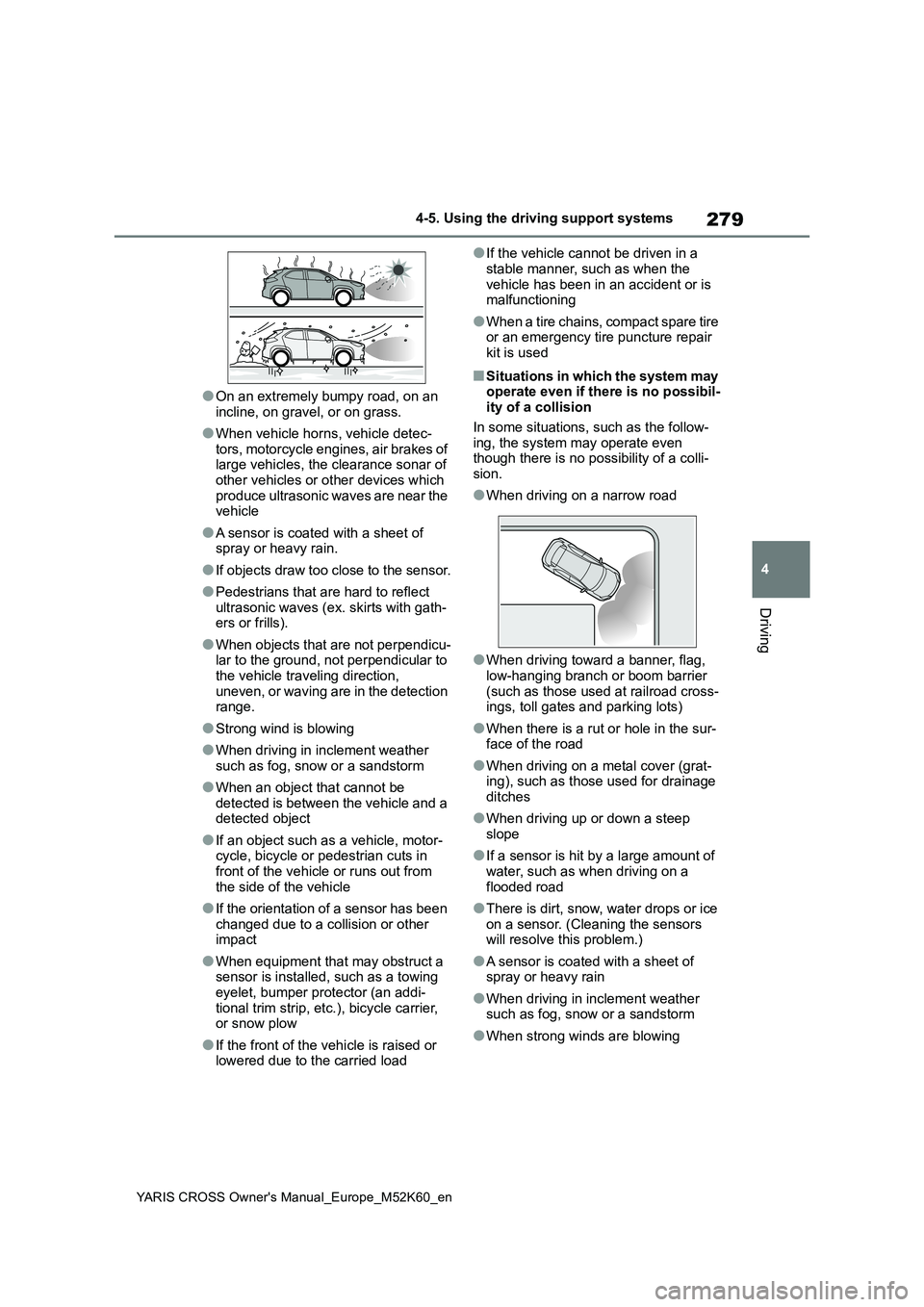
■Situations in which the system may operate even if there is no possibil-ity of a collision
In some situations, such as the follow- ing, the system may operate even though there is no possibility of a colli-
sion.
●When driving on a narrow road
●When driving toward a banner, flag, low-hanging branch or boom barrier
(such as those used at railroad cross- ings, toll gates and parking lots)
●When there is a rut or hole in the sur-face of the road
●When driving on a metal cover (grat-ing), such as those used for drainage ditches
●When driving up or down a steep slope
●If a sensor is hit by a large amount of water, such as when driving on a
flooded road
●There is dirt, snow, water drops or ice
on a sensor. (Cleaning the sensors will resolve this problem.)
●A sensor is coated with a sheet of spray or heavy rain
●When driving in inclement weather such as fog, snow or a sandstorm
●When strong winds are blowing
Page 282 of 650

280
YARIS CROSS Owner's Manual_Europe_M52K60_en
4-5. Using the driving support systems
●When vehicle horns, vehicle detec-
tors, motorcycle engines, air brakes of large vehicles, the clearance sonar of other vehicles or other devices which
produce ultrasonic waves are near the vehicle
●If the front of the vehicle is raised or lowered due to the carried load
●If the orientation of a sensor has been changed due to a collision or other impact
●The vehicle is approaching a tall or curved curb
●Driving close to columns (H-shaped steel beams, etc.) in multi-story park-
ing garages, construction sites, etc.
●If the vehicle cannot be driven in a
stable manner, such as when the vehicle has been in an accident or is malfunctioning
●On an extremely bumpy road, on an incline, on gravel, or on grass
●When a tire chains, compact spare tire or an emergency tire puncture repair
kit is used
■Detection range of the sensors
(vehicles without panoramic
view monitor)
Approximately 100 cm (3.3 ft.)
Approximately 150 cm (4.9 ft.)
Approximately 60 cm (2.0 ft.)
The diagram shows the detection range
of the sensors. Note that the sensors
cannot detect objects that are
extremely close to the vehicle.
The range of the sensors may change
depending on the shape of the object,
etc.
Sensor detection display,
object distance
Page 290 of 650

288
YARIS CROSS Owner's Manual_Europe_M52K60_en
4-5. Using the driving support systems
●The vehicle speed is less than
approximately 15 km/h (9 mph).
●The approaching vehicle speed is
between approximately 8 km/h (5 mph) and 56 km/h (34 mph).
■Adjusting the buzzer volume
The buzzer volume can be adjusted on
the multi-information display.
Use the meter control switches to change settings. ( P.107, 113)
1 Press / (4.2-inch display) or
/ (7-inch display) of the
meter control switch to select .
2 Press / (4.2-inch display) or
/ (7-inch display) of the
meter control switch to select
“RCTA” and then press and hold
.
3 Press to select the volume.
Each time the switch is pressed, the vol-
ume level will change between 1, 2, and 3.
When the buzzer volume adjustment is
completed, press to return to the
previous screen.
■Muting a buzzer temporarily
A mute button will be displayed on the
multi-information display when a vehi-
cles or an object is detected. To mute
the buzzer, press .
The buzzers for the RCTA function and
Toyota parking assist-sensor will be
muted simultaneously.
Mute will be canceled automatically in the following situations:
●When the shift lever is changed.
●When the vehicle speed exceeds a certain speed.
●When there is a malfunction in a sen-
sor or the system is temporarily unavailable.
●When the operating function is dis-abled manually.
●When the power switch is turned off.
■Conditions under which the system will not detect a vehicle
The RCTA function is not designed to
detect the following types of vehicles and/or objects.
●Vehicles approaching from directly behind
●Vehicles backing up in a parking space next to your vehicle
●Vehicles that the sensors cannot detect due to obstructions
●Guardrails, walls, signs, parked vehi-
cles and similar stationary objects*
●Small motorcycles, bicycles, pedestri-
ans, etc.*
●Vehicles moving away from your vehi- cle
●Vehicles approaching from the park-
ing spaces next to your vehicle*
●The distance between the sensor and approaching vehicle gets too close*: Depending on conditions, detection of
a vehicle and/or object may occur.
■Situations in which the system may
not operate properly
The RCTA function may not detect vehi-
cles correctly in the following situations:
●When the sensor is misaligned due to
a strong impact to the sensor or its surrounding area
Page 330 of 650
328
YARIS CROSS Owner's Manual_Europe_M52K60_en
4-5. Using the driving support systems
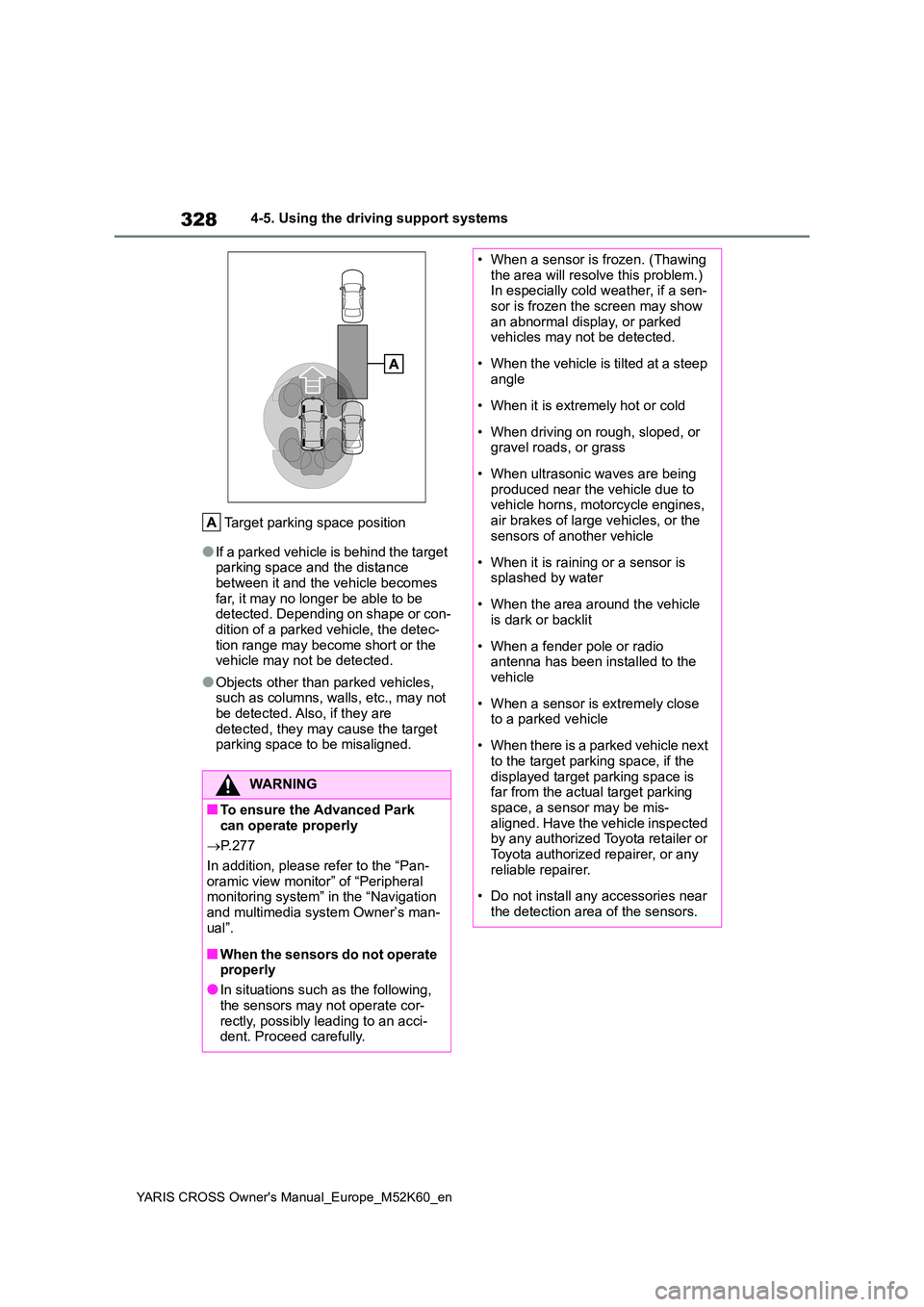
Target parking space position
●If a parked vehicle is behind the target parking space and the distance between it and the vehicle becomes
far, it may no longer be able to be detected. Depending on shape or con-dition of a parked vehicle, the detec-
tion range may become short or the vehicle may not be detected.
●Objects other than parked vehicles, such as columns, walls, etc., may not be detected. Also, if they are
detected, they may cause the target parking space to be misaligned.
WARNING
■To ensure the Advanced Park can operate properly
P. 2 7 7
In addition, please refer to the “Pan- oramic view monitor” of “Peripheral monitoring system” in the “Navigation
and multimedia system Owner’s man- ual”.
■When the sensors do not operate properly
●In situations such as the following,
the sensors may not operate cor- rectly, possibly leading to an acci-dent. Proceed carefully.
• When a sensor is frozen. (Thawing the area will resolve this problem.) In especially cold weather, if a sen-
sor is frozen the screen may show an abnormal display, or parked vehicles may not be detected.
• When the vehicle is tilted at a steep angle
• When it is extremely hot or cold
• When driving on rough, sloped, or gravel roads, or grass
• When ultrasonic waves are being produced near the vehicle due to vehicle horns, motorcycle engines,
air brakes of large vehicles, or the sensors of another vehicle
• When it is raining or a sensor is splashed by water
• When the area around the vehicle is dark or backlit
• When a fender pole or radio antenna has been installed to the vehicle
• When a sensor is extremely close to a parked vehicle
• When there is a parked vehicle next to the target parking space, if the
displayed target parking space is far from the actual target parking space, a sensor may be mis-
aligned. Have the vehicle inspected by any authorized Toyota retailer or Toyota authorized repairer, or any
reliable repairer.
• Do not install any accessories near
the detection area of the sensors.