Page 325 of 478
5-90
Driving your vehicle
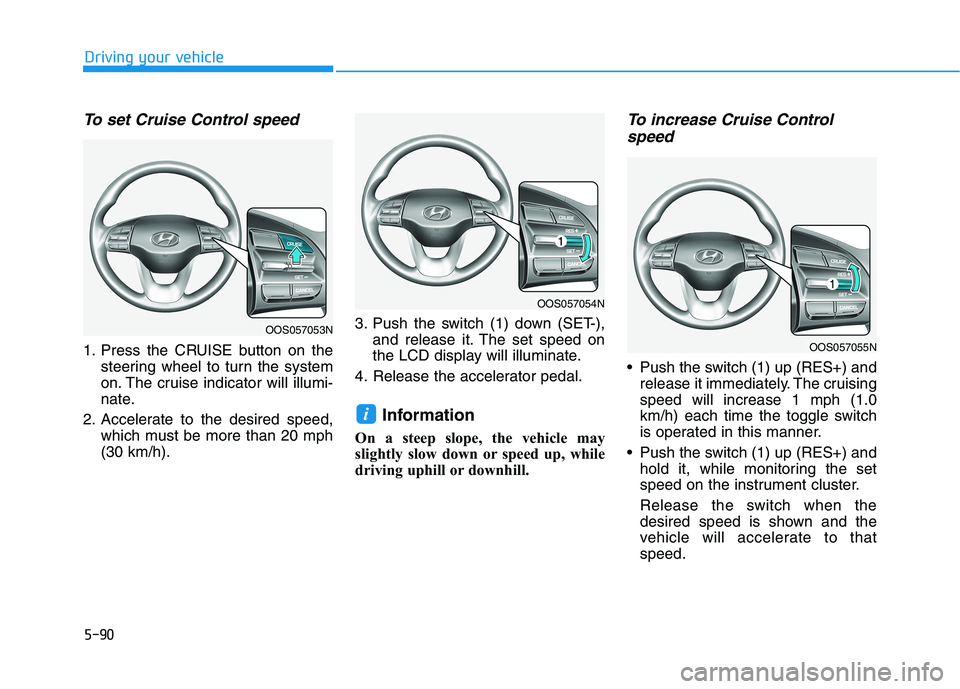
To set Cruise Control speed
1. Press the CRUISE button on the
steering wheel to turn the system
on. The cruise indicator will illumi-
nate.
2. Accelerate to the desired speed,
which must be more than 20 mph
(30 km/h).3. Push the switch (1) down (SET-),
and release it. The set speed on
the LCD display will illuminate.
4. Release the accelerator pedal.
Information
On a steep slope, the vehicle may
slightly slow down or speed up, while
driving uphill or downhill.
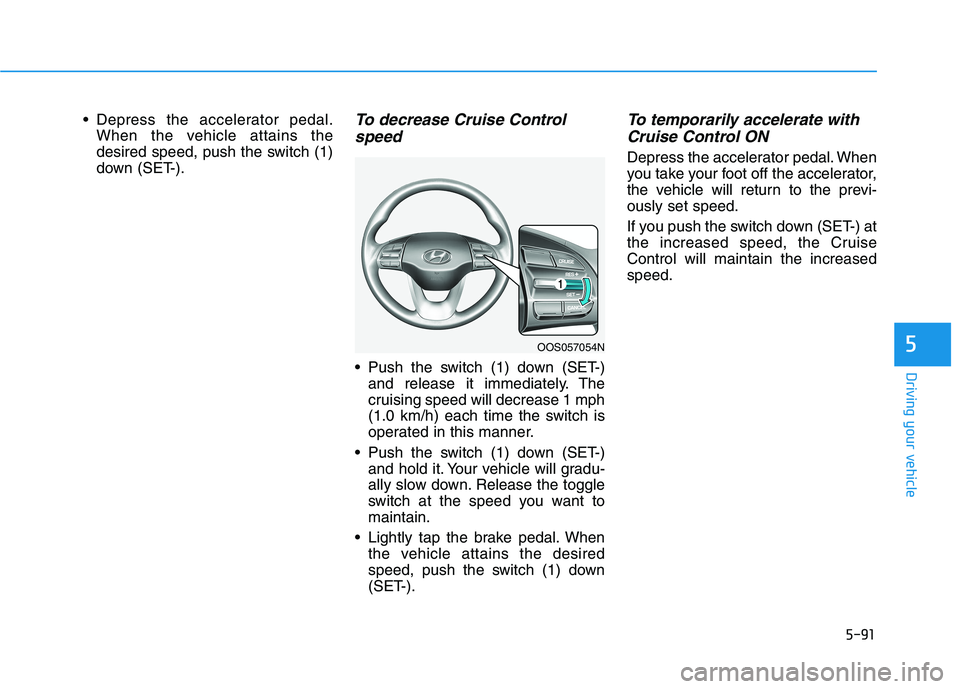
To increase Cruise Control
speed
Push the switch (1) up (RES+) and
release it immediately. The cruising
speed will increase 1 mph (1.0
km/h) each time the toggle switch
is operated in this manner.
Push the switch (1) up (RES+) and
hold it, while monitoring the set
speed on the instrument cluster.
Release the switch when the
desired speed is shown and the
vehicle will accelerate to that
speed.
i
OOS057053N
OOS057054N
OOS057055N
Page 326 of 478
5-91
Driving your vehicle
5
Depress the accelerator pedal.
When the vehicle attains the
desired speed, push the switch (1)
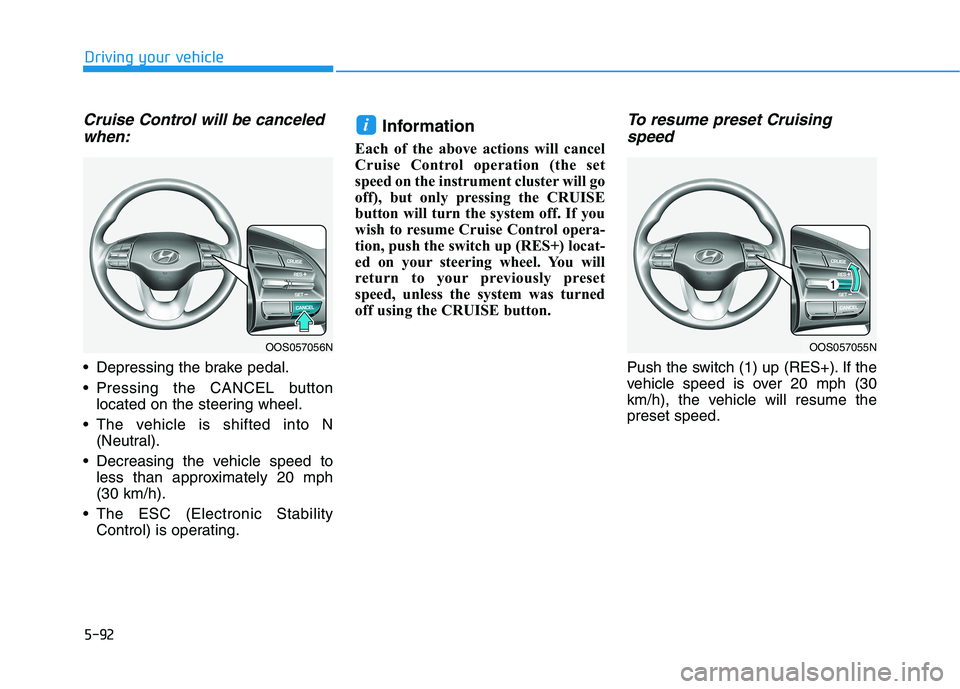
down (SET-).To decrease Cruise Control
speed
Push the switch (1) down (SET-)
and release it immediately. The
cruising speed will decrease 1 mph
(1.0 km/h) each time the switch is
operated in this manner.
Push the switch (1) down (SET-)
and hold it. Your vehicle will gradu-
ally slow down. Release the toggle
switch at the speed you want to
maintain.
Lightly tap the brake pedal. When
the vehicle attains the desired
speed, push the switch (1) down
(SET-).
To temporarily accelerate with
Cruise Control ON
Depress the accelerator pedal. When
you take your foot off the accelerator,
the vehicle will return to the previ-
ously set speed.
If you push the switch down (SET-) at
the increased speed, the Cruise
Control will maintain the increased
speed.
OOS057054N
Page 327 of 478
5-92
Driving your vehicle
Cruise Control will be canceled
when:
Depressing the brake pedal.
Pressing the CANCEL button
located on the steering wheel.
The vehicle is shifted into N
(Neutral).
Decreasing the vehicle speed to
less than approximately 20 mph
(30 km/h).
The ESC (Electronic Stability
Control) is operating.
Information
Each of the above actions will cancel
Cruise Control operation (the set
speed on the instrument cluster will go
off), but only pressing the CRUISE
button will turn the system off. If you
wish to resume Cruise Control opera-
tion, push the switch up (RES+) locat-
ed on your steering wheel. You will
return to your previously preset
speed, unless the system was turned
off using the CRUISE button.
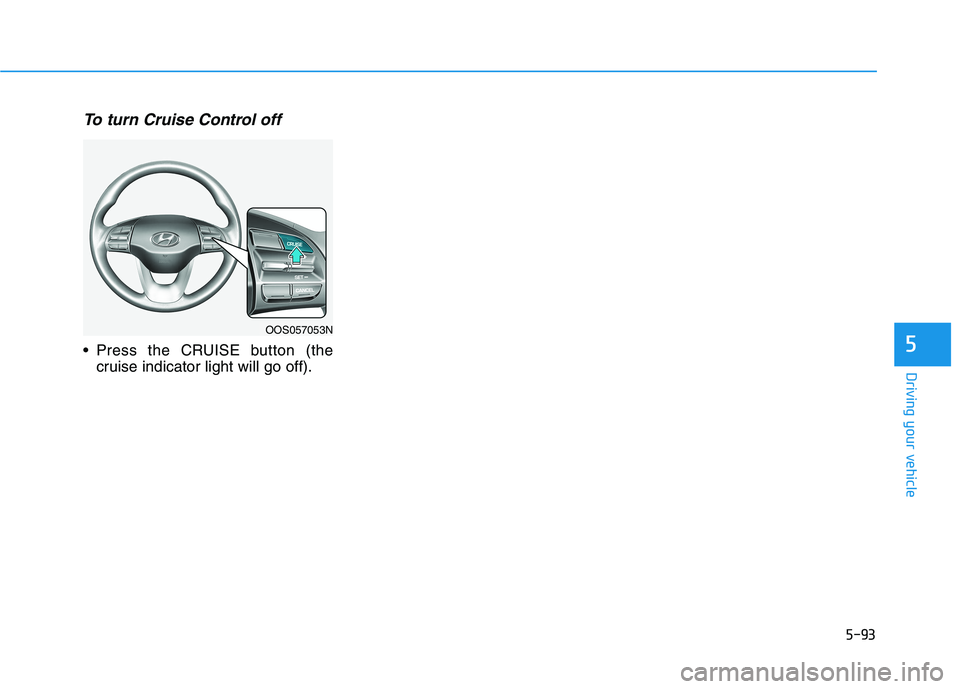
To resume preset Cruising
speed
Push the switch (1) up (RES+). If the
vehicle speed is over 20 mph (30
km/h), the vehicle will resume the
preset speed.
i
OOS057056NOOS057055N
Page 328 of 478
5-93
Driving your vehicle
5
To turn Cruise Control off
Press the CRUISE button (the
cruise indicator light will go off).
OOS057053N
Page 329 of 478
5-94
Driving your vehicle
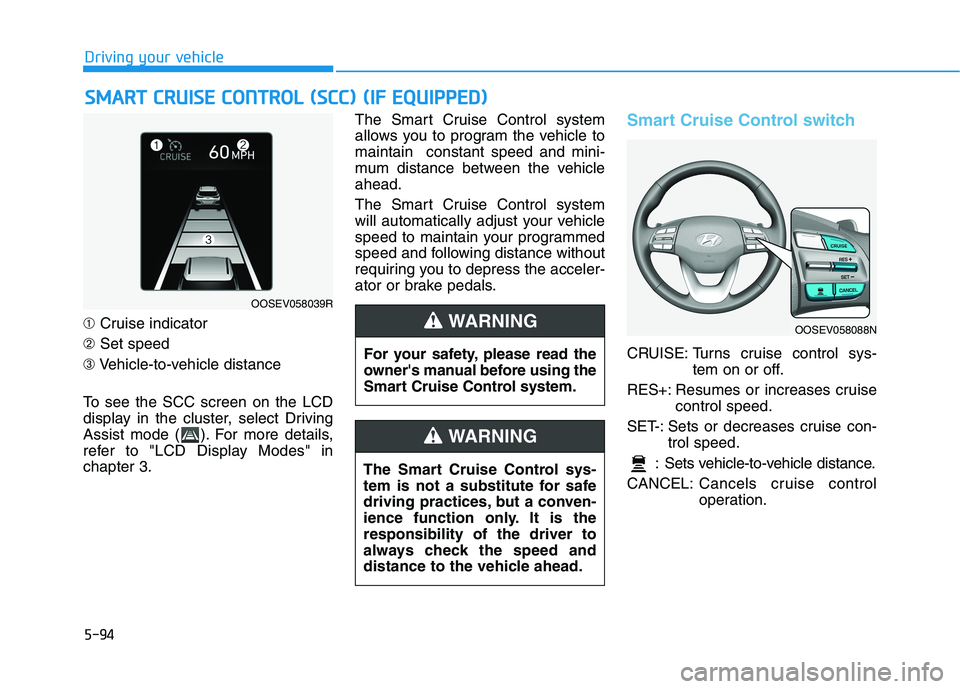
➀Cruise indicator
➁Set speed
➂Vehicle-to-vehicle distance
To see the SCC screen on the LCD
display in the cluster, select Driving
Assist mode ( ). For more details,
refer to "LCD Display Modes" in
chapter 3.The Smart Cruise Control system
allows you to program the vehicle to
maintain constant speed and mini-
mum distance between the vehicle
ahead.
The Smart Cruise Control system
will automatically adjust your vehicle
speed to maintain your programmed
speed and following distance without
requiring you to depress the acceler-
ator or brake pedals.
Smart Cruise Control switch
CRUISE: Turns cruise control sys-
tem on or off.
RES+: Resumes or increases cruise
control speed.
SET-: Sets or decreases cruise con-
trol speed.
: Sets vehicle-to-vehicle distance.
CANCEL:Cancels cruise control
operation.
S SM
MA
AR
RT
T
C
CR
RU
UI
IS
SE
E
C
CO
ON
NT
TR
RO
OL
L
(
(S
SC
CC
C)
)
(
(I
IF
F
E
EQ
QU
UI
IP
PP
PE
ED
D)
)
OOSEV058039R
For your safety, please read the
owner's manual before using the
Smart Cruise Control system.
WARNING
The Smart Cruise Control sys-
tem is not a substitute for safe
driving practices, but a conven-
ience function only. It is the
responsibility of the driver to
always check the speed and
distance to the vehicle ahead.
WARNING
OOSEV058088N
Page 330 of 478
5-95
Driving your vehicle
5
Smart Cruise Control Speed
To set Smart Cruise Control
speed
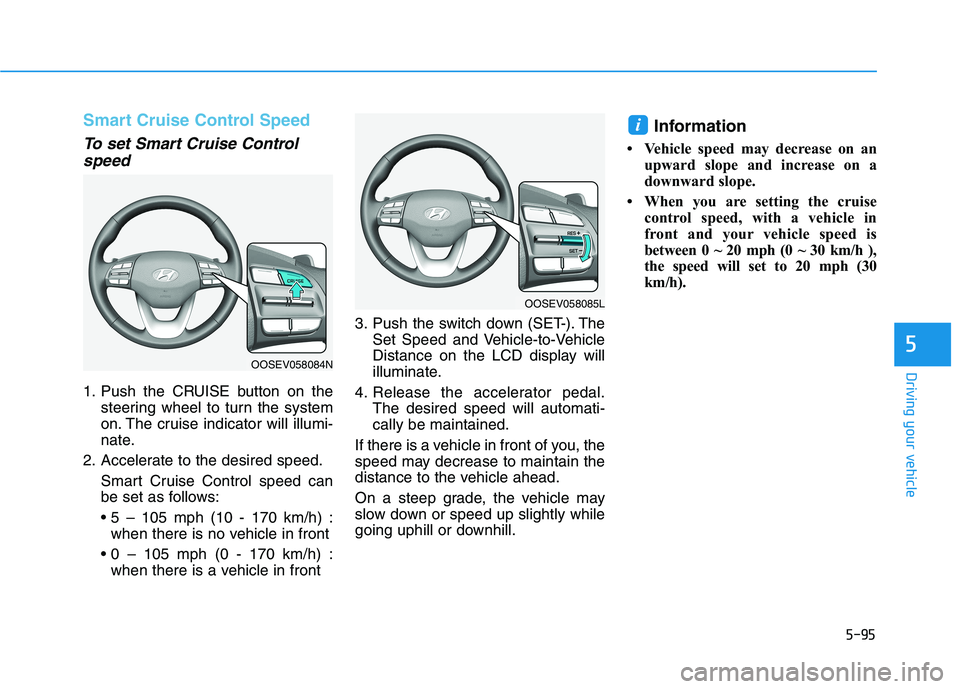
1. Push the CRUISE button on the
steering wheel to turn the system
on. The cruise indicator will illumi-
nate.
2. Accelerate to the desired speed.
Smart Cruise Control speed can
be set as follows:
when there is no vehicle in front
when there is a vehicle in front3. Push the switch down (SET-). The
Set Speed and Vehicle-to-Vehicle
Distance on the LCD display will
illuminate.
4. Release the accelerator pedal.
The desired speed will automati-
cally be maintained.
If there is a vehicle in front of you, the
speed may decrease to maintain the
distance to the vehicle ahead.
On a steep grade, the vehicle may
slow down or speed up slightly while
going uphill or downhill.
Information
• Vehicle speed may decrease on an
upward slope and increase on a
downward slope.
• When you are setting the cruise
control speed, with a vehicle in
front and your vehicle speed is
between 0 ~ 20 mph (0 ~ 30 km/h ),
the speed will set to 20 mph (30
km/h).
i
OOSEV058084N
OOSEV058085L
Page 331 of 478
5-96
Driving your vehicle
To increase Smart Cruise
Control set speed
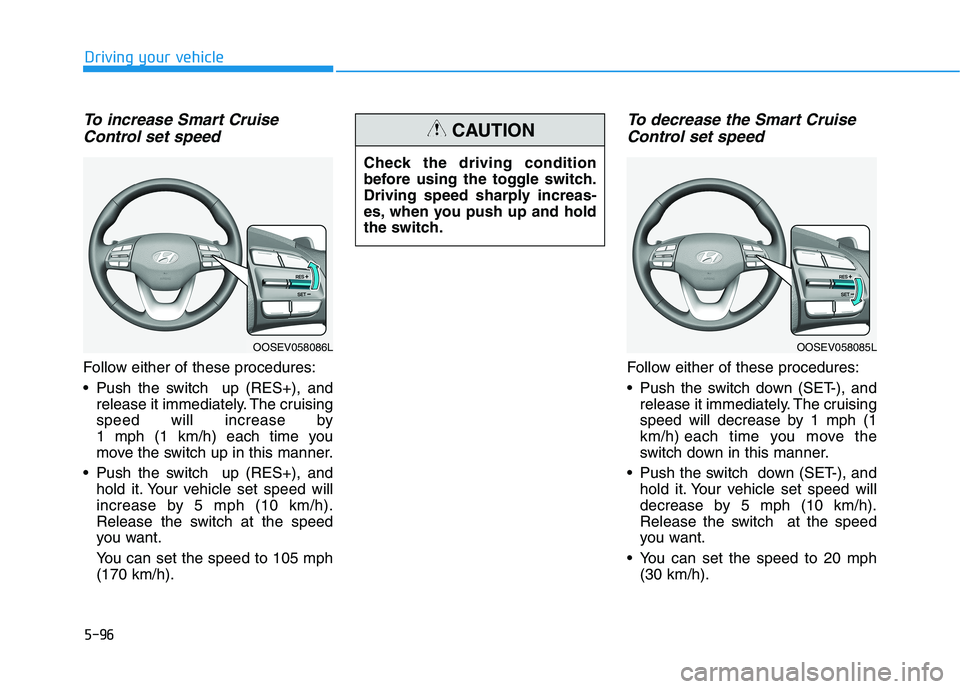
Follow either of these procedures:
Push the switch up (RES+), and
release it immediately. The cruising
speed will increase by
1 mph (1 km/h) each time you
move the switch up in this manner.
Push the switch up (RES+), and
hold it. Your vehicle set speed will
increase by 5 mph (10 km/h).
Release the switch at the speed
you want.
You can set the speed to 105 mph
(170 km/h).
To decrease the Smart Cruise
Control set speed
Follow either of these procedures:
Push the switch down (SET-), and
release it immediately. The cruising
speed will decrease by 1 mph (1
km/h) each time you move the
switch down in this manner.
Push the switch down (SET-), and
hold it. Your vehicle set speed will
decrease by 5 mph (10 km/h).
Release the switch at the speed
you want.
You can set the speed to 20 mph
(30 km/h).
OOSEV058086LOOSEV058085L
Check the driving condition
before using the toggle switch.
Driving speed sharply increas-
es, when you push up and hold
the switch.
CAUTION
Page 332 of 478
5-97
Driving your vehicle
5
To temporarily accelerate with
Smart Cruise Control on
If you want to speed up temporarily
when the Smart Cruise Control is on,
depress the accelerator pedal.
Increased speed will not interfere
with Smart Cruise Control operation
or change the set speed.
To return to the set speed, take your
foot off the accelerator pedal.
If you push the switch down (SET-) at
increased speed, the cruising speed
will be set again pedal.
Smart Cruise Control set speed
will be temporarily canceled
when:
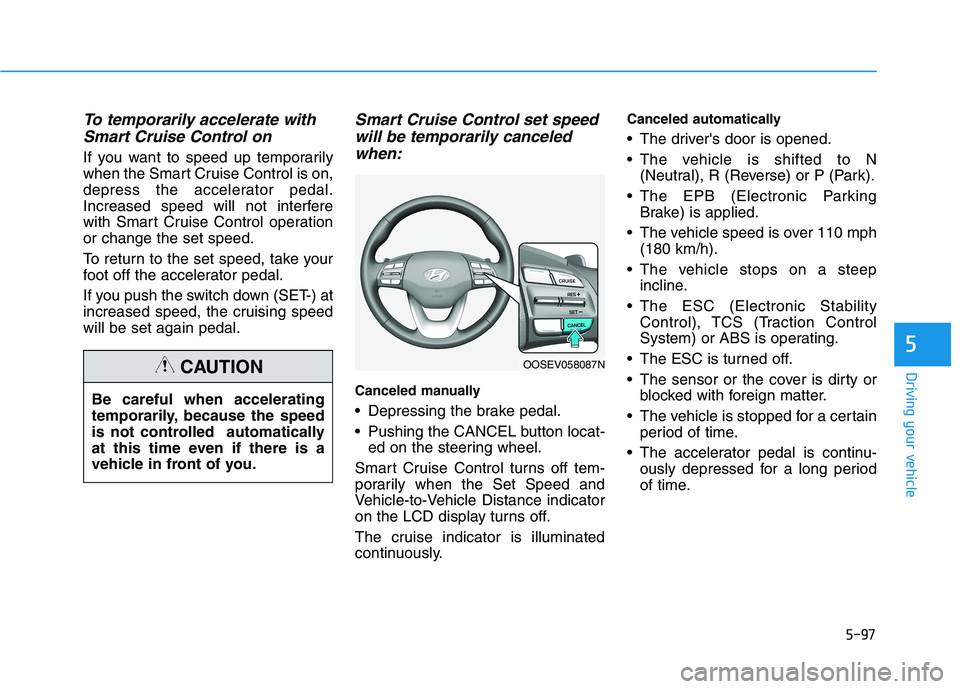
Canceled manually
Depressing the brake pedal.
Pushing the CANCEL button locat-
ed on the steering wheel.
Smart Cruise Control turns off tem-
porarily when the Set Speed and
Vehicle-to-Vehicle Distance indicator
on the LCD display turns off.
The cruise indicator is illuminated
continuously.
Canceled automatically
The driver's door is opened.
The vehicle is shifted to N
(Neutral), R (Reverse) or P (Park).
The EPB (Electronic Parking
Brake) is applied.
The vehicle speed is over 110 mph
(180 km/h).
The vehicle stops on a steep
incline.
The ESC (Electronic Stability
Control), TCS (Traction Control
System) or ABS is operating.
The ESC is turned off.
The sensor or the cover is dirty or
blocked with foreign matter.
The vehicle is stopped for a certain
period of time.
The accelerator pedal is continu-
ously depressed for a long period
of time. Be careful when accelerating
temporarily, because the speed
is not controlled automatically
at this time even if there is a
vehicle in front of you.
CAUTIONOOSEV058087N