2021 HYUNDAI KONA EV cruise control
[x] Cancel search: cruise controlPage 237 of 478
5
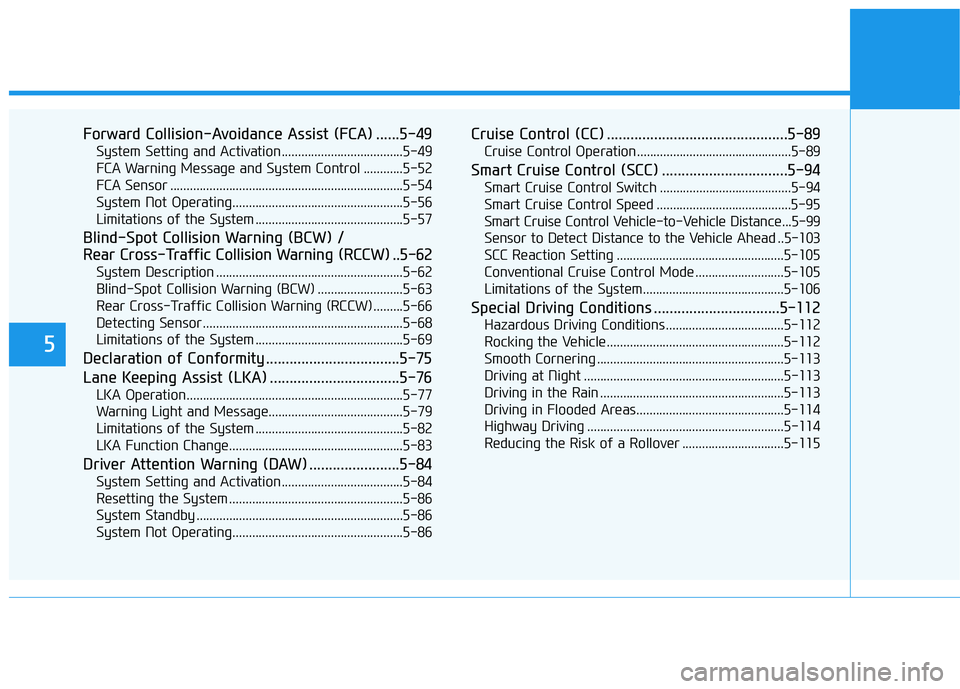
Forward Collision-Avoidance Assist (FCA) ......5-49
System Setting and Activation.....................................5-49
FCA Warning Message and System Control ............5-52
FCA Sensor .......................................................................5-54
System Not Operating....................................................5-56
Limitations of the System .............................................5-57
Blind-Spot Collision Warning (BCW) /
Rear Cross-Traffic Collision Warning (RCCW) ..5-62
System Description .........................................................5-62
Blind-Spot Collision Warning (BCW) ..........................5-63
Rear Cross-Traffic Collision Warning (RCCW) .........5-66
Detecting Sensor .............................................................5-68
Limitations of the System .............................................5-69
Declaration of Conformity ..................................5-75
Lane Keeping Assist (LKA) .................................5-76
LKA Operation..................................................................5-77
Warning Light and Message.........................................5-79
Limitations of the System .............................................5-82
LKA Function Change.....................................................5-83
Driver Attention Warning (DAW) .......................5-84
System Setting and Activation.....................................5-84
Resetting the System .....................................................5-86
System Standby ...............................................................5-86
System Not Operating....................................................5-86
Cruise Control (CC) ..............................................5-89
Cruise Control Operation...............................................5-89
Smart Cruise Control (SCC) ................................5-94
Smart Cruise Control Switch ........................................5-94
Smart Cruise Control Speed .........................................5-95
Smart Cruise Control Vehicle-to-Vehicle Distance...5-99
Sensor to Detect Distance to the Vehicle Ahead ..5-103
SCC Reaction Setting ...................................................5-105
Conventional Cruise Control Mode ...........................5-105
Limitations of the System...........................................5-106
Special Driving Conditions ................................5-112
Hazardous Driving Conditions....................................5-112
Rocking the Vehicle ......................................................5-112
Smooth Cornering .........................................................5-113
Driving at Night .............................................................5-113
Driving in the Rain ........................................................5-113
Driving in Flooded Areas.............................................5-114
Highway Driving ............................................................5-114
Reducing the Risk of a Rollover ...............................5-115
Page 254 of 478
5-19
Driving your vehicle
5
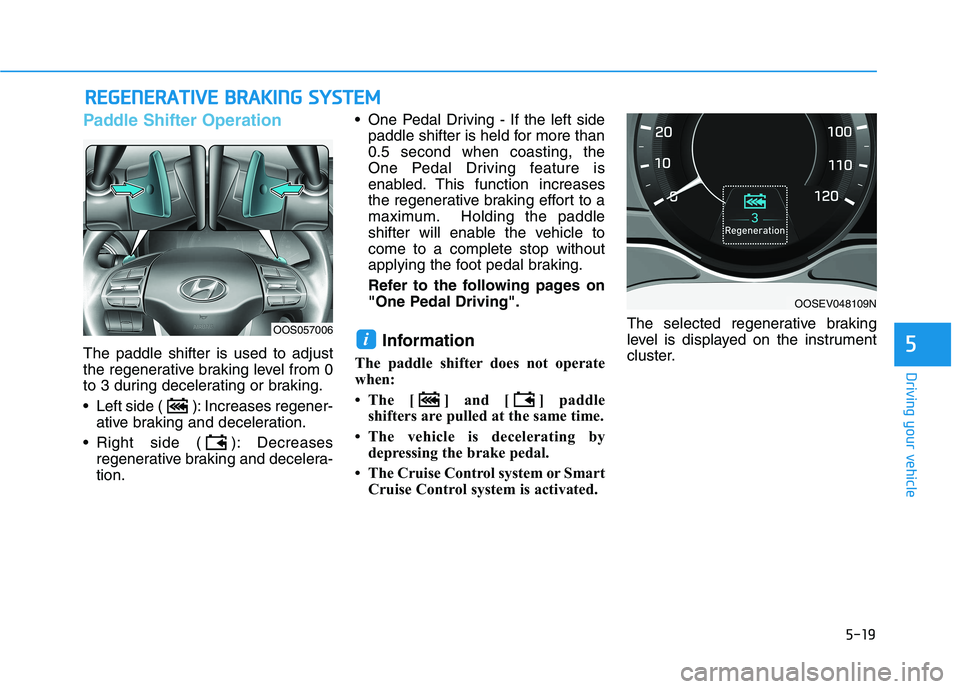
Paddle Shifter Operation
The paddle shifter is used to adjust
the regenerative braking level from 0
to 3 during decelerating or braking.
Left side ( ): Increases regener-
ative braking and deceleration.
Right side ( ): Decreases
regenerative braking and decelera-
tion. One Pedal Driving - If the left side
paddle shifter is held for more than
0.5 second when coasting, the
One Pedal Driving feature is
enabled. This function increases
the regenerative braking effort to a
maximum. Holding the paddle
shifter will enable the vehicle to
come to a complete stop without
applying the foot pedal braking.
Refer to the following pages on
"One Pedal Driving".Information
The paddle shifter does not operate
when:
• The [ ] and [ ] paddle
shifters are pulled at the same time.
• The vehicle is decelerating by
depressing the brake pedal.
• The Cruise Control system or Smart
Cruise Control system is activated.The selected regenerative braking
level is displayed on the instrument
cluster.
i
R RE
EG
GE
EN
NE
ER
RA
AT
TI
IV
VE
E
B
BR
RA
AK
KI
IN
NG
G
S
SY
YS
ST
TE
EM
M
OOSEV048109N
OOS057006
Page 258 of 478
5-23
Driving your vehicle
5
Cancelling the Smart
Regeneration System:
Cancelled manually
Pulling and holding the right side
paddle shifter for more than 1 sec-
ond.
The Smart Regeneration System
turns off temporarily. Note that the
"AUTO" indicator in the LCD dis-
play turns off.
Cancelled automatically
- The vehicle is shifted to N
(Neutral), R (Reverse) or P
(Park).
- Cruise Control system (including
Smart Cruise Control system) is
enabled.
- The ESC (Electronic Stability
Control) or ABS is activated.
Resuming the Smart
Regeneration System
To re-activate the Smart
Regeneration System while driving,
pull and hold the right side paddle
shifter for more than 1 second again.
Note that the "AUTO" indicator in the
LCD display turns back on, signaling
that the Smart Regeneration System
is enabled again.
Disabling the Smart
Regeneration System
To turn off the system, shift to P (Park)
and deselect 'User Settings →
Convenience →Smart Regeneration'
on the User Settings mode.
Vehicle-to-Vehicle Front
Recognition - Front Radar
Sensor
In order for the Smart Regeneration
System to operate properly, always
make sure the radar sensor cover is
clean and free of dirt, snow, and
debris. Dirt, snow, or foreign sub-
stances on the lens may adversely
affect the sensing performance of
the sensor. In this case, the system
operation may stop temporarily and
not operate normally.
Do not apply license plate
frame or foreign objects such
as a bumper sticker or a
bumper guard near the radar
sensor. Doing so may adverse-
ly affect the sensing perform-
ance of the radar.
Always keep the radar sensor
and lens cover clean and free
of dirt and debris.
CAUTION
When the Smart Regeneration
System is cancelled automati-
cally, adjust the vehicle speed
directly by depressing the
accelerator or brake pedal
according to the road condition
ahead and driving condition.
WARNING
Page 272 of 478
5-37
Driving your vehicle
5
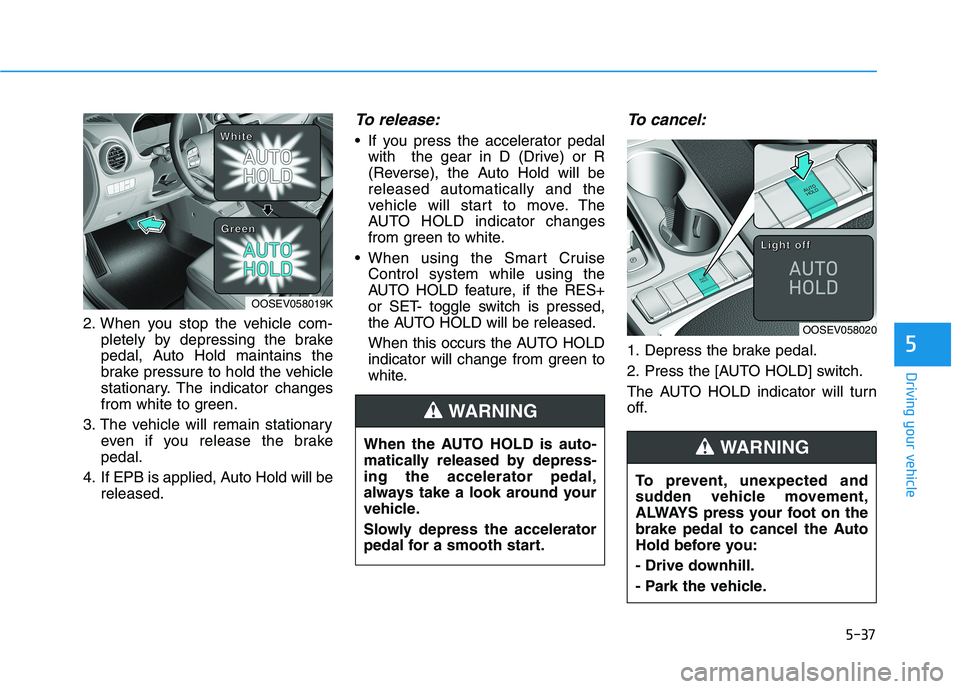
2. When you stop the vehicle com-
pletely by depressing the brake
pedal, Auto Hold maintains the
brake pressure to hold the vehicle
stationary. The indicator changes
from white to green.
3. The vehicle will remain stationary
even if you release the brake
pedal.
4. If EPB is applied, Auto Hold will be
released.
To release:
If you press the accelerator pedal
with the gear in D (Drive) or R
(Reverse), the Auto Hold will be
released automatically and the
vehicle will start to move. The
AUTO HOLD indicator changes
from green to white.
When using the Smart Cruise
Control system while using the
AUTO HOLD feature, if the RES+
or SET- toggle switch is pressed,
the AUTO HOLD will be released.
When this occurs the AUTO HOLD
indicator will change from green to
white.
To cancel:
1. Depress the brake pedal.
2. Press the [AUTO HOLD] switch.
The AUTO HOLD indicator will turn
off.
OOSEV058020
L L L L
i i i i
g g g g
h h h h
t t t t
o o o o
f f f f
f f f f
When the AUTO HOLD is auto-
matically released by depress-
ing the accelerator pedal,
always take a look around your
vehicle.
Slowly depress the accelerator
pedal for a smooth start.
WARNING
OOSEV058019K
W W W W
h h h h
i i i i
t t t t
e e e e
G G G G
r r r r
e e e e
e e e e
n n n n
To prevent, unexpected and
sudden vehicle movement,
ALWAYS press your foot on the
brake pedal to cancel the Auto
Hold before you:
- Drive downhill.
- Park the vehicle.
WARNING
Page 278 of 478
5-43
Driving your vehicle
5
ESC operation
ESC ON condition
When the POWER button is in the
ON position, the ESC and the ESC
OFF indicator lights illuminate for
approximately three seconds. After
both lights go off, the ESC is
enabled.
When operating
When the ESC is in opera-
tion, the ESC indicator light
blinks:
conditions which may lock the
wheels, you may hear sounds from
the brakes, or feel a corresponding
sensation in the brake pedal. This is
normal and it means your ESC is
active.
cle may not respond to the acceler-
ator as it does under routine condi-
tions.
when the ESC activates, the Cruise
Control automatically disengages.
The Cruise Control can be reen-
gaged when the road conditions
allow.See "Cruise Control System"
later in this chapter.
ESC OFF condition
To cancel ESC operation :
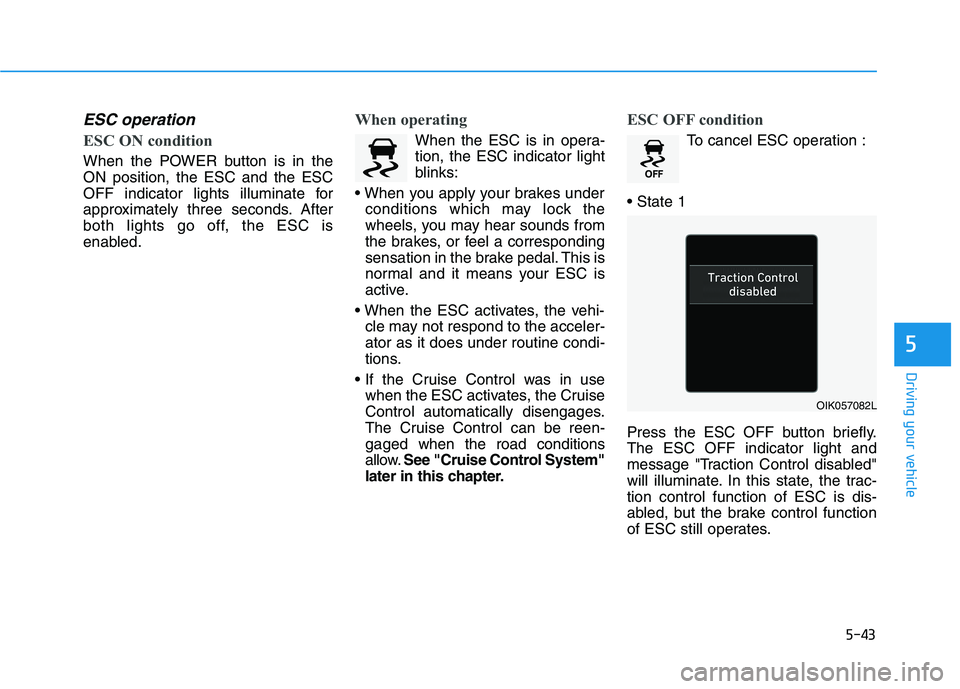
Press the ESC OFF button briefly.
The ESC OFF indicator light and
message "Traction Control disabled"
will illuminate. In this state, the trac-
tion control function of ESC is dis-
abled, but the brake control function
of ESC still operates.
OIK057082L
Page 283 of 478
5-48
Driving your vehicle
Drive Mode
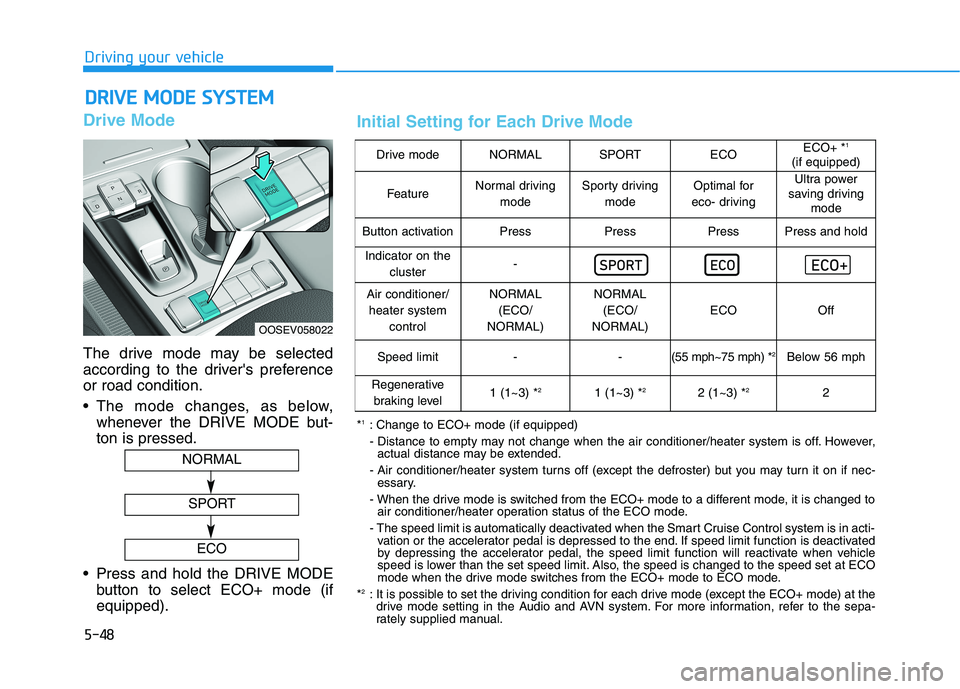
The drive mode may be selected
according to the driver's preference
or road condition.
The mode changes, as below,
whenever the DRIVE MODE but-
ton is pressed.
Press and hold the DRIVE MODE
button to select ECO+ mode (if
equipped).
D DR
RI
IV
VE
E
M
MO
OD
DE
E
S
SY
YS
ST
TE
EM
M
OOSEV058022
NORMAL
SPORT
ECO
Drive modeNORMALSPORTECOECO+ *1
(if equipped)
FeatureNormal driving
modeSporty driving
modeOptimal for
eco- drivingUltra power
saving driving
mode
Button activationPressPressPressPress and hold
Indicator on the
cluster-
Air conditioner/
heater system
controlNORMAL
(ECO/
NORMAL)NORMAL
(ECO/
NORMAL)
ECOOff
Speed limit- -(55 mph~75 mph) *2Below 56 mph
Regenerative
braking level1 (1~3) *21 (1~3) *22 (1~3) *22
*1: Change to ECO+ mode (if equipped)
- Distance to empty may not change when the air conditioner/heater system is off. However,
actual distance may be extended.
- Air conditioner/heater system turns off (except the defroster) but you may turn it on if nec-
essary.
- When the drive mode is switched from the ECO+ mode to a different mode, it is changed to
air conditioner/heater operation status of the ECO mode.
- The speed limit is automatically deactivated when the Smart Cruise Control system is in acti-
vation or the accelerator pedal is depressed to the end. If speed limit function is deactivated
by depressing the accelerator pedal, the speed limit function will reactivate when vehicle
speed is lower than the set speed limit. Also, the speed is changed to the speed set at ECO
mode when the drive mode switches from the ECO+ mode to ECO mode.
*
2: It is possible to set the driving condition for each drive mode (except the ECO+ mode) at the
drive mode setting in the Audio and AVN system. For more information, refer to the sepa-
rately supplied manual.
Initial Setting for Each Drive Mode
Page 323 of 478
5-88
Driving your vehicle
The vehicle drives through a
windy area.
The vehicle is controlled by
the following driving assist
systems:
- Forward Collision-avoidance
Assist system
- Lane Keeping Assist system
- Smart Cruise Control system
Playing the vehicle audio sys-
tem at high volume may offset
the Driver Attention Warning
(DAW) system warning sounds.
CAUTION
Page 324 of 478
5-89
Driving your vehicle
5
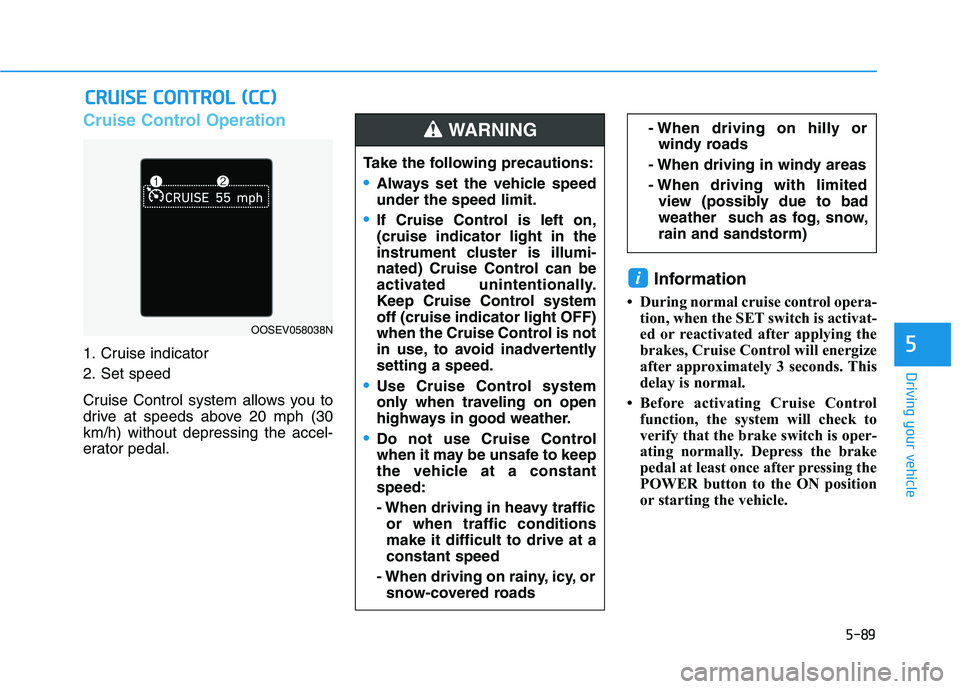
Cruise Control Operation
1. Cruise indicator
2. Set speed
Cruise Control system allows you to
drive at speeds above 20 mph (30
km/h) without depressing the accel-
erator pedal.
Information
• During normal cruise control opera-
tion, when the SET switch is activat-
ed or reactivated after applying the
brakes, Cruise Control will energize
after approximately 3 seconds. This
delay is normal.
• Before activating Cruise Control
function, the system will check to
verify that the brake switch is oper-
ating normally. Depress the brake
pedal at least once after pressing the
POWER button to the ON position
or starting the vehicle.
i
C CR
RU
UI
IS
SE
E
C
CO
ON
NT
TR
RO
OL
L
(
(C
CC
C)
)
Take the following precautions:
•Always set the vehicle speed
under the speed limit.
If Cruise Control is left on,
(cruise indicator light in the
instrument cluster is illumi-
nated) Cruise Control can be
activated unintentionally.
Keep Cruise Control system
off (cruise indicator light OFF)
when the Cruise Control is not
in use, to avoid inadvertently
setting a speed.
Use Cruise Control system
only when traveling on open
highways in good weather.
Do not use Cruise Control
when it may be unsafe to keep
the vehicle at a constant
speed:
- When driving in heavy traffic
or when traffic conditions
make it difficult to drive at a
constant speed
- When driving on rainy, icy, or
snow-covered roads
- When driving on hilly or
windy roads
- When driving in windy areas
- When driving with limited
view (possibly due to bad
weather such as fog, snow,
rain and sandstorm) WARNING
OOSEV058038N