2021 CHRYSLER 300 phone
[x] Cancel search: phonePage 123 of 268
121
MULTIMEDIA
UCONNECT SYSTEMS
For detailed information about your Uconnect
system, refer to your Uconnect Owner’s Manual
Supplement.
NOTE:
Uconnect screen images are for illustration
p u
rposes only and may not reflect exact software
for your vehicle.
CYBERSECURITY
Your vehicle may be a connected vehicle and may
be equipped with both wired and wireless
networks. These networks allow your vehicle to
send and receive information. This information
allows systems and features in your vehicle to
function properly.
Your vehicle may be equipped with certain security
f e
atures to reduce the risk of unauthorized and
unlawful access to vehicle systems and wireless
communications. Vehicle software technology
continues to evolve over time and FCA US LLC,
working with its suppliers, evaluates and takes
appropriate steps as needed. Similar to a
computer or other devices, your vehicle may
require software updates to improve the usability and performance of your systems or to reduce the
potential risk of unauthorized and unlawful access
to your vehicle systems.
The risk of unauthorized and unlawful access to
y
ou
r vehicle systems may still exist, even if the
most recent version of vehicle software (such as
Uconnect software) is installed.
NOTE:
FCA US LLC or an authorized dealer may contact
you directly regarding software updates.
To help further improve vehicle security and
minimize the potential risk of a security breach,
vehicle owners should:
Routinely check www.driveuconnect.com
(US Residents) or www.driveuconnect.ca
(Canadian Residents) to learn about avail -
able Uconnect software updates.
Only connect and use trusted media
devices (e.g. personal mobile phones,
USBs, CDs).
Privacy of any wireless and wired communications
c a
nnot be assured. Third parties may unlawfully
intercept information and private communications
without your consent. For further information, refer
to “Data Collection & Privacy” in your Uconnect
Owner’s Manual Supplement or “Onboard
Diagnostic System (OBD II) Cybersecurity”
Ú page 79.
WARNING!
It is not possible to know or to predict all of the
possible outcomes if your vehicle’s systems
are breached. It may be possible that vehicle
systems, including safety related systems,
could be impaired or a loss of vehicle control
could occur that may result in an accident
involving serious injury or death.
ONLY insert media (e.g., USB or CD) into your
vehicle if it came from a trusted source. Media
of unknown origin could possibly contain mali
-
cious software, and if installed in your vehicle,
i t
may increase the possibility for vehicle
systems to be breached.
As always, if you experience unusual vehicle
behavior, take your vehicle to your nearest
authorized dealer immediately.
5
Page 134 of 268
132 MULTIMEDIA
Audio
When the Audio button is pressed on the touchscreen, the system displays options related to the vehicle’s sound system. These settings can change the audio
location within the vehicle, adjust the bass or treble levels, and auto-play settings from an audio device or smartphone.
NOTE:
Depending on the vehicle’s options, feature settings may vary.
Setting Name Description
Balance/FadeThis setting will adjust audio levels from specific speakers in the front/back
a
n
d left/right of the vehicle. The Speaker icon can be moved to set audio
location.
Equalizer This setting will adjust the “Bass”, “Mid”, and “Treble” ranges of the audio.
Speed Adjusted Volume This setting will adjust audio volume as speeds increase. At a higher setting,
th
e volume will increase more as the vehicle speeds up. The available settings
are “Off”, “1”, “2”, and “3”.
Surround Sound This setting will turn the Surround Sound system on or off.
AUX Volume Offset This setting will tune the audio levels from a device connected through the
AU
X port. The available settings are “+” and “-”.
Auto Play This setting will automatically begin playing audio from a connected device.
Page 135 of 268
MULTIMEDIA 133
Phone/Bluetooth®
When the Phone/Bluetooth® button is pressed on the touchscreen, the system displays the options related to Bluetooth® connectivity from an external audio
device or smartphone. The list of paired audio devices or smartphones can be accessed from this menu.
NOTE:
Depending on the vehicle’s options, feature settings may vary.
Setting Name Description
Phone Pop-Ups Displayed In ClusterThis setting will activate phone message pop-ups in the Instrument Cluster
D
i
splay.
Do Not Disturb This setting will open the Do Not Disturb settings menu. The following settings
a
r
e “Auto Reply” (both, text, call), “Auto Reply Message” (custom, default), and
“Custom Auto Reply Message” (create message).
Paired Phones And Audio Devices This setting will show the list of paired phones and audio devices.
Projection Manager This setting will activate your smartphone to project on the vehicle’s
tou
chscreen.
5
Page 138 of 268
136 MULTIMEDIA
RADIO OPERATION AND MOBILE PHONES
Under certain conditions, the mobile phone being
on in your vehicle can cause erratic or noisy
performance from your radio. This condition may
be lessened or eliminated by repositioning the
mobile phone within the vehicle. This condition is
not harmful to the radio. If your radio performance
does not satisfactorily improve from repositioning
the mobile phone, it is recommended that the
volume be turned down or off during mobile phone
operation when not using the Uconnect system.
REGULATORY AND SAFETY
I
NFORMATION
US/CANADA
Exposure to Radio Frequency Radiation
The radiated output power of the internal wireless
r a
dio is far below the FCC and IC radio frequency
exposure limits. Nevertheless, the wireless radio
will be used in such a manner that the radio is 8 in
( 2
0 cm) or further from the human body.
The internal wireless radio operates within
gu
idelines found in radio frequency safety
standards and recommendations, which reflect
the consensus of the scientific community. The radio manufacturer believes the internal
w
i
reless radio is safe for use by consumers. The
level of energy emitted is far less than the
electromagnetic energy emitted by wireless
devices such as mobile phones. However, the use
of wireless radios may be restricted in some
situations or environments, such as aboard
airplanes. If you are unsure of restrictions, you are
encouraged to ask for authorization before turning
on the wireless radio
Ú page 254.
Page 182 of 268
180 IN CASE OF EMERGENCY
(Continued)
ASSIST Call
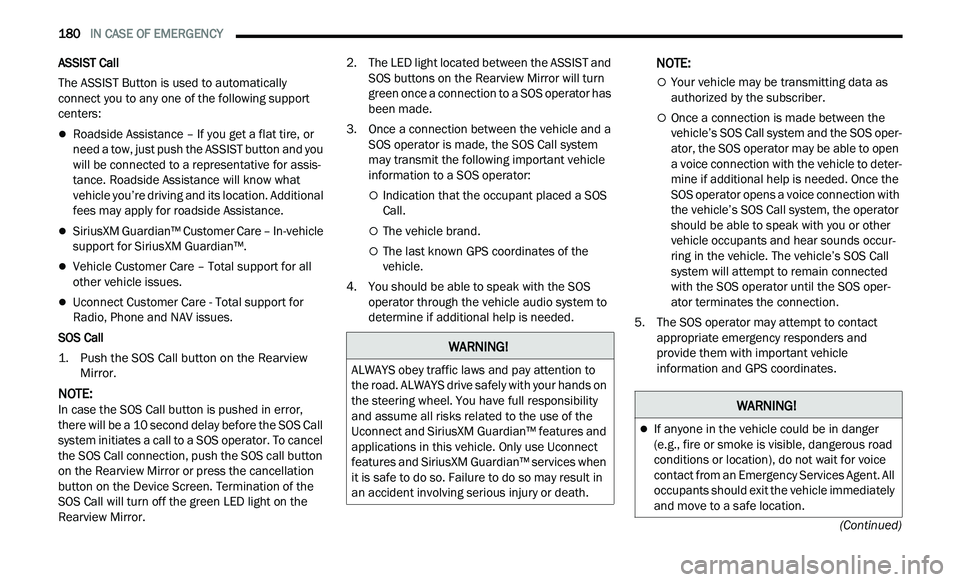
The ASSIST Button is used to automatically
con
nect you to any one of the following support
centers:
Roadside Assistance – If you get a flat tire, or
need a tow, just push the ASSIST button and you
will be connected to a representative for assis -
tance. Roadside Assistance will know what
v e
hicle you’re driving and its location. Additional
fees may apply for roadside Assistance.
SiriusXM Guardian™ Customer Care – In-vehicle
support for SiriusXM Guardian™.
Vehicle Customer Care – Total support for all
other vehicle issues.
Uconnect Customer Care - Total support for
Radio, Phone and NAV issues.
SOS Call
1. P ush the SOS Call button on the Rearview
Mi
rror.
NOTE:
In case the SOS Call button is pushed in error,
t h
ere will be a 10 second delay before the SOS Call
system initiates a call to a SOS operator. To cancel
the SOS Call connection, push the SOS call button
on the Rearview Mirror or press the cancellation
button on the Device Screen. Termination of the
SOS Call will turn off the green LED light on the
Rearview Mirror. 2. T
he LED light located between the ASSIST and
S
OS buttons on the Rearview Mirror will turn
green once a connection to a SOS operator has
been made.
3. Once a connection between the vehicle and a S
OS operator is made, the SOS Call system
may transmit the following important vehicle
information to a SOS operator:
Indication that the occupant placed a SOS
Call.
The vehicle brand.
The last known GPS coordinates of the
vehicle.
4. You should be able to speak with the SOS op
erator through the vehicle audio system to
determine if additional help is needed.
NOTE:
Your vehicle may be transmitting data as
authorized by the subscriber.
Once a connection is made between the
vehicle’s SOS Call system and the SOS oper -
ator, the SOS operator may be able to open
a
voice connection with the vehicle to deter -
mine if additional help is needed. Once the
S O
S operator opens a voice connection with
the vehicle’s SOS Call system, the operator
should be able to speak with you or other
vehicle occupants and hear sounds occur -
ring in the vehicle. The vehicle’s SOS Call
s y
stem will attempt to remain connected
with the SOS operator until the SOS oper -
ator terminates the connection.
5. T he SOS operator may attempt to contact
a
ppropriate emergency responders and
provide them with important vehicle
information and GPS coordinates.
WARNING!
ALWAYS obey traffic laws and pay attention to
the road. ALWAYS drive safely with your hands on
the steering wheel. You have full responsibility
and assume all risks related to the use of the
Uconnect and SiriusXM Guardian™ features and
applications in this vehicle. Only use Uconnect
features and SiriusXM Guardian™ services when
it is safe to do so. Failure to do so may result in
an accident involving serious injury or death.
WARNING!
If anyone in the vehicle could be in danger
(e.g., fire or smoke is visible, dangerous road
conditions or location), do not wait for voice
contact from an Emergency Services Agent. All
occupants should exit the vehicle immediately
and move to a safe location.
Page 253 of 268
251
CUSTOMER ASSISTANCE
SUGGESTIONS FOR OBTAINING SERVICE
FOR YOUR VEHICLE
PREPARE FOR THE APPOINTMENT
All work to be performed may not be covered by the
warranty. Discuss additional charges with the
service manager. Keep a maintenance log of your
vehicle's service history. This can often provide a
clue to the current problem.
PREPARE A LIST
Make a written list of your vehicle's problems or the
specific work you want done. If you've had an
accident or work done that is not on your
maintenance log, let the service advisor know.
BE REASONABLE WITH REQUESTS
If you list a number of items and you must have
your vehicle by the end of the day, discuss the
situation with the service advisor and list the items
in order of priority. At many authorized dealers, you
may obtain a rental vehicle (additional charges
may apply). If you need a rental, it is advisable to
make these arrangements when you call for an
appointment.
IF YOU NEED ASSISTANCE
FCA US LLC and its authorized dealers are vitally
interested in your satisfaction. We want you to be
happy with our products and services.
Warranty service must be done by an authorized
de
aler. We strongly recommend that you take the
vehicle to an authorized dealer. They know your
vehicle the best, and are most concerned that you
get prompt and high quality service. FCA US LLC’s
authorized dealers have the facilities,
factory-trained technicians, special tools, and the
latest information to ensure the vehicle is fixed
correctly and in a timely manner.
This is why you should always talk to an authorized
d e
aler’s service manager first. If for some reason
you are still not satisfied, talk to the general
manager or owner of the authorized dealer. They
want to know if you need assistance. If an authorized
dealer is unable to resolve the concern, you may
contact FCA US LLC's Customer Assistance center.
Any communication to FCA US LLC's customer
c e
nter should include the following information:
Owner's name and address
Owner's telephone number (home, mobile, and
office)
Authorized dealer name
Vehicle Identification Number (VIN)
Vehicle delivery date and mileage
FCA U S LLC CUSTOMER CENTER
P.O. Box 21–8004
Auburn Hills, MI 48321–8004
Phone: (800) 247-9753
FCA CANADA INC. CUSTOMER CENTER
P.O. Box 1621
Windsor, Ontario N9A 4H6
Phone: (800) 465-2001 English / (800) 387-9983
Fr
ench
MEXICO
Av. Prolongacion Paseo de la Reforma, 1240
Sante Fe C.P. 05109
Mexico, D. F.
In Mexico City: 800-505-1300
Outside Mexico City: +(52)55 50817568
10
Page 254 of 268
252 CUSTOMER ASSISTANCE
PUERTO RICO AND US VIRGIN ISLANDS
FCA Caribbean LLC
P.O. Box 191857
San Juan 00919-1857
Phone: (800) 247-9753
Fax: (787) 782-3345
CUSTOMER ASSISTANCE FOR THE
H
EARING OR SPEECH IMPAIRED
(TDD/TTY)
To assist customers who have hearing difficulties,
the FCA US LLC has installed special TDD
(Telecommunication Devices for the Deaf)
equipment at its customer center. Any hearing or
speech impaired customer, who has access to a
TDD or a conventional teletypewriter (TTY) in the
United States, can communicate with the FCA US
LLC by dialing 1-800-380-2479.
Canadian residents with hearing difficulties that
r e
quire assistance can use the special needs relay
service offered by Bell Canada. For TTY
teletypewriter users, dial 711 and for Voice callers,
dial 1-800-855-0511 to connect with a Bell Relay
Service operator.
SERVICE CONTRACT
You may have purchased a service contract for a
vehicle to help protect you from the high cost of
unexpected repairs after FCA US LLC's New Vehicle
Limited Warranty expires. The Mopar Vehicle
Protection plans are the ONLY vehicle extended
protection plans authorized, endorsed and backed
by FCA US LLC to provide additional protection
beyond your vehicle’s warranty. If you purchased a
Mopar Vehicle Protection Plan, you will receive Plan
Provisions and an Owner Identification Card in the
mail within three weeks of the vehicle delivery date.
If you have any questions about the service
contract, call the FCA US LLC’s Service Contract
National Customer Hotline at 1-800-521-9922
(Canadian residents, call (800) 465-2001 English /
(800) 387-9983 French).
FCA US LLC is not responsible for any service
c on
tract you may have purchased from another
manufacturer. If you require service after the FCA
US LLC New Vehicle Limited Warranty expires,
please refer to the contract documents, and
contact the person listed in those documents.
We appreciate that you have made a major
i n
vestment when you purchased the vehicle. An
authorized dealer has also made a major
investment in facilities, tools, and training to
assure that you are absolutely delighted with the
ownership experience.
WARRANTY INFORMATION
See the Warranty Information for the terms and
provisions of FCA US LLC warranties applicable to
this vehicle and market. Refer to www.mopar.com/
om for further information.
See the Warranty Information for the terms and
p r
ovisions of FCA Canada Inc. warranties
applicable to this vehicle and market. Refer to
www.owners.mopar.ca/en for further information.
Use this QR code to access your
digital experience.
WARNING!
Engine exhaust (internal combustion engines
only), some of its constituents, and certain
vehicle components contain, or emit, chemicals
known to the State of California to cause cancer
and birth defects, or other reproductive harm. In
addition, certain fluids contained in vehicles and
certain products of component wear contain, or
emit, chemicals known to the State of California
to cause cancer and birth defects, or other
reproductive harm.
Page 255 of 268
CUSTOMER ASSISTANCE 253
MOPAR® PARTS
Mopar® original equipment parts & accessories
and factory filled fluids are available from an
authorized dealer. They are recommended for your
vehicle to keep it operating at its best and maintain
its original condition.
REPORTING SAFETY DEFECTS
IN THE 50 UNITED STATES AND
W
ASHINGTON, D.C.
If you believe that your vehicle has a
defect that could cause a crash or cause
injury or death, you should immediately
inform the National Highway Traffic
Safety Administration (NHTSA) in
addition to notifying FCA US LLC.
If NHTSA receives similar complaints, it
ma
y open an investigation, and if it finds
that a safety defect exists in a group of
vehicles, it may order a recall and
remedy campaign. However, NHTSA
cannot become involved in individual
problems between you, an authorized
dealer or FCA US LLC. To contact NHTSA, you may call the
V
e
hicle Safety Hotline toll free at
1-888-327-4236 (TTY:
1-800-424-9153); or go to http://
www.safercar.gov ; or write to:
Administrator, NHTSA, 1200 New Jersey
Av
enue, SE., West Building, Washington,
D.C. 20590. You can also obtain other
information about motor vehicle safety
from http://www.safercar.gov .
IN CANADA
If you believe that your vehicle has a
safety defect, you should contact the
Customer Service Department
immediately. Canadian customers who
wish to report a safety defect to the
Canadian government should contact
Transport Canada, Motor Vehicle Defect
Investigations and Recalls at
1-800-333-0510 or go to
wwwapps.tc.gc.ca/Saf-Sec-Sur/7/
PCDB-BDPP.
PUBLICATION ORDER FORMS
To order the following manuals, you may use either
the website or the phone numbers listed below.
Service Manuals
These comprehensive Service Manuals provide a
com
plete working knowledge of the vehicle,
system, and/or components and is written in
straightforward language with illustrations,
diagrams, and charts.
Diagnostic Procedure Manuals
Diagnostic Procedure Manuals are filled with
d i
agrams, charts and detailed illustrations. These
manuals make it easy to find and fix problems on
computer-controlled vehicle systems and features.
They show exactly how to find and correct
problems, using step-by-step troubleshooting and
drivability procedures, proven diagnostic tests and
a complete list of all tools and equipment.
To order a hard copy of your Service or Diagnostic
P r
ocedure manuals, visit:
www.techauthority.com (US and Canada).
10