2020 Hyundai Tucson wheel
[x] Cancel search: wheelPage 400 of 637
5-83
Driving your vehicle
5
- It will operate if the vehicle speed
is greater than approximately 8
km/h and less than or equal to 65
km/h on a forward vehicle.
(Depending on the condition of
the vehicle ahead and the sur-
rounding environment the possi-
ble maximum operating speed
may be reduced.)Brake operation
In an urgent situation, the braking
system enters into the ready status
for prompt reaction against the dri-
ver's depressing the brake pedal.
The FCA provides additional brak-
ing power for optimum braking per-
formance, when the driver
depresses the brake pedal.
The braking control is automatical-
ly deactivated, when the driver
sharply depresses the accelerator
pedal, or when the driver abruptly
operates the steering wheel.
The FCA brake control is automat-
ically cancelled, when risk factors
disappear.The driver should always use
extreme caution whilst operat-
ing the vehicle, whether or not
there is a warning message or
alarm from the FCA system.CAUTION
The braking control cannot
completely stop the vehicle nor
avoid all collisions. The driver
should hold the responsibility
to safely drive and control the
vehicle.
WARNING
Page 408 of 637
5-91
Driving your vehicle
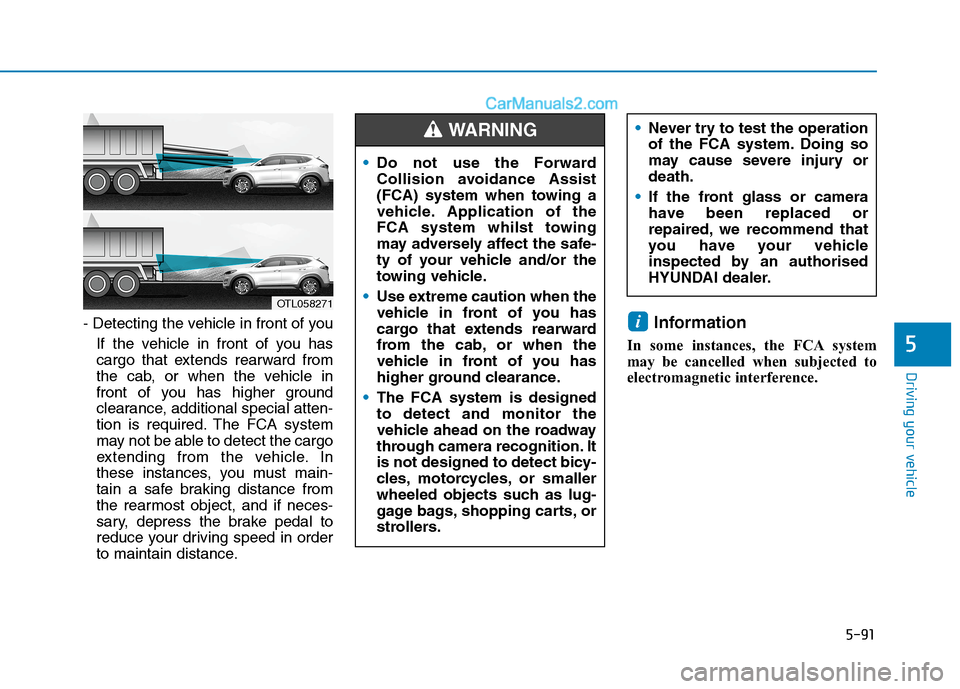
- Detecting the vehicle in front of you
If the vehicle in front of you has
cargo that extends rearward from
the cab, or when the vehicle in
front of you has higher ground
clearance, additional special atten-
tion is required. The FCA system
may not be able to detect the cargo
extending from the vehicle. In
these instances, you must main-
tain a safe braking distance from
the rearmost object, and if neces-
sary, depress the brake pedal to
reduce your driving speed in order
to maintain distance.Information
In some instances, the FCA system
may be cancelled when subjected to
electromagnetic interference.
i
5
OTL058271
Do not use the Forward
Collision avoidance Assist
(FCA) system when towing a
vehicle. Application of the
FCA system whilst towing
may adversely affect the safe-
ty of your vehicle and/or the
towing vehicle.
Use extreme caution when the
vehicle in front of you has
cargo that extends rearward
from the cab, or when the
vehicle in front of you has
higher ground clearance.
The FCA system is designed
to detect and monitor the
vehicle ahead on the roadway
through camera recognition. It
is not designed to detect bicy-
cles, motorcycles, or smaller
wheeled objects such as lug-
gage bags, shopping carts, or
strollers.
WARNING Never try to test the operation
of the FCA system. Doing so
may cause severe injury or
death.
If the front glass or camera
have been replaced or
repaired, we recommend that
you have your vehicle
inspected by an authorised
HYUNDAI dealer.
Page 411 of 637
5-94
Driving your vehicle
Prerequisite for activation
The FCA gets ready to be activated,
when the FCA is selected on the
LCD display, and when the following
prerequisites are satisfied.
- The ESC (Electronic Stability
Control) is on.
- Vehicle speed is over 8 km/h (The
FCA is only activated within a cer-
tain speed range.).
- The system detects a pedestrian,
or a vehicle in front, which may col-
lide with your vehicle. The FCA
may not be activated or may sound
a warning alarm in accordance
with the driving situation or vehicle
condition.
FCA warning message and
system control
The FCA produces warning mes-
sages and warning alarms in accor-
dance with the collision risk levels,
such as abrupt stopping of the vehi-
cle in front, insufficient braking dis-
tance, pedestrian detection. Also, it
controls the brakes in accordance
with the collision risk levels.
The driver can select the initial warn-
ing activation time in the User
Settings in the LCD display. The
options for the initial Forward
Collision Warning include Early,
Normal or Late initial warning time. Completely stop the vehicle in
a safe location before operat-
ing the switch on the steering
wheel to activate/deactivate
the FCA system.
The FCA automatically acti-
vates upon placing the igni-
tion switch to the ON position.
The driver can deactivate the
FCA by cancelling the system
setting on the LCD display.
The FCA automatically deacti-
vates upon cancelling the
ESC (Electronic Stability
Control). When the ESC is
cancelled, the FCA cannot be
activated on the LCD display.
The FCA warning light will
illuminate which is normal.
WARNING
Page 413 of 637
5-96
Driving your vehicle
- It will operate if the vehicle speed
is greater than approximately 8
km/h and less than or equal to 80
km/h on a forward vehicle.
(Depending on the condition of
the vehicle ahead and the sur-
rounding environment the possi-
ble maximum operating speed
may be reduced.)
For pedestrians, the vehicle
speed is greater than or equal to
approximately 8 km/h and less
than approximately 70 km/h.
(Depending on the condition of
pedestrians and bike riders and
the surrounding environment the
possible maximum operating
speed may be reduced.)
Brake operation
In an urgent situation, the braking
system enters into the ready status
for prompt reaction against the dri-
ver's depressing the brake pedal.
The FCA provides additional brak-
ing power for optimum braking per-
formance, when the driver
depresses the brake pedal.
The braking control is automatical-
ly deactivated, when the driver
sharply depresses the accelerator
pedal, or when the driver abruptly
operates the steering wheel.
The FCA brake control is automat-
ically cancelled, when risk factors
disappear.The driver should always use
extreme caution whilst operat-
ing the vehicle, whether or not
there is a warning message or
alarm from the FCA system.CAUTION
The braking control cannot
completely stop the vehicle nor
avoid all collisions. The driver
should hold the responsibility
to safely drive and control the
vehicle.
WARNING
Page 423 of 637
5-106
The pedestrian is small
The pedestrian has impaired
mobility
The sensor recognition is limited
The radar sensor or camera is
blocked with a foreign object or
debris
Inclement weather such as heavy
rain or snow obscures the field of
view of the radar sensor or camera
When light coming from a street
light or an oncoming vehicle is
reflected on a wet road surface
such as a puddle in the road
The field of view in front is
obstructed by sun glare
The windscreen glass is fogged
up; a clear view of the road is
obstructed
The adverse road conditions cause
excessive vehicle vibrations whilst
driving
When the pedestrian suddenly
interrupts in front of the vehicle
Information
In some instances, the FCA system
may be cancelled when subjected to
electromagnetic interference.
i
Driving your vehicle
Never try to test the operation
of the FCA system. Doing so
may cause severe injury or
death.
If the front bumper, front
glass, radar or camera have
been replaced or repaired, we
recommend that you have
your vehicle inspected by an
authorised HYUNDAI dealer.
Do not use the Forward
Collision avoidance Assist
(FCA) system when towing a
vehicle. Application of the
FCA system whilst towing
may adversely affect the safe-
ty of your vehicle and/or the
towing vehicle.
Use extreme caution when the
vehicle in front of you has
cargo that extends rearward
from the cab, or when the
vehicle in front of you has
higher ground clearance.
The FCA system is designed
to detect and monitor the
vehicle ahead or detect a
pedestrian on the roadway
through radar signals and
camera recognition. It is not
designed to detect bicycles,
motorcycles, or smaller
wheeled objects such as lug-
gage bags, shopping carts, or
strollers.
WARNING
Page 432 of 637
5-115
Driving your vehicle
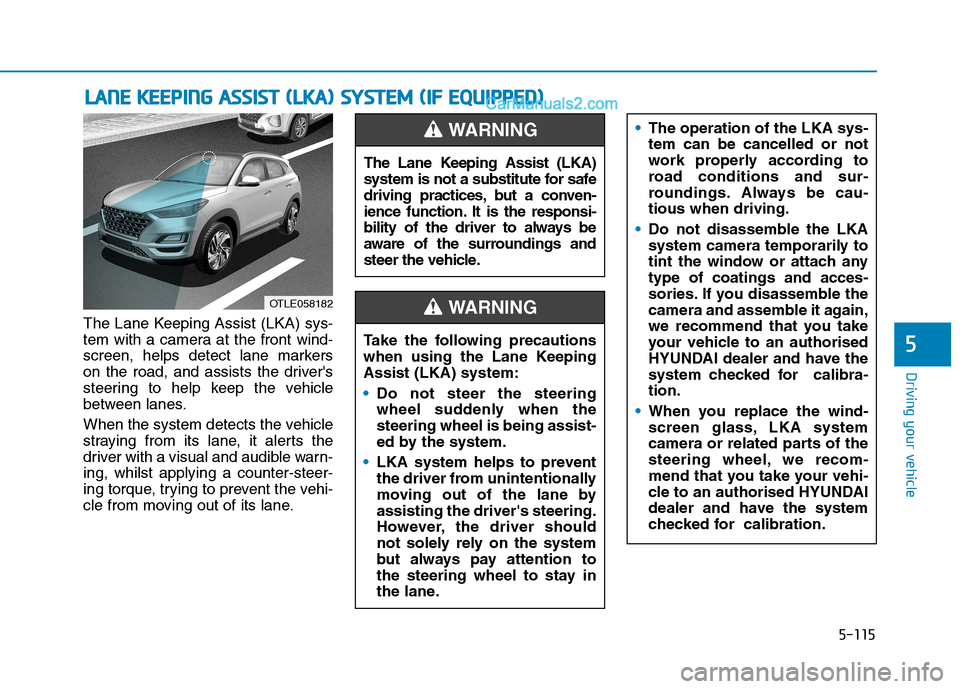
The Lane Keeping Assist (LKA) sys-
tem with a camera at the front wind-
screen, helps detect lane markers
on the road, and assists the driver's
steering to help keep the vehicle
between lanes.
When the system detects the vehicle
straying from its lane, it alerts the
driver with a visual and audible warn-
ing, whilst applying a counter-steer-
ing torque, trying to prevent the vehi-
cle from moving out of its lane.
L LA
AN
NE
E
K
KE
EE
EP
PI
IN
NG
G
A
AS
SS
SI
IS
ST
T
(
(L
LK
KA
A)
)
S
SY
YS
ST
TE
EM
M
(
(I
IF
F
E
EQ
QU
UI
IP
PP
PE
ED
D)
)
5
OTLE058182
The Lane Keeping Assist (LKA)
system is not a substitute for safe
driving practices, but a conven-
ience function. It is the responsi-
bility of the driver to always be
aware of the surroundings and
steer the vehicle.
WARNING
Take the following precautions
when using the Lane Keeping
Assist (LKA) system:
Do not steer the steering
wheel suddenly when the
steering wheel is being assist-
ed by the system.
LKA system helps to prevent
the driver from unintentionally
moving out of the lane by
assisting the driver's steering.
However, the driver should
not solely rely on the system
but always pay attention to
the steering wheel to stay in
the lane.
WARNING
The operation of the LKA sys-
tem can be cancelled or not
work properly according to
road conditions and sur-
roundings. Always be cau-
tious when driving.
Do not disassemble the LKA
system camera temporarily to
tint the window or attach any
type of coatings and acces-
sories. If you disassemble the
camera and assemble it again,
we recommend that you take
your vehicle to an authorised
HYUNDAI dealer and have the
system checked for calibra-
tion.
When you replace the wind-
screen glass, LKA system
camera or related parts of the
steering wheel, we recom-
mend that you take your vehi-
cle to an authorised HYUNDAI
dealer and have the system
checked for calibration.
Page 433 of 637
5-116
LKA operation
Driving your vehicle
The system detects lane
markers and controls the
steering wheel by a camera,
therefore, if the lane markers
are hard to detect, the system
may not work properly.
Please refer to "Limitations of
the system".
Do not remove or damage the
related parts of LKA system.
You may not hear a warning
sound of LKA system
because of excessive audio
sound.
Do not place objects on the
instrument panel that reflect
light such as mirrors, white
paper, etc. The system may
malfunction if sunlight is
reflected.
Always have your hands on
the steering wheel whilst the
LKA system is activated. If
you continue to drive with
your hands off the steering
wheel after the "Keep hands
on steering wheel" warning
message appears, the system
will stop controlling the steer-
ing wheel.
The steering wheel is not con-
tinuously controlled so if the
vehicle speed is at a higher
rate when leaving a lane the
vehicle may not be controlled
by the system. The driver
must always follow the speed
limit when using the system.
If you attach objects to the
steering wheel, the system
may not assist steering or the
hands off alarm may not work
properly.
When you tow a trailer, make
sure that you turn off the LKA
system.
OTLE058188R
■Type A
OTLE058238R
■Type B
Page 434 of 637
5-117
Driving your vehicle
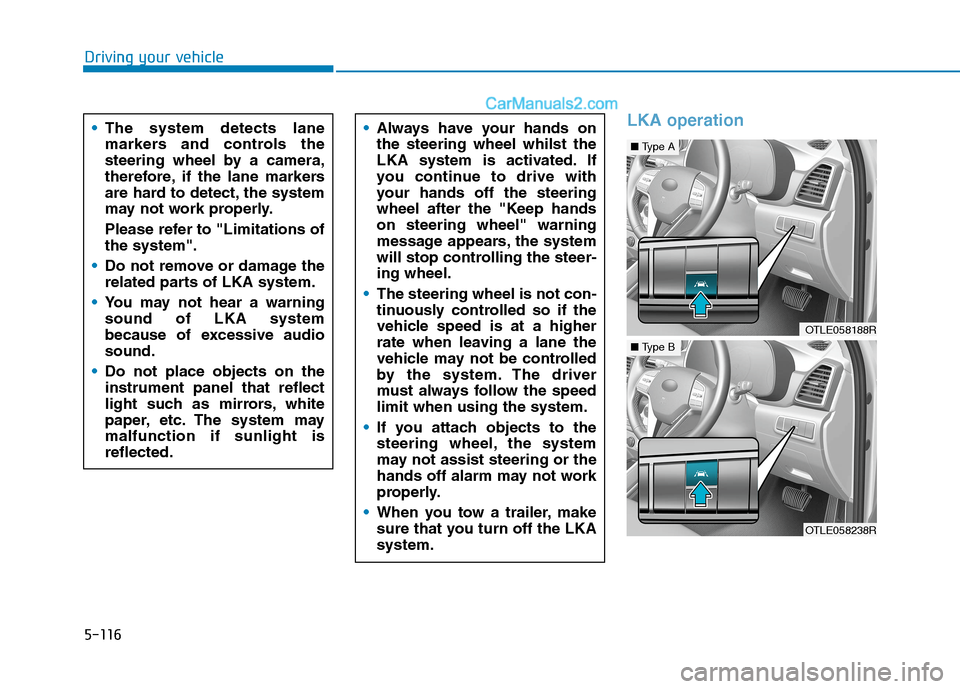
To activate/deactivate the LKA sys-
tem:
With the ignition switch in the ON
position, press the LKA system but-
ton located on the instrument panel
at the lower right hand side of the
driver.
The indicator in the cluster display
will initially illuminate white. This indi-
cates the LKA system is in the
READY but NOT ENABLED state.
Note that the vehicle
speed must be at least
approximately 60 km/h
to ENABLE the LKA sys-
tem. The indicator in the cluster dis-
play will illuminate green.
The colour of indicator will change
depending on the condition of the
LKA system.
- White :Sensor does not detect
lane markers or vehicle
speed is under 60 km/h.
- Green : Sensor detects lane mark-
ers and the system is able
to control vehicle steering.Information
If the indicator (white) is activated
from the previous ignition cycle, the
system will turn On without any addi-
tional control. If you press the LKA
button again, the indicator on the
cluster goes off.
LKA activation
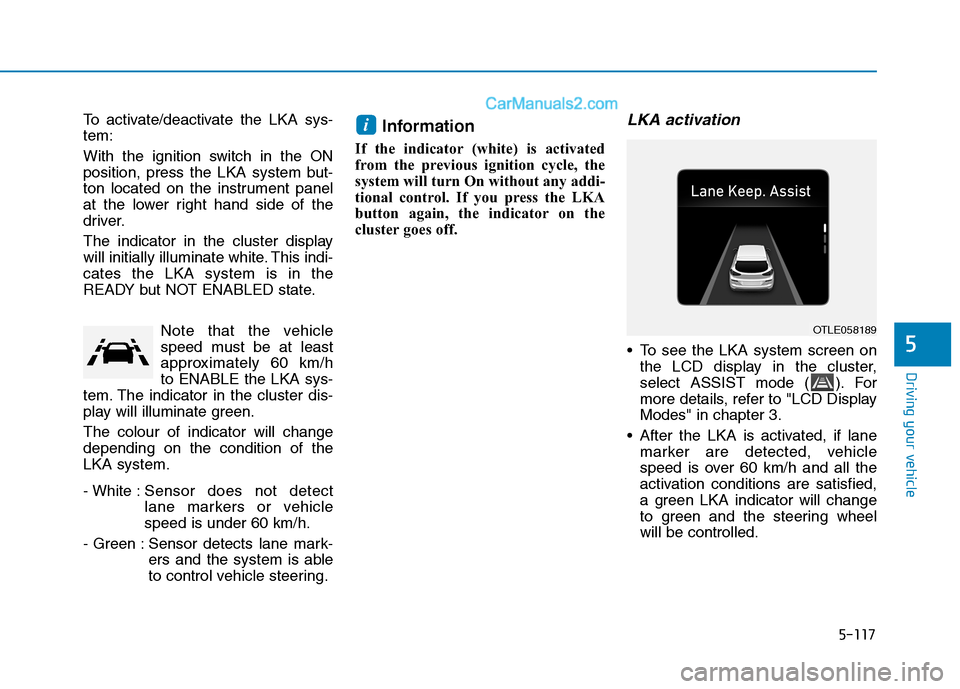
To see the LKA system screen on
the LCD display in the cluster,
select ASSIST mode ( ). For
more details, refer to "LCD Display
Modes" in chapter 3.
After the LKA is activated, if lane
marker are detected, vehicle
speed is over 60 km/h and all the
activation conditions are satisfied,
a green LKA indicator will change
to green and the steering wheel
will be controlled.
i
5
OTLE058189