Page 505 of 561
H17
Locking Charging Cable
You may select when the charging
connector can be locked and
unlocked in the charging inlet.
The driver can select the charge con-
nector lock mode from the User
Settings in the LCD display by
selecting 'User Settings →
Convenience → Locking Charging
Cable'.
When the Charging Connector
is Locked
Always mode :
The connector locks when the
charging connector is plugged into
the charging inlet. The connector is
locked until all doors are unlocked
by the driver. This mode can be
used to prevent charging cable
theft.
- If the charging connector is
unlocked when all doors are
unlocked, but the charging cable
is not disconnected within 15 sec-
onds, the connector will be auto-
matically locked again.- If the charging connector is
unlocked when all doors are
unlocked, but all doors are locked
again, immediately, the connector
will be automatically locked
again.
While charging mode :
The connector locks when charg-
ing starts. The connector unlocks
when charging is complete. This
mode can be used when charging
in a public charging station.
Do not lock mode :
The connector unlock regardless
of the state of charging.
Press the charging connector
release button, disconnect the con-
nector. Be careful to prevent of the
charging cable.
C CH
HA
AR
RG
GI
IN
NG
G
C
CO
ON
NN
NE
EC
CT
TO
OR
R
L
LO
OC
CK
K
OAEEQ019085R
While
charg-
ing
AlwaysDo not
lock
Before chargingXOX
While chargingOOX
Finished chargingXOX
Page 507 of 561
H19
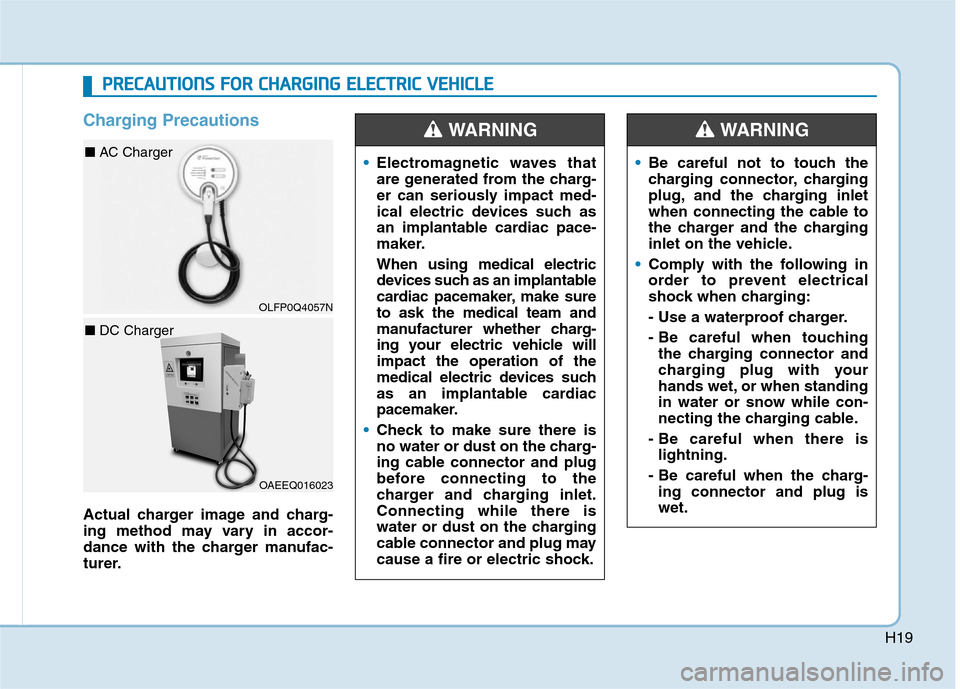
Charging Precautions
Actual charger image and charg-
ing method may vary in accor-
dance with the charger manufac-
turer.Electromagnetic waves that
are generated from the charg-
er can seriously impact med-
ical electric devices such as
an implantable cardiac pace-
maker.
When using medical electric
devices such as an implantable
cardiac pacemaker, make sure
to ask the medical team and
manufacturer whether charg-
ing your electric vehicle will
impact the operation of the
medical electric devices such
as an implantable cardiac
pacemaker.
Check to make sure there is
no water or dust on the charg-
ing cable connector and plug
before connecting to the
charger and charging inlet.
Connecting while there is
water or dust on the charging
cable connector and plug may
cause a fire or electric shock.
WARNING
Be careful not to touch the
charging connector, charging
plug, and the charging inlet
when connecting the cable to
the charger and the charging
inlet on the vehicle.
Comply with the following in
order to prevent electrical
shock when charging:
- Use a waterproof charger.
- Be careful when touching
the charging connector and
charging plug with your
hands wet, or when standing
in water or snow while con-
necting the charging cable.
- Be careful when there is
lightning.
- Be careful when the charg-
ing connector and plug is
wet.
WARNING
P PR
RE
EC
CA
AU
UT
TI
IO
ON
NS
S
F
FO
OR
R
C
CH
HA
AR
RG
GI
IN
NG
G
E
EL
LE
EC
CT
TR
RI
IC
C
V
VE
EH
HI
IC
CL
LE
E
OAEEQ016023
■ DC Charger
OLFP0Q4057N
■ AC Charger
Page 508 of 561
H20
Immediately stop charging
when you find abnormal
symptoms (odor, smoke).
Replace the charging cable if
the cable coating is damaged
to prevent electrical shock.
When connecting or removing
the charging cable, make sure
to hold the charging connec-
tor handle and charging plug.
If you pull the cable itself
(without using the handle), the
internal wires may disconnect
or get damaged. This may lead
to electric shock or fire.
WARNING
Always keep the charging con-
nector and charging plug in
clean and dry condition. Be
sure to keep the charging
cable in a condition where
there is no water or moisture.
Make sure to use the designat-
ed charger for charging the
electric vehicle. Using any
other charger may cause fail-
ure.
Before charging the battery,
turn the vehicle OFF.
When the vehicle is switched
OFF while charging, the cool-
ing fan inside the motor com-
partment may automatically
operate. Do not touch the cool-
ing fan while charging.
Be careful not to drop the
charging connector. The
charging connector can be
damaged.
CAUTION
P PR
RE
EC
CA
AU
UT
TI
IO
ON
NS
S
F
FO
OR
R
C
CH
HA
AR
RG
GI
IN
NG
G
E
EL
LE
EC
CT
TR
RI
IC
C
V
VE
EH
HI
IC
CL
LE
E
(
(C
CO
ON
NT
T.
.)
)
Page 510 of 561
H22
C CH
HA
AR
RG
GI
IN
NG
G
E
EL
LE
EC
CT
TR
RI
IC
C
V
VE
EH
HI
IC
CL
LE
E
(
(A
AC
C
C
CH
HA
AR
RG
GE
E)
)
(
(C
CO
ON
NT
T.
.)
)
4. If you cannot open the charging
door due to freezing weather :
1) Remove any ice near the
charging door.
2) Pull the emergency cable to
open the charging door.
(When the charging door does
not open, refer to "How to Unlock
Charging Door in Emergencies.")
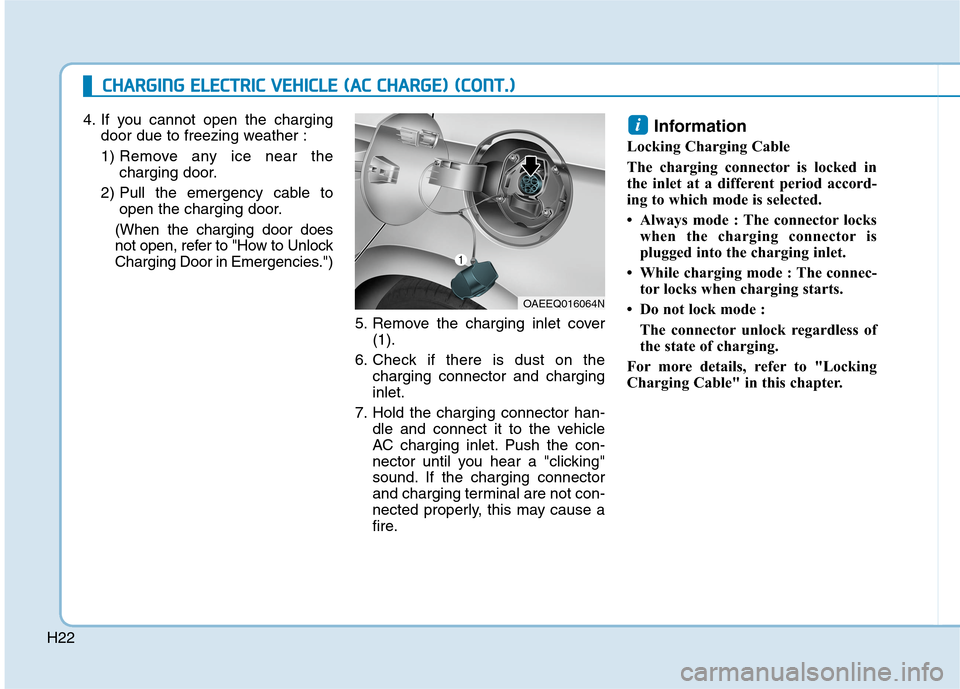
5. Remove the charging inlet cover
(1).
6. Check if there is dust on the
charging connector and charging
inlet.
7. Hold the charging connector han-
dle and connect it to the vehicle
AC charging inlet. Push the con-
nector until you hear a "clicking"
sound. If the charging connector
and charging terminal are not con-
nected properly, this may cause a
fire.Information
Locking Charging Cable
The charging connector is locked in
the inlet at a different period accord-
ing to which mode is selected.
• Always mode : The connector locks
when the charging connector is
plugged into the charging inlet.
• While charging mode : The connec-
tor locks when charging starts.
• Do not lock mode :
The connector unlock regardless of
the state of charging.
For more details, refer to "Locking
Charging Cable" in this chapter.
i
OAEEQ016064N
Page 511 of 561
H23
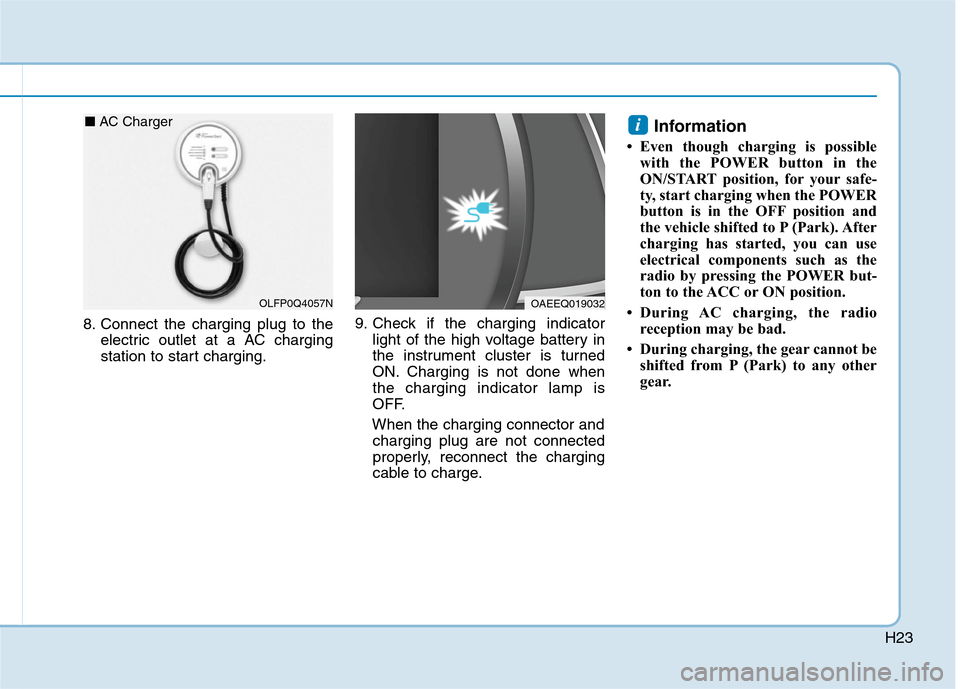
8. Connect the charging plug to the
electric outlet at a AC charging
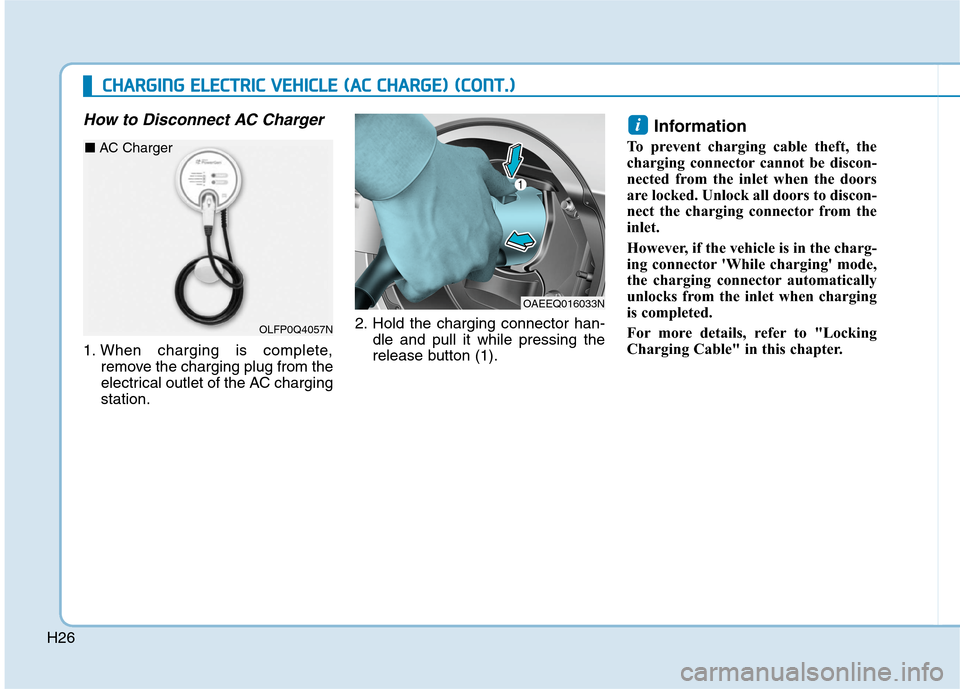
station to start charging.9. Check if the charging indicator
light of the high voltage battery in
the instrument cluster is turned
ON. Charging is not done when
the charging indicator lamp is
OFF.
When the charging connector and
charging plug are not connected
properly, reconnect the charging
cable to charge.
Information
• Even though charging is possible
with the POWER button in the
ON/START position, for your safe-
ty, start charging when the POWER
button is in the OFF position and
the vehicle shifted to P (Park). After
charging has started, you can use
electrical components such as the
radio by pressing the POWER but-
ton to the ACC or ON position.
• During AC charging, the radio
reception may be bad.
• During charging, the gear cannot be
shifted from P (Park) to any other
gear.
i
OAEEQ019032OLFP0Q4057N
■ AC Charger
Page 514 of 561
H26
How to Disconnect AC Charger
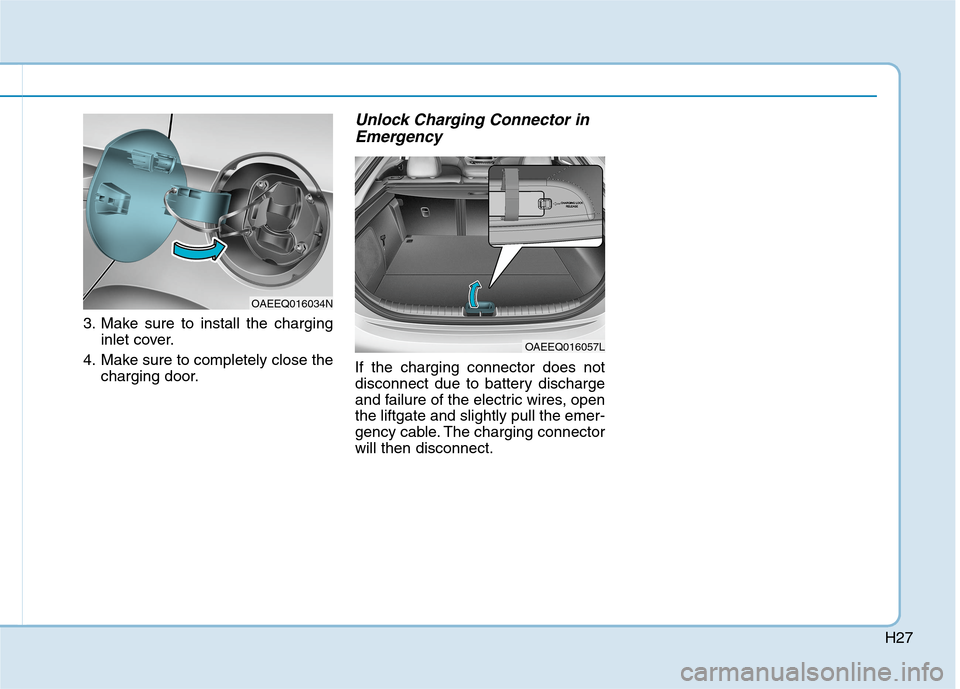
1. When charging is complete,
remove the charging plug from the
electrical outlet of the AC charging
station.2. Hold the charging connector han-
dle and pull it while pressing the
release button (1).
Information
To prevent charging cable theft, the
charging connector cannot be discon-
nected from the inlet when the doors
are locked. Unlock all doors to discon-
nect the charging connector from the
inlet.
However, if the vehicle is in the charg-
ing connector 'While charging' mode,
the charging connector automatically
unlocks from the inlet when charging
is completed.
For more details, refer to "Locking
Charging Cable" in this chapter.
i
OAEEQ016033N
C CH
HA
AR
RG
GI
IN
NG
G
E
EL
LE
EC
CT
TR
RI
IC
C
V
VE
EH
HI
IC
CL
LE
E
(
(A
AC
C
C
CH
HA
AR
RG
GE
E)
)
(
(C
CO
ON
NT
T.
.)
)
OLFP0Q4057N
■ AC Charger
Page 515 of 561
H27
3. Make sure to install the charging
inlet cover.
4. Make sure to completely close the
charging door.
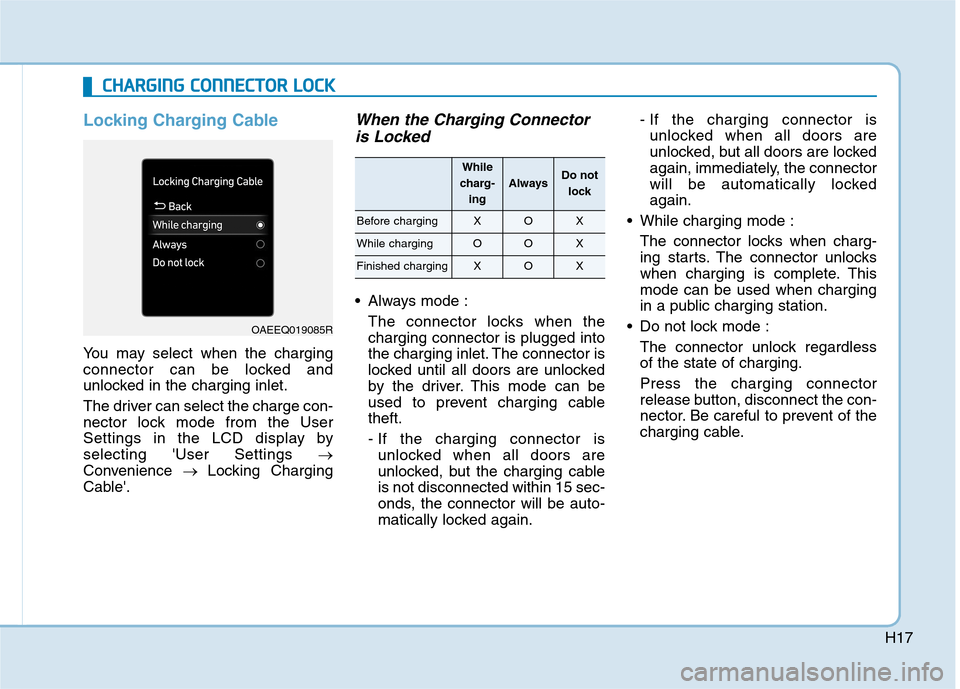
Unlock Charging Connector in
Emergency
If the charging connector does not
disconnect due to battery discharge
and failure of the electric wires, open
the liftgate and slightly pull the emer-
gency cable. The charging connector
will then disconnect.
OAEEQ016034N
OAEEQ016057L
Page 517 of 561
H29
4. If you cannot open the charging
door due to freezing weather :
1) Remove any ice near the
charging door.
2) Pull the emergency cable to
open the charging door.
(When the charging door does
not open, refer to "How to Unlock
Charging Door in Emergencies.")
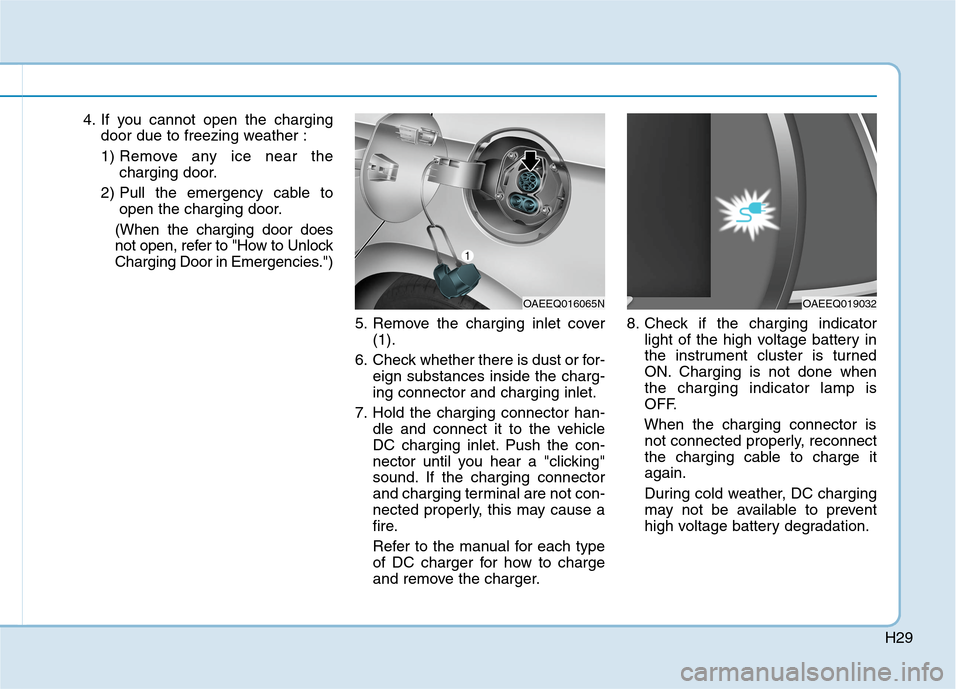
5. Remove the charging inlet cover
(1).
6. Check whether there is dust or for-
eign substances inside the charg-
ing connector and charging inlet.
7. Hold the charging connector han-
dle and connect it to the vehicle
DC charging inlet. Push the con-
nector until you hear a "clicking"
sound. If the charging connector
and charging terminal are not con-
nected properly, this may cause a
fire.
Refer to the manual for each type
of DC charger for how to charge
and remove the charger.8. Check if the charging indicator
light of the high voltage battery in
the instrument cluster is turned
ON. Charging is not done when
the charging indicator lamp is
OFF.
When the charging connector is
not connected properly, reconnect
the charging cable to charge it
again.
During cold weather, DC charging
may not be available to prevent
high voltage battery degradation.
OAEEQ016065NOAEEQ019032