2020 FORD EXPLORER garage door opener
[x] Cancel search: garage door openerPage 6 of 555

Climate Control
Automatic Climate Control
......................137
Hints on Controlling the Interior Climate ........................................................................\
.
139
Rear Passenger Climate Controls .........
140
Heated Windshield ......................................
141
Heated Rear Window .................................
142
Heated Exterior Mirrors ..............................
142
Remote Start .................................................
142
Interior Air Quality
What Is the Cabin Air Filter ......................
143
Locating the Cabin Air Filter ....................
143
Replacing the Cabin Air Filter ..................
143
Seats
Sitting in the Correct Position .................
144
Head Restraints ...........................................
144
Manual Seats ................................................
147
Power Seats ..................................................
148
Memory Function ........................................
150
Rear Seats ......................................................
152
Heated Seats ................................................
156
Climate Controlled Seats .........................
158
Rear Occupant Alert System
What is the Rear Occupant Alert System ........................................................................\
160
How Does the Rear Occupant Alert System Work ............................................
160
Rear Occupant Alert System Precautions ........................................................................\
160
Rear Occupant Alert System Limitations ........................................................................\
160
Switching Rear Occupant Alert System On and Off .................................................
160
Rear Occupant Alert System Indicators ........................................................................\
..
161
Rear Occupant Alert System Audible Warnings ......................................................
161Garage Door Opener
Universal Garage Door Opener
..............
162
Auxiliary Power Points
Auxiliary Power Points ...............................
167
Wireless Accessory Charger ....................
168
Storage Compartments
Cup Holders .....................................................
171
Center Console ...............................................
171
Overhead Console ........................................
171
Starting and Stopping the Engine
General Information ....................................
172
Ignition Switch ...............................................
172
Keyless Starting ............................................
172
Starting a Gasoline Engine .......................
173
Starting a Hybrid Electric Vehicle System ........................................................................\
.
176
Engine Block Heater ...................................
178
Unique Driving Characteristics
Auto-Start-Stop ..........................................
180
Hybrid Vehicle Operation - 3.3L, Hybrid Electric Vehicle (HEV) ...........................
182
Hybrid Vehicle Frequently Asked Questions - 3.3L, Hybrid Electric
Vehicle (HEV) ...........................................
184
Fuel and Refueling
Safety Precautions .....................................
186
Fuel Quality - E85 .......................................
186
Fuel Quality - Gasoline .............................
188
Fuel Filler Funnel Location ......................
188
Running Out of Fuel ...................................
188
Refueling - Excluding: Hybrid Electric Vehicle (HEV) ...........................................
190
Refueling - Hybrid Electric Vehicle (HEV) ........................................................................\
.
193
3
Explorer (CTW) Canada/United States of America, enUSA, Edition date: 201902, Third-Printing- Table of Contents
Page 165 of 555
UNIVERSAL GARAGE DOOR
OPENER
HomeLink Wireless Control
System
WARNING: Do not use the system
with any garage door opener that does
not have the safety stop and reverse
feature as required by U.S. Federal
Safety Standards (this includes any
garage door opener manufactured
before April 1, 1982). A garage door
opener which cannot detect an object,
signaling the door to stop and reverse,
does not meet current federal safety
standards. Using a garage door opener
without these features increases the risk
of serious injury or death.
Note: Make sure that the garage door and
security device are free from obstruction
when you are programming. Do not program
the system with the vehicle in the garage.
Note: Make sure you keep the original
remote control transmitter for use in other
vehicles as well as for future system
programming.
Note: We recommend that upon the sale
or lease termination of your vehicle, you
erase the programmed function buttons for
security reasons. See Erasing the Function
Button Codes
.
Note: You can program a maximum of
three devices. To change or replace any of
the three devices after it has been initially
programmed, you must first erase the
current settings. See Erasing the Function
Button Codes
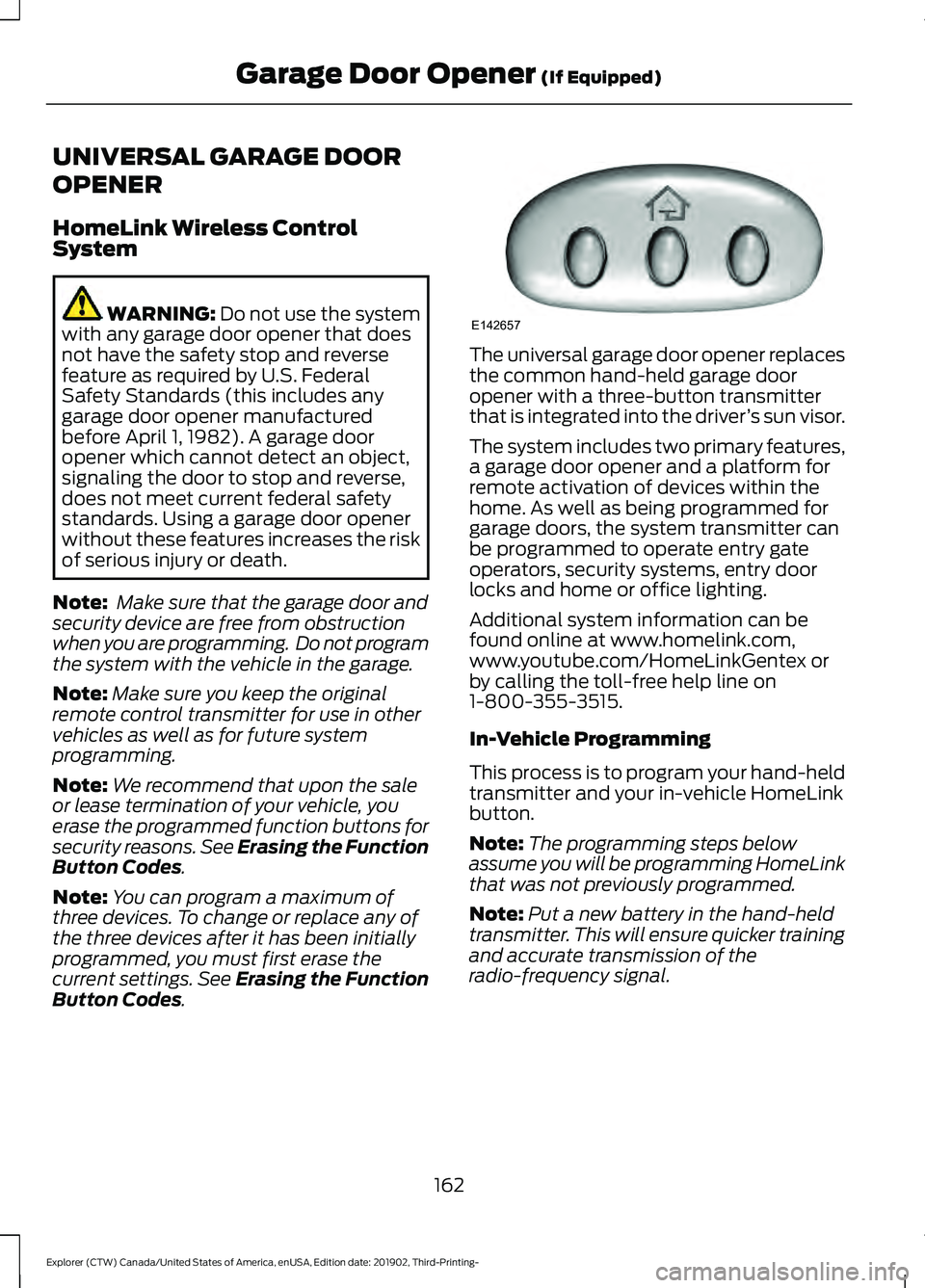
. The universal garage door opener replaces
the common hand-held garage door
opener with a three-button transmitter
that is integrated into the driver
’s sun visor.
The system includes two primary features,
a garage door opener and a platform for
remote activation of devices within the
home. As well as being programmed for
garage doors, the system transmitter can
be programmed to operate entry gate
operators, security systems, entry door
locks and home or office lighting.
Additional system information can be
found online at www.homelink.com,
www.youtube.com/HomeLinkGentex or
by calling the toll-free help line on
1-800-355-3515.
In-Vehicle Programming
This process is to program your hand-held
transmitter and your in-vehicle HomeLink
button.
Note: The programming steps below
assume you will be programming HomeLink
that was not previously programmed.
Note: Put a new battery in the hand-held
transmitter. This will ensure quicker training
and accurate transmission of the
radio-frequency signal.
162
Explorer (CTW) Canada/United States of America, enUSA, Edition date: 201902, Third-Printing- Garage Door Opener
(If Equipped)E142657
Page 166 of 555
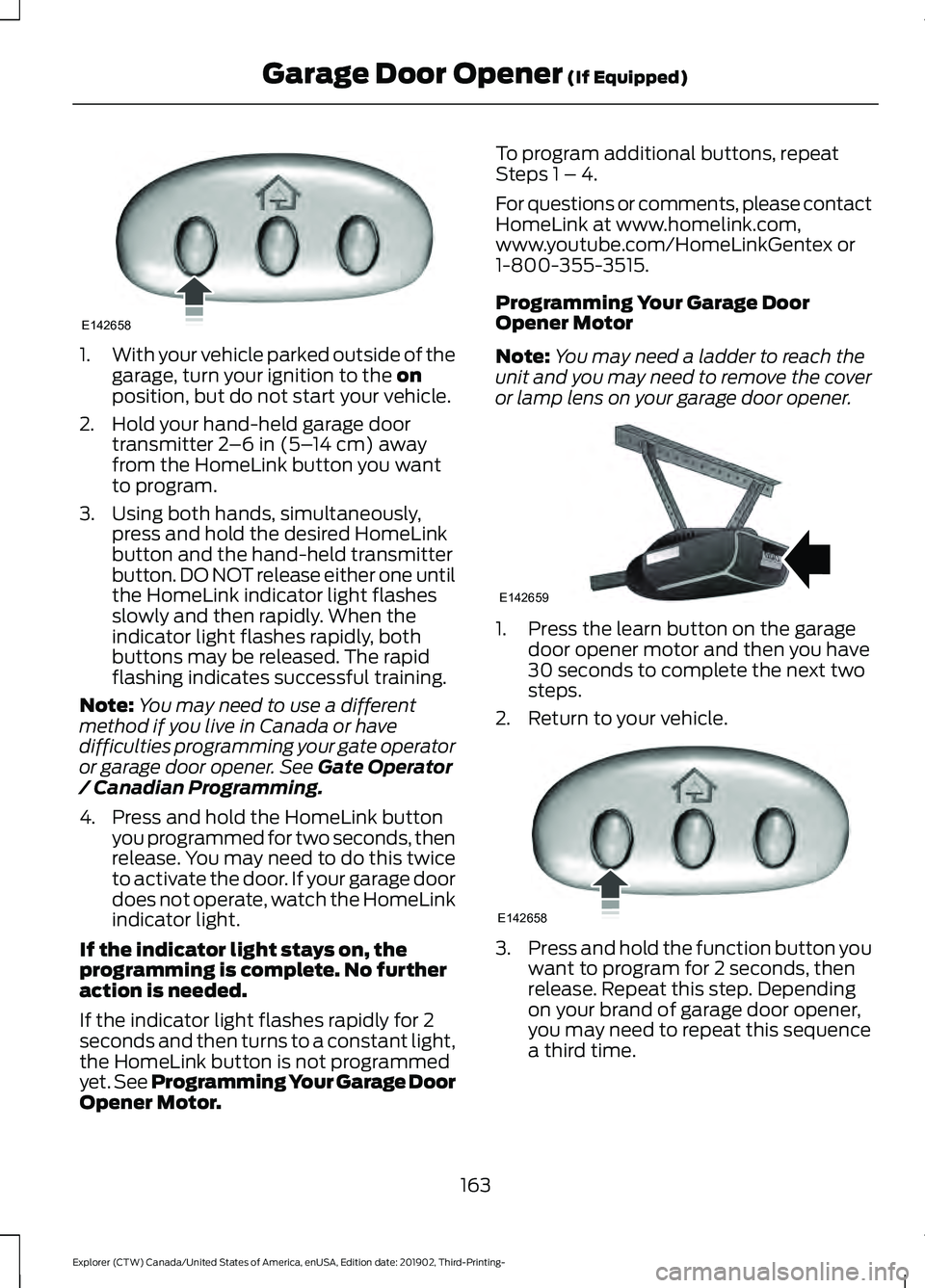
1.
With your vehicle parked outside of the
garage, turn your ignition to the on
position, but do not start your vehicle.
2. Hold your hand-held garage door transmitter
2–6 in (5– 14 cm) away
from the HomeLink button you want
to program.
3. Using both hands, simultaneously, press and hold the desired HomeLink
button and the hand-held transmitter
button. DO NOT release either one until
the HomeLink indicator light flashes
slowly and then rapidly. When the
indicator light flashes rapidly, both
buttons may be released. The rapid
flashing indicates successful training.
Note: You may need to use a different
method if you live in Canada or have
difficulties programming your gate operator
or garage door opener. See
Gate Operator
/ Canadian Programming.
4. Press and hold the HomeLink button you programmed for two seconds, then
release. You may need to do this twice
to activate the door. If your garage door
does not operate, watch the HomeLink
indicator light.
If the indicator light stays on, the
programming is complete. No further
action is needed.
If the indicator light flashes rapidly for 2
seconds and then turns to a constant light,
the HomeLink button is not programmed
yet. See Programming Your Garage Door
Opener Motor. To program additional buttons, repeat
Steps 1 – 4.
For questions or comments, please contact
HomeLink at www.homelink.com,
www.youtube.com/HomeLinkGentex or
1-800-355-3515.
Programming Your Garage Door
Opener Motor
Note:
You may need a ladder to reach the
unit and you may need to remove the cover
or lamp lens on your garage door opener. 1. Press the learn button on the garage
door opener motor and then you have
30 seconds to complete the next two
steps.
2. Return to your vehicle. 3.
Press and hold the function button you
want to program for 2 seconds, then
release. Repeat this step. Depending
on your brand of garage door opener,
you may need to repeat this sequence
a third time.
163
Explorer (CTW) Canada/United States of America, enUSA, Edition date: 201902, Third-Printing- Garage Door Opener
(If Equipped)E142658 E142659 E142658
Page 167 of 555
Gate Operator / Canadian
Programming
Canadian radio-frequency laws require
transmitter signals to
“time-out” (or quit)
after several seconds of transmission –
which may not be long enough for
HomeLink to pick up the signal during
programming. Similar to this Canadian law,
some U.S. gate operators are designed to
“time-out” in the same manner.
Note: If programming a garage door opener
or gate operator, it is advised to unplug the
device during the “cycling” process to
prevent possible overheating.
1. Press and hold the HomeLink button while you press and release, every two
seconds, your hand-held transmitter
until the HomeLink indicator light
changes from a slow to a rapidly
blinking light.
2. Release both the HomeLink and hand-held transmitter buttons.
3. Continue programing HomeLink. See In-Vehicle Programming
.
Erasing the Function Button Codes
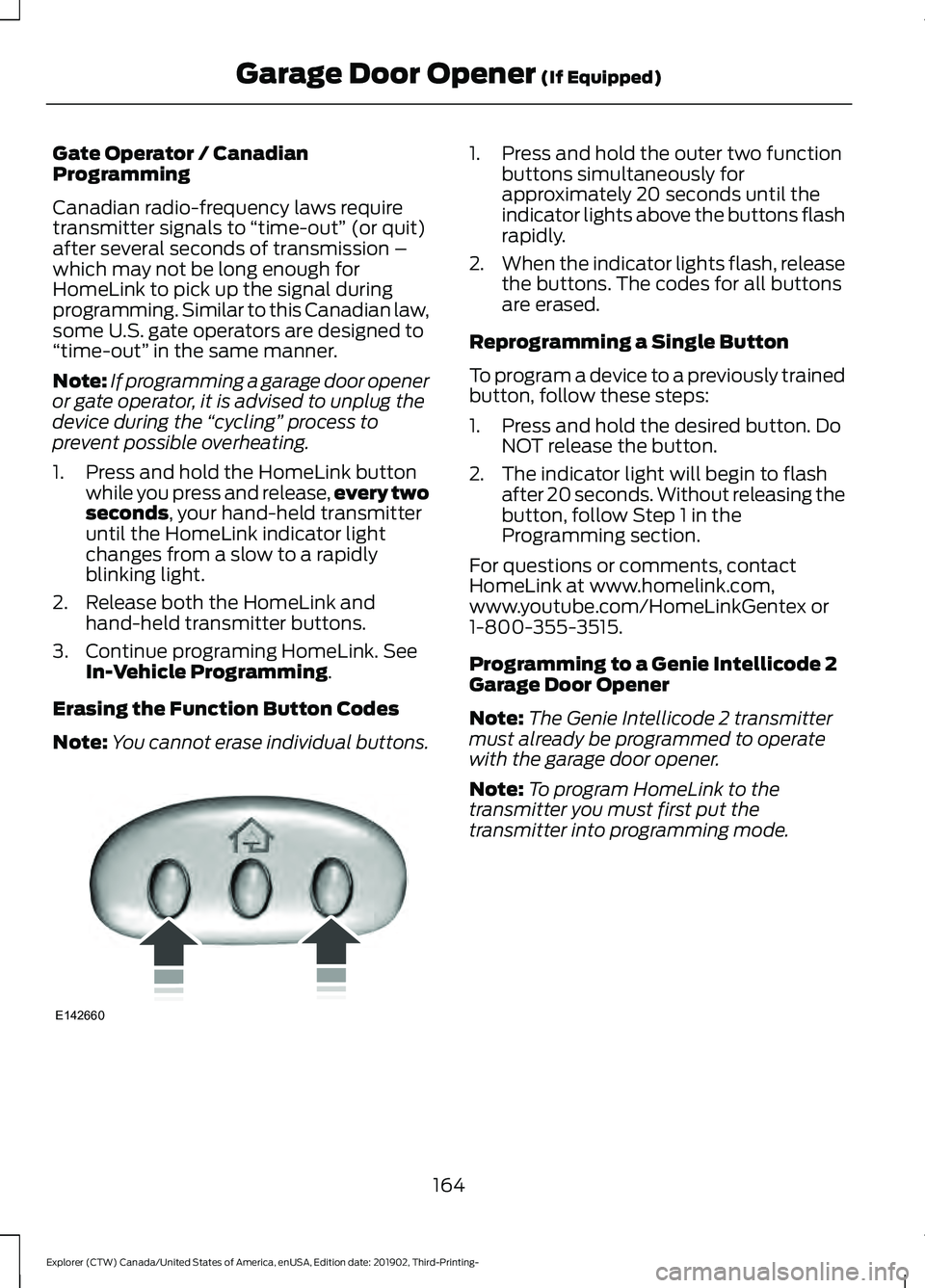
Note: You cannot erase individual buttons. 1. Press and hold the outer two function
buttons simultaneously for
approximately 20 seconds until the
indicator lights above the buttons flash
rapidly.
2. When the indicator lights flash, release
the buttons. The codes for all buttons
are erased.
Reprogramming a Single Button
To program a device to a previously trained
button, follow these steps:
1. Press and hold the desired button. Do NOT release the button.
2. The indicator light will begin to flash after 20 seconds. Without releasing the
button, follow Step 1 in the
Programming section.
For questions or comments, contact
HomeLink at www.homelink.com,
www.youtube.com/HomeLinkGentex or
1-800-355-3515.
Programming to a Genie Intellicode 2
Garage Door Opener
Note: The Genie Intellicode 2 transmitter
must already be programmed to operate
with the garage door opener.
Note: To program HomeLink to the
transmitter you must first put the
transmitter into programming mode.
164
Explorer (CTW) Canada/United States of America, enUSA, Edition date: 201902, Third-Printing- Garage Door Opener
(If Equipped)E142660
Page 168 of 555
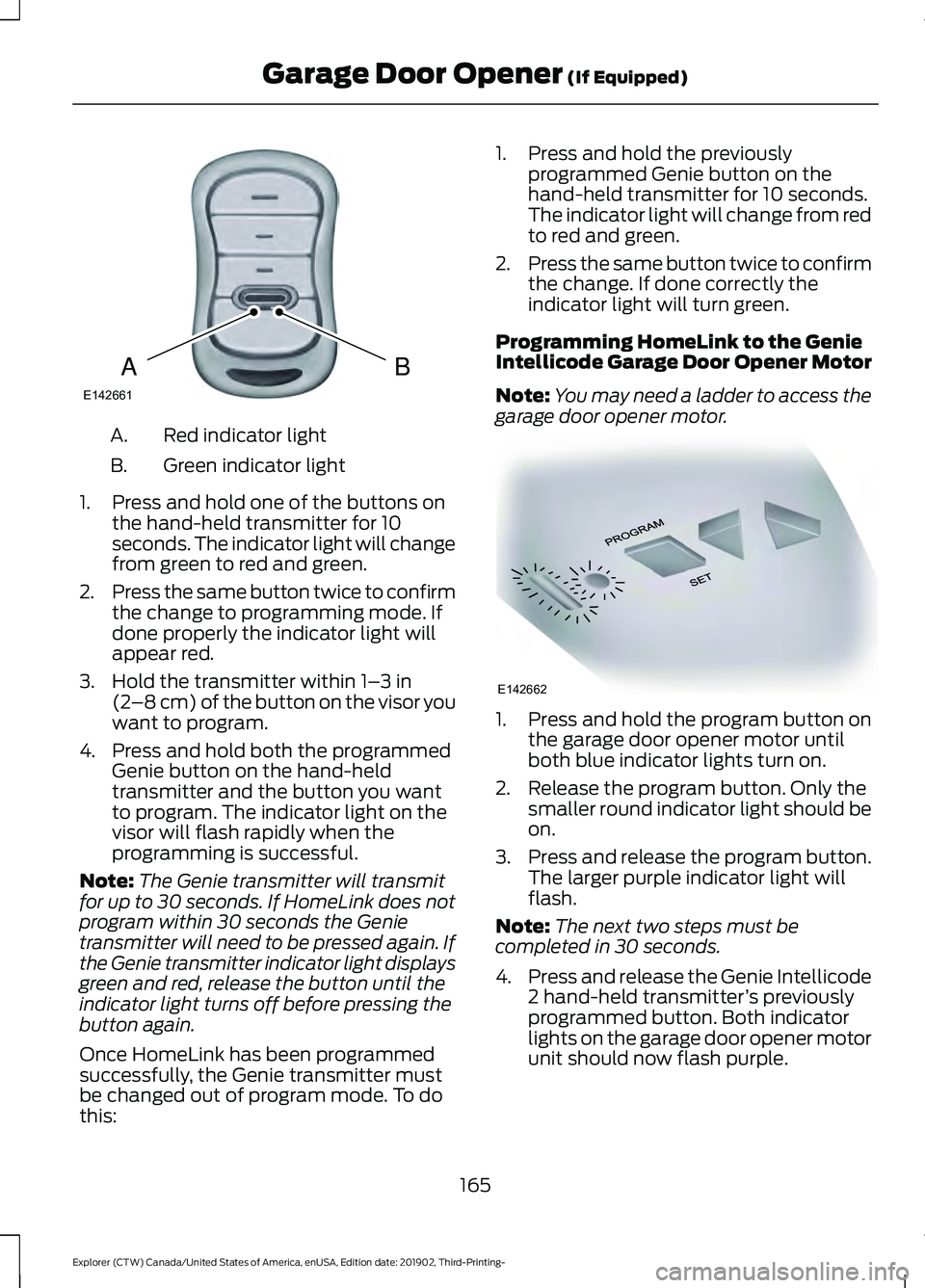
Red indicator light
A.
Green indicator light
B.
1. Press and hold one of the buttons on the hand-held transmitter for 10
seconds. The indicator light will change
from green to red and green.
2. Press the same button twice to confirm
the change to programming mode. If
done properly the indicator light will
appear red.
3. Hold the transmitter within 1– 3 in
(2 –8 cm) of the button on the visor you
want to program.
4. Press and hold both the programmed Genie button on the hand-held
transmitter and the button you want
to program. The indicator light on the
visor will flash rapidly when the
programming is successful.
Note: The Genie transmitter will transmit
for up to 30 seconds. If HomeLink does not
program within 30 seconds the Genie
transmitter will need to be pressed again. If
the Genie transmitter indicator light displays
green and red, release the button until the
indicator light turns off before pressing the
button again.
Once HomeLink has been programmed
successfully, the Genie transmitter must
be changed out of program mode. To do
this: 1. Press and hold the previously
programmed Genie button on the
hand-held transmitter for 10 seconds.
The indicator light will change from red
to red and green.
2. Press the same button twice to confirm
the change. If done correctly the
indicator light will turn green.
Programming HomeLink to the Genie
Intellicode Garage Door Opener Motor
Note: You may need a ladder to access the
garage door opener motor. 1. Press and hold the program button on
the garage door opener motor until
both blue indicator lights turn on.
2. Release the program button. Only the smaller round indicator light should be
on.
3. Press and release the program button.
The larger purple indicator light will
flash.
Note: The next two steps must be
completed in 30 seconds.
4. Press and release the Genie Intellicode
2 hand-held transmitter ’s previously
programmed button. Both indicator
lights on the garage door opener motor
unit should now flash purple.
165
Explorer (CTW) Canada/United States of America, enUSA, Edition date: 201902, Third-Printing- Garage Door Opener
(If Equipped)BAE142661 E142662
Page 169 of 555
5. Press and hold the previously
programmed button on the visor for 2
seconds. Repeat this step up to 3 times
until the garage door moves.
Programming is now complete.
Clearing a HomeLink Device
To erase programming from the three
HomeLink buttons press and hold the two
outer HomeLink buttons until the indicator
light begins to flash. The indicator light will
begin flashing in 10 to 20 seconds, at which
time both buttons should be released.
Programming has now been erased, and
the indicator light should blink slowly to
indicate the device is in train mode when
any of the three HomeLink buttons are
pressed.
FCC and RSS-210 Industry Canada
Compliance
This device complies with Part 15 of the
FCC Rules and with RSS-210 of Industry
Canada. Operation is subject to the
following two conditions: (1) this device
may not cause harmful interference, and
(2) this device must accept any
interference received, including
interference that may cause undesired
operation. WARNING: Changes or
modifications not expressively approved
by the party responsible for compliance
could void the user's authority to operate
the equipment. The term "IC:" before the
radio certification number only signifies
that Industry Canada technical
specifications were met. This equipment complies with FCC
radiation exposure limits set forth for an
uncontrolled environment. End Users must
follow the specific operating instructions
for satisfying RF exposure compliance. This
transmitter must be at least
8 in (20 cm)
from the user and must not be co-located
or operating in conjunction with any other
antenna or transmitter.
The term “IC:” before the
certification/registration number only
signifies that Industry Canada technical
specifications were met.
166
Explorer (CTW) Canada/United States of America, enUSA, Edition date: 201902, Third-Printing- Garage Door Opener
(If Equipped)
Page 546 of 555

Safety Chains......................................................
293
Trailer Brakes....................................................... 293
Trailer Lamps....................................................... 293
When Towing a Trailer..................................... 294
Event Data Recording See: Data Recording.............................................. 11
Export Unique Options.................................18
Exterior Mirrors - Excluding: ST................98 360-Degree Camera.......................................... 99
Auto-dimming Feature...................................... 99
Auto-Folding Mirrors .......................................... 98
Blind Spot Information System...................... 99
Direction Indicator Mirrors ............................... 99
Fold-Away Exterior Mirrors............................... 98
Heated Exterior Mirrors ..................................... 99
Memory Mirrors .................................................... 99
Power Exterior Mirrors........................................ 98
Puddle Lamps....................................................... 99
Exterior Mirrors - ST......................................99 Auto-dimming Feature...................................... 101
Auto-Folding Mirrors......................................... 100
Blind Spot Information System..................... 101
Direction Indicator Mirrors................................ 101
Fold-Away Exterior Mirrors............................. 100
Heated Exterior Mirrors..................................... 101
Memory Mirrors.................................................... 101
Power Exterior Mirrors........................................ 99
Puddle Lamps...................................................... 101
F
Fastening the Seatbelts
..............................39
Seatbelt Locking Modes................................... 40
Using Seatbelts During Pregnancy................39
Flat Tire See: Changing a Road Wheel........................ 376
Floor Mats
......................................................298
Fog Lamps - Front See: Front Fog Lamps........................................ 90
Ford Credit
.........................................................15
US Only..................................................................... 15
Ford Protect..................................................485 Ford Protect Extended Service Plan
(CANADA ONLY).......................................... 486
Ford Protect Extended Service Plans (U.S. Only)................................................................. 485
Four-Wheel Drive
........................................208
Principle of Operation..................................... 208Front Fog Lamps............................................90
Front Fog Lamp Indicator.................................. 91
Switching the Front Fog Lamps On or Off........................................................................\
. 90
Front Parking Aid
..........................................232
Object Distance Indicator............................... 233
Front Passenger Sensing System
............48
Front Wiper Blades See: Changing the Front Wiper Blades......342
Fuel and Refueling.......................................186
Fuel Consumption.......................................195 Advertised Capacity.......................................... 195
Calculating Fuel Economy.............................. 196
Filling the Fuel Tank.......................................... 196
Fuel Filler Funnel Location
.......................188
Fuel Filter.........................................................341
Fuel Quality - E85........................................186 Choosing the Right Fuel - Flex Fuel
Vehicles............................................................. 186
Switching Between E85 and Gasoline............................................................. 187
Fuel Quality - Gasoline..............................188 Choosing the Right Fuel.................................. 188
Fuel Shutoff..................................................300
Fuses.................................................................313
Fuse Specification Chart
............................313
Engine Compartment Fuse Box.................... 313
Passenger Compartment Fuse Panel........318
G
Garage Door Opener...................................162
Garage Door Opener See: Universal Garage Door Opener............162
Gauges
.............................................................104
12 Inch Display..................................................... 106
4 Inch Display...................................................... 104
6 Inch Display...................................................... 105
Engine Coolant Temperature Gauge..........106
Fuel Gauge............................................................ 107
Gearbox See: Transmission............................................. 202
General Information on Radio Frequencies...................................................57
Intelligent Access.................................................. 57
General Maintenance Information........487 Multi-Point Inspection.................................... 489
Owner Checks and Services......................... 488
543
Explorer (CTW) Canada/United States of America, enUSA, Edition date: 201902, Third-Printing- Index
Page 553 of 555
Switching Lane Centering On and
Off..................................................................254
Activating Lane Centering.............................. 254
System Alerts and Automatic Cancellation.................................................... 254
Switching Rear Occupant Alert System On and Off
...................................................160
Switching Reverse Braking Assist On and Off
....................................................................221
Symbols Glossary.............................................9
SYNC™ 3........................................................438
General Information......................................... 438
SYNC™ 3 Troubleshooting.......................471 Additional Information and
Assistance....................................................... 483
Apps........................................................................\
478
Navigation............................................................. 477
Personal Profiles................................................. 481
Phone..................................................................... 475
Resetting the System...................................... 483
USB and Bluetooth Audio............................... 472
Voice Recognition............................................... 471
Wi-Fi Connectivity............................................ 480
T
Technical Specifications See: Capacities and Specifications............384
The Better Business Bureau (BBB) Auto Line Program (U.S. Only)
......................308
Tire Care..........................................................355
Glossary of Tire Terminology........................ 356
Information About Uniform Tire Quality Grading............................................................. 355
Information Contained on the Tire Sidewall............................................................ 357
Temperature A B C............................................ 356
Traction AA A B C............................................... 355
Treadwear............................................................. 355
Tire Pressure Monitoring System
...........370
Changing Tires With a Tire Pressure
Monitoring System......................................... 371
Understanding Your Tire Pressure Monitoring System ....................................... 372
Tires See: Wheels and Tires..................................... 353
Towing a Trailer............................................289 Load Placement................................................ 289Towing the Vehicle on Four
Wheels..........................................................295
Emergency Towing............................................ 295
Recreational Towing - All-Wheel and Four-Wheel Drive Vehicles........................ 295
Recreational Towing - Front-Wheel Drive Vehicles............................................................ 295
Recreational Towing - Rear-Wheel Drive Vehicles............................................................ 295
Towing.............................................................289
Traction Control............................................224 Principle of Operation...................................... 224
Traffic Sign Recognition.............................272 Principle of Operation....................................... 272
Using Traffic Sign Recognition...................... 272
Trailer Sway Control...................................290
Transmission Code Designation............394
Transmission Specifications - ST.........388
Transmission.................................................202
Transporting the Vehicle
..........................304
U
Under Hood Overview - 2.3L EcoBoost™.................................................324
Under Hood Overview - 3.0L...................325
Under Hood Overview - 3.3L...................326
Unique Driving Characteristics...............180
Universal Garage Door Opener...............162 HomeLink Wireless Control System............162
USB Port.........................................................436 Locating the USB Ports................................... 437
Using Four-Wheel Drive...........................208 Driving in Special Conditions With
Four-Wheel drive (4WD)............................ 210
How Your Vehicle Differs from Other Vehicles............................................................ 209
Operating Four-Wheel drive (4WD) Vehicles with Mismatched Tires.............209
Operating Four-Wheel Drive (4WD) Vehicles With Spare Tires......................... 208
Using MyKey With Remote Start Systems...........................................................67
Using Snow Chains
....................................368
Using Stability Control...............................226 Electronic Stability Control - Base
Model................................................................ 226
550
Explorer (CTW) Canada/United States of America, enUSA, Edition date: 201902, Third-Printing- Index