2019 MERCEDES-BENZ GLA climate control
[x] Cancel search: climate controlPage 22 of 346
Connecting a mobile phone (gen-
eral information) ............................ 246
Display message ............................ 228
Introduction ...................................195
Menu (on-board computer) ............ 195
Number from the phone book ........196
Redialing ........................................ 196
Rejecting/ending a call ................. 196
see also Digital Operator's Man-
ual ..................................................242
Temperature
Coolant .......................................... 189
Coolant (on-board computer,
Mercedes-AMG vehicles) ...............200
Engine oil (on-board computer,
Mercedes-AMG vehicles) ...............200
Outside temperature ......................188
Setting (climate control) ................ 119
Transmission oil (on-board com-
puter, Mercedes-AMG vehicles) ..... 200
Through-loading feature................... 253
Timing (RACETIMER)......................... 201
Tire pressure
Calling up (on-board computer) ..... 311
Checking manually ........................ 310
Display message ............................ 223
Maximum ....................................... 310
Not reached (TIREFIT) .................... 291
Notes ............................................. 309
Reached (TIREFIT) .......................... 291
Recommended ............................... 307
Tire pressure loss warning sys-
tem
General notes ................................ 310
Important safety notes .................. 311
Restarting ...................................... 311
Tire pressure monitor
Checking the tire pressure elec-
tronically ........................................ 313
Function/notes .............................311
General notes ................................ 311
Important safety notes .................. 312
Radio type approval for the tire
pressure monitor ........................... 315
Restarting ...................................... 314
Warning lamp ................................. 241
Warning message .......................... 313
TIREFIT kit.......................................... 289
Important safety notes .................. 289
Storage location ............................ 287
Tire pressure not reached .............. 291
Tire pressure reached .................... 291
Tires
Aspect ratio (definition) ................. 324
Average weight of the vehicle
occupants (definition) .................... 323
Bar (definition) ............................... 323
Changing a wheel .......................... 325
Characteristics .............................. 323
Checking ........................................ 304
Curb weight (definition) ................. 324
Definition of terms ......................... 323
Direction of rotation...................... 326
Display message ............................ 223
Distribution of the vehicle occu-
pants (definition) ............................ 325
DOT (Department of Transporta-
tion) (definition) ............................. 323
DOT, Tire Identification Number
(TIN) ............................................... 322
GAWR (Gross Axle Weight Rat-
ing) (definition) .............................. 324
General notes ................................ 329
GVW (Gross Vehicle Weight) (def-
inition) ........................................... 324
GVWR (Gross Vehicle Weight
Rating) (definition) ......................... 324
Important safety notes .................. 304
Increased vehicle weight due to
optional equipment (definition) ...... 324
Information on driving .................... 304
Kilopascal (kPa) (definition) ........... 324
Labeling (overview) ........................ 320
Load bearing index (definition) ...... 325
Load index ..................................... 322
Load index (definition) ................... 324
M+S tires....................................... 306
Maximum load on a tire (defini-
tion) ............................................... 324
Maximum loaded vehicle weight
(definition) ..................................... 324
Maximum permissible tire pres-
sure (definition) ............................. 324
Maximum tire load ......................... 322
Maximum tire load (definition) ....... 324
20Index
Page 115 of 346
Overview of climate control systems
General notes
Observe the settings recommended on the fol-lowing pages. The windows could otherwisefog up.
To prevent the windows from fogging up:
Rswitch off climate control only briefly
Rswitch on air-recirculation mode only briefly
Rswitch on the cooling with air dehumidifica-tion function
Rswitch on the defrost windshield functionbriefly, if required
The air-conditioning system or dual-zone auto-matic climate control regulates the tempera-ture and the humidity of the vehicle interiorand filters undesirable substances from theair.
The air-conditioning system or dual-zone auto-matic climate control can only be operatedwhen the engine is running. Optimum opera-tion is only achieved with the side windowsand panorama roof with power tilt/slidingpanel closed.
If you start the engine using your smartphone,the last selected climate control setting isreactivated (Ypage 84).
The residual heat function can only be activa-ted or deactivated with the ignition switchedoff (Ypage 122).
Always keep the ventilation flaps behind theside trim panel in the cargo compartmentclear (Ypage 108). Otherwise the vehicle willnot be ventilated correctly.
iVentilate the vehicle for a brief period dur-ing warm weather, e.g. using the conveni-ence opening feature (Ypage 84). This willspeed up the cooling process and thedesired interior temperature will be reachedmore quickly.
iThe integrated filter filters out most parti-cles of dust and soot and completely filtersout pollen. It also reduces gaseous pollu-tants and odors. A clogged filter reduces theamount of air supplied to the vehicle inte-rior. For this reason, you should alwaysobserve the interval for replacing the filter,which is specified in the Maintenance Book-let. As it depends on environmental condi-tions, e.g. heavy air pollution, the intervalmay be shorter than stated in the Mainte-nance Booklet.
iIt is possible that under certain circum-stances the residual heat function may beactivated automatically an hour after theSmartKey has been removed in order to drythe automatic climate control. The vehicle isthen ventilated for 30 minutes.
Overview of climate control systems113
Climate control
Page 118 of 346
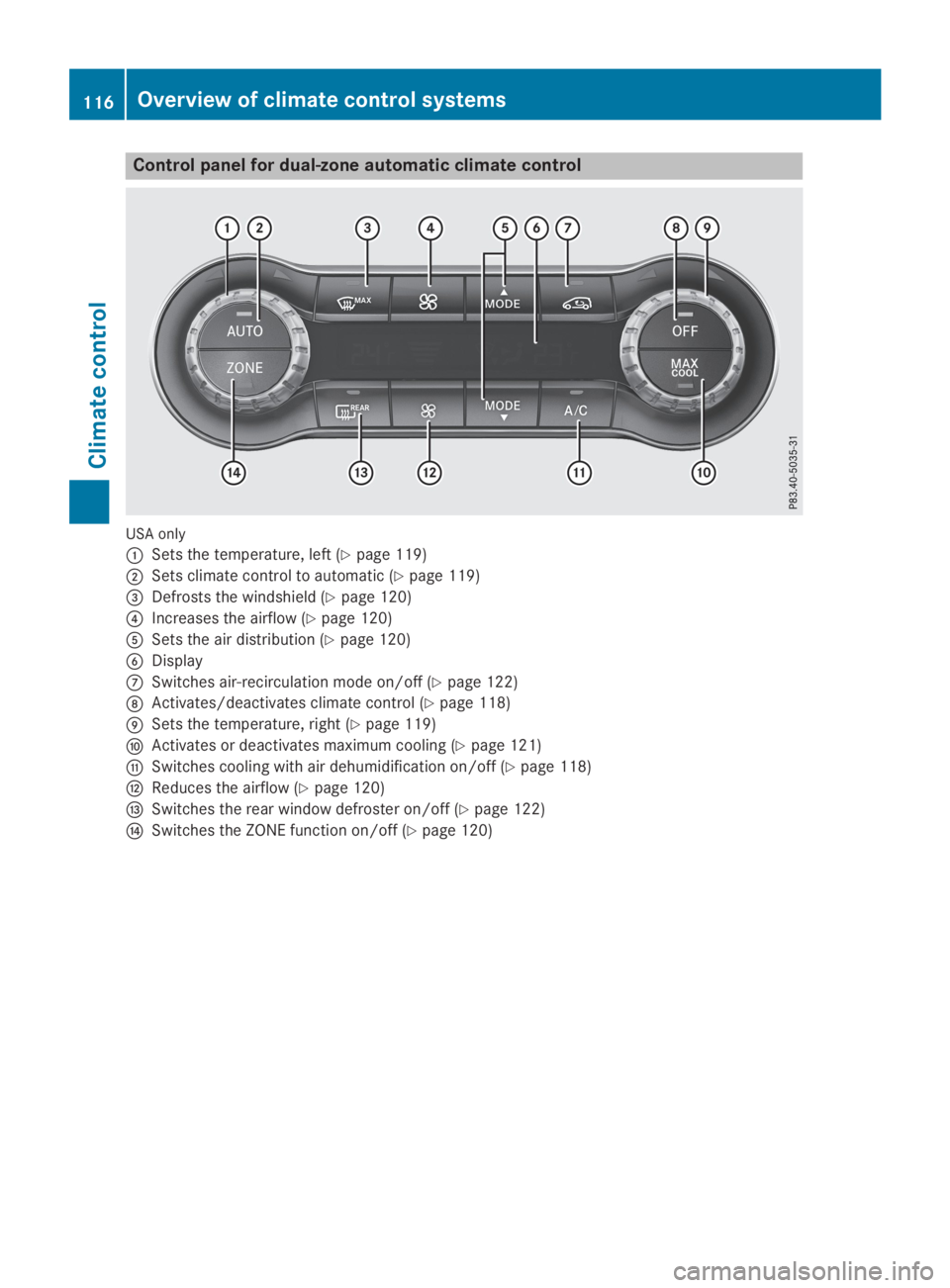
Control panel for dual-zone automatic climate control
USA only
CSets the temperature, left (Ypage 119)
DSets climate control to automatic (Ypage 119)
Page 119 of 346
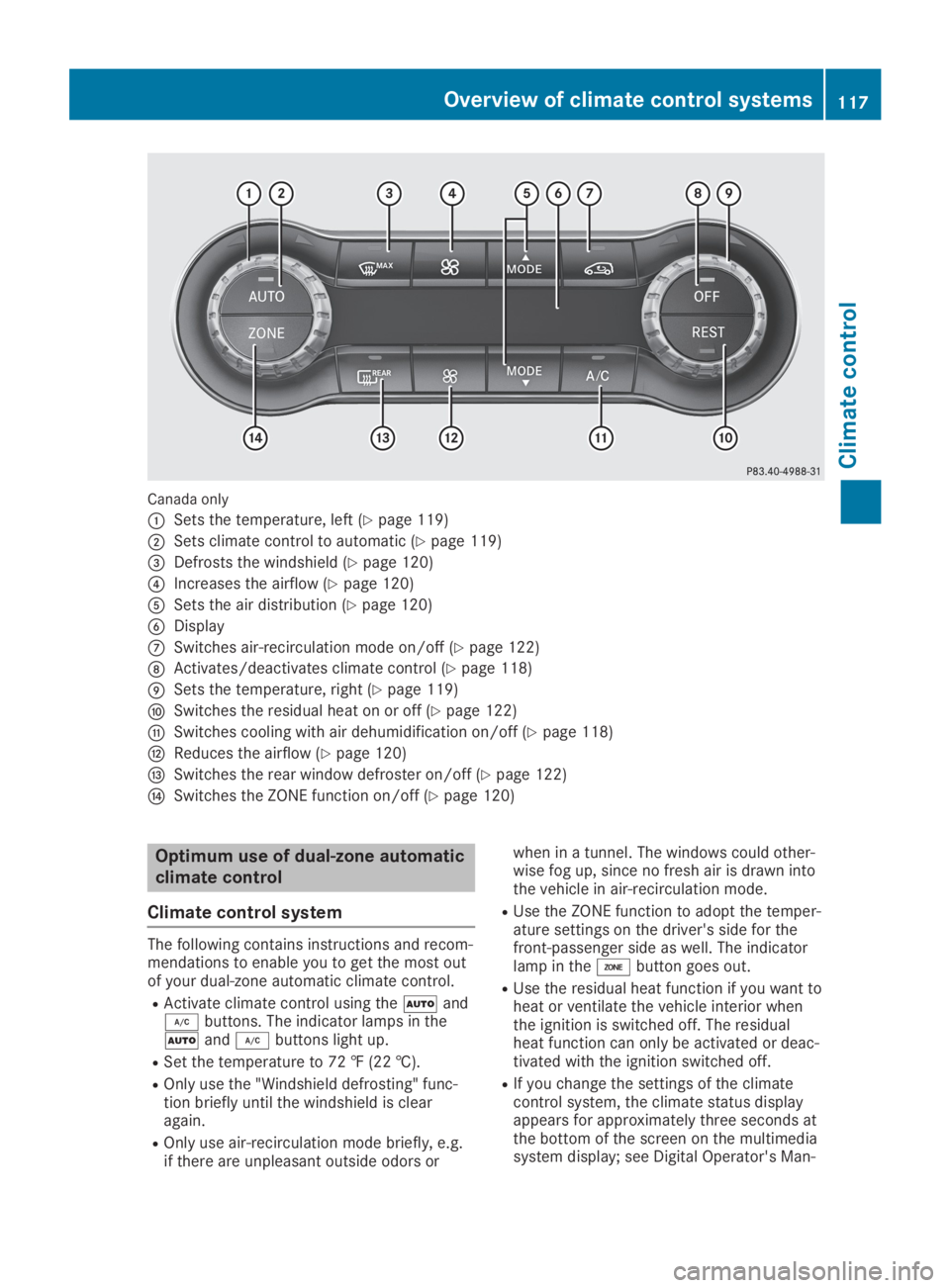
Canada only
CSets the temperature, left (Ypage 119)
DSets climate control to automatic (Ypage 119)
Page 120 of 346
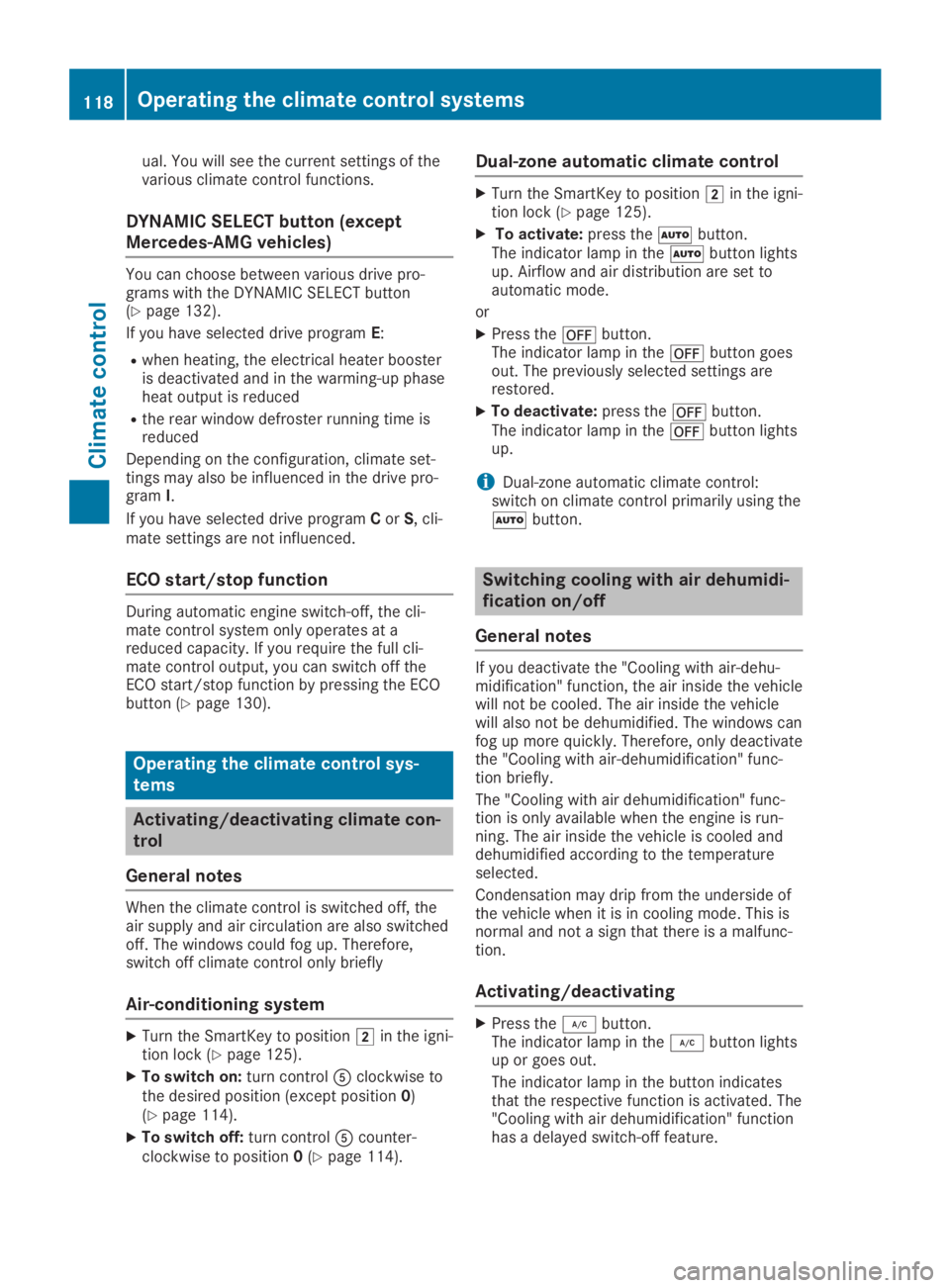
ual. You will see the current settings of thevarious climate control functions.
DYNAMIC SELECT button (except
Mercedes-AMG vehicles)
You can choose between various drive pro-grams with the DYNAMIC SELECT button(Ypage 132).
If you have selected drive programE:
Rwhen heating, the electrical heater boosteris deactivated and in the warming-up phaseheat output is reduced
Rthe rear window defroster running time isreduced
Depending on the configuration, climate set-tings may also be influenced in the drive pro-gramI.
If you have selected drive programCorS, cli-mate settings are not influenced.
ECO start/stop function
During automatic engine switch-off, the cli-mate control system only operates at areduced capacity. If you require the full cli-mate control output, you can switch off theECO start/stop function by pressing the ECObutton (Ypage 130).
Operating the climate control sys-
tems
Activating/deactivating climate con-
trol
General notes
When the climate control is switched off, theair supply and air circulation are also switchedoff. The windows could fog up. Therefore,switch off climate control only briefly
Air-conditioning system
XTurn the SmartKey to positionHin the igni-tion lock (Ypage 125).
XTo switch on:turn control
Page 121 of 346
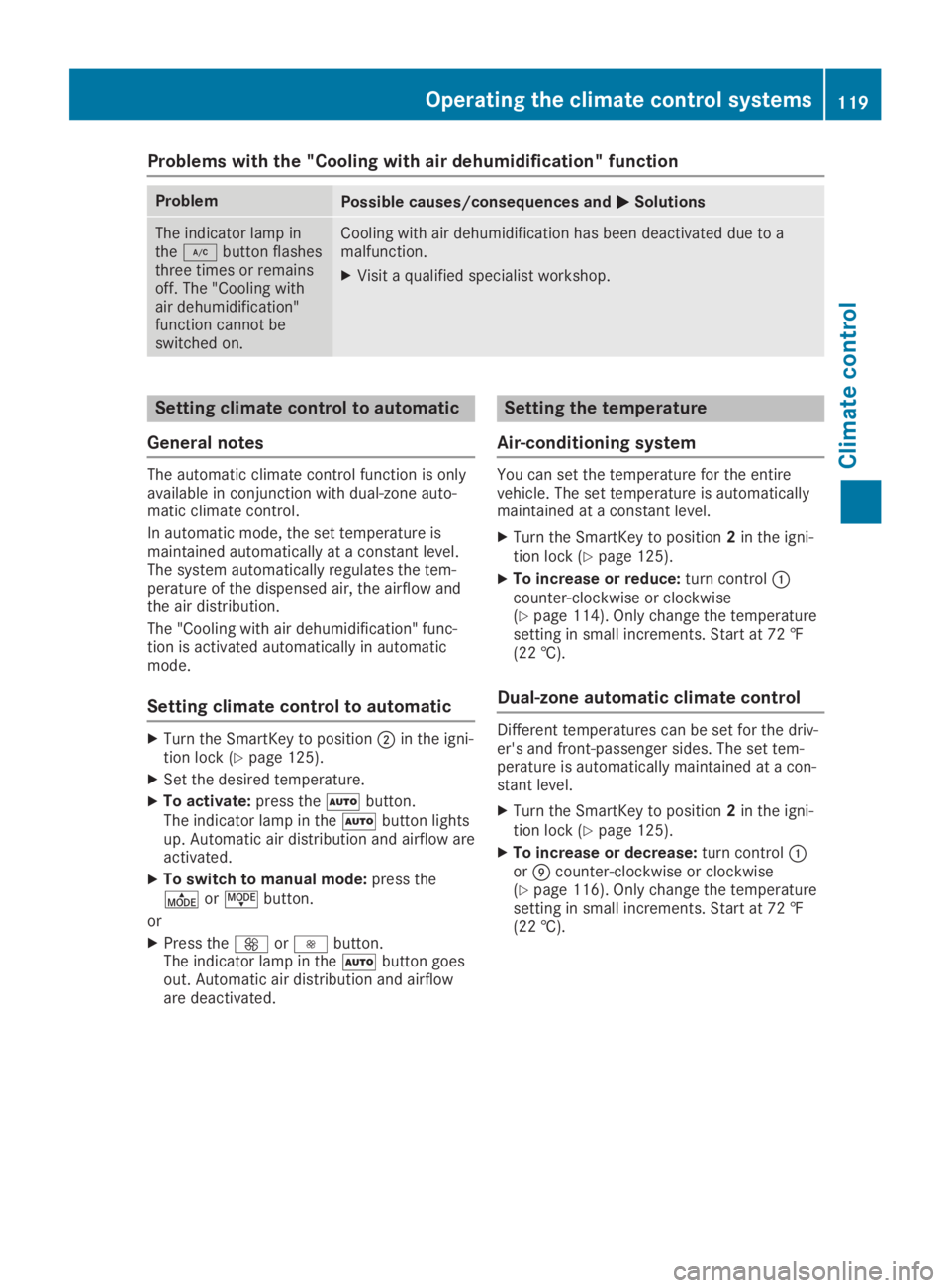
Problems with the "Cooling with air dehumidification" function
ProblemPossible causes/consequences andPPSolutions
The indicator lamp intheZbutton flashesthree times or remainsoff. The "Cooling withair dehumidification"function cannot beswitched on.
Cooling with air dehumidification has been deactivated due to amalfunction.
XVisit a qualified specialist workshop.
Setting climate control to automatic
General notes
The automatic climate control function is onlyavailable in conjunction with dual-zone auto-matic climate control.
In automatic mode, the set temperature ismaintained automatically at a constant level.The system automatically regulates the tem-perature of the dispensed air, the airflow andthe air distribution.
The "Cooling with air dehumidification" func-tion is activated automatically in automaticmode.
Setting climate control to automatic
XTurn the SmartKey to positionDin the igni-tion lock (Ypage 125).
XSet the desired temperature.
XTo activate:press theXbutton.The indicator lamp in theXbutton lightsup. Automatic air distribution and airflow areactivated.
XTo switch to manual mode:press theOorJbutton.
or
XPress the
Page 123 of 346
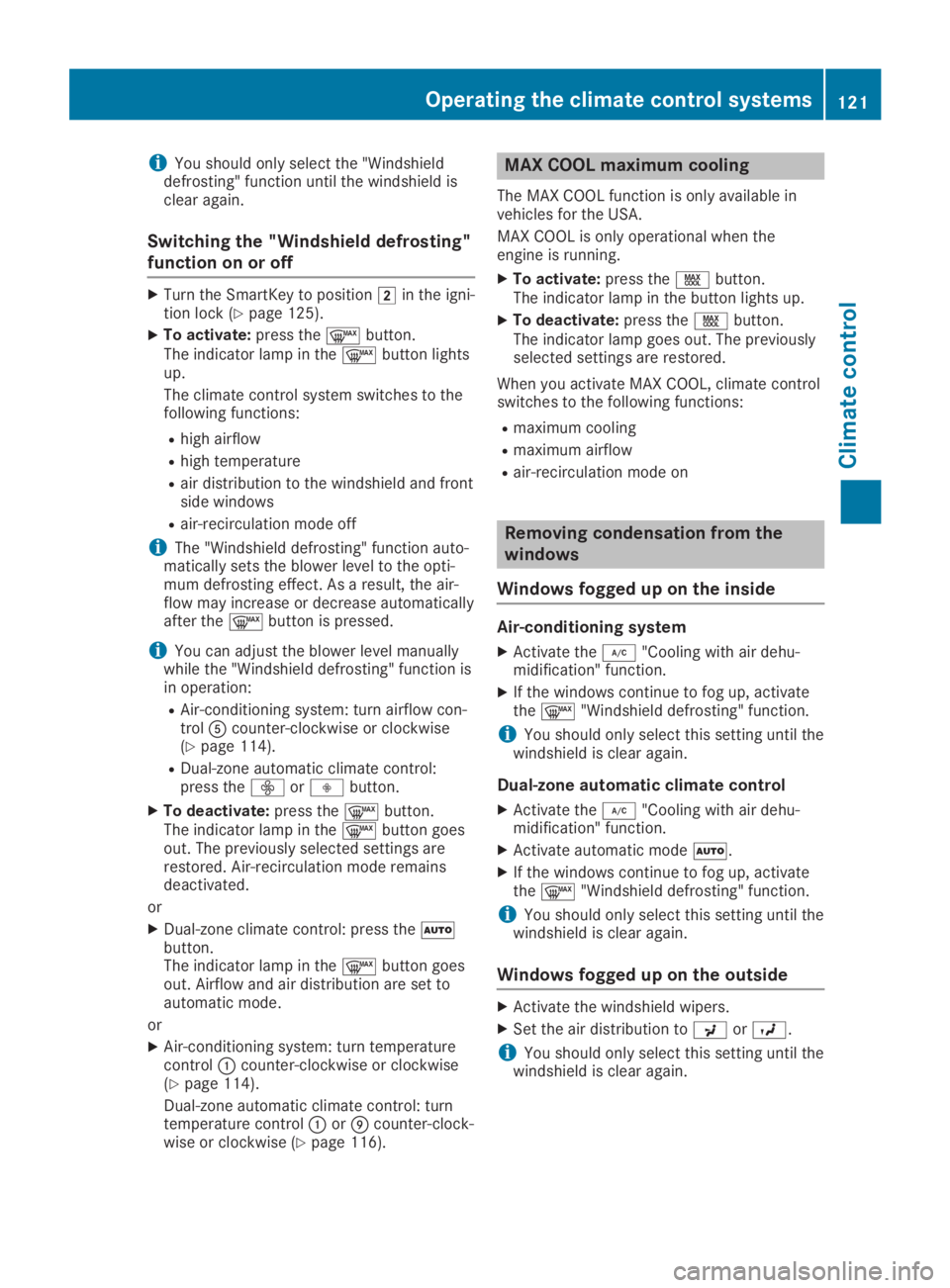
iYou should only select the "Windshielddefrosting" function until the windshield isclear again.
Switching the "Windshield defrosting"
function on or off
XTurn the SmartKey to positionHin the igni-tion lock (Ypage 125).
XTo activate:press thedbutton.The indicator lamp in thedbutton lightsup.
The climate control system switches to thefollowing functions:
Rhigh airflow
Rhigh temperature
Rair distribution to the windshield and frontside windows
Rair-recirculation mode off
iThe "Windshield defrosting" function auto-matically sets the blower level to the opti-mum defrosting effect. As a result, the air-flow may increase or decrease automaticallyafter thedbutton is pressed.
iYou can adjust the blower level manuallywhile the "Windshield defrosting" function isin operation:
RAir-conditioning system: turn airflow con-trol
Page 125 of 346
It is possible to make use of the residual heatof the engine to continue heating the vehiclefor approximately 30 minutes after the enginehas been switched off. The heating timedepends on the set interior temperature.
iThe blower will run at a low speed regard-less of the airflow setting.
iIf you activate the residual heat function athigh temperatures, only the ventilation willbe activated. The blower runs at mediumspeed.
iYou cannot use the ventilation to cool thevehicle interior to a temperature lower thanthe outside temperature.
Activating/deactivating
XTurn the SmartKey to positionZin the igni-tion lock or remove it (Ypage 125).
XPress theKbutton.The indicator lamp in theKbutton lightsup or goes out.
The indicator lamp in the button indicatesthat the respective function is activated.
iResidual heat is deactivated automatically:
Rafter approximately 30 minutes
Rwhen the ignition is switched on
Rif the battery voltage drops
Air vents
Important safety notes
GWARNING
Very hot or very cold air can flow from the
air vents. This could result in burns or frost-
bite in the immediate vicinity of the air
vents. There is a risk of injury.
Make sure that all vehicle occupants always
maintain a sufficient distance to the air out-
lets. If necessary, redirect the airflow to
another area of the vehicle interior.
In order to ensure the direct flow of fresh airthrough the air vents into the vehicle interior,please observe the following notes:
Rkeep the air inlet between the windshieldand the hood free of blockages, such as ice,snow or leaves.
Rnever cover the air vents or air intake grillesin the vehicle interior.
iFor optimal climate control in the vehicle,open the air vents completely and set theadjusters to the central position.
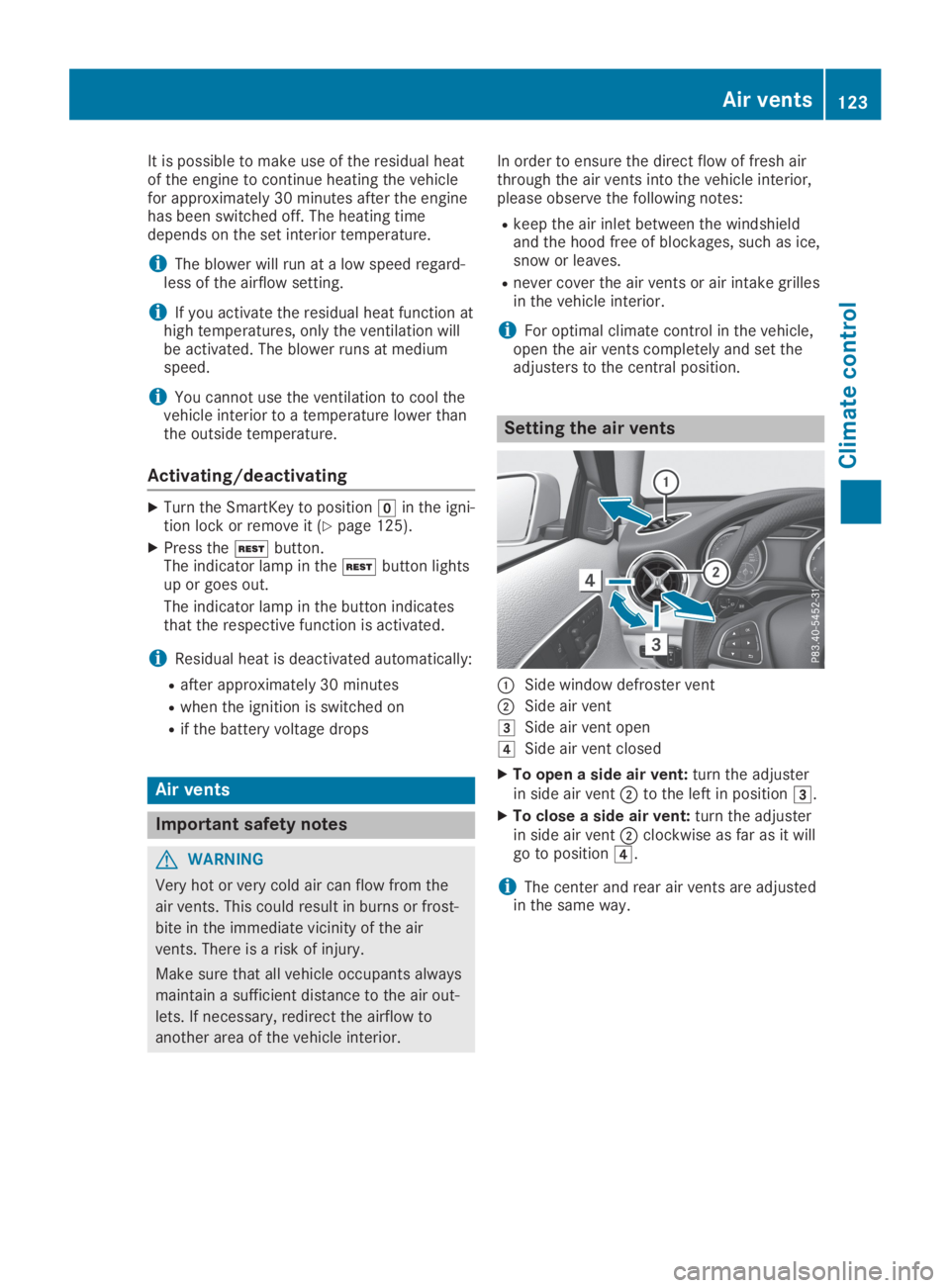
Setting the air vents
CSide window defroster vent
DSide air vent
ISide air vent open
JSide air vent closed
XTo open a side air vent:turn the adjusterin side air ventDto the left in positionI.
XTo close a side air vent:turn the adjusterin side air ventDclockwise as far as it willgo to positionJ.
iThe center and rear air vents are adjustedin the same way.
Air vents123
Climate control
Z