2019 MERCEDES-BENZ EQC SUV heating
[x] Cancel search: heatingPage 479 of 629
At
a distance of appr oximately 1 m tothe
tyre inflation compressor and appr oximately
1. 6 m abo vethe ground, thefo llowing sound
pressure le vels apply:
R Emission sound pressure le vel L
PA
83 dB (A)
R Sound po wer le vel L
WA 91
dB (A)
The tyre inflation compressor is mainte‐
nance-free. If there is a malfunction, please
conta ct aqualified specialist workshop. Using
the TIREFIT kit Re
quirements:
R Tyre sealant bottle and tyre inflation com‐
pressor (/ page475).
R TIREFIT sticker
R Gloves (depending on theve hicle equipment)
Yo u can use TIREFIT tyre sealant toseal per fora‐
tion dama geof up to4 mm, particularly those in
th e tyre contac t surface. You can use TIREFIT in
outside temp eratures down to-20 °C. &
WARNING Risk of accident when using
tyre sealant
In thefo llowing situations in particular, the
tyre sealant is unable toprov ide suf ficient
breakdown assis tance, as it is unable toseal
th e tyre properly:
R there are cuts or punctures in the tyre
lar gerth an those pr eviously mentioned.
R the wheel rim is dama ged.
R you ha vedriven at very low tyre pres‐
sures or on a flat tyre. #
Do not drive on. #
Consult a qualified specialist workshop. &
WARNING Risk of inju ryand poisoning
from tyre sealant
Ty re sealant is hazardous tohealth and cau‐
ses ir rita tion. Do not allow it tocome into
contact wi thyour skin, eyes or clo thing, and
do not swallow it. Do not inhale any vapours.
Ke ep the tyre sealant away from children. Obser
vethefo llowing if you come into con‐
ta ct wi th the tyre sealant: #
Rinse off the tyre sealant from your skin
using water immediatel y. #
If tyre sealant gets into your eyes, thor‐
oughly rinse them using clean water
immediatel y. #
If tyre sealant has been swallowe d,
th oroughly rinse out your mouth imme‐
diately and drink plenty of water.Do not
induce vomiting and seek medical
attention immediately. #
Change out of clo thing which has come
into con tact wi thtyre sealant immedi‐
ately. #
If an alle rgic reaction occurs, seek med‐
ical attention immediatel y. *
NO
TEOverheating due tothe tyre infla‐
tion compressor running too long #
Do not runth e tyre inflation compres‐
sor for longer than ten minu tes without
inter ruption. 476
Breakdown assis tance
Page 518 of 629
#
Thoroughly clean the antif reeze from
component parts before starting the
ve hicle. *
NO
TEDama gecaused byincor rect cool‐
ant #
Only add coolant that has been pre‐
mixed with therequ ired antifreeze pro‐
te ction.
Information on coolant is available at thefo l‐
lowing locations:
R inthe Mercedes-Benz Specification for
Operating Fluids 310.1
- at http://be vo.mercedes-benz.com
- inthe Mercedes-Benz BeVo app
R at a qualified specialist workshop *
NO
TEOverheating at high outside tem‐
peratures If an inapp
ropriate coolant is used, the
engine cooling sy stem is not suf ficiently pro‐ te
cted against overheating and cor rosion at
high outside temp eratures. #
Alw ays use coolant appr ovedby
Mercedes-Benz. #
Obser vethe instructions in the
Mercedes-Benz Specifications for Oper‐
ating Fluids 310.1. Ha
ve the coolant regularly replaced at a qualified
specialist workshop.
The proportion of cor rosion inhibitor/antifreeze
concentrate in the engine cooling sy stem should
be:
R a minimum of 50% (antifreeze pr otection
down toappr oximately -37 °C)
R a maximum of 55% (antifreeze pr otection
down to-45 °C) Note
s on windscreen washer fluid Obser
vethe no tes on operating fluids
(/ page 513). &
WARNING Risk offire and injury from
windsc reen washer concentrate
Wi ndsc reen washer concentrate is highly
fl ammable. If it comes into con tact wi thhot
components, it may ignite. #
Make sure that windsc reen washer con‐
centra teis not spilled near tothefiller
opening. *
NO
TEDama getotheex terior lighting
due tounsuitable windsc reen washer
fl uid Uns
uitable windsc reen washer fluids may
damage the plastic sur face of theex terior
lighting. #
Only use windscreen washer fluids
which are also suitable for use on plas‐
tic sur faces, e.g. MB SummerFit or MB
Wi nterFit. Te
ch nical da ta515
Page 550 of 629
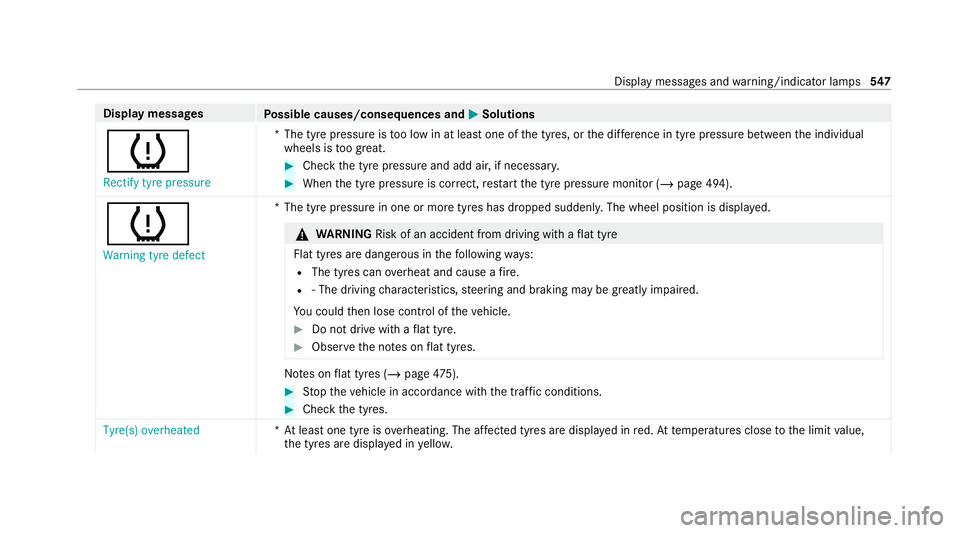
Display messages
Possible causes/consequences and M
MSolutions
h Rectify tyre pressure *T
he tyre pressure is too low in at least one of the tyres, or the dif fere nce in tyre pressure between the individual
wheels is too great. #
Check the tyre pressure and add air, if necessar y. #
When the tyre pressure is cor rect, restart the tyre pressure monitor (/ page 494).
h Warning tyre defect *T
he tyre pressure in one or more tyres has dropped suddenly. The wheel position is displa yed. &
WARNING Risk of an accident from driving wi thaflat tyre
Flat tyres are dangerous in thefo llowing ways:
R The tyres can overheat and cause a fire.
R ‑ The driving characteristics, steering and braking may be greatly impaired.
Yo u could then lose control of theve hicle. #
Do not drive with a flat tyre. #
Obse rveth e no tes on flat tyres. No
tes on flat tyres (/ page475). #
Stop theve hicle in accordance with the tra ffic conditions. #
Check the tyres.
Tyre(s) overheated *A
t least one tyre is overheating. The af fected tyres are displ ayed in red. At temp eratures close tothe limit value,
th e tyres are displa yed in yello w. Displ
aymessa ges and warning/indicator lamps 547
Page 551 of 629
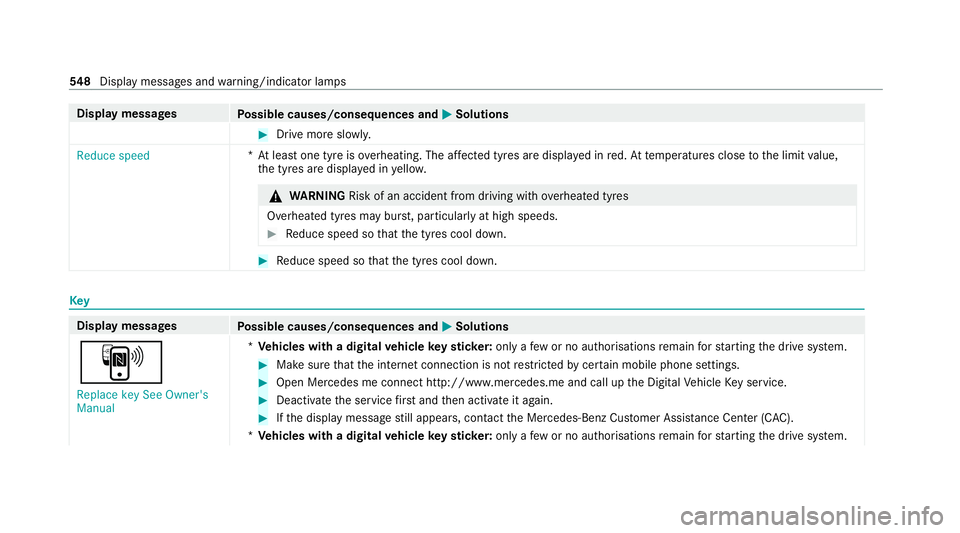
Display messages
Possible causes/consequences and M
MSolutions #
Drive more slowl y.
Reduce speed *A
t least one tyre is overheating. The af fected tyres are displ ayed in red. At temp eratures close tothe limit value,
th e tyres are displa yed in yello w. &
WARNING Risk of an accident from driving wi thove rheated tyres
Overheated tyres may bur st, particularly at high speeds. #
Reduce speed so that the tyres cool down. #
Reduce speed so that the tyres cool down. Key
Display messages
Possible causes/consequences and M
MSolutions
À Replace key See Owner's
Manual *
Ve hicles with a digital vehicle keyst icke r:on lyafe w or no authorisations remain forst arting the drive sy stem. #
Make sure that the internet connection is not restricted bycer tain mobile phone settings. #
Open Mercedes me connect http://www.me rcedes.me and call up the Digital Vehicle Key service. #
Deactivate the service firs t and then activate it again. #
Ifth e display message still appears, con tact the Mercedes-Benz Cus tomer Assis tance Center (C AC).
* Ve hicles with a digital vehicle keyst icke r:on lyafe w or no authorisations remain forst arting the drive sy stem. 548
Displaymessa ges and warning/indicator lamps
Page 554 of 629
Ve
hicle Display messages
Possible causes/consequences and M
MSolutions
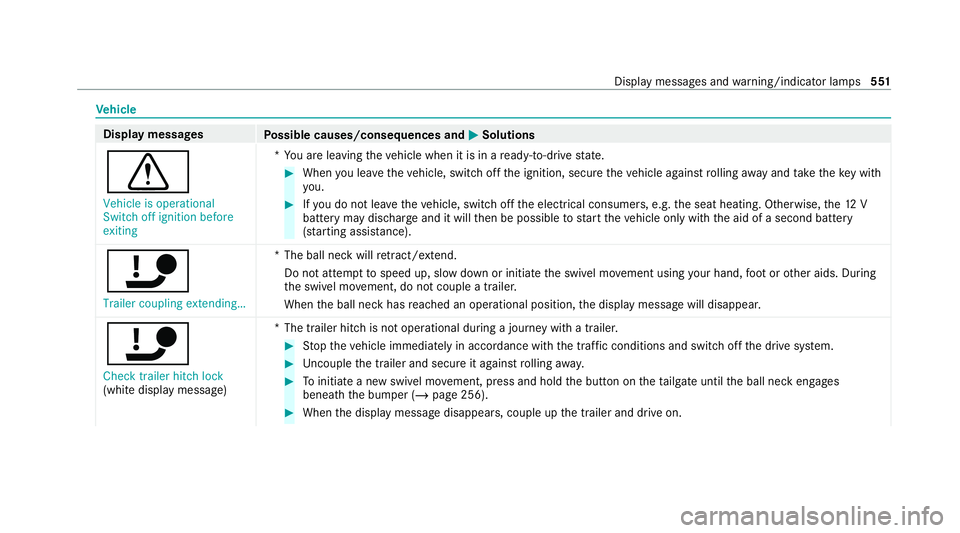
d Vehicle is operational
Switch off ignition before
exiting *Y
ou are leaving theve hicle when it is in a ready-to-drive state. #
When you lea vetheve hicle, switch off the ignition, secure theve hicle against rolling away and take theke y with
yo u. #
Ifyo u do not lea vetheve hicle, switch off the electrical consumers, e.g. the seat heating. Otherwise, the12 V
battery may dischar geand it will then be possible tostart theve hicle only with the aid of a second battery
(s ta rting assis tance).
ï Trailer coupling extending… *T
he ball neck will retract/ extend.
Do not attem pttospeed up, slow down or initiate the swivel mo vement using your hand, foot or other aids. During
th e swivel mo vement, do not couple a trailer.
When the ball neck has reached an operational position, the display message will disappear.
ï
Check trailer hitch lock
(white display message) *T
he trailer hitch is not operational during a journey with a trailer. #
Stop theve hicle immediately in accordance with the traf fic conditions and switch off the drive sy stem. #
Uncouple the trailer and secure it against rolling away. #
Toinitiate a new swivel mo vement, press and hold the button on theta ilgate until the ball neck engages
beneath the bumper (/ page 256). #
When the display message disappears, couple up the trailer and drive on. Display messages and
warning/indicator lamps 551
Page 610 of 629
Owner's Manual
Vehicle equipment ................................. 18
Owner's Manual (digital) ...........................16 P
Pa int code ................................................ .511
Pa intwork (cleaning instructions) .........466
Pa nel heating
Setting .................................................1 08
Pa rk position
Engaging .............................................. 174
Selecting au tomatical ly........................ 174
Pa rking
see Electric parking brake
Pa rking aid
see Parking Assist PARKTRONIC
Pa rking Assist PARKTRONIC .................. 227
Ac tivating ............................................ 230
Ad justing warning tones ...................... 231
Deactivating ........................................ 230
Fu nction .............................................. 227
Problems ............................................. 228
Side impact pr otection ........................ 229 Sy
stem limitations ...............................2 27
Pa rking assistance sy stems
see Active Parking Assist
Pa rking brake
see Electric parking brake
Pa rking lights .......................................... .134
Pa rking options
see Parking service
Pa rking position
Outside mir rors ................................... 14 8
St oring the position of the passenger
outside mir ror using reve rsege ar ........ 14 8
Pa rking service ........................................ 387
No tes ................................................... 387
Pa ying parking charge s ....................... 388
Selecting parking options .................... 387
Showing a parking option on the
map ..................................................... 388
PA RKTRONIC
Malfunction ......................................... 228
Pa rtitioning net
At tach ing ...................................... 119, 12 0 PA
SSENGER AIR BAGstatus display
see Automatic front passenger front
airbag shutoff
Pe rfume
see Fragrance sy stem
Pe rfume vial
see Fragrance sy stem
Pe rm issible axle load .............................. .511
Pe rm itted towing me thods .................... .482
Pe ts in the vehicle .................................... .70
Phone book see Contacts
PIN pr otection
Swit ching on/off ................................ .335
Plastic trim (Care) ................................... .471
POI Quick access ....................................... 368
Selecting ............................................. 348
POI symbols Selecting ............................................. 381
Po we r display
Fu nction/no tes ................................... 265 Index
607
Page 614 of 629
Seat
............................................. 99, 100,11 5
4-w aylumbar support .......................... 103
Ad justing (electrically) ........................ .103
Ad justing (me chanically and electri‐
cally) .................................................... 100
Ad justing (Seat Comfort) ..................... 102
Au tomatic seat adju stment ................. 105
Backrest (rear) locking ......................... 11 7
Con figuring the settings ......................1 05
Cor rect driver's seat position ................ 99
ENERGIZING seat kinetics ................... 338
Fo lding the backrest (rear) back ..........1 16
Fo lding the backrest (rear) forw ards .... 11 5
Operating the memory function ........... 111
Pa nel heating ....................................... 108
Re setting the settings .......................... 106
Setting options ...................................... 12
Seat belt ............................................... 32, 36
Ac tivating/deactivating seat belt
adjustment ............................................ 36
Ad justing the height .............................. 35
Care ..................................................... 471
Centre rear seat (releasing) .................. .35
Fa stening ............................................... 35
Pr otection ..............................................32 Re
ar seat belt status display ................ .36
Re duced pr otection ...............................33
Re leasing .............................................. .36
Seat belt adjustment (function) ............. 36
Wa rning lamp ........................................ 36
Seat belt adju stment
Ac tivating/deactivating ......................... 36
Fu nction ................................................ 36
Seat belt tensioners
Ac tivation .............................................. 31
Seat belt warning
see Seat belt
Seat co ver (Care) ..................................... 471
Seat heater Activating/deactivating ...................... .106
Seat kinetics Setting ................................................. 338
Seat kinetics see ENERGIZING COMFORT
Seat ventilation
Switching on/o ff................................. 108
Second telephone .................................. .395
Connecting .......................................... 395 Fe
atures .............................................. 395
Selecting the sound profile
Burmes ter®
sur round sound sy stem ... 457
Selector le ver
see DIRECT SELECT le ver
Self-test Automatic front passenger front air‐
bag shutoff ............................................ 41
Sensors (Care) ......................................... 469
Service Menu (on-board computer) .................. 268
Service see ASS YST PLUS
Service centre see Qualified specialist workshop
Service inter val display
see AS SYST PLUS
Service station sear ch
St arting automatic sear ch................... 363
Setting a speed see Cruise control
Setting the date form at .......................... 330 Index
611