Page 70 of 300

IconDescription
Front Defrost Button
Push and release to change the current airflow setting to Defrost mode. The indicator illumi-
nates when this feature is ON. Air comes from the windshield and side window demist outlets.
When the defrost button is selected, the blower level will increase. Use Defrost mode with maxi-
mum temperature settings for best windshield and side window defrosting and defogging. Per-
forming this function will cause the ATC to switch into manual mode. If the front defrost mode
is turned off then the climate system returns the previous setting.
Rear Defrost Button
Rear Defrost Button
Push and release the Rear Defrost Control button to turn on the rear window defroster and the
heated outside mirrors (if equipped). An indicator illuminates when the rear window defroster
is on. The rear window defroster automatically turns off after a short period of time.
Blower Control Up And Down Buttons
Provides the occupants with blower control. Push the UP button to increase blower speed. Push
the DOWN button to decrease blower speed.
68 GETTING TO KNOW YOUR VEHICLE
Page 72 of 300
IconDescription
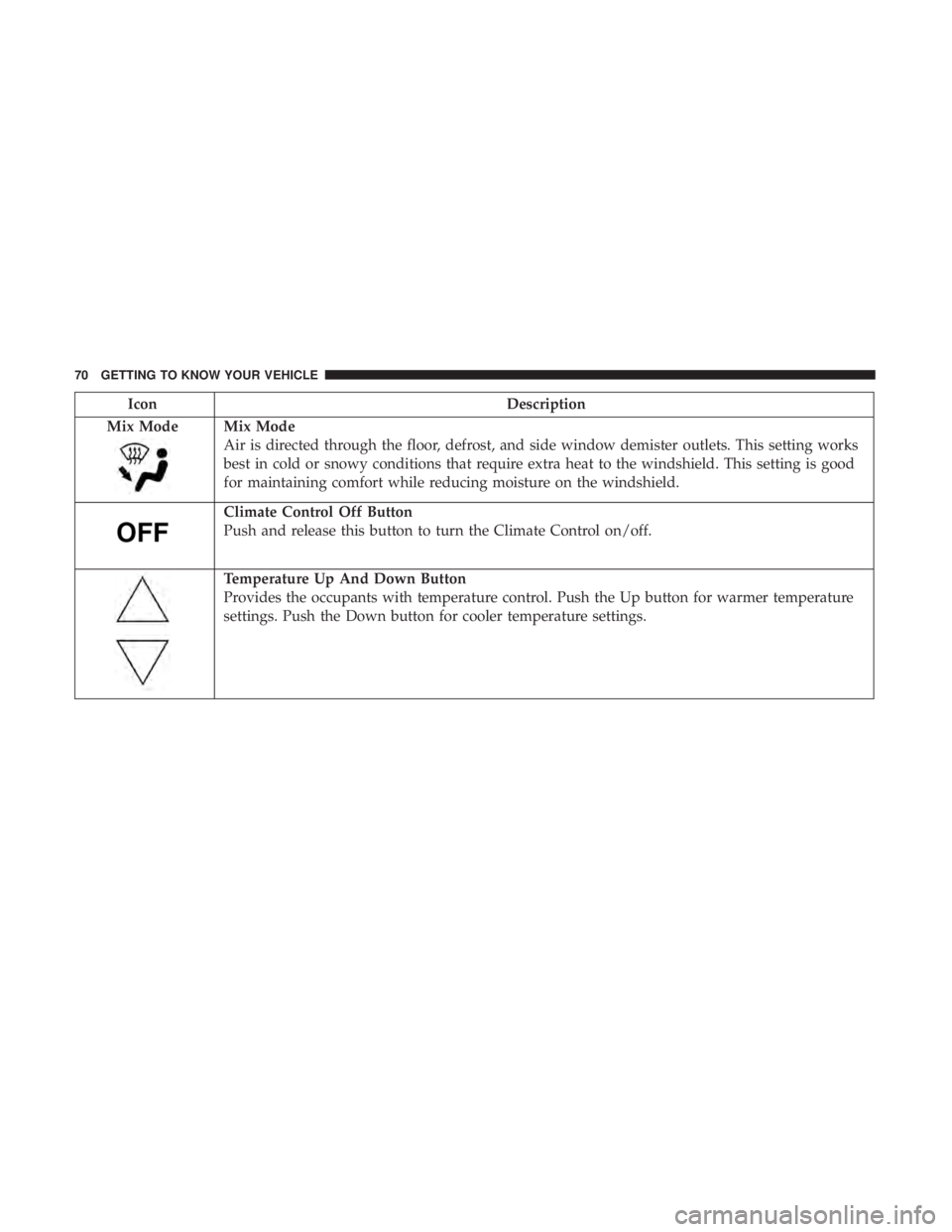
Mix Mode
Mix Mode
Air is directed through the floor, defrost, and side window demister outlets. This setting works
best in cold or snowy conditions that require extra heat to the windshield. This setting is good
for maintaining comfort while reducing moisture on the windshield.
Climate Control Off Button
Push and release this button to turn the Climate Control on/off.
Temperature Up And Down Button
Provides the occupants with temperature control. Push the Up button for warmer temperature
settings. Push the Down button for cooler temperature settings.
70 GETTING TO KNOW YOUR VEHICLE
Page 73 of 300

Climate Control Functions
A/C (Air Conditioning)
The Air Conditioning (A/C) button allows the operator to
manually activate or deactivate the air conditioning sys-
tem. When the air conditioning system is turned on, cool
dehumidified air will flow through the outlets into the
cabin. For improved fuel economy, push the A/C button to
turn off the air conditioning and manually adjust the
blower and airflow mode settings. Also, make sure to select
only Panel, Bi-Level or Floor modes.
NOTE:
•For Manual Climate Controls, if the system is in Mix,
Floor or Defrost Mode, the A/C can be turned off, but
the A/C system shall remain active to prevent fogging of
the windows.
• If fog or mist appears on the windshield or side glass,
select Defrost mode, and increase blower speed if
needed.
• If your air conditioning performance seems lower than
expected, check the front of the A/C condenser (located
in front of the radiator), for an accumulation of dirt or
insects. Clean with a gentle water spray from the front of
the radiator and through the condenser. Recirculation
In cold weather, use of Recirculation mode may lead to
excessive window fogging. The Recirculation feature may
be unavailable (button on the touchscreen greyed out) if
conditions exist that could create fogging on the inside of
the windshield.
Automatic Temperature Control (ATC)
Automatic Operation
1. Push the AUTO button on the faceplate.
2. Next, adjust the temperature you would like the system
to maintain by adjusting the temperature control but-
tons. Once the desired temperature is displayed, the
system achieves and automatically maintains that com-
fort level.
3. When the system is set up for your comfort level, it is not necessary to change the settings. You experience the
greatest efficiency by simply allowing the system to
function automatically.
3
GETTING TO KNOW YOUR VEHICLE 71
Page 75 of 300
NOTE:If the vehicle is parked and off charge for longer
than two months, the 12V battery should be disconnected.
Window Fogging
Vehicle windows tend to fog on the inside in mild, rainy
and/or humid weather. To clear the windows, select De-
frost or Mix mode and increase the front blower speed. Do
not use the Recirculation mode without A/C for long
periods, as fogging may occur.
CAUTION!
Failure to follow these cautions can cause damage to
the heating elements:
• Use care when washing the inside of the rear win-
dow. Do not use abrasive window cleaners on the
interior surface of the window. Use a soft cloth and a
mild washing solution, wiping parallel to the heat-
ing elements. Labels can be peeled off after soaking
with warm water.
• Do not use scrapers, sharp instruments, or abrasive
window cleaners on the interior surface of the win-
dow.
• Keep all objects a safe distance from the window.
Outside Air Intake
Make sure the air intake, located directly in front of the
windshield, is free of obstructions such as leaves. Leaves
collected in the air intake may reduce airflow, and if they
enter the plenum, they could plug the water drains. In
winter months, make sure the air intake is clear of ice,
slush, and snow.
A/C Air Filter
The climate control system filters out dust and pollen from
the air. Contact an authorized dealer to service your A/C
air filter, and to have it replaced when needed.
3
GETTING TO KNOW YOUR VEHICLE 73
Page 76 of 300
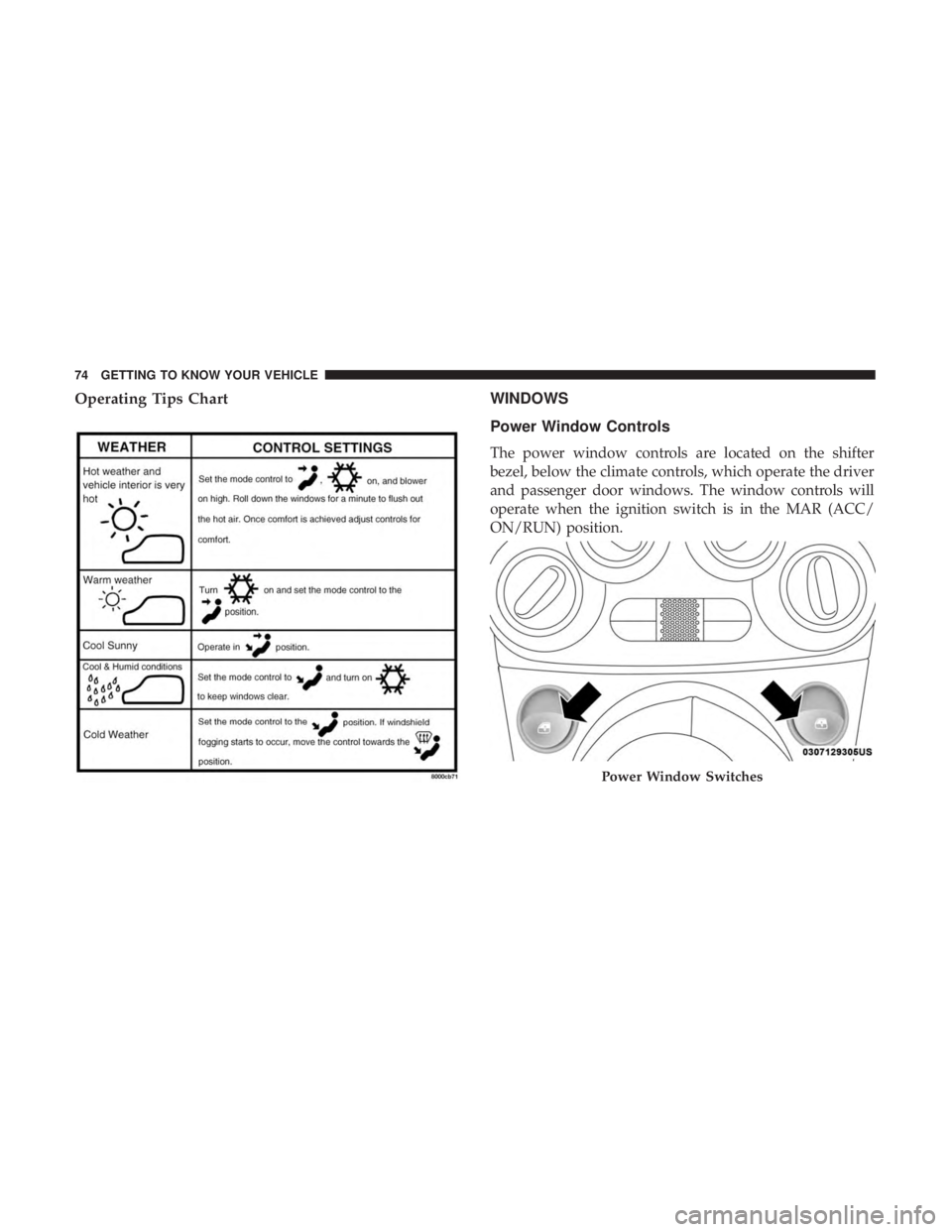
Operating Tips ChartWINDOWS
Power Window Controls
The power window controls are located on the shifter
bezel, below the climate controls, which operate the driver
and passenger door windows. The window controls will
operate when the ignition switch is in the MAR (ACC/
ON/RUN) position.
Power Window Switches
74 GETTING TO KNOW YOUR VEHICLE
Page 91 of 300

NOTE:The Up and Down buttons activate different func-
tions according to the following situations:
• To scroll the menu options upwards or downwards.
• To increase or decrease values during settings.
NOTE: When opening one of the front doors, the instru-
ment cluster display will turn on the clock and the miles or
kilometers covered (if equipped) for a few seconds.
NOTE: When the Uconnect “Display Mode” feature is set
to “Auto”, the instrument cluster display Up and Down
control buttons may be used to adjust the brightness of the
entire Instrument Panel (e.g. Instrument Cluster, Radio,
and Climate Controls). Refer to “Uconnect Settings” in
“Multimedia” for further information.
Display Menu Set-Up
The menu comprises a series of functions arranged in a
cycle. Push and release the uparrow and downarrow to
access the different options and settings (setup).
The setup menu can be activated by pushing the MENU
button. Single pushes on the uparrow or downarrow will
scroll through the setup menu options. The menu includes
the following functions:
• Battery % Display •
Button Volume
• Stored Warnings
• Tutorial
• Connectivity ID
• Restore Factory Settings
• Exit Menu
Selecting An Option Of The Main Menu Without Sub-
menu:
1. Briefly push and release the MENUbutton to select the
main menu option to set.
2. Push and release the uparrow and downarrow (by
single pushes) to select the new setting.
3. Briefly push and release the MENUbutton to store the
new setting and go back to the main menu option
previously selected.
Selecting An Option Of The Main Menu With Submenu:
1. Briefly push and release the MENUbutton to display
the first submenu option.
2. Push and release the uparrow and downarrow (by
single pushes) to scroll through all the submenu options.
4
GETTING TO KNOW YOUR INSTRUMENT PANEL 89
Page 180 of 300

CAUTION!(Continued)
result in further damage. Such damage is not covered
by the New Vehicle Limited Warranty.
• Driving through standing water limits your vehicle’s
traction capabilities. Do not exceed 5 mph (8 km/h)
when driving through standing water.
• Driving through standing water limits your vehicle’s
braking capabilities, which increases stopping dis-
tances. Therefore, after driving through standing
water, drive slowly and lightly press on the brake
pedal several times to dry the brakes.
• Failure to follow these warnings may result in inju-
ries that are serious or fatal to you, your passengers,
and others around you.
EXTENDING YOUR DRIVING RANGE PER CHARGE
The drive system and cabin temperature management
features use the most energy from the high voltage battery.
Reducing energy draw from these features are the easiest
and most effective way to extend driving range. The 500e uses high voltage components to heat and cool
the cabin, so when using automatic climate control, con-
sider setting temperatures a few degrees higher or lower
during hot and cold days. If your 500e has been soaking in
hot or cold temperatures for an extended period, it is
recommended that the car be preconditioned using the
Uconnect smartphone app (not available in Canada) while
still plugged into a charging source. This will allow 500e to
use external power to establish a comfortable cabin tem-
perature before the drive and allow the battery to maintain
the temperature at significantly lower energy levels.
Additional tips:
•
Keep tires properly inflated.
• When practical, choose surface streets over the highway,
and work to maintain a steady speed.
• Avoid carrying nonessential cargo.
• Be mindful of adding external accessories that may
increase aerodynamic drag.
• Perform all scheduled maintenance at recommended
intervals.
178 STARTING AND OPERATING
Page 189 of 300
Interior Fuses
The interior fuse panel is part of the Body Control Module
(BCM) and is located on the driver’s side under the
instrument panel.
CavityVehicle Fuse
Number Mini Fuse
Description
1 F127.5 Amp Brown Right Low Beam
2 F325 Amp Tan Front and Rear Ceiling Lights Trunk and
Door Courtesy Lights
3 F535 Amp Tan Instrument Panel Node
4 F3820 Amp Yellow Central Door Locking
5 F3610 Amp Red Diagnostic Socket, Climate Control System,
Tire Pressure Monitor, TCU
6 F4320 Amp Yellow Bi-Directional Washer
Fuse Panel
7
IN CASE OF EMERGENCY 187