2018 PEUGEOT 5008 lock
[x] Cancel search: lockPage 320 of 364
6
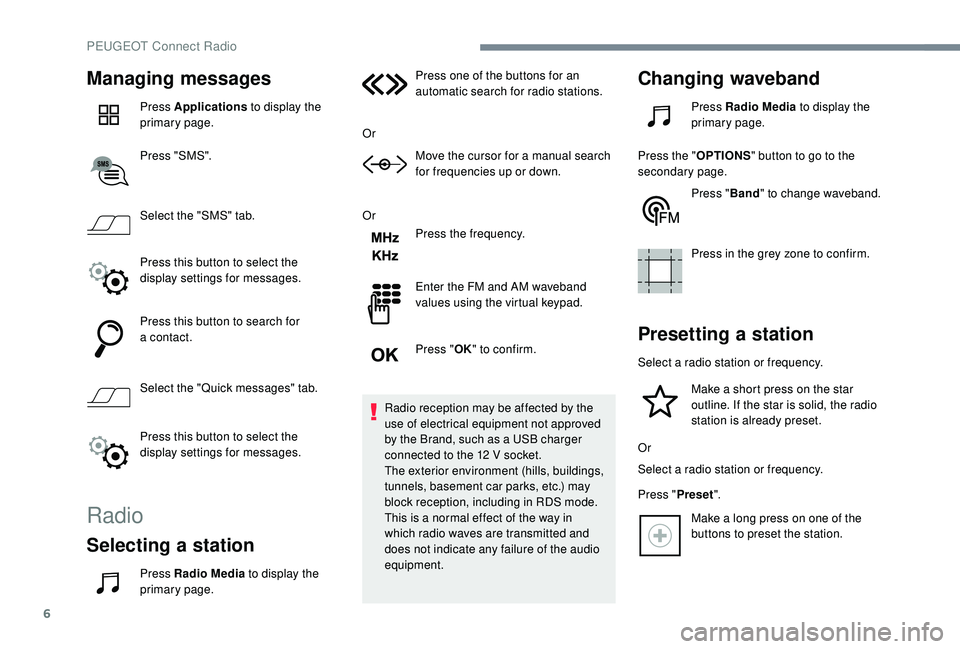
Managing messages
Press Applications to display the
primary page.
Press "SMS".
Select the "SMS" tab.
Press this button to select the
display settings for messages.
Press this button to search for
a
contact.
Select the "Quick messages" tab.
Press this button to select the
display settings for messages.
Radio
Selecting a station
Press Radio Media to display the
primary page. Press one of the buttons for an
automatic search for radio stations.
Or Move the cursor for a manual search
for frequencies up or down.
Or Press the frequency.
Enter the FM and AM waveband
values using the virtual keypad.
Press "OK" to confirm.
Radio reception may be affected by the
use of electrical equipment not approved
by the Brand, such as a USB charger
connected to the 12 V socket.
The exterior environment (hills, buildings,
tunnels, basement car parks, etc.) may
block reception, including in RDS mode.
This is a normal effect of the way in
which radio waves are transmitted and
does not indicate any failure of the audio
equipment.
Changing waveband
Press Radio Media to display the
primary page.
Press the " OPTIONS" button to go to the
secondary page.
Press "Band" to change waveband.
Press in the grey zone to confirm.
Presetting a station
Select a radio station or frequency.
Make a short press on the star
outline. If the star is solid, the radio
station is already preset.
Or
Select a
radio station or frequency.
Press " Preset".
Make a
long press on one of the
buttons to preset the station.
PEUGEOT Connect Radio
Page 325 of 364
11
Telephone
MirrorLinkTM smartphone
connection
As a safety measure and because it
r equires sustained attention by the driver,
using a
smartphone when driving is
prohibited.
All operations must be done with the
vehicle stationary .
The synchronisation of a
personal
smartphone allows users to display
applications adapted for the smartphone's
MirrorLink
TM technology on the vehicle
screen.
The processes and standards
are constantly changing. For the
communication process between the
smartphone and the system to operate,
it is essential that the smartphone be
unlocked; update the operating system
of the smar tphone as well as the date
and time of the smar tphone and the
system .
For the list of eligible smartphones, go
to the Brand's internet website in your
c o u nt r y. As a
safety measure, applications can
only be viewed with the vehicle stationary;
display is interrupted once the vehicle is
moving.
The "MirrorLink
TM" function requires
a
compatible smartphone and
applications.
Telephone not connected by
Bluetooth®
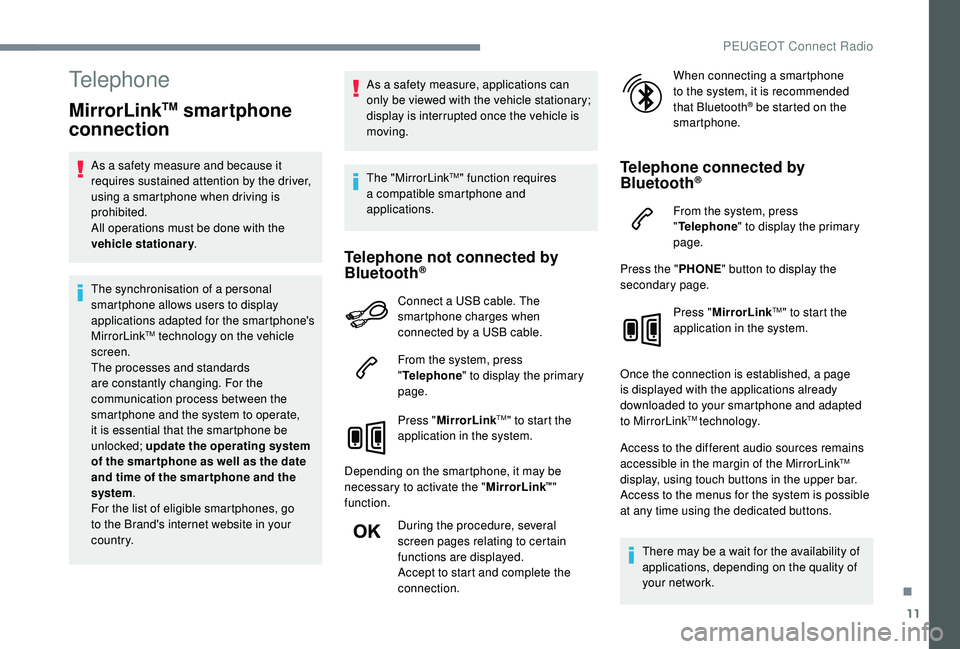
Connect a USB cable. The
sm artphone charges when
connected by a
USB cable.
From the system, press
" Telephone " to display the primary
page.
Press " MirrorLink
TM" to start the
application in the system.
Depending on the smartphone, it may be
necessary to activate the " MirrorLink
™"
function.
During the procedure, several
screen pages relating to certain
functions are displayed.
Accept to start and complete the
connection. When connecting a
smartphone
to the system, it is recommended
that Bluetooth
® be started on the
smartphone.
Telephone connected by
Bluetooth®
From the system, press
" Telephone " to display the primary
page.
Press the " PHONE" button to display the
secondary page.
Press "MirrorLink
TM" to start the
application in the system.
Once the connection is established, a page
is displayed with the applications already
downloaded to your smartphone and adapted
to MirrorLink
TM technology.
Access to the different audio sources remains
accessible in the margin of the MirrorLink
TM
display, using touch buttons in the upper bar.
Access to the menus for the system is possible
at any time using the dedicated buttons.
There may be a
wait for the availability of
applications, depending on the quality of
your network.
.
PEUGEOT Connect Radio
Page 326 of 364
12
CarPlay® smartphone
connection
As a safety measure and because it
r equires sustained attention by the driver,
using a
smartphone when driving is
prohibited.
All operations must be done with the
vehicle stationary .
The synchronisation of a
personal
smartphone allows users to display
applications compatible with the
smartphone's CarPlay
® technology on the
vehicle screen when the smartphone's
CarPlay
® function has been previously
activated.
As the processes and standards are
constantly changing, it is recommended
that you keep your smar tphone's
operating system updated .
For the list of eligible smartphones, go
to the Brand's internet website in your
c o u nt r y.
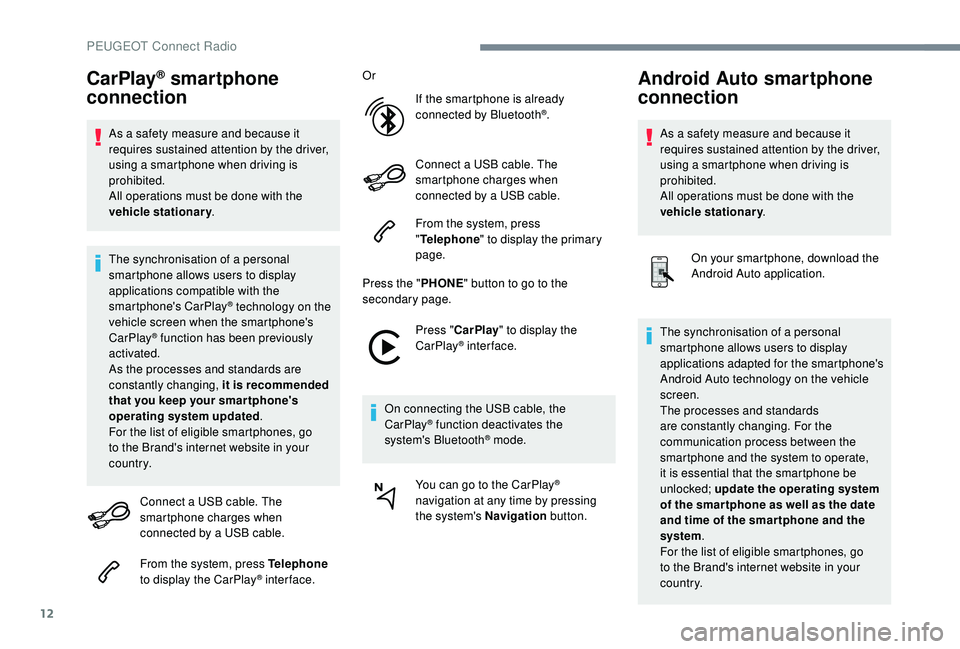
Connect a
USB cable. The
smartphone charges when
connected by a
USB cable.
From the system, press Telephone
to display the CarPlay
® inter face. Or
If the smartphone is already
connected by Bluetooth
®.
Connect a
USB cable. The
smartphone charges when
connected by a
USB cable.
From the system, press
" Telephone " to display the primary
page.
Press the " PHONE" button to go to the
secondary page.
Press "CarPlay " to display the
CarPlay
® inter face.
On connecting the USB cable, the
CarPlay
® function deactivates the
system's Bluetooth® mode.
You can go to the CarPlay
®
navigation at any time by pressing
the system's Navigation button.
Android Auto smartphone
connection
As a safety measure and because it
r equires sustained attention by the driver,
using a
smartphone when driving is
prohibited.
All operations must be done with the
vehicle stationary .
On your smartphone, download the
Android Auto application.
The synchronisation of a
personal
smartphone allows users to display
applications adapted for the smartphone's
Android Auto technology on the vehicle
screen.
The processes and standards
are constantly changing. For the
communication process between the
smartphone and the system to operate,
it is essential that the smartphone be
unlocked; update the operating system
of the smar tphone as well as the date
and time of the smar tphone and the
system .
For the list of eligible smartphones, go
to the Brand's internet website in your
c o u nt r y.
PEUGEOT Connect Radio
Page 333 of 364
19
Radio
QUESTIONRESPONSESOLUTION
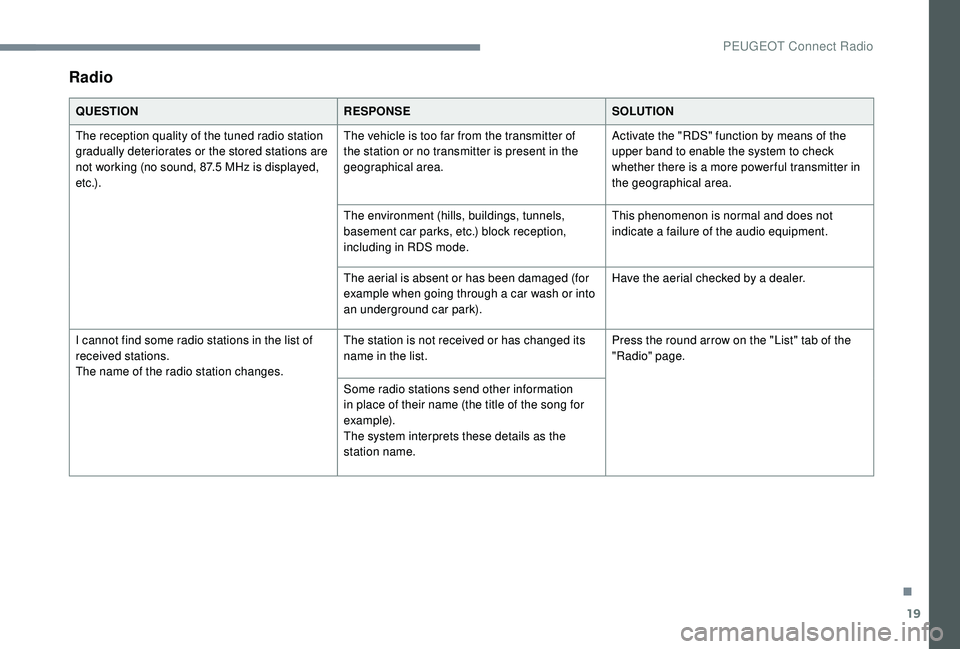
The reception quality of the tuned radio station
gradually deteriorates or the stored stations are
not working (no sound, 87.5
MHz is displayed,
e t c .) . The vehicle is too far from the transmitter of
the station or no transmitter is present in the
geographical area.
Activate the "RDS" function by means of the
upper band to enable the system to check
whether there is a
more power ful transmitter in
the geographical area.
The environment (hills, buildings, tunnels,
basement car parks, etc.) block reception,
including in RDS mode. This phenomenon is normal and does not
indicate a
failure of the audio equipment.
The aerial is absent or has been damaged (for
example when going through a
car wash or into
an underground car park). Have the aerial checked by a
dealer.
I cannot find some radio stations in the list of
received stations.
The name of the radio station changes. The station is not received or has changed its
name in the list.
Press the round arrow on the "List" tab of the
"Radio" page.
Some radio stations send other information
in place of their name (the title of the song for
example).
The system interprets these details as the
station name.
.
PEUGEOT Connect Radio
Page 340 of 364
4
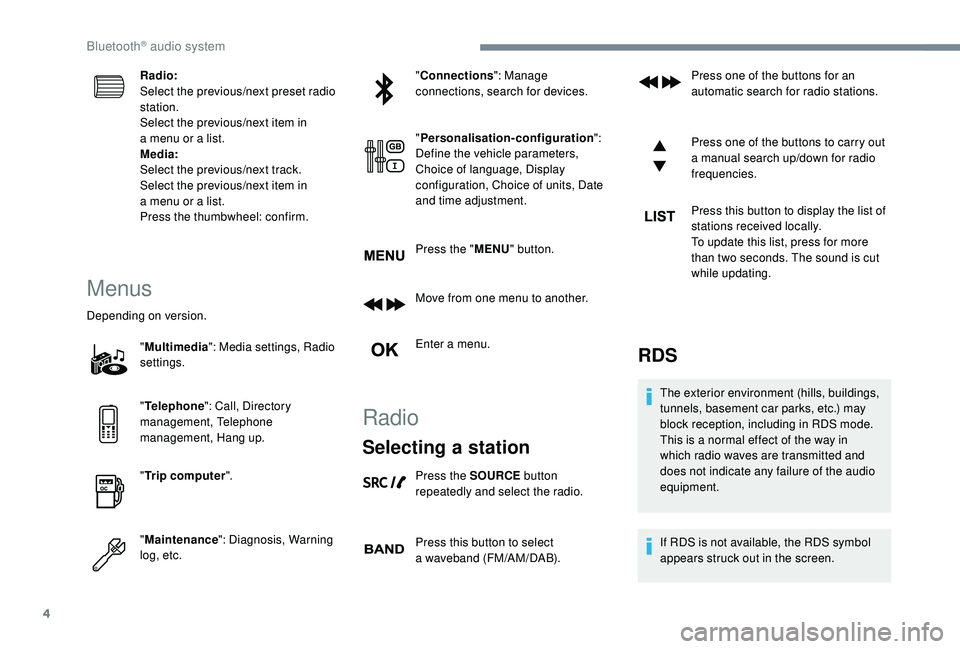
Radio:
Select the previous/next preset radio
station.
Select the previous/next item in
a menu or a list.
Media:
Select the previous/next track.
Select the previous/next item in
a
menu or a list.
Press the thumbwheel: confirm.
Menus
Depending on version.
"Multimedia ": Media settings, Radio
settings.
" Telephone ": Call, Directory
management, Telephone
management, Hang up.
" Trip computer ".
" Maintenance ": Diagnosis, Warning
log, etc. "
Connections ": Manage
connections, search for devices.
" Personalisation-configuration ":
Define the vehicle parameters,
Choice of language, Display
configuration, Choice of units, Date
and time adjustment.
Press the " MENU" button.
Move from one menu to another.
Enter a menu.
Radio
Selecting a station
Press the SOURCE button
repeatedly and select the radio.
Press this button to select
a
waveband (FM/AM/DAB). Press one of the buttons for an
automatic search for radio stations.
Press one of the buttons to carry out
a
manual search up/down for radio
frequencies.
Press this button to display the list of
stations received locally.
To update this list, press for more
than two seconds. The sound is cut
while updating.
RDS
The exterior environment (hills, buildings,
tunnels, basement car parks, etc.) may
block reception, including in RDS mode.
This is a
normal effect of the way in
which radio waves are transmitted and
does not indicate any failure of the audio
equipment.
If RDS is not available, the RDS symbol
appears struck out in the screen.
Bluetooth® audio system
Page 352 of 364
16
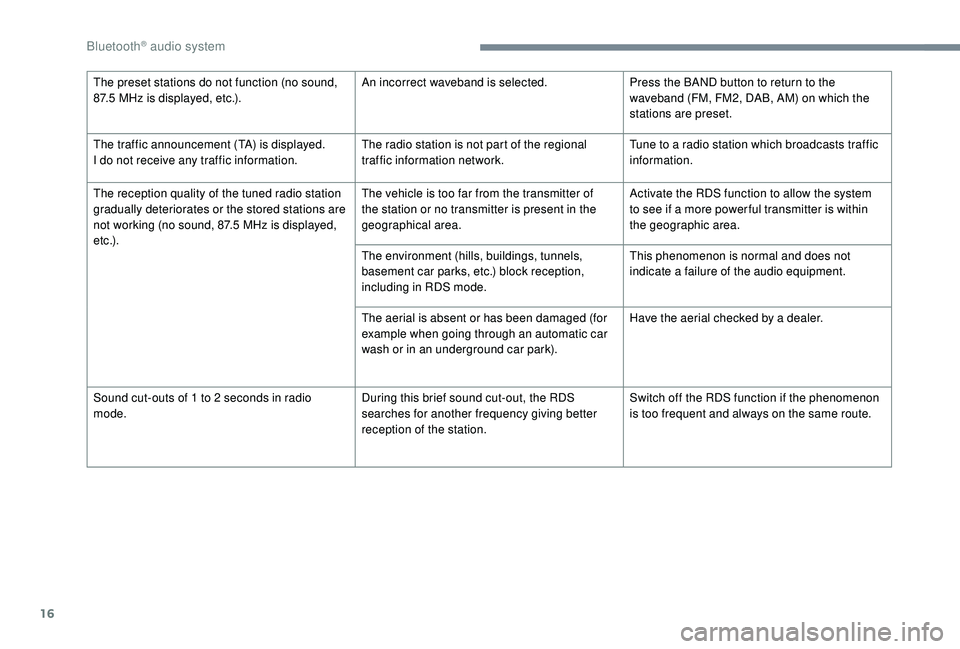
The preset stations do not function (no sound,
87.5 MHz is displayed, etc.). An incorrect waveband is selected.
Press the BAND button to return to the
waveband (FM, FM2, DAB, AM) on which the
stations are preset.
The traffic announcement (TA) is displayed.
I do not receive any traffic information. The radio station is not part of the regional
traffic information network.Tune to a
radio station which broadcasts traffic
information.
The reception quality of the tuned radio station
gradually deteriorates or the stored stations are
not working (no sound, 87.5
MHz is displayed,
e t c .) . The vehicle is too far from the transmitter of
the station or no transmitter is present in the
geographical area.
Activate the RDS function to allow the system
to see if a
more power ful transmitter is within
the geographic area.
The environment (hills, buildings, tunnels,
basement car parks, etc.) block reception,
including in RDS mode. This phenomenon is normal and does not
indicate a
failure of the audio equipment.
The aerial is absent or has been damaged (for
example when going through an automatic car
wash or in an underground car park). Have the aerial checked by a
dealer.
Sound cut-outs of 1
to 2 seconds in radio
mode. During this brief sound cut-out, the RDS
searches for another frequency giving better
reception of the station.Switch off the RDS function if the phenomenon
is too frequent and always on the same route.
Bluetooth® audio system
Page 355 of 364
275
Accessories .......................................... 12 2, 16 0
Active Safety Brake..................... 16 -17, 19 2-19 5
AdBlue
® ............................................. 2 0, 32, 237
Additive, Diesel ............................................. 235
Adjusting headlamps
.................................... 114
Adjusting head restraints
................................ 71
Adjusting seats
................................ 69 -71, 77-78
Adjusting the air distribution
.....................89-92
Adjusting the air flow
................................. 8
9-92
Adjusting the date
......................... 38 - 40, 31, 18
Adjusting the height and reach of the steering wheel
.................................... 74
Adjusting the lumbar support
.................... 6
9 -71
Adjusting the seat belt height
................ 13
0 -131
Adjusting the temperature
........................89-92
Adjusting the time
......................... 38 - 40, 31, 17
Advanced Grip Control
.......................... 128 -12 9
Advice on driving
................................... 15 5 -15 6
Airbags
...............................
.............18, 13 4, 13 9
Airbags, curtain
...................................... 13 5 -137
Airbags, front .................................. 13 4 -13 5, 137
Airbags, lateral
...................................... 13 5, 137
Air conditioning
......................................... 86-88
Air conditioning, automatic
.............................85
Air conditioning, dual-zone automatic
......89, 93
Air conditioning, manual
............... 8
5 - 86, 92-93
Air conditioning, mono-zone
...............87- 88, 93
Air intake
................................................... 89-92
Air vents
.......................................................... 84
Alarm
............................................................... 56
Amplifier, audio
...............................
..............101
Anti-lock braking system (ABS)
..............15, 125
Apple CarPlay connection
........................16, 12
Armrest, front
......................................... 102-103
Assistance call
...............................
........123 -124 Assistance, emergency braking
...........
125, 19 4
Audio streaming (Bluetooth)
...................
24, 9, 9
Cable, audio
................................................23, 9
Cable, Jack
.................................................23, 9
Capacity, fuel tank
........................................220
Cartridge, fragrance
............................. 10
3 -104
A
B
C
Backrest, folding ........................................7 0 -71
Battery ..................... 13, 227, 235, 262, 264-265
Battery charge (warning lamp)
.......................13
Battery, charging
................................... 263-264
Battery, remote control
.............................52, 54
Blind
..............................
..................................64
Blind spot monitoring system
..........24, 203-205
Blind spot monitoring system, active
......24, 205
Blind spot sensors
..........................24, 203-204
Blinds, side
.................................................... 107
BlueHDi
..................................... 32, 35, 237, 240
Bluetooth (hands-free)
........ 2
5 -2 6 , 13 -14, 10 -11
Bluetooth (telephone)
...................... 2
5 - 2 7, 1 3 -1 5
Bonnet
................................................... 230-231
Boot
............................................. 59 - 60, 62, 110
Boot (fittings)
................................................. 108
Brake discs
............................................ 236-237
Brake lamps
...............................
...................255
Brakes
........................................ 14-15, 236-237
Braking assistance system
...........................125
Braking, automatic emergency
...16 -17, 19 2-19 5
Braking, emergency
...................................... 16
4
Brightness
....................................................... 16
Bulbs
............................................................. 252
Bulbs (changing)
...........................252, 255-256
180° rear vision
.....................................
209 -210 CD
.....................................................
23 -24, 9, 9
CD, MP3
............................................
23 -24, 9, 9
Central locking
.......................................... 4
9, 55
Changing a
bulb
............................
25
2, 255-256
Changing a
fuse
............................
25
7-258, 261
Changing a
wheel
..................
24
1-243, 246 -248
Changing a wiper blade ........................
12 0, 257
Changing the remote control battery ..............
54
Charger, induction ..................................101-102
Charger, wireless
................................... 10
1-102
Checking the engine oil level
..........................31
Checking the levels
..............................232, 234
Checking tyre pressures (using the kit)
......................................243, 245
Checks
...................................231-232, 235-237
Child lock
................................................15 3 -15 4
Children
.................................14 4, 14 6 -148, 15 0
Children (safety)
.....................................15 3 -15 4
Child seats
............1
33, 138 -139, 142, 144, 152
Child seats, conventional
......................142, 14 4
Child seats, i-Size
.........................................15 0
Child seats, ISOFIX
.......................14 6 -148, 15 0
Cigarette lighter
............................................10 0
Closing the boot
..................................47, 50, 59
Closing the doors
..........................47, 49 -50, 59
Configurations, seats
......................................82
Configuration, vehicle
......................... 3
8 - 42, 44
Connection, Bluetooth
........ 1
9, 25 -27, 13 -15, 11
Connection, MirrorLink
.........................17, 11 -1 2
Connection, Wi-Fi network
.............................20
Connectivity
..................................................101
Container, AdBlue
® ....................................... 23 8
Control, emergency door ................................ 52
C
ontrol, heated seats
...................................... 73
Controls, steering mounted
.................. 165 -169
Control stalk, lighting
................. 2 5 - 2 6 , 111, 113
Control stalk, wipers
.............................. 11
9 -12 1
Courtesy lamps
..................................... 104 -105
Cruise control
... 175 -176, 178, 181-187, 191-192
Cruise control by speed limit recognition
.....178
.
Alphabetical index
Page 356 of 364
276
HHands-free access .......................................... 61
Hands-free tailgate ................................... 60-62
Hazard warning lamps
..........................123, 24 0
Headlamp adjustment
...................................114
Headlamps, automatic dipping
........2 6 , 11 6 -11 8
Headlamps, automatic illumination
...................111, 114 -115
Headlamps, dipped beam
..........25 -26, 252-254
Headlamps, halogen
......................114, 252-253
Headlamps, main beam
..................26, 252-254
Head restraints, front
...................................... 71
Head restraints, rear
.................................76, 81
Heating
.......................................... 8
4, 86 - 88, 92
Heating, additional
.......................................... 94
Heating, programmable
..................................94
Hi-Fi system
.................................................. 10
1
Hill Assist Descent Control (H A DC)
.......................................... 24, 12 9 -13 0
Hill start assist
........................................ 16 9 -170
Horn ............................................................... 123
Fusebox, engine compartment
.....................
261
Fuses
............................................. 25
7-258, 261
Cruise control, adaptive with
Stop function
.................
178, 184-187, 191-192
Cup holder
.......................................................
99
Customisation
...................................................
9Economy mode
.............................................
2
27
Electronic brake force distribution (EBFD)
...
125
Electronic stability control (ESC)
..................
12
5
Emergency braking assistance (EBA)
..........
125
Emergency call
......................................
123 -124
Emergency switching off
........................
160 -161
Emissions control system, SCR
...................
237
Energy economy mode
................................. 2
27
Engine compartment
............................. 23
1-232
Engine, Diesel
.......
222, 231-232, 240, 269, 271
Engine oil pressure
.........................................
12
Engine, petrol
............................... 2
22, 232, 268
Engines
..........................................
267-269, 271
Environment
....................................................
52
E
D
DAB (Digital Audio
Broadcasting) – Digital radio ............22, 8, 6 -7
Date (setting)
................................. 38 - 40, 31, 18
Daytime running lamps
..................112, 252-253
Deactivating the passenger airbag ...134 -13 5, 13 9
Deadlocking
.............................................. 4 7, 5 0
Defrosting
........................................................ 93
Defrosting, front
.............................................. 93
Demisting
........................................................ 93
Demisting, front
............................................... 93
D
emisting, rear
................................................ 94
Dials and gauges
...............................
............... 8
Dimensions
..............................
..................... 272
Dipstick
................
............................ 31, 233-234
Direction indicators
................................ 2 5 , 113 ,
25
2-253, 255-256
Display screen, instrument panel
.......... 170 -171
Distance Alert ~ Collision Risk Alert
.....19
2-193
Door pockets
...............................
.................... 99
Doors
............................................................... 58
Doors, rear
............................................. 15 3 -15 4
Driver's attention warning
............................. 19
7
Driving
....................................................... 68-69
Driving abroad ............................................... 112
Driving positions (storing)
.......................... 72-73
Driving time warning
..................................... 19 6
Dynamic pack
............................................... 17
0
Dynamic stability control (DSC)
............. 125 -12 9
F
G
Fatigue detection ................................... 19 6 -197
Filling the AdBlue® tank ................................ 238
Filling the fuel tank ................................ 220-222
Filter, air
........................................................ 235
Filter, oil
................
......................................... 235
Filter, particle
........................................ 234-235
Filter, passenger compartment
..................... 235
Fitting a
wheel
....................................... 24 9 - 2 51
Fitting roof bars
..................................... 229-230
Fittings, boot
................................................. 108
Fittings, interior
....................................... 9
9 -10 0
Fittings, rear
.................................................. 10 6
Flap, fuel filler
........................................ 220-221
Floor, concertina
............................................. 80
Foglamps
...................................................... 111
Foglamps, front
................ 25, 112, 118, 252-254
Foglamps, rear
...................................... 11
2 , 2 5 6
Folding the rear seats
............................... 76 -78
Frequency (radio)
....................................... 21-22
Fuel ................................................................ 222
Fuel tank ................................................ 220-221Gauge, fuel
.................................................... 220
Gearbox, automatic
..............
165 -173, 236, 263
Gearbox, manual
...........
16 4 -165, 169 -173, 236
Gear lever, automatic gearbox
.............
165 -169
Gear lever, manual gearbox
.................
16 4 -165
Gear shift indicator ~ Gear efficiency indicator
..............................
170 -171
Glove box ......................................................
10 0
GPS.
................
................................................
12
Grab handles
..................................................
99
Alphabetical index