2018 Peugeot 308 check engine
[x] Cancel search: check enginePage 127 of 324
125
Starting the vehicle
From mode P:
F P ress the brake pedal down fully.
F
S
tart the engine.
F
M
aintaining pressure on the brake pedal,
press the Unlock button.
F
P
ush once or twice rear ward to select the
automatic mode D , or for ward to engage
reverse R .
From neutral N :
F
P
ress the brake pedal down fully.
F
S
tart the engine.
F
M
aintaining pressure on the brake pedal,
push rear ward to select the automatic
mode D , or for ward, while pressing the
Unlock
button to engage reverse R .
Then, from D or R :
F
R
elease the brake pedal.
F
A
ccelerate progressively to automatically
release the electric parking brake.
F
W
ith the parking brake released, the vehicle
then moves off.
In severe wintry conditions (temperature
below -23°C), it is recommended that the
engine be allowed to run for a few minutes
before moving off, to ensure the correct
operation and durability of the engine and
gearbox. If your vehicle has an automatic gearbox,
never try to start the engine by pushing
the vehicle.
Stopping the vehicle
Whatever the state of the gearbox when the
ignition is switched off, mode P is engaged
automatically, with the exception of mode N
,
in which case mode P will be engaged after
a delay of 5
seconds (allowing the change to
free-wheel).
Check that mode P has been engaged and that
the electric parking brake has been applied
automatically; if not, apply it manually.
The corresponding indicator lamps for
the selector and the electric parking
brake control lever must be on, as well
as the ones in the instrument panel.
SPORT/ECO control
Driver Sport Pack
With the engine running, when the Driver
Spor t Pack is activated, the gearbox delays
changing up for a more dynamic driving style.
The programme is automatically deactivated
when the ignition is switched off.Eco mode
Activating this mode reduces fuel consumption
by optimising the operation of the heating and
air conditioning and, depending on version, the
pedals, the automatic gearbox and the gear
shift indicator. Activating the Driver Spor t Pack is not
recommended in the following situations:
-
A
SR system deactivated,
-
l
ow fuel level reached,
-
l
ow AdBlue level reached.
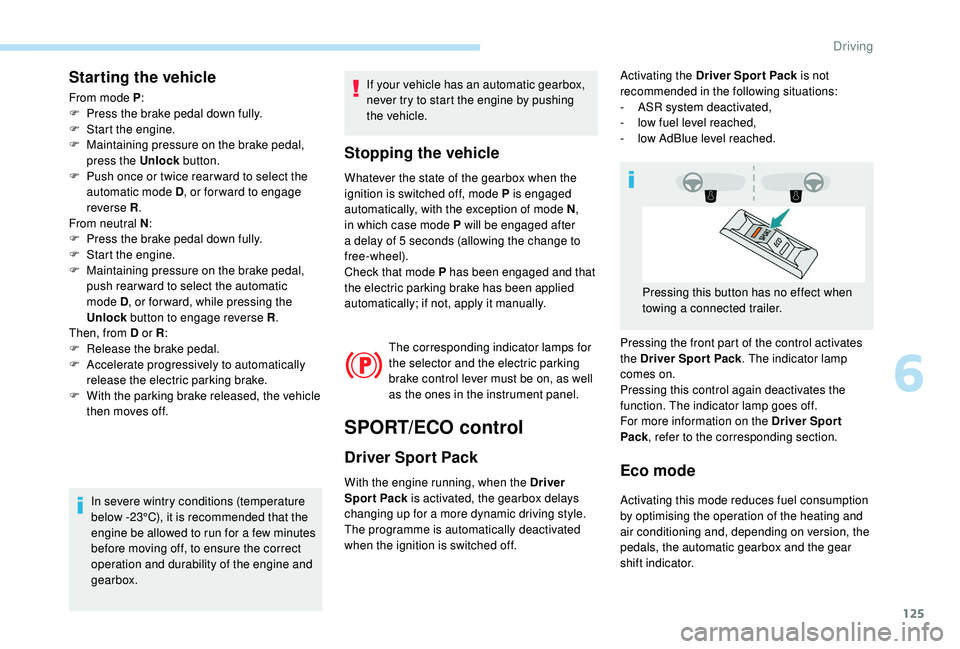
Pressing the front part of the control activates
the Driver Spor t Pack . The indicator lamp
comes on.
Pressing this control again deactivates the
function. The indicator lamp goes off.
For more information on the Driver Spor t
Pack , refer to the corresponding section.
Pressing this button has no effect when
towing a connected trailer.
6
Driving
Page 132 of 324
130
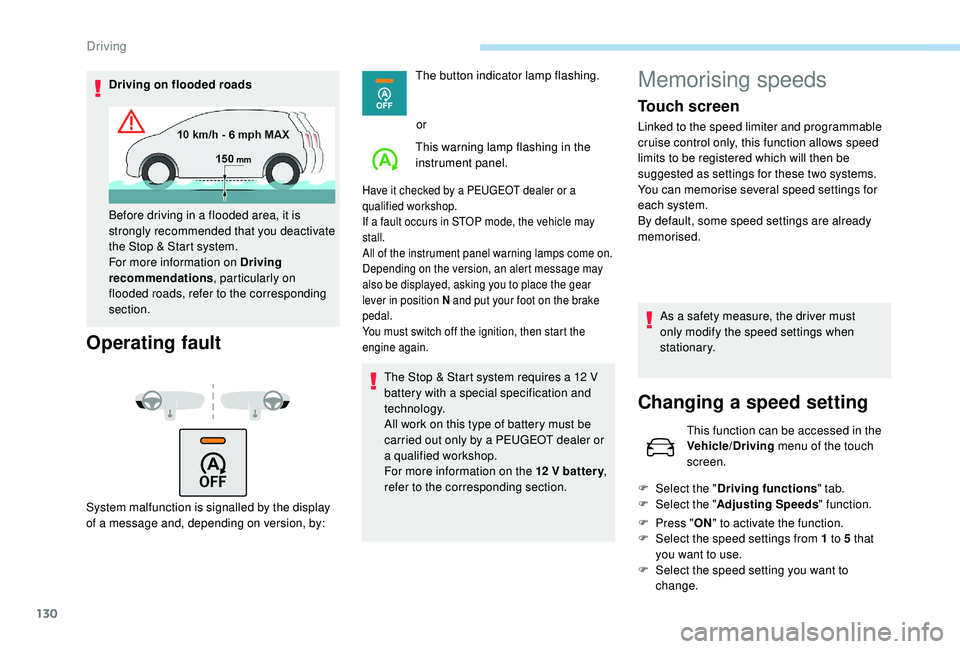
Driving on flooded roads
Operating fault
System malfunction is signalled by the display
of a message and, depending on version, by:The button indicator lamp flashing.
or
This warning lamp flashing in the
instrument panel.
Have it checked by a PEUGEOT dealer or a
qualified workshop.
If a fault occurs in STOP mode, the vehicle may
stall.
All of the instrument panel warning lamps come on.
Depending on the version, an alert message may
also be displayed, asking you to place the gear
lever in position N and put your foot on the brake
pedal.
You must switch off the ignition, then start the
engine again.
The Stop & Start system requires a 12 V
b attery with a special specification and
technology.
All work on this type of battery must be
carried out only by a PEUGEOT dealer or
a qualified workshop.
For more information on the 12
V batter y,
refer to the corresponding section.
Before driving in a flooded area, it is
strongly recommended that you deactivate
the Stop & Start system.
For more information on Driving
recommendations
, particularly on
flooded roads, refer to the corresponding
section.
Memorising speeds
Touch screen
Linked to the speed limiter and programmable
cruise control only, this function allows speed
limits to be registered which will then be
suggested as settings for these two systems.
You can memorise several speed settings for
each system.
By default, some speed settings are already
memorised.
As a safety measure, the driver must
only modify the speed settings when
stationary.
Changing a speed setting
This function can be accessed in the
Vehicle/Driving menu of the touch
screen.
F
Sel
ect the " Driving functions " tab.
F
Sel
ect the " Adjusting Speeds " function.
F
P
ress " ON" to activate the function.
F
Sel
ect the speed settings from 1 to 5 that
you want to use.
F
S
elect the speed setting you want to
change.
Driving
Page 149 of 324
147
Clean the windscreen regularly,
particularly the area in front of the camera.
The internal sur face of the windscreen can
also become misted around the camera.
In humid and cold weather, demist the
windscreen regularly.
Do not allow snow to accumulate on the
bonnet or roof of the vehicle as this could
conceal the detection camera.
In the following cases, deactivating the system
via the vehicle's configuration menu is advised:
-
t
owing a trailer,
-
c
arrying long objects on roof bars or roof
rack,
-
w
ith snow chains fitted,
-
b
efore using an automatic car wash, with
the engine running,
-
b
efore placing the vehicle on a rolling road
in a workshop,
-
t
owed vehicle, engine running,
-
d
amaged front bumper,
-
f
ollowing impact to the windscreen close to
the detection camera. The system is automatically deactivated
after the use of the "space-saver" type
spare wheel is detected, or if a fault with
the lateral brake lamps is detected.
It is possible that warnings are not given,
are given too late or seem unjustified.
Consequently, always stay in control of
your vehicle and be prepared to react at
any time to avoid an accident.
After an impact, the function automatically
stops operating. Contact a PEUGEOT
dealer or a qualified workshop to have the
system checked.
Distance Alert
It warns the driver if their vehicle is at risk of
collision with the vehicle in front or a pedestrian
present in their traffic lane.
Modifying the alert trigger
threshold
This threshold determines how you wish to be
warned of the presence of a vehicle moving
or stationary in front of you, or a pedestrian
present in your traffic lane.
You can select one of three predefined
thresholds:
-
"Distant ",
-
"Normal ",
-
"Close ".
The last threshold selected is kept in memory
when the ignition is switched off.
Operation
Depending on the degree of risk of collision
detected by the system and the alert threshold
chosen by the driver, different levels of alert can be
triggered and displayed in the instrument panel.
They take account of the vehicle dynamics,
the speed of your vehicle and the one in front,
the environmental conditions, the operation of
the vehicle (cornering, pedals pressed, etc.) to
trigger the alert at the best moment.
6
Driving
Page 163 of 324

161
Obstacles may appear further away than
they actually are in reality.
It is important to check the sides of the
vehicle during the manoeuvre, using the
mirrors.
The rear parking sensors also provide
information on the vehicle's surroundings.
180° viewRecommendations on care
In bad or wintry weather, ensure that the
sensors and camera are not covered with mud,
ice or snow.
Check the cleanliness of the camera lens
regularly.
If necessary, clean the camera with a soft, dry
cloth.
When washing your vehicle at high pressure,
direct the lance at least 30
cm away from the
camera and parking sensors.
The 180° view facilitates reversing out of a
parking bay, making it possible to see the
approach of vehicles, pedestrians and cyclists.
This view is not recommended for carrying out
a complete manoeuvre. It consists of 3 areas: left A
, centre B and
right C .
This view is available only from the view
selection menu.
Park Assist
This system provides active assistance with
parking: it detects a parking space then
operates the steering system to park in this
space.
With a manual gearbox , the driver manages
the accelerator, brakes, gears and clutch.
With an automatic gearbox (EAT6/EAT8) , the
driver manages the accelerator, brakes and
gears. During phases of entry into and exit from a
parking space, the system provides visual
and audible information to the driver in order
to make the manoeuvres safe. It may be
necessary to move for wards and backwards
more than once.
The driver can take control at any time by
gripping the steering wheel.
This manoeuvring assistance system
cannot, in any circumstances, replace the
need for vigilance on the part of the driver.
The driver must remain in control of their
vehicle ensuring that the space remains
clear throughout the manoeuvre.
In some circumstances, the sensors may
not detect small obstacles located in their
blind spots.
The Park Assist system cannot work with
the engine off.
6
Driving
Page 164 of 324

162
A.Parallel parking.
B. Exit from a parallel parking space.
C. Bay parking.
During manoeuvring phases, the steering
wheel per forms rapid turns: do not hold
the steering wheel, do not put your hands
between the spokes of the steering wheel.
Watch out for any object that could block
the manoeuvre (loose clothing, scar ves,
ties, etc.) - injury risk!
When the Park Assist is active, it prevents
the Stop & Start going into STOP mode.
In STOP mode, activating Park Assist
restarts the engine. The Park Assist system takes control
of the assistance for a maximum of
4
manoeuvre cycles. The function is
deactivated after these 4 cycles. If you
think that your vehicle is not positioned
correctly, you should then take control of
the steering to carry out the manoeuvre.
The sequence of manoeuvres and the
driving instructions are displayed on the
touch screen.
You should always check the surroundings
of your vehicle before starting a
manoeuvre. The parking sensors function is
not available during parking space
measurement. It intervenes later when
manoeuvring to warn you that your vehicle
is approaching an obstacle: the audible
signal becomes continuous when the
obstacle is less than thirty centimetres
away.
If you have deactivated the parking
sensors, they are automatically
reactivated during assisted parking
manoeuvres.
Activation of Park Assist deactivates the
Blind Spot Detection.
Operation
Assistance with parallel parking
manoeuvres
When you have identified a parking space:
F
Sel
ect "Park Assist " in the
Vehicle/Driving menu, then
the Driving functions tab of
the touch screen to activate the
function.
The Park Assist system provides assistance for
the following manoeuvres:
The assistance is activated:
the display of this symbol and
a speed limit indicate that
the steering manoeuvres are
controlled by the system: do not
touch the steering wheel.
The assistance is deactivated:
the display of this symbol
indicates that the steering
manoeuvres are no longer
controlled by the system: you
must take control of the steering.
Driving
Page 168 of 324

166
During a bay parking manoeuvre, the Park
Assist system is automatically deactivated
once the rear of the vehicle is within 20
inches (50 cm) of an obstacle.
During parking and exit from parking
manoeuvres, the Reversing Camera
function may come into operation. It
facilitates monitoring of the surroundings
of the vehicle, by displaying additional
information in the instrument panel.
For more information on the Reversing
Camera , refer to the corresponding
section.
Deactivation
The system is deactivated by pressing the
control.
The system is deactivated automatically:
-
o
n switching off the ignition,
-
i
f the engine stalls,
-
i
f no manoeuvre is per formed within
5
minutes of selecting the type of
manoeuvre
-
a
fter a prolonged stop of the vehicle during
a manoeuvre,
-
i
f the wheel anti-slip regulation (ASR) is
triggered, This symbol is displayed on the touch
screen and a message appears,
accompanied by an audible signal.
The driver should then take back control of the
vehicle's steering.
If the system is deactivated during a
manoeuvre, the driver should reactivate it to
repeat the measurement.
Deactivation
The system is switched off automatically:
- w hen towing a trailer,
-
i
f the driver's door is opened,
-
i
f the speed of the vehicle is above 43 mph
(70
km/h).
To switch the system off for a prolonged period,
contact a PEUGEOT dealer or a qualified
workshop.
Operating faults
Depending on version:
This warning lamp comes on in the
instrument panel and a message appears,
accompanied by an audible signal.
In the event of a fault with the
power steering, this warning lamp
comes on in the instrument panel,
accompanied by a message.
If the lateral distance between your vehicle and the
space is too great, the system may not be able to
measure the space.
Anything projecting beyond the dimensions of the
vehicle (long or wide load) is not taken into account
by the Park Assist system during a manoeuvre.
In bad weather or in winter, ensure that
the sensors are not covered by road dirt,
ice or snow.
In the event of a fault, have the system
checked by a PEUGEOT dealer or a
qualified workshop.
Contact a PEUGEOT dealer or a qualified
workshop.
Tyre under-inflation
detection
This system automatically monitors the tyre
pressure while driving.
The system monitors the pressure in all four
tyres, once the vehicle is moving.
-
i
f the speed of the vehicle exceeds the
stated limit,
-
w
hen the driver interrupts movement of the
steering wheel,
-
a
fter 4
manoeuvre cycles,
-
o
n opening the driver's door,
-
i
f one of the front wheels encounters an
obstacle.
Driving
Page 173 of 324

171
When it first comes on, less than 6 litres of fuel
r emain in the tank.
You must refuel as soon as possible to avoid
running out of fuel.
Fuel cut- of f
Your vehicle is fitted with a safety system that
cuts off the supply of fuel in the event of an
impact.
If your vehicle is fitted with Stop & Start,
never refuel with the engine in STOP
mode; you must switch off the ignition.
Diesel misfuel prevention
Mechanical device which prevents filling the
tank of a Diesel vehicle with petrol. It helps
avoid the risk of engine damage that can result
from filling with the wrong fuel.
Located in the filler neck, the misfuel
prevention device appears when the filler cap
is removed. It is still possible to use a fuel can to fill the
t a n k s l ow l y.
In order to ensure a good flow of fuel,
do not place the nozzle of the fuel can in
direct contact with the flap of the misfuel
prevention device.Driving abroad
As Diesel fuel pump nozzles may be
different in other countries, the presence
of the misfuel prevention device may make
refuelling impossible.
Not all Diesel vehicles are fitted with
misfuel protection, so before travelling
abroad, we recommend that you check
with the PEUGEOT dealer network,
whether your vehicle is suitable for the
fuel pumps in the country in which you
intend to travel.
When a petrol filler nozzle is introduced into the
Diesel tank, it comes into contact with the flap.
The system remains closed and prevents filling.
Do not persist but introduce a Diesel type
filler nozzle.
7
Practical information
Page 175 of 324
173
Snow chains
In wintry conditions, snow chains improve
traction as well as the behaviour of the vehicle
when braking.Snow chains must be fitted only to the
front wheels. They must never be fitted to
"space-saver" type spare wheels.
Take account of the legislation in force in
your country on the use of snow chains
and the maximum authorised speed.
Installation advice
F If you have to fit the chains during a journey, stop the vehicle on a flat sur face on the side
of the road.
F
A
pply the parking brake and, if necessary,
place a chock under a wheel to prevent
movement of your vehicle.
F
F
it the chains following the instructions
provided by the manufacturer.
F
M
ove off gently and drive for a few
moments, without exceeding 31
mph
(50
km/h).
F
S
top your vehicle and check that the snow
chains are correctly tightened. It is strongly recommended that before
you leave, you practise fitting the snow
chains on a level and dry sur face.
Avoid driving with snow chains on roads
that have been cleared of snow to avoid
damaging your vehicle's tyres and the
road sur face. If your vehicle is fitted with
alloy wheels, check that no part of the
chain or its fixings is in contact with the
wheel rim.
Use only the chains designed to be fitted to the
type of wheel fitted to your vehicle:
Original tyre size Type of chain
195/65 R15 9
mm link
205/55 R16
2 2 5 /4 5 R17
225/40 R18 K-Summit K23
235/35 R19 Polar Grip 70
For more information, contact a PEUGEOT
dealer or a qualified workshop.
Very cold climate screen
Removable protective screen which prevents
the accumulation of snow at the radiator
cooling fan.
It is recommended that the screen be
fitted and removed by a PEUGEOT dealer
or a qualified workshop.
Before fitting or removing a screen,
ensure that the engine is off and the
cooling fan has stopped.
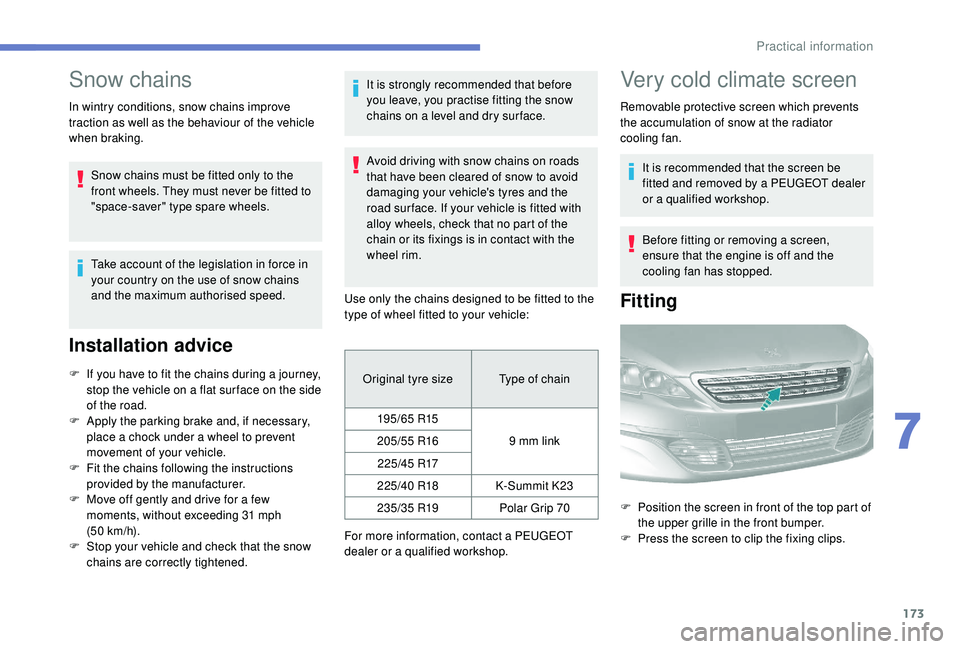
Fitting
F Position the screen in front of the top part of the upper grille in the front bumper.
F
P
ress the screen to clip the fixing clips.
7
Practical information