Page 119 of 180
117
Fuse N°Rating (A) Functions
1 5Reversing lamp – Fuel injection system – Audio system – VSC system
2 15Front and rear screenwash
3 5Main supply unit – Instrument panel – Display screen – Air conditioning – Heated rear window and door mirrors –
Heated seats – Electric fabric roof – Audio system
4 5Electrical power steering – Stop & Start
5 15Rear wiper
6 5Fan assembly – ABS system – VSC system
7 25Windscreen wipers
8 10Heated door mirrors
9 1512
V socket (max 120W)
10 7. 5Door mirrors – Audio system – Stop & Start – Instrument panel – Display screen
11 5Steering lock – Fuel injection system – ETG gearbox
12 7. 5Airbags
13 5Instrument panel – Display screen -Stop & Start
14 15Steering – Fuel injection system – Brake lamps
15 7. 5Fuel injection system – Stop & Start
16 7. 5Engine self-diagnosis
17 10Brake lamps – Third brake lamp – Fuel injection system – ABS system – VSC system – ETG gearbox – "Keyless
Entry and Starting" system
8
In the event of a breakdown
Page 121 of 180
119
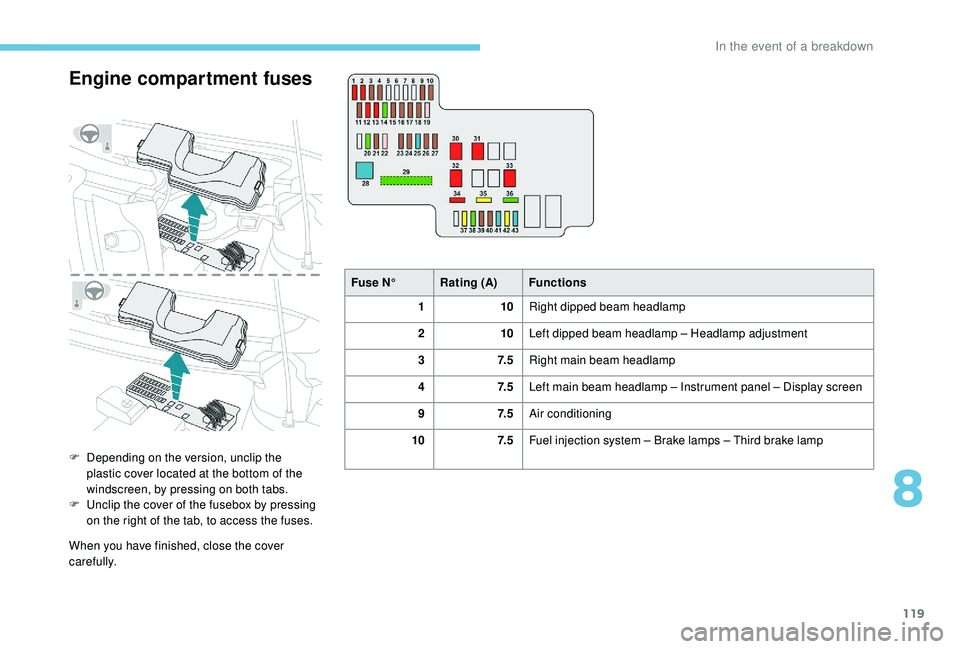
Engine compartment fuses
F Depending on the version, unclip the plastic cover located at the bottom of the
windscreen, by pressing on both tabs.
F
U
nclip the cover of the fusebox by pressing
on the right of the tab, to access the fuses.
When you have finished, close the cover
carefully. Fuse N°
Rating (A) Functions
1 10Right dipped beam headlamp
2 10Left dipped beam headlamp – Headlamp adjustment
3 7. 5Right main beam headlamp
4 7. 5Left main beam headlamp – Instrument panel – Display screen
9 7. 5Air conditioning
10 7. 5Fuel injection system – Brake lamps – Third brake lamp
8
In the event of a breakdown
Page 122 of 180
120
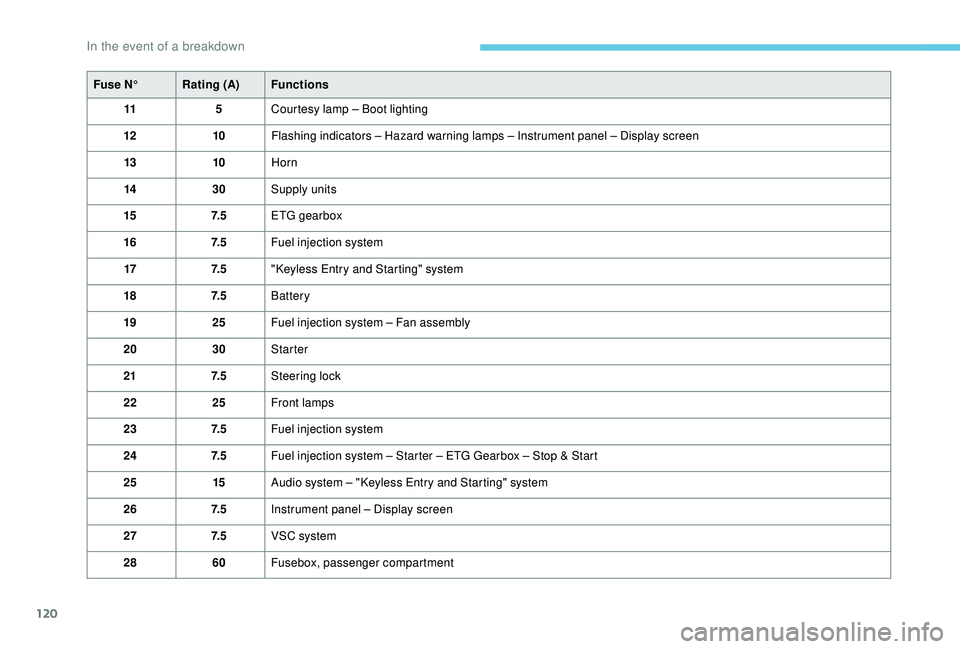
Fuse N°Rating (A) Functions
11 5Courtesy lamp – Boot lighting
12 10Flashing indicators – Hazard warning lamps – Instrument panel – Display screen
13 10Horn
14 30Supply units
15 7. 5ETG gearbox
16 7. 5Fuel injection system
17 7. 5"Keyless Entry and Starting" system
18 7. 5Battery
19 25Fuel injection system – Fan assembly
20 30Starter
21 7. 5Steering lock
22 25Front lamps
23 7. 5Fuel injection system
24 7. 5Fuel injection system – Starter – ETG Gearbox – Stop & Start
25 15Audio system – "Keyless Entry and Starting" system
26 7. 5Instrument panel – Display screen
27 7. 5VSC system
28 60Fusebox, passenger compartment
In the event of a breakdown
Page 123 of 180
121
Fuse N°Rating (A) Functions
29 125* Demisting of the rear screen and door mirrors – Heated seats
– Electric roof – ABS system – VSC system – Fan assembly –
Front foglamps – LED Daytime running lamps
30 50ETG gearbox
40 Stop & Start
31 50Power steering
32 30Fan assembly
40
33 50ABS System – VSC system
37 20Demisting of the rear screen and door mirrors
38 30ABS System – VSC system
39 7. 5Front foglamps – Instrument panel – Display screen
40 7. 5LED daytime running lamps
41 15Right heated seat
42 20Electric fabric roof
43 15Left heated seat
*
T
his fuse must be replaced only by
a
PEUGEOT dealer or by a qualified
workshop.12 V battery
Procedure for starting the engine using another
battery or charging a
discharged battery.
General points
Lead-acid starter batteries
Batteries contain harmful substances
such as sulphuric acid and lead.
They must be disposed of in
accordance with regulations and must
not, in any circumstances, be discarded
with household waste.
Take used remote control batteries and
vehicle batteries to a
special collection
point.
Protect your eyes and face before
handling the battery.
All operations on the battery must be
carried out in a
well ventilated area and
away from naked flames and sources of
sparks, so as to avoid the risk of explosion
or fire.
Wash your hands afterwards.
8
In the event of a breakdown
Page 133 of 180
3
Device addressSystem address.
Device name System name.
DAB Digital radio.
Dial by number Dial a
telephone number.
Disconnect Disconnect your telephone.
Display Setting Enable or disable automatic display of connection.
Enter new passkey Enter a
new password.
FM AF On/Off Enable or disable FM AM mode.
FM Liste Display list of FM stations.
FM TA On/Off Enable or disable FM TA mode, alert message.
HF Sound Setting High frequency sound.
Incoming calls Incoming calls.
List Audio Display list of registered audio devices.
List Phone Display list of registered phones.
Missed calls Missed calls.
No entry No information available.
No history N o h i sto r y.
No connected Not connected.
Outgoing calls Outgoing calls.
Overwrite all Replace all.
Pairing Connect a
Bluetooth device.
.
Radio
Page 134 of 180
4
PasskeyChange password.
Phonebook D i r e c to r y.
Radio View radio mode.
Region Code Enable or disable RDS mode.
Reset Reinitialise settings.
Reset all Reinitialise all.
Ringtone Select a
ringtone.
Ringtone volume Adjust the volume of the call ringtone.
Searching Search.
Select Select.
Setup Settings.
Skip Skip to the next step.
Sound Setting See list of sound settings.
Speed dials Speed dial.
TA Road traffic alert.
TEL Display list of telephone settings.
Transfer history Transfer call history.
Treble Adjust the treble.
Update Update the list.
Updating Update.
Radio
Page 135 of 180
5
MODE
MODE
First steps
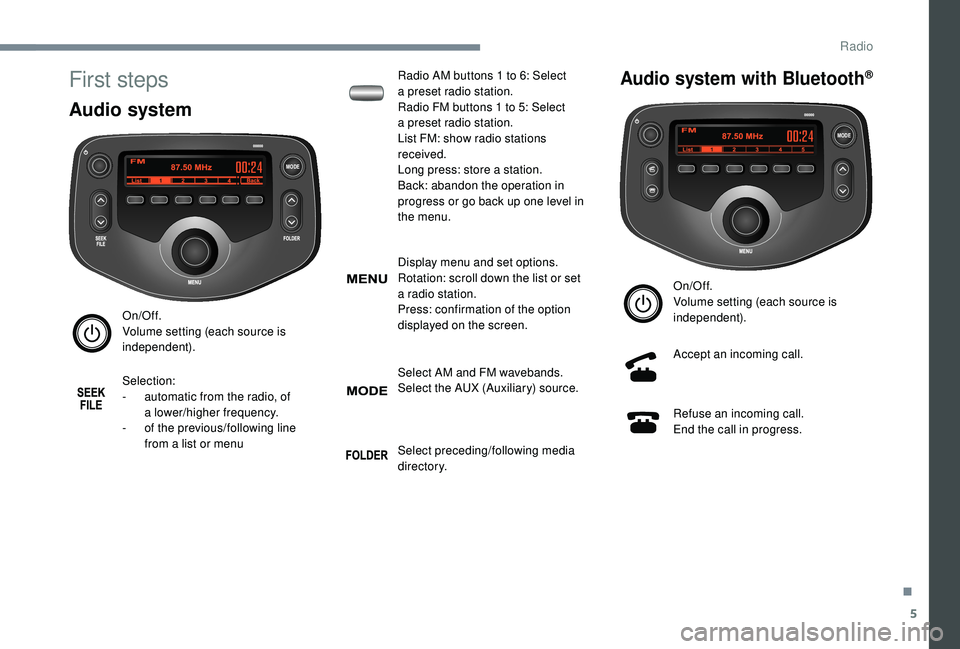
Audio system
On/Off.
Volume setting (each source is
independent).
Selection:
-
a
utomatic from the radio, of
a
lower/higher frequency.
-
o
f the previous/following line
from a
list or menu Radio AM buttons 1
to 6: Select
a
preset radio station.
Radio FM buttons 1 to 5: Select
a
preset radio station.
List FM: show radio stations
received.
Long press: store a station.
Back: abandon the operation in
progress or go back up one level in
the menu.
Display menu and set options.
Rotation: scroll down the list or set
a
radio station.
Press: confirmation of the option
displayed on the screen.
Select AM and FM wavebands.
Select the AUX (Auxiliary) source.
Select preceding/following media
di r e c to r y.
Audio system with Bluetooth®
On/Off.
Volume setting (each source is
independent).
Accept an incoming call.
Refuse an incoming call.
End the call in progress.
.
Radio
Page 136 of 180
6
Display menu and set options.
Rotation: scroll down the list or set
a
radio station.
Press: confirmation of the option
displayed on the screen.
Select AM, FM and DAB wavebands
(depending on equipment).
Select BTA (Bluetooth Audio) and
AUX (Auxiliary) source
Selection:
-
a
utomatic from the radio, of
a
higher frequency.
-
o
f the next line of a list or menu.
-
o
f the next media directory. Selection:
-
a
utomatic from the radio, of
a
lower frequency.
-
o
f the previous line of a list or
menu.
-
o
f the previous media directory.
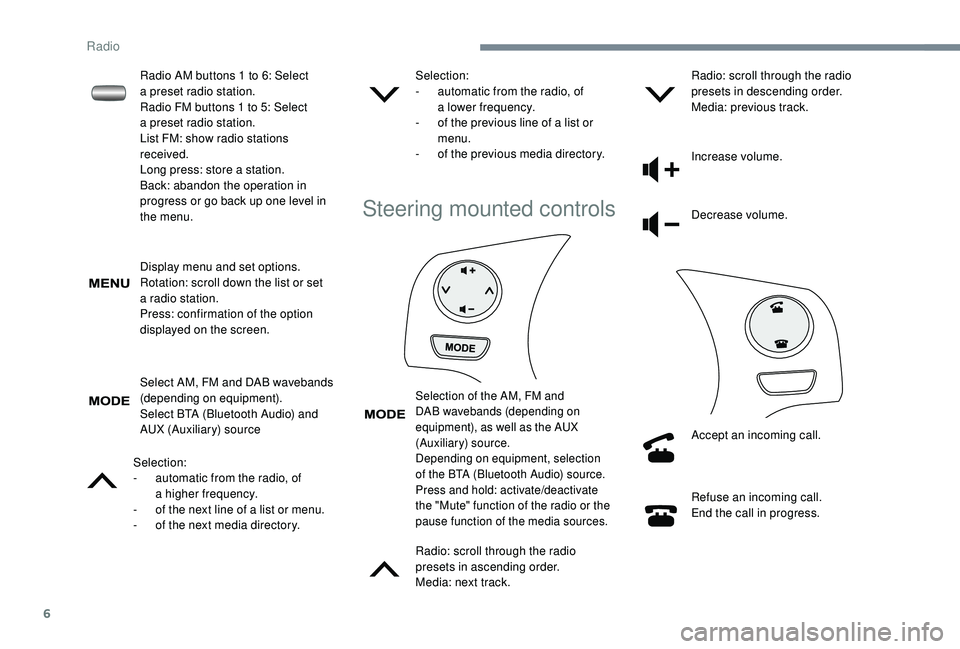
Steering mounted controls
Selection of the AM, FM and
DAB wavebands (depending on
equipment), as well as the AUX
(Auxiliary) source.
Depending on equipment, selection
of the BTA (Bluetooth Audio) source.
Press and hold: activate/deactivate
the "Mute" function of the radio or the
pause function of the media sources.
Radio: scroll through the radio
presets in ascending order.
Media: next track.Radio: scroll through the radio
presets in descending order.
Media: previous track.
Increase volume.
Decrease volume.
Accept an incoming call.
Refuse an incoming call.
End the call in progress.
Radio AM buttons 1
to 6: Select
a
preset radio station.
Radio FM buttons 1
to 5: Select
a
preset radio station.
List FM: show radio stations
received.
Long press: store a
station.
Back: abandon the operation in
progress or go back up one level in
the menu.
Radio