2018 MITSUBISHI OUTLANDER III back light
[x] Cancel search: back lightPage 89 of 441
Keyless entry system (if so equipped)5-8 Features and controls
5
Within approximately 2 seconds, press theUNLOCK button one more time to unlock allthe doors and liftgate.The dome light will turn on for 30 seconds.The turn signal lights will also blink twice.The front side-marker and parking lights willalso turn on for approximately 30 seconds.Refer to “Welcome light” on page 5-215.
Within 30 seconds of locking the doors andliftgate using the LOCK button, press theLOCK button twice rapidly to retract the out-side rearview mirrors.Within 30 seconds of unlocking the doors andliftgate using the UNLOCK button, press theUNLOCK button twice rapidly to return theoutside rearview mirrors to their extendedpositions.The outside rearview mirrors are not initiallyset to work as described above. If you wantthem to work as described above, you need toset them so that they do not retract/extendwhen the doors and liftgate arelocked/unlocked using
the keyless entry sys-
tem.For details, please consult an authorized Mit-subishi Motors dealer.
In a vehicle equipped with the SmartphoneLink Display Audio, it is
possible to change
the setting by means of
screen operations.
Refer to the separate owner’s manual fordetails.The horn and turn signal lights of the keylessentry system answerback function can bechanged as required. This is done with thekey removed from the ignition switch.The answerback function can be set in thefollowing three ways.Each time the answerback function is set, achime will sound to
tell you the condition of
the answerback function.
NOTE
On vehicles equipped wi
th the mirror retrac-
tor switch, the outside rearview mirrors auto-matically extend when the UNLOCKbutton(2) is pressed.On vehicles equippe
d with the Smartphone
Link Display Audio, the functions can beadjusted on the screen. For details, refer tothe separate owner’s manual.The door and liftgate
unlock function can be
set so that all doors a
nd liftgate unlock when
the UNLOCK button (2) is pressed once.Refer to “Setting of door
and liftgate unlock
function” on page 5-9.
Operation of the outside rear-view mirrors (Vehicles equipped with the mirror retractor switch)
To r e t r a c t
To e x t e n d
Answerback function
NOTE
The answerback functi
on will not operate if
any of the doors are open.
Horn deactivation/reactivation
One chime: The horn will not sound.Two chimes: The horn will sound.Four chimes: The hor
n will sound if the
LOCK button is pressed twicewithin 1 second.
BK0249100US.book 8 ページ 2017年5月10日 水曜日 午前8時49分
Page 90 of 441
Keyless entry system (if so equipped)
Features and controls 5-9
5
1. Remove the key from the ignition switch.2. Open the driver’s door and turn the com-bination headlights and dimmer switch tothe “OFF” position.3. Press the LOCK button (1) for 4 to 10 sec-onds and press the UNLOCK button (2)during this time.4. Release in sequence the UNLOCK andLOCK buttons within 5 seconds of press-ing the UNLOCK button in step 3.
The answerback function can be turned ONor OFF separately.1. Remove the key from the ignition switch.2. Open the driver’s door and turn the com-bination headlights and dimmer switch tothe “OFF” position.3. Press the UNLOCK button (2) for 4 to 10seconds and press the LOCK button (1)during this time.
4. Release in sequence the UNLOCK andLOCK buttons within 5 seconds of press-ing the LOCK button in step 3.
N00543601173
The door and liftgate
unlock function can be
set to the following two conditions.Each time the door and
liftgate unlock func-
tion is set, a chime wi
ll sound to tell you the
condition of the door and liftgate unlockfunction.1. Remove the key from the ignition switch.2. Open the driver’s door and turn the com-bination headlights and dimmer switch tothe “OFF” position.3. Press the LOCK button (1) for 4 to 10 sec-onds and press the UNLOCK button (2)during this time.4. Release in sequence the LOCK andUNLOCK buttons within 10 seconds ofpressing the LOCK button in step 3.
NOTE
On a vehicle equipped with the SmartphoneLink Display Audio, the functions can beadjusted on the screen. For details, refer tothe separate owner’s manual.
Turn signal lights deactiva-tion/reactivation
Number of chimes
To l o c k
To u n l o c k
One chime One flash Two flashesTwo chimes One flash No flashThree chimes No flash Two flashesFour chimes Two flashes One flashFive chimes No flash One flashSix chimes Two flashes No flashSeven chimes
No flash No flash
NOTE
On a vehicle equipped with the SmartphoneLink Display Audio, the functions can beadjusted on the screen. For details, refer tothe separate owner’s manual.
Setting of door and liftgate unlock function
Number of chimes
Condition
One chime
All doors and the liftgate unlock
Two chimes Driver’s door unlock only
NOTE
On a vehicle equipped with the SmartphoneLink Display Audio, the functions can beadjusted on the screen. For details, refer tothe separate owner’s manual.
BK0249100US.book 9 ページ 2017年5月10日 水曜日 午前8時49分
Page 91 of 441
Keyless entry system (if so equipped)5-10 Features and controls
5
N00543701060
If you are near your vehicle and feel threat-ened, you may activate the alarm to call atten-tion as follows:1. Press the PANIC button (3) for more than1 second.2. The headlights will blink on and off andthe horn will sound intermittently forabout 3 minutes.3. To turn off the alarm, press any button onthe remote control transmitter.
N00543801087
Only remote control transmitters pro-grammed with the vehicle’s electronics canlock or unlock all doors and the liftgate.If you lose the remote control transmitter, youcan order a remote control transmitter fromyour authorized Mitsubishi Motors dealer byreferring to the key number.To prevent vehicle theft, the ID code for theremote control transmitter must be changed.Take your vehicle and all remote controltransmitters to your authorized MitsubishiMotors dealer to have your ID code changed.
N00543900049
To add a remote control transmitter, you mustalready have 1 regist
ered remote control
transmitter.Registering the ID code can be done by your-self or by your authorized Mitsubishi Motorsdealer. For you to regist
er the ID code your-
self, follow the “Customer remote controltransmitter programming” procedure below.If you choose to have your authorizedMitsubishi Motors dealer register the IDcode, take your vehi
cle and any remaining
keys to your authorized Mitsubishi Motorsdealer.
N00544001204
You can program new remote control trans-mitters to the system if you have one valid
(already registered) re
mote control transmit-
ter by doing the following:1. Have available al
l (current and new)
remote control transmitters you wish toregister.2. With a valid (already registered) remotecontrol transmitter, press the UNLOCKbutton (2) for 4 to 10 seconds. Then pressand hold the LOCK button (1).3. Within 10 seconds of pressing the LOCKbutton, release the LOCK and UNLOCKbuttons in sequence.At this time, ID codes for all remote con-trol transmitters except for the transmitterused in steps 2 and 3 are erased and theanswerback function (door is locked andunlocked) informs you that the registra-tion mode has been activated.4. Within 60 seconds after step 3, completethe following ID code
registration opera-
tion using the next remote control trans-mitter you wish to register within 4seconds.i) Press both the LOCK and UNLOCKbuttons for 2 seconds.ii) Release both the LOCK and UNLOCKbuttons for 1 second.iii) Press the UNLOCK button. Theanswerback function informs you that theID code registration
of the transmitter is
completed.
Using the panic alarm
Replacement remote control transmitters
Additional remote control transmitters
NOTE
You are provided with
2 remote control
transmitters, but you may register up to 8remote control transmitters.
Customer remote control trans-mitter programming (Except for vehicles sold in Canada)
BK0249100US.book 10 ページ 2017年5月10日 水曜日 午前8時49分
Page 112 of 441
Free-hand Advanced Securi
ty Transmitter (F.A.S.T.-key) (if so equipped)
Features and controls 5-31
5
Press the UNLOCK button (2) to unlock thedriver’s door only.Within approximately 2 seconds, press theUNLOCK button one more time to unlock allthe doors and liftgate.The dome light will turn on for 30 seconds.The turn signal lights will also blink twice.The front side-marker
and parking lights will
also turn on for appr
oximately 30 seconds.
Refer to “Welcome light” on page 5-215.
The horn and turn signal lights of the keylessentry system answerback function can bechanged as required. This is done with thekey removed from the ignition switch.The answerback function can be set in thefollowing three ways.1. Put the operation mode in OFF.2. Open the driver’s door and turn the com-bination headlights a
nd dimmer switch to
the “OFF” position.3. Press the LOCK button (1) for 4 to 10 sec-onds and press the UNLOCK button (2)during this time.4. Release in sequence the UNLOCK andLOCK buttons within 10 seconds ofpressing the UNLOCK button in step 3.
The answerback function from the turn signallights can be turned ON or OFF separately.1. Put the operation mode in OFF.2. Open the driver’s door and turn the com-bination headlights and dimmer switch tothe “OFF” position.3. Press the UNLOCK button (2) for 4 to 10seconds and press the LOCK button (1)during this time.4. Release in sequence the UNLOCK andLOCK buttons within 10 seconds ofpressing the LOCK button in step 3.
To u n l o c k
NOTE
On vehicles equipped wi
th the mirror retrac-
tor switch, the outside rearview mirrors auto-matically extend when
the UNLOCK button
(2) is pressed.On a vehicle equipped with the SmartphoneLink Display Audio, the functions can beadjusted on the screen. For details, refer tothe separate owner’s manual.The door and liftgate unlock function can beset so that all doors and liftgate unlock whenthe UNLOCK button (2) is pressed once.Refer to “Setting of door
and liftgate unlock
function” on page 5-32.
Answerback function
Horn deactivation/reactivationOne chime: The horn will not sound.Two chimes: The horn will sound.Four chimes: The horn will sound if the
LOCK button is pressed twicewithin 1 second.
NOTE
On a vehicle equipped with the SmartphoneLink Display Audio, the functions can beadjusted on the screen. For details, refer tothe separate owner’s manual.
Turn signal light deactivation/reactiva-tionNumber of chimes
To l o c k
To u n l o c k
One chime One flash Two flashesTwo chimes One flash No flashThree chimes No flash Two flashesFour chimes Two flashes One flashFive chimes No flash One flash
BK0249100US.book 31 ページ 2017年5月10日 水曜日 午前8時49分
Page 113 of 441
Free-hand Advanced
Security Transmitter (F.A.S
.T.-key) (if so equipped)
5
The buzzer answerback function can beturned ON or OFF as required.
N00544601141
The door and liftgate
unlock function can be
set to the following two conditions.Each time the door and
liftgate unlock func-
tion is set, a chime wi
ll sound to tell you the
condition of the door and liftgate unlockfunction.1. Put the operation mode in OFF.2. Open the driver’s door and turn the com-bination headlights and dimmer switch tothe “OFF” position.3. Press the LOCK button (1) for 4 to 10 sec-onds and press the UNLOCK button (2)during this time.4. Release in sequence the LOCK andUNLOCK buttons within 10 seconds ofpressing the LOCK button in step 3.
N00579500020
After unlocking the doors and the liftgate, thepower liftgate can be operated by pressing thepower liftgate button (3).Refer to “Power lift
gate” on page 5-39.
N00544701113
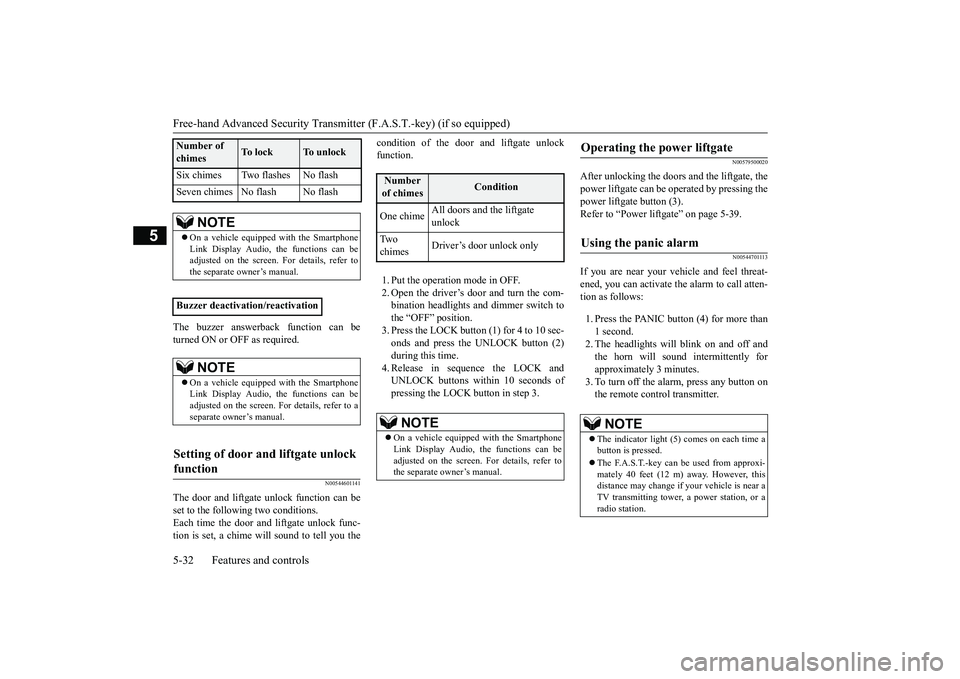
If you are near your vehicle and feel threat-ened, you can activate the alarm to call atten-tion as follows:1. Press the PANIC button (4) for more than1 second.2. The headlights will blink on and off andthe horn will sound intermittently forapproximately 3 minutes.3. To turn off the alarm, press any button onthe remote control transmitter.
Six chimes Two flashes No flashSeven chimes No flash No flash
NOTE
On a vehicle equippe
d with the Smartphone
Link Display Audio, the functions can beadjusted on the screen. For details, refer tothe separate owner’s manual.
Buzzer deactivation/reactivation
NOTE
On a vehicle equippe
d with the Smartphone
Link Display Audio, the functions can beadjusted on the screen. For details, refer to aseparate owner’s manual.
Setting of door and liftgate unlock function
Number of chimes
To l o c k
To unlock
Number of chimes
Condition
One chime
All doors and the liftgate unlock
Tw o chimes
Driver’s door unlock only
NOTE
On a vehicle equipped with the SmartphoneLink Display Audio, the functions can beadjusted on the screen. For details, refer tothe separate owner’s manual.
Operating the power liftgate
Using the panic alarm
NOTE
The indicator light (5) comes on each time abutton is pressed.The F.A.S.T.-key can be used from approxi-mately 40 feet (12 m) away. However, thisdistance may change if
your vehicle is near a
TV transmitting tower,
a power station, or a
radio station.
BK0249100US.book 32 ページ 2017年5月10日 水曜日 午前8時49分
Page 147 of 441

Starting the engine5-66 Features and controls
5
Remove the key at
the “LOCK” position.
Turn the steering wheel until it is locked.Turn the key to the “ACC” position whilemoving the steering
wheel slightly.
N00512601858
[For vehicles equipped with the Free-handAdvanced Security Transmitter (F.A.S.T.-key).]For information on operation for vehiclesequipped with the Free-hand Advanced Secu-rity Transmitter (F.A.S.T.-key), refer to
“Free-hand Advanced
Security Transmitter
(F.A.S.T.-key): Starting” on page 5-13.[Except for vehicles equipped with theFree-hand Advanced Se
curity Transmit-
ter (F.A.S.T.-key).]Do not operate the starter motor continu-ously for longer than 15 seconds as thiscould run the battery
down or damage the
starter motor. If the engine does not start,turn the ignition switch back to the “OFF”or “LOCK” position, wait a few seconds,and then try again. Trying repeatedly withthe engine or starter motor still turningwill damage the starter mechanism.If the engine will not
start because the bat-
tery is weak or discharged, refer to“Jump-starting the engine” (on page 8-2)for instructions.A longer warm up period will only con-sume extra fuel. The engine is warmed upenough for driving when the bar graph ofengine coolant temper
ature display starts
to move or the low coolant temperatureindicator goes out. Refer to “Engine cool-ant temperature display” on page 5-161 or“Low coolant temper
ature indicator” on
page 5-202.
This model is equipped with an electronicallycontrolled fuel injection system. This is a sys-tem that automatically controls fuel injection.There is usually no need to depress the accel-erator pedal when starting the engine.The starter should not be run for more than 15seconds at a time.To prevent battery drain, wait a few secondsbetween attempts to restart the engine.1. Make sure all occupants are properlyseated with seat belts fastened.
To l o c k
To u n l o c k
CAUTIONRemove the key when leaving the vehicle.NOTE
If the front wheels are turned, the anti-theftlock may sometimes make it difficult to turnthe key from “LOCK” to “ACC”. Firmlyturn the steering wheel to the left or to theright as you turn the key.
Starting the engine
Tips for starting
WA R N I N GNever run the engine in
a closed or poorly
ventilated area any longer than is neededto move your vehicle
out of the area. Car-
bon monoxide gas, wh
ich is odorless and
extremely poisonous, could build up andcause serious injury or death.CAUTIONDo not push-start the vehicle.Do not run the engine at high rpms or driveat high speeds until
the engine has had a
chance to warm up.Release the ignition sw
itch as soon as the
engine starts. Otherwis
e, the starter motor
will be damaged
Starting the engine
BK0249100US.book 66 ページ 2017年5月10日 水曜日 午前8時49分
Page 176 of 441
Hill start assist (if so equipped)Features and controls 5-95
5
Depress the acceleration pedal with the selec-tor lever in any position other than “P”The brakes are released, and the brake autohold indicator light in the instrument clusterwill go off.
Press the brake auto hold switch to turn offthe brake auto hold. Th
e indicator light on the
switch goes off.If you want to turn off the system while thebrake auto hold indicato
r light is illuminated,
press the switch with
depressing the brake
pedal.
N00562601097
The hill start assist make
s it easy to start off
on a steep uphill slope by preventing thevehicle from moving back
wards. It keeps the
braking force for about 2 second when youmove your foot from the brake pedal to theaccelerator pedal.
• When shifting the selector lever to the “P”(PARK) or “R” (REVERSE) position withdepressing the brake pedal.• When the Electric park
ing brake is applied
by using the Electric
parking brake switch.
While the vehicle is held stationary with thebrake auto hold system, the Electric parkingbrake will be automatic
ally applied under the
following conditions
, and a buzzer will
sound and the message
will appear on the
information screen in the multi informationdisplay.• After approximately
10 minutes has elapsed
with applying the brake auto hold system.• When the driver’s seat
belt is unfastened.
• When the driver’s door is opened.• When the operation mode is put in OFF.• When the system detects the vehicle slidingdown a slope.NOTE
If the Electric park
ing brake cannot be
applied automatically due to the system mal-function, the message
will appear on the
information screen in the multi informationdisplay. Depress the brake pedal.If the operation mode is
put in OFF with the
selector lever in any
position other than “P”
(PARK) position, the message may appearon the information screen in the multi infor-mation display.If the message appears, shift the selectorlever to the “P” (P
ARK) position while
depressing the brake pedal.
To start the vehicle
NOTE
To turn off brake auto hold
NOTE
If the brake auto hold system is turned offwithout the brake peda
l being depressed, a
buzzer will sound and the message willappear on the information screen in the multiinformation display.
Hill start assist
(if so equipped)
BK0249100US.book 95 ページ 2017年5月10日 水曜日 午前8時49分
Page 212 of 441
Rear Cross Traffic Alert
(RCTA) (if so equipped)
Features and controls 5-131
5
N00593900044
For vehicles sold in U.S.A. FCC ID:OAYSRR3AThis device complies with Part 15 of FCCRules. Operation is subject to the followingtwo conditions:(1) This device may not
cause harmful inter-
ference, and(2) this device must
accept any interference
received, including interference that maycause undesired operation.For vehicles sold in Canada Applicable law: Canada 310This device complies with Industry Canadalicence-exempt RSS sta
ndard(s). Operation is
subject to the following two conditions: (1)this device may not ca
use interference, and
(2) this device must accept any interference,including interference that may cause unde-sired operation of the device. Frequency bands: 24.05 - 24.25GHz Output power: less than 20 milliwatts
N00593000045
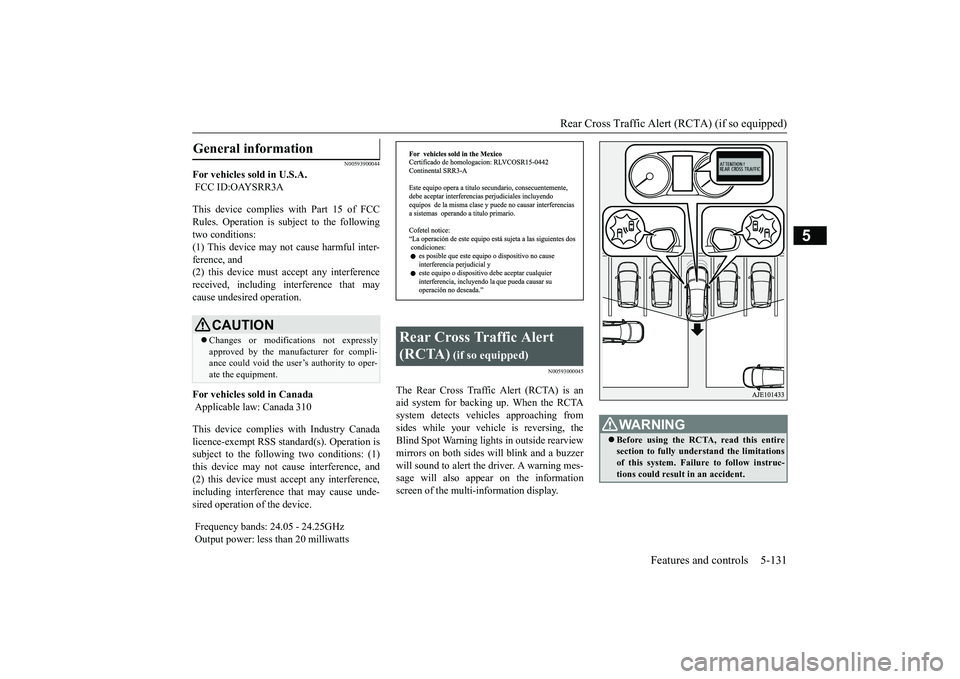
The Rear Cross Traffic Alert (RCTA) is anaid system for backing up. When the RCTAsystem detects vehicl
es approaching from
sides while your vehicle is reversing, theBlind Spot Warning lights in outside rearviewmirrors on both sides w
ill blink and a buzzer
will sound to alert the driver. A warning mes-sage will also appear on the informationscreen of the multi-information display.
General information
CAUTIONChanges or modifica
tions not expressly
approved by the manufacturer for compli-ance could void the user’s authority to oper-ate the equipment.
Rear Cross Traffic Alert (RCTA)
(if so equipped)
WA R N I N GBefore using the RCTA, read this entiresection to fully understand the limitationsof this system. Failure to follow instruc-tions could result
in an accident.
BK0249100US.book 131 ページ 2017年5月10日 水曜日 午前8時49分