Mobile phoneConnecting (Bluetooth®inter-
face) ..............................................2 06
Frequencies ................................... 281
Installation ..................................... 281
Menu (on-board computer) ............ 166
Transmission output (maximum) .... 281
Modifying the programming
(SmartKey) ...........................................6 4
Mounting wheels
Lowering the vehicle ...................... 278
Mounting a new wheel ................... 278
Preparing the vehicle .....................2 76
Raising the vehicle ......................... 276
Removing a wheel .......................... 278
Securing the vehicle against roll-
ing away ........................................ 276
MP3
Operation ....................................... 165
see also Digital Operator's Man-
ual ..................................................2 03
see separate operating instructions
Multifunction display
Function/notes .............................1 62
Permanent display ......................... 168
Multifunction steering wheel
Operating the on-board computer .. 161Overview .......................................... 33
Multimedia system
Switching on and off ......................2 04
Music files
see also Digital Operator's Man-
ual .................................................. 203
N
NavigationEntering a destination .................... 205
Menu (on-board computer) ............ 164
see also Digital Operator's Man-
ual .................................................. 203
see separate operating instructions
NECK-PRO head restraints
Operation ......................................... 48
Resetting triggered .......................... 49
NECK-PRO luxury head restraints
Important safety notes .................... 48
Operation ......................................... 48 Resetting when triggered ................. 49
Notes on breaking-in a new vehi-
cle ....................................................... 104
O
Occupant safety
Air bags ........................................... 44
Automatic measures after an acci-
dent ................................................. 50
BabySmart™ air bag deactivation
system ............................................. 53
Belt warning ..................................... 43
Children in the vehicle ..................... 50
Important safety notes .................... 38
Introduction to the restraint sys-
tem .................................................. 38
PASSENGER AIR BAG indicator
lamps ............................................... 39
Pets in the vehicle ........................... 57
Restraint system warning lamp ........ 38
Seat belt .......................................... 39
Odometer ........................................... 163
Off-road
Differential locks ............................ 151
Off-road ABS .................................... 59
Off-road driving
Checklist after driving off-road ...... 131
Checklist before driving off-road .... 130
Driving on sand .............................. 131
General information ....................... 130
Important safety notes .................. 129
Traveling uphill ............................... 132
Off-road fording ................................. 128
Off-road system
Permanent all-wheel drive ............. 143
Oil
see Engine oil
On-board computer
AMG menu ..................................... 171
Assistance menu ........................... 167
Audio menu ................................... 165
Convenience submenu .................. 170
Display messages .......................... 173
DISTRONIC PLUS ........................... 139
Factory settings submenu ............. 171
Important safety notes .................. 160
Instrument cluster submenu .......... 168
Index13
XPress the:or9 button to select the
Auto. Mirror Foldingfunction.
If the Auto. Mirror Foldingfunction is
activated, the vehicle's exterior mirror is dis-
played in red in the multifunction display.
XPress the abutton to save the setting.
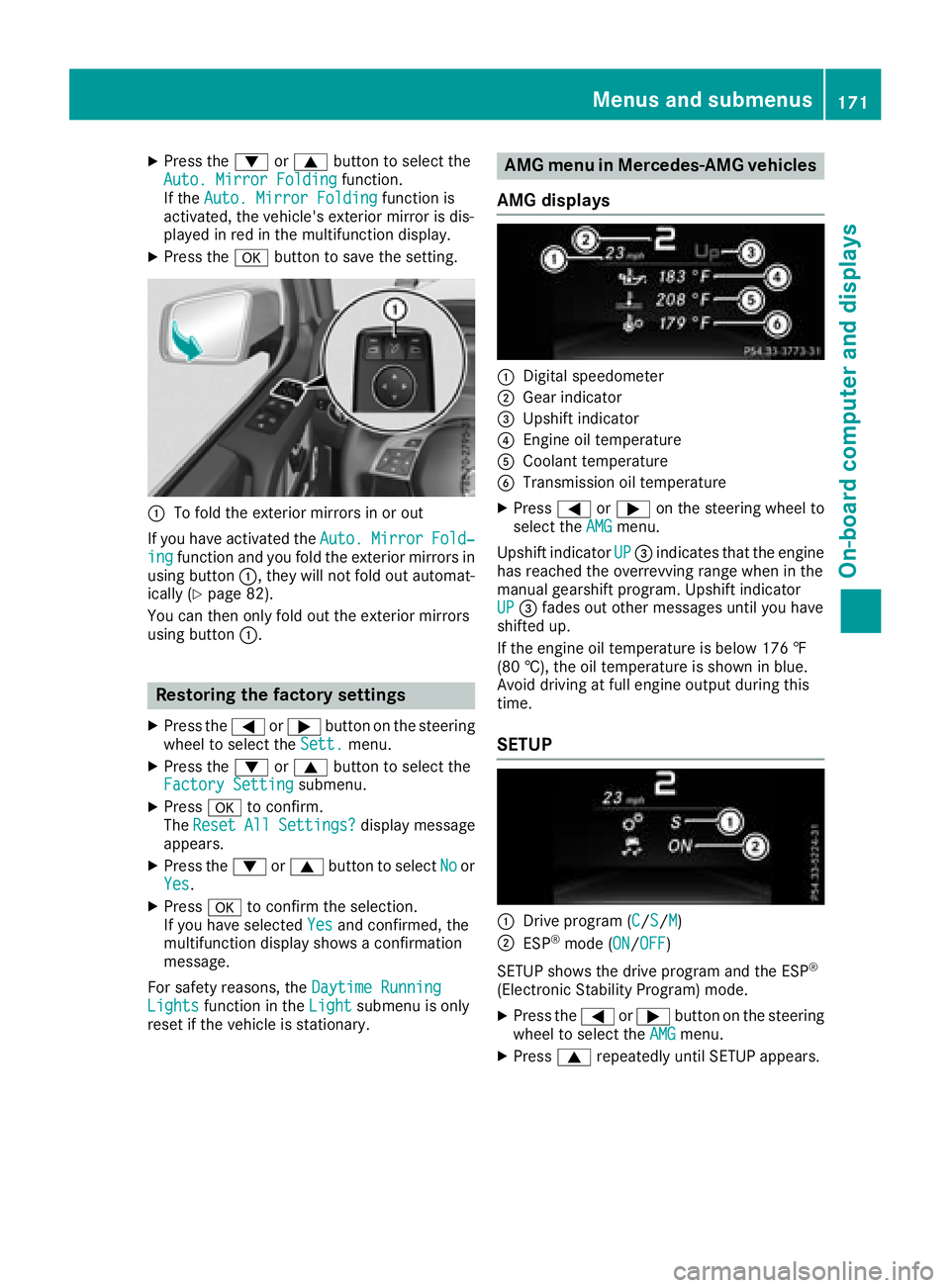
:To fold the exterior mirrors in or out
If you have activated the Auto.
MirrorFold‐ingfunction and you fold the exterior mirrors in
using button :, they will not fold out automat-
ically (
Ypage 82).
You can then only fold out the exterior mirrors
using button :.
Restoring the factory settings
XPress the=or; button on the steering
wheel to select the Sett.menu.
XPress the:or9 button to select the
Factory Settingsubmenu.
XPress ato confirm.
The ResetAllSettings?display message
appears.
XPress the :or9 button to select Noor
Yes.
XPress ato confirm the selection.
If you have selected Yesand confirmed, the
multifunction display shows a confirmation
message.
For safety reasons, the Daytime Running
Lightsfunction in theLightsubmenu is only
reset if the vehicle is stationary.
AMG menu in Mercedes-AMG vehicles
AMG displays
:Digital speedometer
;Gear indicator
=Upshift indicator
?Engine oil temperature
ACoolant temperature
BTransmission oil temperature
XPress =or; on the steering wheel to
select the AMGmenu.
Upshift indicator UP
=indicates that the engine
has reached the overrevving range when in the
manual gearshift program. Upshift indicator
UP
= fades out other messages until you have
shifted up.
If the engine oil temperature is below 176 ‡
(80 †), the oil temperature is shown in blue.
Avoid driving at full engine output during this
time.
SETUP
:Drive program (C/S/M)
;ESP®mode (ON/OFF)
SETUP shows the drive program and the ESP
®
(Electronic Stability Program) mode.
XPress the =or; button on the steering
wheel to select the AMGmenu.
XPress9repeatedly until SETUP appears.
Menus and submenus171
On-board computer and displays
Z