2018 MERCEDES-BENZ G-CLASS jump starting
[x] Cancel search: jump startingPage 5 of 294

Maintenance and care......................230
Engine compartment ........................... 230
Maintenance ........................................ 235
Care ..................................................... 236
Breakdown assistance .....................243
Where will I find...? .............................. 243
Flat tire ................................................ 246
Battery (vehicle) .................................. 246
Jump starting ....................................... 249
Towing and tow-starting ...................... 251
Fuses ...................................................2 54
Wheels and tires............................... 257
Important safety notes ........................ 257
Operation ............................................ 257
Winter operation .................................. 258
Tire pressure ....................................... 260
Loading the vehicle .............................. 266
All about wheels and tires ................... 269
Changing a wheel ................................ 275
Wheel and tire combinations ...............2 79
Spare wheel ......................................... 279
Technical data ................................... 281
Information regarding technical data ... 281
Vehicle electronics .............................. 281
Identification plates .............................2 82
Service products and filling capaci-
ties ...................................................... 283
Vehicle data ......................................... 288
Vehicle data for off-road driving .......... 290
Trailer tow hitch ................................... 291
Contents3
Page 7 of 294

Neutral (ECO start/stop func-
tion) ............................................... 113
Overview ........................................ 111
Problem (malfunction) ................... 119
Program selector button ................ 115
Pulling away ................................... 106
Selector lever ................................ 112
Shift ranges ................................... 116
Steering wheel paddle shifters ...... 116
Trailer towing ................................. 115
Transmission position display ........ 112
Automatic transmission emer-
gency mode ....................................... 119
Axle load, permissible (trailer tow-
ing) ...................................................... 291
B
BabySmart™
Air bag deactivation system ............. 53
Back button ....................................... 204
Backup lamp
Replacing bulbs ............................... 92
Ball coupling
Installing ........................................ 156
BAS (Brake Assist System) ................. 59
Battery (SmartKey)
Checking .......................................... 65
Important safety notes .................... 64
Replacing ......................................... 65
Battery (vehicle)
Charging ........................................ 248
Display message ............................ 182
Important safety notes .................. 246
Jump starting ................................. 249
Overview ........................................ 246
Belt warning ......................................... 43
Blind Spot Assist
Activating/deactivating ................. 167
Activating/deactivating (on-
board computer) ............................ 167
Display message ............................ 185
Notes/function .............................. 140
Bluetooth
®
Searching for a mobile phone ........ 207
see also Digital Operator's Man-
ual .................................................. 203
Telephony ...................................... 206 Brake fluid
Display message ............................ 177
Notes ............................................. 286
Brake fluid level ................................ 235
Brake force distribution
see EBD (electronic brake force
distribution)
Brake lamp
Replacing bulbs ............................... 92
Brake lamps
Display message ............................ 180
Brakes
ABS .................................................. 58
BAS .................................................. 59
Brake fluid (notes) ......................... 286
Display message ............................ 175
EBD .................................................. 61
High-performance brake system .... 127
Hill start assist ............................... 107
HOLD function ............................... 142
Important safety notes .................. 125
Maintenance .................................. 126
Parking brake ................................ 123
Riding tips ...................................... 125
Warning lamp ................................. 193
Breakdown
see Flat tire
see Towing away
Brightness control (instrument
cluster lighting) ................................... 32
Brush guard ....................................... 226
Bulbs
Backup lamp .................................... 90
Brake lamp ...................................... 90
Rear fog lamp .................................. 90
Standing lamps (rear) ...................... 90
T
ail lamp .......................................... 90
Turn signal lamp (front) .................... 90
Turn signal lamp (rear) ..................... 90
see Replacing bulbs
C
California
Important notice for retail cus-
tomers and lessees .......................... 24
Calling up a malfunction
see Display messages
Index5
Page 11 of 294

Fuel ................................................ 124
General .......................................... 124
Gravel roads .................................. 131
Hydroplaning .................................127
Icy road surfaces ........................... 128
Important safety notes .................. 104
Limited braking efficiency on sal-
ted roads ....................................... 126
Off-road driving .............................. 129
Off-road fording .............................1 28
Pulling away on slippery surfaces .. 127
Snow chains .................................. 259
Subjecting brakes to a load ........... 126
The first 1500 km .......................... 104
Tire ruts ......................................... 131
Towing a trailer .............................. 154
Traveling uphill ............................... 132
Wet road surface ........................... 126
DVD audio
Operating (on-board computer) ..... 165
DVD video
Operating (on-board computer) ..... 166
see also Digital Operator's Man-
ual ..................................................2 03
E
EASY-ENTRY feature
Activating/deactivating ................. 170
Function/notes ................................ 81
EASY-EXIT feature
Function/notes ................................ 81
Switching on/off ........................... 170
EBD (electronic brake force distri-
bution)
Display message ............................ 176
Function/notes ................................ 61
ECO start/stop function
Deactivating/activating ................. 108
General information ....................... 107
Electronic Stability Program
see ESP
®(Electronic Stability Program)
Electronic Traction System
see 4ETS (Electronic Traction System)
Emergency
Automatic measures after an acci-
dent ................................................. 50 Emergency release
Driver's door ....................................6 8
Vehicle .............................................6 8
Emergency Tensioning Devices
Activation ........................................ .47
Emissions control
Service and warranty information .... 24
Engine
Check Engine warning lamp .......... .199
Display message ............................ 180
ECO start/stop function ................ 107
Engine number ............................... 283
Irregular running ............................ 110
Jump-starting ................................. 249
Starting problems .......................... 110
Starting the engine with the
SmartKey ....................................... 106
Switching off .................................. 123
Tow-starting (vehicle) ..................... 254
Engine electronics
Problem (malfunction) ................... 110
Engine oil
Adding ...........................................2 33
Additives ........................................ 286
Checking the oil level ..................... 232
Checking the oil level using the
dipstick .......................................... 232
Checking the oil level using the
on-board computer ........................ 232
Display message ............................ 182
Filling capacity ....... ........................ 286
G
eneral notes ................................ 285
Notes about oil grades ................... 285
Notes on oil level/consumption .... 232
Temperature (on-board com-
puter) ............................................. 171
Entering an address
see also Digital Operator's Man-
ual ..................................................2 03
ESP
®(Electronic Stability Pro-
gram)
4ETS (Electronic Traction Sys-
tem) ................................................. 59
AMG menu (on-board computer) ... 171
Characteristics ................................. 60
Deactivating/activating ................... 60
Display message ............................ 175
Function/notes ................................ 59
Index9
Page 13 of 294

Genuine parts...................................... 23
Glove box ........................................... 210
Google™ Local Search
see also Digital Operator's Man-
ual .................................................. 203
GTW (Gross Trailer Weight) (defini-
tion) .................................................... 274
H
Hazard warning lamps ........................ 88
Head restraints
Adjusting .........................................7 6
Adjusting (rear) ................................ 77
Installing/removing (rear) ................ 77
Luxury .............................................. 76
Resetting (front) ............................... 76
see NECK-PRO head restraints
see NECK-PRO luxury head restraints
Headlamps
Cleaning system (function) .............. 87
Cleaning system (notes) ................ 287
Fogging up ....................................... 88
Protective grille ................................ 91
see Automatic headlamp mode
Heating
see Climate control
High beam flasher ............................... 88
High-beam headlamps
Display message ............................ 180
Switching on/off .............................. 88
Hill start assist .................................. 107
HOLD function
Activating ....................................... 143
Activation conditions ..................... 143
Deactivating ................................... 143
Function/notes ............................. 142
General notes ................................ 142
Home address
see also Digital Operator's Man-
ual .................................................. 203
Hood
Closing ........................................... 231
Display message ............................ 190
Important safety notes .................. 230
Opening ......................................... 230
Horn ...................................................... 31
Hydroplaning ..................................... 127
I
Ignition lock
see Key positions
Immobilizer .......................................... 62
Indicator lamp
Replacing bulbs (rear) ...................... 92
Insect protection on the radiator .... 231
Instrument cluster
Overview .......................................... 32
Warning and indicator lamps ........... 32
Instrument cluster lighting .............. 160
Interior lighting
Automatic control ............................ 89
Delayed switch-off (on-board
computer) ...................................... 169
Overview .......................................... 89
iPod
®
see also Digital Operator's Man-
ual .................................................. 203
J
Jack Pump lever ..................................... 276
Storage location ............................ 244
Using ............................................. 276
Jump starting (engine) ...................... 249
K
Key positions
SmartKey ....................................... 105
L
Language (on-board computer) ........ 168
Lap time (RACETIMER) ...................... 172
LATCH-type (ISOFIX) child seat
anchors ................................................ 52
License plate lamp (display mes-
sage) ................................................... 180
Light sensor (display message) ....... 180
Lights
Activating/deactivating the inte-
rior lighting delayed switch-off ....... 169
Automatic headlamp mode .............. 87
Combination switch ......................... 88
Fogged up headlamps ...................... 88
Index11
Page 107 of 294

There is a risk of an accident.
Wear suitable footwear to ensure correct
usage of the pedals.
GWARNING
If you switch off the ignition while driving,
safety-relevant functions are only available
with limitations, or not at all. This could affect, for example, the power steering and the brake
boosting effect. You will require considerably
more effort to steer and brake. There is a risk
of an accident.
Do not switch off the ignition while driving.
GWARNING
If the parking brake has not been fully
released when driving, the parking brake can:
Roverheat and cause a fire
Rlose its hold function.
There is a risk of fire and an accident. Release
the parking brake fully before driving off.
!Warm up the engine quickly. Do not use the
engine's full performance until it has reached
operating temperature.
Only shift the automatic transmission to the
desired drive position when the vehicle is sta-
tionary.
Where possible, avoid spinning the drive
wheels when pulling away on slippery roads.
You could otherwise damage the drive train.
!Avoid high engine speeds when the engine
is cold. The engine's service life could other-
wise be significantly shortened. Do not use
the engine's full performance until it has
reached operating temperature.
!Mercedes-AMG vehicles: at low engine oil
temperatures below 68 ‡ (+20 †), the max-
imum engine speed is restricted in order to
protect the engine. To protect the engine and
maintain smooth engine operation, avoid driv-
ing at full throttle when the engine is cold.
Key positions
gTo remove the SmartKey
1Power supply for some consumers, such as
the windshield wipers
2Ignition (power supply for all consumers)
and drive position
3To start the engine
As soon as the ignition is switched on, all the
indicator lamps in the instrument cluster light
up. If an indicator lamp does not go out after
starting the engine or lights up while driving, see
(
Ypage 193).
If the SmartKey is in position gin the ignition
lock for a longer period, it can no longer be
turned in the ignition lock. The steering is then
locked. To unlock, remove the SmartKey and
reinsert it into the ignition lock.
The steering is locked when you remove the
SmartKey from the ignition lock.
XRemove the SmartKey when the engine is
switched off.
The starter battery could otherwise be dis-
charged.
If you cannot turn the SmartKey in the ignition
lock, the starter battery may not be charged
sufficiently.
XCheck the starter battery and charge it if nec-
essary (Ypage 248).
or
XJump-start the vehicle (Ypage 249).
You can only remove the SmartKey if:
Rthe SmartKey is in position gin the ignition
lock
Rthe automatic transmission selector lever is
in j
Driving105
Driving and parking
Z
Page 249 of 294
sparks are created, the hydrogen gas can
ignite. There is a risk of an explosion.
RMake sure that the positive terminal of a
connected battery does not come into con-
tact with vehicle parts.
RNever place metal objects or tools on a bat-tery.
RIt is important that you observe the descri-
bed order of the battery terminals when
connecting and disconnecting a battery.
RWhen jump-starting, make sure that the
battery poles with identical polarity are
connected.
RIt is particularly important to observe the
described order when connecting and dis-
connecting the jumper cables.
RNever connect or disconnect the battery
terminals while the engine is running.
GWARNING
Battery acid is caustic. There is a risk of injury.
Avoid contact with skin, eyes or clothing. Do
not inhale any battery gases. Do not lean over
the battery. Keep children away from batter-
ies. Wash away battery acid immediately with
plenty of clean water and seek medical atten-
tion.
HEnvironmental note
Batteries contain dangerous
substances. It is against the
law to dispose of them with
the household rubbish. They
must be collected separately and recycled to protect the
environment.
Dispose of batteries in an
environmentally friendly
manner. Take discharged
batteries to a qualified spe-
cialist workshop or a special
collection point for used bat-
teries.
!Have the battery checked regularly at a
qualified specialist workshop. Observe the service intervals in the Mainte-
nance Booklet or contact a qualified specialist
workshop for more information.
!Always have work on batteries carried out at
a qualified specialist workshop.
Should it, in exceptional circumstances, be
absolutely necessary to disconnect the 12-
volt battery yourself, please observe the fol-
lowing:
RSecure the vehicle to prevent it from rolling
away.
RSwitch off the ignition.
RDisconnect the negative terminal first and
then the positive terminal.
The transmission is locked in position j
after disconnecting the battery.
After the work has been done, install the bat- tery and replace the cover of the positive ter-
minal clamp firmly.
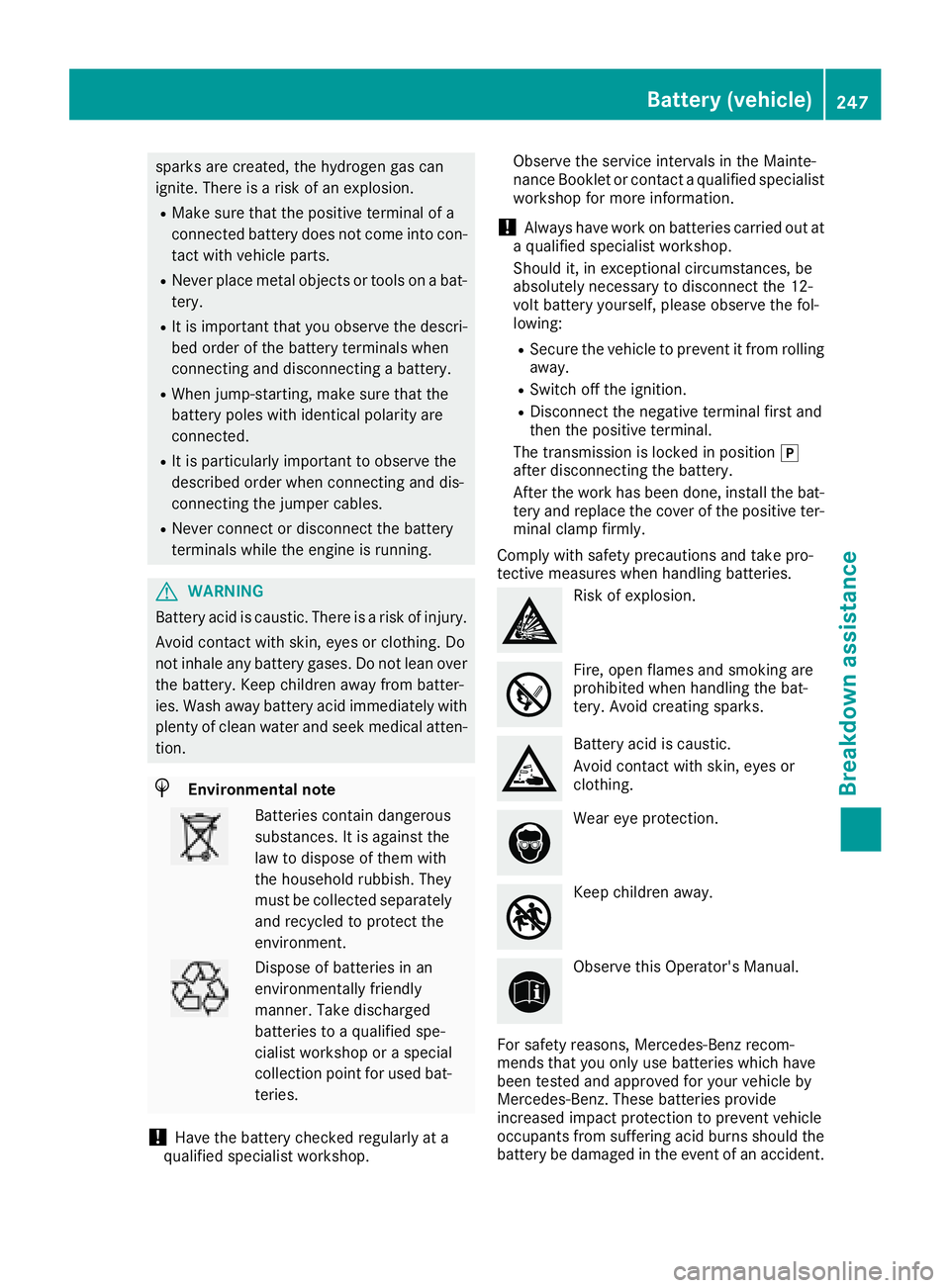
Comply with safety precautions and take pro-
tective measures when handling batteries.
Risk of explosion.
Fire, open flames and smoking are
prohibited when handling the bat-
tery. Avoid creating sparks.
Battery acid is caustic.
Avoid contact with skin, eyes or
clothing.
Wear eye protection.
Keep children away.
Observe this Operator's Manual.
For safety reasons, Mercedes-Benz recom-
mends that you only use batteries which have
been tested and approved for your vehicle by
Mercedes-Benz. These batteries provide
increased impact protection to prevent vehicle
occupants from suffering acid burns should the
battery be damaged in the event of an accident.
Battery (vehicle)247
Breakdown assistance
Z
Page 250 of 294

In order for the battery to achieve the maximum
possible service life, it must always be suffi-
ciently charged.
Like other batteries, the vehicle battery may
discharge over time if you do not use the vehicle.
In this case, have the battery disconnected at a
qualified specialist workshop. You can also
charge the battery with a charger recommended
by Mercedes-Benz. Contact a qualified special-
ist workshop for further information.
Have the battery condition of charge checked
more frequently if you use the vehicle mainly for
short trips or if you leave it standing idle for a
lengthy period. Consult a qualified specialist
workshop if you wish to leave your vehicle
parked for a long period of time.
Remove the SmartKey if you park the vehicle
and do not require any electrical consumers.
The vehicle will then use very little energy, thus
conserving battery power.
iIf the power supply has been interrupted,
e.g. due to a discharged battery, you will have
to:
Rreset the head restraints on the front seats (Ypage 76)
Rreset the function for automatically folding
the exterior mirrors in/out by folding the
mirrors out once (
Ypage 82)
Charging the battery
!
Only use battery chargers with a maximum
charging voltage of 14.8 V.
GWARNING
During charging and jump-starting, explosive
gases can escape from the battery. There is a risk of an explosion.
Particularly avoid fire, open flames, creating
sparks and smoking. Ensure there is sufficient
ventilation while charging and jump-starting.
Do not lean over a battery.
GWARNING
Battery acid is caustic. There is a risk of injury.
Avoid contact with skin, eyes or clothing. Do
not inhale any battery gases. Do not lean over
the battery. Keep children away from batter-
ies. Wash away battery acid immediately with plenty of clean water and seek medical atten-
tion.
GWARNING
A discharged battery can freeze at tempera-
tures below freezing point. When jump-start-
ing the vehicle or charging the battery, gases can escape from the battery. There is a risk of
an explosion.
Allow the frozen battery to thaw out before
charging it or jump-starting.
!Only charge the battery using the jump-
starting connection point.
The jump-starting connection point is in the
engine compartment (
Ypage 249).
XOpen the hood.
XConnect the battery charger to the positive
terminal and ground point in the same order
as when connecting the donor battery in the
jump-starting procedure (
Ypage 249).
Keep away from fire and open flames. Do not
lean over a battery. Never charge the battery if it
is still installed in the vehicle, unless you use a
battery charger which has been tested and
approved by Mercedes-Benz. A battery charger
unit specially adapted for Mercedes-Benz vehi-
cles and tested and approved by Mercedes-
Benz is available as an accessory. It permits the
charging of the battery in its installed position.
Contact an authorized Mercedes-Benz Center
for further information and availability. Read the
battery charger's operating instructions before
charging the battery.
If the warning and indicator lamps do not light up
on the instrument cluster when temperatures
are low, it is probably because the discharged
battery has frozen. In this case you may neither
jump-start the vehicle nor charge the battery.
The service life of a thawed-out battery may be
shorter. The starting characteristics can be
impaired, particularly at low temperatures. Have
the thawed-out battery checked at a qualified
specialist workshop.
248Battery (vehicle)
Breakdown assistance
Page 251 of 294

Jump starting
For the jump-starting procedure, use only the jump-starting connection point in the engine com-
partment, consisting of a positive terminal and a ground point.
GWARNING
Battery acid is caustic. There is a risk of injury.
Avoid contact with skin, eyes or clothing. Do not inhale any battery gases. Do not lean over the
battery. Keep children away from batteries. Wash away battery acid immediately with plenty of
clean water and seek medical attention.
GWARNING
During charging and jump-starting, explosive gases can escape from the battery. There is a risk of an explosion.
Particularly avoid fire, open flames, creating sparks and smoking. Ensure there is sufficient ven-
tilation while charging and jump-starting. Do not lean over a battery.
GWARNING
During the charging process, a battery produces hydrogen gas. If a short circuit occurs or sparks
are created, the hydrogen gas can ignite. There is a risk of an explosion.
RMake sure that the positive terminal of a connected battery does not come into contact with
vehicle parts.
RNever place metal objects or tools on a battery.
RIt is important that you observe the described order of the battery terminals when connecting
and disconnecting a battery.
RWhen jump-starting, make sure that the battery poles with identical polarity are connected.
RIt is particularly important to observe the described order when connecting and disconnecting
the jumper cables.
RNever connect or disconnect the battery terminals while the engine is running.
GWARNING
A discharged battery can freeze at temperatures below freezing point. When jump-starting the
vehicle or charging the battery, gases can escape from the battery. There is a risk of an explosion. Allow the frozen battery to thaw out before charging it or jump-starting.
!Avoid repeated and lengthy starting attempts. Otherwise, the catalytic converter could be
damaged by the non-combusted fuel.
If the warning and indicator lamps do not light up on the instrument cluster when temperatures are
low, it is probably because the discharged battery has frozen. In this case, you may neither charge
the battery nor jump-start the vehicle. The service life of a thawed-out battery may be shorter. The
starting characteristics can be impaired, particularly at low temperatures. Have the thawed-out
battery checked at a qualified specialist workshop.
Jump starting249
Breakdown assistance
Z