Page 225 of 486
Voice command Function
*XLGDQFH LQVWUXFWLRQV RQ
*XLGDQFH LQVWUXFWLRQV RII Switches
thero ute guidance voice output on/off
6KRZ WUDIILF PDS
+LGH WUDIILF PDS Swit
ches the tra ffic map on/off
6ZLWFK RQ 32, V\PEROV
6ZLWFK RII 32, V\PEROV Swit
ches the POI symbols display on the map on/off
Te lephone voice commandsYou can use thete lephone voice commands to
make phone calls or sear chthro ugh the address
book.
Vo ice command Function
&DOO �1DPH! Makes a phone call. All address book names are
available.
6HDUFK IRU FRQWDFW �1DPH! Sear
ches for and displa ysa con tact. All address book names are available.
/DVW SKRQH QXPEHU Displa
ys the last call
5HGLDO QXPEHU Selects
the last phone number dialed
Vo ice Cont rol Sy stem 223
Page 226 of 486
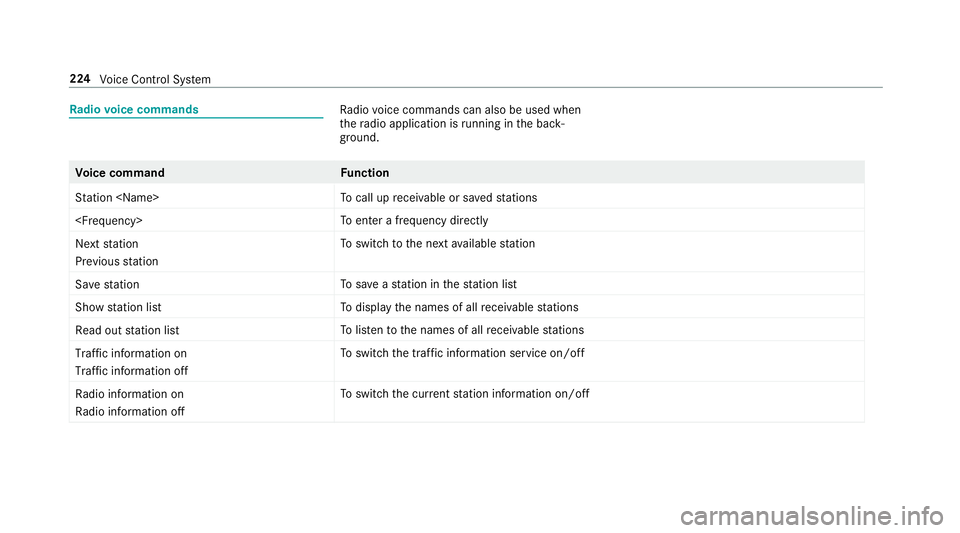
Radio voice commandsRa dio voice commands can also be used when
th era dio application is running in the back‐
ground.
Vo ice command Function
6WDWLRQ �1DPH! To
call up receiva ble or sa vedstations
�)UHTXHQF\! To
enter a frequency directly
1H[W VWDWLRQ
3UHYLRXV VWDWLRQ To
switch tothe next available station
6DYH VWDWLRQ To
save ast ation in thest ation list
6KRZ VWDWLRQ OLVW To
display the names of all receiva blestations
5HDG RXW VWDWLRQ OLVW To
listento the names of all receiva blestations
7UDIILF LQIRUPDWLRQ RQ
7UDIILF LQIRUPDWLRQ RII To
switch the traf fic information service on/off
5DGLR LQIRUPDWLRQ RQ
5DGLR LQIRUPDWLRQ RII To
switch the cur rent station information on/off
224
Voice Cont rol Sy stem
Page 228 of 486
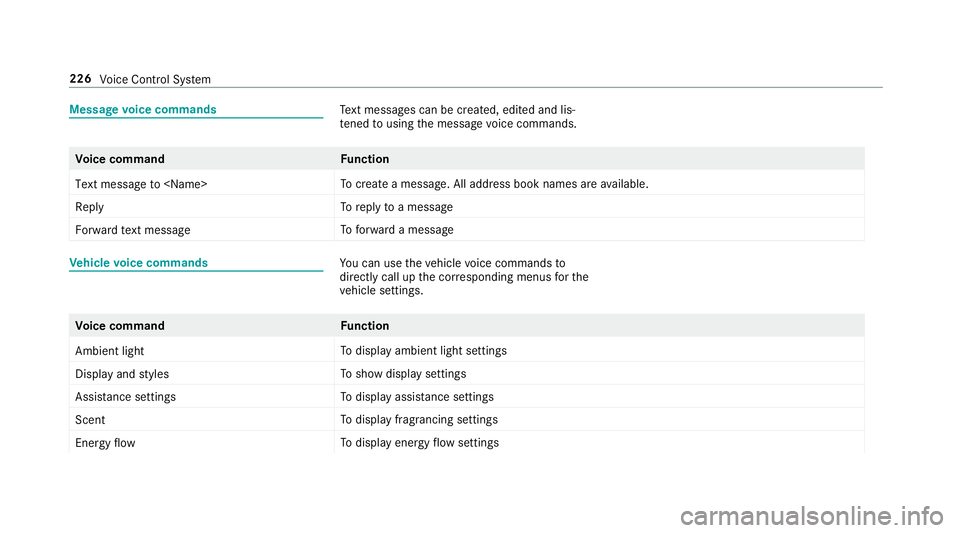
Messagevoice commandsText message s can be created, edited and lis‐
te ned tousing the message voice commands.
Vo ice command Function
7H[W PHVVDJH WR �1DPH! To
create a message. All address book names are available.
5HSO\ To
reply toa message
)RUZDUG WH[W PHVVDJH To
forw ard a message
Ve hicle voice commandsYou can use theve hicle voice commands to
directly call up the cor responding menus forth e
ve hicle settings.
Vo ice command Function
$PELHQW OLJKW To
display ambient light settings
'LVSOD\ DQG VW\OHV To
show display settings
$VVLVWDQFH VHWWLQJV To
display assis tance settings
6FHQW To
display fragrancing settings
(QHUJ\ IORZ To
display energy flow settings
226
Voice Cont rol Sy stem
Page 229 of 486
Voice command Function
,RQL]DWLRQ To
display ionization settings
&OLPDWH FRQWURO To
display climate control settings
/LJKW To
display light settings
0DVVDJH To
display massage settings
(QJLQH GDWD To
display engine data
6HDW To
display seat adjustment settings
&RQVXPSWLRQ To
display consum ption
9LVXDOL]DWLRQ To
display visualization
Voice Cont rol Sy stem 227
Page 230 of 486
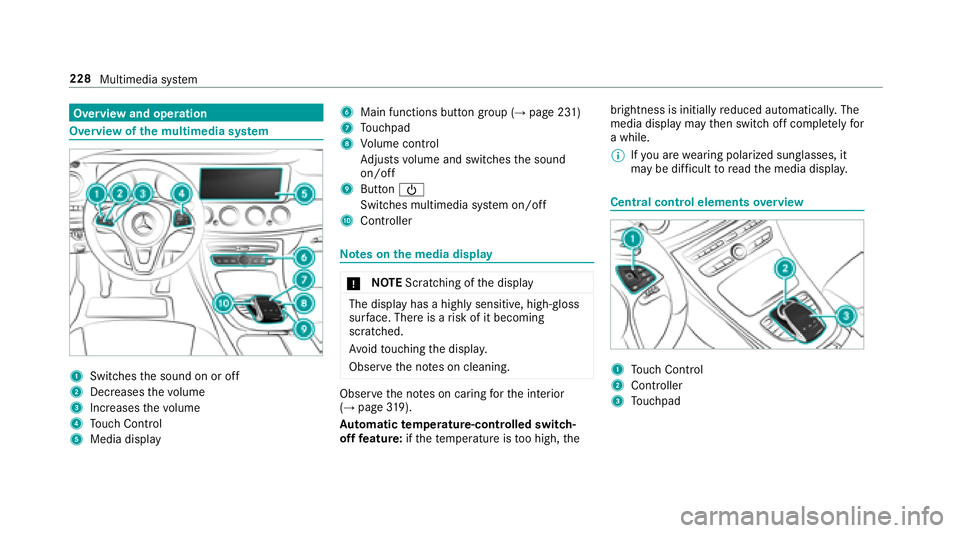
Overview and operation
Overview ofthe multimedia sy stem
1Swit ches the sound on or off
2Dec reases thevo lume
3Inc reases thevo lume
4Touch Control
5Media display
6Main functions button group (→page 231)
7Touchpad
8Vo lume control
Ad justs volume and switches the sound
on/off
9Button Ü
Switches multimedia sy stem on/off
AController
Note s onthe media display
* NO
TEScratching of the display
The display has a highly sensitive, high-gloss
sur face. There is arisk of it becoming
scratched.
Av oid touching the displa y.
Obser vethe no tes on cleaning.
Obser vethe no tes on caring forth e interior
(→page 319).
Au tomatic temperature-cont rolled switch-
off feature: ifth ete mp erature is too high, the brightness is initially
reduced automatically. The
media display may then switch off comple tely for
a while.
% Ifyo u are wearing polarized sungl asses, it
may be dif ficult toread the media displa y.
Central control elements overview
1To uch Control
2Controller
3Touchpad
228
Multimedia system
Page 232 of 486

#Turn 3 left or right.
#Slide 1 left orright.
#Slide 4 up or down.
#Slide2 diagonally.
#Press 7brief lyor press and hold.
To uchpad
Switching theto uchpad on/off
Prerequisite
The vehicle is equipped with a contro ller.
Multimedia sy stem:
,6\VWHP.w ,QSXW
#Switch 7RXFKSDG onO or off ª.
Operating theto uchpad
Re quirement:
Fo rve hicles with a contro ller:theto uchpad is
swit ched on (
→page 230).
1Touchpad
2But ton©
Calls up main functions and favo rite s
3Button D
Calls up the control menu of the last active
audio source
4Button % Press brief
ly:re turns tothe pr evious display
Press and hold: calls up main functions
Yo u can navigate inmenus and lists via touch-
sensitive sur face 1 byusing a single-finger
swipe.
#To open or close lists: swipe left orright.
#To select the menu item: swipe up, down,
left or right.
#Press touchpad 1.
#Tomo vethe digital map: swipe in any
direction.
Use thefo llowing functions with a two-finger
swipe:
#To call up main functions and favo rite s:
swipe down with two fingers.
#To zoom in and out of the map: movetwo
fi ngers toget her or apart.
#Tocall up the control menu of the last
active audio source: swipe up with twofin‐
ge rs.
230
Multimedia sy stem
Page 238 of 486
#Todel ete a character: swipe left when the
cursor is loca ted in the input line.
#To confirm the entr y:press theto uchpad.#To finish character entr y:swipe upwards.
or
#Press the% button.
Example: entering a destination (navigation)
#En ter a POI or add ress (→page 244).
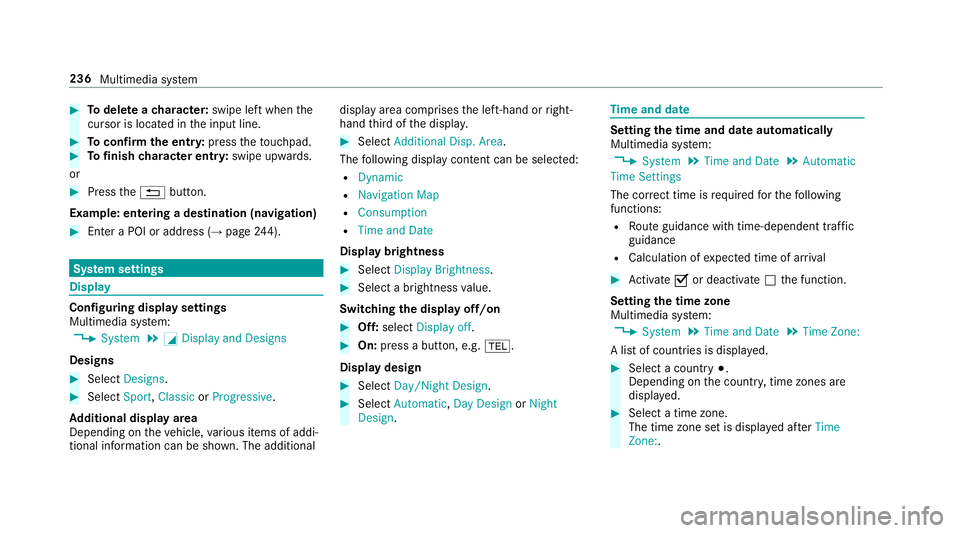
Sy stem settings
Display
Configuring display settings
Multimedia sy stem:
,6\VWHP.G 'LVSOD\ DQG 'HVLJQV
Designs
#Select 'HVLJQV.
#Select6SRUW,&ODVVLF or3URJUHVVLYH.
Ad ditional displ ayarea
Depending on theve hicle, various items of addi‐
tional information can be shown. The additional display area comprises
the left-hand or right-
hand third of the displa y.
#Select$GGLWLRQDO 'LVS� $UHD.
The following display con tent can be selected:
R'\QDPLF
R1DYLJDWLRQ 0DS
R&RQVXPSWLRQ
R7LPH DQG 'DWH
Display brightness
#Select'LVSOD\ %ULJKWQHVV.
#Select a brightness value.
Switching the display off/on
#Off: select 'LVSOD\ RII .
#On:press a button, e.g. %.
Display design
#Select 'D\�1LJKW 'HVLJQ .
#Select$XWRPDWLF ,'D\ 'HVLJQ or1LJKW
'HVLJQ .
Timeand date
Setting the time and da teautomatically
Multimedia sy stem:
,6\VWHP.7LPH DQG 'DWH.$XWRPDWLF
7LPH 6HWWLQJV
The cor rect time is requ ired forth efo llowing
functions:
RRo ute guidance with time-dependent traf fic
guidance
RCalculation of expected time of ar riva l
#Ac tivate Oor deacti vate ª the function.
Setting the time zone
Multimedia sy stem:
,6\VWHP.7LPH DQG 'DWH.7LPH =RQH�
A list of count ries is displa yed.
#Select a count ry#.
Depending on the count ry, time zones are
displa yed.
#Select a time zone.
The time zone set is displa yed af ter7LPH
=RQH�.
236 Multimedia sy stem
Page 241 of 486
#Pressthe WPS button on the device tobe
connec ted.
#Select &RQWLQXH inthe multimedia sy stem.
#Using a security key:highlight a Wi-Fi net‐
wo rkinthe list.
#Select ¥&RQQHFW 8VLQJ 6HFXULW\ .H\.
#Have the security keydispla yed on the device
to be connec ted (see the manufacturer's
operating instructions).
#En terth is security keyon the multimedia sys‐
te m.
#Confirm the ent rywith ¡.
% All devices support a security keyas a
mean sof connection .
Device ha salread ybeen connec ted
#To automatically connect: highlight aWi-Fi
network in the list.
#Ac tivate O¥ &RQQHFW $XWRPDWLFDOO\ .
#Toconnect: highlight a Wi-Fi network in the
list.
#Select ¥&RQQHFW .
The connection is es tablished again. These
functions are possible when the device has
already been connected totheWi -Fi networ k.
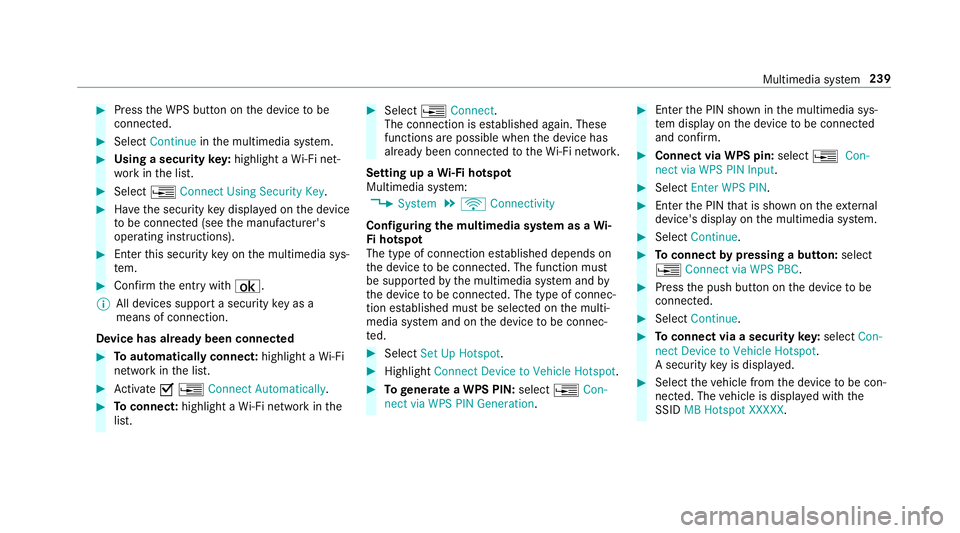
Setting up a Wi-Fi hotspot
Multimedia sy stem:
,6\VWHP.ö &RQQHFWLYLW\
Configuring the multimedia sy stem as a Wi-
Fi hotspot
The type of connection es tablished depends on
th e device tobe connec ted. The function must
be suppor tedby the multimedia sy stem and by
th e device tobe connec ted. The type of connec‐
tion es tablished must be selected on the multi‐
media sy stem and on the device tobe connec‐
te d.
#Select 6HW 8S +RWVSRW .
#Highlight&RQQHFW 'HYLFH WR 9HKLFOH +RWVSRW .
#Togenerate a WPS PIN: select¥&RQ�
QHFW YLD :36 3,1 *HQHUDWLRQ .
#Enterth e PIN shown in the multimedia sys‐
te m display on the device tobe connec ted
and con firm .
#Connect via WPS pin: select¥&RQ�
QHFW YLD :36 3,1 ,QSXW .
#Select(QWHU :36 3,1.
#Enterth e PIN that is shown on theex tern al
device's display on the multimedia sy stem.
#Select &RQWLQXH.
#Toconnect bypressing a button: select
¥ &RQQHFW YLD :36 3%&.
#Press the push button on the device tobe
connec ted.
#Select &RQWLQXH.
#Toconnect via a security key:select &RQ�
QHFW 'HYLFH WR 9HKLFOH +RWVSRW.
A security keyis displa yed.
#Select theve hicle from the device tobe con‐
nec ted. The vehicle is displa yed with the
SSID 0% +RWVSRW ;;;;; .
Multimedia system 239
![MERCEDES-BENZ E-CLASS COUPE 2018 Owners Manual Voice command Function
,RQL]DWLRQ To
display ionization settings
&OLPDWH FRQWURO To
display climate control settings
/LJKW To
display light settings
0DVVDJH To
disp](/manual-img/4/34827/w960_34827-228.png "MERCEDES-BENZ E-CLASS COUPE 2018 Owners Manual Voice command Function
,RQL]DWLRQ To
display ionization settings
&OLPDWH FRQWURO To
display climate control settings
/LJKW To
display light settings
0DVVDJH To
disp")