Page 213 of 486

Example: trip computer
1Total dis tance
2Driving time
3Av erage speed
4Average fuel consum ption
Re setting values in theTr ip menu of the on-
board compu ter
On-board computer:
,7ULS
% The spelling may dif fer in the main menu dis‐
pla yed. Therefore, obser vethe menu over‐ view
forth e Instrument Display
(
→page 206).
Yo u can reset theva lues of thefo llowing func‐
tions:
RTr ip dis tance
RTrip computer "F rom start" and "F rom reset"
RECO display
#To select the function tobe rese t:swipe
upwards or down wards on the left-hand
To uch Control.
#Press the left-hand Touch Control.
#Select
#Pressthe left-hand Touch Control.
If yo upr ess and hold the left-hand side of Touch
Control, the function will be reset immediately.
Calling up navigation instructions in the on-
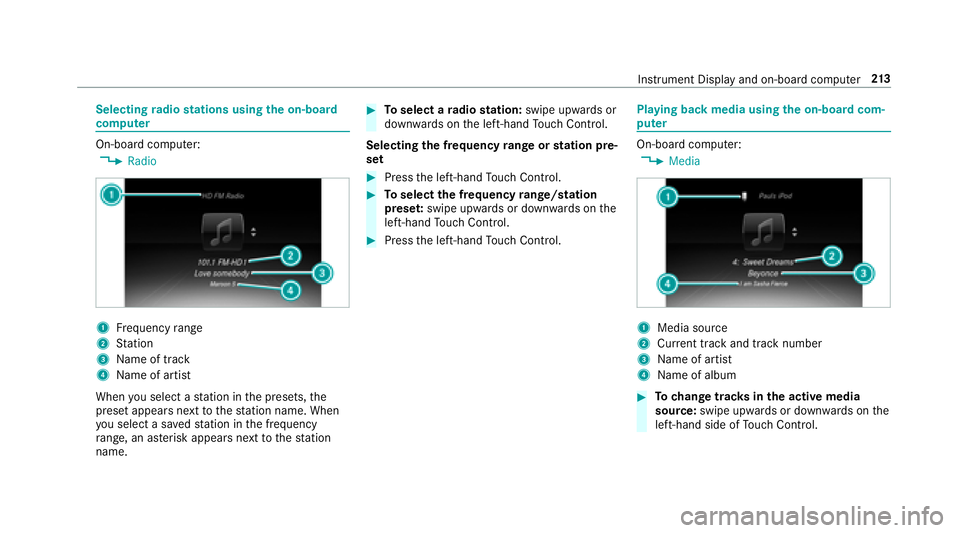
board compu ter
On-board computer:
,1DYLJDWLRQ
Example: no change of direction announced
1Dis tance tothe next destination
2Estimated ar riva l time
3Dis tance tothe next change of direction
4Cur rent road
Inst rument Display and on-board computer 21
1
Page 214 of 486
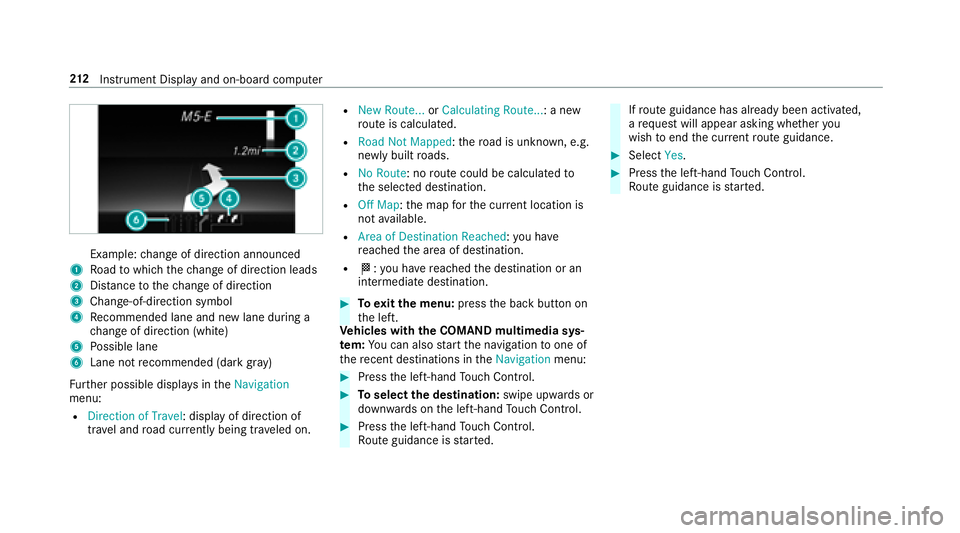
Example:change of direction announced
1Ro ad towhich thech ange of direction leads
2Dis tance tothech ange of direction
3Change -of-direction symbol
4Recommended lane and new lane duri ng a
ch ange of direction (white)
5Po ssible lane
6Lane not recommended (da rkgray )
Fu rther possible displa ysinthe1DYLJDWLRQ
menu:
R'LUHFWLRQ RI 7UDYHO: display of direction of
tra vel and road cur rently being tr aveled on.
R1HZ 5RXWH��� or&DOFXODWLQJ 5RXWH��� : a new
ro ute is calculated.
R5RDG 1RW 0DSSHG :th ero ad is unknown, e.g.
newly built roads.
R1R 5RXWH: no route could be calculated to
th e selected destination.
R2II 0DS: the map forth e cur rent location is
not available.
R$UHD RI 'HVWLQDWLRQ 5HDFKHG: you ha ve
re ached the area of destination.
RO: you ha vereached the destination or an
intermediate destination.
#To exitth e menu: pressthe back button on
th e left.
Ve hicles with the COMAND multimedia sys‐
te m: You can also start the navigation toone of
th ere cent destinations in the1DYLJDWLRQ menu:
#Pressthe left-hand Touch Control.
#To select the destination: swipe upwards or
down wards on the left-hand Touch Control.
#Press the left-hand Touch Control.
Ro ute guidance isstar ted.
Ifro ute guidance has already been activated,
a re qu est will appear asking whe ther you
wish toend the cur rent route guidance.
#Select
#Pressthe left-hand Touch Control.
Ro ute guidance isstar ted.
21 2
Instrument Display and on-board computer
Page 215 of 486
Selectingradio stations using the on-boa rd
compu ter
On-board computer:
,5DGLR
1Frequency range
2St ation
3Na me of track
4Name of artist
When you select a station in the presets, the
preset appears next tothest ation name. When
yo u select a sa vedstation in the frequency
ra nge, an as terisk appears nexttothest ation
name.
#To select a radio station: swipe upwards or
down wards on the left-hand Touch Control.
Selecting the frequency range or station pre‐
set
#Press the left-hand Touch Control.
#To select the frequency range/station
prese t:swipe upwards or down wards on the
left-hand Touch Control.
#Press the left-hand Touch Control.
Playing back media using the on-boa rdcom‐
pu ter
On-board computer:
,0HGLD
1Media source
2Cur rent track and track number
3Na me of artist
4Name of album
#To change trac ksinthe active media
source: swipe upwards or down wards on the
left-hand side of Touch Control.
Instru ment Display and on-board computer 21
3
Page 216 of 486

Changingthe media source
#Press the left-hand Touch Control.
#To select a media source: swipe upwards
or down wards on the left-hand side of Touch
Control.
#Press the left-hand Touch Control.
Dialing telephone numbers using the on-
board compu ter
Re quirement:Rmobile phone connec tedto the multimedia
sy stem
On-board computer:
,3KRQH
& WARNING Risk of dist raction from infor‐
mation sy stems and communications
equipment
If yo u operate information and communica‐
tions equipment integrated intheve hicle
when driving, youwill be dis tracted from the
traf fic situation. This could also cause youto
lose control of theve hicle.
#Only operate this equipment when the
traf fic situation permits.
#If yo u cannot be sure of this, stop the
ve hicle whilst paying attention toroad
and traf fic conditions and ope rate the
equipment with theve hicle stationar y.
Whentelephoning, you must observ eth e legal
re qu irements forth e count ryin which you are
cur rently driving.
Ve hicles with the COMAND multimedia sys‐
te m: The most recent telephone connections
(dialed, receive d and missed calls) are displa yed
in the3KRQH menu.
#Toselect thete lephone number: Swipe
upwards or down wards on the left-hand
To uch Control.
#Press the left-hand Touch Control.
If th ere is only one telephone number
sa ve dto an entr y:The telephone number is
selecte d.
#Ifth ere are multiple telephone numbers
sa ve dto an entr y:Swipe up wards or down‐
wa rds on the left-hand Touch Control to
select the desired telephone number.
#Press the left-hand Touch Control.
The telephone number is dialed.
The following displa ysmay appear ins tead of the
te lephone numbers dialed:
R3OHDVH :DLW��� : The application is starting.
When a Blue tooth®connection tothe mobile
phone is not es tablished, the menu for
authorizing and connecting a mobile phone is
displa yed in the multimedia sy stem
(
→page 266).
R8SGDWLQJ GDWD���: The call list is being upda‐
te d.
R,PSRUWLQJ &RQWDFWV��� : The contacts fromthe
mobile phone or from a storage medium are
being impor ted.
Ac cepting/rejecting a call
When youre ceive a call, a message appears in
th e Head-up Display ,QFRPLQJ &DOO.
214
Instrument Display and on-board computer
Page 217 of 486
#Swipe upwards or down wards on the left-
hand Touch Control and select 6(Accept)
or ~ (Reject).
#Press the left-hand Touch Control.
The call may beaccep ted/rejec ted using the
6 or~ buttons on thesteering wheel.
Ad justing the Head-up Displ aysettings in the
on-boa rdcompu ter
On-board computer:
,+HDG�XS 'LVS�
The following Head-up Display settings can be
adjus ted:
R3RVLWLRQ
R%ULJKWQHVV
R'LVSOD\ &RQWHQW
#To select the setting: swipe upwards or
down wards on the left-hand Touch Control.
#Press the left-hand Touch Control.
#To adjust theva lue: swipe upwards or
down wards on the left-hand Touch Control.
#Press the left-hand Touch Control.
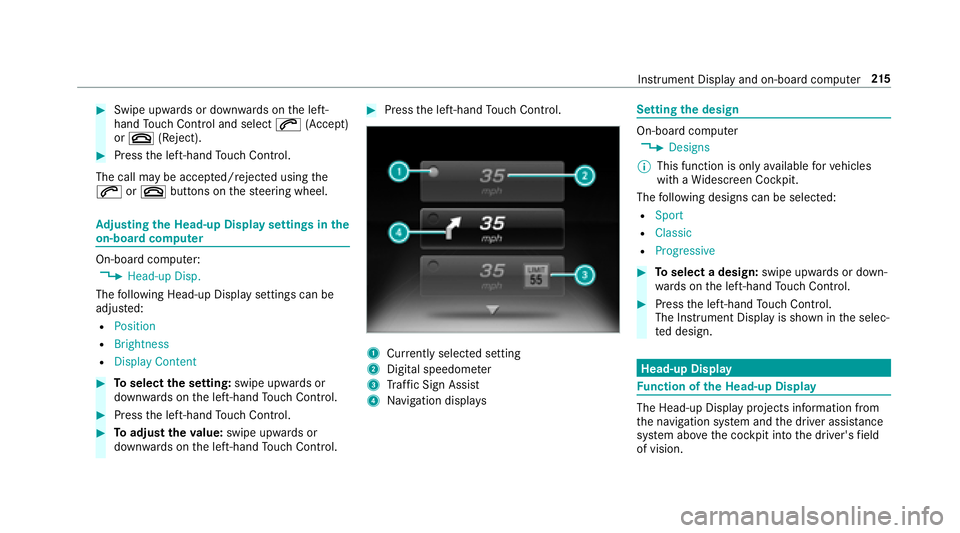
1Cur rently selected setting
2Digital speedome ter
3Traf fic Sign Assist
4Na vigation displa ys
Settingthe design
On-board computer
,'HVLJQV
% This function is only available forve hicles
with a Widescreen Cockpit.
The following designs can be selecte d:
R6SRUW
R&ODVVLF
R3URJUHVVLYH
#Toselect a design: swipe upwards or down‐
wa rds on the left-hand Touch Control.
#Press the left-hand Touch Control.
The Inst rument Display is shown in the selec‐
te d design.
Head-up Display
Fu nction of the Head-up Display
The Head-up Display projects information from
the navigation sy stem and the driver assis tance
sy stem abo vethe cockpit into the driver's field
of vision.
Instrument Display and on-board computer 21
5
Page 218 of 486
Displayelement s
1Navigation message s
2Current speed
3De tected instructions and traf fic signs
4Set speed in the driver assis tance sy stem
(e.g. cruise control)
When youre ceive a call, a 6,QFRPLQJ &DOO
message appears in the Head-up Displa y.
In audio mode, thest ation name or track is tem‐
porarily shown when the active audio source is
being operated. Sy
stem limitations
The visibility is influenced bythefo llowing condi‐
tions:
RSeat position
RThe positioning of the display image
RLight conditions
RWe tro ads
RObjects on the display co ver
RPo larization in sunglasses
Switching the Head-up Display on/off
#Press button 1.
216
Instrument Display and on-board computer
Page 220 of 486

5WIncreases thevo lume
6X Decreases thevo lume
Vo ice prom pting
#To start or continue a dialog: pressthe
ó button on the multifunction steering
wheel.
Yo u can say a voice command af ter an
acou stic signal.
#To cor rect an entry :say the&RUUHFWLRQ
vo ice command.
#To select an entry from the selection lis t:
say the line number or the conte nts.
#Tobrows eth e selection lis t:say the&RQ�
WLQXH or%DFN voice command.
#To inter rupt the dialog: saythe3DXVH voice
command.
#To cancel the dialog: saythe&DQFHO voice
command.
Operable functions
Yo u can use theVo ice Cont rol Sy stem tooperate
th efo llowing equipment rega rdless of thefe a‐
tures:
RTe lephone
RText message s
RNavigation
RAddress book
RRadio
RAu dio (memory card, Media Inter face, USB
and Blu etoo th®audio)
RVe hicle
Types of voice commands
A distinction is made between thefo llowing
vo ice commands:
RGlobal voice commands can be said at any
time and rega rdless of the cur rent applica‐
tion, e.g. the1DYLJDWH WR, &DOOor7H[W PHV�
VDJH WR voice commands.
RApplication-specific voice commands are
only available forth e active application.
1Global voice commands
2Application-specific voice commands
On the display next tothe active application,
va rying global voice commands and the cor re‐
sponding application-specific voice commands
are displa yed on an autocue. This makes ent ry
easier and supports interactive operation. The
list can be scrolled or it can be operated by
speech or the controller/touchpad.
21 8
Voice Cont rol Sy stem
Page 222 of 486
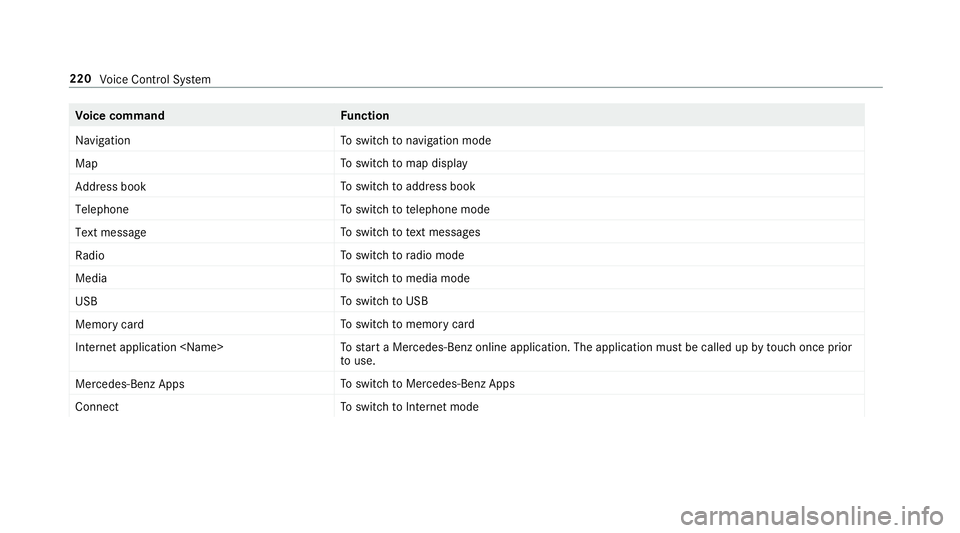
Voice command Function
1DYLJDWLRQ To
switch tonavigation mode
0DS To
switch tomap display
$GGUHVV ERRN To
switch toaddress book
7HOHSKRQH To
switch totelephone mode
7H[W PHVVDJH To
switch totext message s
5DGLR To
switch toradio mode
0HGLD To
switch tomedia mode
86% To
switch toUSB
0HPRU\ FDUG To
switch tomemory card
,QWHUQHW DSSOLFDWLRQ �1DPH! To
start a Mercedes-Benz online application. The application must be called up bytouch once prior
to use.
0HUFHGHV�%HQ] $S SV To
switch toMercedes-Benz Apps
&RQQHFW To
switch toInternet mode
220
Voice Cont rol Sy stem