2018 KIA STONIC Start
[x] Cancel search: StartPage 154 of 523

Indicator Lights
Electronic Stability
Control (ESC) Indicator
Light (if equipped)
This indicator light illumi‐nates:
• Once you set the ignition switch or Engine Start/Stop Button to the ON
position. - It illuminates for approximately 3 seconds and then goes off.
• When there is a malfunction with the ESC system.
In this case, have the vehicle inspec‐
ted by a professional workshop. Kia recommends to visit an authorized
Kia dealer/service partner.
This indicator light blinks:
While the ESC is operating. ❈ For more details, refer to L
Page 155 of 523

This indicator light blinks:
• When there is a malfunction with the immobilizer system.
In this case, have the vehicle inspec‐
ted by a professional workshop. Kia recommends to visit an authorized
Kia dealer/service partner.
Immobilizer Indicator
Light (With Smart Key)
This indicator light illumi‐nates for up to 30 seconds:
• When the vehicle detects the smart key in the vehicle properly while the
Engine Start/Stop Button is ACC or
ON. - At this time, you can start the en‐ gine.
- The indicator light goes off after starting the engine.
This indicator light blinks for a few sec‐onds:
• When the smart key is not in the ve‐ hicle.- At this time, you can not start the engine.
This indicator light illuminates for 2seconds and goes off:
• When the vehicle can not detect the smart key which is in the vehiclewhile the Engine Start/Stop Button is
ON.
In this case, have the vehicle inspec‐
ted by a professional workshop. Kia
recommends to visit an authorized Kia dealer/service partner.
This indicator light blinks:
• When the battery of the smart key is weak.- At this time, you can not start the engine. However, you can start the
engine if you press the Engine
Start/Stop Button with the smart
key. (For more details, refer to
L
Page 174 of 523

(Continued)
age to system parts could occur andmay not be covered by your vehiclewarranty.When starting the vehicle in winter,set the wiper switch in the off posi‐tion. Otherwise, wipers may operateand ice may damage the windshieldwiper blades. Always remove allsnow and ice and defrost the wind‐shield properly prior to operating thewindshield wipers.
Windshield washers (front)
In the O (Off) position, pull the lever
gently toward you to spray washer flu‐ id on the windshield and to run the wip‐
ers 1-3 cycles.
Use this function when the windshield
is dirty.
The spray and wiper operation will con‐ tinue until you release the lever.
If the washer does not work, check the
washer fluid level. If the fluid level is
not sufficient, you will need to add ap‐ propriate non-abrasive windshield
washer fluid to the washer reservoir.
The reservoir filler neck is located in
the front of the engine compartment on the passenger side.
CAUTION
To prevent possible damage to thewasher pump, do not operate thewasher when the fluid reservoir isempty.
WARNING
Do not use the washer in freezingtemperatures without first warmingthe windshield with the defrosters;the washer solution could freeze onthe windshield and obscure your vi‐sion.
CAUTION
•To prevent possible damage to thewipers or windshield, do not oper‐ate the wipers when the wind‐shield is dry.
•To prevent damage to the wiperblades, do not use gasoline, kero‐sene, paint thinner, or other sol‐vents on or near them.
(Continued)
Features of your vehicle
4-92
Page 182 of 523
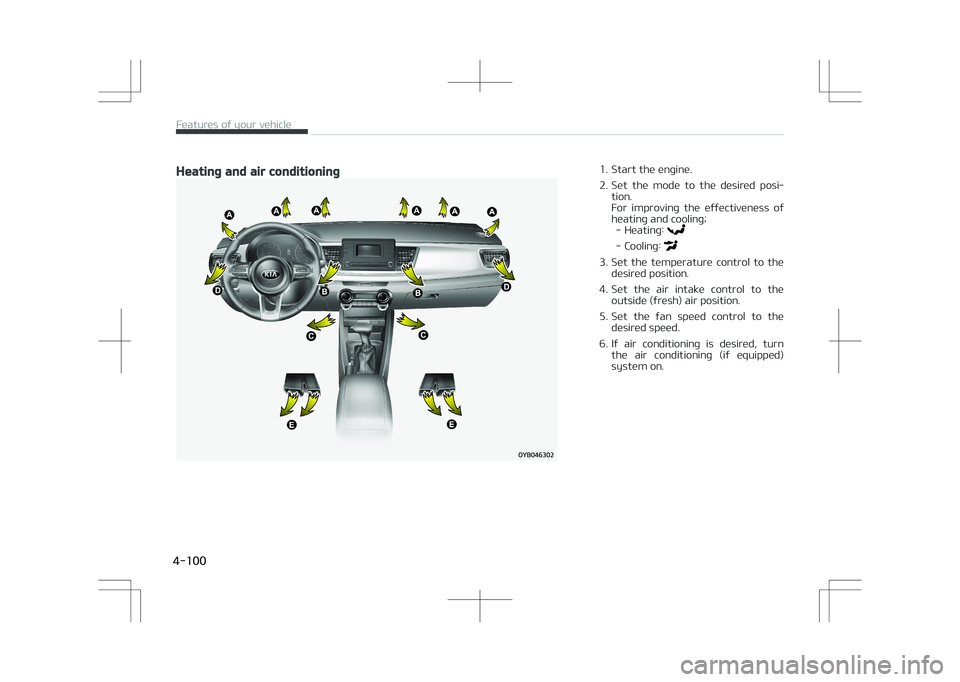
Heating and air conditioning1. Start the engine.
2. Set the mode to the desired posi‐tion.
For improving the effectiveness of
heating and cooling; - Heating:
- Cooling:
3. Set the temperature control to the desired position.
4. Set the air intake control to the outside (fresh) air position.
5. Set the fan speed control to the desired speed.
6. If air conditioning is desired, turn the air conditioning (if equipped)
system on.
Features of your vehicle
4-100
Page 186 of 523

Air conditioning (A/C)
Press the A/C button to turn the air
conditioning system on (indicator light will illuminate). Press the button again
to turn the air conditioning system off.
System operation
Ventilation
1. Set the mode to the position.
2. Set the air intake control to the outside (fresh) air position.
3. Set the temperature control to the desired position.
4. Set the fan speed control to the desired speed.
Heating
1. Set the mode to the position.
2. Set the air intake control to the outside (fresh) air position.
3. Set the temperature control to the desired position.
4. Set the fan speed control to the desired speed.
5. If dehumidified heating is desired, turn the air conditioning system (if
equipped) on.
• If the windshield fogs up, set the mode to the
or position.
Operation Tips
• To keep dust or unpleasant fumes from entering the vehicle through the
ventilation system, temporarily set the air intake control to the recircula‐
ted air position. Be sure to return the
control to the fresh air position when
the irritation has passed to keep
fresh air in the vehicle. This will help the driver to stay alert and comfort‐
able. • Air for the heating/cooling system is
drawn in through the grilles just
ahead of the windshield. Care should
be taken that these are not blocked by leaves, snow, ice or other obstruc‐
tions.
• To prevent interior fog on the wind‐ shield, set the air intake control to
the fresh air position and fan speed to the desired position, turn on the
air conditioning system, and adjust
the temperature control to the de‐
sired temperature.
Air conditioning
Kia Air Conditioning Systems are filled
with environmentally friendly refriger‐
ant *
.
1. Start the engine. Push the air con‐ ditioning button.
2. Set the mode to the
position.
* Your vehicle is filled with R-134a or
R-1234yf according to the regula‐tion in your country at the time of
producing. You can find out which air
conditioning refrigerant is applied
your vehicle at the label inside of en‐
gine room. Refer to L
Page 192 of 523

NOTICE
Never place anything over the sen‐
sor located on the instrument panel
to ensure better control of the heat‐
ing and cooling system.
Manual heating and air
conditioning
The heating and cooling system can be
controlled manually by pushing buttons other than the AUTO button. In this
case, the system works sequentially
according to the order of buttons selec‐ ted. When pressing any button (or turning
any knob) except the AUTO button
while using automatic operation, the
functions not selected will be controlled automatically. 1. Start the engine.
2. Set the mode to the desired posi‐ tion.
To improve the effectiveness of
heating and cooling: - Heating:
- Cooling:
3. Set the temperature control to the desired position.
4. Set the air intake control to the outside (fresh) air position.
5. Set the fan speed control to the desired speed.
6. If air conditioning is desired, turn the air conditioning system on.
Press the AUTO button in order to con‐ vert to full automatic control of the
system.
Mode selection
The mode selection button controls the
direction of the air flow through the ventilation system.
The air flow outlet port is converted as
follows:
Refer to the illustration in the L
Page 196 of 523
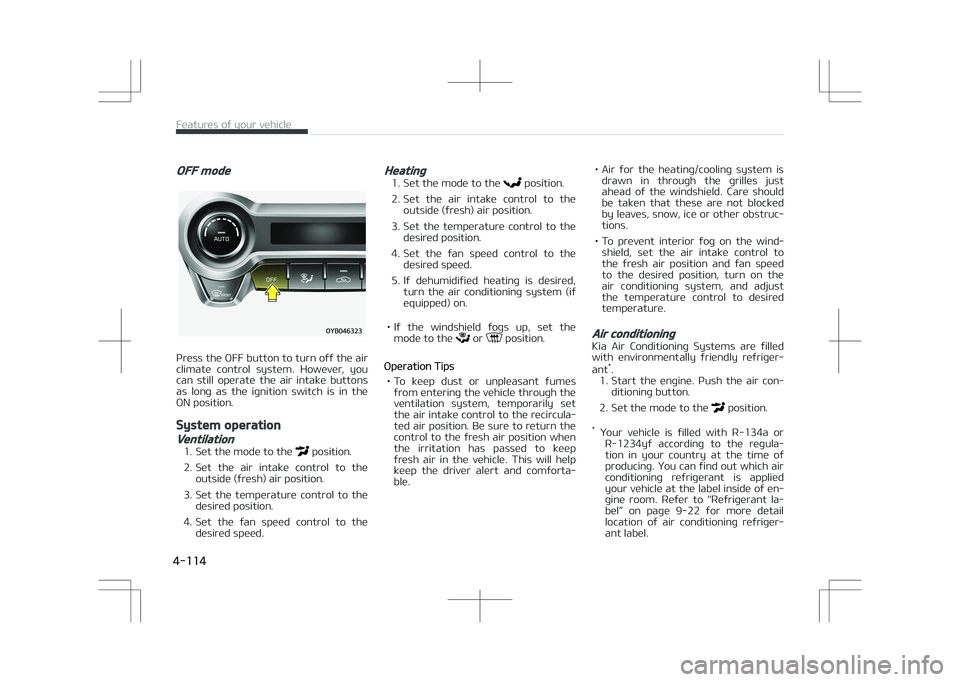
OFF mode
Press the OFF button to turn off the air
climate control system. However, you can still operate the air intake buttons
as long as the ignition switch is in the
ON position.
System operation
Ventilation
1. Set the mode to the position.
2. Set the air intake control to the outside (fresh) air position.
3. Set the temperature control to the desired position.
4. Set the fan speed control to the desired speed.
Heating
1. Set the mode to the position.
2. Set the air intake control to the outside (fresh) air position.
3. Set the temperature control to the desired position.
4. Set the fan speed control to the desired speed.
5. If dehumidified heating is desired, turn the air conditioning system (if
equipped) on.
• If the windshield fogs up, set the mode to the
or position.
Operation Tips
• To keep dust or unpleasant fumes from entering the vehicle through the
ventilation system, temporarily set the air intake control to the recircula‐
ted air position. Be sure to return the
control to the fresh air position when
the irritation has passed to keep
fresh air in the vehicle. This will help keep the driver alert and comforta‐
ble. • Air for the heating/cooling system is
drawn in through the grilles just
ahead of the windshield. Care should
be taken that these are not blocked by leaves, snow, ice or other obstruc‐
tions.
• To prevent interior fog on the wind‐ shield, set the air intake control to
the fresh air position and fan speed to the desired position, turn on the
air conditioning system, and adjust
the temperature control to desired
temperature.
Air conditioning
Kia Air Conditioning Systems are filled
with environmentally friendly refriger‐
ant *
.
1. Start the engine. Push the air con‐ ditioning button.
2. Set the mode to the
position.
* Your vehicle is filled with R-134a or
R-1234yf according to the regula‐tion in your country at the time of
producing. You can find out which air
conditioning refrigerant is applied
your vehicle at the label inside of en‐
gine room. Refer to L
Page 212 of 523

CAUTION
•Use the power outlet only whenthe engine is running and removethe accessory plug after use. Usingthe accessory plug for prolongedperiods of time with the engine offcould cause the battery to dis‐charge.
•Only use 12V electric accessorieswhich are less than 10A in electriccapacity.
•Adjust the air-conditioner or heat‐er to the lowest operating levelwhen using the power outlet.
•Close the cover when not in use.
•Some electronic devices can causeelectronic interference when plug‐ged into a vehicle’s power outlet.These devices may cause exces‐sive audio static and malfunctionsin other electronic systems or de‐vices used in your vehicle.
•Using electrical products which ex‐ceed the limited capacity mightcause heating to the power outletand wiring that could lead to anelectrical breakdown.
(Continued)
(Continued)
•Always make sure the electricalpart is firmly plugged into thepower outlet. Incomplete pluggingmay cause electrical breakdown.
•Electrical products with a built-inbattery might cause current flow,which could lead to malfunction ofthe electric/ electronic device inyour vehicle. Only use electricalproducts which include reversecurrent prevention.
WARNING
Do not put a finger or a foreign ele‐ment (pin, etc.) into a power outletand do not touch with a wet hand.You may get an electric shock.
USB charger (if equipped)
The USB charger is designed to re‐
charge batteries of small size electrical devices using a USB cable. The electrical
devices can be recharged when the En‐
gine Start/Stop button is in ACC/ON/ START position.
The battery charging state may be
monitored on the electrical device.
Disconnect the USB cable from the USB
port after use. • Some devices are not supported for fast charging but will be charged withnormal speed.
• Use the USB charger when the engine is running to prevent battery dis‐
charge.
Features of your vehicle
4-130