Page 315 of 551

Driving your vehicle
62
5
Good braking practices
Check to be sure the parking brake
is not engaged and the parking
brake indicator light is out before
driving away.
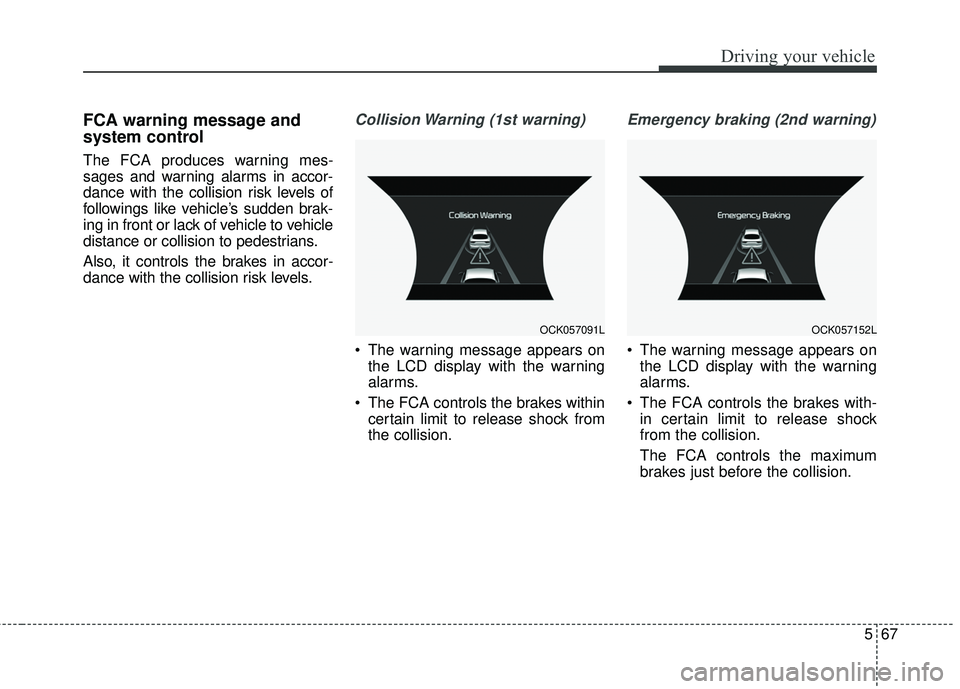
Driving through water may get the brakes wet. They can also get wet
when the vehicle is washed. Wet
brakes can be dangerous! Your
vehicle will not stop as quickly if the
brakes are wet. Wet brakes may
cause the vehicle to pull to one side.
To dry the brakes, apply the brakes
lightly until the braking action
returns to normal, taking care to
keep the vehicle under control at all
times. If the braking action does not
return to normal, stop as soon as it
is safe to do so and call an author-
ized Kia dealer for assistance.
Don't coast down hills with the vehicle out of gear. This is extreme-
ly hazardous. Keep the vehicle in
gear at all times, use the brakes to
slow down, then shift to a lower
gear so that engine braking will
help you maintain a safe speed. Don't "ride" the brake pedal.
Resting your foot on the brake
pedal while driving can be danger-
ous because the brakes might
overheat and lose their effective-
ness. It also increases the wear of
the brake components.
If a tire goes flat while you are driv- ing, apply the brakes gently and
keep the vehicle pointed straight
ahead while you slow down. When
you are moving slowly enough for it
to be safe to do so, pull off the road
and stop in a safe place.
If your vehicle is equipped with an Automatic Transmission, don't let
your vehicle creep forward. To
avoid creeping forward, keep your
foot firmly on the brake pedal when
the vehicle is stopped.WARNING- Maintaining
Brake Pressure on Incline
HAC does not replace the need
to apply brakes while stopped on
an incline. While stopped, make
sure you maintain brake pres-
sure sufficient to prevent your
vehicle from rolling backward
and causing an accident. Don’t
release the brake pedal until you
are ready to accelerate forward.
Page 316 of 551
563
Driving your vehicle
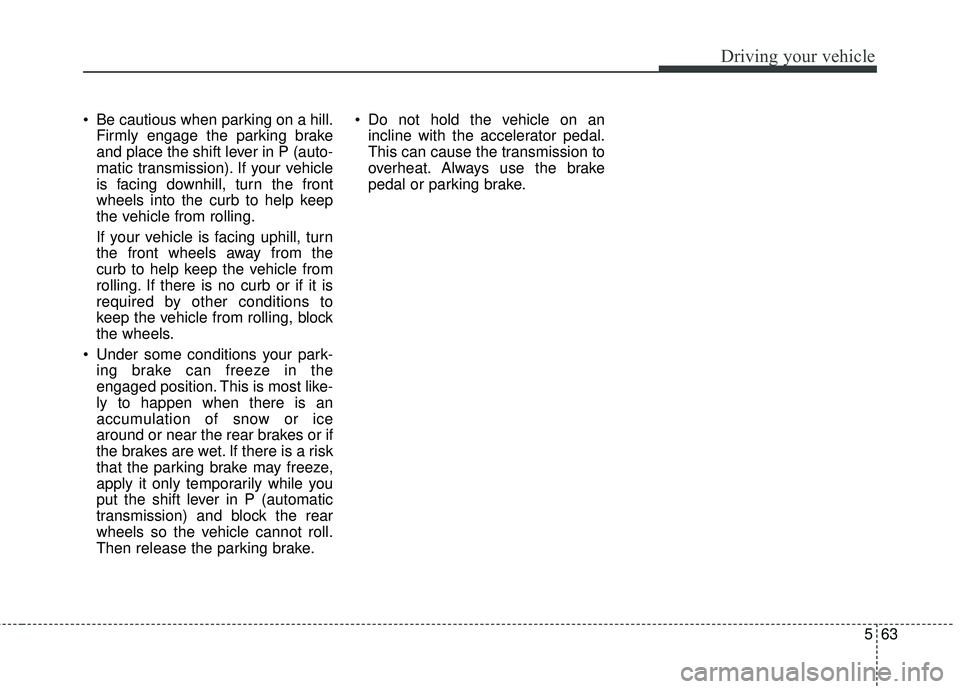
Be cautious when parking on a hill.Firmly engage the parking brake
and place the shift lever in P (auto-
matic transmission). If your vehicle
is facing downhill, turn the front
wheels into the curb to help keep
the vehicle from rolling.
If your vehicle is facing uphill, turn
the front wheels away from the
curb to help keep the vehicle from
rolling. If there is no curb or if it is
required by other conditions to
keep the vehicle from rolling, block
the wheels.
Under some conditions your park- ing brake can freeze in the
engaged position. This is most like-
ly to happen when there is an
accumulation of snow or ice
around or near the rear brakes or if
the brakes are wet. If there is a risk
that the parking brake may freeze,
apply it only temporarily while you
put the shift lever in P (automatic
transmission) and block the rear
wheels so the vehicle cannot roll.
Then release the parking brake. Do not hold the vehicle on an
incline with the accelerator pedal.
This can cause the transmission to
overheat. Always use the brake
pedal or parking brake.
Page 319 of 551
Driving your vehicle
66
5
Prerequisite for activation
The FCA will activate when the FCA
is selected on the LCD display, and
when the following prerequisites are
satisfied:
- The ESC (Electronic Stability
Control) is activated.
- The driving speed is over 10km / 6 mph. (The FCA only works within a
certain range of vehicle speeds)
- When the FCA recognizes a vehi- cle or the pedestrian in front. (The
FCA may not recognize every
obstacle or provide warnings and
braking in every situation, so do
not rely on the FCA to stop the
vehicle in instances where the driv-
er sees an obstacle and has the
ability to apply the brakes) The FCA automatically activates
upon placing the ignition switch to
the ON position. The driver can
deactivate the FCA by canceling the
swstem setting on the LCD display.
The FCA automatically deactivates upon canceling the ESC. When the
ESC is cancelind, the FCA cannot
be activated on the LCD display.
The FCA warning light will illumi-
nate, but it does not indicate a mal-
function of the system.
Set or cancel FCA with controlling switches on steering wheel after
stopping the vehicle in the safe
place for your safety.WARNING
To avoid driver distractions, do
not attempt to set or cancel the
FCA while operating the vehicle.
Page 320 of 551
567
Driving your vehicle
FCA warning message and
system control
The FCA produces warning mes-
sages and warning alarms in accor-
dance with the collision risk levels of
followings like vehicle’s sudden brak-
ing in front or lack of vehicle to vehicle
distance or collision to pedestrians.
Also, it controls the brakes in accor-
dance with the collision risk levels.
Collision Warning (1st warning)
The warning message appears onthe LCD display with the warning
alarms.
The FCA controls the brakes within certain limit to release shock from
the collision.
Emergency braking (2nd warning)
The warning message appears onthe LCD display with the warning
alarms.
The FCA controls the brakes with- in certain limit to release shock
from the collision.
The FCA controls the maximum
brakes just before the collision.
OCK057091LOCK057152L
Page 321 of 551

Driving your vehicle
68
5
Brake operation
In an urgent situation, the braking
system enters into the ready status
for prompt reaction against the dri-
ver’s depressing the brake pedal.
The FCA provides additional brak- ing power for optimum braking per-
formance, when the driver
depresses the brake pedal.
The braking control is automatical- ly deactivated, when the driver
sharply depresses the brake pedal,
or when the driver abruptly turns
the steering wheel.
The braking control is automatical- ly canceled, when risk factors dis-
appear.
The driver should always exercise
caution when operating the vehicle,
even though there is no warning
message or warning alarm.
✽ ✽ NOTICE
The FCA operates in accordance
with the risk levels, such as the dis-
tance from the vehicle/passer-by in
front, the speed of the vehicle/pass-
er-by in front, and the driver's vehi-
cle operation. For the system to acti-
vate, do not attempt risky driving.
FCA front radar / camera sensor
In order for the FCA system to oper-
ate properly, always make sure the
sensor or sensor cover is clean and
free of dirt, snow, and debris. Dirt,
snow, or foreign substances on the
lens may adversely affect the sens-
ing performance of the sensor.
WARNING
Never rely solely on the FCA to
stop a collision the drive can It
is the driver's responsibility to
safely maneuver the vehicle
under all conditions.
OCK057023L
OCK057037L
Page 323 of 551
Driving your vehicle
70
5
Remove any dirt, snow, or debris and
clean the radar sensor cover before
operating the FCA system.
The FCA may not properly operate in
an area (e.g. open terrain), where
any substances are not detected
after turning ON the engine.System malfunction
When the FCA is not working prop-
erly, the FCA warning light ( )
will illuminate and the warning
message will appear for a few sec-
onds. After the message disap-
pears, the master warning light
( ) will illuminate. In this case,
have the vehicle inspected by an
authorized Kia dealer.
The FCA warning message may appear along with the illumination
of the ESC warning light.
OCK057094L
WARNING
The FCA is only a supplemental
system for the driver’s conven-
ience.
The driver still maintains
responsibility to control the
vehicle. Do not solely depend
on the FCA system. Rather,
maintain a safe braking dis-
tance, and, if necessary,
depress the brake pedal to
lower the driving speed.
Page 324 of 551
571
Driving your vehicle
The FCA may unnecessarily pro-duce warning messages and warn-
ing alarms. Due to the sensing lim-
itation, the FCA may not produce
warning messages or warning
alarm at all.
When there is a malfunction with the FCA, the braking control does
not operate upon detecting a colli-
sion risk even with other braking
systems normally operating.
The FCA operates only for the vehicle / pedestrian in front, while
driving forward. It does not operate
for any animals or vehicles in the
opposite direction.
The FCA can not recognize cross- traffic or parked vehicles present-
ing a sideprofile. If the vehicle in front stops sudden-
ly, you may have less control of the
brake system.
Therefore, always keep safe dis-
tance between your vehicle and
the vehicle in front of you.
The FCA system may activate dur- ing braking and the vehicle may
stop suddenly. And the load in the
vehicle may endanger passengers.
Therefore, always be mindful of the
load volume in the vehicle.
The FCA system may not activate if the driver applies the brake pedal
to avoid risk of collision.
The FCA system does not operate when the vehicle is in reverse. In
these cases, you must maintain a
safe braking distance, and if nec-
essary, depress the brake pedal to
reduce the driving speed in order
to maintain a safe dis tance. The regular braking function will
operate normally even if There is a
problem with the FCA brake control
system or other functions. In this
case, the braking control will not
operate in the risk of a collision.
The FCA system may not activate according to driving condition, traf-
fic on the road, weather, road con-
dition, etc.
The FCA system may not activate to all types of vehicles.
Page 326 of 551

573
Driving your vehicle
- The vehicle is moving under groundlevel or inside a building.
- If a sudden change in the sensor recognition takes place while driv-
ing over the speed bump,
- When the vehicle is severely shaken,
- When driving around circular inter- section after the vehicle in front,
- If the front of the camera lens is contaminated by front glass tinting,
film, water repellent coating, dam-
age on glass, foreign matter (stick-
er, insect, etc.)
- The radar or camera or camera lens is damaged.
- If the headlights of the vehicle are not used at night or in the tunnel
section, or the light is too weak
- If street light or the light of the vehi- cle coming from the opposite is
reflected or when sunlight is
reflected by the water on the road
surface - When the back light is projected in
the direction of the vehicle's motion
(including the headlights of vehi-
cles)
- Road sign, shadow on the road, tunnel entrance, toll gate, partial
pavement
- Driving on a curve
The FCA performance decreases
while driving on a curve. The FCA
may not recognize the vehicle in front
even in the same lane. It may unnec-
essarily produce the warning mes-
sage and the warning alarm, or it
may not produce the warning mes-
sage and the warning alarm at all.
While driving on a curve, exercise
caution, and, if necessary, depress
the brake pedal.
OYG056042