2018 Alfa Romeo Stelvio lock
[x] Cancel search: lockPage 26 of 276

Caution!
An unlocked vehicle is an invitation. Always
remove the key from the ignition and lock all
of the doors when leaving the vehicle
unattended.
Locking/Unlocking Doors From The
Outside
When locking the doors from the outside
with the doors closed, push the lock
button on the key fob.
The door lock can be activated with all
doors locked and the liftgate open. When
the lock button on the key fob is pushed,
all locks are activated, including the
liftgate if it is open. The liftgate will be
locked when it is closed.
When unlocking the doors from the
outside, push the unlock button on the
key fob.
Locking/Unlocking Doors From The
Outside In An Emergency
If the battery is discharged or the key fob
is inoperable, you can lock or unlock the
doors from the outside by inserting the
blade of the emergency key, found inside
the key fob, into the door handle lock
cylinder and turn the emergency key as
follows.
Lock — Turn the emergency key to the
right (clockwise)
Unlock — Turn the emergency key to
the left (counter clockwise)
Passive Entry
The Passive Entry system can identify
the presence of a key fob near the doors
and liftgate.
The system enables the doors and
liftgate to be locked or unlocked without
pushing any button on the key fob.
The key fob is detected only after the
system recognizes the presence of a
hand on one of the front door handles. If
the detected key fob is valid, the doors
and the liftgate are unlocked (refer to the
Information and Entertainment System
Owner’s Manual Supplement for Passive
Entry Settings).
Note: The key fob may not be able to be
detected by the vehicle keyless-go
system if it is located next to a mobile
phone, laptop, or other electronic device;
these devices may block the key fob’s
wireless signal and prevent the
keyless-go system from starting the
vehicle.
Grasping the handle of the driver's door
unlocks the driver's side door, or all doors
depending on the mode set using the
Information and Entertainment System
(refer to the Information and
Entertainment System Owner’s Manual
Supplement for Passive Entry Settings). Note:
If wearing gloves, or if it has rained
and the door handle is wet, the activation
sensitivity of the Passive Entry function
may be reduced, resulting in a longer
reaction time.
Door Locking
To lock the doors, proceed as follows:
1. Make sure that you have the key fob
and are close to the driver’s or
passenger’s side door handle.
2. Push the Passive Entry door handle
button or the Passive Entry liftgate
button, which is located next to the
external liftgate release button. This will
lock all doors and the liftgate. Door
locking will activate the alarm as well.
0101132144USPassive Entry Door Handle Button
24
GETTING TO KNOW YOUR VEHICLE
Page 27 of 276
Note:After pushing the Passive Entry
door handle button, you must wait two
seconds before the doors can be
unlocked again using the passive entry
door handle button. This feature makes it
possible to check whether the vehicle has
been locked correctly by pulling the door
handle within two seconds. The doors will
not be unlocked again.
The vehicle doors and liftgate can be
locked by pushing the lock button on the
key fob or on the interior door lock.
Driver Side Door Emergency Opening
If the key fob does not work, e.g. because
its battery is discharged or the vehicle
battery is discharged, the emergency key
can be used to unlock the driver side
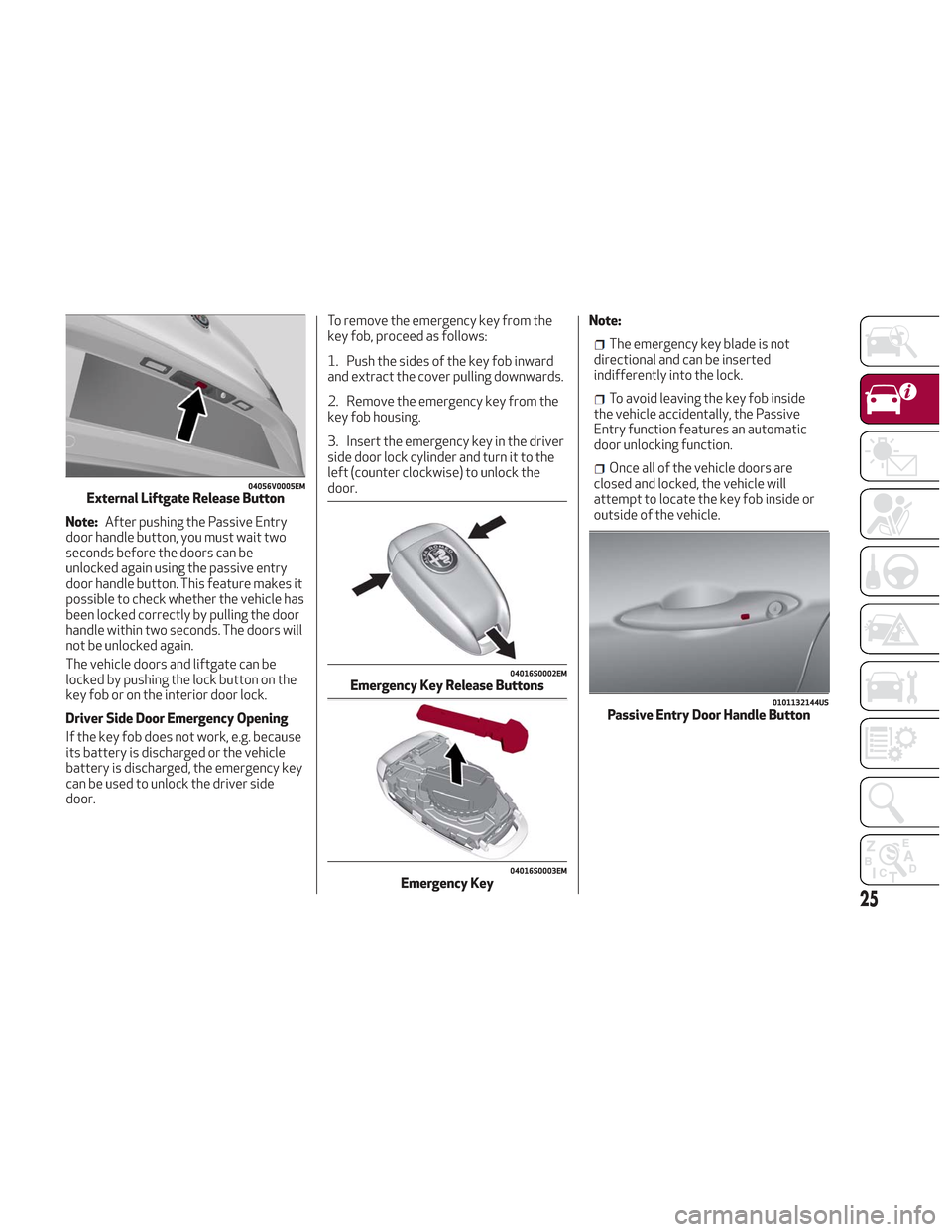
door. To remove the emergency key from the
key fob, proceed as follows:
1. Push the sides of the key fob inward
and extract the cover pulling downwards.
2. Remove the emergency key from the
key fob housing.
3. Insert the emergency key in the driver
side door lock cylinder and turn it to the
left (counter clockwise) to unlock the
door.
Note:
The emergency key blade is not
directional and can be inserted
indifferently into the lock.
To avoid leaving the key fob inside
the vehicle accidentally, the Passive
Entry function features an automatic
door unlocking function.
Once all of the vehicle doors are
closed and locked, the vehicle will
attempt to locate the key fob inside or
outside of the vehicle.
04056V0005EMExternal Liftgate Release Button
04016S0002EMEmergency Key Release Buttons
04016S0003EMEmergency Key
0101132144USPassive Entry Door Handle Button
25
Page 28 of 276
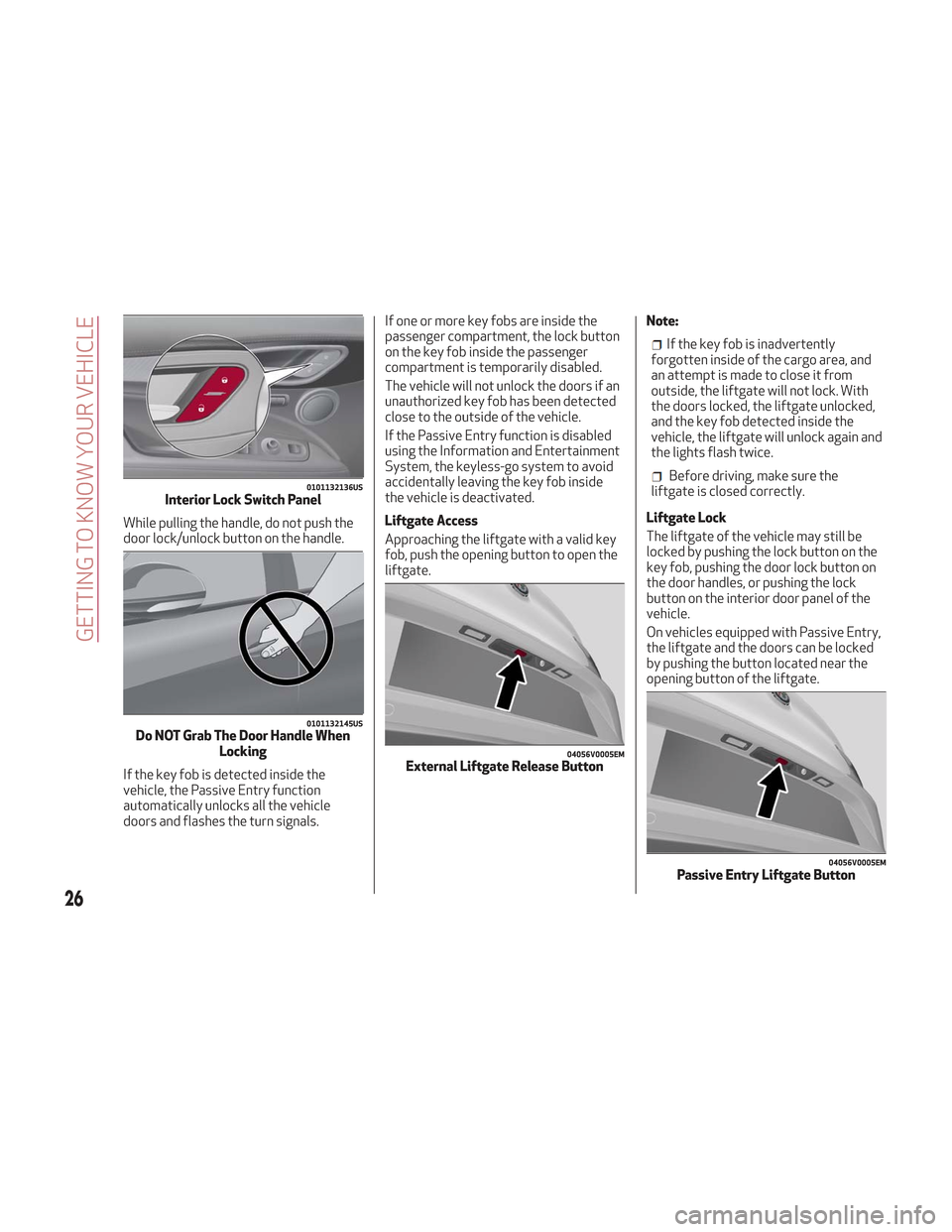
While pulling the handle, do not push the
door lock/unlock button on the handle.
If the key fob is detected inside the
vehicle, the Passive Entry function
automatically unlocks all the vehicle
doors and flashes the turn signals.If one or more key fobs are inside the
passenger compartment, the lock button
on the key fob inside the passenger
compartment is temporarily disabled.
The vehicle will not unlock the doors if an
unauthorized key fob has been detected
close to the outside of the vehicle.
If the Passive Entry function is disabled
using the Information and Entertainment
System, the keyless-go system to avoid
accidentally leaving the key fob inside
the vehicle is deactivated.
Liftgate Access
Approaching the liftgate with a valid key
fob, push the opening button to open the
liftgate.
Note:
If the key fob is inadvertently
forgotten inside of the cargo area, and
an attempt is made to close it from
outside, the liftgate will not lock. With
the doors locked, the liftgate unlocked,
and the key fob detected inside the
vehicle, the liftgate will unlock again and
the lights flash twice.
Before driving, make sure the
liftgate is closed correctly.
Liftgate Lock
The liftgate of the vehicle may still be
locked by pushing the lock button on the
key fob, pushing the door lock button on
the door handles, or pushing the lock
button on the interior door panel of the
vehicle.
On vehicles equipped with Passive Entry,
the liftgate and the doors can be locked
by pushing the button located near the
opening button of the liftgate.0101132136USInterior Lock Switch Panel
0101132145USDo NOT Grab The Door Handle When Locking
04056V0005EMExternal Liftgate Release Button
04056V0005EMPassive Entry Liftgate Button
26
GETTING TO KNOW YOUR VEHICLE
Page 29 of 276
System Activation/Deactivation
The Passive Entry system can be
activated or deactivated using the
Information and Entertainment System.
General Information
The following regulatory statement
applies to all radio frequency (RF)
devices equipped in this vehicle:
This device complies with Part 15 of the
FCC Rules and with Industry Canada
license-exempt RSS standard(s).
Operation is subject to the following two
conditions:
1. This device may not cause harmful
interference, and
2. This device must accept any
interference received, including
interference that may cause undesired
operation.
Note:Changes or modifications not
expressly approved by the party
responsible for compliance could void the
user’s authority to operate the
equipment.
Power Lock
The power lock is a safety device that
prevents the operation of the interior
door handles and the door lock and
unlock buttons. The power lock also
prevent opening of the doors from inside
the passenger compartment.
It is recommended to lock the vehicle
doors each time the vehicle is parked.
Activating The Power Lock
The power lock is enabled on all the doors
by quickly pushing the lock button on the
key fob twice.
The turn signals will flash to let you know
that the power lock is active.
If one or more of the doors are not closed
correctly, the power lock will not activate,
preventing a person from getting stuck
inside the passenger compartment by
entering the vehicle, and then closing, the
open door.
Deactivating The Power Lock
The power lock disengages
automatically:
When the doors are unlocked, pushing
the unlock button on the key fob.
When the keyless ignition is placed in
the ON position.
Child Safety Locks
To provide a safer environment for small
children riding in the rear seats, the rear
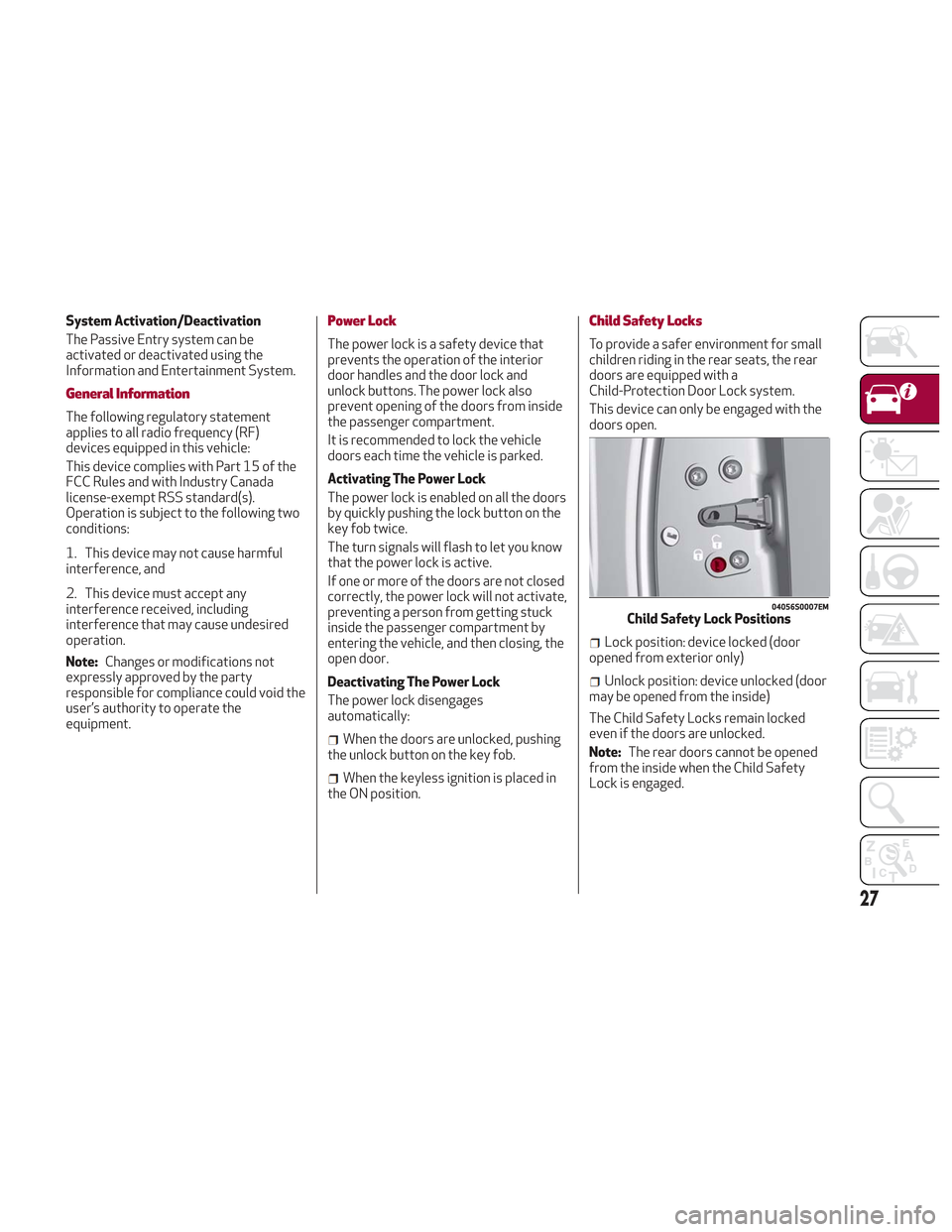
doors are equipped with a
Child-Protection Door Lock system.
This device can only be engaged with the
doors open.
Lock position: device locked (door
opened from exterior only)
Unlock position: device unlocked (door
may be opened from the inside)
The Child Safety Locks remain locked
even if the doors are unlocked.
Note: The rear doors cannot be opened
from the inside when the Child Safety
Lock is engaged.
04056S0007EMChild Safety Lock Positions
27
Page 30 of 276
Unlocking The Doors With A Discharged
Battery
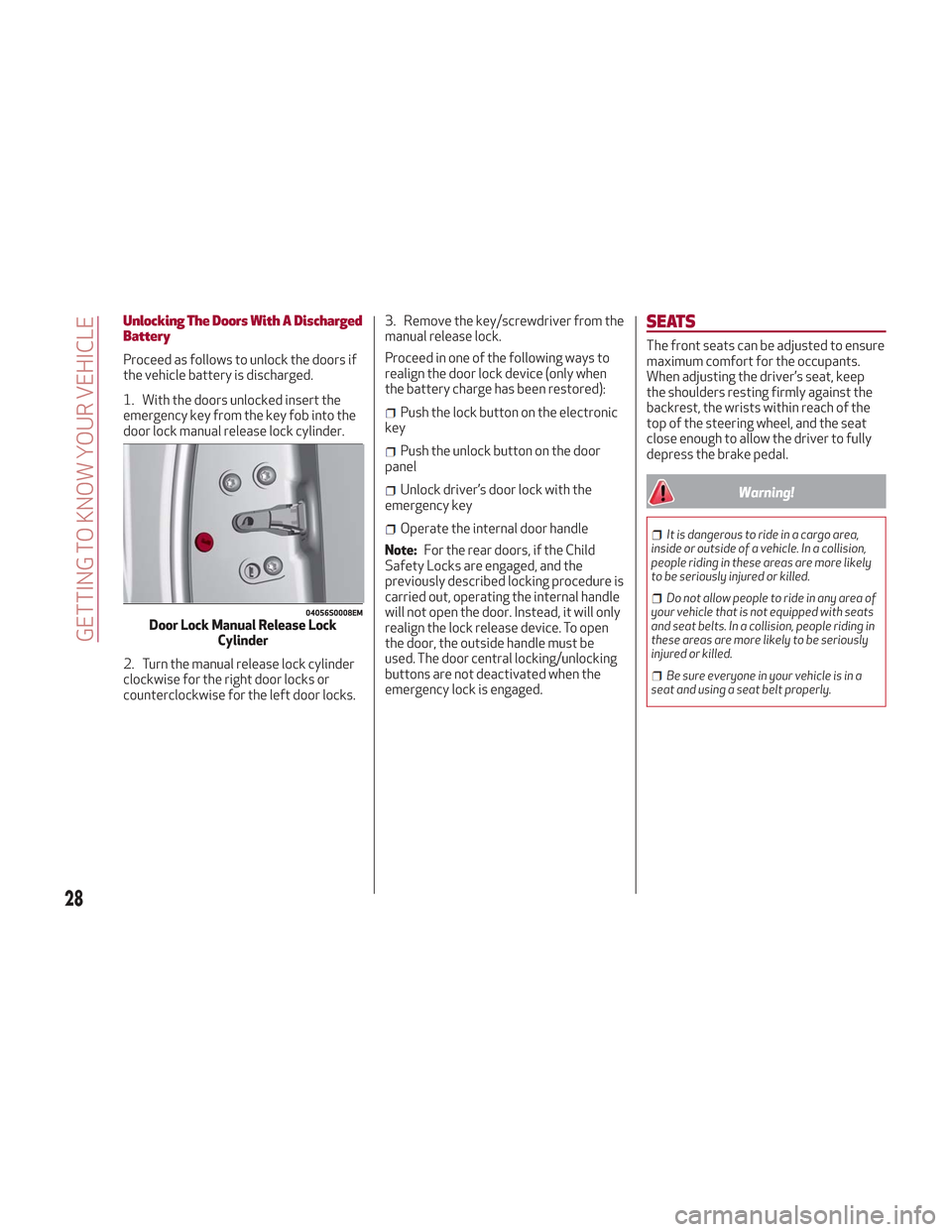
Proceed as follows to unlock the doors if
the vehicle battery is discharged.
1. With the doors unlocked insert the
emergency key from the key fob into the
door lock manual release lock cylinder.
2. Turn the manual release lock cylinder
clockwise for the right door locks or
counterclockwise for the left door locks.3. Remove the key/screwdriver from the
manual release lock.
Proceed in one of the following ways to
realign the door lock device (only when
the battery charge has been restored):
Push the lock button on the electronic
key
Push the unlock button on the door
panel
Unlock driver’s door lock with the
emergency key
Operate the internal door handle
Note: For the rear doors, if the Child
Safety Locks are engaged, and the
previously described locking procedure is
carried out, operating the internal handle
will not open the door. Instead, it will only
realign the lock release device. To open
the door, the outside handle must be
used. The door central locking/unlocking
buttons are not deactivated when the
emergency lock is engaged.
SEATS
The front seats can be adjusted to ensure
maximum comfort for the occupants.
When adjusting the driver’s seat, keep
the shoulders resting firmly against the
backrest, the wrists within reach of the
top of the steering wheel, and the seat
close enough to allow the driver to fully
depress the brake pedal.
Warning!
It is dangerous to ride in a cargo area,
inside or outside of a vehicle. In a collision,
people riding in these areas are more likely
to be seriously injured or killed.
Do not allow people to ride in any area of
your vehicle that is not equipped with seats
and seat belts. In a collision, people riding in
these areas are more likely to be seriously
injured or killed.
Be sure everyone in your vehicle is in a
seat and using a seat belt properly.
04056S0008EMDoor Lock Manual Release Lock Cylinder
28
GETTING TO KNOW YOUR VEHICLE
Page 35 of 276
2. Place the seat belt so that it doesn't
impede the movement of the backrest
while tilting it.
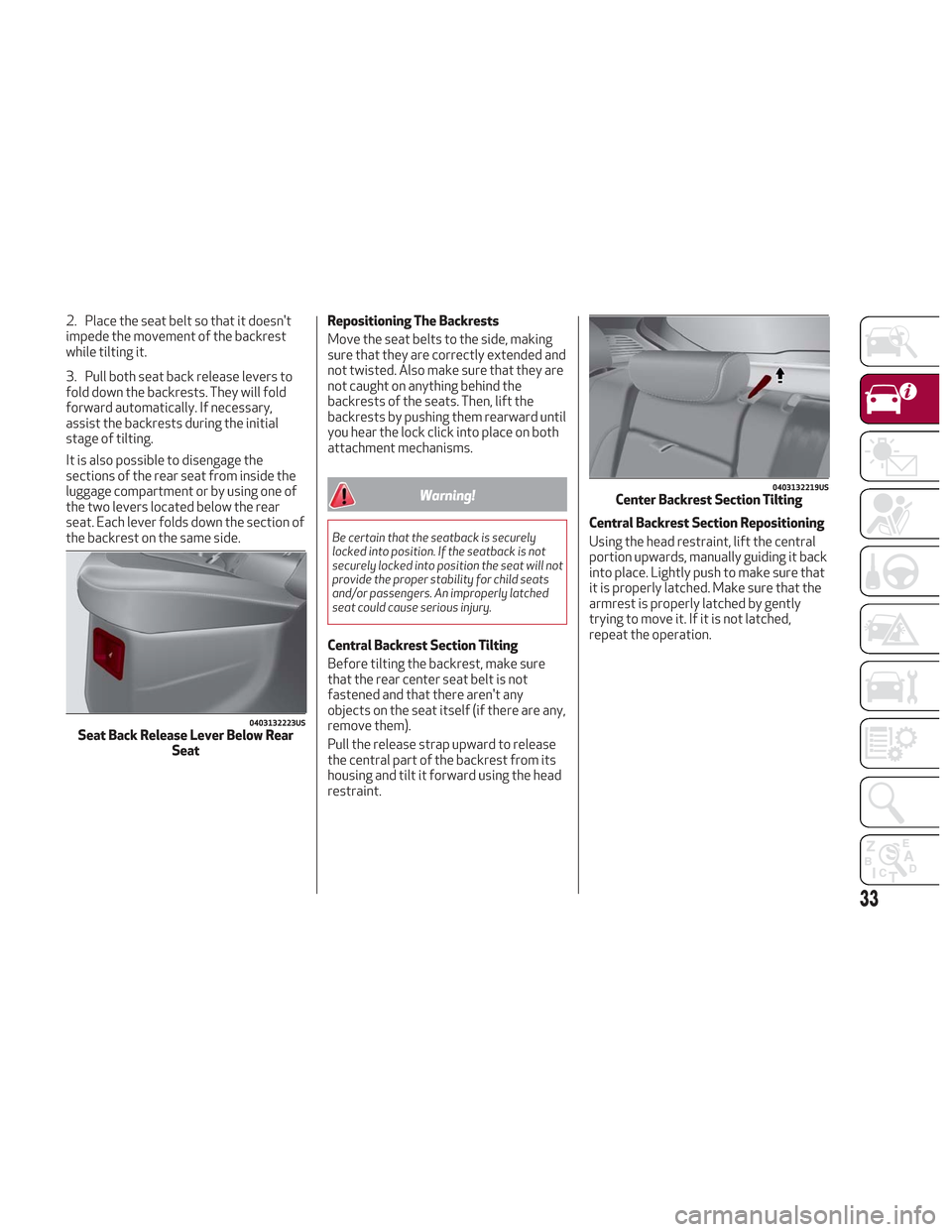
3. Pull both seat back release levers to
fold down the backrests. They will fold
forward automatically. If necessary,
assist the backrests during the initial
stage of tilting.
It is also possible to disengage the
sections of the rear seat from inside the
luggage compartment or by using one of
the two levers located below the rear
seat. Each lever folds down the section of
the backrest on the same side.Repositioning The Backrests
Move the seat belts to the side, making
sure that they are correctly extended and
not twisted. Also make sure that they are
not caught on anything behind the
backrests of the seats. Then, lift the
backrests by pushing them rearward until
you hear the lock click into place on both
attachment mechanisms.
Warning!
Be certain that the seatback is securely
locked into position. If the seatback is not
securely locked into position the seat will not
provide the proper stability for child seats
and/or passengers. An improperly latched
seat could cause serious injury.
Central Backrest Section Tilting
Before tilting the backrest, make sure
that the rear center seat belt is not
fastened and that there aren't any
objects on the seat itself (if there are any,
remove them).
Pull the release strap upward to release
the central part of the backrest from its
housing and tilt it forward using the head
restraint.Central Backrest Section Repositioning
Using the head restraint, lift the central
portion upwards, manually guiding it back
into place. Lightly push to make sure that
it is properly latched. Make sure that the
armrest is properly latched by gently
trying to move it. If it is not latched,
repeat the operation.
0403132223USSeat Back Release Lever Below Rear
Seat
0403132219USCenter Backrest Section Tilting
33
Page 38 of 276
STEERING WHEEL
Steering Wheel Adjustments
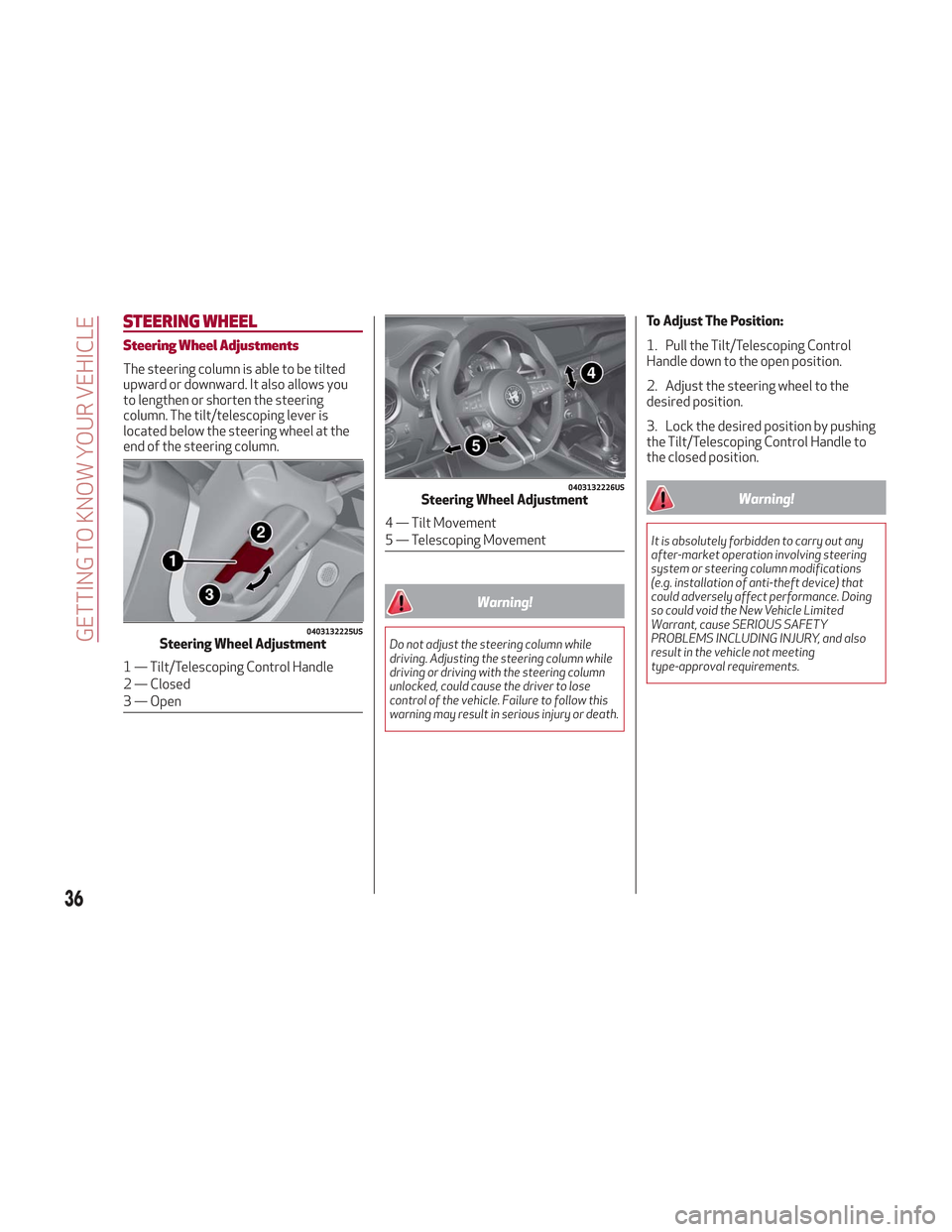
The steering column is able to be tilted
upward or downward. It also allows you
to lengthen or shorten the steering
column. The tilt/telescoping lever is
located below the steering wheel at the
end of the steering column.
Warning!
Do not adjust the steering column while
driving. Adjusting the steering column while
driving or driving with the steering column
unlocked, could cause the driver to lose
control of the vehicle. Failure to follow this
warning may result in serious injury or death.
To Adjust The Position:
1. Pull the Tilt/Telescoping Control
Handle down to the open position.
2. Adjust the steering wheel to the
desired position.
3. Lock the desired position by pushing
the Tilt/Telescoping Control Handle to
the closed position.
Warning!
It is absolutely forbidden to carry out any
after-market operation involving steering
system or steering column modifications
(e.g. installation of anti-theft device) that
could adversely affect performance. Doing
so could void the New Vehicle Limited
Warrant, cause SERIOUS SAFETY
PROBLEMS INCLUDING INJURY, and also
result in the vehicle not meeting
type-approval requirements.
0403132225USSteering Wheel Adjustment
1 — Tilt/Telescoping Control Handle
2 — Closed
3 — Open
0403132226USSteering Wheel Adjustment
4 — Tilt Movement
5 — Telescoping Movement
36
GETTING TO KNOW YOUR VEHICLE
Page 40 of 276

Power Folding
With the power mirror control knob in the
neutral position, rotate it to the power
folding position. Rotate the knob back to
the neutral position to return the mirrors
to the driving position.
If the power mirror control knob is moved
again during door mirror folding (from
closed to open position and vice versa),
the movement direction is reversed.
Automatic Activation
Activating the central door locking
system from outside the vehicle
automatically folds the mirrors. The
mirrors return to the driving position
when the vehicle is then unlocked.
If the door mirrors were folded using the
power mirror control knob, they can only
be returned to the driving position by
rotating the knob again.Note:
The power folding operation can
be enabled only when the vehicle speed is
lower than 31 mph (50 km/h).
Automatic Dimming Mirrors — If
Equipped
Like the electrochromic mirror, an
automatic dimming feature is also
available on the outside rear view mirrors
to prevent glare. The automatic dimming
button for these mirrors is the same as
the electrochromic mirror.
Warning!
Vehicles and other objects seen in an outside
convex mirror will look smaller and farther
away than they really are. Relying too much
on side convex mirrors could cause you to
collide with another vehicle or other object.
Use your inside mirror when judging the size
or distance of a vehicle seen in a side convex
mirror.
Heated Mirrors
Push the rear defrostbutton, located
within the climate controls, to activate
the heated mirrors.
EXTERIOR LIGHTS
Headlight Switch
The headlight switch is located to the left
of the steering wheel on the instrument
panel. This switch controls the operation
of the headlights, parking lights,
instrument panel lights, instrument panel
light dimming, interior lights and rear fog
lights.
In addition, there are buttons for parking
sensors deactivation and stop/start.
Refer to “Starting And Operating” for
further information.
04106S0005EMFolding Mirror
04126V0001NAHeadlight Switch
1 — Parking Sensors Deactivation But-
ton
2 — Parking Light, Daylight Running
Lights, Headlight Switch
3 — Instrument Panel Dimmer
4 — Rear Fog Light Button
5 — Stop/Start Button
38
GETTING TO KNOW YOUR VEHICLE