2017 VOLVO V90 ESP
[x] Cancel search: ESPPage 350 of 594

DRIVER SUPPORT
* Option/accessory.
348
Road Sign Information *
The Road Sign Information function (Road Sign Information – RSI) helps the driver to observespeed signs and certain prohibition signs as thecar passes them.
Examples of readable signs 19
.
RSI provides information about such things as current speed, when a motorway or road is star-ting/ending, when overtaking is prohibited orwhen the direction of travel is one-way. In the case where both a sign for motorway/dual carriageway and a sign for the speed limit arepassed, RSI selects to show a sign symbol formotorway/dual carriageway. The new speed limitis shown directly with a line in the driver display'sspeed scale.
WARNING
RSI does not work in all situations but is designed merely as a supplementary aid. The driver always bears ultimate responsibility for ensuring that the vehicle is driven safelyand that applicable road traffic rules and reg-ulations are followed.
Related information
• Sign display with Road Sign Information (p. 348)
• Speed camera information
* (p. 350)
• Activating/deactivating Road Sign Informa-tion (p. 351)
• Limitations of Road Sign Information
*
(p. 352)
Sign display with Road Sign Information
The Road Sign Information function (Road Sign
Information - RSI) registers and shows roadsigns in different ways depending on the signand the situation.
Example of detected speed information 20
.
When RSI detects a road sign with an imposed speed limit, the driver display shows the sign as asymbol plus an indication in red on the speedom-eter.
19 Road signs are market-dependent - illustrations in these instructions only show a few examples.
20 Road signs are market-dependent - illustrations in these instructions only show a few examples.
Page 351 of 594

DRIVER SUPPORT
}}
* Option/accessory.349
Besides the speed limit symbol an additional sign may beshown as well, such as "noovertaking".
If the driver enters a road marked with a no-entry sign atthe roadside, the symbol forthis sign flashes on and off onthe driver display as a warning.
If the car is equipped with Sensus Navigation
*
then information from the map is also used to determine whether the car is being driven in thewrong direction. The driver can also get an acoustic warning when driving towards a no-entry entrance if the
Audio
Warning function is activated - see the heading
"Activating/deactivating the acoustic warning" in the section "Activating/deactivating Road SignInformation".
End of restriction or motorwayIf RSI detects a sign which may imply the end ofa speed limit, such as the end of a motorway, thedriver display shows the corresponding road signfor 10–30 seconds. Examples of such signs are: End of all restrictions.
End of motorway.
Following which, the sign information is hidden until the next speed-related sign is detected.
Additional signs
Examples of additional signs
20
.
Sometimes different speed limits are signed for the same road - an additional sign then indicatesthe circumstances under which the differentspeeds apply. The road section may be particu-larly susceptible to accidents in rain and/or fog,for example. An additional sign relating to rain is displayed only if the windscreen wipers are in use. If the car has a trailer attached and you pass a speed sign with the additional sign “trailer”, theindicated speed will appear on the driver display.
Some speed limits only applyafter a certain distance or at acertain time of day. The driver'sattention is drawn to this factby means of a symbol for anadditional sign below the speedsymbol. The additional symbol
in the driver display will show either “DIST” or“TIME”.
A symbol for additional sign in the form of an empty frameunder the driver display's speedsymbol means that the RSI hasdetected an additional signwith supplementary informationfor the current speed limit.
20 Road signs are market-dependent - illustrations in these instructions only show a few examples.
Page 355 of 594
DRIVER SUPPORT
}}
353
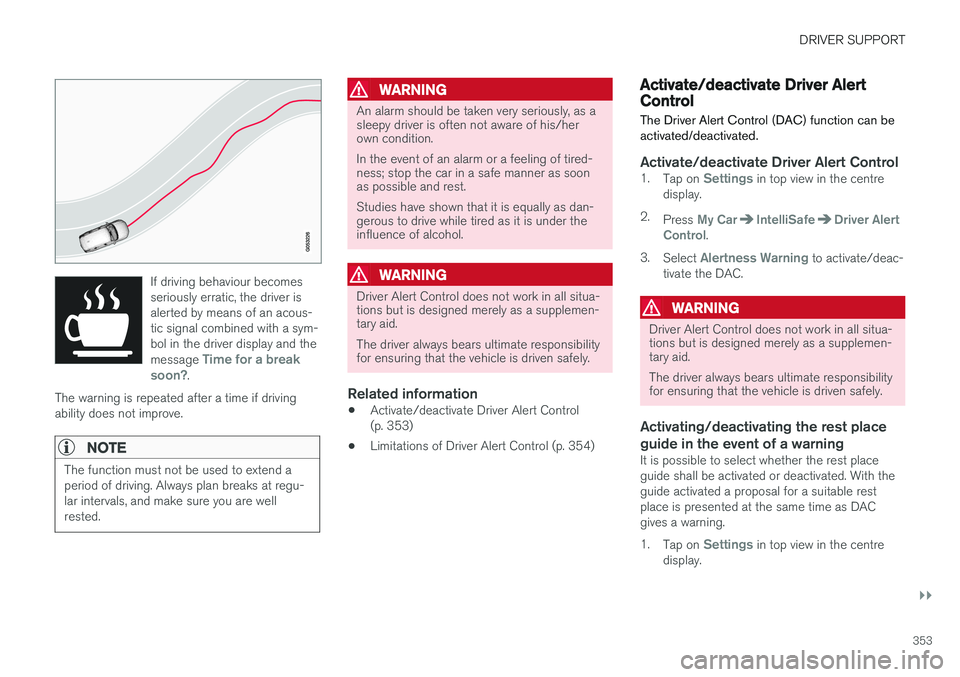
If driving behaviour becomes seriously erratic, the driver isalerted by means of an acous-tic signal combined with a sym-bol in the driver display and the message
Time for a break
soon?.
The warning is repeated after a time if driving ability does not improve.
NOTE
The function must not be used to extend a period of driving. Always plan breaks at regu-lar intervals, and make sure you are wellrested.
WARNING
An alarm should be taken very seriously, as a sleepy driver is often not aware of his/herown condition. In the event of an alarm or a feeling of tired- ness; stop the car in a safe manner as soonas possible and rest. Studies have shown that it is equally as dan- gerous to drive while tired as it is under theinfluence of alcohol.
WARNING
Driver Alert Control does not work in all situa- tions but is designed merely as a supplemen-tary aid. The driver always bears ultimate responsibility for ensuring that the vehicle is driven safely.
Related information
• Activate/deactivate Driver Alert Control (p. 353)
• Limitations of Driver Alert Control (p. 354)
Activate/deactivate Driver Alert Control
The Driver Alert Control (DAC) function can be activated/deactivated.
Activate/deactivate Driver Alert Control1. Tap on Settings in top view in the centre
display.
2. Press
My CarIntelliSafeDriver Alert
Control.
3. Select
Alertness Warning to activate/deac-
tivate the DAC.
WARNING
Driver Alert Control does not work in all situa- tions but is designed merely as a supplemen-tary aid. The driver always bears ultimate responsibility for ensuring that the vehicle is driven safely.
Activating/deactivating the rest place guide in the event of a warning
It is possible to select whether the rest place guide shall be activated or deactivated. With theguide activated a proposal for a suitable restplace is presented at the same time as DACgives a warning. 1. Tap on
Settings in top view in the centre
display.
Page 356 of 594

||
DRIVER SUPPORT
* Option/accessory.
354 2.
Press
My CarIntelliSafeDriver Alert
Control.
3. Select
Rest Stop Guidance to activate/
deactivate the rest place guide.
Related information
• Driver Alert Control (p. 352)
• Limitations of Driver Alert Control (p. 354)
Limitations of Driver Alert Control
The Driver Alert Control (DAC) function may have limitations in certain situations.
In some cases, driving behaviour may not be affected, despite the driver being tired - e.g. whenusing the Pilot Assist function - with the resultthat the driver is then not given a warning fromDAC. For this reason, it is always very importantto stop and take a break in the event of theslightest sign of driver fatigue, regardless ofwhether DAC has given a warning. In some cases the system may issue a warning despite driving ability not deteriorating, for exam-ple:
• in strong side winds
• on rutted road surfaces.
NOTE
The function uses the car's camera unit, which has some general limitations, see the"Limitations for camera unit" section.
Related information
•
Driver Alert Control (p. 352)
• Activate/deactivate Driver Alert Control (p. 353)
• Limitations of the camera unit (p. 327)
• Pilot Assist
* (p. 304)
Lane Keeping Aid
The function of lane assistance is to help the driver to reduce the risk of the car accidentallyleaving its own lane on motorways and similarmajor routes.
Lane assistance steers the car back into its lane and/or warns the driver with an acoustic signal orsteering wheel vibration. Lane Keeping Aid is active within the speed range 65-200 km/h (40-125 mph) on roads withclearly visible side lines. On narrow roads the function may be unavailable, in which case it goes into standby mode. Thefunction becomes available again when the roadis wide enough.
A camera reads the side lines of the road/lane.
Page 357 of 594

DRIVER SUPPORT
}}
355
Lane assistance steers the car back into its lane.
Lane assistance warns with steering wheel vibrations23
.
Depending on settings, lane assistance acts in accordance with the following:
1. Steering assistance activated: When the car
is approaching a lane line, LKA will actively steer the car back into its lane by applying a slight torque to the steering wheel.
2. Warning activated: If the car is about to cross a lane line, the driver is warned by means ofan acoustic signal or vibration in the steeringwheel.
NOTE
When a direction indicator is switched on, there are no steering corrections or alertsfrom Lane assistance.
WARNING
Lane assistance is merely a driver aid and does not engage in all driving situations ortraffic, weather or road conditions. The driver always bears ultimate responsibility for ensuring that the vehicle is driven safelyand that applicable laws and road traffic regu-lations are followed.
Steering assistanceA precondition for the functioning of the LKA steering assistance is that the driver
Page 363 of 594

DRIVER SUPPORT
361
•
narrow roads
• poor road surface
• a very “sporty” driving style
• poor weather with reduced visibility
• roads with unclear or non-existent side mark- ings
• sharp edges or lines other than the lane'sside markings.
WARNING
The road run-off protection function is only a driver aid and does not work in all driving sit-uations, traffic, weather and road conditions. The function cannot detect barriers, rails or similar obstacles at the side of the road. The driver always bears ultimate responsibility for ensuring that the vehicle is driven safelyand that applicable laws and road traffic regu-lations are followed.
NOTE
The function uses the car's camera unit, which has some general limitations, see the"Limitations for camera unit" section.
Related information
•
Symbols and messages for Run-off Mitiga- tion (p. 362)
• Lane Keeping Aid (p. 354) •
Limitations of the camera unit (p. 327)
Page 365 of 594

DRIVER SUPPORT
}}
* Option/accessory.363
Park Assist*
Parking assistance assists the driver when manoeuvring in tight spaces by indicating thedistance to obstacles by acoustic signals com-bined with graphics on the centre display.
Screen view showing obstacle zones and sensor sectors.
The centre display shows an overview of the rela- tionship between the car and detected obstacles. The highlighted sector indicates the location of the obstacle. The closer the car symbol is to ahighlighted sector box, the shorter the distancebetween the car and detected obstacle. The shorter the distance to the obstacle, the faster the signal sounds. Other sound from theaudio system is muted automatically. The acoustic signal for obstacles ahead and to the sides is active when the car is moving butstops after the car has been stationary for approx. 2 seconds. The acoustic signal for obsta-cles behind is also active when the car is station-ary. At a distance within 30 cm from an obstacle behind or in front of the car, the tone is constantand the active sensor's field closest to the carsymbol is filled. The volume of the parking assistance signal can be adjusted while the signal is sounding by means of the [
>II] knob on the centre console.
Adjustment can also be performed in the top view's
Settings menu option.
NOTE
• Acoustic warnings are only given for objects directly on the vehicle's route.
WARNING
•Parking assistance does not relinquish the driver's own responsibility duringparking.
• The sensors have blind spots whereobstacles cannot be detected.
• Be aware of e.g. people or animals nearthe car.
Backwards
NOTE: The illustration is schematic - details may vary depending on car model.
The sensors for reverse are activated if the car rolls backward without a gear engaged or whenthe gear lever is moved to reverse position. The measuring range starts approx. 1.5 metres behind the car. When reversing with a hitched trailer, parking assistance backward is deactivated automatically.
NOTE
When reversing with e.g. a trailer or bike car- rier on the towbar - without Volvo genuinetrailer wiring - parking assistance may need tobe switched off manually in order that thesensors do not react to them.
Page 370 of 594

DRIVER SUPPORT
* Option/accessory.
368
Park Assist Camera *
The Park Assist Camera helps the driver when manoeuvring in tight spaces by indicating obsta-cles with a camera image and graphics in thecentre display.
OverviewThe Park Assist Camera is activated either auto- matically, when reverse gear is selected or man-ually via the centre display - depending on theselected setting.
Lines - activates/deactivates park assist
lines
Towbar* - activates/deactivates the towbar
assist line *25
PAS*
- activates/deactivates Parking assis-
tance
CTA* - activate/deactivate Cross Traffic Alert
Zoom26
- zoom in/out
WARNING
• The parking camera serves as an aid. It does not relieve the driver of responsibil-ity when reversing.
• The camera has blind spots, where obsta-cles cannot be detected.
• Be aware of people and animals in thevicinity of the car.
Camera viewsThe function can display a composite 360° viewand separate views for each of the four cameras:rear, front, left or right camera view. The upper-most in the selected view denotes which camerais active.
360° view camera
*
The approximate coverage area of the Park Assist Cam- eras.
The four sides of the car are shown simultane- ously in the centre display, which helps the driverto observe what is around the car when manoeu-vring at slow speeds. Every camera view can be activated separately by tapping on the screen on the desired camera's"field of vision" - e.g. in front of or above the frontcamera. If the car is also equipped with Parking assis- tance* then distance to detected obstacles is
illustrated with fields in different colours.
25 Not available in all markets.
26 The park assist lines are switched off when zooming in.