2017 VOLVO V90 change time
[x] Cancel search: change timePage 208 of 594

||
CLIMATE CONTROL
* Option/accessory.
206 2. Repeatedly press the button for heated
steering wheel in order to change between the four levels:
Off, High, Medium and Low.
> The level changes and the button shows the set level.
Activating/deactivating automatic start of heated steering wheel
It is possible to set whether automatic start of heated steering wheel should be activated/deac-tivated when the engine is started. With auto-matic start activated, heating will start in theevent of low ambient temperature. 1. Press
Settings in the top view in the centre
display.
2. Press
Climate.
3. Under
Auto Steering Wheel Heating
Level, select Off,Low,Medium or High in
order to activate/deactivate the automatic starting of steering wheel heating and toselect the level.
Related information
• Climate controls (p. 186)
• Climate controls in the centre display(p. 187)
• Steering wheel (p. 131)
Parking climate
*
The climate of the car's passenger compartment can be preconditioned or maintained while thecar is parked.
Preconditioning and climate comfort retention are con- trolled from the Parking climate tab in the centre dis-
play's climate view.
PreconditioningPreconditioning of the car before driving reduces wear and energy needs during a journey. Preconditioning can use direct start or be set viathe timer. The function utilises several systems in different cases: •
The parking heater
*, in a cold climate, warms
up both the passenger compartment and the engine.
• The ventilation, in a hot climate, cools thepassenger compartment to the current outertemperature.
NOTE
During preconditioning of the passenger compartment, the car works to reach comforttemperature and not the temperature set inthe climate control system.
Climate comfort retentionThe climate in the car's passenger compartment can be maintained while the car is parked, e.g. ifthe engine needs to be switched off but thedriver or passenger(s) wants to remain in the carand maintain the level of climate comfort. Starting climate comfort retention is only possible via direct start.
Page 274 of 594

DRIVER SUPPORT
* Option/accessory.
272
Speed-dependent steering force Speed related power steering causes the steer- ing wheel force to increase with the speed of thecar in order to give the driver enhanced sensitiv-ity.
On motorways the steering feels firmer. When parking and at low speed steering is light andrequires only a slight effort.
NOTE
In certain situations the power steering may become too hot and then needs to be tempo-rarily cooled - during this time the powersteering operates with reduced power andturning the steering wheel may then be per-ceived to be slightly heavier. In parallel with the temporarily reduced steer- ing assistance, the driver display shows amessage.
Change the steering force level *To select the steering force level, go to the "Drive modes" section and see the description at thealternative INDIVIDUAL under the heading"Selectable drive modes". For the car models without a drive mode control with its INDIVIDUAL option, the selection ofsteering force is instead made via the centre dis-play's top view and the following search path:
SettingsMy CarDrive ModesSteering force
Selection of steering force is not accessible while turning is in progress.
Related information
•Drive modes
* (p. 400)
Roll Stability Control Roll Stability Control (RSC) is a stabiliser sys- tem that minimises the risk of overturning, forexample during sudden evasive manoeuvres or ifthe car skids.
The RSC system registers if and how much the car's lateral inclination changes. This informationis used to calculate the risk of the car overturn-ing. If the car is at risk, its electronic stability con-trol system engages, the engine torque isreduced and one or more wheels are braked untilthe car has regained its stability.
WARNING
Under normal driving conditions, the RSC sys- tem improves the car's road safety, but thismust not be taken as a reason to increasespeed. Always follow the normal precautionsfor safe driving.
Related information
• Electronic stability control (p. 273)
• Safety (p. 56)
Page 294 of 594

||
DRIVER SUPPORT
292
Overview
Controls
Buttons and symbols for functions5
.
Increases stored speed or reactivates the adaptive cruise control and resumes storedspeed and time interval
Activate the adaptive cruise control and store the current speed or deactivate the adaptivecruise control
Reduces stored speed
Increases the time interval to vehicles ahead
Reduces the time interval to vehicles ahead
Target vehicle indicator: ACC has detected and is following a target vehicle at the presettime interval
Symbol for time interval to vehicles ahead
In cars equipped with the adaptive cruise control option, the driver can change between CC andACC - see "Change between Cruise control andadaptive cruise control".
Driver display
Indication of speeds 5
.
Stored speed
Speed of vehicle ahead.
Current speed of your car.
To see different combinations of symbols depending on traffic situation - see the heading "Symbols and messages for the adaptive cruisecontrol".
Collision risk warning
Audio and symbol for collision warning
5
Acoustic warning signal in the event of a risk of collision
Warning signal in the event of a risk of colli- sion
Distance measurement with the camera and radar unit
Adaptive Cruise Control uses approx. 40% of thecapacity of the foot brake. If the car needs to bebraked more heavily than the adaptive cruisecontrol is capable of and the driver does notbrake, the warning lamp and acoustic warning are
5 NOTE: The illustration is schematic - details may vary depending on car model.
Page 295 of 594
DRIVER SUPPORT
* Option/accessory.293
activated to alert the driver that immediate inter- vention is required.
WARNING
The adaptive cruise control only warns of vehicles which its radar unit has detected -hence a warning may not be given, or it maybe given with a certain delay. Do not wait for awarning without braking when so required.
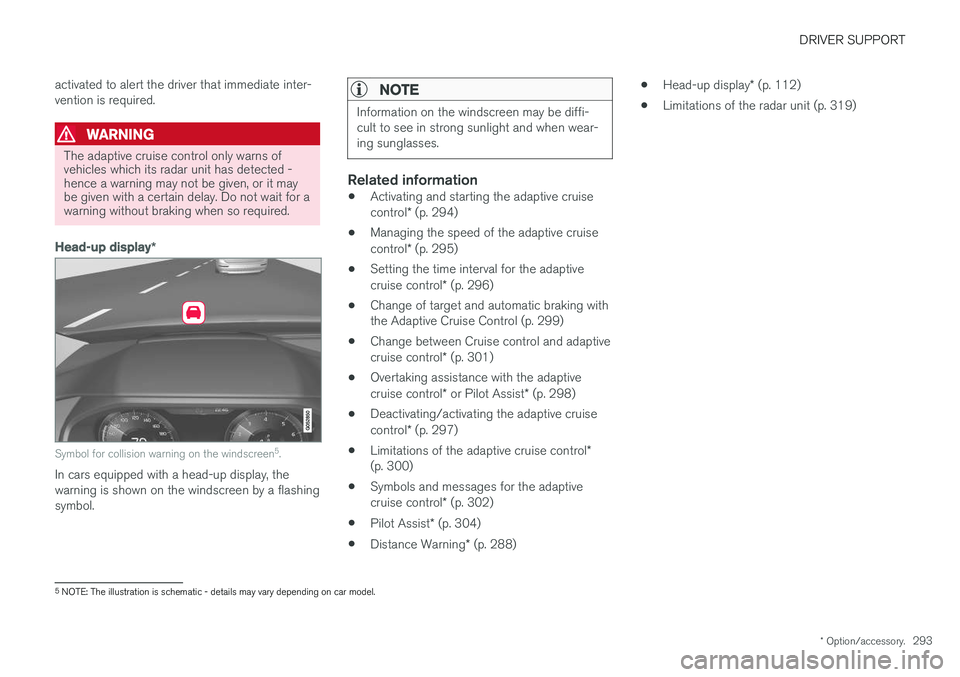
Head-up display
*
Symbol for collision warning on the windscreen 5
.
In cars equipped with a head-up display, the warning is shown on the windscreen by a flashingsymbol.
NOTE
Information on the windscreen may be diffi- cult to see in strong sunlight and when wear-ing sunglasses.
Related information
• Activating and starting the adaptive cruise control
* (p. 294)
• Managing the speed of the adaptive cruisecontrol
* (p. 295)
• Setting the time interval for the adaptivecruise control
* (p. 296)
• Change of target and automatic braking with the Adaptive Cruise Control (p. 299)
• Change between Cruise control and adaptive cruise control
* (p. 301)
• Overtaking assistance with the adaptivecruise control
* or Pilot Assist * (p. 298)
• Deactivating/activating the adaptive cruisecontrol
* (p. 297)
• Limitations of the adaptive cruise control
*
(p. 300)
• Symbols and messages for the adaptivecruise control
* (p. 302)
• Pilot Assist
* (p. 304)
• Distance Warning
* (p. 288) •
Head-up display
* (p. 112)
• Limitations of the radar unit (p. 319)
5
NOTE: The illustration is schematic - details may vary depending on car model.
Page 303 of 594

DRIVER SUPPORT
* Option/accessory.301
Change between Cruise control and adaptive cruise control *
In a car with Adaptive Cruise Control (ACC) the driver can change between Cruise Control (CC)and ACC.
A symbol in the driver display shows which cruise control is active:
CC
Cruise Control ACC
Adaptive Cruise Control
AA
Cruise control Adaptive cruise control
A WHITE symbol: Function active, GREY symbol: Standby mode
Changing from ACC to CCHow to change from Adaptive Cruise Control (ACC) to Cruise Control (CC):
1. Set adaptive cruise control in standby mode
using the
steering wheel button.
2. Tap on the
Cruise control button in the
function view - the button's indicator changes colour from GREY to GREEN.
> The symbol in the driver display changes
from
ACC to CC. Adap-
tive Cruise Control (ACC) is now switched off and Cruise Control (CC) is set instandby mode. 3.
Press the steering wheel button
.
> Cruise control starts and stores the cur- rent speed.
WARNING
The car no longer maintains the preset time interval after switching from ACC to CC - itmerely follows the set speed.
If CC is active when the engine is switched off, ACC will be activated the next time the engine isstarted.
Changing from CC to ACCProceed as follows to change from cruise control(CC) to adaptive cruise control (ACC):
1. Set cruise control in standby mode using the
steering wheel button.
2. Tap on the
Cruise control button in the
function view - the button's indicator changes colour from GREEN to GREY.
> The symbol in the driver display changes
from
CC to ACC. Adap-
tive Cruise Control is set in standby mode.
3. Press the steering wheel button
.
> Adaptive cruise control starts and stores the current speed, together with the pre- set time interval to the vehicle ahead.
Related information
• Cruise control (p. 284)
• Adaptive cruise control
* (p. 290)
Page 306 of 594

DRIVER SUPPORT
* Option/accessory.
304
Pilot Assist *
Pilot Assist helps the driver to drive the car between the lane's side markings using steeringassistance as well as to maintain an even speed,combined with a preselected time interval to thevehicle ahead.
The Pilot Assist function gives more comfortable driving and a more relaxed driving experienceduring, for example, long journeys on motorwaysin even traffic flows.
The camera and radar unit measures the distance to the vehicle ahead and detects side markings 9
.
Camera and radar unit
Distance readers
Readers, side markings The driver selects the desired speed and a time interval to the vehicle ahead. Pilot Assist scansthe distance to the vehicle ahead and the lane'sside markings on the road surface using thecamera and radar unit. The preset time interval ismaintained with automatic speed adjustmentwhilst the steering assistance helps to positionthe car in the lane. Pilot Assist steering assistance takes into account the speed of the preceding car and thelane markings. The driver can at any time ignorethe Pilot Assist steering recommendation andsteer in another direction, e.g. to change lane oravoid an obstruction on the road. If Pilot Assist cannot interpret the lane unambig- uously, e.g. if the camera and radar unit does notsee the lane's side markings, Pilot Assist tempo-rarily deactivates steering assistance, butresumes it if the lane can be interpreted again -although the speed and distance control func-tions remain active.
NOTE
Pilot Assist steering assistance is deactivated and is resumed without prior warning.
The current status of steering assistance is indicated by thecolour of the steering wheel'ssymbol: • GREEN steering wheel indi- cates active steering assis-
tance • GREY steering wheel (as in illustration) indi- cates deactivated steering assistance.
9 NOTE: The illustration is schematic - details may vary depending on car model.
Page 309 of 594

DRIVER SUPPORT
}}
* Option/accessory.307
WARNING
Pilot Assist only gives warning about vehicles whose camera and radar unit has beendetected - therefore a warning may not occuror be delayed. Do not wait for a warning with-out braking when so required.
Head-up display *
Symbol for collision warning on the windscreen 9
.
In cars equipped with a head-up display, the warning is shown on the windscreen by a flashingsymbol.
NOTE
Information on the windscreen may be diffi- cult to see in strong sunlight and when wear-ing sunglasses.
Related information
• Activating and starting the Pilot Assist
*
(p. 307)
• Managing the speed for Pilot Assist
*
(p. 309)
• Setting the time interval for Pilot Assist
*
(p. 310)
• Change of target and automatic braking with Pilot Assist
* (p. 313)
• Deactivating/activating the Pilot Assist
*
(p. 311)
• Overtaking assistance with the adaptivecruise control
* or Pilot Assist * (p. 298)
• Limitations of Pilot Assist
* (p. 314)
• Symbols and messages for Pilot Assist
*
(p. 316)
• Adaptive cruise control
* (p. 290)
• Distance Warning
* (p. 288)
• Head-up display
* (p. 112)
• Limitations of the radar unit (p. 319)
• Limitations of the camera unit (p. 327)
Activating and starting the Pilot Assist
*
Pilot Assist must first be activated and then started to be able to control speed and distanceand to give steering assistance.
NOTE: The illustration is schematic - details may vary depending on car model.
In order to start the Pilot Assist it is required that:
• The driver's seatbelt must be buckled and the driver's door must be closed.
• There must be a vehicle (the "target vehicle")within reasonable distance in front of the car,or the current speed must be at least15 km/h (9 mph).
• For cars with manual gearbox. Speed mustbe at the lowest 30 km/h (20 mph).
9
NOTE: The illustration is schematic - details may vary depending on car model.
Page 310 of 594
||
DRIVER SUPPORT
* Option/accessory.
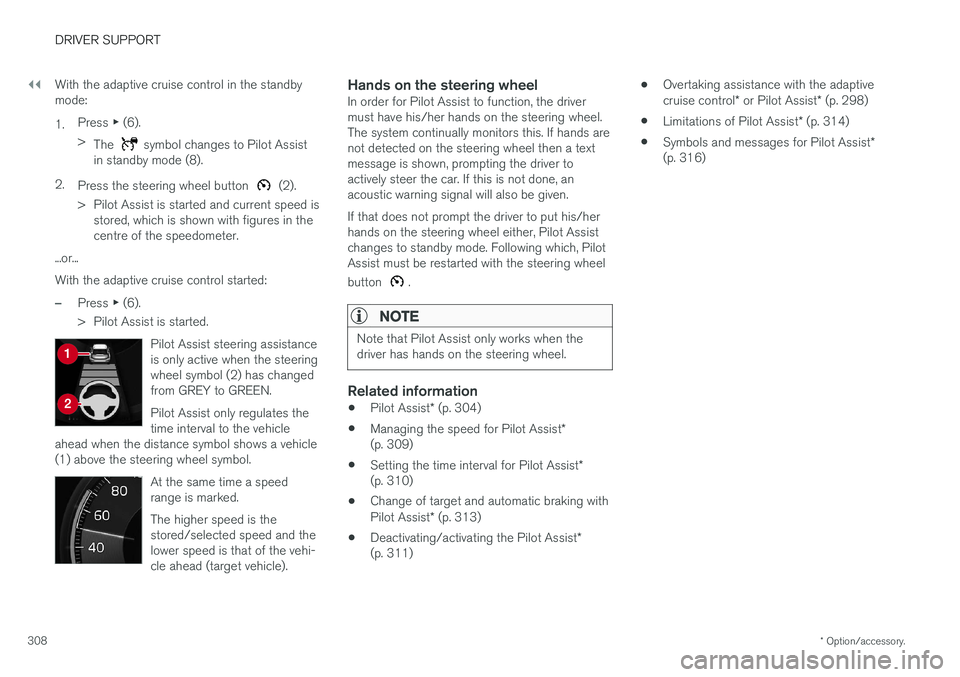
308 With the adaptive cruise control in the standby mode: 1.
Press
▶ (6).
> The
symbol changes to Pilot Assist
in standby mode (8).
2. Press the steering wheel button
(2).
> Pilot Assist is started and current speed is stored, which is shown with figures in the centre of the speedometer.
...or... With the adaptive cruise control started:
–Press ▶ (6).
> Pilot Assist is started.
Pilot Assist steering assistance is only active when the steeringwheel symbol (2) has changedfrom GREY to GREEN. Pilot Assist only regulates the time interval to the vehicle
ahead when the distance symbol shows a vehicle(1) above the steering wheel symbol.
At the same time a speed range is marked. The higher speed is the stored/selected speed and thelower speed is that of the vehi-cle ahead (target vehicle).
Hands on the steering wheelIn order for Pilot Assist to function, the driver must have his/her hands on the steering wheel.The system continually monitors this. If hands arenot detected on the steering wheel then a textmessage is shown, prompting the driver toactively steer the car. If this is not done, anacoustic warning signal will also be given. If that does not prompt the driver to put his/her hands on the steering wheel either, Pilot Assistchanges to standby mode. Following which, PilotAssist must be restarted with the steering wheel button
.
NOTE
Note that Pilot Assist only works when the driver has hands on the steering wheel.
Related information
• Pilot Assist
* (p. 304)
• Managing the speed for Pilot Assist
*
(p. 309)
• Setting the time interval for Pilot Assist
*
(p. 310)
• Change of target and automatic braking with Pilot Assist
* (p. 313)
• Deactivating/activating the Pilot Assist
*
(p. 311) •
Overtaking assistance with the adaptivecruise control
* or Pilot Assist * (p. 298)
• Limitations of Pilot Assist
* (p. 314)
• Symbols and messages for Pilot Assist
*
(p. 316)