Page 415 of 732
4155-9. Bluetooth® phone
5
Audio system
HIGHLANDER_U (OM0E017U)
For PBAP compatible Bluetooth® phones, this function is available
when “Automatic Transfer” is set to off. ( →P. 412)
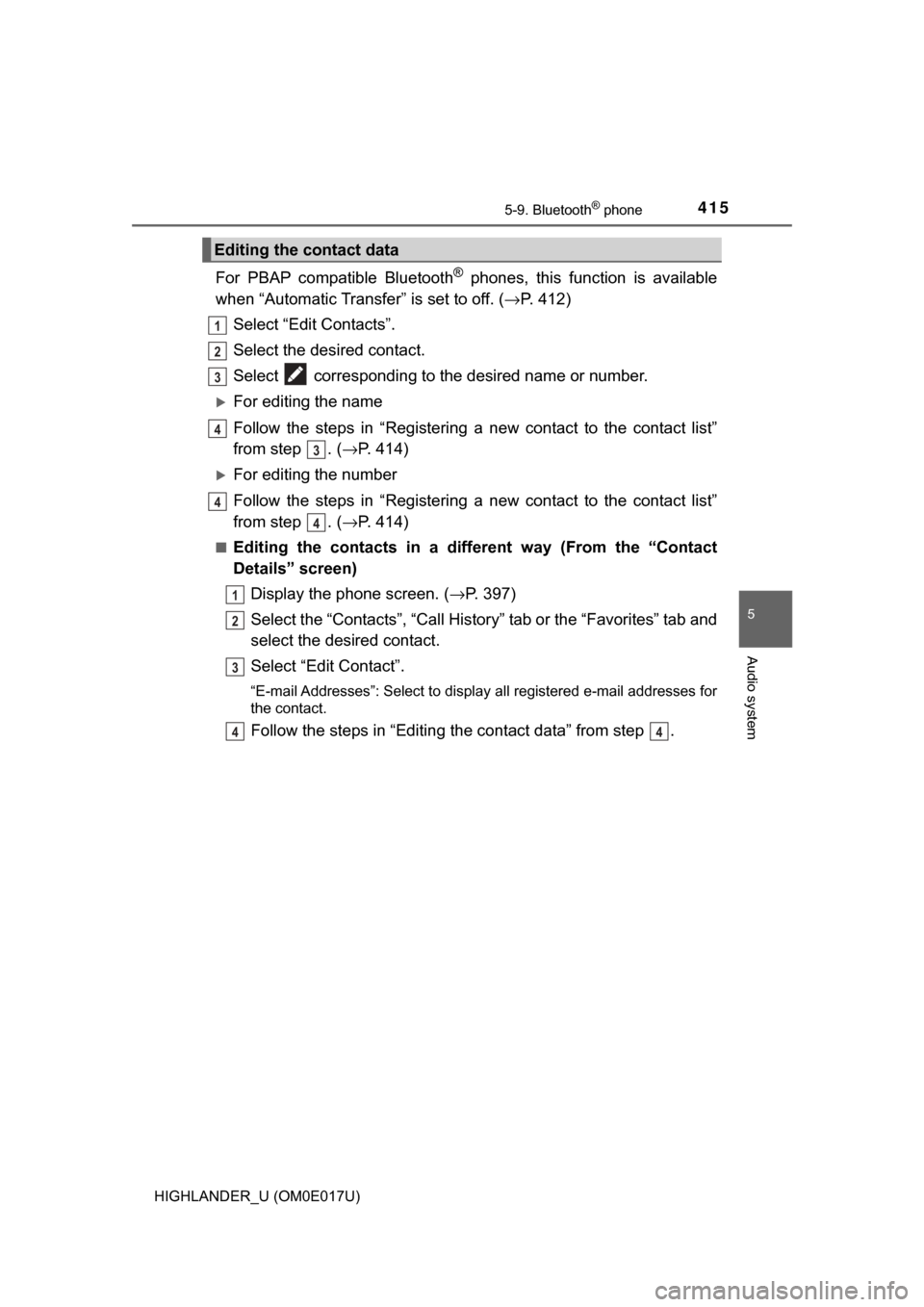
Select “Edit Contacts”.
Select the desired contact.
Select corresponding to the desired name or number.
For editing the name
Follow the steps in “Registering a new contact to the contact list”
from step . ( →P. 414)
For editing the number
Follow the steps in “Registering a new contact to the contact list”
from step . ( →P. 414)
■Editing the contacts in a different way (From the “Contact
Details” screen)
Display the phone screen. (→ P. 397)
Select the “Contacts”, “Call Histor y” tab or the “Favorites” tab and
select the desired contact.
Select “Edit Contact”.
“E-mail Addresses”: Select to display all registered e-mail addresses for
the contact.
Follow the steps in “Editing the contact data” from step .
Editing the contact data
1
2
3
4
3
4
4
1
2
3
44
Page 426 of 732

4265-10. Bluetooth®
HIGHLANDER_U (OM0E017U)■
Bluetooth
® antenna
The antenna is built into the display.
If the portable audio player is behind the seat or in the glove box or console
box, or is touching or covered by metal objects, the connection status may
deteriorate.
If the cellular phone is behind the seat or in the console box, or touching or
covered by metal objects, the connection status may deteriorate.
■ Battery charge/signal status
●This display may not correspond exactly with the portable audio player or
cellular phone itself.
● This system does not have a charging function.
● The portable audio player or cellular phone battery will be depleted quickly
when the device is connected to Bluetooth
®.
■ When using the Bluetooth
® audio and hands-free system at the same
time
The following problems may occur.
● The Bluetooth
® audio connection may be interrupted.
● Noise may be heard during Bluetooth
® audio playback.
■ About the contact in this system
The following data is stored for every registered cellular phone. When
another phone is connecting, you cannot read the registered data.
●Contact data
● Call history
● Favorite
● Message
When removing a Bluetooth
® phone from the system, the above-mentioned
data is also deleted.
Page 429 of 732
429
5
Audio system
HIGHLANDER_U (OM0E017U)
5-11. Using the voice command system
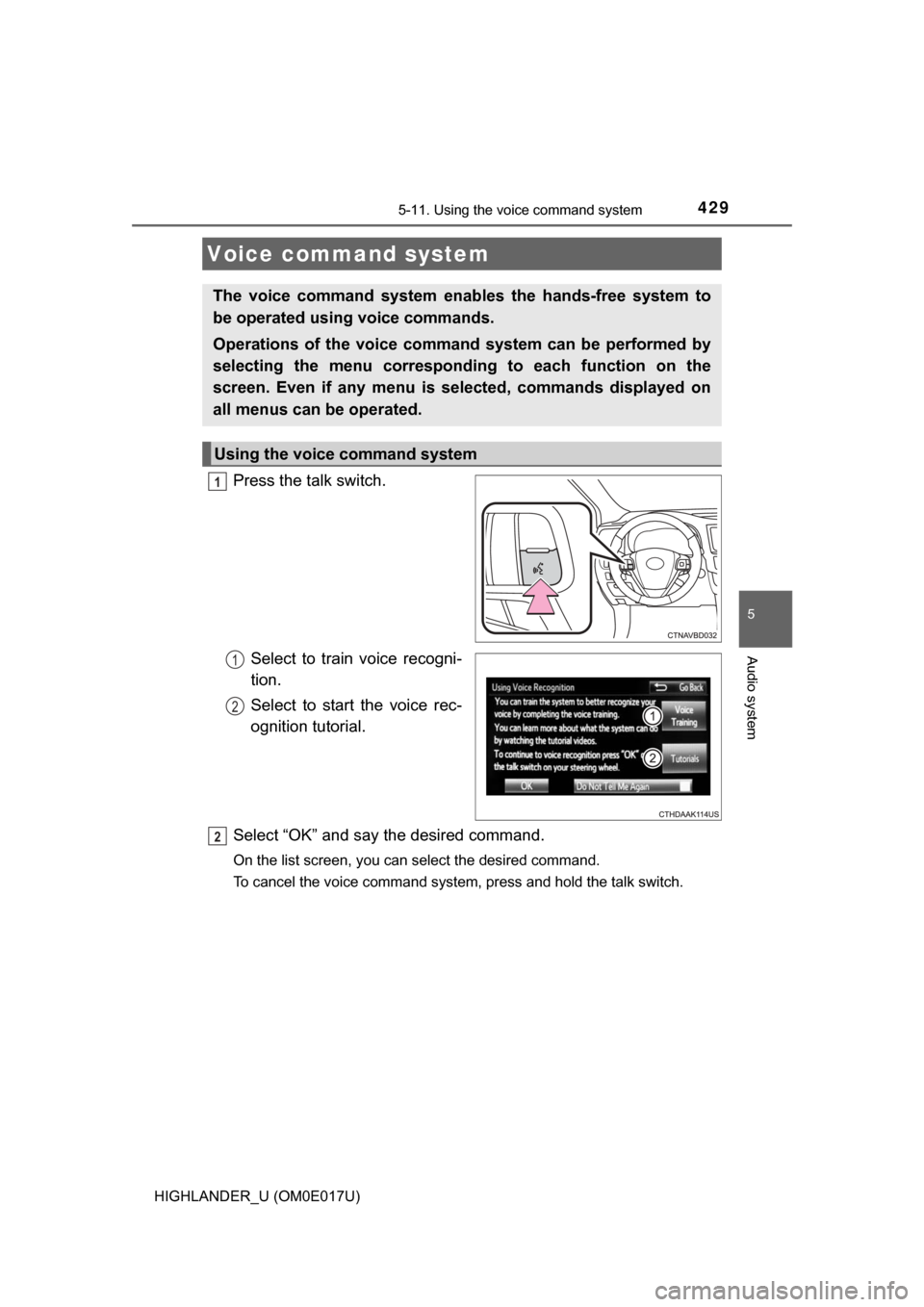
Press the talk switch.Select to train voice recogni-
tion.
Select to start the voice rec-
ognition tutorial.
Select “OK” and say the desired command.
On the list screen, you can select the desired command.
To cancel the voice command system, press and hold the talk switch.
Voice command system
The voice command system enables the hands-free system to
be operated using voice commands.
Operations of the voice comm and system can be performed by
selecting the menu corresponding to each function on the
screen. Even if any menu is selected, commands displayed on
all menus can be operated.
Using the voice command system
1
1
2
2
Page 432 of 732
4325-11. Using the voice command system
HIGHLANDER_U (OM0E017U)
The Mobile Assistant feature will activate Apple’s Siri® Eyes Free
mode via the steering wheel switc hes. To operate the Mobile Assis-
tant, a compatible cellular phone must be registered and connected to
this system via Bluetooth
®. ( → P. 390)
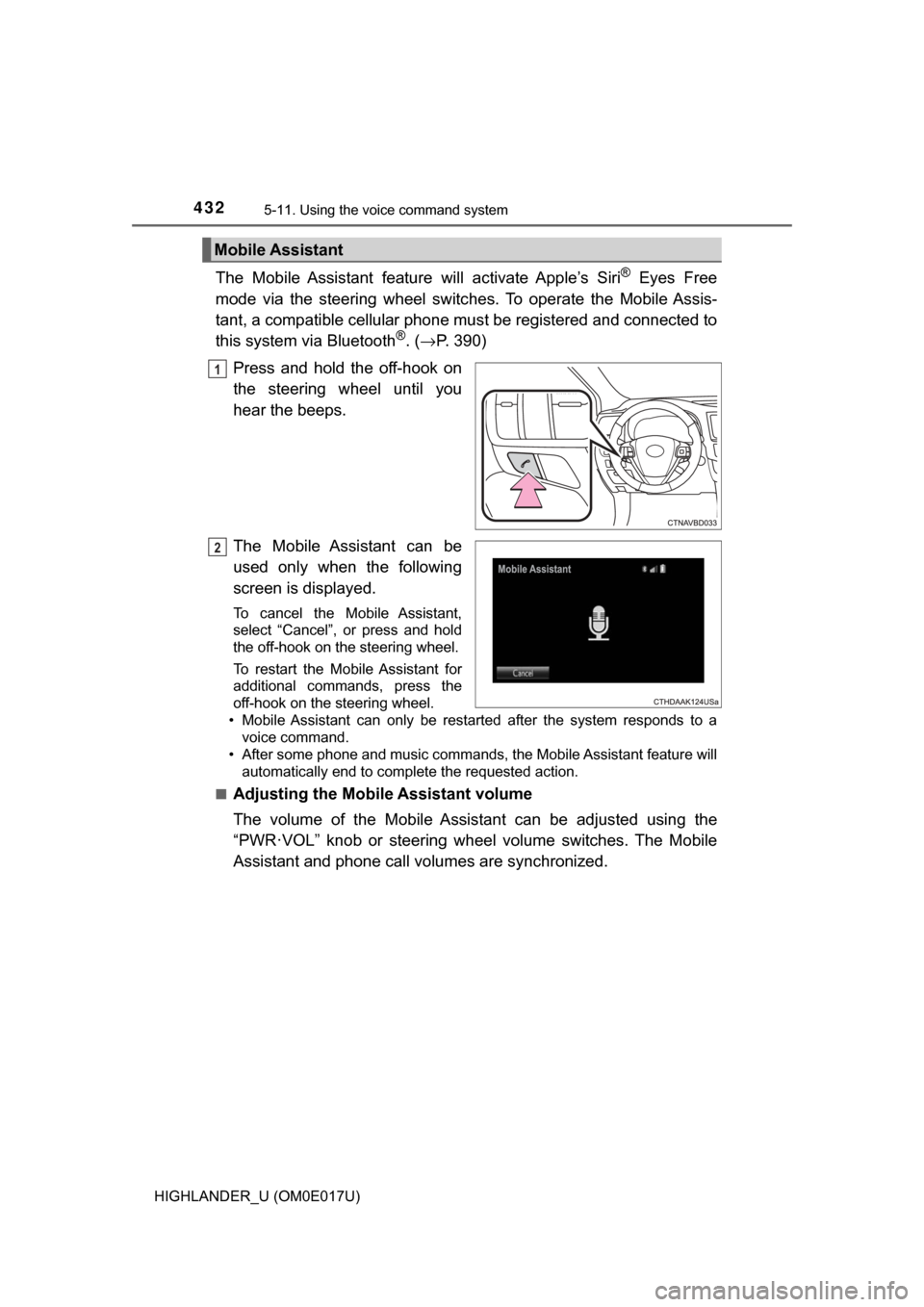
Press and hold the off-hook on
the steering wheel until you
hear the beeps.
The Mobile Assistant can be
used only when the following
screen is displayed.
To cancel the Mobile Assistant,
select “Cancel”, or press and hold
the off-hook on the steering wheel.
To restart the Mobile Assistant for
additional commands, press the
off-hook on the steering wheel.
• Mobile Assistant can only be restarted after the system responds to a voice command.
• After some phone and music commands, the Mobile Assistant feature will automatically end to complete the requested action.
■
Adjusting the Mobile Assistant volume
The volume of the Mobile Assistant can be adjusted using the
“PWR·VOL” knob or steering whee l volume switches. The Mobile
Assistant and phone call volumes are synchronized.
Mobile Assistant
1
2
Page 455 of 732
4556-1. Using the air conditioning system and defogger
6
Interior features
HIGHLANDER_U (OM0E017U)
Heated steering wheel∗/seat heaters∗/seat
ventilators
∗
∗: If equipped
The heated steering wheel and seat heaters heat the side grips
of the steering wheel and seats, respectively. Seat ventilators
maintain good airflow by blowing air from the seats.
WARNING
● Care should be taken to prevent injury if anyone in the following categories
comes in contact with the steering wheel or seats when the heater is on:
• Babies, small children, the elderly, the sick and the physically chal-
lenged
• Persons with sensitive skin
• Persons who are fatigued
• Persons who have taken alcohol or drugs that induce sleep (sleeping drugs, cold remedies, etc.)
● Observe the following precautions to prevent the minor burns or overheat-
ing
• Do not cover the seat with a blanket or cushion when using the seat
heater.
• Do not use the seat heaters more than necessary.
NOTICE
● Do not put heavy objects that have an uneven surface on the seat and do
not stick sharp objects (needles, nails, etc.) into the seat.
● To prevent battery discharge, do not use the functions when the engine is
stopped.
Page 486 of 732

4866-4. Using the other interior features
HIGHLANDER_U (OM0E017U)
Press and hold the 2 outside but-
tons for 10 seconds until the
HomeLink
® indicator light
changes from continuously lit
(orange) to rapidly flashing
(green).
If you sell your vehicle, be sure to
erase the programs stored in the
HomeLink
® memory.
■ Programs stored in the HomeLink® memory
● The registered codes are not erased even if the battery cable is discon-
nected.
● If learning failed when registering a different code to a HomeLink
® button
that already has a code registered to it, the already registered code is not
erased.
■ Before programming
●Install a new battery in the transmitter.
● The battery side of the transmitter must be pointed away from the Home-
Link
.
■ Certification for the garage door opener
This device complies with FCC rules part 15 and Industry Canada RSS-210.
Operation is subject to the following two conditions: (1) This device may not
cause harmful interference, and (2) This device must accept any interference
that may be received including interference that may cause undesired opera-
tion.
WARNING:
The transmitter has been tested and complies with FCC and IC rules.
Changes or modifications not expressly approved by the party responsible for
compliance could void the user’s authority to operate the device.
The term “IC:” before the certification/registration number only signifies that
Industry Canada technical specifications were met.
Erasing the entire HomeLink® memory (all three programs)
Page 487 of 732
4876-4. Using the other interior features
6
Interior features
HIGHLANDER_U (OM0E017U)Cet appareil est conforme aux normes FCC partie 15 et Industry Canada
RSS-210.
Son fonctionnement est soumis aux deux conditions suivantes: (1) Cet appa-
reil ne doit pas causer d’interférences nuisibles et (2) Cet appareil doit accep-
ter toute interférence qui peuvent être reçues y compris les interférences
pouvant provoquer un fonctionnement indésirable.
AVERTISSEMENT:
L’émetteur a été testé et est conforme aux régles de la FCC et IC. Les chan-
gements ou modifications non expressém
ent approuvés par la partie respon-
sable de la conformité pourrait annuler l’autorité de l’utilisateur de faire
fonctionner le dispositif.
Le terme “IC:” devant le numéro de certification / enregistrement signifie seu-
lement que les spécifications techniques d’Industry Canada ont été respec-
tées.
■ For additional programming assistance with your HomeLink
® Universal
Transceiver
Visit on the web at www.homelink.com
or call 1-800-355-3515.
Consultez le site www.homelink.com
ou appelez le 1-800-355-3515.
WARNING
■ When programming a garage door or other remote control device
The garage door may operate, so ensure people and objects are out of dan-
ger to prevent potential harm.
■ Conforming to federal safety standards
Do not use the HomeLink
Compatible Transceiver with any garage door
opener or device that lacks safety stop and reverse features as required by
federal safety standards.
This includes any garage door that cannot detect an obstruction object. A
door or device without these features increases the risk of death or ser\
ious
injury.
■ When operating or programming HomeLink
®
Never allow a child to operate or play with the HomeLink® buttons.
Page 488 of 732
4886-4. Using the other interior features
HIGHLANDER_U (OM0E017U)■
System components
Microphone
LED light indicators
“SOS” button
Safety Connect∗
∗: If equipped
Safety Connect is a subscripti on-based telematics service that
uses Global Positioning System (GPS) data and embedded cel-
lular technology to provide safety and security features to sub-
scribers. Safety Connect is s upported by Toyota’s designated
response center, which operates 24 hours per day, 7 days per
week.
Safety Connect service is avai lable by subscription on select,
telematics hardware-equipped vehicles.
By using the Safety Connect service, you are agreeing to be
bound by the Telematics Subscription Service Agreement and
its Terms and Conditions, as in ef fect and amended from time to
time, a current copy of which is available at Toyota.com. All use
of the Safety Connect service is subject to such then-applicable
Terms and Conditions.
1
2
3