Page 301 of 404

3
In the "Settings" menu you can create
a profile for just one person or a group
of people with common points, with
the possibility of entering a multitude of
settings (radio presets, audio settings,
navigation history, contact favourites,
etc.); these settings are taken into account
automatically.
In very hot conditions, the volume may
be limited to protect the system. It may go
into standby (screen and sound off) for at
least 5 minutes
The return to normal takes place when
the temperature in the passenger
compartment has dropped.Steering mounted controls
Depending on model.
Voice commands :
This control is located on the
steering wheel or at the end of the
lighting control stalk (depending on
model).
Short press, system voice
commands.
Long press, smartphone voice
commands via the system.
or Increase volume.
or Mute / Restore the sound.
Or
Mute by pressing the volume
increase and decrease buttons
simultaneously.
Restore the sound by pressing one
of the two volume buttons.
or Decrease volume. or
Media
(short press): change the
multimedia source.
Telephone (short press): start
telephone call.
Call in progress (short press):
access telephone menu.
Telephone (long press): reject an
incoming call, end call; when no call
is in progress, access telephone
menu.
or Radio
(rotate): automatic search for
the previous / next station.
Media (rotate): previous / next track,
move in a list.
Short press : confirm a selection; if
nothing selected, access to presets.
Radio : display the list of stations.
Media : display the list of tracks.
Radio (press and hold): update the
list of stations received.
.
PEUGEOT Connect Nav
Page 324 of 404
26
Activate / Deactivate "Station
follow ".
Press " OK".
If "DAB-FM auto tracking" is activated,
there is a difference of a few seconds
when the system switches to "FM"
analogue radio with sometimes a variation
in volume.
Once the digital signal quality is restored,
the system automatically changes back
to " DA B ".
If the "DAB" station being listened to is
not available on "FM" (" DAB- FM" option
greyed out), or "DAB/FM auto tracking" is
not activated, the sound will cut out while
the digital signal is too weak.Media
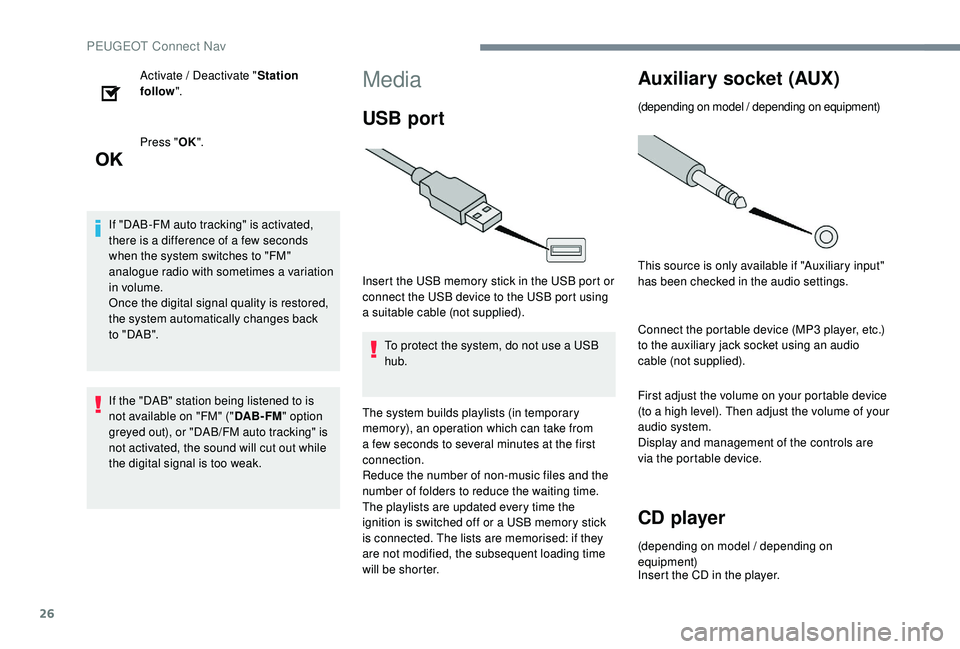
USB port
Insert the USB memory stick in the USB port or
connect the USB device to the USB port using
a suitable cable (not supplied).
To protect the system, do not use a USB
hub.
The system builds playlists (in temporary
memory), an operation which can take from
a few seconds to several minutes at the first
connection.
Reduce the number of non-music files and the
number of folders to reduce the waiting time.
The playlists are updated every time the
ignition is switched off or a USB memory stick
is connected. The lists are memorised: if they
are not modified, the subsequent loading time
will be shorter.
Auxiliary socket (AUX)
(depending on model / depending on equipment)
This source is only available if "Auxiliary input"
has been checked in the audio settings.
Connect the portable device (MP3
player, etc.)
to the auxiliary jack socket using an audio
cable (not supplied).
First adjust the volume on your portable device
(to a high level). Then adjust the volume of your
audio system.
Display and management of the controls are
via the portable device.
CD player
(depending on model / depending on
equipment)
Insert the CD in the player.
PEUGEOT Connect Nav
Page 334 of 404
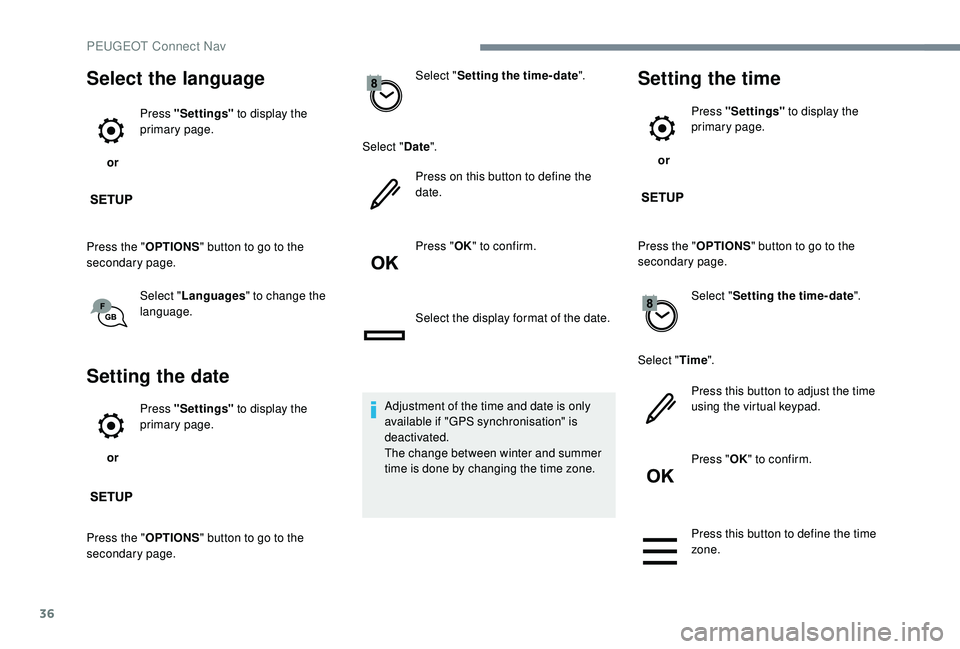
36
Select the language
or Press "Settings"
to display the
primary page.
Press the " OPTIONS" button to go to the
secondary page.
Select "Languages " to change the
language.
Setting the date
or Press "Settings"
to display the
primary page.
Press the " OPTIONS" button to go to the
secondary page. Select "
Setting the time- date".
Select " Date".
Press on this button to define the
date.
Press " OK" to confirm.
Select the display format of the date.
Adjustment of the time and date is only
available if "GPS synchronisation" is
deactivated.
The change between winter and summer
time is done by changing the time zone.
Setting the time
or Press "Settings"
to display the
primary page.
Press the " OPTIONS" button to go to the
secondary page.
Select "Setting the time- date".
Select " Time".
Press this button to adjust the time
using the virtual keypad.
Press " OK" to confirm.
Press this button to define the time
zone.
PEUGEOT Connect Nav
Page 335 of 404
37
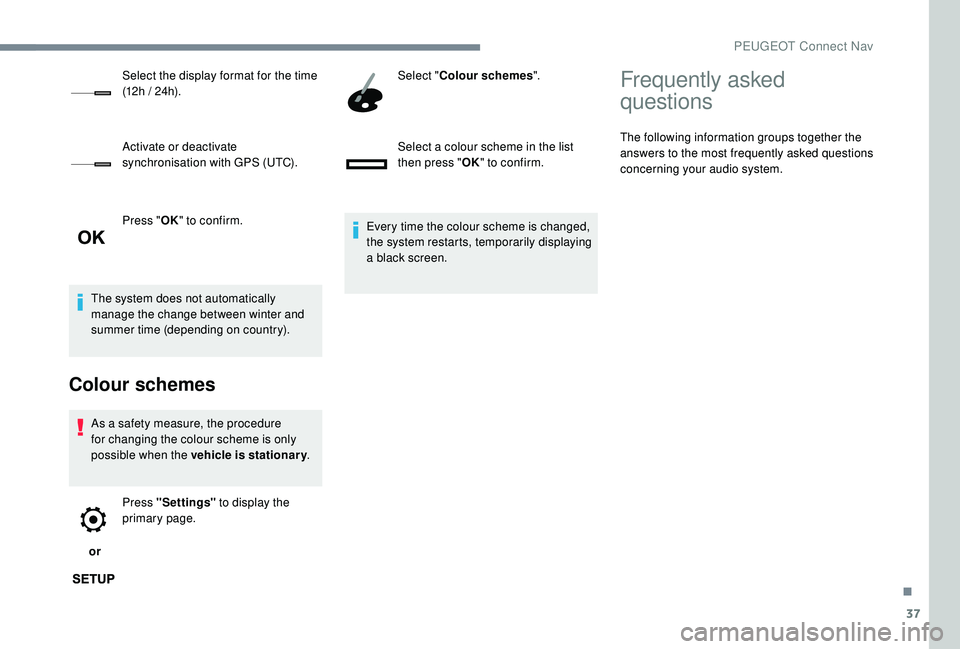
Press "OK" to confirm.
The system does not automatically
manage the change between winter and
summer time (depending on country).
Colour schemes
As a safety measure, the procedure
for changing the colour scheme is only
possible when the vehicle is stationary .
or Press "Settings"
to display the
primary page. Select "
Colour schemes ".
Select a colour scheme in the list
then press " OK" to confirm.
Every time the colour scheme is changed,
the system restarts, temporarily displaying
a black screen.
Select the display format for the time
(12h / 24h).
Activate or deactivate
synchronisation with GPS (UTC).
Frequently asked
questions
The following information groups together the
answers to the most frequently asked questions
concerning your audio system.
.
PEUGEOT Connect Nav
Page 345 of 404
1
PEUGEOT Connect Radio
Multimedia audio system –
Applications – Bluetooth®
telephone
Contents
First steps
2
S
teering mounted controls
3
M
enus
4
A
pplications
6
R
adio
7
D
AB radio (Digital Audio Broadcasting)
9
M
edia
10
T
elephone
1
2
Configuration
1
8
Frequently asked questions
2
1The different functions and settings
described vary according to the version
and configuration of your vehicle.
As a safety measure and because it
requires sustained attention by the
driver, the pairing of a Bluetooth mobile
telephone with the Bluetooth hands-free
system of your audio system must be
done with the vehicle stationary
and the
ignition on.
The system is protected in such a way that
it will only operate in your vehicle.
The display of the Energy Economy
Mode message signals that a change to
standby is imminent.
The link below gives access to OSS (Open
Source Software) codes for the system.
https://www.groupe-psa.com/fr/oss/
https://www.groupe-psa.com/en/oss/
.
PEUGEOT Connect Radio
Page 348 of 404
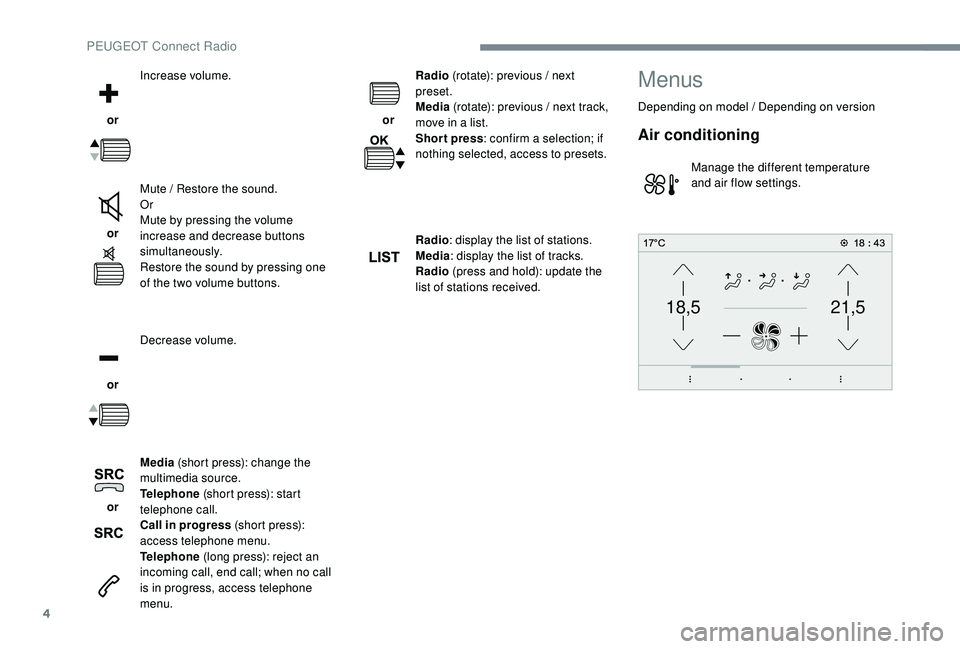
4
21,518,5
or Increase volume.
or Mute / Restore the sound.
Or
Mute by pressing the volume
increase and decrease buttons
simultaneously.
Restore the sound by pressing one
of the two volume buttons.
or Decrease volume.
or Media
(short press): change the
multimedia source.
Telephone (short press): start
telephone call.
Call in progress (short press):
access telephone menu.
Telephone (long press): reject an
incoming call, end call; when no call
is in progress, access telephone
menu. or
Radio
(rotate): previous / next
preset.
Media (rotate): previous / next track,
move in a list.
Short press : confirm a selection; if
nothing selected, access to presets.
Radio : display the list of stations.
Media : display the list of tracks.
Radio (press and hold): update the
list of stations received.
Menus
Depending on model / Depending on version
Air conditioning
Manage the different temperature
and air flow settings.
PEUGEOT Connect Radio
Page 364 of 404
20
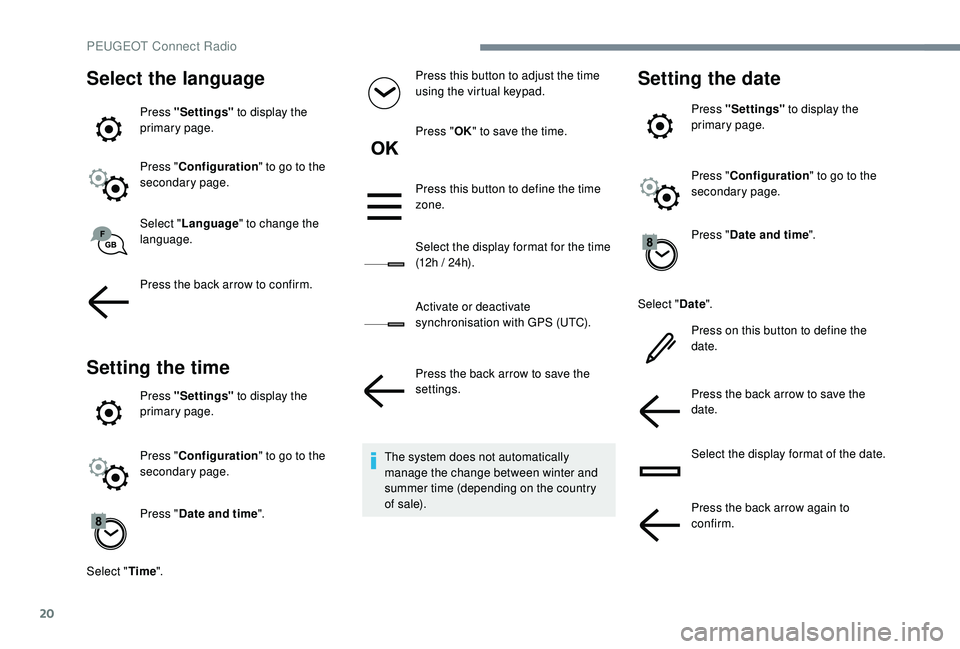
Select the language
Press "Settings" to display the
primary page.
Press " Configuration " to go to the
secondary page.
Select " Language " to change the
language.
Press the back arrow to confirm.
Setting the time
Press "Settings" to display the
primary page.
Press " Configuration " to go to the
secondary page.
Press " Date and time ".
Select " Time". Press this button to adjust the time
using the virtual keypad.
Press "
OK" to save the time.
Press this button to define the time
zone.
Select the display format for the time
(12h / 24h).
Activate or deactivate
synchronisation with GPS (UTC).
Press the back arrow to save the
settings.
The system does not automatically
manage the change between winter and
summer time (depending on the country
of s a l e).
Setting the date
Press "Settings" to display the
primary page.
Press " Configuration " to go to the
secondary page.
Press " Date and time ".
Select " Date".
Press on this button to define the
date.
Press the back arrow to save the
date.
Select the display format of the date.
Press the back arrow again to
confirm.
PEUGEOT Connect Radio
Page 365 of 404
21
Adjustment of the time and date is only
available if "GPS Synchronisation:" is
deactivated.
The change between winter and summer
time is done by changing the time zone.Frequently asked
questions
The following information groups together the
answers to the most frequently asked questions
concerning your audio system.
.
PEUGEOT Connect Radio