2017 NISSAN ARMADA USB
[x] Cancel search: USBPage 277 of 614
4-80Monitor, heater, air conditioner, audio, phone and voice recognition systems
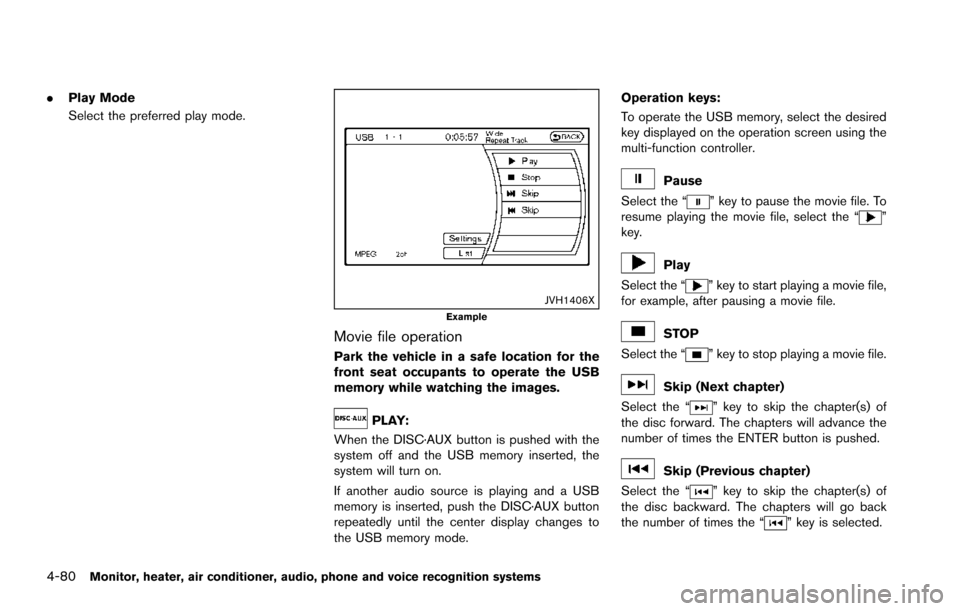
.Play Mode
Select the preferred play mode.
JVH1406XExample
Movie file operation
Park the vehicle in a safe location for the
front seat occupants to operate the USB
memory while watching the images.
PLAY:
When the DISC·AUX button is pushed with the
system off and the USB memory inserted, the
system will turn on.
If another audio source is playing and a USB
memory is inserted, push the DISC·AUX button
repeatedly until the center display changes to
the USB memory mode. Operation keys:
To operate the USB memory, select the desired
key displayed on the operation screen using the
multi-function controller.
Pause
Select the “
” key to pause the movie file. To
resume playing the movie file, select the “”
key.
Play
Select the “
” key to start playing a movie file,
for example, after pausing a movie file.
STOP
Select the “
” key to stop playing a movie file.
Skip (Next chapter)
Select the “
” key to skip the chapter(s) of
the disc forward. The chapters will advance the
number of times the ENTER button is pushed.
Skip (Previous chapter)
Select the “
” key to skip the chapter(s) of
the disc backward. The chapters will go back
the number of times the “
” key is selected.
Page 278 of 614
List:
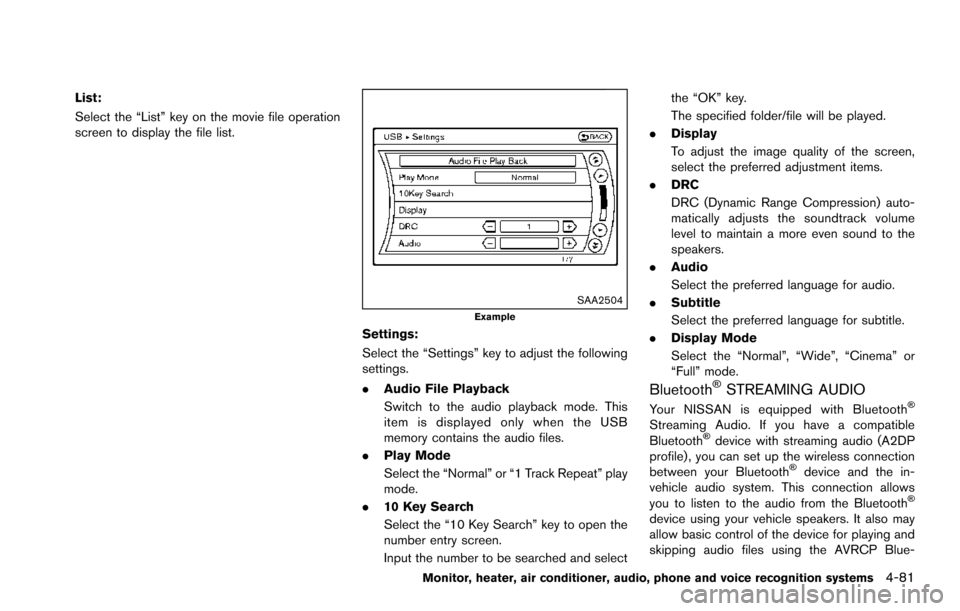
Select the “List” key on the movie file operation
screen to display the file list.
SAA2504Example
Settings:
Select the “Settings” key to adjust the following
settings.
.Audio File Playback
Switch to the audio playback mode. This
item is displayed only when the USB
memory contains the audio files.
. Play Mode
Select the “Normal” or “1 Track Repeat” play
mode.
. 10 Key Search
Select the “10 Key Search” key to open the
number entry screen.
Input the number to be searched and select the “OK” key.
The specified folder/file will be played.
. Display
To adjust the image quality of the screen,
select the preferred adjustment items.
. DRC
DRC (Dynamic Range Compression) auto-
matically adjusts the soundtrack volume
level to maintain a more even sound to the
speakers.
. Audio
Select the preferred language for audio.
. Subtitle
Select the preferred language for subtitle.
. Display Mode
Select the “Normal”, “Wide”, “Cinema” or
“Full” mode.
BluetoothŠSTREAMING AUDIO
Your NISSAN is equipped with BluetoothŠ
Streaming Audio. If you have a compatible
BluetoothŠdevice with streaming audio (A2DP
profile) , you can set up the wireless connection
between your Bluetooth
Šdevice and the in-
vehicle audio system. This connection allows
you to listen to the audio from the Bluetooth
Š
device using your vehicle speakers. It also may
allow basic control of the device for playing and
skipping audio files using the AVRCP Blue-
Monitor, heater, air conditioner, audio, phone and voice recognition systems4-81
Page 283 of 614
4-86Monitor, heater, air conditioner, audio, phone and voice recognition systems
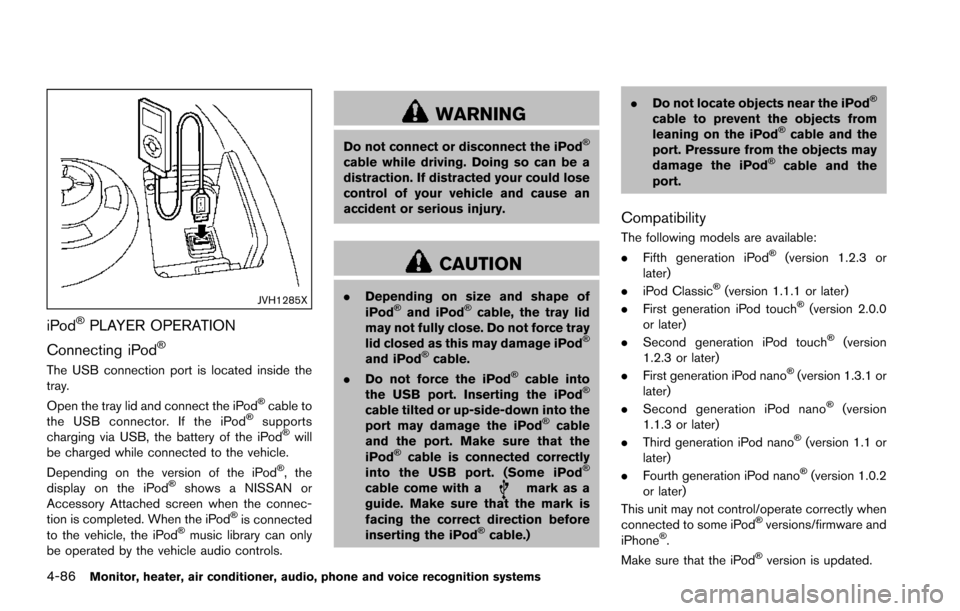
JVH1285X
iPodŠPLAYER OPERATION
Connecting iPod
Š
The USB connection port is located inside the
tray.
Open the tray lid and connect the iPod
Šcable to
the USB connector. If the iPodŠsupports
charging via USB, the battery of the iPodŠwill
be charged while connected to the vehicle.
Depending on the version of the iPod
Š, the
display on the iPodŠshows a NISSAN or
Accessory Attached screen when the connec-
tion is completed. When the iPod
Šis connected
to the vehicle, the iPodŠmusic library can only
be operated by the vehicle audio controls.
WARNING
Do not connect or disconnect the iPodŠ
cable while driving. Doing so can be a
distraction. If distracted your could lose
control of your vehicle and cause an
accident or serious injury.
CAUTION
. Depending on size and shape of
iPodŠand iPodŠcable, the tray lid
may not fully close. Do not force tray
lid closed as this may damage iPod
Š
and iPodŠcable.
. Do not force the iPodŠcable into
the USB port. Inserting the iPodŠ
cable tilted or up-side-down into the
port may damage the iPodŠcable
and the port. Make sure that the
iPod
Šcable is connected correctly
into the USB port. (Some iPodŠ
cable come with amark as a
guide. Make sure that the mark is
facing the correct direction before
inserting the iPod
Šcable.) .
Do not locate objects near the iPod
Š
cable to prevent the objects from
leaning on the iPodŠcable and the
port. Pressure from the objects may
damage the iPod
Šcable and the
port.
Compatibility
The following models are available:
. Fifth generation iPodŠ(version 1.2.3 or
later)
. iPod Classic
Š(version 1.1.1 or later)
. First generation iPod touchŠ(version 2.0.0
or later)
. Second generation iPod touch
Š(version
1.2.3 or later)
. First generation iPod nano
Š(version 1.3.1 or
later)
. Second generation iPod nano
Š(version
1.1.3 or later)
. Third generation iPod nano
Š(version 1.1 or
later)
. Fourth generation iPod nano
Š(version 1.0.2
or later)
This unit may not control/operate correctly when
connected to some iPod
Šversions/firmware and
iPhoneŠ.
Make sure that the iPodŠversion is updated.
Page 287 of 614
4-90Monitor, heater, air conditioner, audio, phone and voice recognition systems
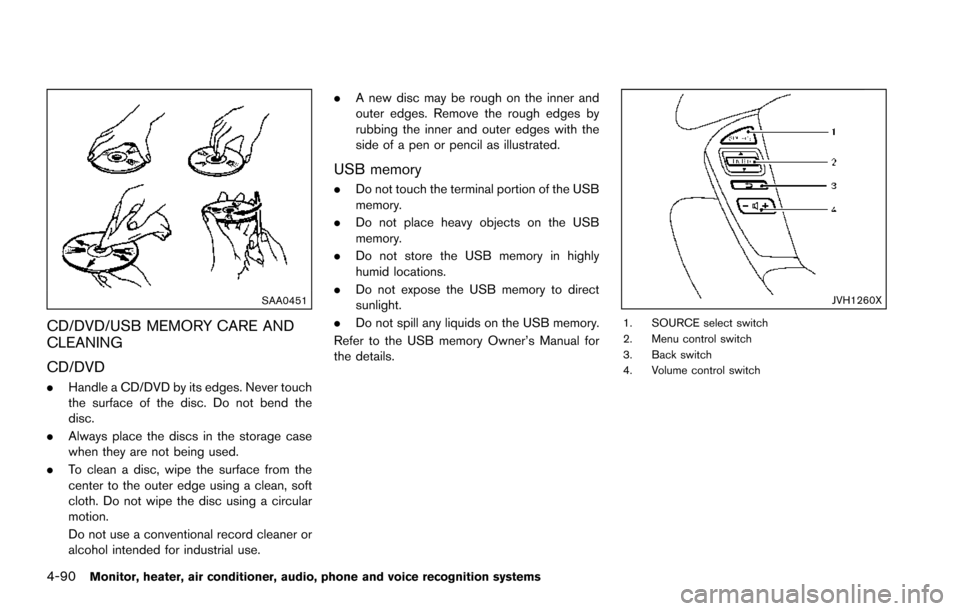
SAA0451
CD/DVD/USB MEMORY CARE AND
CLEANING
CD/DVD
.Handle a CD/DVD by its edges. Never touch
the surface of the disc. Do not bend the
disc.
. Always place the discs in the storage case
when they are not being used.
. To clean a disc, wipe the surface from the
center to the outer edge using a clean, soft
cloth. Do not wipe the disc using a circular
motion.
Do not use a conventional record cleaner or
alcohol intended for industrial use. .
A new disc may be rough on the inner and
outer edges. Remove the rough edges by
rubbing the inner and outer edges with the
side of a pen or pencil as illustrated.
USB memory
.Do not touch the terminal portion of the USB
memory.
. Do not place heavy objects on the USB
memory.
. Do not store the USB memory in highly
humid locations.
. Do not expose the USB memory to direct
sunlight.
. Do not spill any liquids on the USB memory.
Refer to the USB memory Owner’s Manual for
the details.
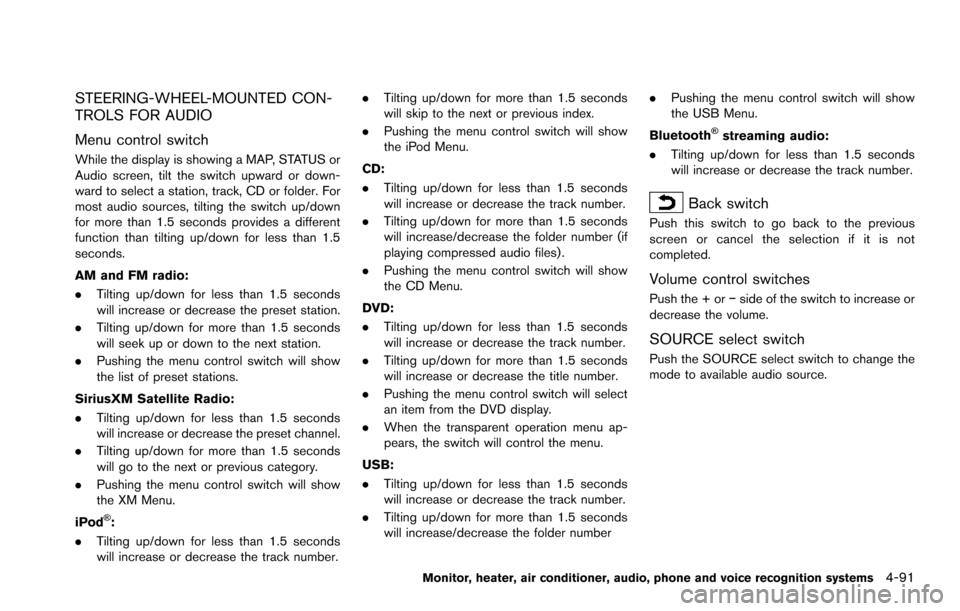
JVH1260X
1. SOURCE select switch
2. Menu control switch
3. Back switch
4. Volume control switch
Page 288 of 614
STEERING-WHEEL-MOUNTED CON-
TROLS FOR AUDIO
Menu control switch
While the display is showing a MAP, STATUS or
Audio screen, tilt the switch upward or down-
ward to select a station, track, CD or folder. For
most audio sources, tilting the switch up/down
for more than 1.5 seconds provides a different
function than tilting up/down for less than 1.5
seconds.
AM and FM radio:
.Tilting up/down for less than 1.5 seconds
will increase or decrease the preset station.
. Tilting up/down for more than 1.5 seconds
will seek up or down to the next station.
. Pushing the menu control switch will show
the list of preset stations.
SiriusXM Satellite Radio:
. Tilting up/down for less than 1.5 seconds
will increase or decrease the preset channel.
. Tilting up/down for more than 1.5 seconds
will go to the next or previous category.
. Pushing the menu control switch will show
the XM Menu.
iPod
Š:
. Tilting up/down for less than 1.5 seconds
will increase or decrease the track number. .
Tilting up/down for more than 1.5 seconds
will skip to the next or previous index.
. Pushing the menu control switch will show
the iPod Menu.
CD:
. Tilting up/down for less than 1.5 seconds
will increase or decrease the track number.
. Tilting up/down for more than 1.5 seconds
will increase/decrease the folder number (if
playing compressed audio files) .
. Pushing the menu control switch will show
the CD Menu.
DVD:
. Tilting up/down for less than 1.5 seconds
will increase or decrease the track number.
. Tilting up/down for more than 1.5 seconds
will increase or decrease the title number.
. Pushing the menu control switch will select
an item from the DVD display.
. When the transparent operation menu ap-
pears, the switch will control the menu.
USB:
. Tilting up/down for less than 1.5 seconds
will increase or decrease the track number.
. Tilting up/down for more than 1.5 seconds
will increase/decrease the folder number .
Pushing the menu control switch will show
the USB Menu.
Bluetooth
Šstreaming audio:
. Tilting up/down for less than 1.5 seconds
will increase or decrease the track number.
Back switch
Push this switch to go back to the previous
screen or cancel the selection if it is not
completed.
Volume control switches
Push the + or íside of the switch to increase or
decrease the volume.
SOURCE select switch
Push the SOURCE select switch to change the
mode to available audio source.
Monitor, heater, air conditioner, audio, phone and voice recognition systems4-91
Page 289 of 614
4-92Monitor, heater, air conditioner, audio, phone and voice recognition systems
ANTENNA
Window antenna
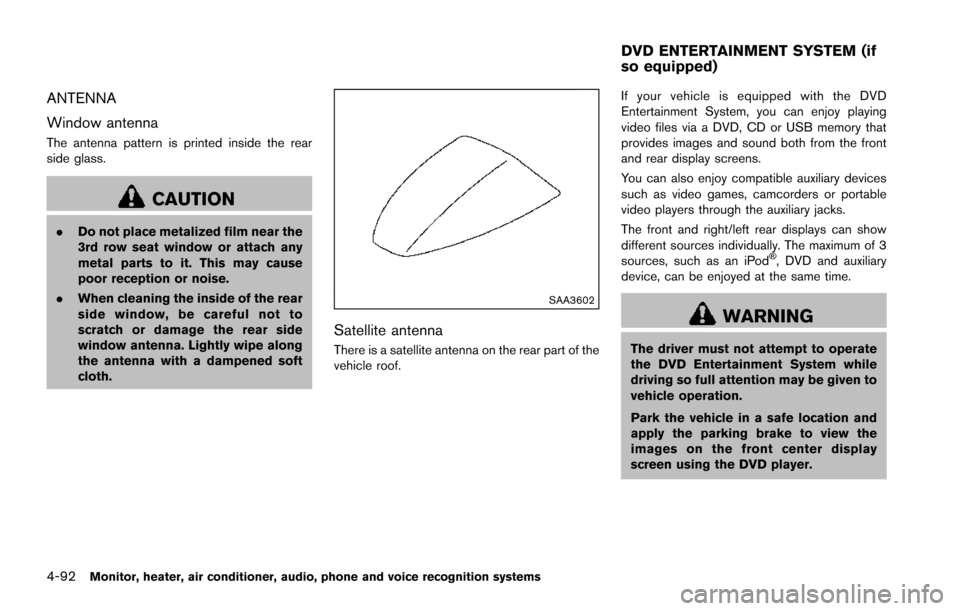
The antenna pattern is printed inside the rear
side glass.
CAUTION
.Do not place metalized film near the
3rd row seat window or attach any
metal parts to it. This may cause
poor reception or noise.
. When cleaning the inside of the rear
side window, be careful not to
scratch or damage the rear side
window antenna. Lightly wipe along
the antenna with a dampened soft
cloth.
SAA3602
Satellite antenna
There is a satellite antenna on the rear part of the
vehicle roof. If your vehicle is equipped with the DVD
Entertainment System, you can enjoy playing
video files via a DVD, CD or USB memory that
provides images and sound both from the front
and rear display screens.
You can also enjoy compatible auxiliary devices
such as video games, camcorders or portable
video players through the auxiliary jacks.
The front and right/left rear displays can show
different sources individually. The maximum of 3
sources, such as an iPod
Š, DVD and auxiliary
device, can be enjoyed at the same time.
WARNING
The driver must not attempt to operate
the DVD Entertainment System while
driving so full attention may be given to
vehicle operation.
Park the vehicle in a safe location and
apply the parking brake to view the
images on the front center display
screen using the DVD player.
DVD ENTERTAINMENT SYSTEM (if
so equipped)
Page 297 of 614
4-100Monitor, heater, air conditioner, audio, phone and voice recognition systems
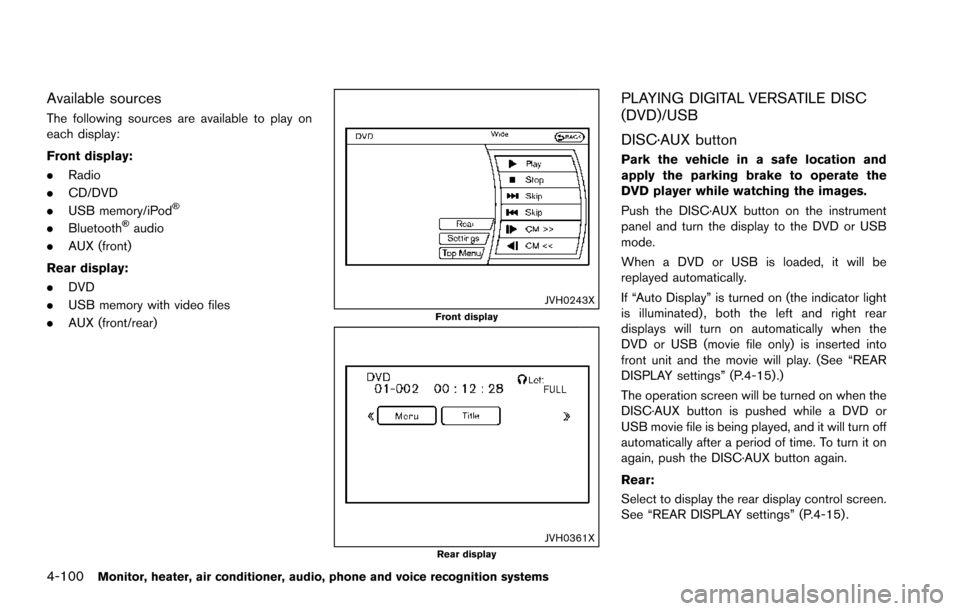
Available sources
The following sources are available to play on
each display:
Front display:
.Radio
. CD/DVD
. USB memory/iPod
Š
.BluetoothŠaudio
. AUX (front)
Rear display:
. DVD
. USB memory with video files
. AUX (front/rear)
JVH0243XFront display
JVH0361XRear display
PLAYING DIGITAL VERSATILE DISC
(DVD)/USB
DISC·AUX button
Park the vehicle in a safe location and
apply the parking brake to operate the
DVD player while watching the images.
Push the DISC·AUX button on the instrument
panel and turn the display to the DVD or USB
mode.
When a DVD or USB is loaded, it will be
replayed automatically.
If “Auto Display” is turned on (the indicator light
is illuminated) , both the left and right rear
displays will turn on automatically when the
DVD or USB (movie file only) is inserted into
front unit and the movie will play. (See “REAR
DISPLAY settings” (P.4-15) .)
The operation screen will be turned on when the
DISC·AUX button is pushed while a DVD or
USB movie file is being played, and it will turn off
automatically after a period of time. To turn it on
again, push the DISC·AUX button again.
Rear:
Select to display the rear display control screen.
See “REAR DISPLAY settings” (P.4-15) .
Page 298 of 614
Settings:
Select to display the settings screen. See
“Setting menu” (P.4-102) .
Top Menu:
When the “Top Menu” key is selected in the
screen while a DVD is being played, the top
menu specific to each disc will be displayed. For
details, see the instructions on the disc.
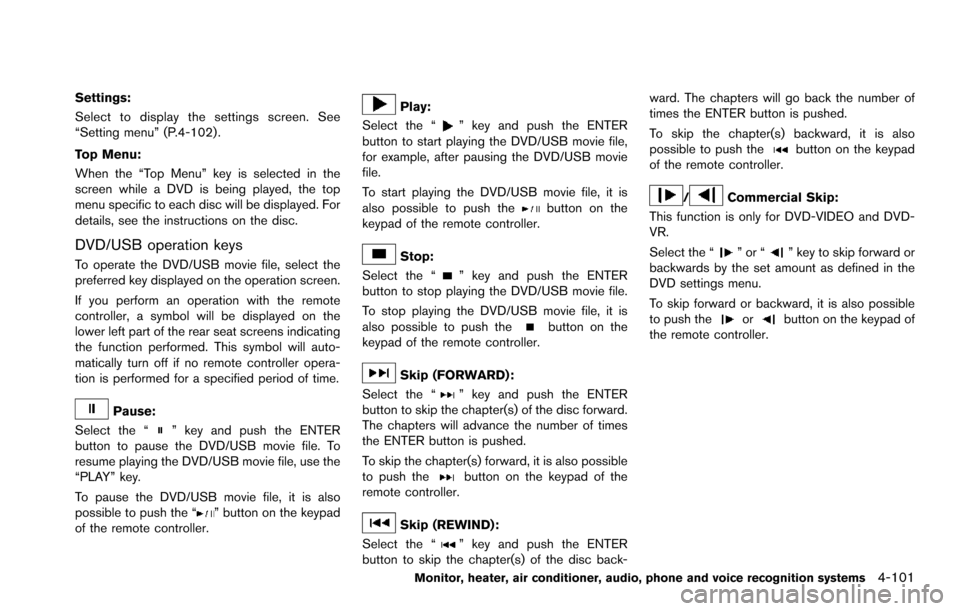
DVD/USB operation keys
To operate the DVD/USB movie file, select the
preferred key displayed on the operation screen.
If you perform an operation with the remote
controller, a symbol will be displayed on the
lower left part of the rear seat screens indicating
the function performed. This symbol will auto-
matically turn off if no remote controller opera-
tion is performed for a specified period of time.
Pause:
Select the “
” key and push the ENTER
button to pause the DVD/USB movie file. To
resume playing the DVD/USB movie file, use the
“PLAY” key.
To pause the DVD/USB movie file, it is also
possible to push the “
” button on the keypad
of the remote controller.
Play:
Select the “
” key and push the ENTER
button to start playing the DVD/USB movie file,
for example, after pausing the DVD/USB movie
file.
To start playing the DVD/USB movie file, it is
also possible to push the
button on the
keypad of the remote controller.
Stop:
Select the “
” key and push the ENTER
button to stop playing the DVD/USB movie file.
To stop playing the DVD/USB movie file, it is
also possible to push the
button on the
keypad of the remote controller.
Skip (FORWARD) :
Select the “
” key and push the ENTER
button to skip the chapter(s) of the disc forward.
The chapters will advance the number of times
the ENTER button is pushed.
To skip the chapter(s) forward, it is also possible
to push the
button on the keypad of the
remote controller.
Skip (REWIND):
Select the “
” key and push the ENTER
button to skip the chapter(s) of the disc back- ward. The chapters will go back the number of
times the ENTER button is pushed.
To skip the chapter(s) backward, it is also
possible to push the
button on the keypad
of the remote controller.
/Commercial Skip:
This function is only for DVD-VIDEO and DVD-
VR.
Select the “
”or“” key to skip forward or
backwards by the set amount as defined in the
DVD settings menu.
To skip forward or backward, it is also possible
to push the
orbutton on the keypad of
the remote controller.
Monitor, heater, air conditioner, audio, phone and voice recognition systems4-101