2017 NISSAN ARMADA Dca
[x] Cancel search: DcaPage 394 of 614
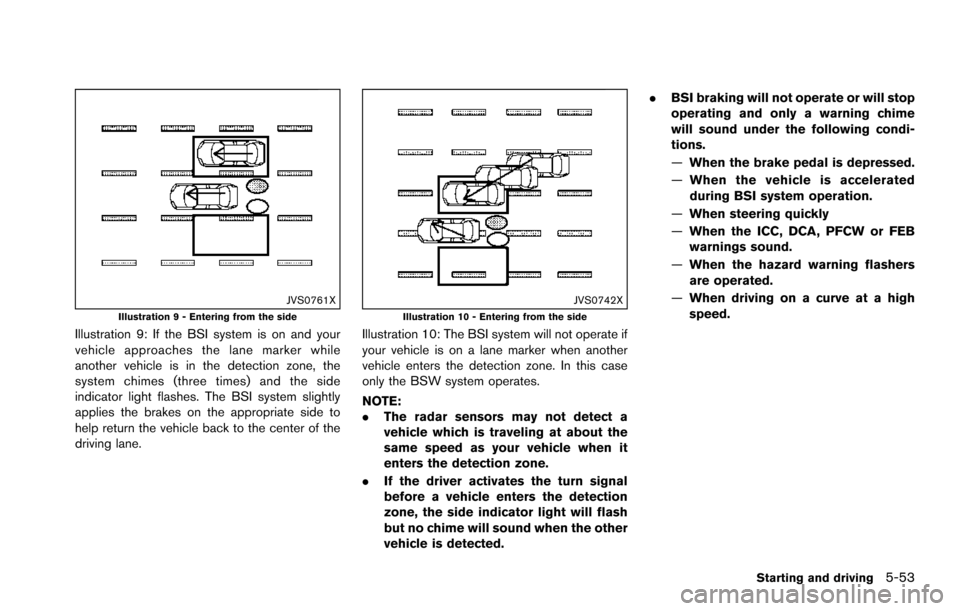
JVS0761XIllustration 9 - Entering from the side
Illustration 9: If the BSI system is on and your
vehicle approaches the lane marker while
another vehicle is in the detection zone, the
system chimes (three times) and the side
indicator light flashes. The BSI system slightly
applies the brakes on the appropriate side to
help return the vehicle back to the center of the
driving lane.
JVS0742XIllustration 10 - Entering from the side
Illustration 10: The BSI system will not operate if
your vehicle is on a lane marker when another
vehicle enters the detection zone. In this case
only the BSW system operates.
NOTE:
.The radar sensors may not detect a
vehicle which is traveling at about the
same speed as your vehicle when it
enters the detection zone.
. If the driver activates the turn signal
before a vehicle enters the detection
zone, the side indicator light will flash
but no chime will sound when the other
vehicle is detected. .
BSI braking will not operate or will stop
operating and only a warning chime
will sound under the following condi-
tions.
—When the brake pedal is depressed.
— When the vehicle is accelerated
during BSI system operation.
— When steering quickly
— When the ICC, DCA, PFCW or FEB
warnings sound.
— When the hazard warning flashers
are operated.
— When driving on a curve at a high
speed.
Starting and driving5-53
Page 430 of 614
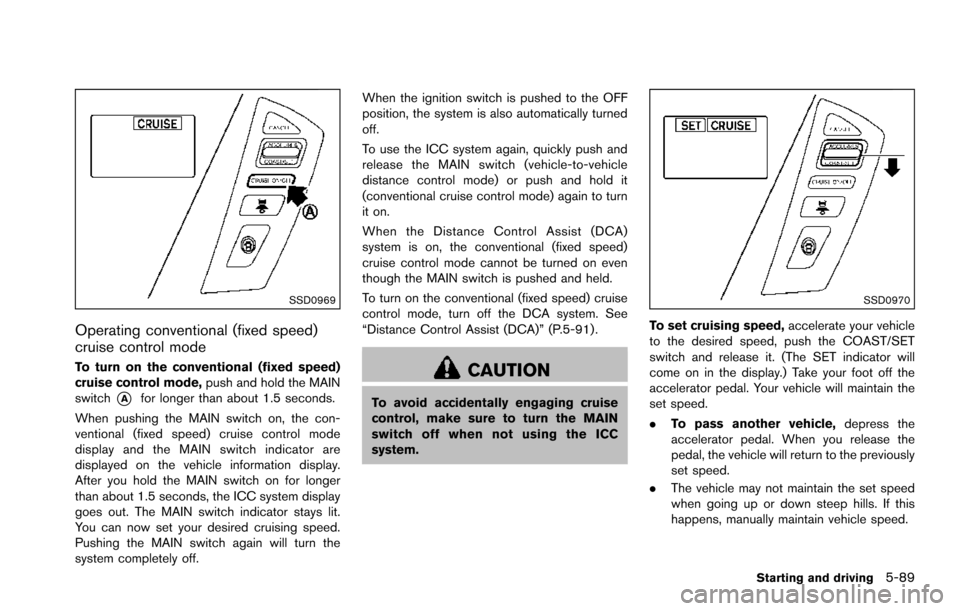
SSD0969
Operating conventional (fixed speed)
cruise control mode
To turn on the conventional (fixed speed)
cruise control mode,push and hold the MAIN
switch
*Afor longer than about 1.5 seconds.
When pushing the MAIN switch on, the con-
ventional (fixed speed) cruise control mode
display and the MAIN switch indicator are
displayed on the vehicle information display.
After you hold the MAIN switch on for longer
than about 1.5 seconds, the ICC system display
goes out. The MAIN switch indicator stays lit.
You can now set your desired cruising speed.
Pushing the MAIN switch again will turn the
system completely off. When the ignition switch is pushed to the OFF
position, the system is also automatically turned
off.
To use the ICC system again, quickly push and
release the MAIN switch (vehicle-to-vehicle
distance control mode) or push and hold it
(conventional cruise control mode) again to turn
it on.
When the Distance Control Assist (DCA)
system is on, the conventional (fixed speed)
cruise control mode cannot be turned on even
though the MAIN switch is pushed and held.
To turn on the conventional (fixed speed) cruise
control mode, turn off the DCA system. See
“Distance Control Assist (DCA)” (P.5-91) .
CAUTION
To avoid accidentally engaging cruise
control, make sure to turn the MAIN
switch off when not using the ICC
system.
SSD0970
To set cruising speed,
accelerate your vehicle
to the desired speed, push the COAST/SET
switch and release it. (The SET indicator will
come on in the display.) Take your foot off the
accelerator pedal. Your vehicle will maintain the
set speed.
. To pass another vehicle, depress the
accelerator pedal. When you release the
pedal, the vehicle will return to the previously
set speed.
. The vehicle may not maintain the set speed
when going up or down steep hills. If this
happens, manually maintain vehicle speed.
Starting and driving5-89
Page 432 of 614
mended you visit a NISSAN dealer for this
service.
WARNING
Failure to follow the warnings and
instructions for proper use of the DCA
system could result in serious personal
injury or death.
.Always drive carefully and atten-
tively when using the DCA system.
Read and understand the Owner’s
Manual thoroughly before using the
DCA system. To avoid serious injury
or death, do not rely on the system
to prevent accidents or to control
the vehicle’s speed in emergency
situations. Do not use the DCA
system except in appropriate road
and traffic conditions.
. This system is only an aid to assist
the driver and is not a collision
warning or avoidance device. It is
the driver’ s responsibility to stay
alert, drive safely and be in control
of the vehicle at all times.
. As there is a performance limit to
the distance control function, never
rely solely on the DCA system. This
system does not correct careless,
inattentive or absent-minded driv- ing, or overcome poor visibility in
rain, fog, or other bad weather.
Decelerate the vehicle speed by
depressing the brake pedal, de-
pending on the distance to the
vehicle ahead and the surrounding
circumstances in order to maintain a
safe distance between vehicles.
. Always pay attention to the opera-
tion of the vehicle and be ready to
manually decelerate to maintain the
proper following distance. The DCA
system may not be able to decele-
rate the vehicle under some circum-
stances.
. This system only brakes and moves
the accelerator pedal upward to
help assist the driver to maintain a
following distance from the vehicle
ahead. Acceleration should be op-
erated by the driver.
. The DCA system does not control
vehicle speed or warn you when you
approach stationary and slow mov-
ing vehicles. You must pay attention
to vehicle operation to maintain
proper distance from vehicles
ahead.
Starting and driving5-91
DISTANCE CONTROL ASSIST (DCA)
(if so equipped)
Page 433 of 614
5-92Starting and driving
.The DCA system automatically de-
celerates your vehicle to help assist
the driver to maintain a following
distance from the vehicle ahead.
Manually brake when deceleration
is required to maintain a safe dis-
tance upon sudden braking by the
vehicle ahead or when a vehicle
suddenly appears in front of you.
Always stay alert when using the
DCA system.
. If the vehicle ahead comes to a stop,
the vehicle decelerates to a stand-
still within the limitations of the
system. The system will cancel with
a warning chime once it judges that
the vehicle has come to a standstill.
To prevent the vehicle from moving,
the driver must depress the brake
pedal.
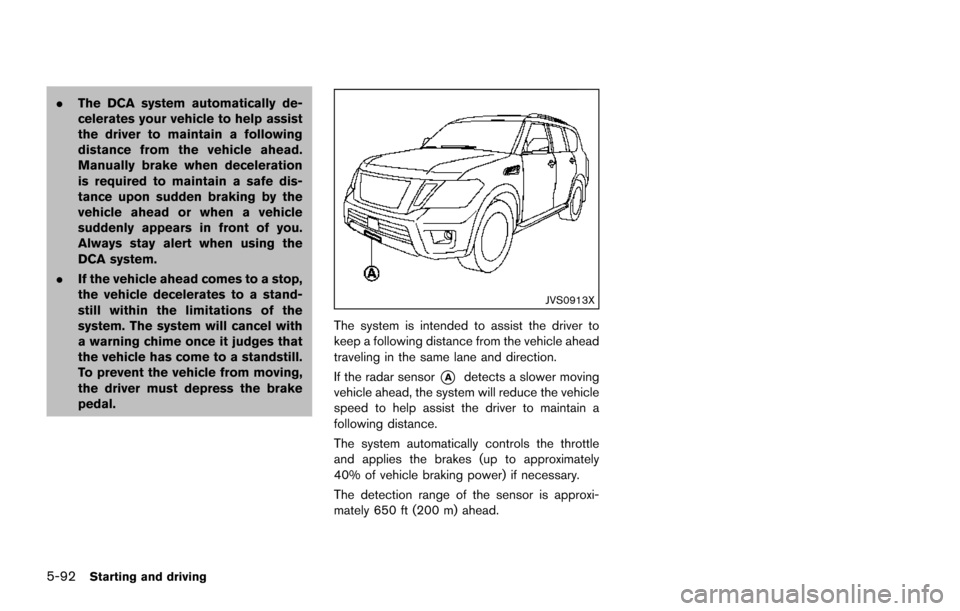
JVS0913X
The system is intended to assist the driver to
keep a following distance from the vehicle ahead
traveling in the same lane and direction.
If the radar sensor
*Adetects a slower moving
vehicle ahead, the system will reduce the vehicle
speed to help assist the driver to maintain a
following distance.
The system automatically controls the throttle
and applies the brakes (up to approximately
40% of vehicle braking power) if necessary.
The detection range of the sensor is approxi-
mately 650 ft (200 m) ahead.
Page 434 of 614
JVS0890X
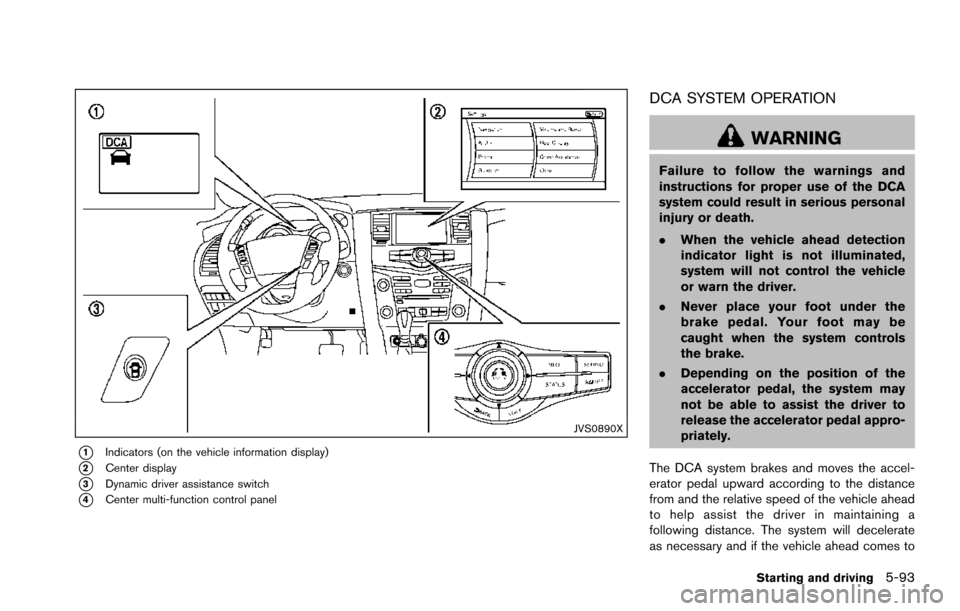
*1Indicators (on the vehicle information display)
*2Center display
*3Dynamic driver assistance switch
*4Center multi-function control panel
DCA SYSTEM OPERATION
WARNING
Failure to follow the warnings and
instructions for proper use of the DCA
system could result in serious personal
injury or death.
.When the vehicle ahead detection
indicator light is not illuminated,
system will not control the vehicle
or warn the driver.
. Never place your foot under the
brake pedal. Your foot may be
caught when the system controls
the brake.
. Depending on the position of the
accelerator pedal, the system may
not be able to assist the driver to
release the accelerator pedal appro-
priately.
The DCA system brakes and moves the accel-
erator pedal upward according to the distance
from and the relative speed of the vehicle ahead
to help assist the driver in maintaining a
following distance. The system will decelerate
as necessary and if the vehicle ahead comes to
Starting and driving5-93
Page 435 of 614
5-94Starting and driving
a stop, the vehicle decelerates to a standstill.
However, the DCA system can only apply up to
approximately 40% of the vehicle’s total braking
power. If a vehicle moves into the traveling lane
ahead or if a vehicle traveling ahead rapidly
decelerates, the distance between vehicles may
become closer because the DCA system cannot
decelerate the vehicle quickly enough. If this
occurs, the DCA system will sound a warning
chime and blink the system display to notify the
driver to take necessary action.
See “Approach warning” (P.5-95).
SSD0997
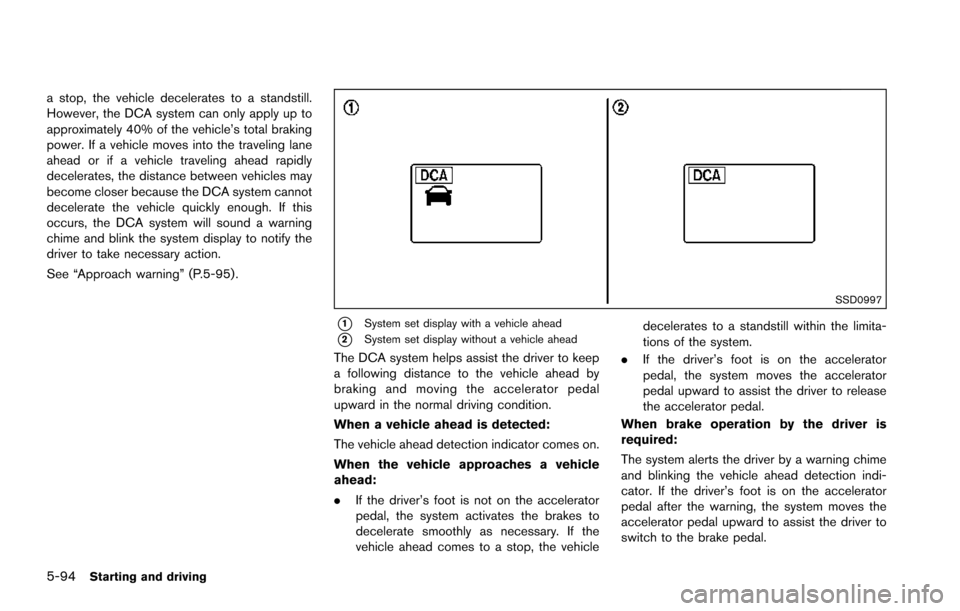
*1System set display with a vehicle ahead
*2System set display without a vehicle ahead
The DCA system helps assist the driver to keep
a following distance to the vehicle ahead by
braking and moving the accelerator pedal
upward in the normal driving condition.
When a vehicle ahead is detected:
The vehicle ahead detection indicator comes on.
When the vehicle approaches a vehicle
ahead:
.If the driver’s foot is not on the accelerator
pedal, the system activates the brakes to
decelerate smoothly as necessary. If the
vehicle ahead comes to a stop, the vehicle decelerates to a standstill within the limita-
tions of the system.
. If the driver’s foot is on the accelerator
pedal, the system moves the accelerator
pedal upward to assist the driver to release
the accelerator pedal.
When brake operation by the driver is
required:
The system alerts the driver by a warning chime
and blinking the vehicle ahead detection indi-
cator. If the driver’s foot is on the accelerator
pedal after the warning, the system moves the
accelerator pedal upward to assist the driver to
switch to the brake pedal.
Page 436 of 614
NOTE:
.The stop lights of the vehicle come on
when braking is performed by the DCA
system.
. When the brake operates, a noise may
be heard and/or vibration may be felt.
This is not a malfunction.
Overriding the system:
The following driver’s operation overrides the
system operation.
. When the driver depresses the accelerator
pedal even further while the system is
moving the accelerator pedal upward, the
DCA system control of the accelerator pedal
is canceled.
. When the driver’s foot is on the accelerator
pedal, the brake control by the system is not
operated.
. When the driver’s foot is on the brake pedal,
neither the brake control nor the alert by the
system operates.
. When the Intelligent Cruise Control (ICC)
system is set, the DCA system will be
inactive.Approach warning
If your vehicle comes closer to the vehicle ahead
due to rapid deceleration of that vehicle or if
another vehicle cuts in, the system warns the
driver with the chime and DCA system display.
Decelerate by depressing the brake pedal to
maintain a safe vehicle distance if:
.The chime sounds.
. The vehicle ahead detection indicator blinks.
The warning chime may not sound in some
cases when there is a short distance between
vehicles. Some examples are:
. When the vehicles are traveling at the same
speed and the distance between vehicles is
not changing
. When the vehicle ahead is traveling faster
and the distance between vehicles is
increasing
. When a vehicle cuts in near your vehicle
The warning chime will not sound when your
vehicle approaches vehicles that are parked or
moving slowly.
NOTE:
The approach warning chime may sound
and the system display may blink when the
radar sensor detects objects on the side of
the vehicle or on the side of the road. This
may cause the DCA system to decelerate or accelerate the vehicle. The radar sensor
may detect these objects when the vehicle
is driven on winding roads, narrow roads,
hilly roads or when entering or exiting a
curve. In these cases you will have to
manually control the proper distance
ahead of your vehicle.
Also, the sensor sensitivity can be affected by
vehicle operation (steering maneuver or driving
position in the lane) or traffic or vehicle condition
(for example, if a vehicle is being driven with
some damage) .
Starting and driving5-95
Page 437 of 614
5-96Starting and driving
JVS0891X
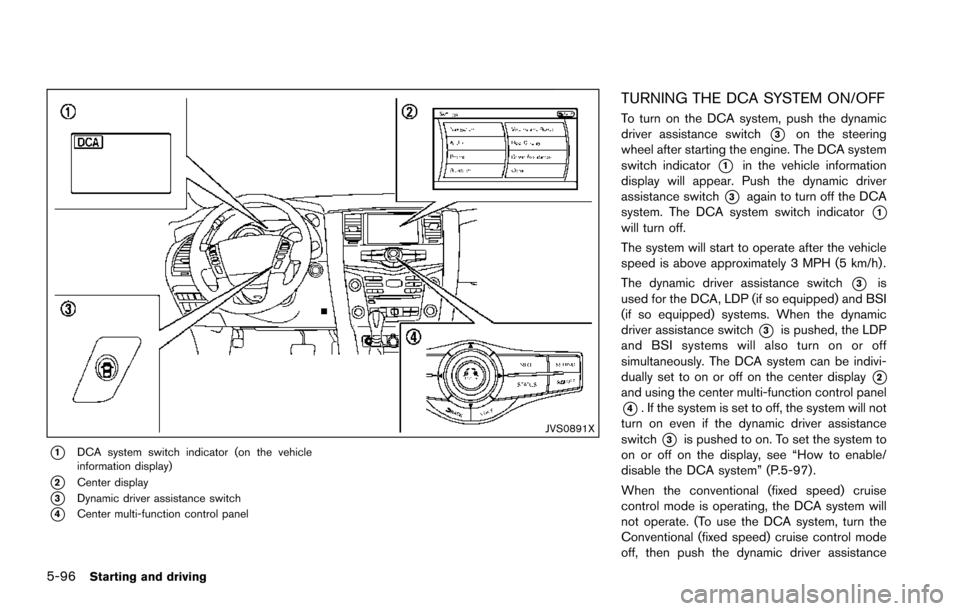
*1DCA system switch indicator (on the vehicle
information display)
*2Center display
*3Dynamic driver assistance switch
*4Center multi-function control panel
TURNING THE DCA SYSTEM ON/OFF
To turn on the DCA system, push the dynamic
driver assistance switch
*3on the steering
wheel after starting the engine. The DCA system
switch indicator
*1in the vehicle information
display will appear. Push the dynamic driver
assistance switch
*3again to turn off the DCA
system. The DCA system switch indicator
*1will turn off.
The system will start to operate after the vehicle
speed is above approximately 3 MPH (5 km/h) .
The dynamic driver assistance switch
*3is
used for the DCA, LDP (if so equipped) and BSI
(if so equipped) systems. When the dynamic
driver assistance switch
*3is pushed, the LDP
and BSI systems will also turn on or off
simultaneously. The DCA system can be indivi-
dually set to on or off on the center display
*2and using the center multi-function control panel
*4. If the system is set to off, the system will not
turn on even if the dynamic driver assistance
switch
*3is pushed to on. To set the system to
on or off on the display, see “How to enable/
disable the DCA system” (P.5-97) .
When the conventional (fixed speed) cruise
control mode is operating, the DCA system will
not operate. (To use the DCA system, turn the
Conventional (fixed speed) cruise control mode
off, then push the dynamic driver assistance