2017 MITSUBISHI OUTLANDER SPORT display
[x] Cancel search: displayPage 87 of 399
Free-hand Advanced Security Transmitte
r (F.A.S.T.-key) (if so equipped)
5-24 Features and controls
5
N00561000042
Only the F.A.S.T.-keys that have been pro- grammed to the vehicle’s electronics can beused to start the vehicle. If you lose the F.A.S.T.-key, you can order a F.A.S.T.-key from your authorized Mitsubishi Motors dealer by referring to the key number.To prevent vehicle theft, take your vehicle and the remaining F.A.S.T.-keys to an autho- rized Mitsubishi Motors dealer to have the IDcodes reprogrammed.
N00561100014
To add a F.A.S.T.-key, you must already have2 registered F.A.S.T.-keys. You need to regis-ter the ID code to the vehicle. Registering the ID code can be done by your authorized Mitsubishi Motors dealer. Or itcan be done by yourself (except for vehicles sold in Canada). For you to register the ID code yourself, fol-low the “Customer F.A.S.T.-key program- ming” procedure below. If you choose to have your authorizedMitsubishi Motors dealer register the ID code, take your vehicle and all remaining F.A.S.T.-keys to your authorized MitsubishiMotors dealer.
N00561201184
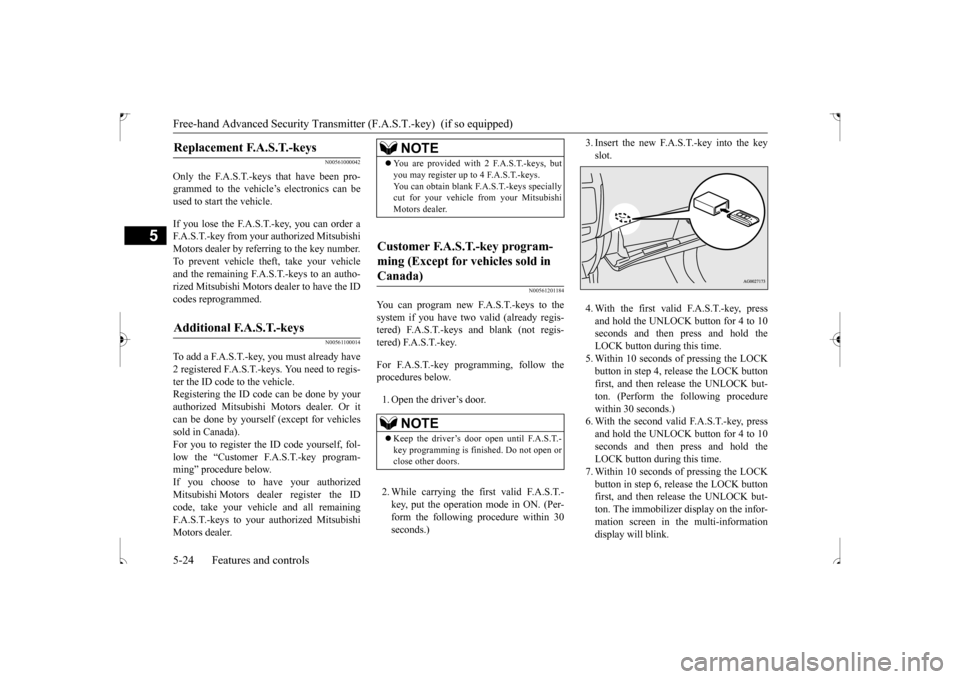
You can program new F.A.S.T.-keys to the system if you have two valid (already regis- tered) F.A.S.T.-keys and blank (not regis-tered) F.A.S.T.-key. For F.A.S.T.-key programming, follow the procedures below. 1. Open the driver’s door. 2. While carrying the first valid F.A.S.T.- key, put the operation mode in ON. (Per-form the following procedure within 30 seconds.)
3. Insert the new F.A.S.T.-key into the key slot. 4. With the first valid F.A.S.T.-key, press and hold the UNLOCK button for 4 to 10 seconds and then press and hold the LOCK button during this time.5. Within 10 seconds of pressing the LOCKbutton in step 4, release the LOCK button first, and then release the UNLOCK but- ton. (Perform the following procedurewithin 30 seconds.) 6. With the second valid F.A.S.T.-key, press and hold the UNLOCK button for 4 to 10seconds and then press and hold the LOCK button during this time. 7. Within 10 seconds of pressing the LOCKbutton in step 6, release the LOCK button first, and then release the UNLOCK but- ton. The immobilizer display on the infor-mation screen in the multi-information display will blink.
Replacement F.A.S.T.-keys
Additional F.A.S.T.-keys
NOTE
You are provided with 2 F.A.S.T.-keys, but you may register up to 4 F.A.S.T.-keys. You can obtain blank F.A.S.T.-keys specially cut for your vehicle from your Mitsubishi Motors dealer.
Customer F.A.S.T.-key program- ming (Except for vehicles sold in Canada)
NOTE
Keep the driver’s door open until F.A.S.T.- key programming is finished. Do not open or close other doors.
BK0239500US.bo
ok 24 ページ 2016年5月13日 金曜日 午前8時53分
Page 88 of 399
Free-hand Advanced Security Transmitt
er (F.A.S.T.-key) (if so equipped)
Features and controls 5-25
5
When registration of ID code is complete, the buzzer will sound 3 times and the immobilizer display will come on for 30 seconds.If an error occurs, F.A.S.T.-key program-ming will be terminated and the buzzer will sound for 3 seconds. 8. If you wish to register another F.A.S.T.- key, repeat the process from step 1 after the operation mode is put in OFF.
N00515501252
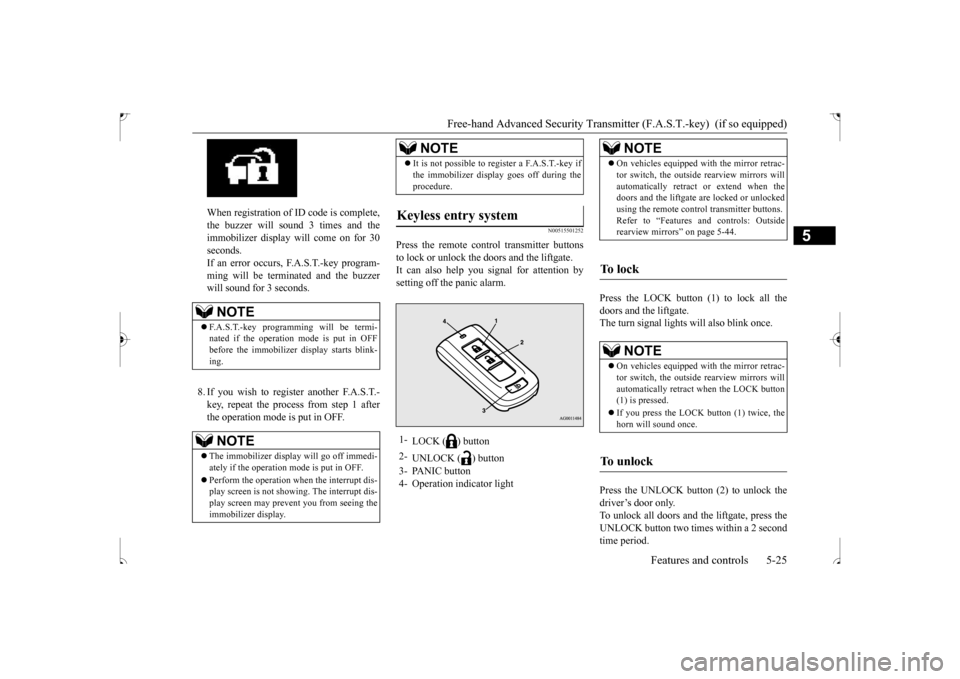
Press the remote control transmitter buttonsto lock or unlock the doors and the liftgate.It can also help you signal for attention bysetting off the panic alarm.
Press the LOCK button (1) to lock all the doors and the liftgate. The turn signal lights will also blink once. Press the UNLOCK button (2) to unlock the driver’s door only.To unlock all doors and the liftgate, press the UNLOCK button two times within a 2 second time period.
NOTE
F.A.S.T.-key programming will be termi- nated if the operation mode is put in OFF before the immobilizer display starts blink- ing.NOTE
The immobilizer display will go off immedi- ately if the operation mode is put in OFF. Perform the operation when the interrupt dis- play screen is not showing. The interrupt dis- play screen may prevent you from seeing the immobilizer display.
It is not possible to register a F.A.S.T.-key if the immobilizer display goes off during the procedure.
Keyless entry system
1-
LOCK ( ) button
2-
UNLOCK ( ) button
3- PANIC button 4- Operation indicator light
NOTE
NOTE
On vehicles equipped with the mirror retrac- tor switch, the outside rearview mirrors will automatically retract or extend when the doors and the liftgate are locked or unlocked using the remote control transmitter buttons.Refer to “Features and controls: Outside rearview mirrors” on page 5-44.
To l o c k
NOTE
On vehicles equipped with the mirror retrac- tor switch, the outside rearview mirrors will automatically retract when the LOCK button(1) is pressed. If you press the LOCK
button (1) twice, the
horn will sound once.
To u n l o c k
BK0239500US.bo
ok 25 ページ 2016年5月13日 金曜日 午前8時53分
Page 92 of 399
Door locks
Features and controls 5-29
5
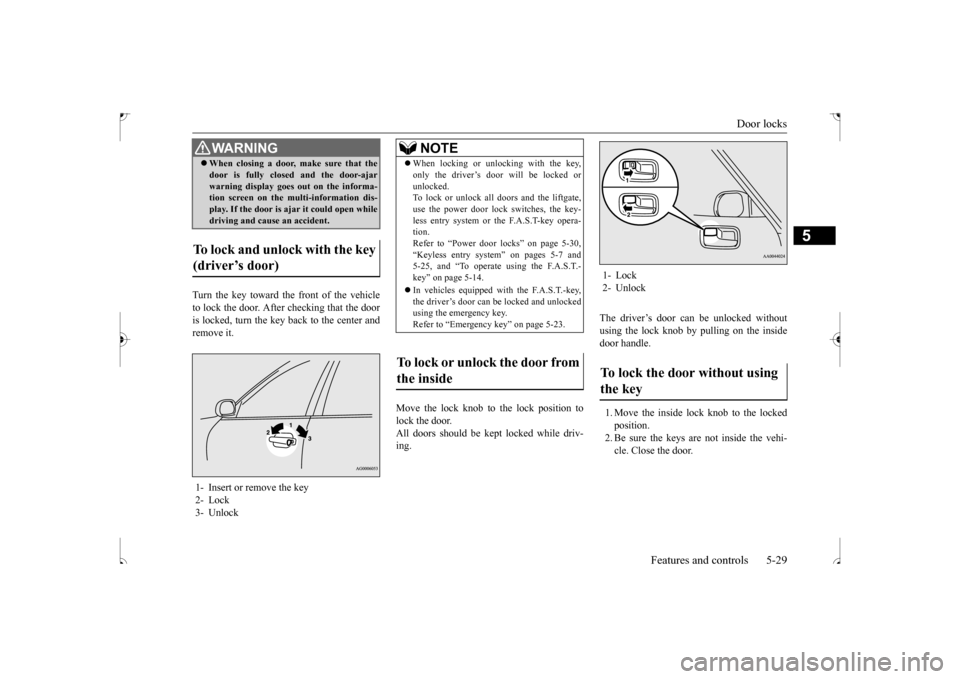
Turn the key toward the front of the vehicle to lock the door. After checking that the dooris locked, turn the key back to the center and remove it.
Move the lock knob to the lock position to lock the door.All doors should be kept locked while driv- ing.
The driver’s door can be unlocked without using the lock knob by pulling on the insidedoor handle. 1. Move the inside lock knob to the locked position.2. Be sure the keys are not inside the vehi- cle. Close the door.
When closing a door, make sure that the door is fully closed and the door-ajar warning display goes out on the informa- tion screen on the multi-information dis- play. If the door is ajar it could open whiledriving and cause an accident.
To lock and unlock with the key (driver’s door) 1- Insert or remove the key 2- Lock 3- Unlock
WA R N I N G
NOTE
When locking or unlocking with the key, only the driver’s door will be locked or unlocked. To lock or unlock all doors and the liftgate, use the power door lock switches, the key-less entry system or the F.A.S.T-key opera- tion. Refer to “Power door locks” on page 5-30,“Keyless entry system” on pages 5-7 and 5-25, and “To operate using the F.A.S.T.- key” on page 5-14. In vehicles equipped with the F.A.S.T.-key, the driver’s door can be locked and unlockedusing the emergency key. Refer to “Emergency key” on page 5-23.
To lock or unlock the door from the inside
1- Lock 2- UnlockTo lock the door without using the key
BK0239500US.bo
ok 29 ページ 2016年5月13日 金曜日 午前8時53分
Page 93 of 399
Power door locks 5-30 Features and controls
5
N00549600224
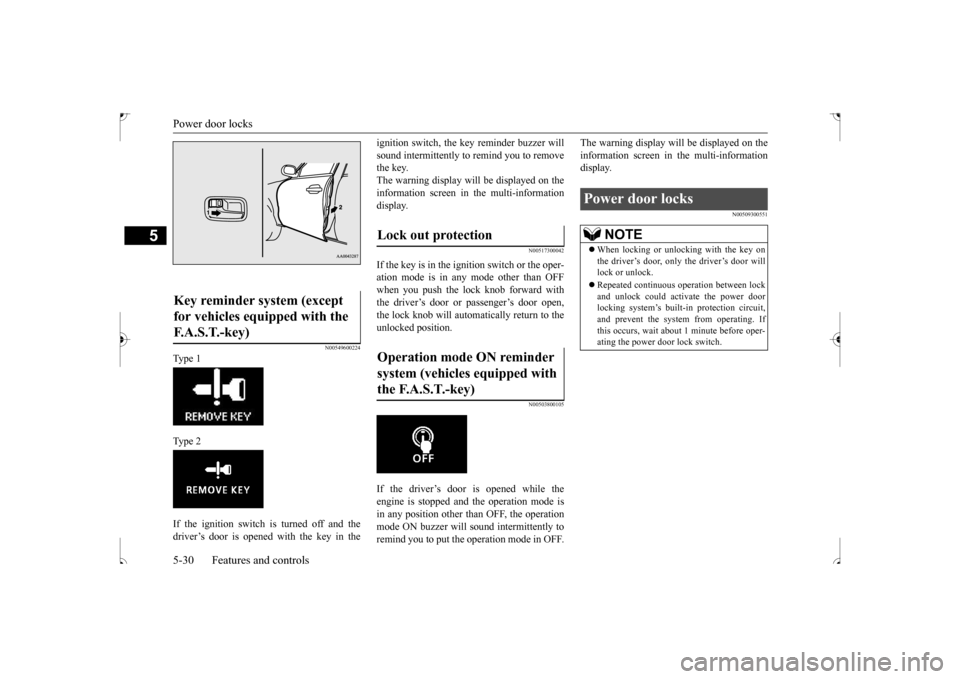
Ty p e 1 Ty p e 2 If the ignition switch is turned off and the driver’s door is opened with the key in the
ignition switch, the key reminder buzzer will sound intermittently to remind you to remove the key. The warning display will be displayed on theinformation screen in the multi-information display.
N00517300042
If the key is in the ignition switch or the oper- ation mode is in any mode other than OFF when you push the lock knob forward with the driver’s door or passenger’s door open,the lock knob will automatically return to the unlocked position.
N00503800105
If the driver’s door is opened while the engine is stopped and the operation mode is in any position other than OFF, the operation mode ON buzzer will sound intermittently toremind you to put the operation mode in OFF.
The warning display will be displayed on the information screen in the multi-information display.
N00509300551
Key reminder system (except for vehicles equipped with the F. A . S . T. - k e y )
Lock out protection Operation mode ON reminder system (vehicles equipped with the F.A.S.T.-key)
Power door locks
NOTE
When locking or unlocking with the key on the driver’s door, only the driver’s door will lock or unlock. Repeated continuous operation between lock and unlock could activate the power doorlocking system’s built
-in protection circuit,
and prevent the system from operating. If this occurs, wait about 1 minute before oper-ating the power door lock switch.
BK0239500US.bo
ok 30 ページ 2016年5月13日 金曜日 午前8時53分
Page 99 of 399
Theft-alarm system 5-36 Features and controls
5
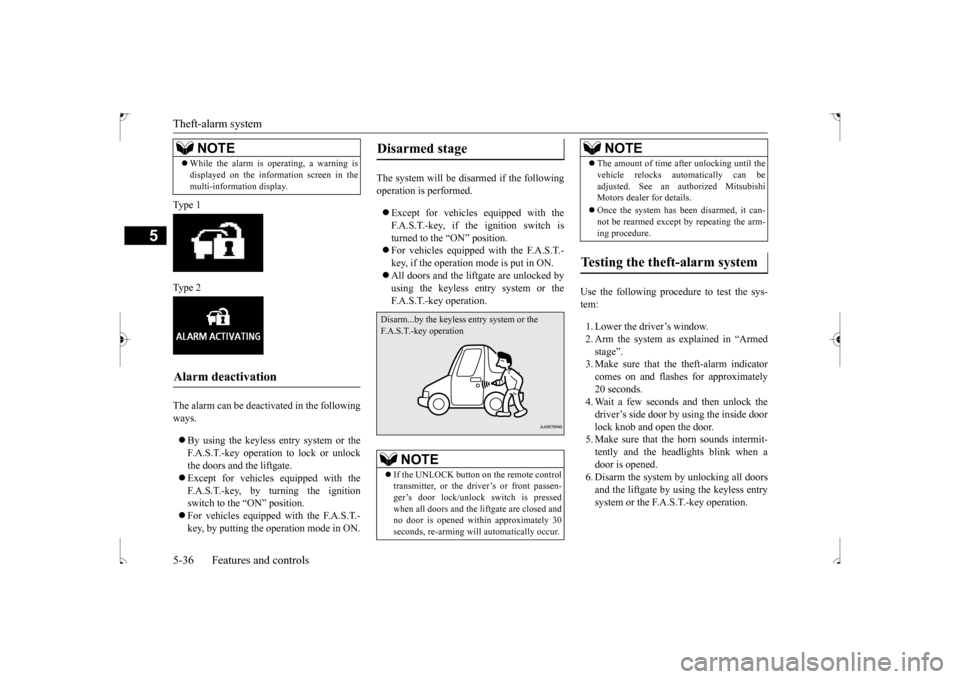
Ty p e 1 Ty p e 2 The alarm can be deactivated in the following ways. By using the keyless entry system or the F.A.S.T.-key operation to lock or unlockthe doors and the liftgate. Except for vehicles equipped with the F.A.S.T.-key, by turning the ignitionswitch to the “ON” position. For vehicles equipped with the F.A.S.T.- key, by putting the operation mode in ON.
The system will be disarmed if the following operation is performed. Except for vehicles equipped with the F.A.S.T.-key, if the ignition switch is turned to the “ON” position. For vehicles equipped with the F.A.S.T.- key, if the operation mode is put in ON. All doors and the liftgate are unlocked by using the keyless entry system or the F.A.S.T.-key operation.
Use the following procedure to test the sys- tem: 1. Lower the driver’s window. 2. Arm the system as explained in “Armed stage”. 3. Make sure that the theft-alarm indicatorcomes on and flashes for approximately 20 seconds. 4. Wait a few seconds and then unlock thedriver’s side door by using the inside door lock knob and open the door. 5. Make sure that the horn sounds intermit-tently and the headlights blink when a door is opened. 6. Disarm the system by unlocking all doorsand the liftgate by using the keyless entry system or the F.A.S.T.-key operation.
While the alarm is operating, a warning is displayed on the information screen in the multi-information display.
Alarm deactivation
NOTE
Disarmed stage
NOTE
If the UNLOCK button on the remote control transmitter, or the driver’s or front passen-ger’s door lock/unlock switch is pressed when all doors and the liftgate are closed and no door is opened within approximately 30seconds, re-arming will automatically occur.
Disarm...by the keyless entry system or the F.A.S.T.-key operation
The amount of time after unlocking until the vehicle relocks automatically can be adjusted. See an authorized Mitsubishi Motors dealer for details. Once the system has been disarmed, it can- not be rearmed except by repeating the arm- ing procedure.
Testing the theft-alarm system
NOTE
BK0239500US.bo
ok 36 ページ 2016年5月13日 金曜日 午前8時53分
Page 104 of 399
Steering wheel height and reach adjustment
Features and controls 5-41
5
When parking on a hill, set the parking brake, and turn the front wheels toward the curb on adownhill, or away from the curb on an uphill.
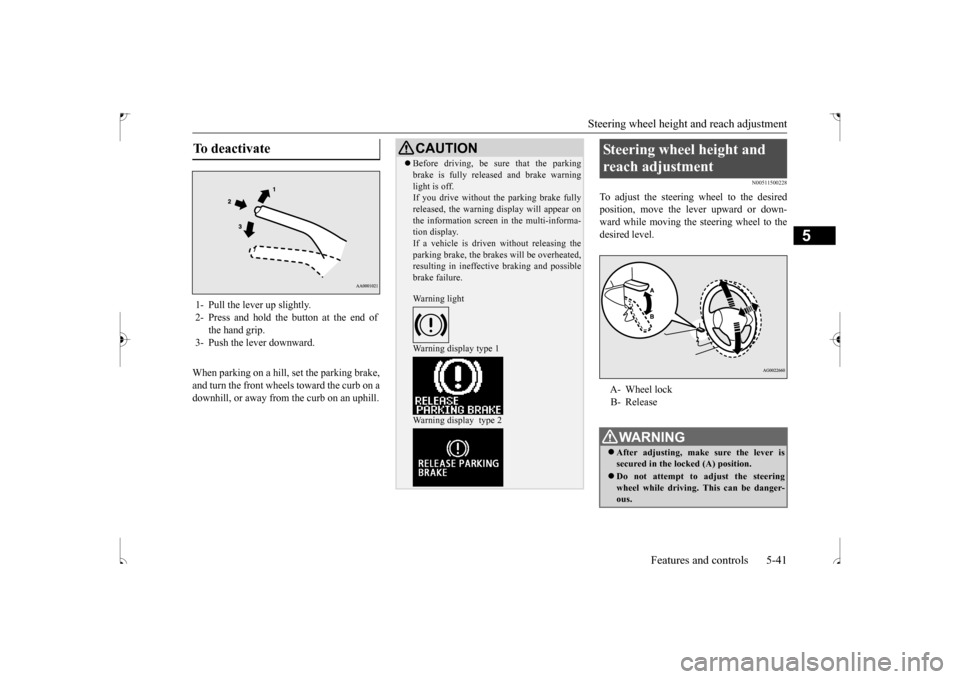
N00511500228
To adjust the steering wheel to the desiredposition, move the lever upward or down-ward while moving the steering wheel to the desired level.
To deactivate 1- Pull the lever up slightly. 2- Press and hold the button at the end of
the hand grip.
3- Push the lever downward.
CAUTION Before driving, be sure that the parking brake is fully released and brake warning light is off. If you drive without the parking brake fully released, the warning display will appear onthe information screen in the multi-informa- tion display. If a vehicle is driven without releasing theparking brake, the brakes will be overheated, resulting in ineffective braking and possible brake failure. Warning light Warning display type 1 Warning display type 2
Steering wheel height and reach adjustment A- Wheel lock B- ReleaseWA R N I N G After adjusting, make sure the lever is secured in the locked (A) position. Do not attempt to adjust the steering wheel while driving. This can be danger-ous.
BK0239500US.bo
ok 41 ページ 2016年5月13日 金曜日 午前8時53分
Page 111 of 399
Starting the engine 5-48 Features and controls
5
For information on operation for vehicles equipped with the Free-hand Advanced Secu- rity Transmitter (F.A.S.T.-key), refer to “Free-hand Advanced Security Transmitter(F.A.S.T.-key): Starting and stopping the engine” on page 5-20. [Except for vehicles equipped with the Free-hand Advanced Security Transmitter(F.A.S.T.-key)] Do not operate the starter motor continu- ously for longer than
15 seconds as this
could run the battery down or damage thestarter motor. If the engine does not start, turn the ignition switch back to the “OFF” position, wait a few seconds, and then tryagain. Trying repeatedly with the engine or starter motor still turning will damage the starter mechanism. If the engine will not start because the bat- tery is weak or discharged, refer to “Jump-starting the engine” (on page 8-2)for instructions.
A longer warm up period will only con- sume extra fuel. The
engine is warmed up
enough for driving when the bar graph of engine coolant temperature display startsto move. Refer to “Interrupt display screen (With ignition switch or operation mode in ON)” on page 5-95.
This model is equipped with an electronically controlled fuel injection system. This is a sys- tem that automatically controls fuel injection.
There is usually no need to depress the accel- erator pedal when starting the engine. The starter should not be run for more than 15 seconds at a time.To prevent battery drain, wait a few seconds between attempts to restart the engine. 1. Make sure all occupants are properly seated with seat belts fastened.2. Insert the ignition key. 3. Make sure the parking brake is applied. 4. Press and hold the brake pedal downfirmly with your right foot.5. Press and hold the clutch pedal all the way down (manual transaxle). 6. On vehicles equipped with manual trans-axle, place the gearshift lever in the “N” (Neutral) position. On vehicles equipped with continuouslyvariable transmission (CVT), make sure the selector lever is in the “P” (PARK) position.
Tips for starting
WA R N I N G Never run the engine in a closed or poorly ventilated area any longer than is neededto move your vehicle out of the area. Car- bon monoxide gas, which is odorless and extremely poisonous, could build up andcause serious injury or death.CAUTION Do not push-start the vehicle.Do not run the engine
at high rpms or drive
at high speeds until the engine has had achance to warm up. Release the ignition switch as soon as the engine starts. Otherwise, the starter motor will be damaged.
Starting the engine
NOTE
On vehicles equipped with CVT, the starter will not operate unless the selector lever is in the “P” (PARK) or “N” (NEUTRAL) posi- tion.For safety reasons, start the engine in the “P” (PARK) position so that the wheels are locked.
BK0239500US.bo
ok 48 ページ 2016年5月13日 金曜日 午前8時53分
Page 115 of 399
Continuously variable transmis
sion (CVT) (if so equipped)
5-52 Features and controls
5
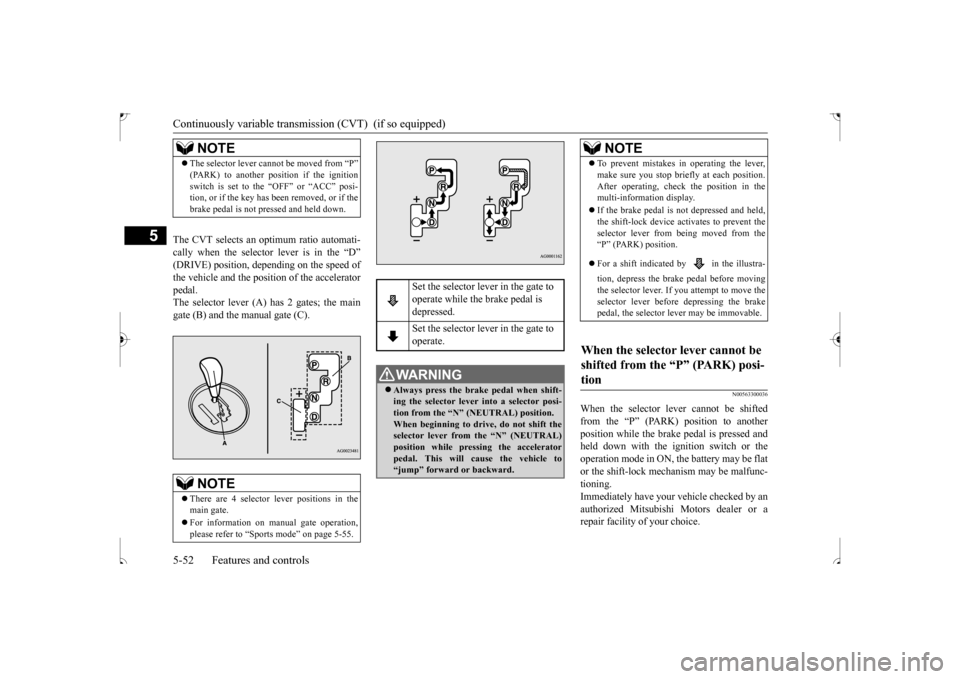
The CVT selects an optimum ratio automati- cally when the selector lever is in the “D”(DRIVE) position, depending on the speed ofthe vehicle and the position of the accelerator pedal. The selector lever (A) has 2 gates; the maingate (B) and the manual gate (C).
N00563300036
When the selector lever cannot be shiftedfrom the “P” (PARK) position to anotherposition while the brake pedal is pressed and held down with the ignition switch or the operation mode in ON, the battery may be flator the shift-lock mechanism may be malfunc- tioning. Immediately have your vehicle checked by anauthorized Mitsubishi Motors dealer or a repair facility of your choice.
NOTE
The selector lever cannot be moved from “P” (PARK) to another position if the ignition switch is set to the “OFF” or “ACC” posi- tion, or if the key has been removed, or if the brake pedal is not pressed and held down.NOTE
There are 4 selector lever positions in the main gate. For information on manual gate operation, please refer to “Sports mode” on page 5-55.
Set the selector lever in the gate to operate while the brake pedal is depressed. Set the selector lever in the gate to operate.
WA R N I N G Always press the brake pedal when shift- ing the selector lever into a selector posi- tion from the “N” (NEUTRAL) position.When beginning to driv
e, do not shift the
selector lever from the “N” (NEUTRAL) position while pressing the acceleratorpedal. This will cause the vehicle to “jump” forward or backward.
NOTE
To prevent mistakes in operating the lever, make sure you stop briefly at each position. After operating, check the position in the multi-information display. If the brake pedal is not depressed and held, the shift-lock device activates to prevent the selector lever from being moved from the“P” (PARK) position. For a shift indicated by in the illustra- tion, depress the brake pedal before moving the selector lever. If
you attempt to move the
selector lever before depressing the brake pedal, the selector lever may be immovable.
When the selector lever cannot be shifted from the “P” (PARK) posi- tion
BK0239500US.bo
ok 52 ページ 2016年5月13日 金曜日 午前8時53分