2017 MERCEDES-BENZ G-Class radio
[x] Cancel search: radioPage 12 of 286
Exhaustsee Exhaust pipe
Exhaust check .................................. .123
Exhaus tpipe
Cleaning ......................................... 235
Exterior lighting
Cleaning ......................................... 234
see Lights
Exterior mirrors
Adjusting ......................................... 81
Dipping (automatic) ......................... 83
Folding in whe nlocking (on-board
computer) ...................................... 167
Folding in/out( automatically). ........ 82
Folding in/out (electrically) ............. 82
Outofp osition (troubleshooting )..... 82
Setting ............................................. 82
Storing settings (memory func-
tion) ................................................. 83
Storing the parking position ............. 83
F
Favorites
Overview ........................................ 200
Filler cap
see Refueling
First-aidk it......................................... 238
Flat tire
Changing awheel /mounting the
spare wheel. .................................. 269
Preparing the vehicl e..................... 240
Folding the seat backres t(rear)
forwards/back .................................. 207
Frequencies
Mobil ephone ................................. 274
Two-way radio ................................ 274
Fuel
Additives ........................................ 278
Consumption statistics .................. 160
Displaying the rang e...................... 160
Driving tip s.................................... 122
Fue lgauge ....................................... 32
Grade (gasoline )............................ 277
Important safety notes .................. 277
Premium-grade unleade dgaso-
line ................................................. 277
Problem (malfunction) ................... 120 Refueling ........................................ 118
Tank content/reserve fue
l............. 277
Fue lfille rflap
Closing ........................................... 119
Emergency release ........................ 119
Opening ......................................... 119
Fue llevel
Calling up the rang e(on-board
computer) ...................................... 160
Fue ltank
Capacity ........................................ 277
Problem (malfunction) ................... 120
Fus eallocatio nchart ........................ 249
Fus ebox
cargo compartment ....................... 250
Dashboard ..................................... 249
Front-passenger footwell ............... 249
Transmission tunne l....................... 250
Fuses
Allocation chart ............................. 249
Before changing ............................. 249
Dashboard fus ebox ....................... 249
Fus ealloc ation chart ..................... 249
Fus ebox in the carg ocompart-
ment .............................................. 250
Fus ebox in the front-passenger
footwell .......................................... 249
Fus ebox in the transmission tun-
nel ................................................. 250
Important safety notes .................. 248
G
Garaged ooro pener
Clearing the memory ..................... 224
Generaln otes ................................ 221
Important safety notes .................. 222
Opening/closing the garag edoor..2 24
Problems whe nprogramming ........2 24
Programming the remote control ... 222
Synchronizing the rolling code ....... 223
Gasoline ............................................. 277
Gear indicator (on-board com-
puter) ..................................................1 67
Genuine parts ...................................... 23
Glove box ...........................................2 05
10Index
Page 17 of 286
Stopping ........................................ 168
Radiato rcover ................................... 226
Radio
Selecting astation ......................... 162
Radio mode
see also Digital Operator's Man-
ual.................................................. 198
Radio-wave reception/transmis-
sion in the vehicle
Declaration of conformity ................ 26
Rear benchs eat
Folding forward .............................. 208
Rear compartment
Setting the ai rvents ...................... 102
Rear door
Closing ............................................. 69
Displa ymessage ............................ 186
Important safety notes .................... 68
Opening ........................................... 68
Rear fog lamp
Displa ymessage ............................ 176
Replacing bulb s............................... 91
Switching on/off. ............................. 86
Rear seat bench
Folding into an upright position ..... 208
Rear vie wcamera
Cleaning instructions ..................... 235
Displa yinthe multimedi asystem .. 143
Function/note s............................. 143
Generaln otes ................................ 143
Switching on/off. .......................... 143
Rear windowd efroster
Problem (malfunction) ................... 100
Switching on/off. .......................... 100
Rear windoww iper
Replacing the wipe rblade ................ 93
Switching on/off. ............................. 93
Rear-vie wmirror
Dipping (automatic) ......................... 83
Refrigerant (air-conditioning sys-
tem)
Important safety notes .................. 280
Refueling
Fuelgauge ....................................... 32
Important safety notes .................. 118
Refueling process .......................... 118
see Fuel Remote control
Programming (garage door
opener) .......................................... 222
Replacing bulbs
Backu plam p.................................... 91
Brake lamp ...................................... 91
Important safety notes .................... 88
Overview of bulb types .................... 89
Rear fog lamp .................................. 91
Tail lamp .......................................... 91
Turn signal (rear) .............................. 91
Turn signals (front) ........................... 90
Reporting safety defects .................... 27
Rescue card ......................................... 28
Re
serve (fuel tank)
see Fuel
Reserve fuel
Displa ymessage ............................ 179
Warning lamp ................................. 194
Residual heat
Switching on/off. .......................... 101
Restrain tsystem
Displa ymessage ............................ 173
Introduction ..................................... 38
Warning lamp ................................. 193
Warning lamp (function) ................... 38
Reversin glamps (display mes-
sage) ................................................... 176
Roadside Assistance (breakdown) .... 25
Roo flinin gand carpets (cleaning
guidelines) ......................................... 237
Route (navigation)
see Route guidance (navigation)
Route guidance
see also Digital Operator's Man-
ual.................................................. 198
Route guidance( navigation) ............ 161
S
Safety
Childre ninthe vehicl e..................... 49
see Occupant safety
Safety system
see Driving safety systems
SD card
Inserting ........................................ 203
Inserting/removing ........................ 203
Index15
Page 22 of 286
Turn signalsDisplay message ............................ 176
Replacing bulb s(front) ..................... 90
Switching on/off .............................. 87
TV
Operating (on-boar dcomputer) ..... 163
see Separate operating instructions
Two-way radio
Frequencie s................................... 274
Installation ..................................... 274
Transmission output( maximum) .... 274
TWR (Tongue Weight Rating) (defi-
nition) ................................................. 269
Type identificatio nplate
see Vehicl eide ntificatio nplate
U
Unlocking
Emergency unlocking ....................... 68
From insid ethe vehicl e(central
unlocking button) ............................. 67
US Bd evices
Connecting to the Media Inter-
face ...............................................2 03
V
Vanity mirror
Sun visor. ....................................... 211
Vehicle
Correct use ...................................... 27
Data acquisition ............................... 28
Display message ............................ 186
Equipment ....................................... 24
Individua lsettings .......................... 164
Limited Warranty .............................2 8
Loading .......................................... 260
Locking (in an emergency) ............... 68
Locking (SmartKey) .......................... 63
Lowering ........................................ 272
Maintenance .................................... 25
Operation outsidet he USA/
Canada ............................................ 25
Parking .......................................... 120
Parking for along period. ............... 122
Pulling awa y................................... 105
Raising ........................................... 270
Securing from rolling away ............ 270 Tow-starting ................................... 248
Towing ........................................... 246
Transporting .................................. 247
Unlocking (i
nanemergency) ........... 68
Unlocking (SmartKey). ..................... 63
Vehicl edata. .................................. 281
Vehicl edata ....................................... 281
Vehicl edata (off-road driving)
Approach/departure angle ............ 283
Fording depth ................................ 283
Maximu mgradient climbing abil-
ity .................................................. 283
Vehicl edimensions ........................... 281
Vehicl eemergencyl ocking ................ 68
Vehicl eidentificatio nnumber
see VIN
Vehicl eidentificatio nplate .............. 275
Vehicl etoolkit.................................. 239
Ventilation
Setting the airflow ........................... 98
Video
Operating the DVD ......................... 162
see also Digital Operator's Man-
ual.................................................. 198
VIN
Type plate ...................................... 275W
Warning and indicator lampsABS ................................................ 190
Brakes ........................................... 189
Check Engine ................................. 194
Coolant .......................................... 194
Distance warning ........................... 196
DISTRONIC PLUS. .......................... 196
ESP
®.............................................. 191
ESP®OFF ....................................... 192
Fue ltank ........................................ 194
Generaln otes ................................ 187
Overview .......................................... 32
Parking brake ................................ 193
PASSENGER AIR BAG OFF ............... 39
Reserve fue l................................... 194
Restraint system ............................ 193
Seatb elt. ....................................... 188
Tire pressure monitor .................... 197
Warning triangle ................................ 238
20Index
Page 32 of 286
the data carrierinyourvehicl edocument wallet
and ,including updates ,onthe following web-
site:
http://www.mercedes-benz.com/opensource
Registere dtrademarks
Registered trademarks:
RBluetooth®isar egistere dtrademark of Blue-
tooth SIG Inc.
RDTS™ is aregistere dtrademark of DTS, Inc.
RDolby®and MLP™a reregistere dtrademarks
of DOLBY Laboratories.
RBabySmart™, ESP®and PRE-SAFE®ar er eg-
istere dtrademarks of Daimler AG.
RHomeLink®isar egistere dtrademark of John-
son Controls.
RiPod®and iTunes®ar er egistere dtrademarks
of Apple Inc.
RLogic7®is ar egistere dtrademark of Harman
Internationa lIndustries.
RMicrosoft®and Windows media®ar er egis-
tere dtrademarks of Microsoft Corporation.
RSIRIUS®isar egistere dtrademark of Sirius
XM Radi oInc.
RHD Radio™ is aregistere dtrademark of iBiq-
uity Digita lCorporation.
RGracenote®is ar egistere dtrademark of
Gracenote,I nc.
RZAGAT Survey®and relatedbrands ar eregis-
tere dtrademarks of Zaga tSurvey ,LLC.
30Informationonc opyright
Introduction
Page 65 of 286
SmartKey
Important safety notes
GWARNING
If children are left unsupervised in the vehicle,
they could:
Ropen the doors, thus endangering other
people or road users.
Rget out and disrupt traffic.
Roperate the vehicle's equipment.
Additionally, children could set the vehicle in
motion if, for example, they:
Rrelease the parking brake.
Rshifting the automatic transmission out of
park position P
RStart the engine.
There is arisk of an accident and injury.
When leaving the vehicle, always take the
SmartKey with you and lock the vehicle. Never
leave children or animals unattended in the
vehicle. Always keep the SmartKey out of
reach of children.
GWARNING
If you attach heavy or large object stothe
SmartKey, the SmartKey could be uninten-
tionally turned in the ignition lock. This could
cause the engine to be switched off. There is a risk of an accident.
Do not attach any heavy or large object stothe
SmartKey. Remove any bulky key rings before
insertingt he SmartKey into the ignition lock.
!Keep the SmartKey away from stron gmag-
netic fields. Otherwise, the remote control
function could be affected.
Strong magnetic fields can occur in the vicin-
ity of powerful electrical installations.
Do not keep the SmartKey:
Rwith electronic devices, e.g. amobile phone
or another SmartKey.
Rwith metallic objects, e.g. coins or metal foil.
Rinside metallic objects, e.g. ametal case.
This can affect the functionality of the Smart- Key. Ac
heck which periodically establishes aradio
connection between the vehicle and the Smart-
Key determines whether avalid SmartKey is in
the vehicle. This occurs, for example:
Rwhen startin gthe engine
Rwhile driving
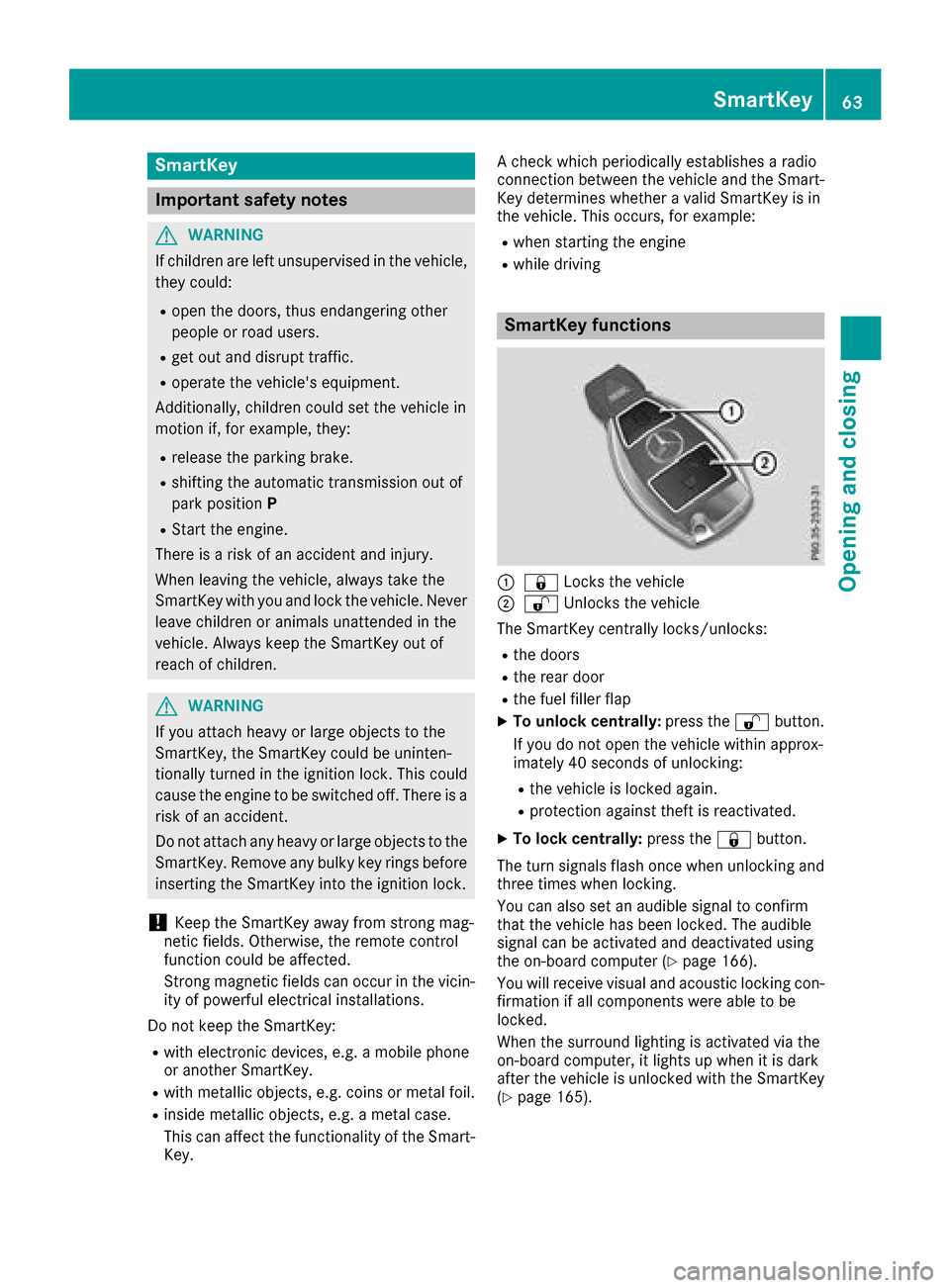
SmartKey functions
:& Locks the vehicle
;%Unlockst he vehicle
The SmartKey centrally locks/unlocks:
Rthe doors
Rthe rear door
Rthe fuel filler flap
XTo unlock centrally: press the%button.
If you do not open the vehicle within approx-
imately 40 seconds of unlocking:
Rthe vehicle is locked again.
Rprotection against theft is reactivated.
XTo lock centrally: press the&button.
The turn signals flash once when unlocking and
three times when locking.
You can also set an audible signal to confirm
that the vehicle has been locked. The audible
signal can be activated and deactivated using
the on-board computer (
Ypage 166).
You will receive visual and acoustic locking con-
firmation if all components were able to be
locked.
When the surround lighting is activated via the
on-board computer, it lights up when it is dark
after the vehicle is unlocked with the SmartKey (
Ypage 165).
SmartKey63
Opening and closing
Z
Page 68 of 286

Problems with the SmartKey
ProblemPossible causes/consequences andMSolutions
You can no longer lock or
unlock the vehicle using
the SmartKey.The SmartKey battery is discharged or nearly discharged.
XCheck the SmartKey battery (Ypage 65) and replace it if necessary
(Ypage 65).
If this does not work:
XLock or unlock the vehicle using the mechanical key (Ypage 68).
There is interference from apowerful source of radio waves.
XLock or unlock the vehicle using the mechanical key (Ypage 68).
The SmartKey is faulty.
XLock or unlock the vehicle using the mechanical key (Ypage 68).
XHave the SmartKey checked at aqualified specialist workshop.
The engine cannot be
started using the Smart-
Key.The on-board voltage is too low
XSwitch off non-essential consumers, e.g. seat heating or interior
lighting, and try to start the engine again.
If this does not work:
XCheck the starter battery and charge it if necessary (Ypage 243).
or
XJump-start the vehicle (Ypage 243).
or
XConsult aqualified specialist workshop.
You have lost aSmart-
Key.XHave the SmartKey deactivated at aqualified specialist workshop.
XReport the loss immediately to the vehicle insurers.
XIf necessary, have the locks changed as well.
You have lost the
mechanical key.XReport the loss immediately to the vehicle insurers.
XIf necessary, have the locks changed as well.
Doors
Important safety notes
GWARNING
If children are left unsupervised in the vehicle,
they could:
Ropen the doors, thus endangering other
people or road users.
Rget out and disrupt traffic.
Roperate the vehicle's equipment.
Additionally, children could set the vehicle in
motion if, for example, they:
Rrelease the parking brake.
Rshifting the automatic transmission out of
park position P
RStart the engine.
There is arisk of an accident and injury.
When leaving the vehicle, always take the
SmartKey with you and lock the vehicle. Never
leave children or animals unattended in the
vehicle. Always keep the SmartKey out of
reach of children.
66Doors
Opening and closing
Page 144 of 286

This indicates that you have now reached the
minimum distance.
Deactivating/activating PARKTRONIC
:Indicator lamp
;Deactivating/activatingPARKTRONIC If indicator lamp
:lights up, PARKTRONIC is
deactivated.
iPARKTRONIC is automatically activated
when you turn the SmartKey to position 2in
the ignition lock.
Towing atrailer
PARKTRONIC is deactivated for the rear area
when you establish an electrical connection
between your vehicle and atrailer.
Problems with PARKTRONIC
ProblemPossible causes/consequences and MSolutions
Only the red segmentsin
the PARKTRONIC warn-
ing displaysa re lit. You
also hear awarning tone
for approximately two
seconds.
PARKTRONIC is deacti-
vated after afew sec-
onds, and the indicator
lamp in the PARKTRONIC
button lights up.PARKTRONIC has malfunctioned and has switched off.
XIf problems persist, have PARKTRONIC checked at aqualified spe-
cialist workshop.
Only the red segment sin
the PARKTRONIC warn-
ing displaysa re lit.
PARKTRONIC is deacti-
vated after afew sec-
onds.The PARKTRONIC sensors are dirty or there is interference.
XClean the PARKTRONIC sensors (Ypage 234).
XSwitch the ignition back on.
The problem may be caused by an external source of radio or ultra-
sound waves.
XSee if PARKTRONIC functions in adifferent location.
142Driving systems
Driving and parking
Page 164 of 286
Other status indicatorsofthe naviga-
tion system
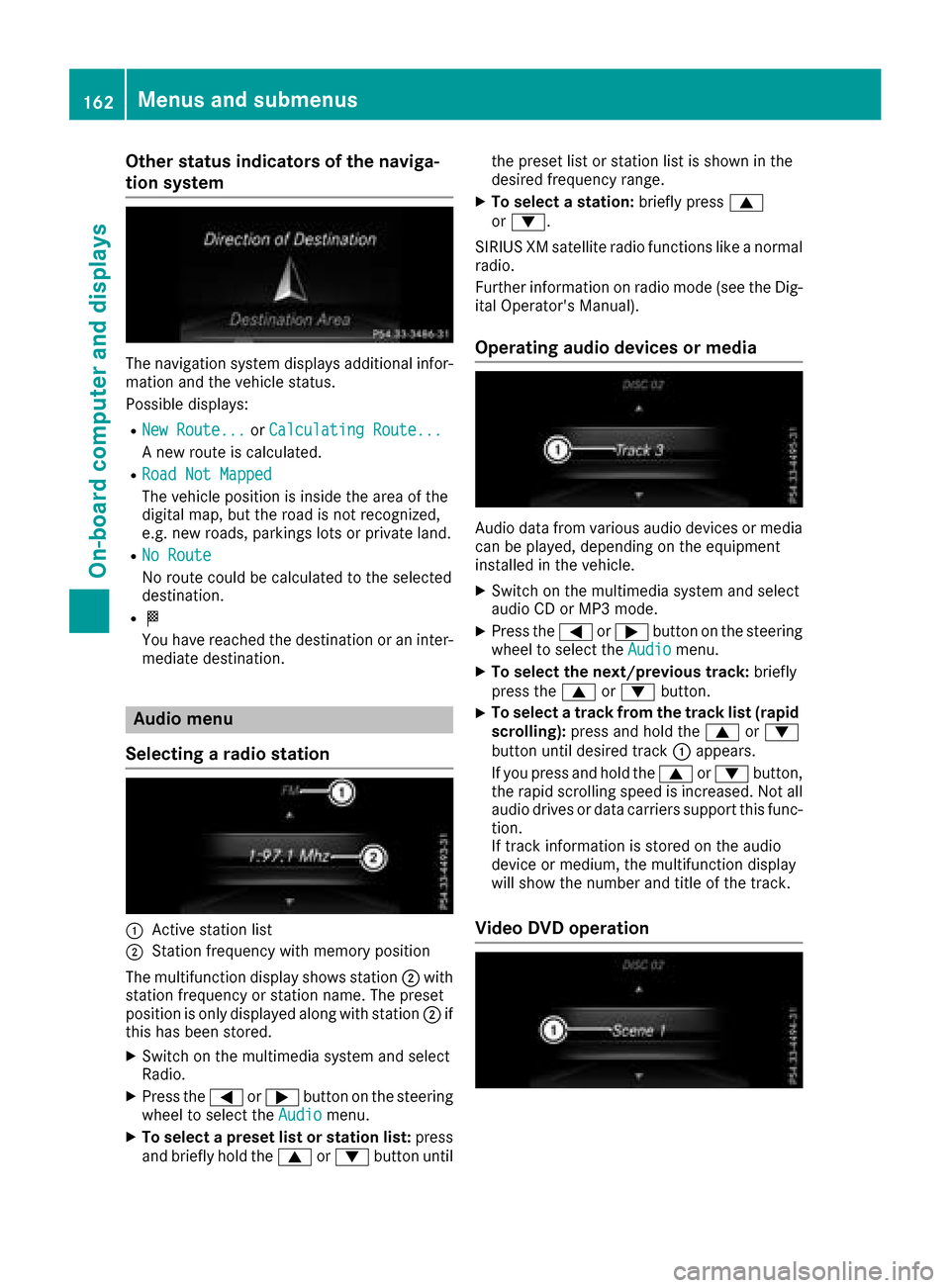
The navigation system displays additional infor- mation and the vehicle status.
Possible displays:
RNew Route...or Calculating Route...
An ew route is calculated.
RRoad Not Mapped
The vehicle position is inside the area of the
digital map, but the road is not recognized,
e.g. new roads, parking slots or private land.
RNo Route
No route could be calculated to the selected
destination.
RO
You have reached the destination or an inter-
mediate destination.
Audio menu
Selecting aradio station
:Active station list
;Station frequenc ywith memory position
The multifunction display shows station ;with
station frequenc yorstation name. The preset
position is only displayed along with station ;if
this has been stored.
XSwitc hont he multimedia system and select
Radio.
XPress the =or; button on the steering
wheel to select the Audiomenu.
XTo selectapreset list or station list: press
and briefly hold the 9or: button until the preset list or station list is shown in the
desired frequenc
yrange.
XTo select astation: briefly press 9
or :.
SIRIUS XM satellite radio function slike anormal
radio.
Further information on radio mode (see the Dig-
ital Operator's Manual).
Operating audio devices or media
Audio data from various audio devices or media
can be played, depending on the equipment
installed in the vehicle.
XSwitc hont he multimedia system and select
audio CD or MP3 mode.
XPress the =or; button on the steering
wheel to select the Audiomenu.
XTo select the next/previous track: briefly
press the 9or: button.
XTo select atrack from the track list (rapid
scrolling): press and hold the 9or:
button until desired track :appears.
If you press and hold the 9or: button,
the rapid scrollin gspeed is increased. Not all
audio drives or data carriers support this func-
tion.
If trac kinformation is stored on the audio
device or medium, the multifunction display
will show the number and title of the track.
Video DVD operation
162Menus and submenus
On-boardc omputer and displays