2017 MERCEDES-BENZ G-Class steering
[x] Cancel search: steeringPage 165 of 286
XSwitch on the multimediasystem and select
video DVD.
XPress the =or; button on the steering
wheel to select the Audiomenu.
XTo select the next or previous scene:
brieflypress the 9or: button.
XTo select ascene from the scen elist
(rapi dscrolling): press and holdt he9
or : button unti ldesire dscene :has
bee nreached.
TV operation
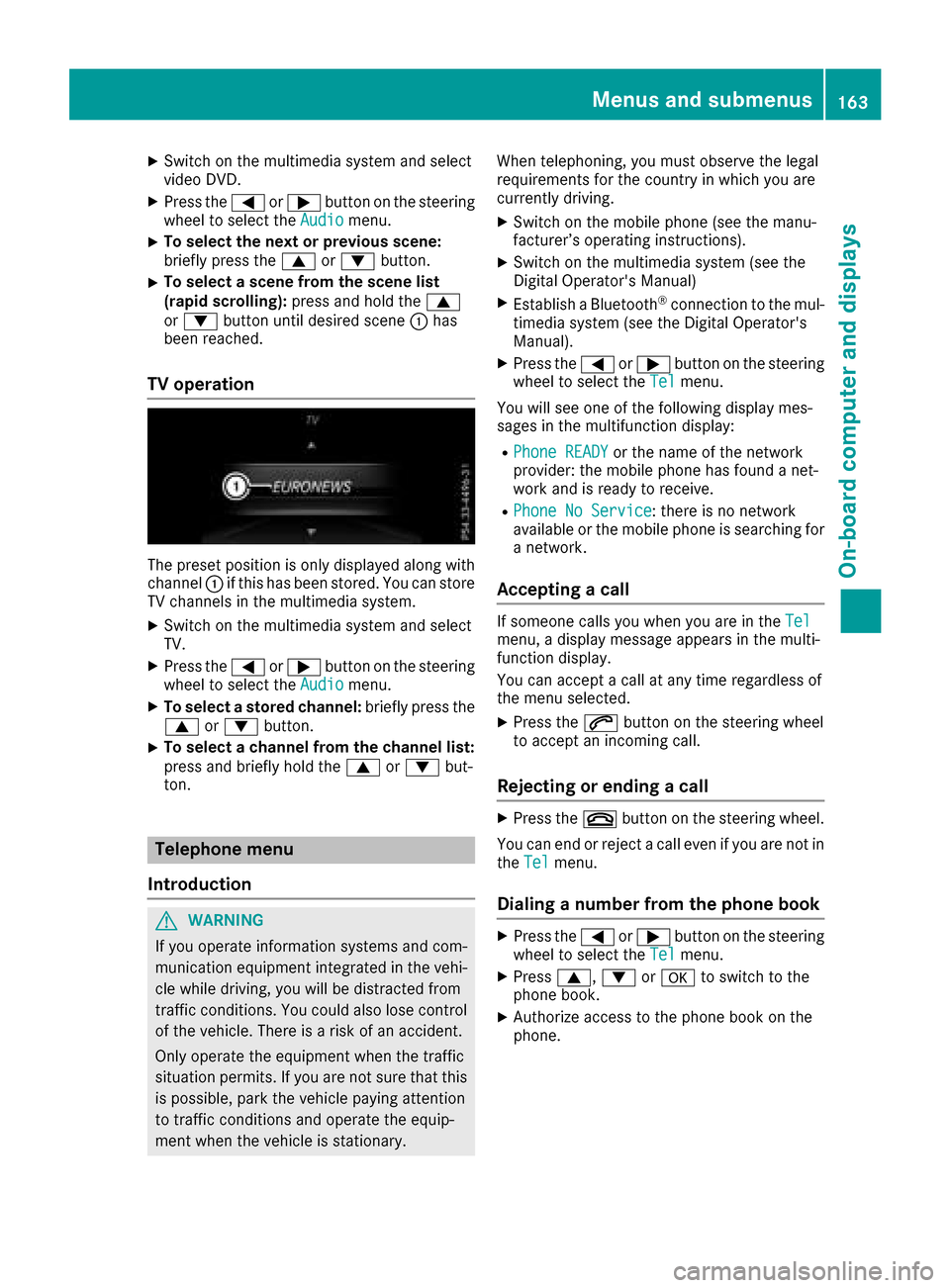
The preset position is only displayed along with
channel :if this hasb eens tored. You can store
TV channels in the multimedi asystem.
XSwitch on the multimedi asystem and select
TV.
XPress the =or; button on the steering
wheel to select the Audiomenu.
XTo selectastored channel: brieflypress the
9 or: button.
XTo select achanne lfrom the channe llist:
press and brieflyh oldthe9 or: but-
ton.
Telephone menu
Introduction
GWARNING
If yo uoperate information systems and com-
munication equipment integrate dinthe vehi-
cle whil edriving ,you will be distracted from
traffic conditions .You could also lose control
of the vehicle. There is ariskofana ccident.
Only operate the equipment when the traffic
situation permits .Ifyouare not sure that this
is possible ,parkt he vehicl epayin gattention
to traffic conditions and operate the equip-
ment when the vehicl eisstationary. Whent
elephoning, yo umusto bserve the legal
requirements for the country in which yo uare
currently driving.
XSwitch on the mobil ephone (se ethe manu-
facturer’so perating instructions).
XSwitch on the multimedi asystem (se ethe
Digital Operator's Manual)
XEstablish aBluetooth®connection to the mul-
timedi asystem (se ethe Digital Operator's
Manual).
XPress the =or; button on the steering
wheel to select the Telmenu.
You will see one of the following display mes-
sages in the multifunction display:
RPhoneR EADYor the name of the network
provider: the mobil ephone hasf oundanet-
work and is ready to receive.
RPhoneNoS ervice:there is no network
available or the mobil ephone is searching for
an etwork.
Accepting acall
If someone calls yo uwheny ou are in the Telmenu,adisplay message appears in the multi-
function display.
You can accept acallata ny time regardless of
the menu selected.
XPress the 6button on the steering wheel
to accept an incoming call.
Rejecting or endin gacall
XPress the ~button on the steering wheel.
You can end or reject acalle ve nify ouare not in
the Tel
menu.
Dialing anumberf rom the phon ebook
XPress the =or; button on the steering
wheel to select the Telmenu.
XPress9, :ora to switch to the
phone book.
XAuthorize access to the phone boo konthe
phone.
Menus and submenus163
On-board computer and displays
Z
Page 166 of 286

XPress the9or: button to select the
desired name.
or
XTo startr apid scrolling: press and hold9
or : for longer than one second.
Rapid scrolling stops when you release the
button or reach the end of the list.
XIf only one telephone number is stored for
an ame: press the 6ora button to
start dialing.
or
XIf thereism ore thanone number for a
particular name:press the 6ora
button to display the numbers.
XPress the 9or: button to select the
number you want to dial.
XPress the 6ora button to start dialing.
or
XTo exit the phone book: press the~or
% button.
Redialing
The on-board computer saves the last names or
numbers dialed in the redial memory.
XPress the =or; button on the steering
wheel to select the Telmenu.
XPress the6button to switch to the redial
memory.
XPress the 9or: button to select the
desired name or number.
XPress the 6ora button to start dialing.
or
XTo exit the redial memory: press the~
or % button.
Assistance menu
Introduction
In the DriveAssistmenu, you have the follow-
ing options:
RDisplaying the assistanc egraphic
(Ypage 164)
RActivating/deactivatin gBlind Spot Assist
(Ypage 164)
Showing the distance display
XPress the =or; button on the steering
wheel to select the DriveAssistmenu.
XPress9or: to select AssistanceGraphic.
XPressa.
The DISTRONIC PLUS distanc edisplay
appears in the multifunction display.
Activating/deactivating Blind Spot
Assist
XPress the =or; button on the steering
wheel to select the DriveAssistmenu.
XPress the9or: button to select
Blind Spot Assist.
XPress a.
The currents election appears.
XTo activate/deactivate: press theabut-
ton again.
For further information about Blind Spot Assist,
see (
Ypage 137).
Service menu
In the Serv.menu, you have the following
options:
RCalling up display messages (Ypage 170)
RChecking the tire pressure electronically
(Ypage 258)
RCalling up the service due date
(Ypage 231)
RChecking the engine oil level (Ypage 227)
Settings menu
Introduction
In the Sett.menu, you have the following
options:
RChanging the instrument cluster settings
(Ypage 165)
RChanging the light settings (Ypage 165)
RChanging the vehicle settings (Ypage 166)
RChanging the conveniences ettings
(Ypage 166)
RRestoring the factor ysettings (Ypage 167)
164Menus and submenus
On-board computer and displays
Page 167 of 286
Instrumentcluster
Selecting th edistance unit
The Displa yUnitS peed-/Odometer :func-
tion allows you to choos ewhether certain dis-
plays appear in kilometers or mile sinthemul-
tifunction display.
You can determine whether th emultifunction
display shows certain message sinmilesork ilo-
meters .
XPress th e= or; buttononthesteering
whee ltos elect th eSett.menu.
XPress th e: or9 buttontos elect th e
Instrumen tCluste rsubmenu.
XPressato confirm .
XPress the: or9 buttontos elect th e
Displa yUnitS peed-/Odometerfunction .
You will see th eselected setting :kmor miles.
XPress th ea buttontos avet he setting .
The selected unit of measuremen tfor distanc e
applie sto:
Rdigital speedometer in th eTri pmen u
Rtheo dometer and th etripo dometer
Rthet ripc om puter
Rthec urren tconsum ption and th erange
Rthen avigation instruction sintheNav imen u
Rcruise control
RDISTRONI CPLUS
Rthes ervic einterval display
Selecting permanent display
You can determine whether th emultifunction
display permanentl yshows your spee dorthe
outside temperature.
XPress th e= or; buttononthesteering
whee ltos elect th eSett.menu.
XPress th e: or9 buttontos elect th e
Instrumen tCluste rsubmenu.
XPressato confirm .
XPress the: or9 buttontos elect th e
Permanent Display:function .
You will see th eselected setting :Outsid e
TemperatureorSpeedometer [mph].
XPress th ea buttontos avet he setting .
iThe spee disdisplayed in mph .
Lights
Settingthed aytime runningl amps
iThis function is no tavailable in Canada.
XPress th e= or; buttononthesteering
whee ltos elect th eSett.menu.
XPress th e: or9 buttontos elect th e
Lightssubmenu.
XPress ato confirm .
XPress the: or9 buttontos elect th e
Daytim eRunnin gLightsfunction .
If th eDaytim eRunningLightsfunction has
been switched on ,the cone of ligh tand th e
W symbol are shown in red in th emulti-
function display.
XPress th ea buttontos avet he setting .
Further information on daytime runnin glamp s
(
Ypage 85) .
Surround lighti ng and exteriorlighti ng
delayed switch-off
XPress th e= or; buttononthesteering
whee ltos elect th eSett.menu.
XPress th e: or9 buttontos elect th e
Lightssubmenu.
XPress ato confirm .
XPress the: or9 buttontos elect th e
Surround Lightingfunction .
When th eSurround Lightingfunction has
been activated, th econeofl ightiss hown in
red in th emultifunction display.
XPress th ea buttontos avet he setting .
To activat eexter iorl ighting delaye dswitch-off
temporarily:
XBefore leaving th evehicle, tur nthe SmartKey
to position 0in th eignition loc k(Ypage 104).
XTurn theSma rtKey to position 2in th eignition
loc k(Ypage 104).
Exterio rlighting delaye dswitch-off is deacti -
vated.
Exterio rlighting delaye dswitch-off is reactiva-
te dt he next time you start th eengine.
If you have activated th eSurround Lighting
function and th eligh tswitch is set to Ã,the
followin gfunction sare switched on when it is
dark :
Rsurround lighting: thee xter iorl ighting
remain slit for 40 seconds after unlocking
wit hthe SmartKey. If you start th eengine, th e
surroun dlighting is switched off and auto -
Menusand submenus165
On-boardc omputer and displays
Z
Page 168 of 286
matic headlamp mode is activated
(Ypage 86).
Rexteriorlighting delayeds witch-off:the
exterior lighting remains lit for 60 seconds
after the engine is switched off. If you close all
the doors and the trunk lid,t he exterior light-
ing goes off after five seconds.
iDepending on you rvehicle's equipment,
when the surround lighting and exterior light-
ing delayed switch-off are on, the following
lightu p:
RParking lamps
RLow-beamh eadlamps
RDaytime running lamps
RSide marker lamps
RSurround lighting in the exterior mirrors
Switching the interiorl ighting delayed
switch-off on/off
If you activate the Interior Lighting Delayfunction, the interior lighting remains on for
20 seconds after you remove the SmartKey from
the ignitionlock.
XPress the=or; button on the steering
wheeltos elect theSett.menu.
XPress the :or9 button to select the
Lightssubmenu.
XPress ato confirm.
XPress the :or9 button to select the
Interior Lighting Delayfunction.
If the Interior Lighting Delayfunction
has been activated ,the vehiclei nterior is dis-
played in red in the multifunction display.
XPress the abutton to save the setting.
Vehicle
Activating/deactivatingt he automatic
door locking mechanism
If you activate the AutomaticDoorLockfunc-
tion, the vehicleisc entrally locked above a
speed of approximately9 mph (15 km/h).
XPress the=or; button on the steering
wheeltos elect theSett.menu.
XPress the :or9 button to select the
Vehiclesubmenu.
XPress ato confirm.
XPress the :or9 button to select the
Automatic Door Lockfunction.
When the Automatic Door Lockfunction is
activated ,the vehicled oors are displayed in
red in the multifunction display.
XPress the abutton to save the setting.
For further informatio nonthe automatic locking
feature ,see (
Ypage 67).
Activating/deactivatingt he acoustic
locking verification signal
If you switch on the AcousticLockfunction, an
acoustic signal sounds when you lock the vehi-
cle.
XPress the =or; button on the steering
wheeltos elect theSett.menu.
XPress the :or9 button to select the
Vehiclesubmenu.
XPress ato confirm.
XPress the :or9 button to select the
Acoustic Lockfunction.
If the Acoustic Lockfunction is activated,
the & symbo linthe multifunction display
lights up red.
XPress the abutton to save the setting.
Comfort
Activating/deactivatin gthe EASY-
ENTRY/EXIT feature
GWARNING
When the EASY-ENTRY/EXIT feature adjusts
the steering wheel, you and other vehicle
occupants –particularl ychildren –could
become trapped. There is arisk of injury.
Whilet he EASY-ENTRY/EXIT feature is mak-
ing adjustments, make sure that no one has
any body parts in the sweepoft he steering
wheel.
If somebody becomes trapped:
Rpress one of the memory function position
buttons, or
Rmove the switch for steering wheela djust-
ment in the opposite directiontot hat in
which the steering wheelism oving.
The adjustment process is stopped.
166Menus and submenus
On-board computer and displays
Page 169 of 286
XPress the=or; button on the steering
wheel to select the Sett.menu.
XPress the:or9 button to select the
Conveniencesubmenu.
XPress ato confirm.
XPress the :or9 button to select the
Easy Entry/Exitfunction.
If the EasyEntry/Exitfunction is activated,
the vehicle steerin gwheel appears in red in
the multifunction display.
XPress the abutton to save the setting.
Further information on the EASY-ENTRY/EXIT
feature (
Ypage 80).
Switching the fold-in mirrors when lock-
ing feature on/off
When you activat ethe Auto.MirrorFoldingfunction, the exterior mirrors are folded in when
the vehicle is locked. If you unlock the vehicle
and then open adoor, the exterior mirrors fold
out again.
XPress the =or; button on the steering
wheel to select the Sett.menu.
XPress the:or9 button to select the
Conveniencesubmenu.
XPress ato confirm.
XPress the :or9 button to select the
Auto. Mirror Foldingfunction.
If the Auto. Mirror Foldingfunction is
activated, the vehicle's exterior mirror is dis-
played in red in the multifunction display.
XPress the abutton to save the setting.
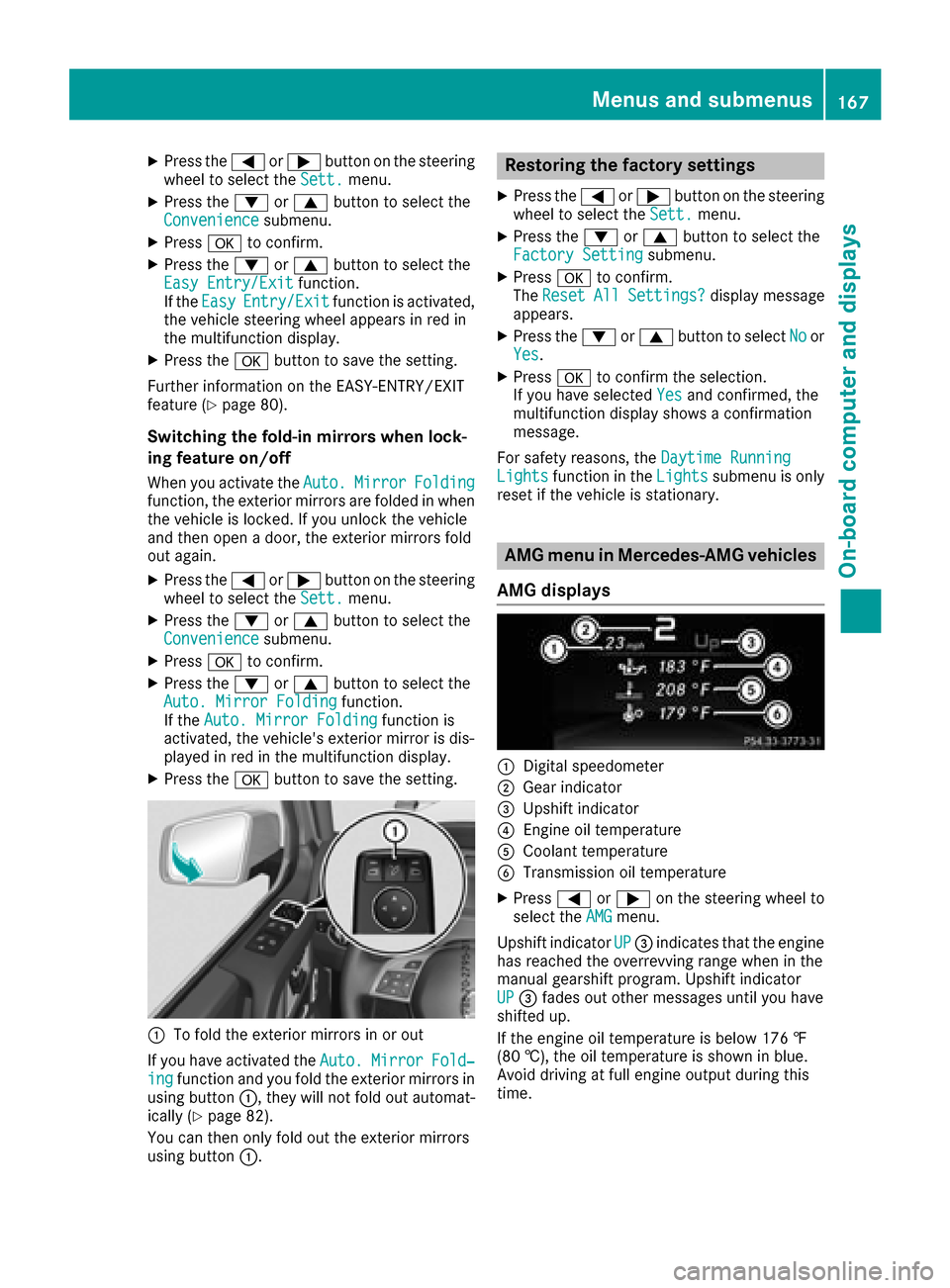
:To fold the exterior mirrors in or out
If you have activated the Auto.
MirrorFold‐ingfunction and you fold the exterior mirrors in
using button :,they will not fold out automat-
ically (
Ypage 82).
You can then only fold out the exterior mirrors
using button :.
Restoring the factor ysettings
XPress the =or; button on the steering
wheel to select the Sett.menu.
XPress the:or9 button to select the
Factory Settingsubmenu.
XPress ato confirm.
The ResetAllSettings?display message
appears.
XPress the :or9 button to select Noor
Yes.
XPress ato confirm the selection.
If you have selected Yesand confirmed, the
multifunction display shows aconfirmation
message.
For safety reasons, the Daytime Running
Lightsfunction in theLightssubmenu is only
reset if the vehicle is stationary.
AMG menu in Mercedes-AMG vehicles
AMG displays
:Digital speedometer
;Gear indicator
=Upshift indicator
?Engine oil temperature
ACoolant temperature
BTransmission oil temperature
XPress =or; on the steerin gwheel to
select the AMGmenu.
Upshift indicator UP
=indicates that the engine
has reached the overrevving range when in the
manual gearshift program. Upshift indicator
UP
= fades out other messages until you have
shifted up.
If the engine oil temperature is below 176 ‡
(80 †), the oil temperature is shown in blue.
Avoid driving at full engine output during this
time.
Menus and submenus167
On-board computer and displays
Z
Page 170 of 286
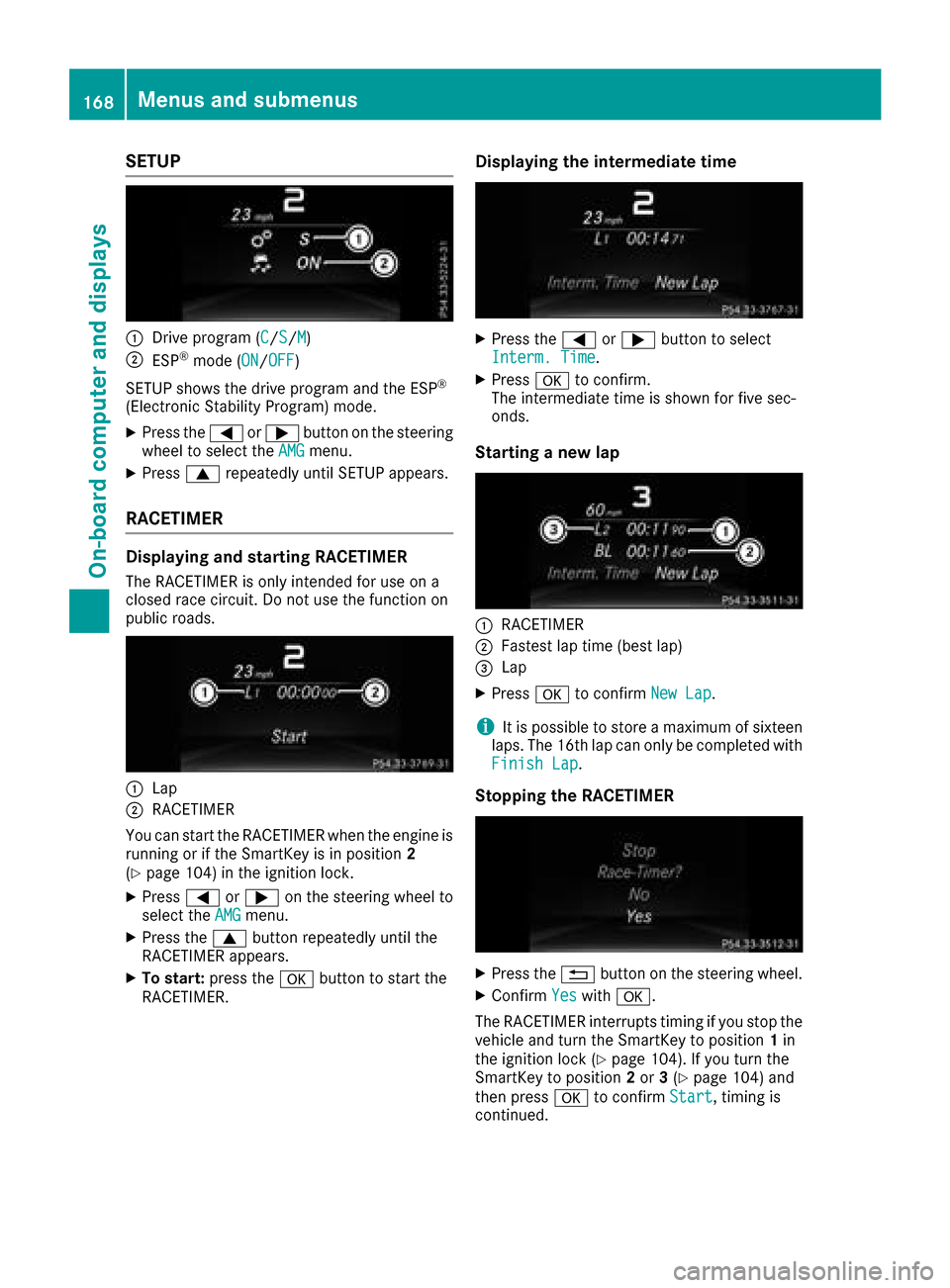
SETUP
:Drive program (C/S/M)
;ESP®mode (ON/OFF)
SETUP shows the drive program and the ESP
®
(Electronic Stability Program) mode.
XPress the =or; button on the steering
wheel to select the AMGmenu.
XPress9repeatedly until SETUP appears.
RACETIMER
Displaying and starting RACETIMER
The RACETIMER is only intended for use on a
closed race circuit. Do not use the function on
public roads.
:Lap
;RACETIMER
You can start the RACETIMER when the engine is
running or if the SmartKey is in position 2
(
Ypage 104) in the ignition lock.
XPress =or; on the steering wheel to
select the AMGmenu.
XPress the9button repeatedly until the
RACETIMER appears.
XTo start: press the abutton to start the
RACETIMER.
Displaying the intermediate time
XPress the =or; button to select
Interm. Time.
XPress ato confirm.
The intermediate time is shown for five sec-
onds.
Starting anew lap
:RACETIMER
;Fastest lap time (best lap)
=Lap
XPress ato confirm New Lap.
iIt is possible to store amaximum of sixteen
laps. The 16th lap can only be completed with
Finish Lap
.
Stopping the RACETIMER
XPress the %button on the steering wheel.
XConfirm Yeswitha.
The RACETIMER interrupts timing if you stop the
vehicle and turn the SmartKey to position 1in
the ignition lock (
Ypage 104). If you turn the
SmartKey to position 2or 3(Ypage 104) and
then press ato confirm Start
,timing is
continued.
168Menus and submenus
On-board computer and displays
Page 171 of 286
Resetting the current lap
XStop the RACETIMER (Ypage 168).
XPress the=or; button to select
ResetL ap.
XPressato resett he laptime to "0".
Deleting all laps
If yo uswitch off the engine, the RACETIMER is
resetto" 0" after30seconds .All laps are
deleted.
You cannot delete individual storedl aps. If you
have stopped 16 laps, the current la pdoesn ot
have to be reset.
XReset the current la p(Ypage 169).
XPressato confirm Reset.
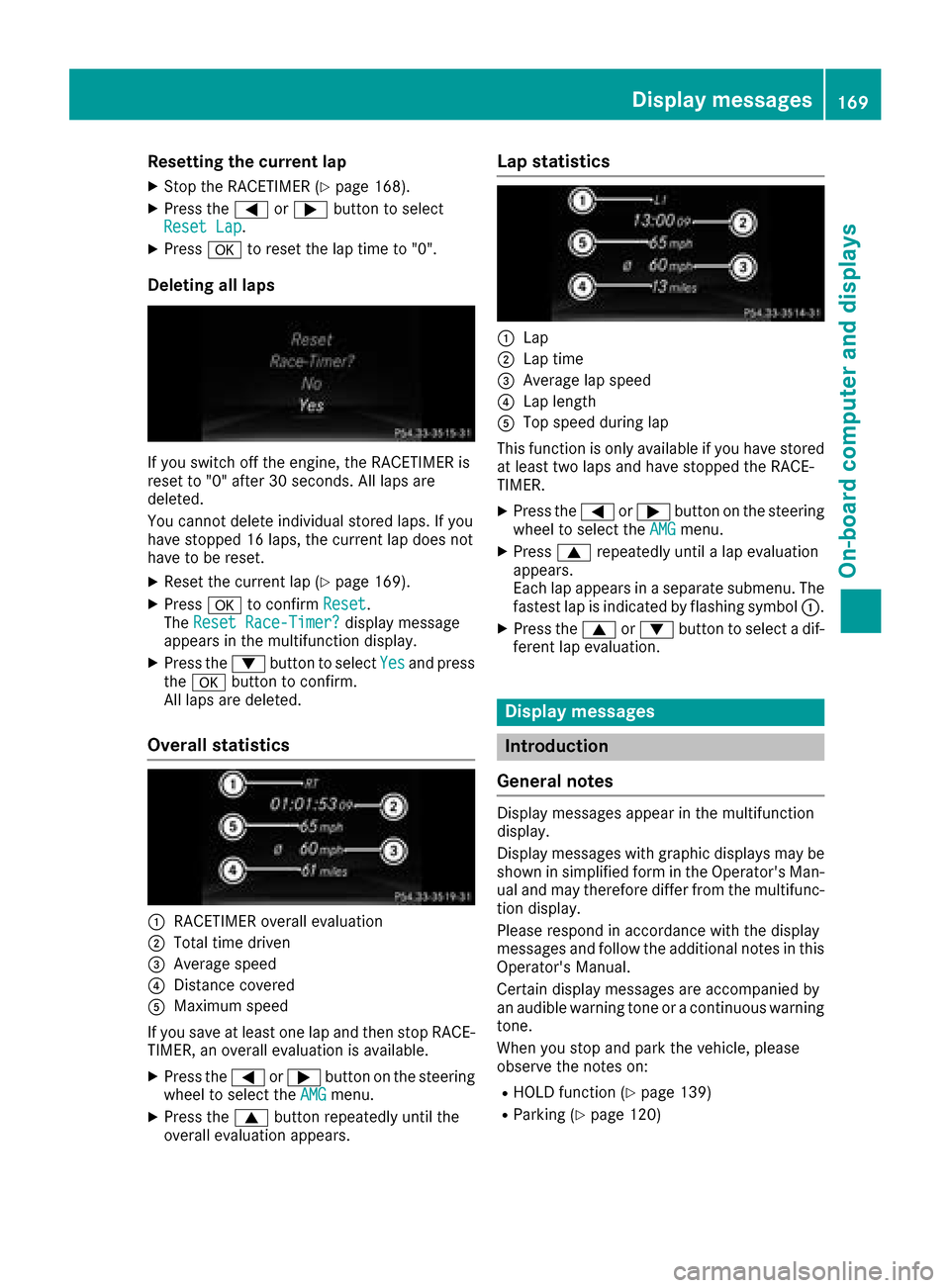
The ResetR ace-Timer?display message
appears in the multifunction display.
XPress the :button to select Yesand press
the a button to confirm.
All laps are deleted.
Overall statistics
:RACETIMER overal levaluation
;Totalt ime driven
=Average speed
?Distance covered
AMaximu mspeed
If yo usaveatl east one la pand then stop RACE-
TIMER, an overal levaluation is available.
XPress the =or; button on the steering
wheel to select the AMGmenu.
XPress the9button repeatedl yuntilthe
overal levaluation appears.
Lap statistics
:Lap
;Lap time
=Average la pspeed
?Lap length
ATop speed during lap
Thisf unction is only available if yo uhaves tored
at leas ttwo laps and have stopped the RACE-
TIMER.
XPress the =or; button on the steering
wheel to select the AMGmenu.
XPress9repeatedl yuntilal apevaluation
appears.
Each la pappears in aseparate submenu. The
fastest la pisindicated by flashing symbol :.
XPress the9or: button to select adif-
ferent la pevaluation.
Display messages
Introduction
General notes
Displa ymessages appea rinthe multifunction
display.
Displa ymessages with graphicd isplay smay be
shown in simplified form in the Operator's Man-
ua land may therefore differ from the multifunc-
tion display.
Please respond in accordance with the display
messages and follow the additiona lnotes in this
Operator's Manual.
Certai ndisplay messages are accompanied by
an audiblew arning tone or acontinuousw arning
tone.
Wheny oustop and park the vehicle ,please
observe the notes on:
RHOLD function (Ypage 139)
RParking (Ypage 120)
Display messages169
On-board computer and displays
Z
Page 172 of 286
Hiding display messages
XPress theaor% button on the steering
wheel.
The multifunction display hidest he display
message.
High-priority display messages are showninr ed
in the multifunction display .Some high-priority
display messages cannot be hidden.
The multifunction display showst hese mes-
sage scontinuously until the causes for the mes-
sage shave been remedied.
Message memory menu
The on-board compute rsave scertain display
messages in the messagememory.You can
call up the display messages:
XPress the =or; button on the steering
wheeltos elect theServ.menu.
If there are display messages, the multifunc-
tion display shows 2Messages
,for example.
XPress the 9or: button to select the
entry, e.g. 2Messages.
XPress ato confirm.
XPress the 9or: button to scroll
through the display messages.
When the ignitio nisswitched off, all display
messages are deleted, apart from some high-
priority display messages. Once the causes of
the high-priority display messages have been
rectified, the corresponding display messages
are als odeleted.
170Display messages
On-board computer and displays