Page 139 of 589
453
Features of your vehicle
Odometer
The odometer Indicates the total dis-
tance that the vehicle has been driv-
en and should be used to determine
when periodic maintenance should
be performed.
- Odometer range : 0 ~ 999999 milesor kilometers.
Outside Temperature Gauge
This gauge indicates the current out-
side air temperatures by 1°F (1°C).
- Temperature range : -40°F ~ 140°F
(-40°C ~ 60°C) The outside temperature on the dis-
play may not change immediately
like a general thermometer to pre-
vent the driver from being inattentive.
To change the temperature unit (from
°C to °F or from °F to °C)
Type A Cluster
Change the trip modes to Distance
To Empty mode and then press and
hold the RESET button for 5 seconds
and more.
Type B Cluster
The temperature unit can be
changed by using the “User Settings”
mode of the LCD display
❈
For more details, refer to “LCD
Display” in this chapter.
OPS043112
OPS046431N
■Type A
■ Type B
OPS043114N
OPS046432N
■Type A
■ Type B
Page 140 of 589
Features of your vehicle
54
4
Transaxle Shift Indicator
Automatic Transaxle Shift Indicator
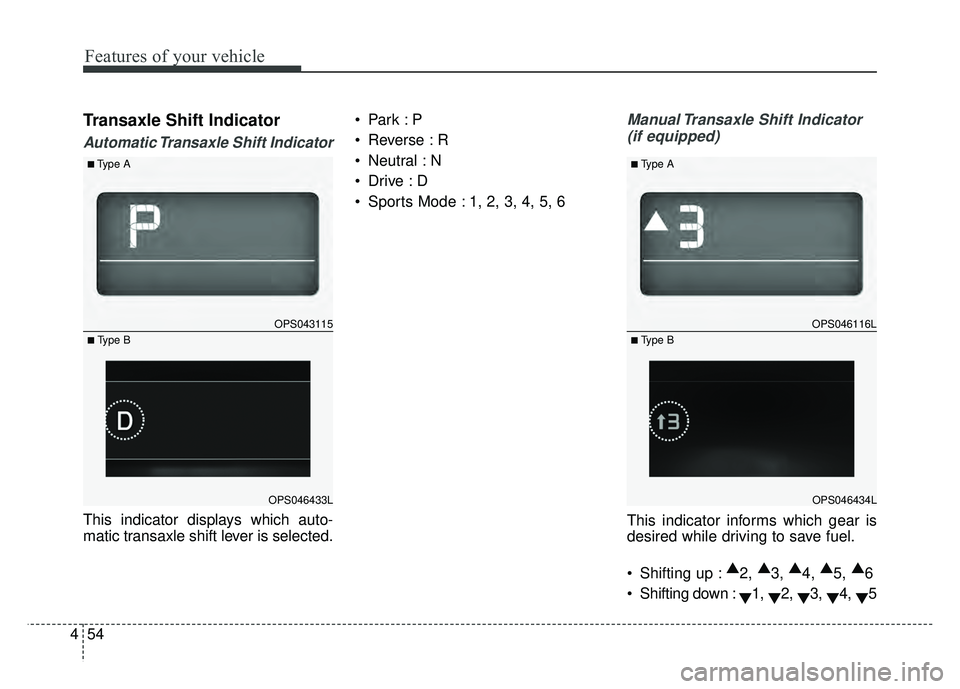
This indicator displays which auto-
matic transaxle shift lever is selected.
Reverse : R
Neutral : N
Sports Mode : 1, 2, 3, 4, 5, 6
Manual Transaxle Shift Indicator
(if equipped)
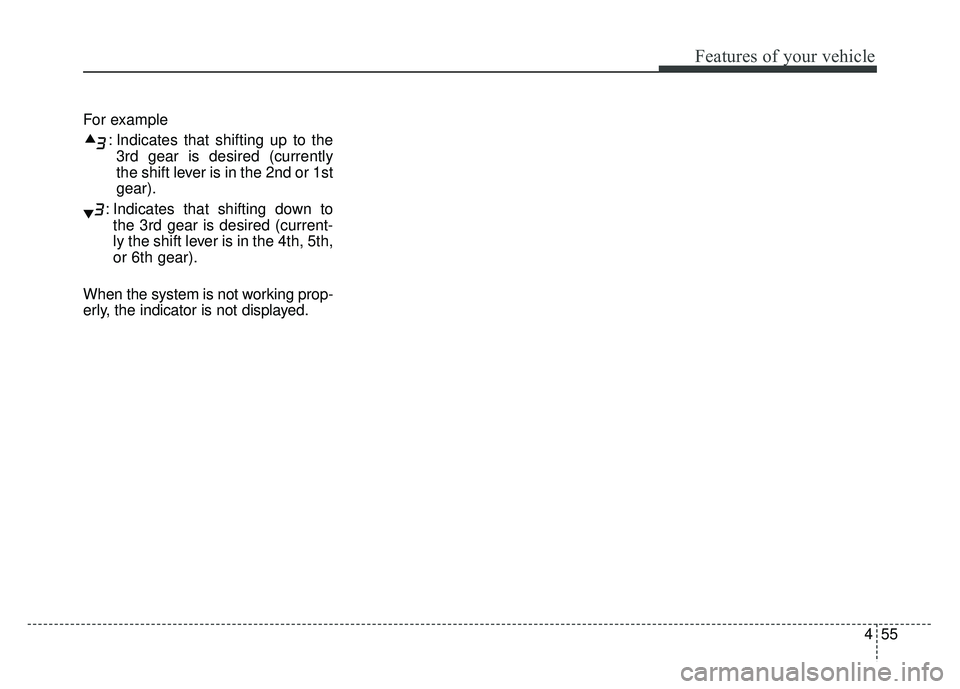
This indicator informs which gear is
desired while driving to save fuel.
Shifting up : ▲
2, ▲
3, ▲
4, ▲
5, ▲
6
Shifting down : ▼1,
▼2,
▼3,
▼4,
▼5
OPS043115
OPS046433L
■Type A
■ Type B
OPS046116L
OPS046434L
■Type A
■ Type B
Page 141 of 589
455
Features of your vehicle
For example: Indicates that shifting up to the3rd gear is desired (currently
the shift lever is in the 2nd or 1st
gear).
: Indicates that shifting down to the 3rd gear is desired (current-
ly the shift lever is in the 4th, 5th,
or 6th gear).
When the system is not working prop-
erly, the indicator is not displayed.
Page 142 of 589
Features of your vehicle
56
4
LCD DISPLAY (IF EQUIPPED)
❈ For controlling the LCD modes, refer to “LCD Display Control” in this chapter.
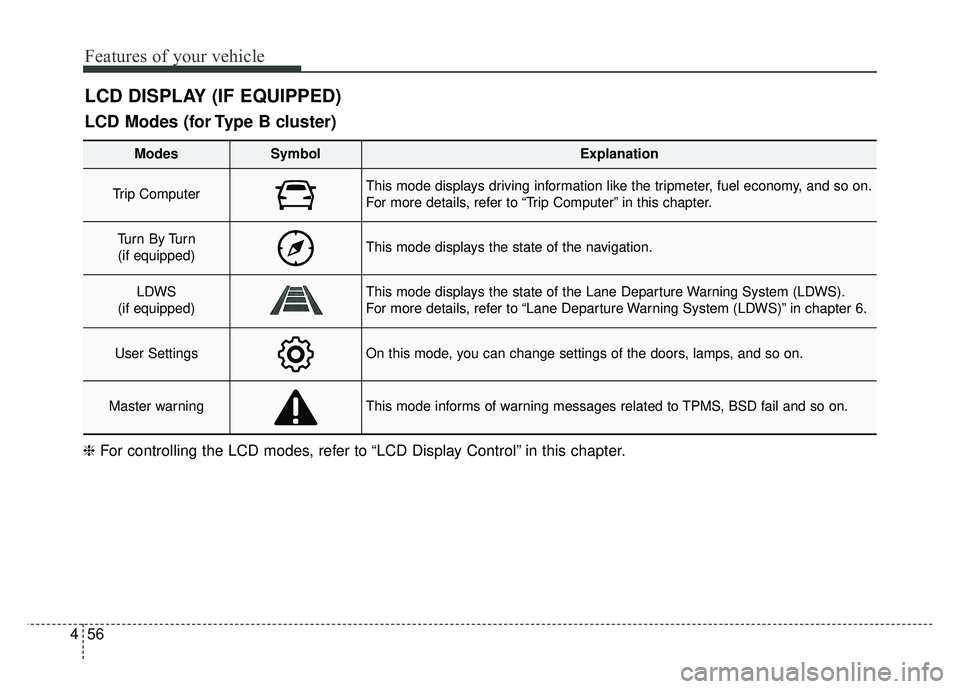
LCD Modes (for Type B cluster)
Modes SymbolExplanation
Trip Computer This mode displays driving information like the tripmeter, fuel economy, and so on.
For more details, refer to “Trip Computer” in this chapter.
Tu r n B y Tu r n
(if equipped)This mode displays the state of the navigation.
LDWS
(if equipped)This mode displays the state of the Lane Departure Warning System (LDWS).
For more details, refer to “Lane Departure Warning System (LDWS)” in chapter 6.
User SettingsOn this mode, you can change settings of the doors, lamps, and so on.
Master warningThis mode informs of warning messages related to TPMS, BSD fail and so on.
Page 143 of 589
457
Features of your vehicle
Service Mode
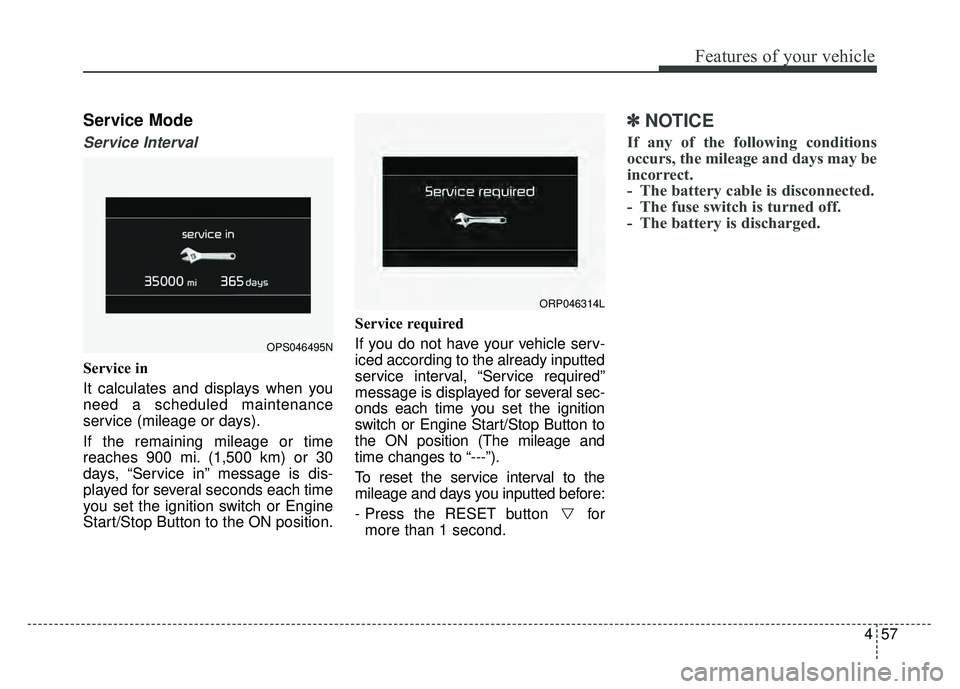
Service Interval
Service in
It calculates and displays when you
need a scheduled maintenance
service (mileage or days).
If the remaining mileage or time
reaches 900 mi. (1,500 km) or 30
days, “Service in” message is dis-
played for several seconds each time
you set the ignition switch or Engine
Start/Stop Button to the ON position.Service required
If you do not have your vehicle serv-
iced according to the already inputted
service interval, “Service required”
message is displayed for several sec-
onds each time you set the ignition
switch or Engine Start/Stop Button to
the ON position (The mileage and
time changes to “---”).
To reset the service interval to the
mileage and days you inputted before:
- Press the RESET button for
more than 1 second.
✽ ✽ NOTICE
If any of the following conditions
occurs, the mileage and days may be
incorrect.
- The battery cable is disconnected.
- The fuse switch is turned off.
- The battery is discharged.
OPS046495N
ORP046314L
Page 150 of 589
Features of your vehicle
64
4
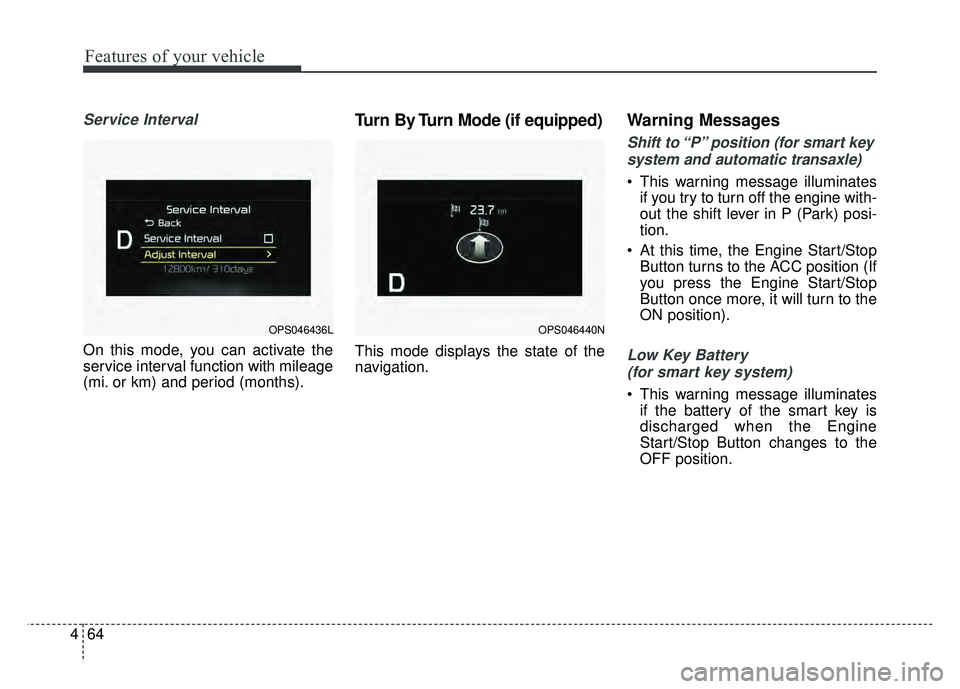
Service Interval
On this mode, you can activate the
service interval function with mileage
(mi. or km) and period (months).
Turn By Turn Mode (if equipped)
This mode displays the state of the
navigation.
Warning Messages
Shift to “P” position (for smart key
system and automatic transaxle)
This warning message illuminates if you try to turn off the engine with-
out the shift lever in P (Park) posi-
tion.
At this time, the Engine Start/Stop Button turns to the ACC position (If
you press the Engine Start/Stop
Button once more, it will turn to the
ON position).
Low Key Battery
(for smart key system)
This warning message illuminates if the battery of the smart key is
discharged when the Engine
Start/Stop Button changes to the
OFF position.
OPS046436LOPS046440N
Page 153 of 589
467
Features of your vehicle
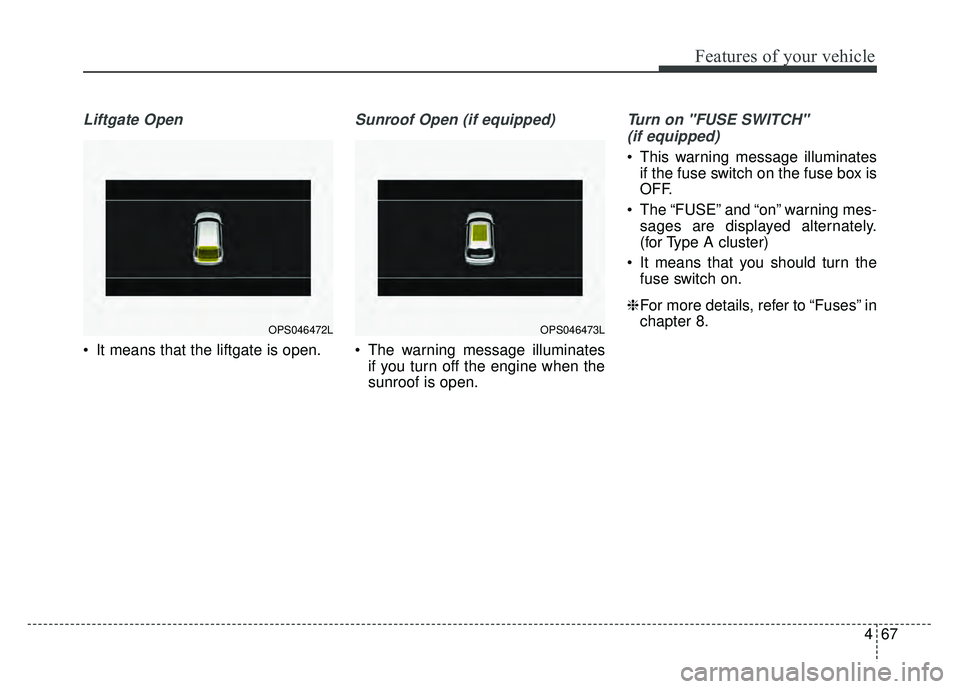
Liftgate Open
It means that the liftgate is open.
Sunroof Open (if equipped)
The warning message illuminatesif you turn off the engine when the
sunroof is open.
Turn on "FUSE SWITCH"
(if equipped)
This warning message illuminates if the fuse switch on the fuse box is
OFF.
The “FUSE” and “on” warning mes- sages are displayed alternately.
(for Type A cluster)
It means that you should turn the fuse switch on.
❈ For more details, refer to “Fuses” in
chapter 8.
OPS046473LOPS046472L
Page 154 of 589
Features of your vehicle
68
4
Overview
Description
The trip computer is a microcomput-
er-controlled driver information sys-
tem that displays information related
to driving.
✽ ✽
NOTICE
Some driving information stored in
the trip computer (for example
Average Vehicle Speed) resets if the
battery is disconnected.
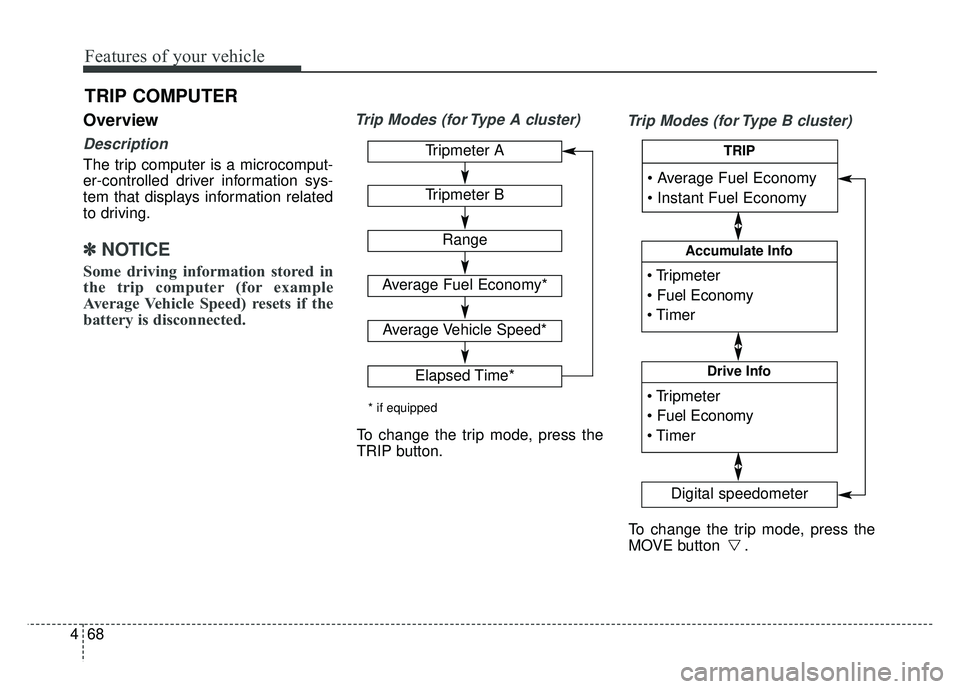
Trip Modes (for Type A cluster)
Trip Modes (for Type B cluster)
TRIP COMPUTER
Tripmeter A
Tripmeter B
Range
Average Fuel Economy*
Average Vehicle Speed*
Elapsed Time*
* if equipped
To change the trip mode, press the
TRIP button.
To change the trip mode, press the
MOVE button .
Accumulate Info
Digital speedometer
Drive Info
TRIP