2017 Hyundai Ioniq Electric Handle
[x] Cancel search: HandlePage 26 of 582
H19
Immediately stop charging
when you find abnormal
symptoms (odor, smoke).
Replace the charging cable if
the cable coating is damaged
to prevent electrical shock.
When connecting or removing
the charging cable, make sure
to hold the charging connec-
tor handle and charging plug.
If you pull the cable itself
(without using the handle), the
internal wires may disconnect
or get damaged. This may lead
to electric shock or fire.
WARNING
Always keep the charging con-
nector and charging plug in
clean and dry condition. Be
sure to keep the charging
cable in a condition where
there is no water or moisture.
Make sure to use the designat-
ed charger for charging the
electric vehicle. Using any
other charger may cause fail-
ure.
Before charging the battery,
turn the vehicle OFF.
When the vehicle is switched
OFF while charging, the cool-ing fan inside the motor com-
partment may automatically
operate. Do not touch the cool-
ing fan while charging.
Be careful not to drop the
charging connector. The
charging connector can be
damaged.
CAUTION
Page 172 of 582
3-3
Convenient features of your vehicle
Smart key
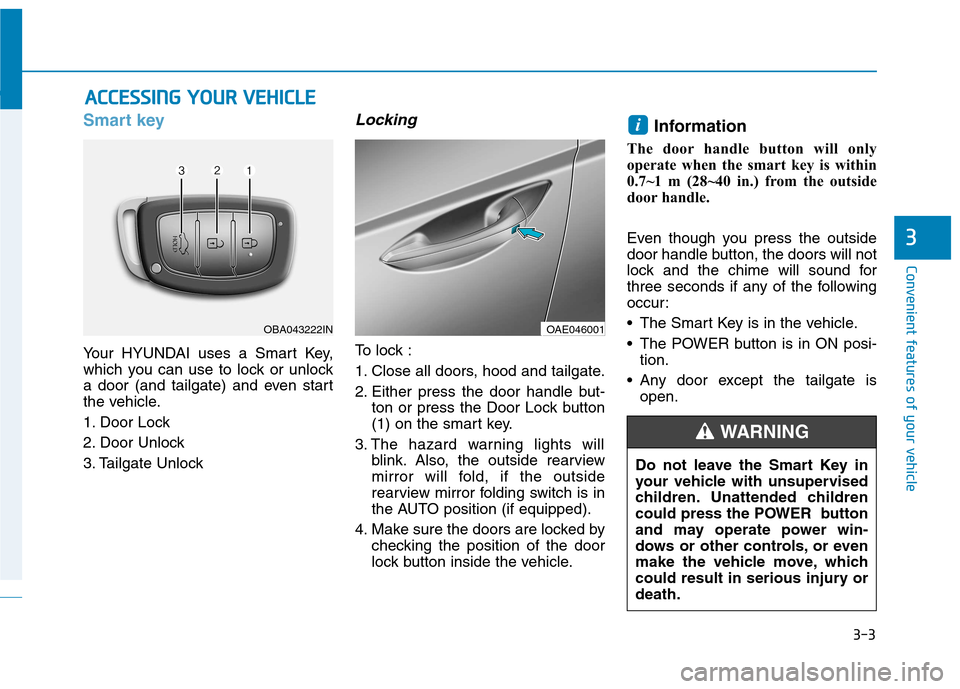
Your HYUNDAI uses a Smart Key,
which you can use to lock or unlock
a door (and tailgate) and even start
the vehicle.
1. Door Lock
2. Door Unlock
3. Tailgate Unlock
Locking
To lock :
1. Close all doors, hood and tailgate.
2. Either press the door handle but-ton or press the Door Lock button
(1) on the smart key.
3. The hazard warning lights will blink. Also, the outside rearview
mirror will fold, if the outside
rearview mirror folding switch is in
the AUTO position (if equipped).
4. Make sure the doors are locked by checking the position of the door
lock button inside the vehicle. Information
The door handle button will only
operate when the smart key is within
0.7~1 m (28~40 in.) from the outside
door handle.
Even though you press the outside
door handle button, the doors will not
lock and the chime will sound for
three seconds if any of the following
occur:
• The Smart Key is in the vehicle.
The POWER button is in ON posi- tion.
Any door except the tailgate is open.
i
AACCCCEE SSSSIINN GG YY OO UURR VV EEHH IICC LLEE
3
OBA043222INOAE046001
Do not leave the Smart Key in
your vehicle with unsupervised
children. Unattended children
could press the POWER button
and may operate power win-
dows or other controls, or even
make the vehicle move, which
could result in serious injury ordeath.
WARNING
Page 173 of 582
3-4
Unlocking
To unlock:
1. Carry the Smart Key.
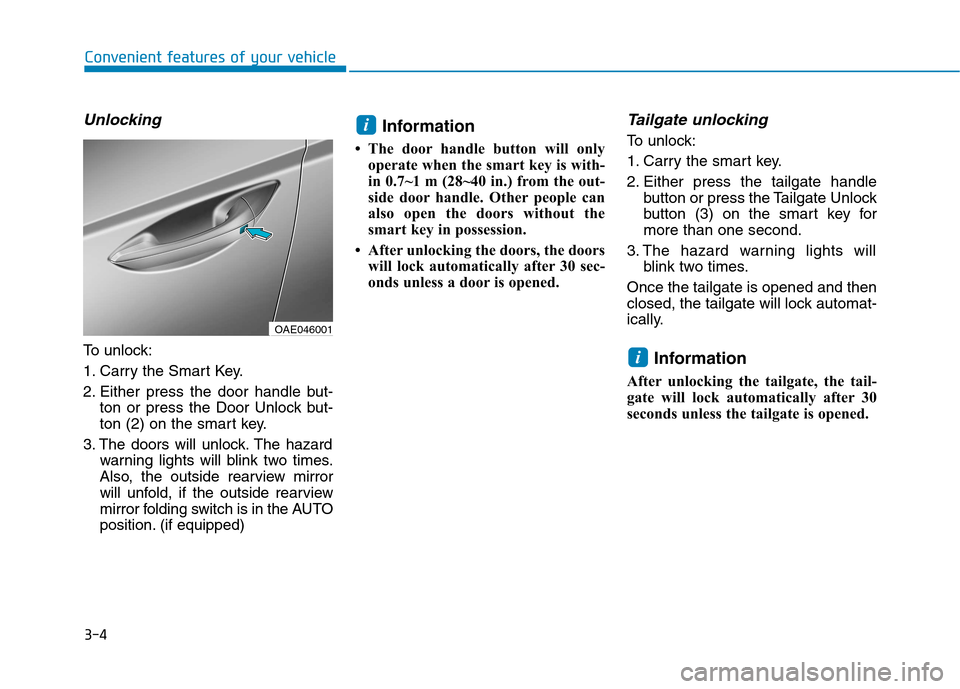
2. Either press the door handle but-ton or press the Door Unlock but-
ton (2) on the smart key.
3. The doors will unlock. The hazard warning lights will blink two times.
Also, the outside rearview mirror
will unfold, if the outside rearview
mirror folding switch is in the AUTO
position. (if equipped) Information
The door handle button will only operate when the smart key is with-
in 0.7~1 m (28~40 in.) from the out-
side door handle. Other people can
also open the doors without the
smart key in possession.
After unlocking the doors, the doors will lock automatically after 30 sec-
onds unless a door is opened.
Tailgate unlocking
To unlock:
1. Carry the smart key.
2. Either press the tailgate handle button or press the Tailgate Unlock
button (3) on the smart key formore than one second.
3. The hazard warning lights will blink two times.
Once the tailgate is opened and then
closed, the tailgate will lock automat-
ically.
Information
After unlocking the tailgate, the tail-
gate will lock automatically after 30
seconds unless the tailgate is opened.
i
i
Convenient features of your vehicle
OAE046001
Page 177 of 582
3-8
Operating door locks from
outside the vehicle
Mechanical key
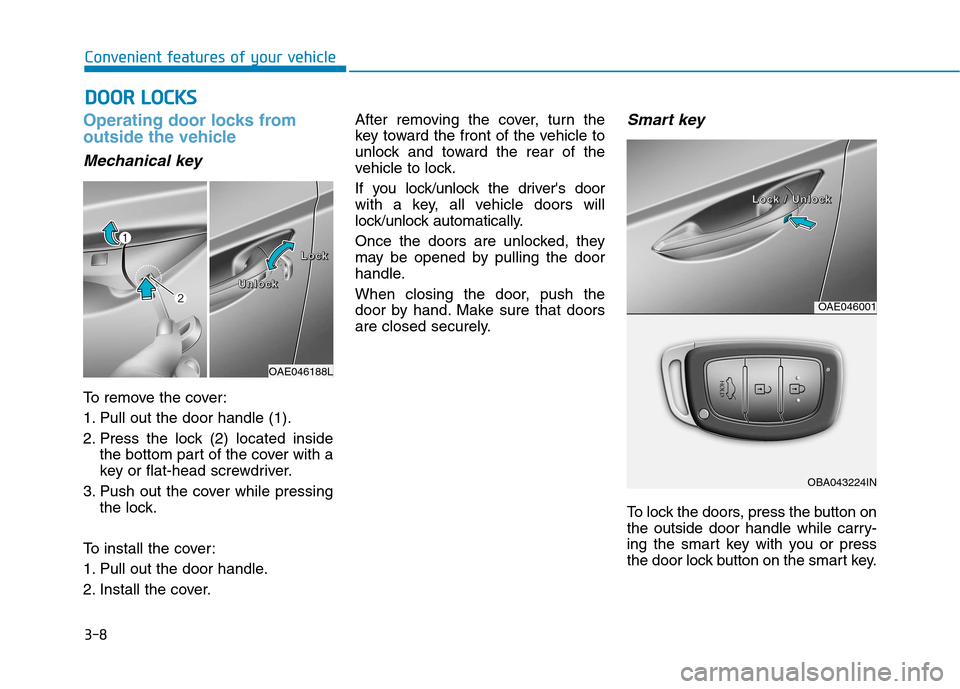
To remove the cover:
1. Pull out the door handle (1).
2. Press the lock (2) located insidethe bottom part of the cover with a
key or flat-head screwdriver.
3. Push out the cover while pressing the lock.
To install the cover:
1. Pull out the door handle.
2. Install the cover. After removing the cover, turn the
key toward the front of the vehicle to
unlock and toward the rear of the
vehicle to lock.
If you lock/unlock the driver's door
with a key, all vehicle doors will
lock/unlock automatically.
Once the doors are unlocked, they
may be opened by pulling the door
handle.
When closing the door, push the
door by hand. Make sure that doors
are closed securely.
Smart key
To lock the doors, press the button on
the outside door handle while carry-
ing the smart key with you or press
the door lock button on the smart key.
DD
OO OORR LL OO CCKK SS
Convenient features of your vehicle
OAE046188L
LLLLoooocccckkkk
UUUUnnnnlllloooocccckkkk
OAE046001
OBA043224IN
LLLLoooocccckkkk //// UUUUnnnnlllloooocccckkkk
Page 178 of 582
3-9
Convenient features of your vehicle
3
To unlock the doors, press the button on the outside door handle while car-
rying the smart key with you or press
the door unlock button on the smart
key.
Once the doors are unlocked, they
may be opened by pulling the door
handle.
When closing the door, push the
door by hand. Make sure that doors
are closed securely.Information
In cold and wet climates, door lock and door mechanisms may not work
properly due to freezing conditions.
If the door is locked/unlocked multi- ple times in rapid succession with
either the vehicle key or door lock
switch, the system may stop operat-
ing temporarily in order to protect
the circuit and prevent damage to
system components.Operating door locks from
inside the vehicle
With the door lock button
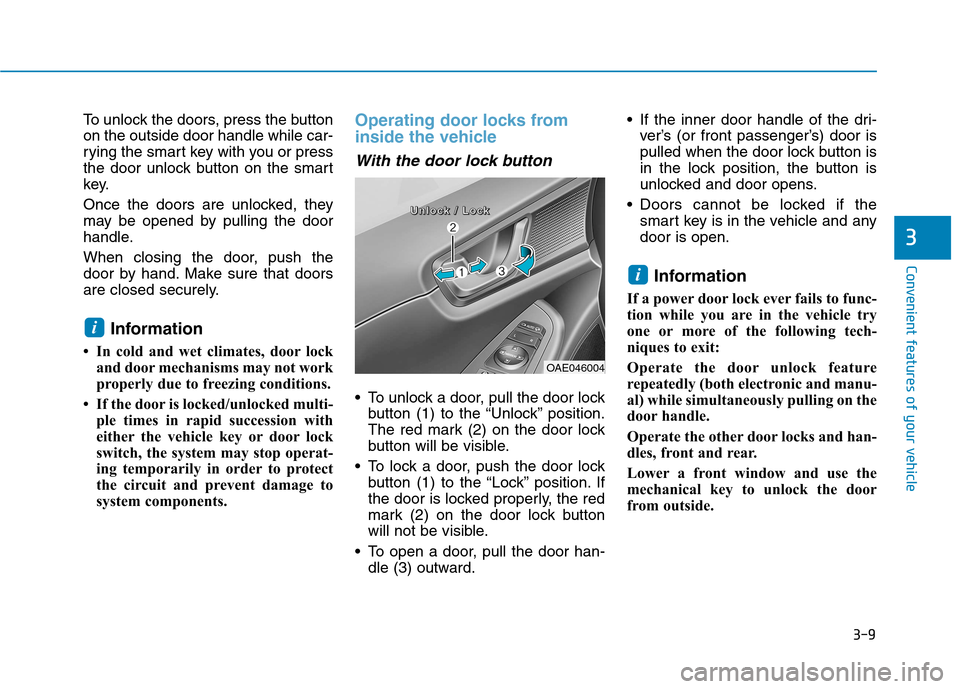
To unlock a door, pull the door lockbutton (1) to the “Unlock” position.
The red mark (2) on the door lock
button will be visible.
To lock a door, push the door lock button (1) to the “Lock” position. If
the door is locked properly, the red
mark (2) on the door lock button
will not be visible.
To open a door, pull the door han- dle (3) outward. If the inner door handle of the dri-
ver’s (or front passenger’s) door is
pulled when the door lock button is
in the lock position, the button is
unlocked and door opens.
Doors cannot be locked if the smart key is in the vehicle and anydoor is open.
Information
If a power door lock ever fails to func-
tion while you are in the vehicle try
one or more of the following tech-
niques to exit:
Operate the door unlock feature
repeatedly (both electronic and manu-
al) while simultaneously pulling on the
door handle.
Operate the other door locks and han-
dles, front and rear.
Lower a front window and use the
mechanical key to unlock the door
from outside.
i
i
OAE046004
UUUUnnnnlllloooocccckkkk //// LLLLoooocccckkkk
Page 180 of 582
3-11
Convenient features of your vehicle
3
Auto door lock/unlock features
Impact sensing door unlocksystem (if equipped)
All doors will be automatically
unlocked when an impact causes the
air bags to deploy.
Speed sensing door lock system(if equipped)
All doors will be automatically locked
when vehicle speed exceeds 15km/h (9 mph).
You can activate or deactivate the
Auto Door Lock/Unlock features fromthe User Settings Mode on the LCD
display. For more details, refer to
"LCD Display" in this chapter.
Child-protector rear door locks
The child safety lock is provided to
help prevent children seated in therear from accidentally opening the
rear doors. The rear door safety locks
should be used whenever children
are in the vehicle.
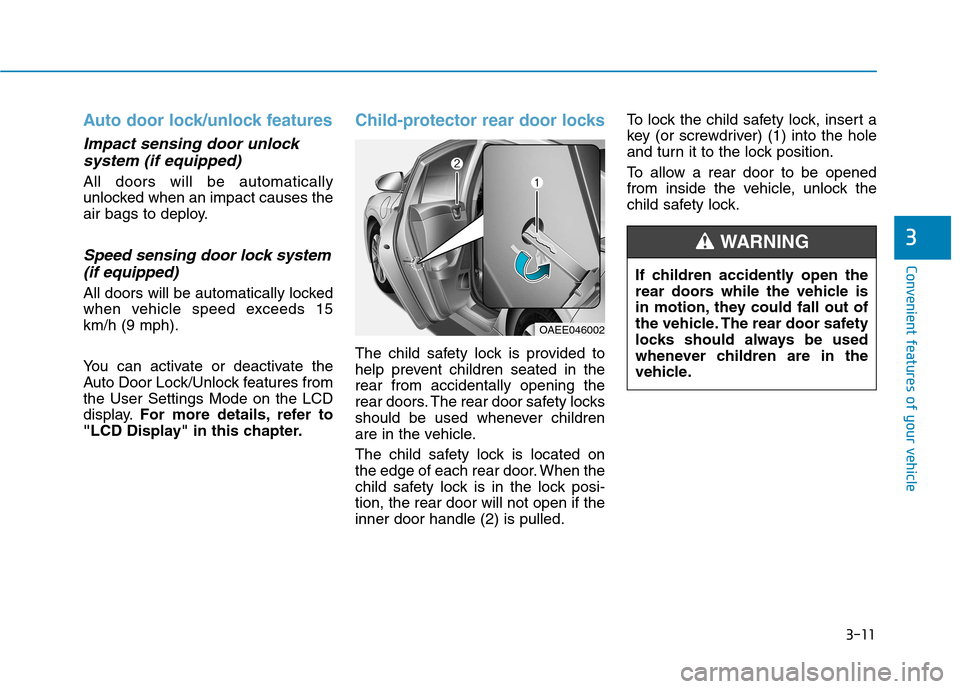
The child safety lock is located on
the edge of each rear door. When the
child safety lock is in the lock posi-tion, the rear door will not open if theinner door handle (2) is pulled. To lock the child safety lock, insert a
key (or screwdriver) (1) into the hole
and turn it to the lock position.
To allow a rear door to be opened
from inside the vehicle, unlock the
child safety lock.
OAEE046002
If children accidently open the
rear doors while the vehicle is
in motion, they could fall out of
the vehicle. The rear door safety
locks should always be used
whenever children are in the
vehicle.
WARNING
Page 181 of 582
3-12
Convenient features of your vehicle
This system helps to protect your
vehicle and valuables. The horn will
sound and the hazard warning lights
will blink continuously if any of the
following occurs:
- A door is opened without using thesmart key.
- The tailgate is opened without using the smart key.
- The hood is opened.
The alarm continues for 30 seconds,
then the system resets. To turn off
the alarm, unlock the doors with the
smart key.
The Theft Alarm System automati-
cally sets 30 seconds after you lock
the doors and the tailgate. For the
system to activate, you must lock thedoors and the tailgate from outside
the vehicle with the smart key or by
pressing the button on the outside of
the door handles with the smart key
in your possession.
The hazard warning lights will blink and the chime will sound once to
indicate the system is armed. Once the security system is set, open-
ing any door, the tailgate, or the hood
without using the smart key will cause
the alarm to activate.
The Theft Alarm System will not set if
the hood, the tailgate, or any door is
not fully closed. If the system will not
set, check the hood, the tailgate, orthe doors are fully closed. Do not attempt to alter this system or
add other devices to it.
Information
Do not lock the doors until all pas- sengers have left the vehicle. If the
remaining passenger leaves the
vehicle when the system is armed,
the alarm will be activated.
If the vehicle is not disarmed with the smart key, open the doors by
using the mechanical key, start the
vehicle and wait for 30 seconds.
When the system is disarmed but a door or tailgate is not opened within
30 seconds, the system will be
rearmed. Information
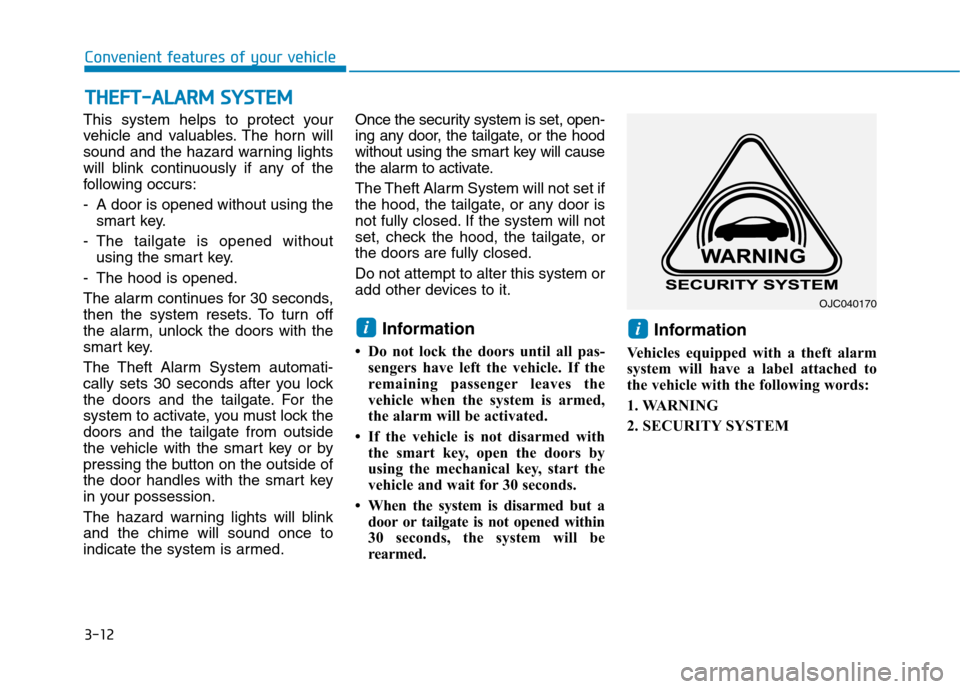
Vehicles equipped with a theft alarm
system will have a label attached to
the vehicle with the following words:
1. WARNING
2. SECURITY SYSTEM
ii
TT HH EEFFTT --AA LLAA RRMM SS YY SSTT EEMM
OJC040170
Page 252 of 582
3-83
Convenient features of your vehicle
3
Welcome system (if equipped)
Welcome light (if equipped)
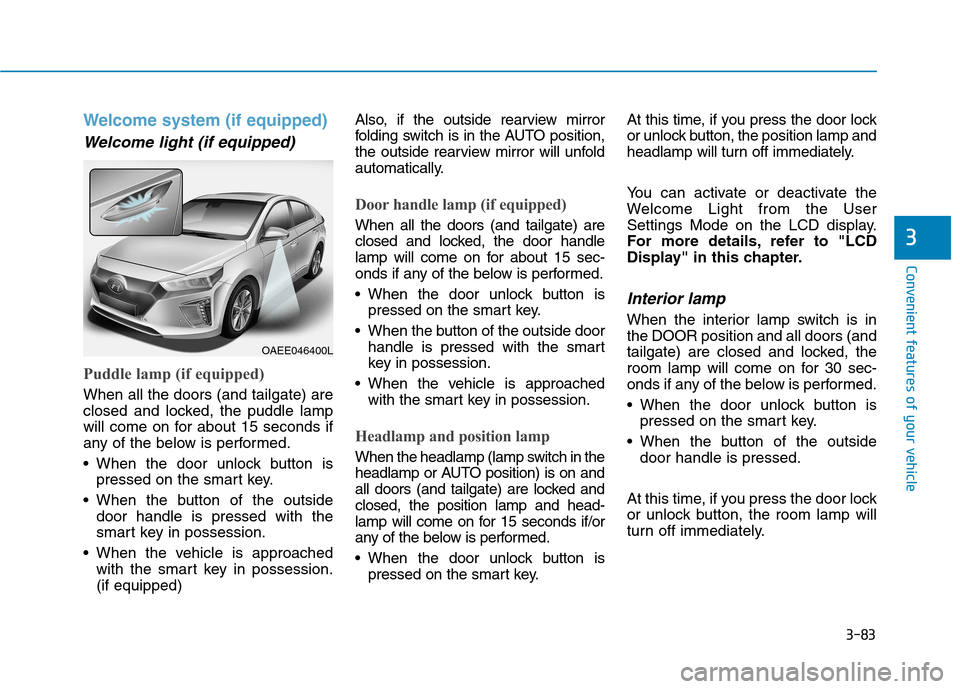
Puddle lamp (if equipped)
When all the doors (and tailgate) are
closed and locked, the puddle lamp
will come on for about 15 seconds if
any of the below is performed.
When the door unlock button ispressed on the smart key.
When the button of the outside door handle is pressed with the
smart key in possession.
When the vehicle is approached with the smart key in possession.(if equipped) Also, if the outside rearview mirror
folding switch is in the AUTO position,
the outside rearview mirror will unfold
automatically.
Door handle lamp (if equipped)
When all the doors (and tailgate) are
closed and locked, the door handle
lamp will come on for about 15 sec-
onds if any of the below is performed.
When the door unlock button is
pressed on the smart key.
When the button of the outside door handle is pressed with the smart
key in possession.
When the vehicle is approached with the smart key in possession.
Headlamp and position lamp
When the headlamp (lamp switch in the
headlamp or AUTO position) is on and
all doors (and tailgate) are locked andclosed, the position lamp and head-
lamp will come on for 15 seconds if/or
any of the below is performed.
When the door unlock button ispressed on the smart key. At this time, if you press the door lock
or unlock button, the position lamp and
headlamp will turn off immediately.
You can activate or deactivate the
Welcome Light from the User
Settings Mode on the LCD display.
For more details, refer to "LCD
Display" in this chapter.
Interior lamp
When the interior lamp switch is inthe DOOR position and all doors (and
tailgate) are closed and locked, the
room lamp will come on for 30 sec-
onds if any of the below is performed.
When the door unlock button is
pressed on the smart key.
When the button of the outside door handle is pressed.
At this time, if you press the door lock
or unlock button, the room lamp will
turn off immediately.
OAEE046400L