Page 241 of 565
240
uuAudio System Basic Operation uAudio/Information Screen
Features
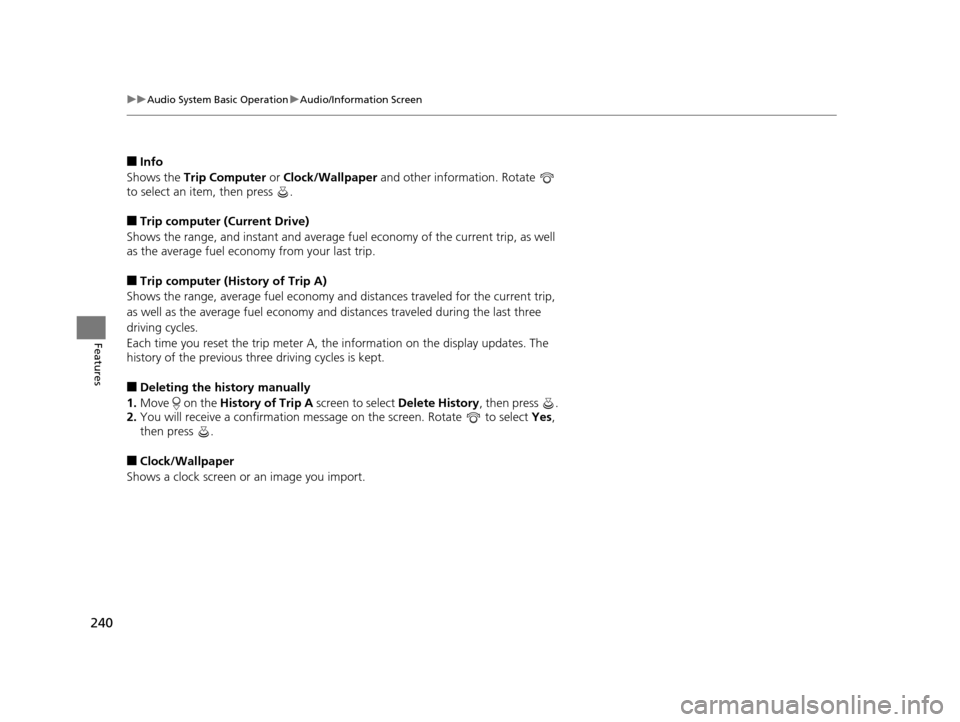
■Info
Shows the Trip Computer or Clock/Wallpaper and other information. Rotate
to select an item, then press .
■Trip computer (Current Drive)
Shows the range, and instant and average fu el economy of the current trip, as well
as the average fuel economy from your last trip.
■Trip computer (History of Trip A)
Shows the range, average fuel economy an d distances traveled for the current trip,
as well as the average fuel economy and distances traveled during the last three
driving cycles.
Each time you reset the trip meter A, the information on the display updates. The
history of the previous th ree driving cycles is kept.
■Deleting the history manually
1. Move on the History of Trip A screen to select Delete History, then press .
2. You will receive a confirmation message on the screen. Rotate to select Yes,
then press .
■Clock/Wallpaper
Shows a clock screen or an image you import.
17 US ODYSSEY (KA KC)-31TK86600.book 240 ページ 2016年10月24日 月曜日 午後4時2分
Page 242 of 565
Continued241
uuAudio System Basic Operation uAudio/Information Screen
Features
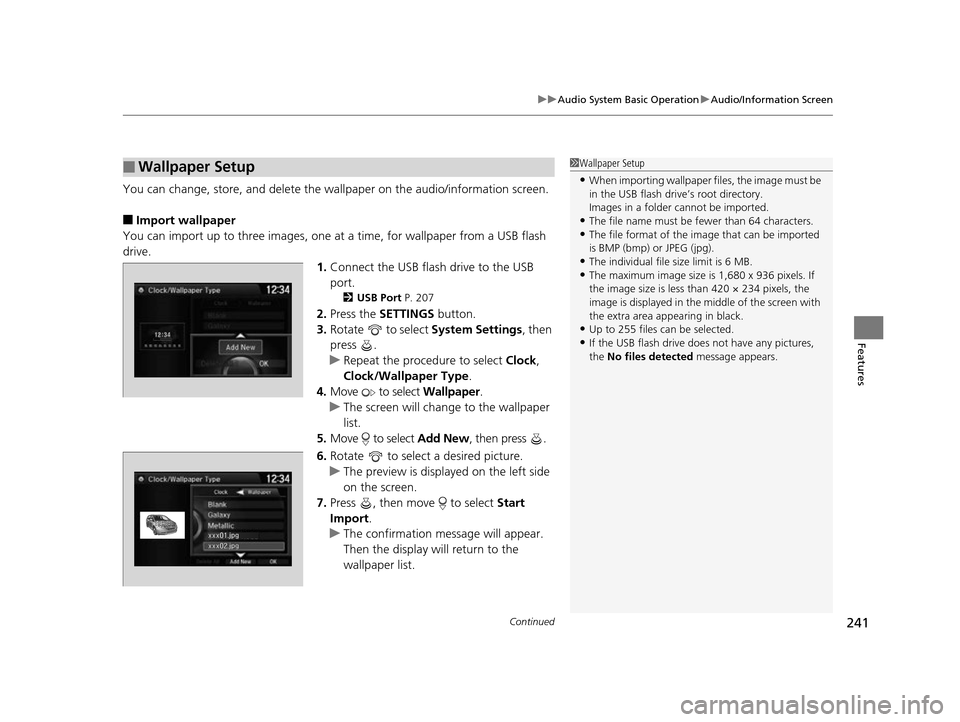
You can change, store, and delete the wa llpaper on the audio/information screen.
■Import wallpaper
You can import up to three images, one at a time, for wallpaper from a USB flash
drive.
1.Connect the USB flash drive to the USB
port.
2 USB Port P. 207
2.Press the SETTINGS button.
3. Rotate to select System Settings, then
press .
u Repeat the procedure to select Clock,
Clock/Wallpaper Type .
4. Move to select Wallpaper.
u The screen will change to the wallpaper
list.
5. Move to select Add New, then press .
6. Rotate to select a desired picture.
u The preview is displayed on the left side
on the screen.
7. Press , then move to select Start
Import.
u The confirmation message will appear.
Then the display will return to the
wallpaper list.
■Wallpaper Setup1Wallpaper Setup
•When importing wallpaper files, the image must be
in the USB flash drive’s root directory.
Images in a folder cannot be imported.
•The file name must be fewer than 64 characters.•The file format of the im age that can be imported
is BMP (bmp) or JPEG (jpg).
•The individual file size limit is 6 MB.•The maximum image size is 1,680 x 936 pixels. If
the image size is less than 420 × 234 pixels, the
image is displayed in the middle of the screen with
the extra area appearing in black.
•Up to 255 files can be selected.
•If the USB flash drive doe s not have any pictures,
the No files detected message appears.
17 US ODYSSEY (KA KC)-31TK86600.book 241 ページ 2016年10月24日 月曜日 午後4時2分
Page 247 of 565
uuAudio System Basic Operation uPlaying AM/FM Radio
246
Features
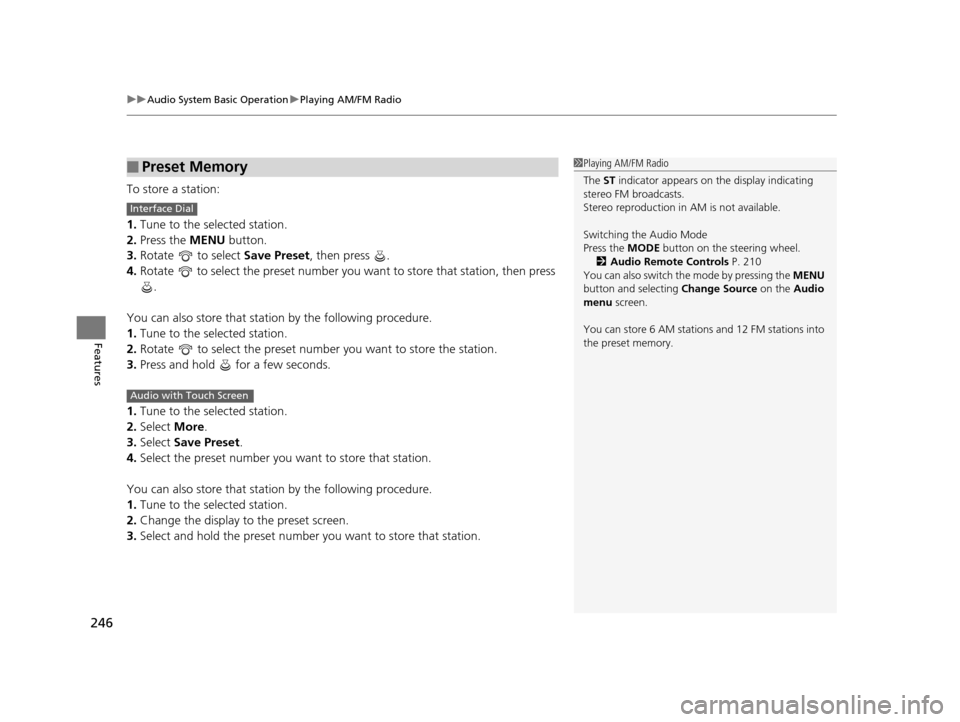
To store a station:
1. Tune to the selected station.
2. Press the MENU button.
3. Rotate to select Save Preset, then press .
4. Rotate to select the preset number you want to store that station, then press
.
You can also store that statio n by the following procedure.
1. Tune to the selected station.
2. Rotate to select the preset number you want to store the station.
3. Press and hold for a few seconds.
1. Tune to the selected station.
2. Select More.
3. Select Save Preset .
4. Select the preset number you wa nt to store that station.
You can also store that statio n by the following procedure.
1. Tune to the selected station.
2. Change the display to the preset screen.
3. Select and hold the preset number you want to store that station.
■Preset Memory1Playing AM/FM Radio
The ST indicator appears on the display indicating
stereo FM broadcasts.
Stereo reproduction in AM is not available.
Switching the Audio Mode
Press the MODE button on the steering wheel.
2 Audio Remote Controls P. 210
You can also switch the mode by pressing the MENU
button and selecting Change Source on the Audio
menu screen.
You can store 6 AM stations and 12 FM stations into
the preset memory.
Interface Dial
Audio with Touch Screen
17 US ODYSSEY (KA KC)-31TK86600.book 246 ページ 2016年10月24日 月曜日 午後4時2分
Page 273 of 565
272
Features
General Information on the Audio System
SiriusXM® Radio Service*
1. You need your radio ID ready befo re registering for subscription.
To see the ID on the display: Turn the selector knob until 0 appears.
2. Have your radio ID and credit card number ready, and either call or visit the XM®
website to subscribe.
Switch to the SiriusXM mode by using the MODE button on the steering wheel, or
through the audio with touch screen, and st ay in this mode for about 30 minutes
until the service is activated. Make sure yo ur vehicle is in an open area with good
reception.
Loading:
SiriusXM ® is loading the audio or program information.
Ch off air:
The channel is not currently broadcasting.
Ch unauthorized:
SirusXM ® radio is receiving informat ion update from the network.
No signal:
The signal is too weak in the current location.
Ch unavailable:
No such channel exists, the ch annel is not part of your subscription, or the artist or
title information is unavailable.
Check antenna:
There is a problem with the SiriusXM ® antenna. Contact a dealer.
■Subscribing to SiriusXM® Radio
■Receiving SiriusXM® Radio
■SiriusXM® Radio Display Messages
1 Subscribing to SiriusXM ® Radio
Contact Information for SiriusXM® Radio:US: SiriusXM ® Radio at www.siriusxm.com or (800)
852-9696
Canada: SiriusXM ® Canada at www.xmradio.ca , or
(877) 209-0079
1 Receiving SiriusXM® Radio
The SiriusXM® satellites are in orbit over the equator,
therefore, objects south of the vehicle may cause
satellite reception interrupt ions. Satellite signals are
more likely to be blocked by tall buildings and
mountains the farther north you travel from the
equator.
You may experience rece ption problems under the
following circumstances:
•In a location with an obstruction to the south of
your vehicle.
•In tunnels
•On the lower level of a multi-tiered road•Large items carried on the roof rack
* Not available on all models
17 US ODYSSEY (KA KC)-31TK86600.book 272 ページ 2016年10月24日 月曜日 午後4時2分
Page 275 of 565
uuGeneral Information on the Audio System uRecommended CDs
274
Features
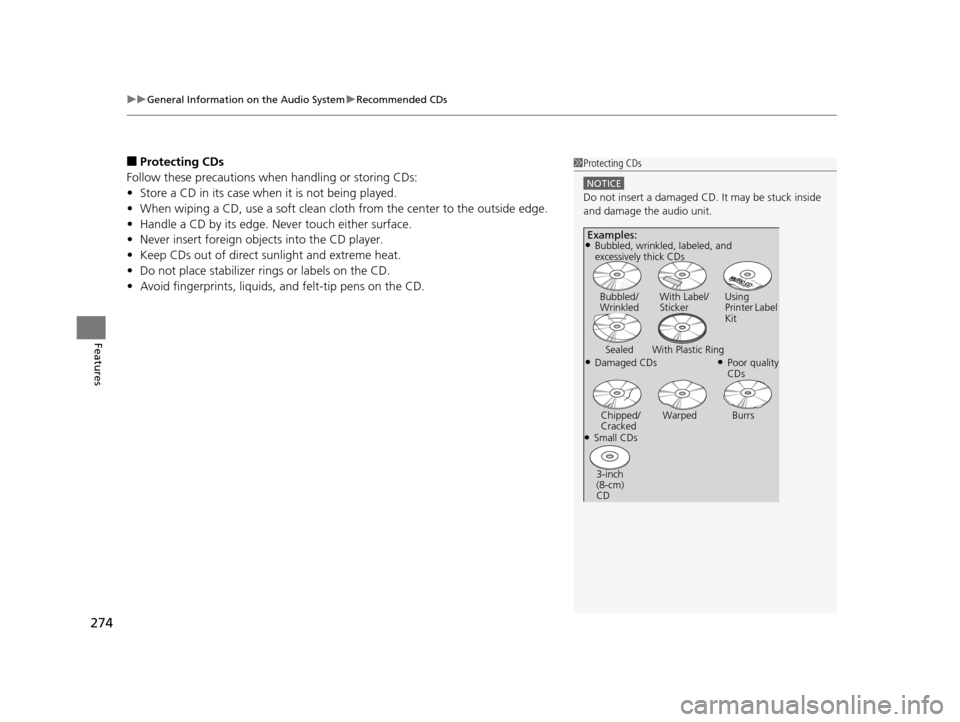
■Protecting CDs
Follow these precautions when handling or storing CDs:
• Store a CD in its case when it is not being played.
• When wiping a CD, use a soft clean clot h from the center to the outside edge.
• Handle a CD by its edge. Never touch either surface.
• Never insert foreign objects into the CD player.
• Keep CDs out of direct sunlight and extreme heat.
• Do not place stabilizer ri ngs or labels on the CD.
• Avoid fingerprints, liquids, and felt-tip pens on the CD.1Protecting CDs
NOTICE
Do not insert a damaged CD. It may be stuck inside
and damage the audio unit.
Examples:
●Damaged CDs Bubbled/
Wrinkled
With Label/
Sticker Using
Printer Label
Kit
Sealed With Plastic Ring●Poor quality
CDs
Chipped/
Cracked Warped Burrs
●Small CDs
3-inch
(8-cm)
CD
●Bubbled, wrinkled, labeled, and
excessively thick CDs
17 US ODYSSEY (KA KC)-31TK86600.book 274 ページ 2016年10月24日 月曜日 午後4時2分
Page 277 of 565
276
Features
Rear Entertainment System*
See the Navigation System Manual for how to operate the rear entertainment
system.
Allows the rear passengers to enjoy a diffe rent entertainment source, such as DVD,
CD, and radio, than the front passengers.
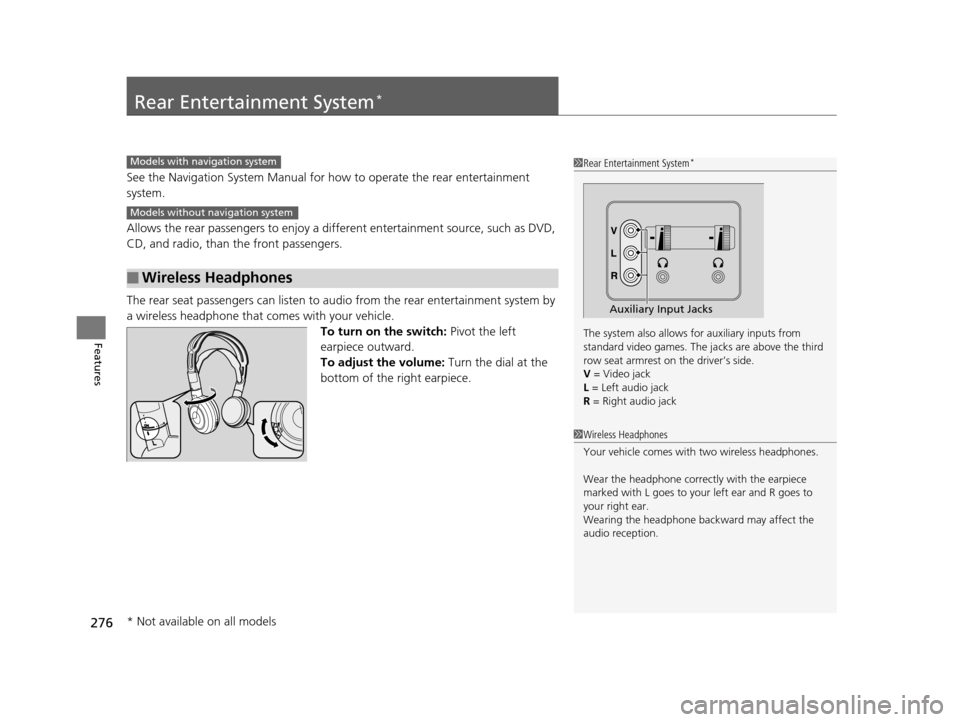
The rear seat passengers can listen to au dio from the rear entertainment system by
a wireless headphone that comes with your vehicle. To turn on the switch: Pivot the left
earpiece outward.
To adjust the volume: Turn the dial at the
bottom of the right earpiece.
■Wireless Headphones
1 Rear Entertainment System*
The system also allows for auxiliary inputs from
standard video games. The jacks are above the third
row seat armrest on the driver’s side.
V = Video jack
L = Left audio jack
R = Right audio jack
Auxiliary Input Jacks
Models with navigation system
Models without navigation system
1 Wireless Headphones
Your vehicle comes with two wireless headphones.
Wear the headphone correc tly with the earpiece
marked with L goes to y our left ear and R goes to
your right ear.
Wearing the headphone back ward may affect the
audio reception.
* Not available on all models
17 US ODYSSEY (KA KC)-31TK86600.book 276 ページ 2016年10月24日 月曜日 午後4時2分
Page 285 of 565
uuRear Entertainment System*uOperating the System
284
Features
Initial Settings:
You can configure the initial Language, Dynamic Range, and Angle Mark settings
before playing DVD.
1. Select the language setting.
2. Select the language from English, French, Spanish, Arabic, German , Italian,
Dutch , Chinese , Korean , Thai , Japanese , and other.
3. If you select other, you need to enter the four digit language code number to
configure the language that is not listed. Select Yes to go to the number input
screen.
u To return to the language Setting screen, select No.
4. Press the ENTER button each time you input digit.
u If you want to delete a number, select DEL.
5. The cursor automatically goes to ENT after you input four digits. Press the ENTER
button to command.
Language
Settings -
Select the language for the DVD’s
displayed menus (Menu Language),
the DVD’s audio (Audio Language), and the DVD’s subtitle (Subtitle
Language).
Dynamic
Range - The feature reduces the difference between the loud and quiet sound
levels. Select
ON or OFF .
Angle
Mark - You can select whether to display
the angle mark appearing in the
upper right corner of the screen wh en you change the view angle while
the DVD is playing. Select ON or OFF .1MENU button on the remote
Initial Settings:
The prior language varies by disc. You may not be
able to configure your selected language setting.
17 US ODYSSEY (KA KC)-31TK86600.book 284 ページ 2016年10月24日 月曜日 午後4時2分
Page 297 of 565
296
uuCustomized Features u
Features
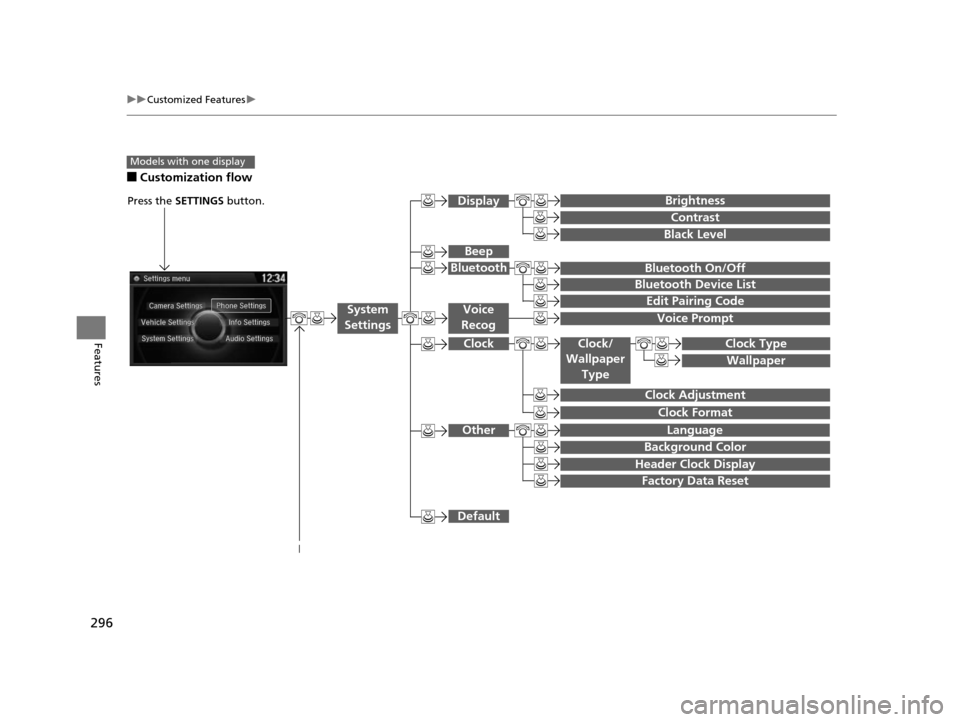
■Customization flow
Models with one display
Clock Format
Background Color
Header Clock Display
Factory Data Reset
Clock Adjustment
Press the SETTINGS button.
Language
Default
Edit Pairing Code
Bluetooth On/Off
Bluetooth Device List
Voice Prompt
Brightness
Contrast
Black Level
Beep
Clock/
Wallpaper
TypeClock Type
Wallpaper
System
SettingsVoice
Recog
Bluetooth
Display
Clock
Other
17 US ODYSSEY (KA KC)-31TK86600.book 296 ページ 2016年10月24日 月曜日 午後4時2分