Page 375 of 565
374
uuBluetooth ® HandsFreeLink ®u HFL Menus
Features
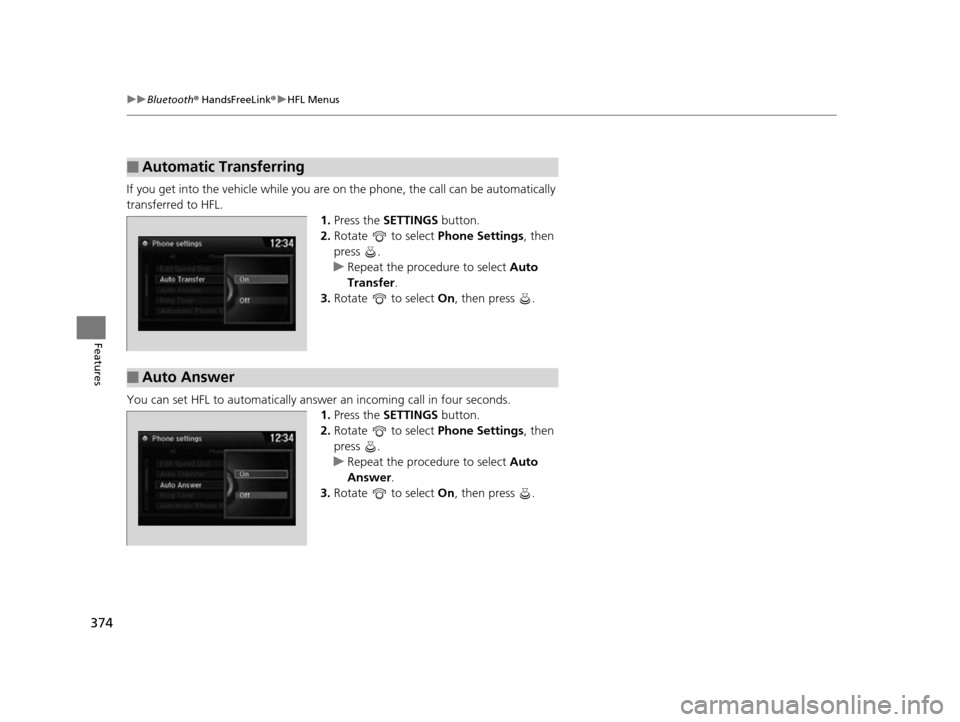
If you get into the vehicle while you are on the phone, the call can be automatically
transferred to HFL. 1.Press the SETTINGS button.
2. Rotate to select Phone Settings, then
press .
u Repeat the procedure to select Auto
Transfer .
3. Rotate to select On, then press .
You can set HFL to automatically answer an incoming call in four seconds.
1. Press the SETTINGS button.
2. Rotate to select Phone Settings, then
press .
u Repeat the procedure to select Auto
Answer.
3. Rotate to select On, then press .
■Automatic Transferring
■Auto Answer
17 US ODYSSEY (KA KC)-31TK86600.book 374 ページ 2016年10月24日 月曜日 午後4時2分
Page 376 of 565
Continued375
uuBluetooth ® HandsFreeLink ®u HFL Menus
Features
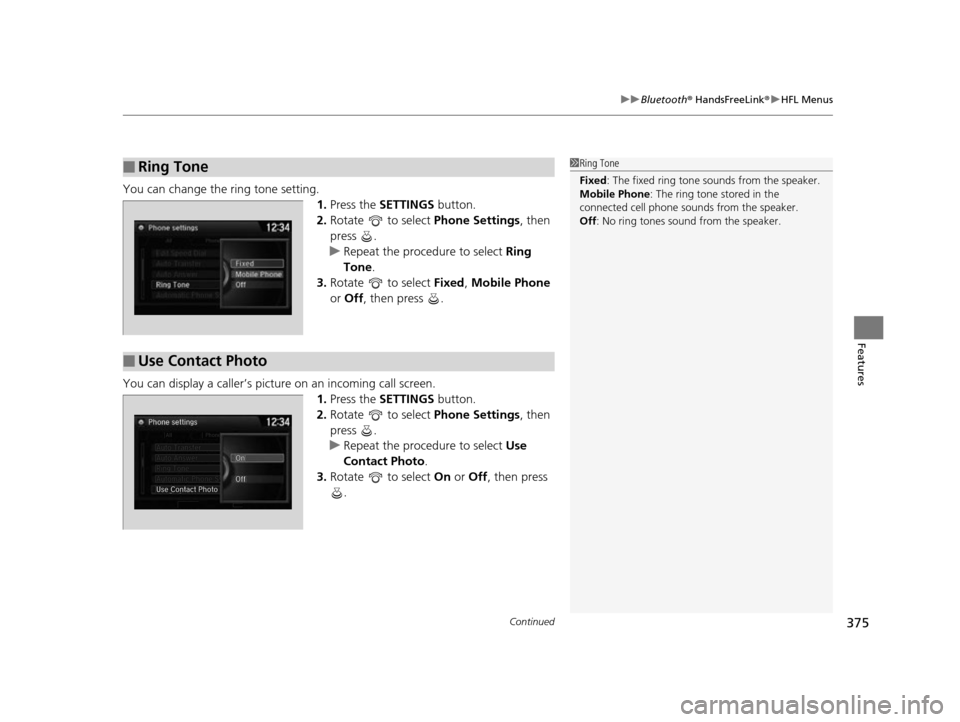
You can change the ring tone setting.
1.Press the SETTINGS button.
2. Rotate to select Phone Settings, then
press .
u Repeat the procedure to select Ring
Tone .
3. Rotate to select Fixed, Mobile Phone
or Off , then press .
You can display a caller’s picture on an incoming call screen. 1.Press the SETTINGS button.
2. Rotate to select Phone Settings, then
press .
u Repeat the procedure to select Use
Contact Photo .
3. Rotate to select On or Off , then press
.
■Ring Tone1 Ring Tone
Fixed: The fixed ring tone sounds from the speaker.
Mobile Phone: The ring tone stored in the
connected cell phone sounds from the speaker.
Off : No ring tones sound from the speaker.
■Use Contact Photo
17 US ODYSSEY (KA KC)-31TK86600.book 375 ページ 2016年10月24日 月曜日 午後4時2分
Page 386 of 565
Continued385
uuBluetooth ® HandsFreeLink ®u HFL Menus
Features
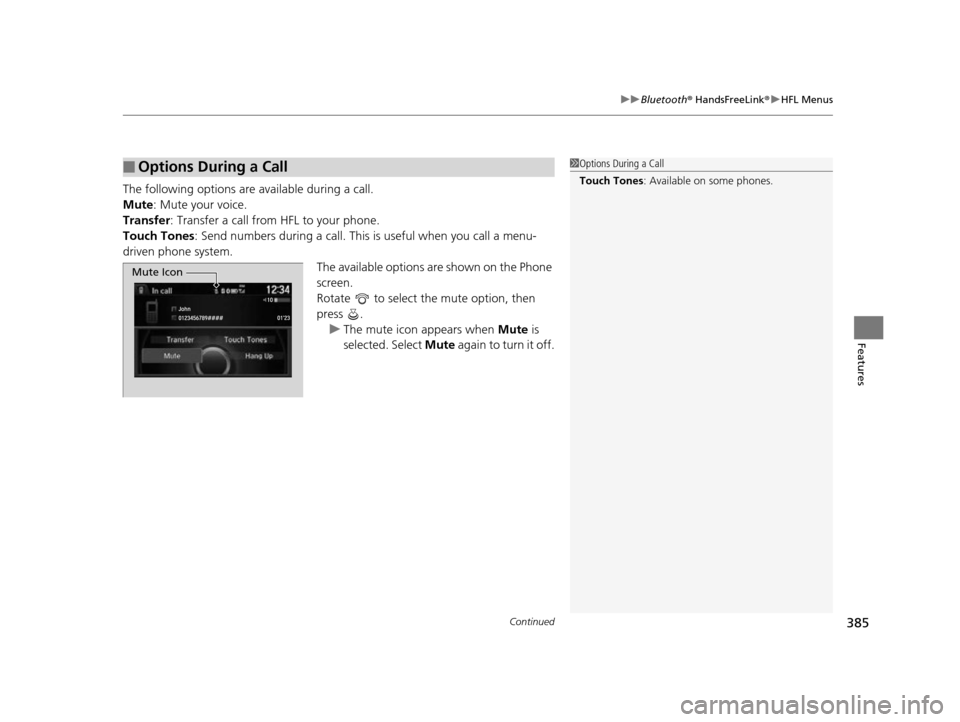
The following options are available during a call.
Mute : Mute your voice.
Transfer: Transfer a call from HFL to your phone.
Touch Tones : Send numbers during a call. This is useful when you call a menu-
driven phone system.
The available options are shown on the Phone
screen.
Rotate to select the mute option, then
press . u The mute icon appears when Mute is
selected. Select Mute again to turn it off.
■Options During a Call1Options During a Call
Touch Tones : Available on some phones.
Mute Icon
17 US ODYSSEY (KA KC)-31TK86600.book 385 ページ 2016年10月24日 月曜日 午後4時2分
Page 396 of 565

395
Driving
This chapter discusses driving, refueling, and information on items such as accessories.
Before Driving
Driving Preparation .......................... 396
Maximum Load Limit........................ 399
Towing a Trailer Towing Preparation .......................... 401
Driving Safely with a Trailer .............. 405
Towing Your Vehicle ........................ 406
When Driving Starting the Engine .................. 407, 409
Precautions While Driving................. 411
Automatic Transmission ................... 412
Shifting ............................................ 413 Cruise Control ................................. 415
Forward Collision Warning (FCW)*.. 418
Lane Departure Warning (LDW)*..... 422
Vehicle Stability Assist (VSA®), aka Electronic
Stability Control (ESC), System ............... 426
Tire Pressure Monitoring System (TPMS) ... 428
Tire Pressure Monitoring System (TPMS) - Required Federal Explanation ......... 429
Blind Spot Information (BSI) System*.... 432
LaneWatchTM*.................................. 434 Braking
Brake System ................................... 436
Anti-lock Brake System (ABS) ........... 438
Brake Assist System ......................... 439
Parking Your Vehicle When Stopped ................................ 440
Parking Sensor System
*................... 441
Rearview Camera ............................. 445
Refueling Fuel Information .............................. 446
How to Refuel ................................. 447
Fuel Economy and CO
2 Emissions .... 449
Accessories and Modifications ........ 450
* Not available on all models
17 US ODYSSEY (KA KC)-31TK86600.book 395 ページ 2016年10月24日 月曜日 午後4時2分
Page 398 of 565
Continued397
uuBefore Driving uDriving Preparation
Driving
• Store or secure all items on board properly.
u Carrying too much cargo, or improperly storing it, can affect your vehicle's
handling, stability, sto pping distance, and tires, and make it unsafe.
2Maximum Load Limit P. 399
•Do not pile items higher than the seat height.
u They can block your view and may be thrown forward in the event of sudden
braking.
• Do not place anything in the front seat footwells. Make sure to secure the floor
mat.
u An object or unsecured floor mat can in terfere with your brake and accelerator
pedal operation while driving.
• If you have any animals on board, do not let them move around in the vehicle.
u They may interfere with driv ing and a crash could occur.
• Securely close and lock al l doors and the tailgate.
2Locking/Unlocking the Doors from the Inside P. 118
•Adjust your seating position properly.
u Adjust the head restraint, too.
2Adjusting the Seats P. 161
2 Adjusting the Head Restraints P. 164
•Adjust the mirrors and steering wh eel properly for your driving.
u Adjust them while sitting in the proper driving position.
2 Adjusting the Mirrors P. 158
2 Adjusting the Steering Wheel P. 157
■Interior Checks1Interior Checks
The headlight aim is set by the factory, and does not
need to be adjusted. Howeve r, if you regularly carry
heavy items in the cargo area or tow a trailer, have
the aiming readjusted at a dealer or by a qualified
technician.
17 US ODYSSEY (KA KC)-31TK86600.book 397 ページ 2016年10月24日 月曜日 午後4時2分
Page 403 of 565
uuTowing a Trailer uTowing Preparation
402
Driving
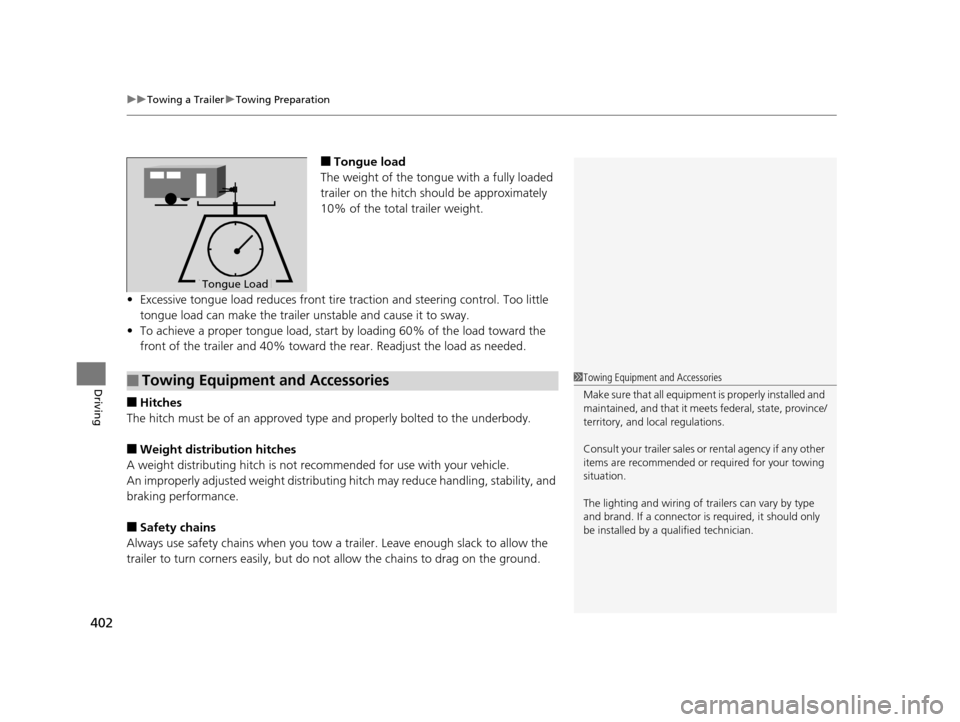
■Tongue load
The weight of the tongue with a fully loaded
trailer on the hitch should be approximately
10% of the total trailer weight.
• Excessive tongue load reduces front tire traction and steering control. Too little
tongue load can make the trailer unstable and cause it to sway.
• To achieve a proper tongue load, start by loading 60% of the load toward the
front of the trailer and 40% toward th e rear. Readjust the load as needed.
■Hitches
The hitch must be of an approved type and properly bolted to the underbody.
■Weight distribution hitches
A weight distributing hitch is not recommended for use with your vehicle.
An improperly adjusted weight distributin g hitch may reduce handling, stability, and
braking performance.
■Safety chains
Always use safety chains when you tow a trailer. Leave enough slack to allow the
trailer to turn corners easily, but do not allow the chains to drag on the ground.
To n gue LoadTongue Load
■Towing Equipment and Accessories1Towing Equipment and Accessories
Make sure that all equipment is properly installed and
maintained, and that it meets federal, state, province/
territory, and lo cal regulations.
Consult your traile r sales or rental agency if any other
items are recommended or required for your towing
situation.
The lighting and wiring of tra ilers can vary by type
and brand. If a connector is required, it should only
be installed by a qua lified technician.
17 US ODYSSEY (KA KC)-31TK86600.book 402 ページ 2016年10月24日 月曜日 午後4時2分
Page 404 of 565
403
uuTowing a Trailer uTowing Preparation
Continued
Driving
■Trailer brakes
Recommended for any trailer with a total weight of 1,000 lbs (450 kg) or more:
There are two common types of trailer bra kes: surge and electric. Surge brakes are
common for boat trailers, since the brakes will get wet. If you choose electric brakes,
be sure they are electronically actuated. Do not attempt to attach trailer brakes to
your vehicle's hydraulic system, as it wi ll lower braking effectiveness and create a
potential hazard.
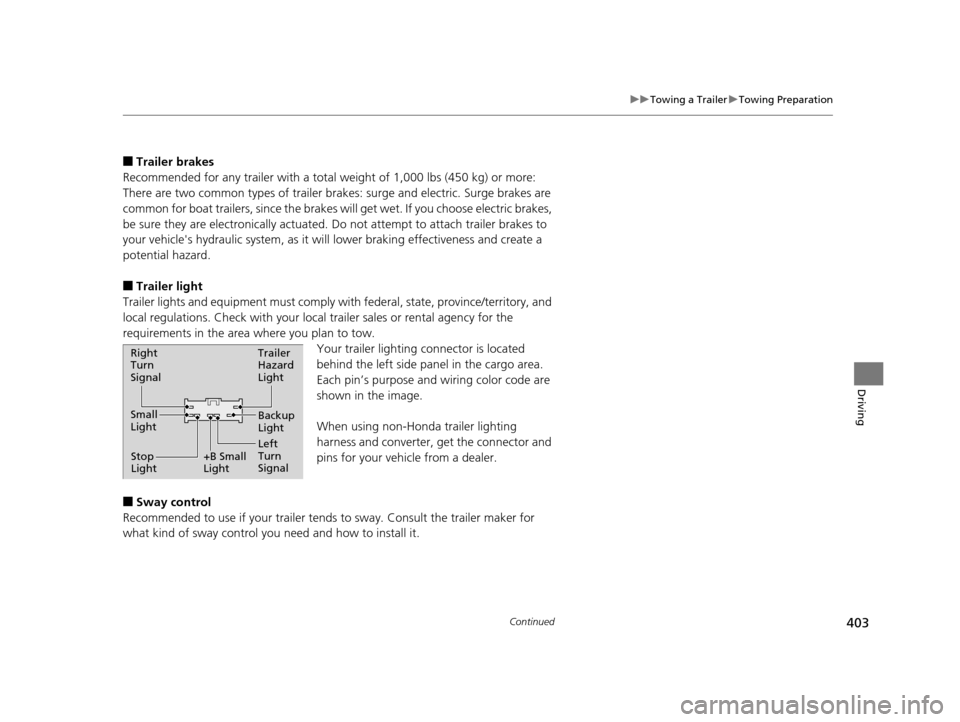
■Trailer light
Trailer lights and equipment must comply with federal, state, province/territory, and
local regulations. Check with your local trailer sales or rental agency for the
requirements in the area where you plan to tow.
Your trailer lighting connector is located
behind the left side panel in the cargo area.
Each pin’s purpose and wiring color code are
shown in the image.
When using non-Honda trailer lighting
harness and converter, get the connector and
pins for your vehicle from a dealer.
■Sway control
Recommended to use if your trailer tends to sway. Consult the trailer maker for
what kind of sway control you need and how to install it.
Right
Turn
Signal
Small
Light
Stop
Light +B Small
LightTrailer
Hazard
Light
Left
Turn
SignalBackup
Light
17 US ODYSSEY (KA KC)-31TK86600.book 403 ページ 2016年10月24日 月曜日
午後4時2分
Page 411 of 565
uuWhen Driving uStarting the Engine
410
Driving
You can turn the engine off when the vehicle is completely stopped.
1. Shift to
(P.
2. Press the ENGINE START/STOP button.
1. Keeping your right foot on the brake peda l, release the parking brake. Check that
the parking brake indicator has gone off.
2 Parking Brake P. 436
2.Put the shift lever in (D. Select (R when reversing.
3. Gradually release the brake pedal and gently depress the accelerator pedal to pull
away.
■Stopping the Engine
■Starting to Drive
1Starting the Engine
Bring the smart entry remote close to the ENGINE
START/STOP button if the battery in the smart entry
remote is weak.
2 If the Smart Entry Remote Battery is Weak
P. 521
The engine may not start if the smart entry remote is
subjected to strong radio waves.
Do not hold the ENGINE START/STOP button to
start the engine.
If the engine does not start, wait at least 10 seconds
before trying again.
17 US ODYSSEY (KA KC)-31TK86600.book 410 ページ 2016年10月24日 月曜日 午後4時2分