2017 FORD TAURUS ECO mode
[x] Cancel search: ECO modePage 116 of 504
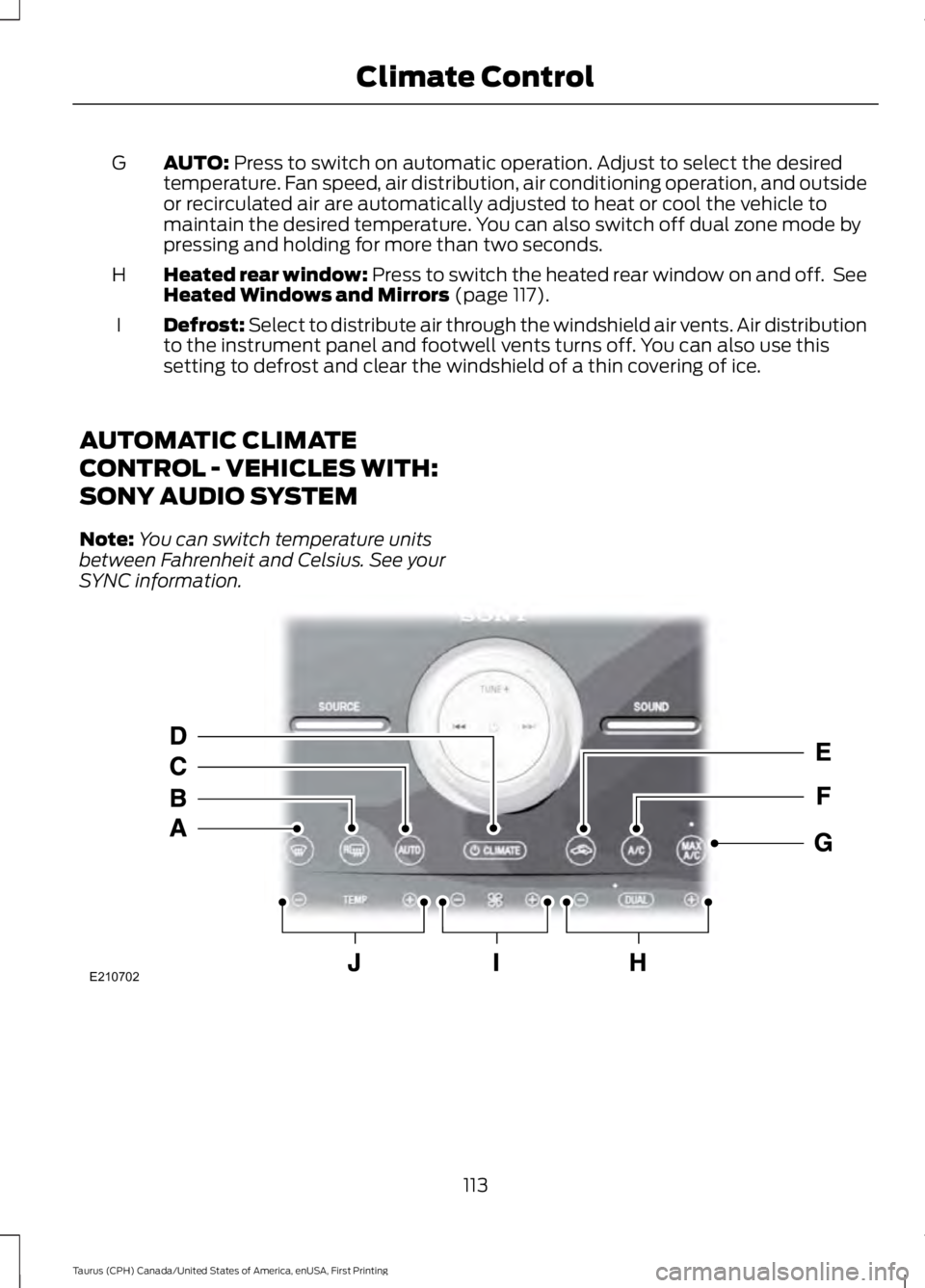
AUTO: Press to switch on automatic operation. Adjust to select the desiredtemperature. Fan speed, air distribution, air conditioning operation, and outsideor recirculated air are automatically adjusted to heat or cool the vehicle tomaintain the desired temperature. You can also switch off dual zone mode bypressing and holding for more than two seconds.
G
Heated rear window: Press to switch the heated rear window on and off. SeeHeated Windows and Mirrors (page 117).H
Defrost: Select to distribute air through the windshield air vents. Air distributionto the instrument panel and footwell vents turns off. You can also use thissetting to defrost and clear the windshield of a thin covering of ice.
I
AUTOMATIC CLIMATE
CONTROL - VEHICLES WITH:
SONY AUDIO SYSTEM
Note:You can switch temperature unitsbetween Fahrenheit and Celsius. See yourSYNC information.
113
Taurus (CPH) Canada/United States of America, enUSA, First Printing
Climate ControlE210702
Page 117 of 504
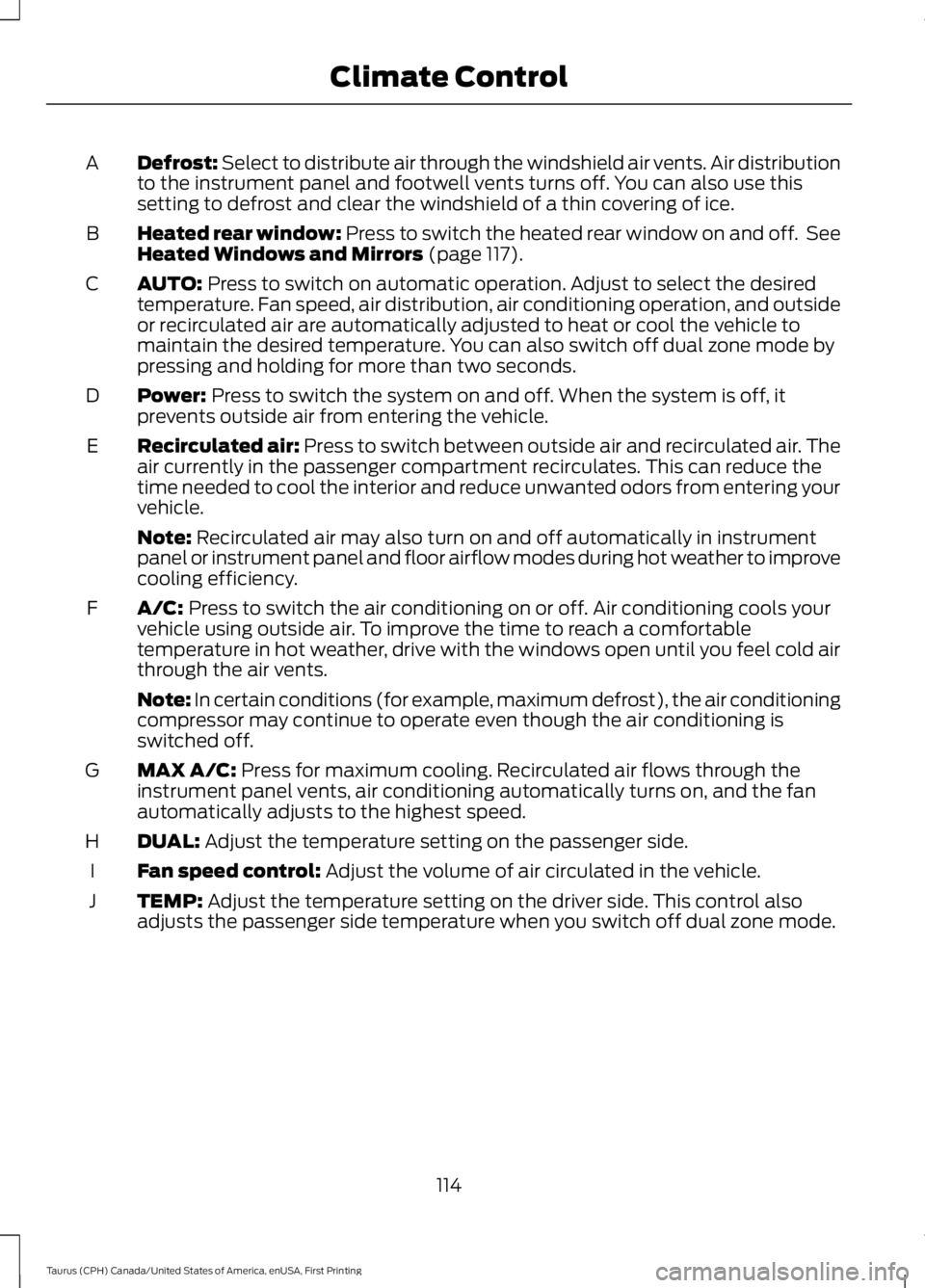
Defrost: Select to distribute air through the windshield air vents. Air distributionto the instrument panel and footwell vents turns off. You can also use thissetting to defrost and clear the windshield of a thin covering of ice.
A
Heated rear window: Press to switch the heated rear window on and off. SeeHeated Windows and Mirrors (page 117).B
AUTO: Press to switch on automatic operation. Adjust to select the desiredtemperature. Fan speed, air distribution, air conditioning operation, and outsideor recirculated air are automatically adjusted to heat or cool the vehicle tomaintain the desired temperature. You can also switch off dual zone mode bypressing and holding for more than two seconds.
C
Power: Press to switch the system on and off. When the system is off, itprevents outside air from entering the vehicle.D
Recirculated air: Press to switch between outside air and recirculated air. Theair currently in the passenger compartment recirculates. This can reduce thetime needed to cool the interior and reduce unwanted odors from entering yourvehicle.
E
Note: Recirculated air may also turn on and off automatically in instrumentpanel or instrument panel and floor airflow modes during hot weather to improvecooling efficiency.
A/C: Press to switch the air conditioning on or off. Air conditioning cools yourvehicle using outside air. To improve the time to reach a comfortabletemperature in hot weather, drive with the windows open until you feel cold airthrough the air vents.
F
Note: In certain conditions (for example, maximum defrost), the air conditioningcompressor may continue to operate even though the air conditioning isswitched off.
MAX A/C: Press for maximum cooling. Recirculated air flows through theinstrument panel vents, air conditioning automatically turns on, and the fanautomatically adjusts to the highest speed.
G
DUAL: Adjust the temperature setting on the passenger side.H
Fan speed control: Adjust the volume of air circulated in the vehicle.I
TEMP: Adjust the temperature setting on the driver side. This control alsoadjusts the passenger side temperature when you switch off dual zone mode.J
114
Taurus (CPH) Canada/United States of America, enUSA, First Printing
Climate Control
Page 127 of 504
Power Lumbar (If Equipped)
Multi-Contour Front Seats WithActive Motion (If Equipped)
Note:The massage system will turn offafter 20 minutes.
Note:The engine must be running or thevehicle must be in accessory mode toactivate the seats.
Note:Allow a few seconds for any selectionto activate. The seatback and cushionmassage cannot function at the same time.
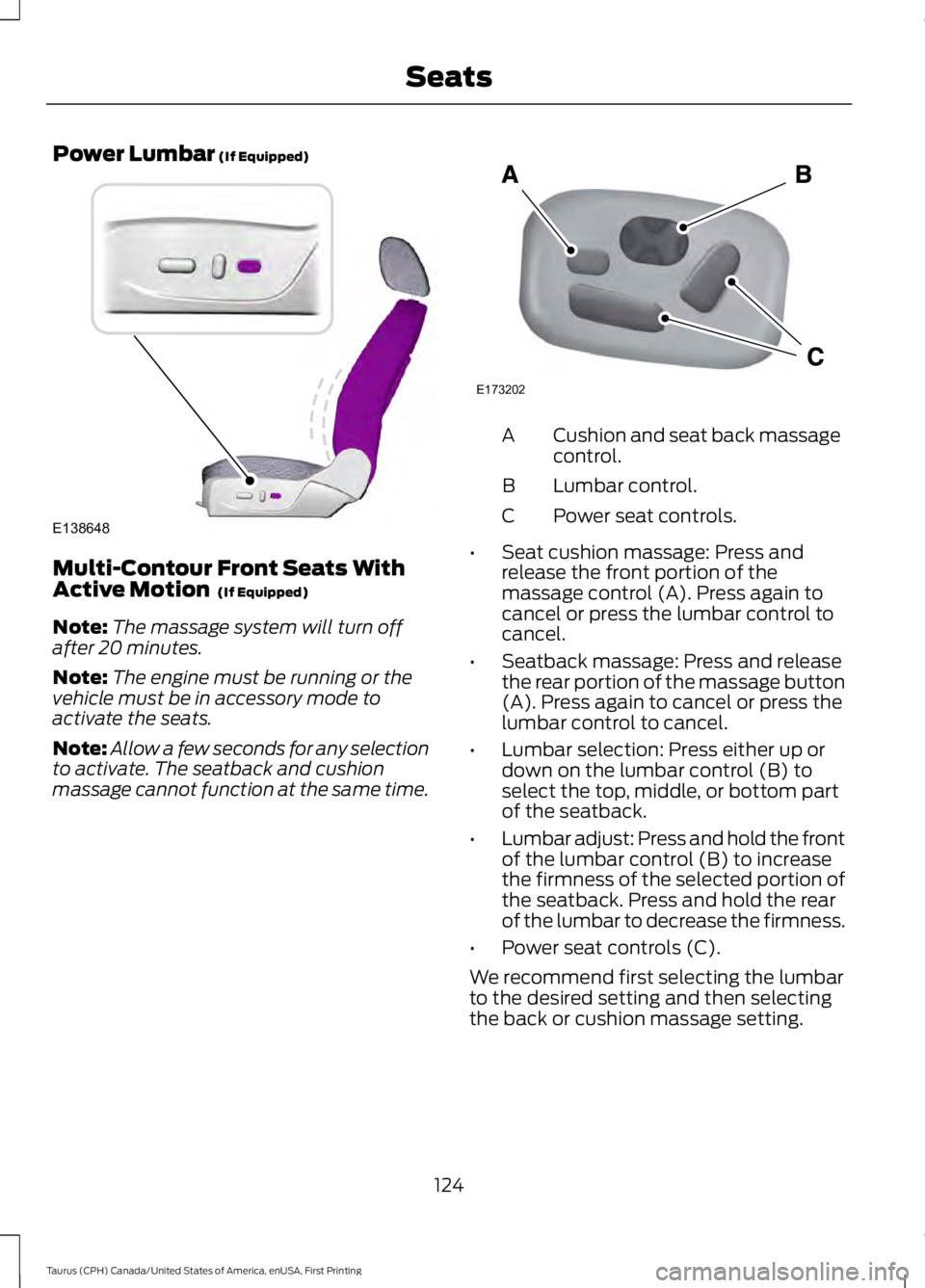
Cushion and seat back massagecontrol.A
Lumbar control.B
Power seat controls.C
•Seat cushion massage: Press andrelease the front portion of themassage control (A). Press again tocancel or press the lumbar control tocancel.
•Seatback massage: Press and releasethe rear portion of the massage button(A). Press again to cancel or press thelumbar control to cancel.
•Lumbar selection: Press either up ordown on the lumbar control (B) toselect the top, middle, or bottom partof the seatback.
•Lumbar adjust: Press and hold the frontof the lumbar control (B) to increasethe firmness of the selected portion ofthe seatback. Press and hold the rearof the lumbar to decrease the firmness.
•Power seat controls (C).
We recommend first selecting the lumbarto the desired setting and then selectingthe back or cushion massage setting.
124
Taurus (CPH) Canada/United States of America, enUSA, First Printing
SeatsE138648 E173202
Page 135 of 504
Gate Operator / CanadianProgramming
Canadian radio-frequency laws requiretransmitter signals to “time-out” (or quit)after several seconds of transmission –which may not be long enough forHomeLink to pick up the signal duringprogramming. Similar to this Canadian law,some U.S. gate operators are designed to“time-out” in the same manner.
Note:If programming a garage door openeror gate operator, it is advised to unplug thedevice during the “cycling” process toprevent possible overheating.
1. Press and hold the HomeLink buttonwhile you press and release,every twoseconds, your hand-held transmitteruntil the HomeLink indicator lightchanges from a slow to a rapidlyblinking light.
2. Release both the HomeLink andhand-held transmitter buttons.
3. Continue programing HomeLink. SeeIn-Vehicle Programming.
Erasing the Function Button Codes
Note:You cannot erase individual buttons.
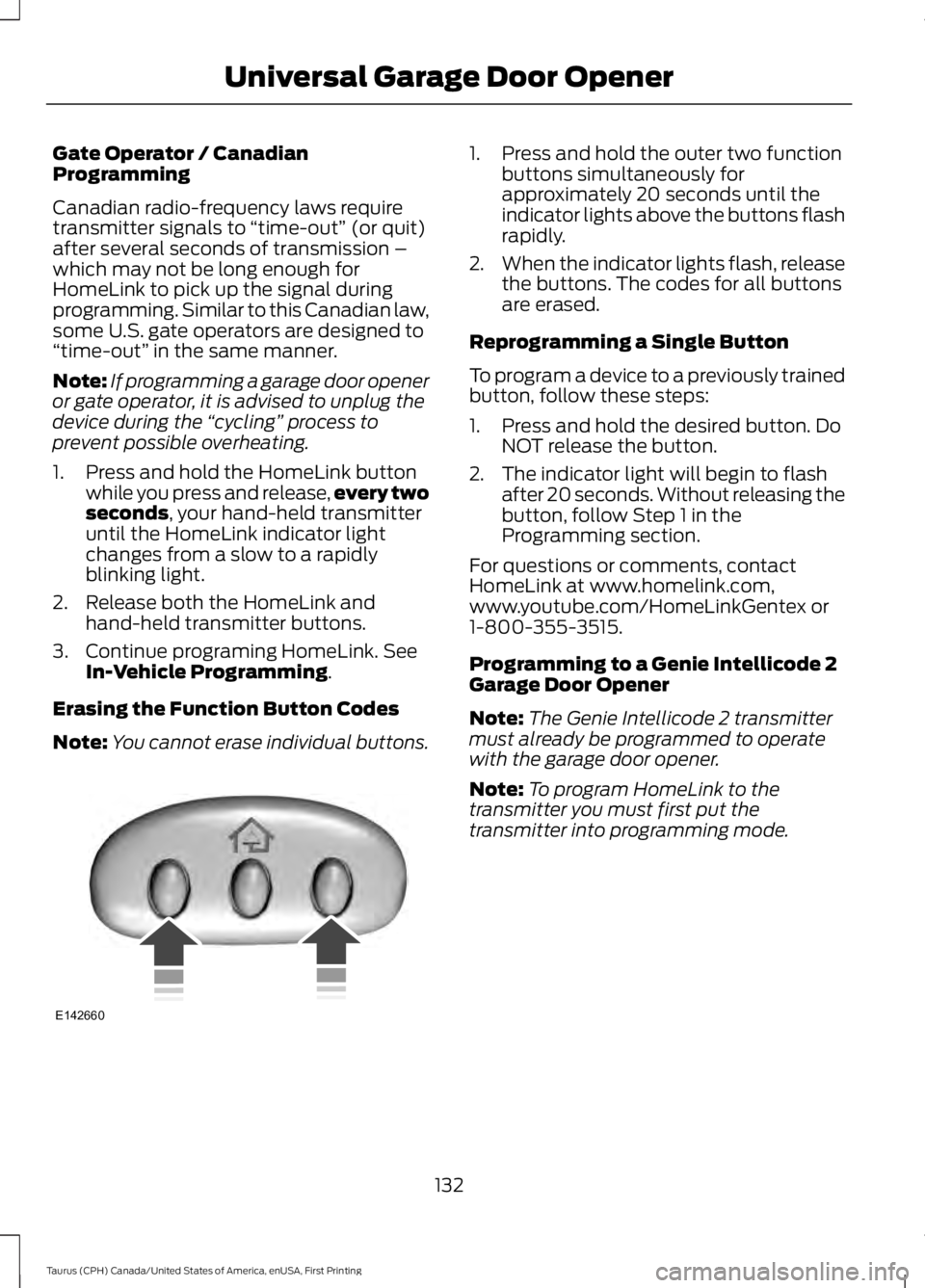
1. Press and hold the outer two functionbuttons simultaneously forapproximately 20 seconds until theindicator lights above the buttons flashrapidly.
2.When the indicator lights flash, releasethe buttons. The codes for all buttonsare erased.
Reprogramming a Single Button
To program a device to a previously trainedbutton, follow these steps:
1. Press and hold the desired button. DoNOT release the button.
2. The indicator light will begin to flashafter 20 seconds. Without releasing thebutton, follow Step 1 in theProgramming section.
For questions or comments, contactHomeLink at www.homelink.com,www.youtube.com/HomeLinkGentex or1-800-355-3515.
Programming to a Genie Intellicode 2Garage Door Opener
Note:The Genie Intellicode 2 transmittermust already be programmed to operatewith the garage door opener.
Note:To program HomeLink to thetransmitter you must first put thetransmitter into programming mode.
132
Taurus (CPH) Canada/United States of America, enUSA, First Printing
Universal Garage Door OpenerE142660
Page 136 of 504
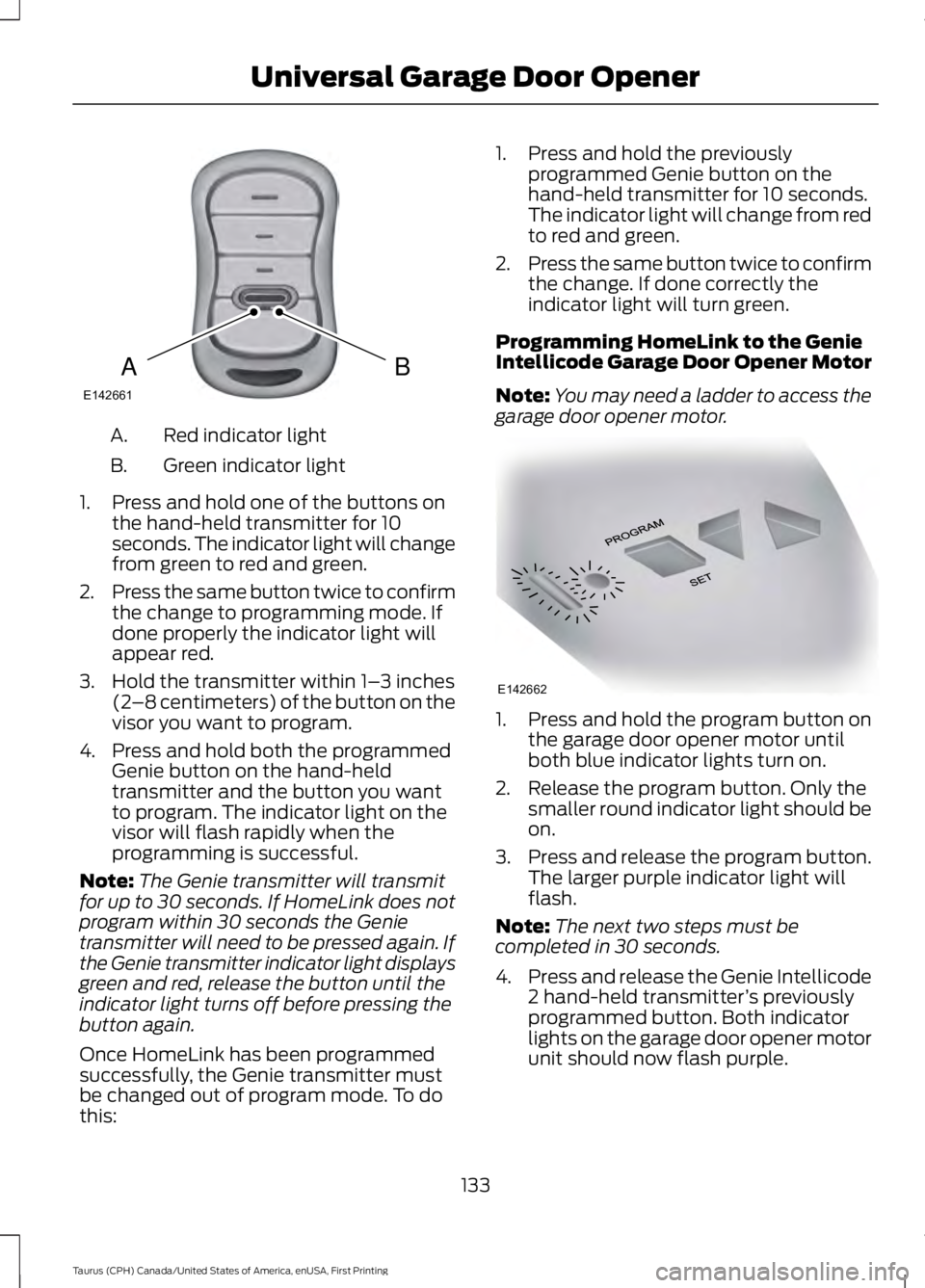
Red indicator lightA.
Green indicator lightB.
1. Press and hold one of the buttons onthe hand-held transmitter for 10seconds. The indicator light will changefrom green to red and green.
2.Press the same button twice to confirmthe change to programming mode. Ifdone properly the indicator light willappear red.
3. Hold the transmitter within 1–3 inches(2–8 centimeters) of the button on thevisor you want to program.
4. Press and hold both the programmedGenie button on the hand-heldtransmitter and the button you wantto program. The indicator light on thevisor will flash rapidly when theprogramming is successful.
Note:The Genie transmitter will transmitfor up to 30 seconds. If HomeLink does notprogram within 30 seconds the Genietransmitter will need to be pressed again. Ifthe Genie transmitter indicator light displaysgreen and red, release the button until theindicator light turns off before pressing thebutton again.
Once HomeLink has been programmedsuccessfully, the Genie transmitter mustbe changed out of program mode. To dothis:
1. Press and hold the previouslyprogrammed Genie button on thehand-held transmitter for 10 seconds.The indicator light will change from redto red and green.
2.Press the same button twice to confirmthe change. If done correctly theindicator light will turn green.
Programming HomeLink to the GenieIntellicode Garage Door Opener Motor
Note:You may need a ladder to access thegarage door opener motor.
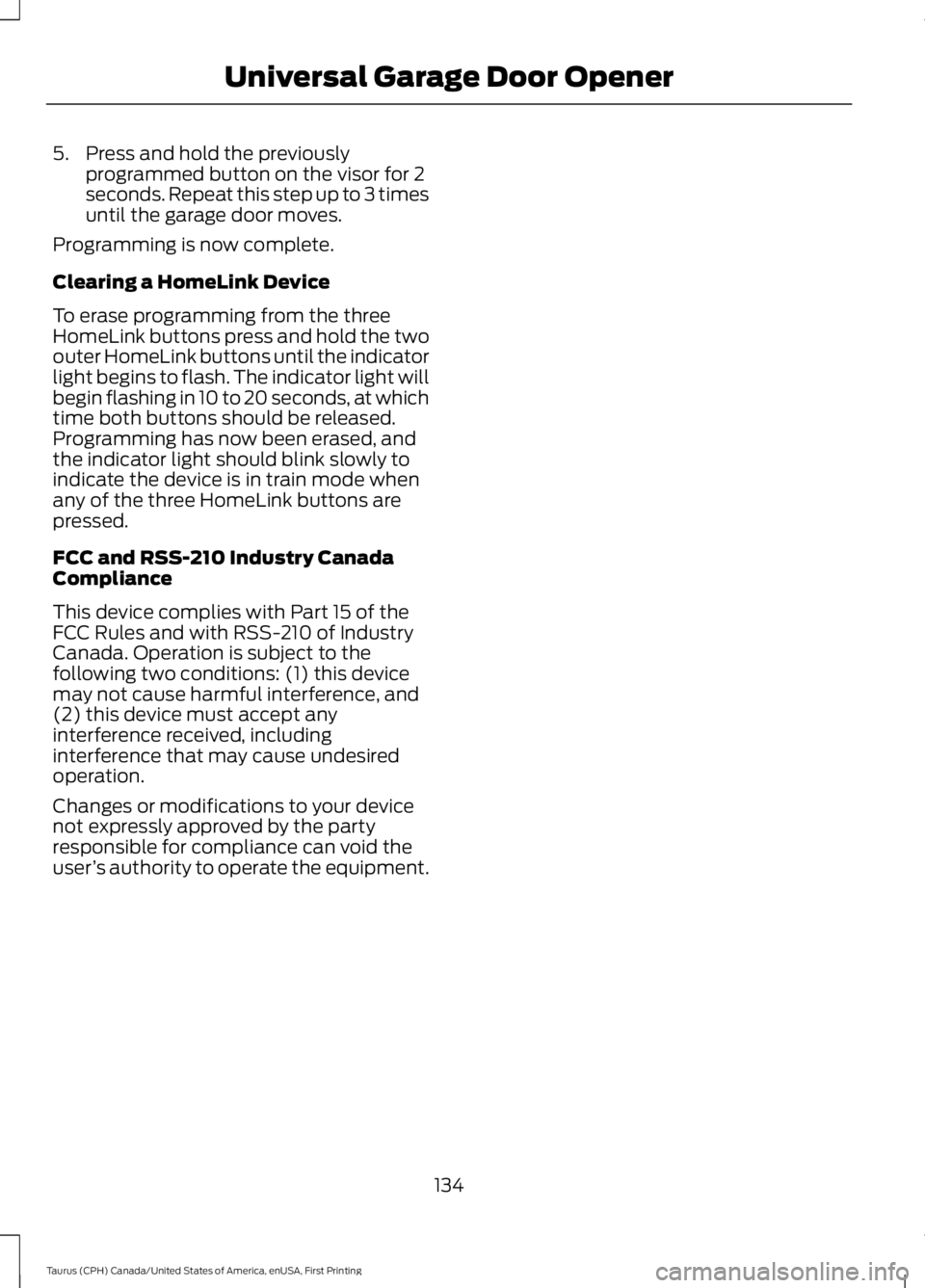
1. Press and hold the program button onthe garage door opener motor untilboth blue indicator lights turn on.
2. Release the program button. Only thesmaller round indicator light should beon.
3.Press and release the program button.The larger purple indicator light willflash.
Note:The next two steps must becompleted in 30 seconds.
4.Press and release the Genie Intellicode2 hand-held transmitter’s previouslyprogrammed button. Both indicatorlights on the garage door opener motorunit should now flash purple.
133
Taurus (CPH) Canada/United States of America, enUSA, First Printing
Universal Garage Door OpenerBAE142661 E142662
Page 137 of 504
5. Press and hold the previouslyprogrammed button on the visor for 2seconds. Repeat this step up to 3 timesuntil the garage door moves.
Programming is now complete.
Clearing a HomeLink Device
To erase programming from the threeHomeLink buttons press and hold the twoouter HomeLink buttons until the indicatorlight begins to flash. The indicator light willbegin flashing in 10 to 20 seconds, at whichtime both buttons should be released.Programming has now been erased, andthe indicator light should blink slowly toindicate the device is in train mode whenany of the three HomeLink buttons arepressed.
FCC and RSS-210 Industry CanadaCompliance
This device complies with Part 15 of theFCC Rules and with RSS-210 of IndustryCanada. Operation is subject to thefollowing two conditions: (1) this devicemay not cause harmful interference, and(2) this device must accept anyinterference received, includinginterference that may cause undesiredoperation.
Changes or modifications to your devicenot expressly approved by the partyresponsible for compliance can void theuser’s authority to operate the equipment.
134
Taurus (CPH) Canada/United States of America, enUSA, First Printing
Universal Garage Door Opener
Page 141 of 504

Ignition Modes
The keyless starting system has threemodes:
Off: Turns the ignition off.
•Without applying the brake pedal,press and release the button oncewhen the ignition is in the on mode, orwhen the engine is running but thevehicle is not moving.
On: All electrical circuits are operationaland the warning lamps and indicatorsilluminate.
•Without applying the brake pedal,press and release the button once.
Note:You may have to press the pushbutton ignition switch twice to switch theignition on.
Start: Starts the engine.
•Press the brake pedal, and then pressthe button for any length of time. Anindicator light on the button illuminateswhen then ignition is on and when theengine starts.
STARTING A GASOLINE
ENGINE
When you start the engine, the idle speedincreases. This helps to warm up theengine. If the engine idle speed does notslow down automatically, have yourvehicle checked by an authorized dealer.
Note: You can crank the engine for a totalof 60 seconds without the engine startingbefore the starting system temporarilydisables. The 60 seconds does not have tobe all at once. For example, if you crank theengine three times for 20 seconds eachtime, without the engine starting, youreached the 60-second time limit. Amessage appears in the information displayalerting you that you exceeded the crankingtime. You cannot attempt to start theengine for at least 15 minutes. After 15minutes, you are limited to a 15-secondengine cranking time. You need to wait 60minutes before you can crank the engine for60 seconds again.
Before starting your vehicle, check thefollowing:
•Make sure all occupants have fastenedtheir safety belts.
•Make sure the headlamps andelectrical accessories are off.
•Make sure the parking brake is on.
•Make sure the transmission is in park(P).
•Switch the ignition on. For vehicles witha keyless ignition, see the followinginstructions.
Vehicles with an Ignition Key
Note:Do not touch the accelerator pedal.
1. Fully depress the brake pedal.
2. Turn the key to the start position tostart the engine.
138
Taurus (CPH) Canada/United States of America, enUSA, First Printing
Starting and Stopping the EngineE191075
Page 161 of 504
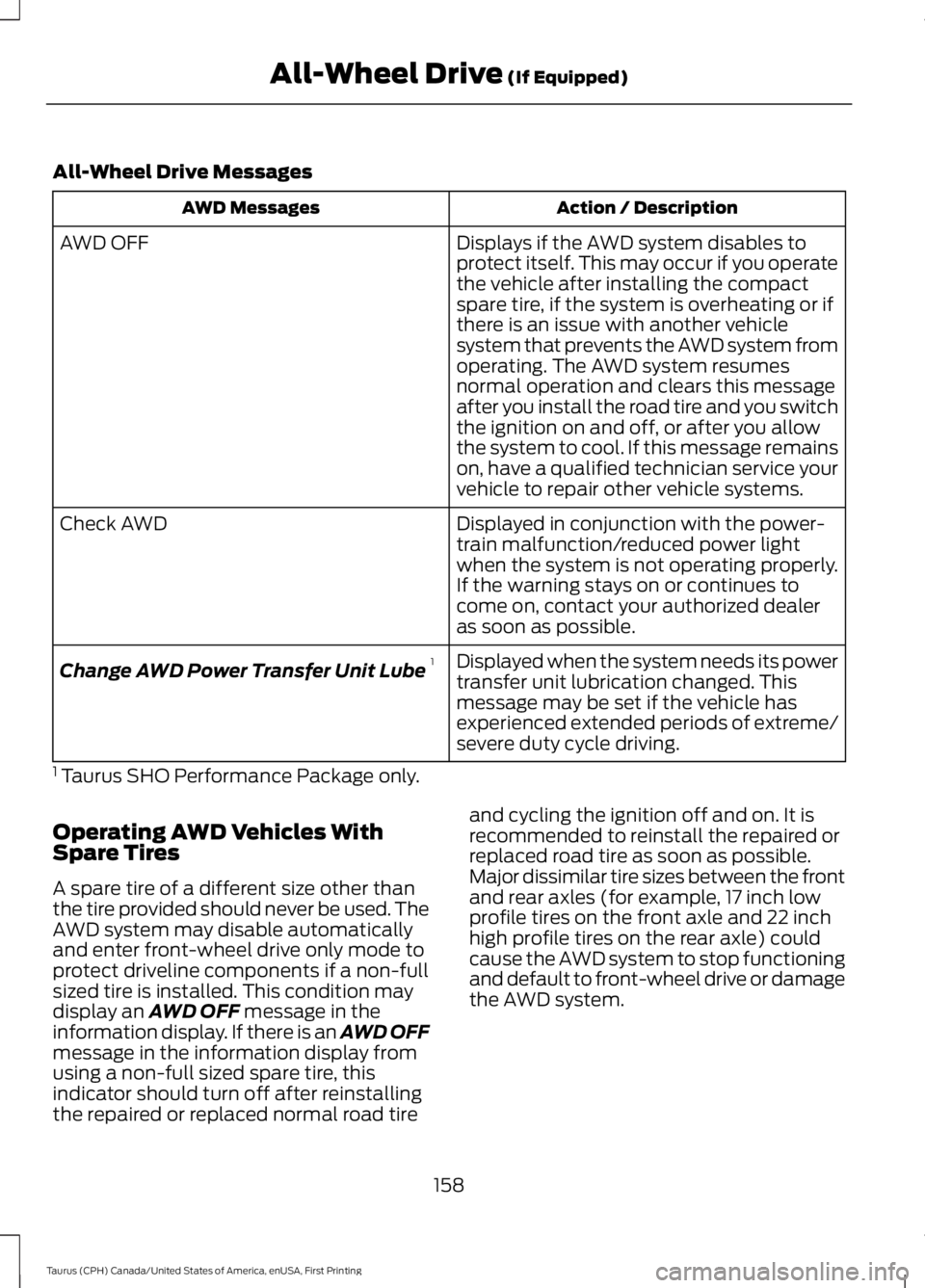
All-Wheel Drive Messages
Action / DescriptionAWD Messages
Displays if the AWD system disables toprotect itself. This may occur if you operatethe vehicle after installing the compactspare tire, if the system is overheating or ifthere is an issue with another vehiclesystem that prevents the AWD system from
AWD OFF
operating. The AWD system resumesnormal operation and clears this messageafter you install the road tire and you switchthe ignition on and off, or after you allowthe system to cool. If this message remainson, have a qualified technician service yourvehicle to repair other vehicle systems.
Displayed in conjunction with the power-train malfunction/reduced power lightwhen the system is not operating properly.If the warning stays on or continues tocome on, contact your authorized dealeras soon as possible.
Check AWD
Displayed when the system needs its powertransfer unit lubrication changed. Thismessage may be set if the vehicle hasexperienced extended periods of extreme/severe duty cycle driving.
Change AWD Power Transfer Unit Lube1
1 Taurus SHO Performance Package only.
Operating AWD Vehicles WithSpare Tires
A spare tire of a different size other thanthe tire provided should never be used. TheAWD system may disable automaticallyand enter front-wheel drive only mode toprotect driveline components if a non-fullsized tire is installed. This condition maydisplay an AWD OFF message in theinformation display. If there is an AWD OFFmessage in the information display fromusing a non-full sized spare tire, thisindicator should turn off after reinstallingthe repaired or replaced normal road tire
and cycling the ignition off and on. It isrecommended to reinstall the repaired orreplaced road tire as soon as possible.Major dissimilar tire sizes between the frontand rear axles (for example, 17 inch lowprofile tires on the front axle and 22 inchhigh profile tires on the rear axle) couldcause the AWD system to stop functioningand default to front-wheel drive or damagethe AWD system.
158
Taurus (CPH) Canada/United States of America, enUSA, First Printing
All-Wheel Drive (If Equipped)