2017 AUDI TT ROADSTER infotainment
[x] Cancel search: infotainmentPage 30 of 314

Opening and clo sin g
Central locking switch
Fig. 19 D rive r's door : central lock ing switch
• To lock the vehicle, press the~ button c> .&,.
• Press t he !ill button to unlock the vehicle.
When locking the vehicle with the centra l locking
switch, the follow ing applies:
- Opening the door and the luggage compart
ment lid from the
outside is not possible (for
security such as when stopped at a light).
- The LED in the central locking switch turns on
when all doors are closed and locked.
- You can open the doors ind ividually from the
inside by pulling the door handle .
- In the event of a c rash with airbag deployment,
the doors unlock automat ically to a llow access
to the vehicle.
& WARNING
- The power locking sw itch works with the ig
nition off and automatically locks the entire
vehicle when the~ button is pressed.
- The centra l locking switch is inoperative
when the vehicle is locked from the outside.
- Locked doors make it more difficult for
emergency worke rs to get into t he vehicle,
wh ich puts lives at risk. Do not leave anyone
behind in the vehicle, especially children .
(D Tips
Your vehicle locks automatically when it
reaches a speed of 9 mph (15 km/h) (Auto Lock)
c> page 24 . You can unlock the vehicle
aga in using the
!ill b utton in the central lock
ing sw itch.
l) Th is fun ctio n is not a vailab le in a ll coun tries.
28
Setting the central locking system
In the Infotainment system, you can set which
doors the central locking system will unlock .
• Select in the Infotainment system: IMENU ! but
ton>
V eh icle > left control button >Vehicle set
t ings.
Door unloc king -
you can decide if All doors or
only the
Dr ive r door should unlock . The luggage
compartment lid also unlocks when
All i s select
ed . If you select
D riv er in a vehicle with a conven
i ence key*, on ly the door whose handle you pu ll
will unlock .
If you se lect
Dri ver , all the doors and luggage
compartment lid w ill unlock if you press the
I@
button on the remote control key tw ice .
Fold m irrors* -if you select On, the exterior rear
view m irrors fold in automatically when you press
the ~ button on the remote control master key
or touch the sensor* in the handle.
Lock whe n driving1l -if you select On , the veh icle
locks automatically when driving. All of the doors
and the luggage compartment lid lock .
Page 33 of 314
CD
CD
.... N
" N ,-I 0 r--. V, co
@ Tips
-You can still open and close the windows for
approximately 10 minutes after turn ing the
ignition off. The power windows do not
switch off until the driver's door or front passenger's door has been opened.
- When opening the doors and when open
i ng/closing the power top, the windows au
tomatically lower approximately 10 mm.
Convenience opening/closing
All windows can be opened and closed at the
same time.
Convenience opening feature
• Press the Im button on the remote control key
until all windows reach the desired position.
Convenience closing feature
• Press the {D button on the remote control key
u nti l all windows are closed¢
A or
Convenience closing with the convenience
key*
• Touch the sensor* on the door handle long
enough until all windows and the power top*
are closed . Do not place your hand in the door
hand le when doing this.
Setting convenience opening in the
Infotainment system
• Select in the Infotainment system: !MENUI but
ton
> Vehicle> left control button >Vehicle set
tings .
To enable the convenience window opening func
tion, the
Long press to open windows function
must be switched
on.
.&_ WARNING
- Never close the windows or power top* care lessly or in an uncontrolled manner, be
cause this increases the risk of injury.
- For security reasons, the windows and the
power top* can only be opened and closed
with the remote control key at a maximum
distance of approximately 6 ft (2 m) away
Open ing and closing
from the vehicle . Always pay attention when
pressing the
Im button to close the w indows
and the power top* so that no one is
pinched. The closing process w ill stop im
mediately when the
Im button is released .
Correcting power window malfunctions
You can reactivate the one-touch up/down func
tion if it malfunctions.
• Pull the power window switch up until the win
dow is completely raised.
• Release the switch and pull it up aga in for at
least one second .
Garage door opener
(Homelink)
Description
Applies to : veh icles w ith garage door o pen er (Home link)
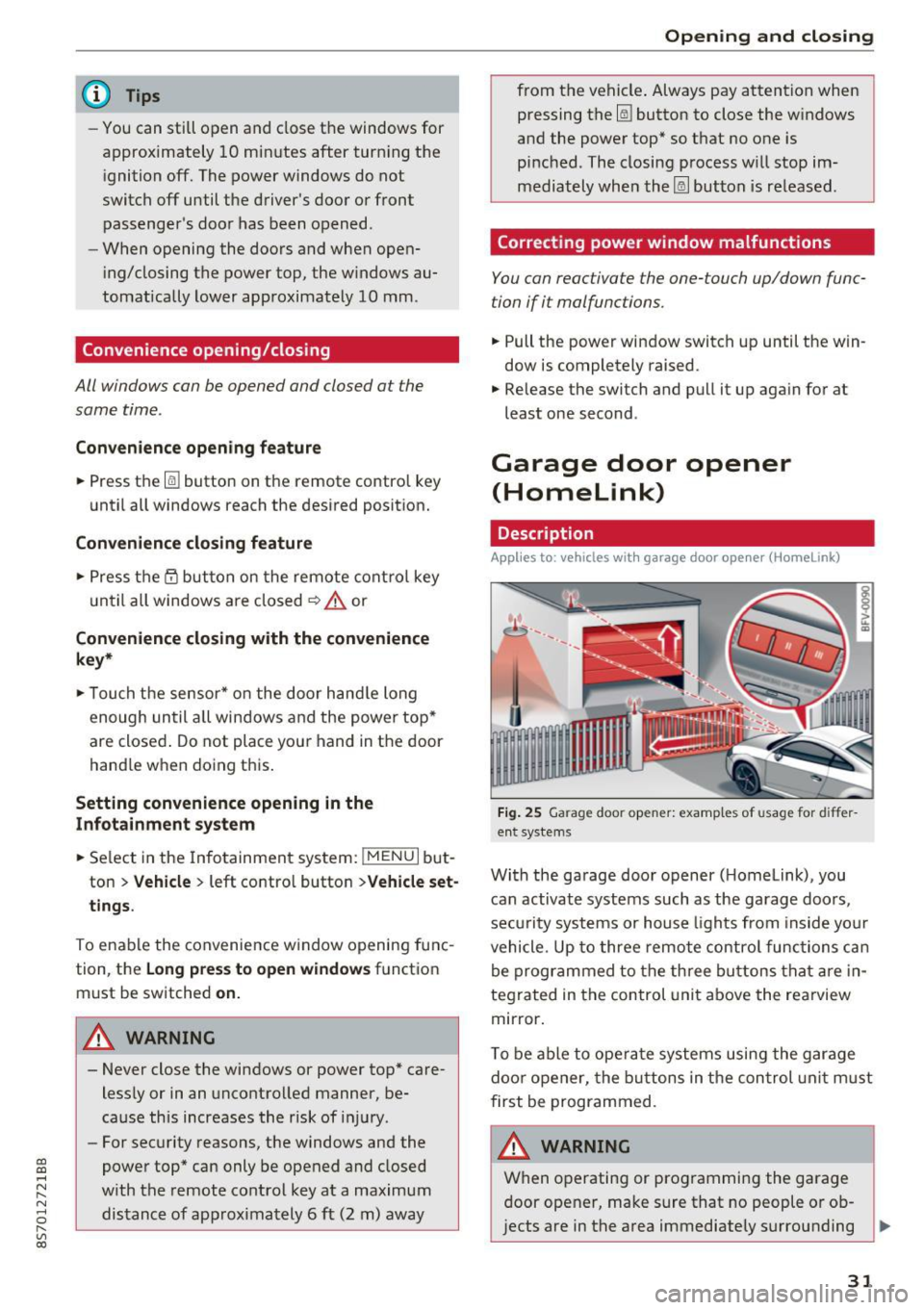
Fig. 25 Garage door opener: examples of usage for differ
ent systems
With the garage door opener ( Homelink), you
can activate systems such as the garage doors,
security systems or house lights from inside your
vehicle. Up to three remote control functions can
be programmed to the three buttons that are in
tegrated in the control unit above the rearview
mirror.
T o be able to operate systems using the garage
door opener, the buttons in the control unit must
first be programmed.
A WARNING ~
When operating or programming the garage
door opener, make sure that no people or ob
jects are in the area immediately surrounding ..,.
31
Page 42 of 314
Lights and Vision
-If the battery has been discharging for a
wh ile, the parking light may switch off auto
matically. Always make sure your vehicle is
parked and adequately lit according to the
laws. Avo id using the parking lights for sev
era l hours.
- Always observe legal regulations when us ing the light ing systems described.
(D Tips
- The light sensor for the automatic head
lights* is in the rearview m irror mount. Do
not place any stickers in th is area on the
windsh ield.
- Some exterior lighting functions can be ad
ju sted
c:::;, page 40.
-If you turn off the ignition wh ile the exter ior
lights are on and open the-door, a warning
tone so unds.
- In some markets, the tail lights will sw itch
on when the daytime runn ing lights sw itch
on .
- In cool or damp weather, the inside of the
headlights, turn s ignals and tail lights can
fog over due to the tempe rature d ifference
betwee n the inside and ou ts ide. They will
clea r short ly after sw itch ing them on. This
does not affect the service life o f the light
i ng.
Turn signal and high beam lever
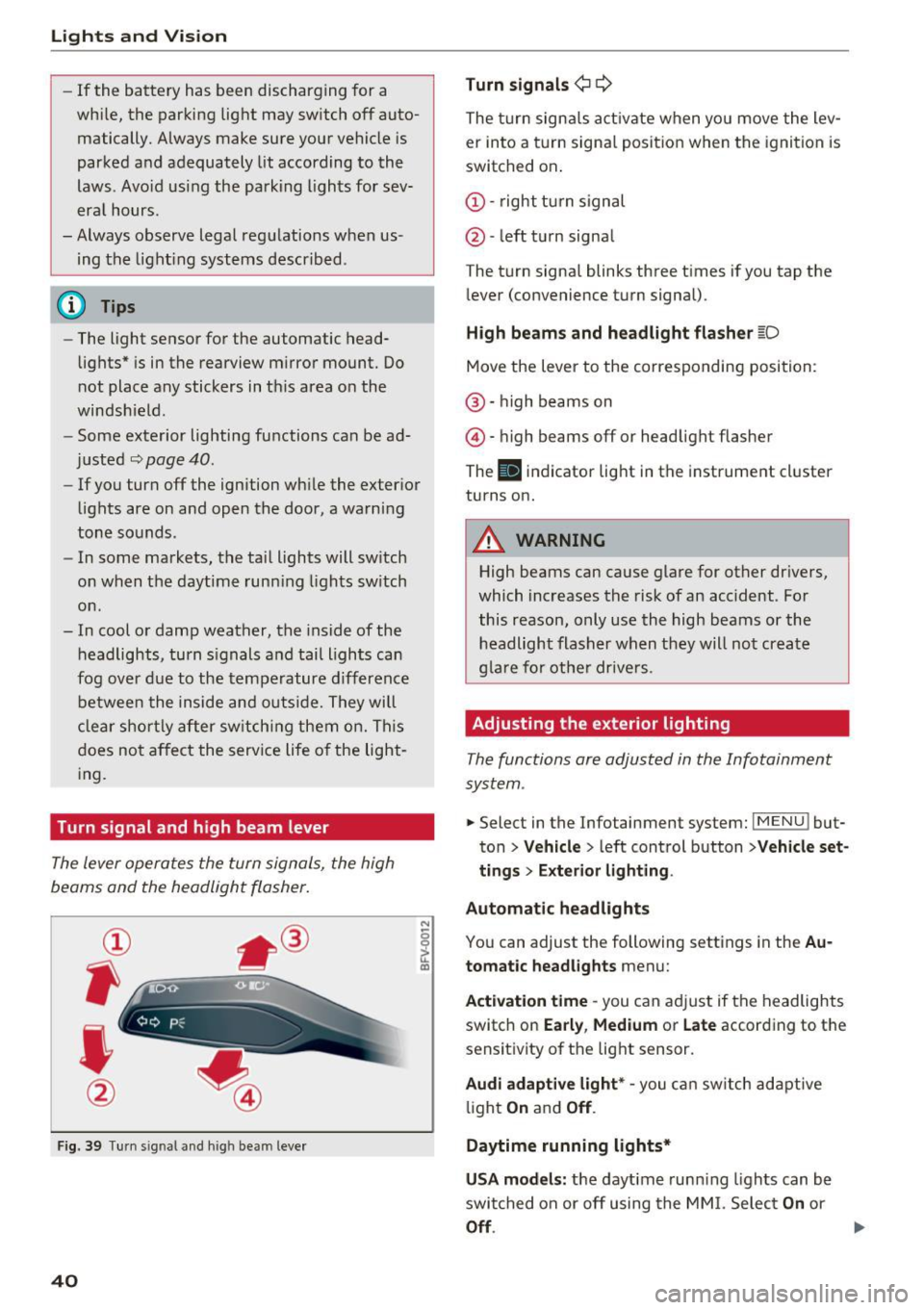
The lever operates the turn signals, the high
beams and the headlight flasher.
®
,
I
@
F ig . 39 Tu rn sig nal a nd high beam lever
40
N
c 0
ct a,
Turn signals ¢ Q
The turn sign als act ivate when yo u move the lev
er into a turn signa l posit ion when the igni tion is
switched on.
(D -right tu rn signal
@ -left t urn signa l
The tu rn signa l blinks three t imes i f you tap the
l ever (convenience t urn signal).
High beams and headlight fla sher l[D
Move the lever to the correspondin g position:
@ · high beams on
@ · high beams off or head light flasher
The
El i ndicator lig ht in the instrume nt cl uster
turns on.
_8 WARNING
High beams can cause glare for other dr ivers,
which inc reases the risk of an accident . Fo r
this reason, only use the high beams or the headlight flasher when t hey will no t create
g la re for ot he r drive rs.
Adjusting the exterior lighting
The functions are adjusted in the Infotainment
system .
.. Select in the Infotainment system: IMENU! but
ton>
Veh icle > left control button >Vehicle set
tings > Exterior light ing.
Automatic headlights
You can adjust the following sett ings in the Au
tomatic headlights
menu:
Act ivation time -you can a dju st if the headlights
switch on
Early , Medium or Late according to the
sensit ivity of th e lig ht sensor.
Audi adaptive light* -you c an switch adapt ive
li ght
On an d Off .
Daytime running lights*
USA models: the daytime runn ing lights can be
swi tched on or off using the MM I. Selec t
On or
Off.
Page 43 of 314
CD
CD
.... N
" N .... 0 r--. V, co
Canada models: this function cannot be switched
off . They activate automatically each time the ig
n ition is switched on . This menu item is shown
with a "gray background".
Coming home, Leaving home
The coming home function illuminates the area
outside the vehicle when you turn the ignition off
and open the driver's door. To switch on the func
tion, se lect
Entry/exit lighting.
The leaving home illumi nates the area outs ide
the vehicle when you unlock the vehicle . To
switch on the function, select
Entry/exit light
ing .
The coming home and leaving home funct ions
only operate when it is dark and the light switch
is in the
AUTO position.
Emergency flasher
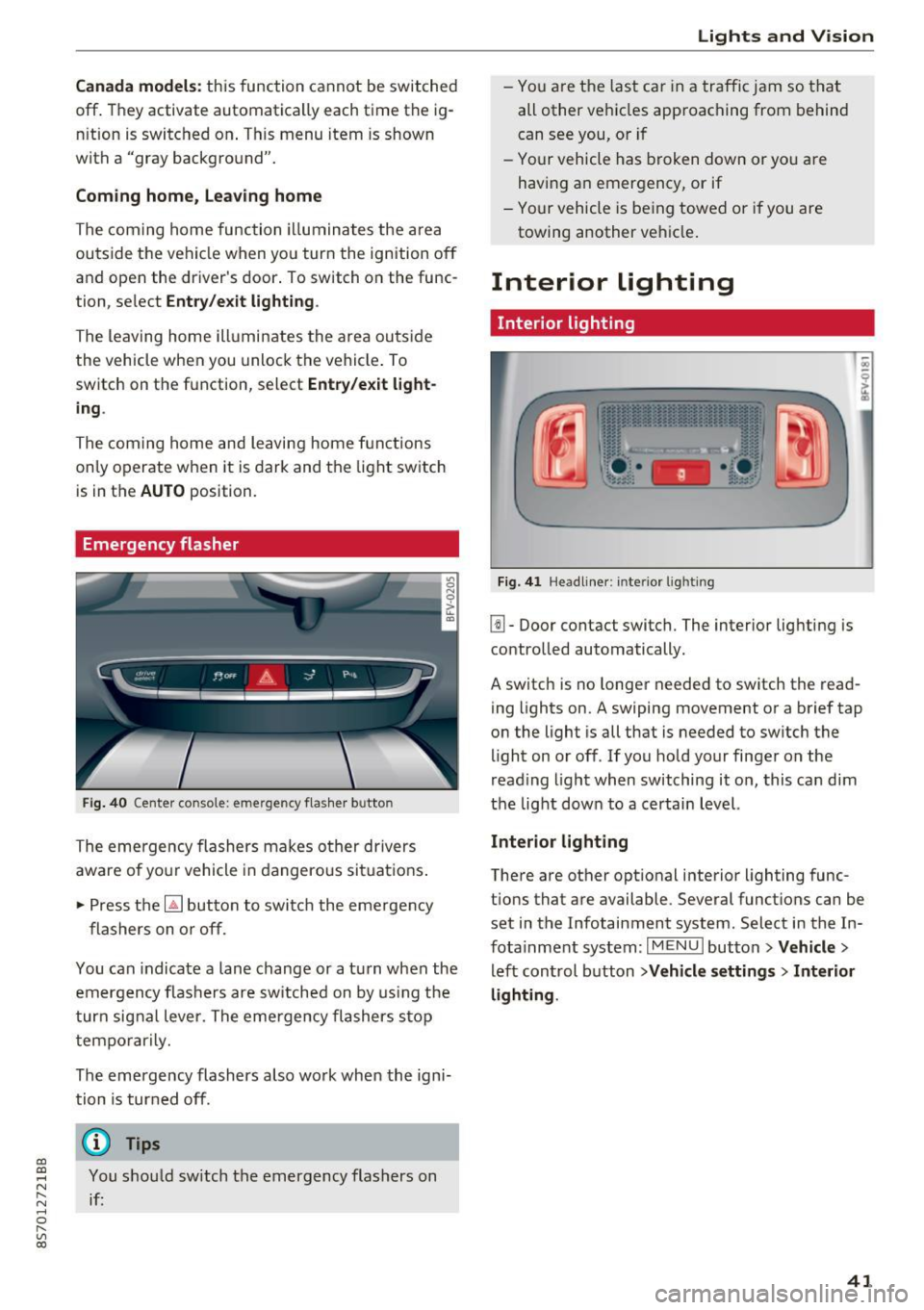
Fig. 40 Center conso le: emergency f las her button
The emergency flashers makes other drivers
aware of yo ur vehicle in dangerous situations .
.. Press the
[!J button to switch the emergency
flashers on or off.
You can indicate a lane change or a turn when the
emergency flas hers are switched on by using the
turn signal lever. The eme rgency flashers s top
temporarily.
The emergency flashers also wo rk when the igni
tion is turned off.
(D} Tips
You should sw itch the emergency flashers on
if:
Lights and V ision
-You are the last ca r in a traffic jam so that
all other vehicles approaching from behind
can see you, or i f
- Your vehicle has broken down or yo u are
having an emergency, or if
- Your vehicle is be ing towed o r if you are
towing another vehicle .
Interior lighting
Interior lighting
Fig. 41 Headliner: interior lighti ng
[!l-Door contact switch. The interior lighting is
controlled automatically.
A switch is no longer needed to switch the read
ing lights on.
A swiping movement or a brief tap
on the light is all that is needed to switch the
light on or off. If you hold your finger on the
read ing light when switching it on, this can d im
the light down to a certain level.
Interior lighting
There are other opt ional interior lighting func
tions that are available . Several functions can be
set in the Infotainment system. Select in the In
fotainment system:
I MENU I button> Vehicle>
left control button >Vehicle settings > Interior
lighting .
41
Page 46 of 314
Lights and Vi sion
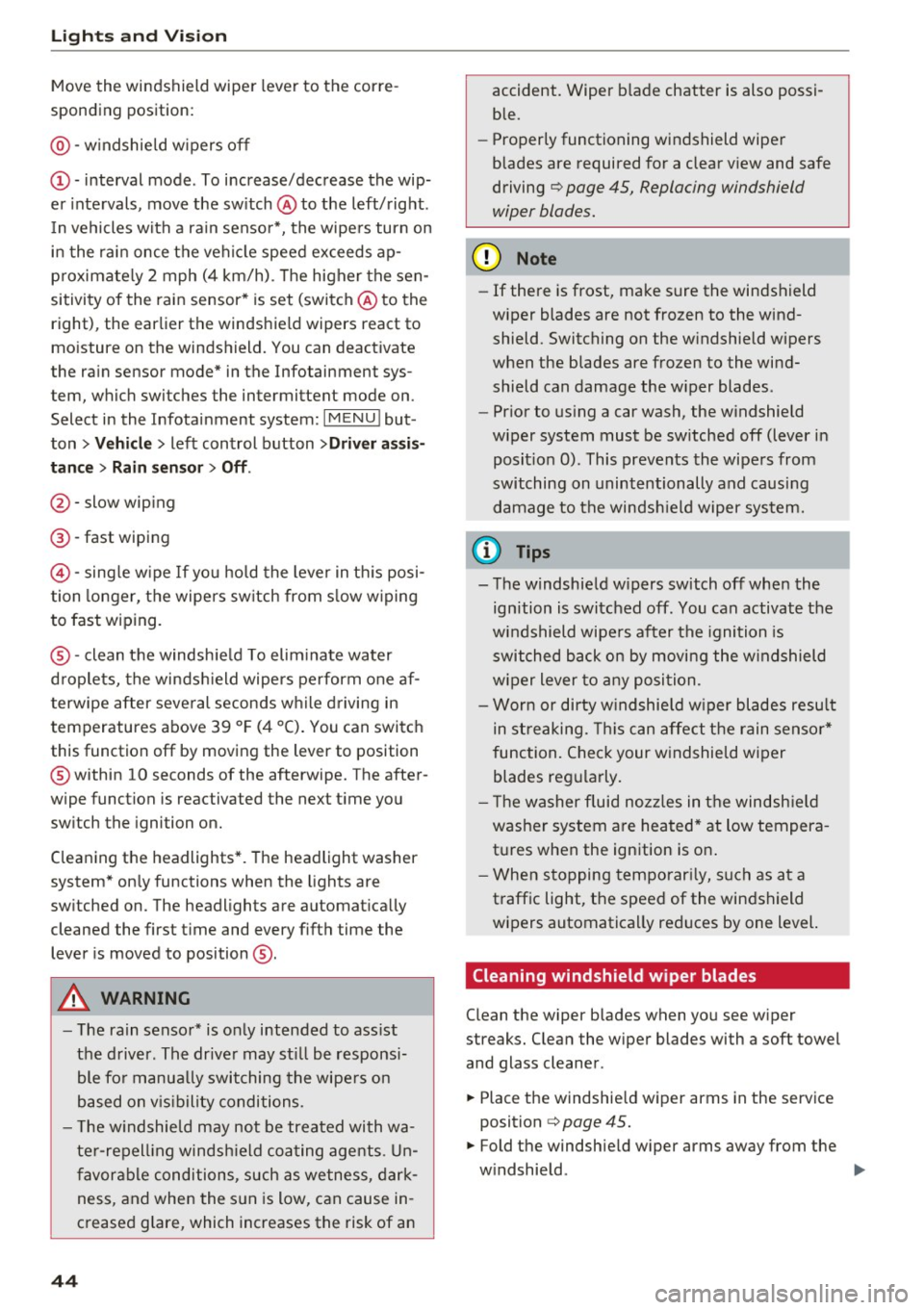
Move the windshield wiper lever to the corre
sponding position:
@ -windshield w ipers off
(D -interval mode. To increase/decrease the wip
er intervals , move the sw itch @ to the left/right .
I n vehicles with a rain sensor*, the wipe rs turn on
i n the rai n once the vehicle speed exceeds ap
p roximate ly 2 mph (4 km/h) . T he higher the sen
sitivity of the rain sensor * is set (switch @ to the
right), the earlier the windshield wipers react to
mo isture on the windshield. You can deact ivate
the rain sensor mode* in the Infotainment sys
tem, which switches the intermittent mode on .
Select in the Infotainment system:
I MENU I but
ton>
V ehicle > left control button >Dri ver a ssis
tan ce > Rain sensor> Off.
@-slow wip ing
@ -fast wiping
©-sing le w ipe If yo u ho ld the leve r in th is posi
tion longer, the wipers sw itch from s low w iping
to fast wiping .
®-clean the windsh ie ld To elim inate water
droplets, the winds hield wipers pe rform one af
terwipe after several seconds w hile driving in
temperatures above 39 °F (4 °C) . You can switch
this function off by moving the lever to position
@ within 10 seconds of the afterwipe. The after
wipe function is reactivated the next t ime you
sw itch the ignition on.
C leaning the headlights *. T he headlight washer
system* on ly functions when the lights are
sw itched on. The headlights are automat ica lly
cleaned the first t ime and every f ifth time the
lever is moved to position
® ·
A WARNING
- The rain senso r* is o nly intended to ass ist
the d river . The drive r may st ill be responsi
ble fo r manua lly switching t he wipe rs on
based on v is ibility conditions.
- T he w indshield may not be treated with wa
te r-repell ing windsh ield coa ting age nts . U n
favor able conditions, such as wetness, dark
ness, and when the s un is low, can cause in
creased g lare, which increases the risk of an
44
-
accident. Wiper b lade chatter is also possi
ble.
- Properly functioning windshield wiper
blades are required for a clear v iew and safe
driving
¢ page 45, Replacing windshield
wiper blades.
(D Note
- If there is frost, make sure the windshield
wiper blades are not frozen to the wind
shield. Switching on the w indshield w ipers
when the blades are frozen to the wind shield can damage the w iper blades .
- Pr ior to us ing a car wash, the w indshield
wiper system must be sw itched off (lever in
posit ion 0) . This prevents the wipers from
switching on unintentionally and causing
damage to the windsh ield wiper system.
('O Tips
- The windshield w ipers sw itch off when the
ignition is switched off . You can activate the
windshield wipe rs after the ignition is
switched back on by moving the windshield
wiper lever to any posi tion.
- Wor n or dirty w indshie ld w iper blades resu lt
in streaking. This can affect the rain senso r*
function. Check your w indshield wiper
blades regularly.
'
- T he washer fluid noz zles in t he windsh ie ld
washer system are heated* at low tempera
tures when the ignition is on .
- When s topping temporar ily, such as at a
traffic light, the speed of the windshield
wipers automatica lly reduces by one level.
Cleaning windshield wiper blades
Clean the wiper blades when you see w iper
streaks. Clean the wiper blades with a soft towel
and glass cleaner.
.,. Place the windshie ld wiper arms in the serv ice
position
¢ page 45.
.,. Fold the windshie ld w iper arms away from the
w indshield. ..,.
Page 56 of 314
Warm and cold
1- 1 Switching recirculation mode on and off
The recirculation mode can be turned on manual
ly or automat ically*.
- Switching manual recirculation mode on and
off: press
1- 1
- Automat ic* recirculation mode: auto rec ircula
tion needs to be activated in the Infotainmen t
system. Select in the Infotainment system:
IMENUI button> Vehicle> left control button
>Vehicle settings> Air conditioning > Auto re
circulation .
The air quality sensor that is de
signed for diese l and gasoline exhaust auto
matically sw itches the recirculation mode on or
off depend ing on the level of pollutants in the
outside air.
In recirculation mode, the air inside the vehicle is
circu lated and filtered. This prevents the unfil
tered a ir outside the vehicle from entering the
veh icle inter ior . We recommend switching recir
culation mode on when dr iv ing through a tunnel
or when s itting in traffic
q Le,..
Recirculation mode is switched off by pressing
the ~ button or
I AU TO I or ,..., MAX L
I@ MAX I Switching defrost on and off
The windshield and s ide windows are defrosted
or cleared of condensation as quickly as possible.
The optimum amount of air flows mainly out of the vents under the windshield. Recirculation
mode switches off . The temperature is controlled
automatically .
The
IAUTOI button switches the defroster off.
IQiil REAR ! Switching the rear window defogger
on and off
If the rear w indow defogger is activated when
the ignition is switched on, the battery manage
ment determines based on the battery charge if
it is possible to turn on. Ot he rwise, the rear win
dow defogger functions with the engine running
and switches off automatically after approxi
mately 10 - 20 minutes, depending on the out
side temperature.
To prevent the rear w indow defogger from
sw itching off automatically, press and hold the
I@ REARI button for more than two seconds. This
54
remains stored up to approximately 15 minutes
after turning off the ignition.
A WARNING
You should not use the recirculation mode for
an extended period since no fresh air is drawn
in. With the air-conditioning switched off, t he
windows can fog up, which increases the risk
of an acc ident.
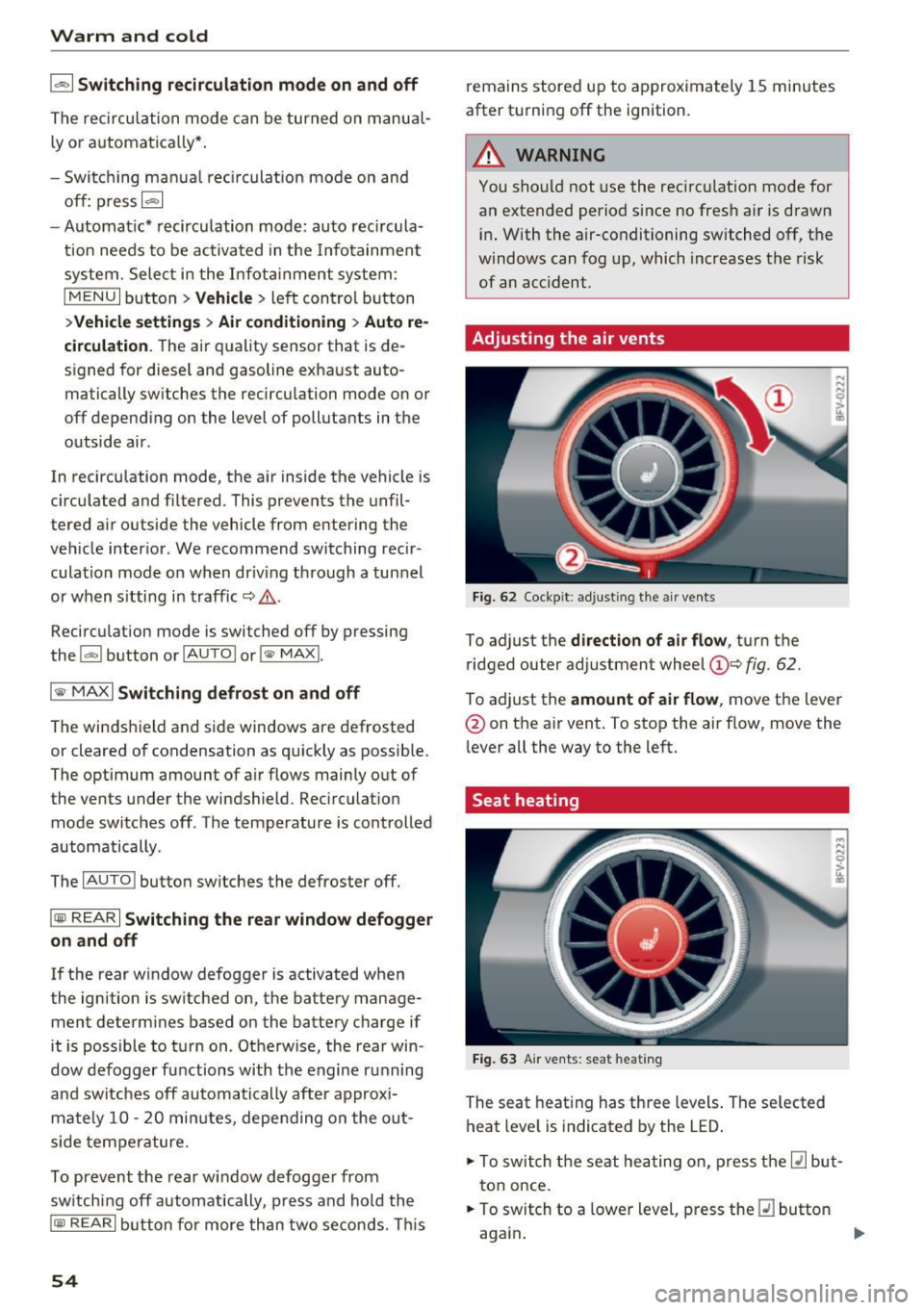
Adjusting the air vents
Fig. 62 Cockpit: adju sting the a ir vents
To adjust the direction of air flow, turn the
ridged outer adjustment wheel
©Q fig. 62.
To ad just the amount of air flow , move the lever
@ on the air vent . To stop the air flow, move the
l ever all the way to the left.
Seat heating
Fig. 63 Air vents: seat heat ing
The seat heating has three levels. The selected
heat level is indicated by the LED .
.. To switch the seat heating on, press the
Q] but
ton once.
.. To switch to a lower level, press the
Q] button
again .
Ill>
Page 67 of 314

CD
CD
.... N
" N ...... 0 r--. V, co
-Do not inadvertently press the accelerator
pedal when the vehicle is stopped if a gear is
engaged. Otherwise the vehicle will start to
move immediately, even if the parking brake
is set . This could result in a crash .
- Do not press the accelerator pedal when
changing the selector lever position while
the vehicle is stationary and the engine is
running.
- Never leave your vehicle with the engine running while in gear.
If you must leave
your vehicle when the engine is running, set
the parking brake and move the selector lev
er to the P position .
- To decrease the risk of an accident, these
lector lever must be in the P position and
the parking brake must be set before open
ing the hood and working on a running en
gine. Always read and follow the applicable
warnings¢
page 235, Working in the en
gine compartment.
{[) Note
Never let the vehicle roll downhill with engine
off and the selector lever in the
N position,
because this could damage the automatic
transmission and catalytic converter.
@ Tips
- Drive select: sporty shifting characteristics
can be selected using the
Dynamic driving
mode. The Infotainment display shows 5 as
the selector lever position instead of D.
- If you accidentally select N while driving,
take your foot off the accelerator pedal im
mediately and wait for the engine to slow
down to idle before selecting Dor 5 .
- If there is a power failure, the selector lever
will not move out of the P position. The
emergency release can be used if this hap
pens. Left-hand drive vehicles
q page 71.
Driving
Selector lever lock
The selector lever lock prevents you from select
ing a gear accidentally, causing the vehicle to
roll.
Fig. 71 Selecto r lever lock
To release the selector lever lock:
.,. Switch on the ignition.
.,. Press the brake pedal
while pressing the inter-
lock button.
Automatic shift lock (ASL)
The selector lever is locked in the P and N posi
tions when the ignition is switched on. You must press the brake pedal to select another position.
You must also press the interlock button if you
are moving from the
P position. The following
message appears in the display when the selector
lever is in the P or
N position to remind the driv
er:
To select a gear, please press brake pedal and press lock button on selector lever
The automatic shift lock only functions when the
vehicle is stationary or at speeds below 1 mph
(2 km/h). At higher speeds, the lock is automati
cally deactivated in the N position.
The selector lever is not locked when shifting
quickly through N, for example from R to D. This
makes it possible to free the vehicle when it is
stuck by "rocking" it. The selector lever lock en
gages if the lever stays in the N position longer
than approximately 2 seconds when the brake
pedal is not pressed.
II>-
65
Page 70 of 314

Driving - The transmission can overheat and be dam
aged under certain driving and traffic condi
tions such as frequent starts, creeping for a
long time, or stop -and-go traffic. When the
@] or. indicator light turns on, stop the
vehicle at the next opportunity and let the
transmission cool
r=;, page 70 .
-Allowing the vehicle to roll when the engine
is stopped will damage the S tronic trans
mission because it is not lubricated
¢ page 286, Towing with a tow truck.
@ Tips
For safety reasons, the parking brake is re
leased automatically only when the driver's
safety belt is engaged in the buckle.
Hill descent control
The hill descent control system assists the driver
when driving down hills .
Hill descent control is ac tivated when the selec
tor lever is in the Dor S position and you press
the brake pedal. The transmission automatically
selects a gear that is suitable for the hill. Hill de
scent control tries to maintain the speed ach
ieved at the time of braking, within physical and
technical limitations.
If may still be necessary to
adjust the speed with the brakes. Because hill de
scent control cannot shift down farther than 3rd
gear, it may be necessary to shift into tiptronic
mode in very steep areas. In this case, shift man
ually into 1st or 2nd gear in tiptronic mode to
use the engine's braking force to relieve the
brakes .
Hill descent control switches off once the hill lev
els out or you press the accelerator pedal.
On vehicles with a cruise control system*
¢ page 72, hill descent control is also activated
when the speed is set.
A WARNING
Hill descent control cannot overcome physical
limitations, so it may not be able to maintain
a constant speed under all conditions. Always
be ready to apply the brakes.
68
Shifting manually (tiptronic mode)
The tiptronic mode allows the driver to shi~ the
gears manually .
Fig. 73 C enter conso le: sh ift ing ma nuall y wi th the selecto r
lever
Fig. 74 Steering whee l: ma nual shifting wit h the shift pad
dles•
Shifting with the selector lever
You can shift into tiptronic mode while stationary
and whi le driving.
.,. To shift into tiptronic mode, push the selector
lever from the D/S setting to the right in the
tiptronic shift gate. Once the transmission has
sw itched modes, the selector lever position
M
is shown in the Infotainment system display
r=;, page 64, fig. 70 . For example M4 means the
fourth gear is engaged .
.,. To shift up a gear, tap the selector lever for
ward
G) ¢ fig. 73.
.,. To shift down a gear, tap the selector lever to
back
0 .
Shifting with the shift paddles*
You can operate the shift paddles in the D/S or
M
(tiptronic shift gate) selector lever positions.
.,. To shift up one gear, tap the shift paddle
0
r=;, fig. 7 4.