2017 Alfa Romeo Giulia light
[x] Cancel search: lightPage 21 of 268
still blocked, try with the other keys
provided. If it is still not possible to start
the engine, contact an authorized
dealer.
If the Engine Immobilizer
Failure/Break-in Attempt
icon is
displayed while driving, this means that
the system is running a self-diagnosis
(e.g. due to a voltage drop). If the
display persists, contact an authorized
dealer.
Important Notes
Do not tamper with the Engine
Immobilizer system. Any modifications
or alterations could cause the
protection function to be deactivated.
The Engine Immobilizer system is not
compatible with certain aftermarket
remote starting systems. The use of
these devices could cause problems
when starting, as well as the
deactivation of the protection function.
All keys provided with the vehicle
have been programmed in accordance
with the electronics on the vehicle itself.
Each key has its own code which
must be stored by the system's control
unit. Contact an authorized dealer to
have new keys (up to eight) stored with
a code.
SECURITY ALARM
SYSTEM — IF
EQUIPPED
Alarm Activation
While armed, the alarm will sound in the
following scenarios:
Opening of doors/hood/deck lid
(perimeter protection)
Operation of ignition with a key which
is not validated
Cutting of the battery cables
Movement inside the passenger
compartment (volumetric protection —
if equipped)
Unexpected lifting/tilting of the car
(anti-lift protection — if equipped)
Activation of the alarm triggers the
acoustic warning and the turn signals.
Note: The alarm system is activated by
the Engine Immobilizer system, which is
automatically activated when you get
out of the vehicle with the key fob and
lock the doors.
To Arm The Alarm
With the doors, hood, and trunk lid
closed and the keyless ignition system
placed in the STOP position, push and
release the lock button on the key fob.
The alarm can also be armed by
pushing the Passive Entry door handle
button, located on the door external handle. For further information, refer to
"Passive Entry" in "Doors.”
When the alarm is armed, the warning
lights on the panels of the interior front
door handles will flash.
The activation of the alarm is preceded
by a self-diagnosis stage: if a fault is
04056S0003EMPassive Entry Door Handle Button
04046S0001EMLock/Unlock Buttons
19
Page 22 of 268
detected, the system emits a further
acoustic signal.
If a second acoustic signal is emitted
after the alarm is already armed, wait
about four seconds and disarm the
alarm by pushing the unlock button.
Verify that the doors, hood, and trunk
lid are closed correctly and then rearm
the system by pushing the lock button
on the key fob.
If the alarm emits an acoustic signal
even when the doors, hood, and trunk
lid are correctly closed, a fault has
occurred in system operation. In this
case, contact an authorized dealer.
To Disarm The Alarm
Push the unlock button to disarm the
alarm. While disarming, the following
operations are performed:
Two brief flashes of the turn signals
(if programmed)
Two brief acoustic signals
(if programmed)
Doors are unlocked
The alarm can also be disarmed using
the Passive Entry System, by grasping
one of the Passive Entry front door
handles with a valid key fob in hand to
unlock. For further information refer to
"Passive Entry" in "Doors.” Note:
The alarm does not disarm when the
doors are unlocked by inserting the
blade of the emergency key, found
inside the key fob, into the door handle
lock cylinder.
Volumetric/Anti-Lift
Protection — If Equipped
To ensure the correct operation of the
Volumetric/Anti-Lift Protection system,
completely close the side windows.
To disable the function, push the
Volumetric/Anti-Lift Protection button
before activating the alarm.
When the function is disabled, this is
indicated by the light on the
Volumetric/Anti-Lift Protection button
flashing for several seconds.Any disabling of the Volumetric/Anti-Lift
Protection must be repeated each time
the instrument panel is switched off.
To Disarm The Alarm
Using Passive Entry
To completely deactivate the alarm (e.g.
during a long period of vehicle
inactivity), insert the blade of the
emergency key, found inside the key
fob, into the door handle lock cylinder
and turn the emergency key to the right
(clockwise) to lock the door(s).
04056S0003EMPassive Entry Door Handle Button04046S0002EMVolumetric/Anti-Lift Protection
Button
20
GETTING TO KNOW YOUR VEHICLE
Page 26 of 268

If the key fob is detected inside the
vehicle, the Passive Entry function
automatically unlocks all the vehicle
doors and flashes the turn signals.
If one or more key fobs are inside the
passenger compartment, the lock
button on the key fob inside the
passenger compartment is temporarily
disabled.
The vehicle willnot unlockthe doors if
an unauthorized key fob has been
detected close to the outside of the
vehicle.
If the Passive Entry function is disabled
using the Connect system, the
protections to avoid accidentally leaving
the key fob inside the car are
deactivated. Trunk Lid Access
Approaching the trunk lid with a valid
key fob, push the opening button to
access the trunk lid.
Note:
If the key fob is inadvertently forgotten
inside of the luggage compartment, and
an attempt is made to close it from
outside, the trunk lid will not lock. With
the doors locked, the trunk lid
unlocked, and the key fob detected
inside the vehicle, the trunk lid will
unlock again and the lights flash twice.
Note:
Before driving, make sure the trunk lid
is closed correctly.
Trunk Lid Lock
The trunk lid of the vehicle may still be
locked by pushing the lock button on
the key fob, pushing the door lock
button on the door handles, or pushing
the lock button on the interior door
panel of the vehicle.
On vehicles equipped with Passive
Entry, the trunk lid and the doors can
be locked by pushing the button
located near the opening button of the
trunk lid.
System Activation/Deactivation
The Passive entry system can be
activated or deactivated using the
Connect system.
04056S0004EMDo NOT Grab The Door Handle
When Locking
GUID-04056S0005EMExternal Trunk Lid Release Button
GUID-04056S0006EMPassive Entry Trunk Lid Button
24
GETTING TO KNOW YOUR VEHICLE
Page 30 of 268
for approximately 30 minutes; vehicle
locking/unlocking or switching on of the
center front overhead light.
Seat Angle Adjustment (Tilting)
The seat angle can be adjusted in four
directions. Lift or push the front part of
seat switch to move the front part of the
seat in the corresponding direction.
Release seat switch when the seat has
reached the desired position.
Seatback Width Adjustment
Push the seatback width adjustment
buttons to regulate the width of the
backrest through the lateral padding.Driver Memory Seat
The driver memory seat buttons can
store and recall three different driver’s
seat positions. Storing and recalling is
possible with the ignition in the ON or
STOP positions and the driver’s side
door closed, or for three minutes after
having opened the driver's side door.
The performed position memory is
confirmed by a beep. To memorize a
seat position, first adjust your seat with
the various controls until you are in the
desired position. Then, push the
specific button you want to assign the
set position to for 1.5 seconds. When a
new seat position is memorized, the
previously memorized position on the
same button is automatically
overwritten. Recalling a memorized
position is also possible for
approximately three minutes after the
doors are opened and approximately
one minute after the engine is stopped.
To recall a memorized position, push
the relevant button briefly.
Heated Seats — If
Equipped
With the engine in the ON position,
push the heated seat buttonson the
instrument panel. You can select three heating levels:
Minimum — one orange indicator
illuminated on the buttons
Average — two orange indicator
illuminated on the buttons
Maximum — three orange indicator
illuminated on the buttons
Push and hold the buttons for a few
seconds to activate the “fast maximum
heating” function.
After selecting one heating level, you
will need to wait for a few minutes until
warm seat is felt.
When the “maximum heating” setting is
selected, the heater produces a
boosted heat level for the first minutes
of operation. After this, the heat lowers
to reach the normal temperature level
for the selected function.
The “minimum heating” setting is
automatically deactivated once a
04066S0015EMSeatback Width Adjustment
4 — Seatback Width Adjustment But-
tons
5 — Driver Memory Seat Buttons
04066S0004EMHeated Seat Buttons
28
GETTING TO KNOW YOUR VEHICLE
Page 35 of 268
REAR VIEW
MIRRORS
Electrochromic Mirror
If equipped, an electrochromic mirror is
available. This mirror automatically
adjusts for headlight glare from vehicles
behind you.
The electrochromic mirror has a power
button to activate/deactivate the
automatic dimming/anti-glaring
function.
When reverse gear is engaged, the
mirror is automatically set for daytime
use.
Outside Power Mirrors
Power Adjustment
The power mirrors can only be adjusted
with the ignition ON.
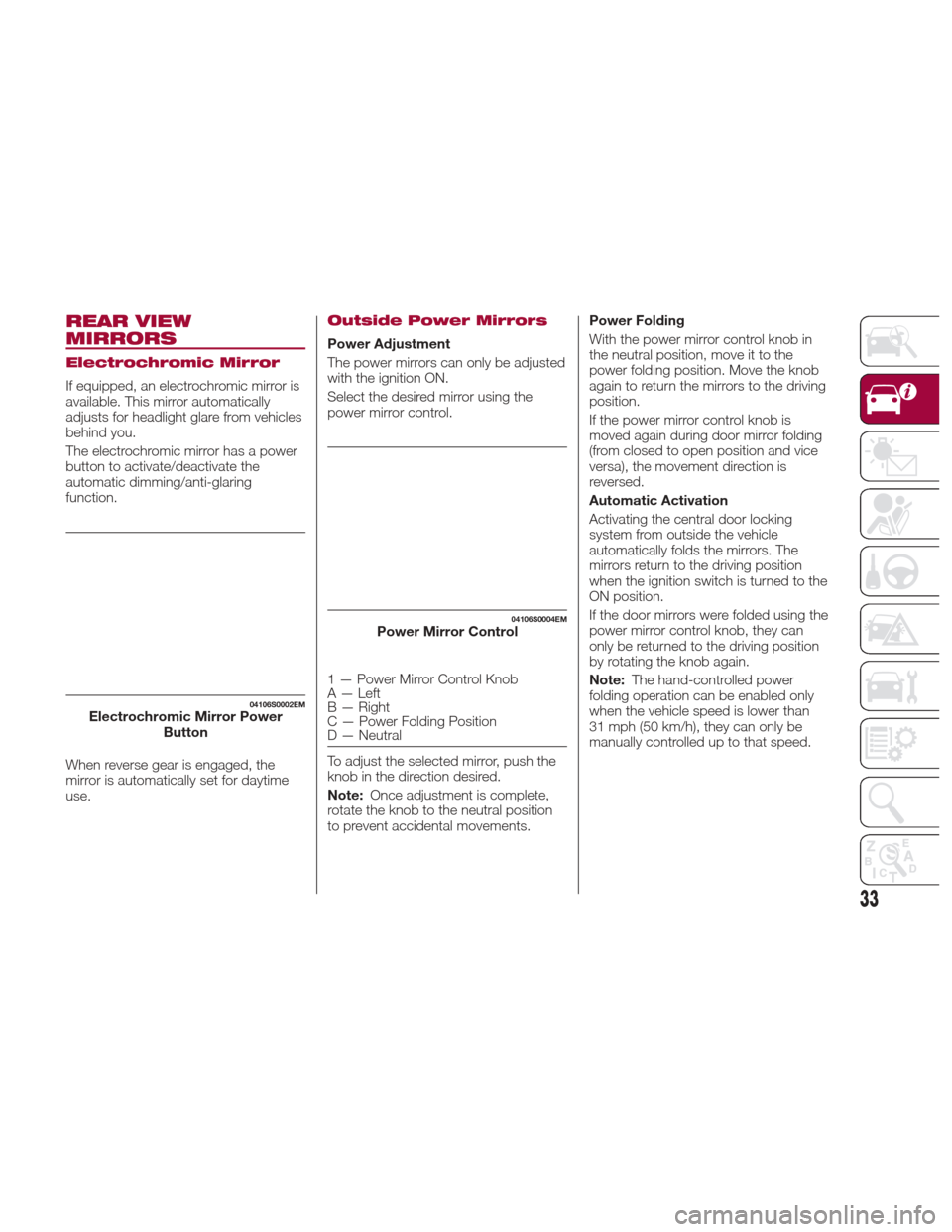
Select the desired mirror using the
power mirror control.
1 — Power Mirror Control Knob
A — Left
B — Right
C — Power Folding Position
D — Neutral
To adjust the selected mirror, push the
knob in the direction desired.
Note:Once adjustment is complete,
rotate the knob to the neutral position
to prevent accidental movements. Power Folding
With the power mirror control knob in
the neutral position, move it to the
power folding position. Move the knob
again to return the mirrors to the driving
position.
If the power mirror control knob is
moved again during door mirror folding
(from closed to open position and vice
versa), the movement direction is
reversed.
Automatic Activation
Activating the central door locking
system from outside the vehicle
automatically folds the mirrors. The
mirrors return to the driving position
when the ignition switch is turned to the
ON position.
If the door mirrors were folded using the
power mirror control knob, they can
only be returned to the driving position
by rotating the knob again.
Note:
The hand-controlled power
folding operation can be enabled only
when the vehicle speed is lower than
31 mph (50 km/h), they can only be
manually controlled up to that speed.
04106S0002EMElectrochromic Mirror Power Button
04106S0004EMPower Mirror Control
33
Page 36 of 268
Automatic Dimming Mirrors — If
Equipped
Like the electrochromic mirror, an
automatic dimming feature is also
available on the outside rear view
mirrors to prevent glare. The automatic
dimming button is the same for all rear
view mirrors.
Warning!
Vehicles and other objects seen in an
outside convex mirror will look smaller and
farther away than they really are. Relying
too much on side convex mirrors could
cause you to collide with another vehicle or
other object. Use your inside mirror when
judging the size or distance of a vehicle
seen in a side convex mirror.
Heated Mirrors
Push the rear defrostbutton in the
climate controls to activate the heated
mirrors.
EXTERIOR LIGHTS
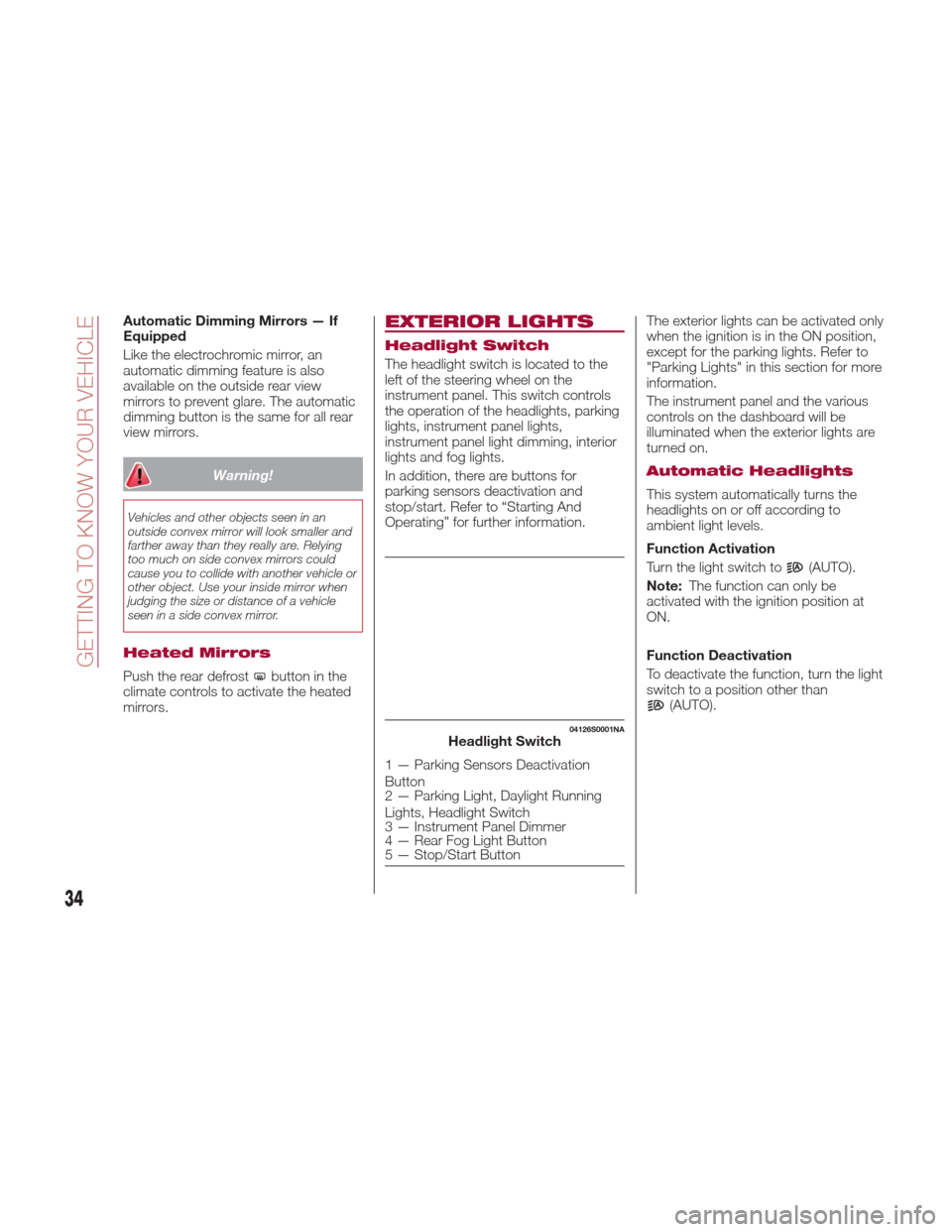
Headlight Switch
The headlight switch is located to the
left of the steering wheel on the
instrument panel. This switch controls
the operation of the headlights, parking
lights, instrument panel lights,
instrument panel light dimming, interior
lights and fog lights.
In addition, there are buttons for
parking sensors deactivation and
stop/start. Refer to “Starting And
Operating” for further information. The exterior lights can be activated only
when the ignition is in the ON position,
except for the parking lights. Refer to
"Parking Lights" in this section for more
information.
The instrument panel and the various
controls on the dashboard will be
illuminated when the exterior lights are
turned on.
Automatic Headlights
This system automatically turns the
headlights on or off according to
ambient light levels.
Function Activation
Turn the light switch to
(AUTO).
Note: The function can only be
activated with the ignition position at
ON.
Function Deactivation
To deactivate the function, turn the light
switch to a position other than
(AUTO).
04126S0001NAHeadlight Switch
1 — Parking Sensors Deactivation
Button
2 — Parking Light, Daylight Running
Lights, Headlight Switch
3 — Instrument Panel Dimmer
4 — Rear Fog Light Button
5 — Stop/Start Button
34
GETTING TO KNOW YOUR VEHICLE
Page 37 of 268
Daytime Running Lights
(DRL)
With the ignition in the ON position and
the light switch turned to the
position, if the dusk sensor detects
sufficient external light, the Daytime
Running Lights will turn on
automatically while the other lights
remain off.
If the turn signals are operated, the
brightness of the corresponding
Daytime Running Lights will be
decreased as long as the turn signals
are on.
Non-Canadian Markets
If equipped, the DRL can be
activated/deactivated from the Connect
system, by selecting the following
functions in sequence on the main
MENU: "Settings", "Lights" and
"Daytime Lights".
Rear Fog Light
The rear fog light switch is integrated
with the headlight switch.
Push the
button to turn the fog lights
on/off.
The rear fog lights turn on only when
the headlights or fog lights are turned
on. The light can be turned off by
pushing the
buttonagainorby
turning off the headlights.
When the engine is stopped with the
rear fog lights on, the rear fog lights will
be off the next time the engine is
started.
Parking Lights
Turn the headlight switch to theposition to turn parking lights on. All
of the parking lights will turn on for eight
minutes, and opening the door
activates an audible warning.
To leave only the lights on one side
(right/left) illuminated, you must move
the turn signal lever to the side that you
want to remain on. With the parking
lights on, the
warning light on the
instrument panel will come on.
Note: Turning the ignition switch to ON
turns off the parking lights, which were
on only illuminated on one side.
Headlight Off Delay
The “Headlight Off Delay” function
delays the switching off of the
headlights after the vehicle has been
stopped.
The function can be activated from the
Connect system by selecting the
following functions in sequence on the
main menu: “Settings”, “Lights” and
“Headlight Off Delay”.
The side lights and the headlights stay
on for a time that can be set between
30, 60, and 90 seconds.
Function Activation
With the headlights on, place the
ignition to the OFF position; the timer
will then start. Note:
To activate this function, the
headlights must be deactivated within
two minutes after the ignition has been
turned OFF.
Function Deactivation
This function is deactivated by
switching on the headlights, the side
lights, or by bringing the ignition device
to ON.
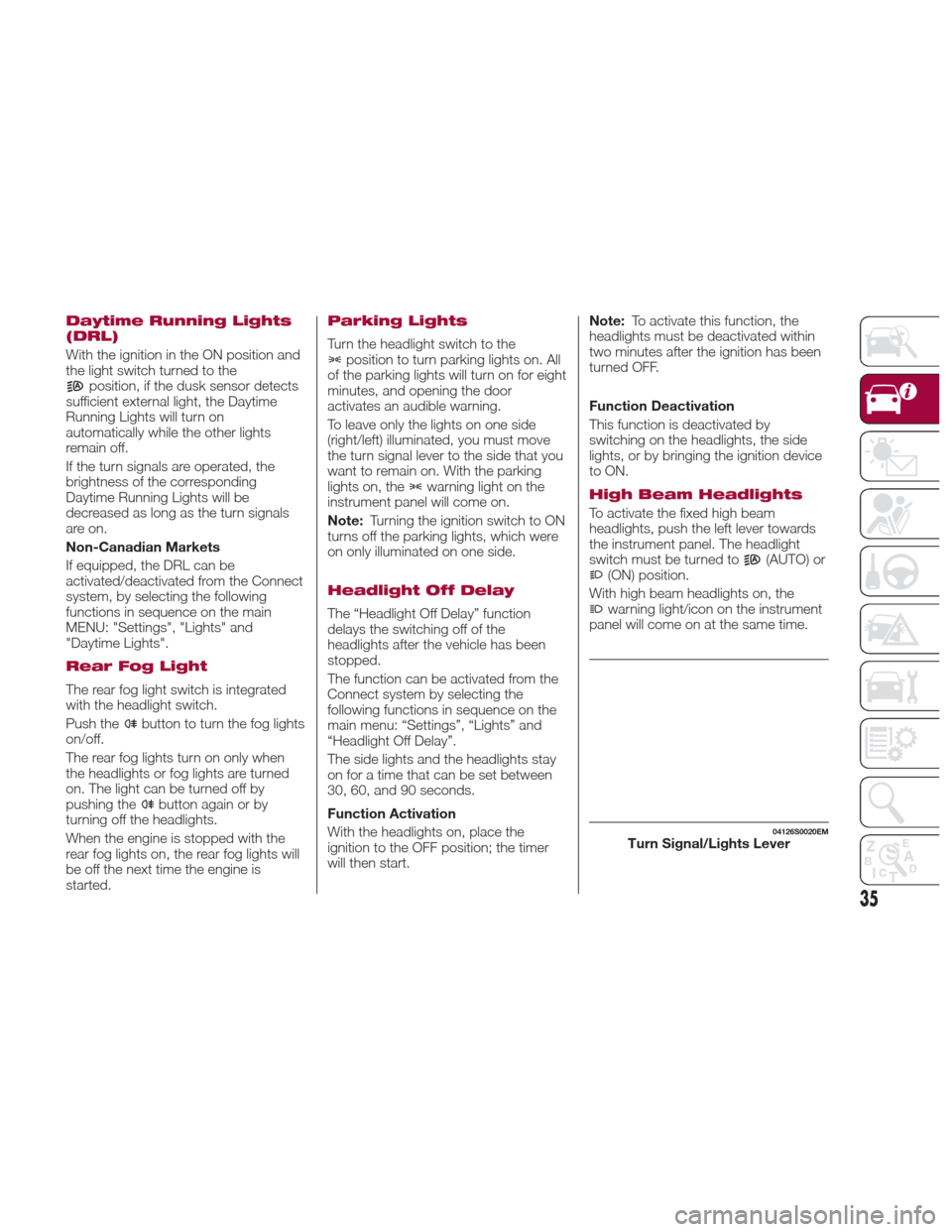
High Beam Headlights
To activate the fixed high beam
headlights, push the left lever towards
the instrument panel. The headlight
switch must be turned to
(AUTO) or(ON) position.
With high beam headlights on, the
warning light/icon on the instrument
panel will come on at the same time.
04126S0020EMTurn Signal/Lights Lever
35
Page 38 of 268

The high beam headlights are turned off
by pushing the left stalk toward the
instrument panel again. The warning
light/icon
will switch off in the
instrument panel when the headlights
are successfully turned off.
Flashing The Headlights
Pulling the left stalk toward the steering
wheel will activate the high beam
headlights manually. The lights will
remain on as long as the stalk is pulled
back; once the stalk is released, the
lights will switch off again.
Automatic High Beam Headlights —
If Equipped
The Automatic High Beam Headlights
system provides increased forward
lighting at night by automating high
beam control through the use of a
digital camera mounted on the
windshield. This camera detects vehicle
specific light and automatically switches
from high beams to low beams until the
approaching vehicle is out of view.
This function is enabled with the
Connect system, and can only be
activated with the light switch turned to
(AUTO).
If the high beam headlights are on, the
blue icon/warning light
will illuminate
in the instrument panel.
When the speed is higher than 37 mph
(60 km/h) and the function is active, the
lights will switch off if the left stalk is
pushed again. When the speed is lower than 15 mph
(25 km/h) and the function is active, the
function switches the high beam
headlights off.
If the high beam headlights are
operated quickly again (pushing the left
stalk towards the instrument panel), the
warning light/icon
will switch on in
the instrument panel and the main
beam headlights will be switched on
constantly until the speed exceeds
37 mph (60 km/h).
When the speed of 37 mph (60 km/h) is
exceeded again, the automatic
functioning is reactivated.
If the left stalk is pushed again with the
Automatic High Beam Headlights
activated, the Automatic High Beam
Headlights function deactivates.
To deactivate the automatic headlight
function, rotate the headlight switch to
the
position.
Note: If the system recognizes inner
city travel, the automatic functions
remain disabled independently of the
vehicle’s speed.
Turn Signals
To activate the turn signals function,
move the left lever up or down until it
reaches the detent. Moving the lever
upward flashes the right turn signal and
moving the lever downward will flash
the left turn signal. The
orturn signal will blink on the
instrument panel.
The turn signals turn off automatically
when the vehicle is brought back onto a
straight course.
“Lane Change” Function
Tap the lever up or down once, without
moving beyond the detent, and the turn
signal (right or left) will flash five times.
Then, the turn signal (right or left) will
automatically turn off.
To turn off the flashing before the end of
the cycle, move the lever in the
opposite direction until the first click
(about half way).
Static Bending Light
Function (SBL) — If
Equipped
The SBL function utilizes Light Emitting
Diodes (LEDs) in order to better
illuminate the street and increase the
light angle while turning. This function is
enabled by rotating the light switch to
position
or(AUTO). The SBL
LEDs activate when the speed is below
25 mph (40 km/h).
This function can be activated/
deactivated on the Connect system by
selecting the following functions in
sequence on the main menu:
“Settings”, “Lights” and “Cornering
Lights”.
36
GETTING TO KNOW YOUR VEHICLE