2017 Alfa Romeo Giulia light
[x] Cancel search: lightPage 39 of 268

INTERIOR LIGHTS
Front Map Reading
Lights
The front map/reading and overhead
lights are mounted in the overhead
console. Each light can be turned on by
pushing the corresponding switch on
the console. These switches are backlit
for night time visibility. To turn the lights
off, push the switch a second time.Note:
Before getting out of the vehicle,
ensure that the overhead lights are off.
This will prevent the battery level from
being drained once the doors are
closed. If a light is left on accidently, the
overhead lights turn off automatically
approximately 15 minutes after the
engine has been turned OFF.
Overhead Light Timing — If
Equipped
On certain models, to assist getting in
and out of the vehicle at night or in
poorly-lit areas, two timed modes have
been provided.
Timing While Getting Into The
Vehicle — The overhead lights turn on
according to the following modes:
Will illuminate for a few seconds
when the doors are unlocked.
Will illuminate for approximately three
minutes when one of the doors is
opened.
Will illuminate for a few seconds
when the doors are locked.
Timing is interrupted when the ignition
is turned to ON. Three Modes Are Provided For
Switching Off:
When all doors are closed after
entering the vehicle, the three-minute
timer will stop and a seconds timer will
start for the interior lights. This timing
will stop when the ignition is turned to
ON.
When doors are locked (either with
key fob or with key inserted on driver
side door), the overhead light turns off.
The interior lights will turn off after
15 minutes to preserve the battery.
Timing While Getting Out Of The
Vehicle — After turning the ignition
switch to STOP, the overhead lights will
turn on as follows:
For a few seconds after the engine
stops.
For approximately three minutes
when one of the doors is opened.
For a few seconds when the last
door is closed.
The timing stops automatically when
the doors are locked.
Courtesy Lights — If Equipped
On the driver and passenger sun visor,
there is a light which illuminates the sun
visor mirror when folded down.04136S0001EMOverhead Console
1 — Driver’s Reading/Map Light Switch
2 — Rear Overhead Lights Switch
3 — Overhead Lights Switch
4 — Front Map Reading Lights Switch
5 — Passenger’s Reading/Map Light
Switch
6 — Passenger’s Reading/Map Light
7 — Center Reading/Map Light
8 — Driver’s Reading/Map Light
37
Page 40 of 268
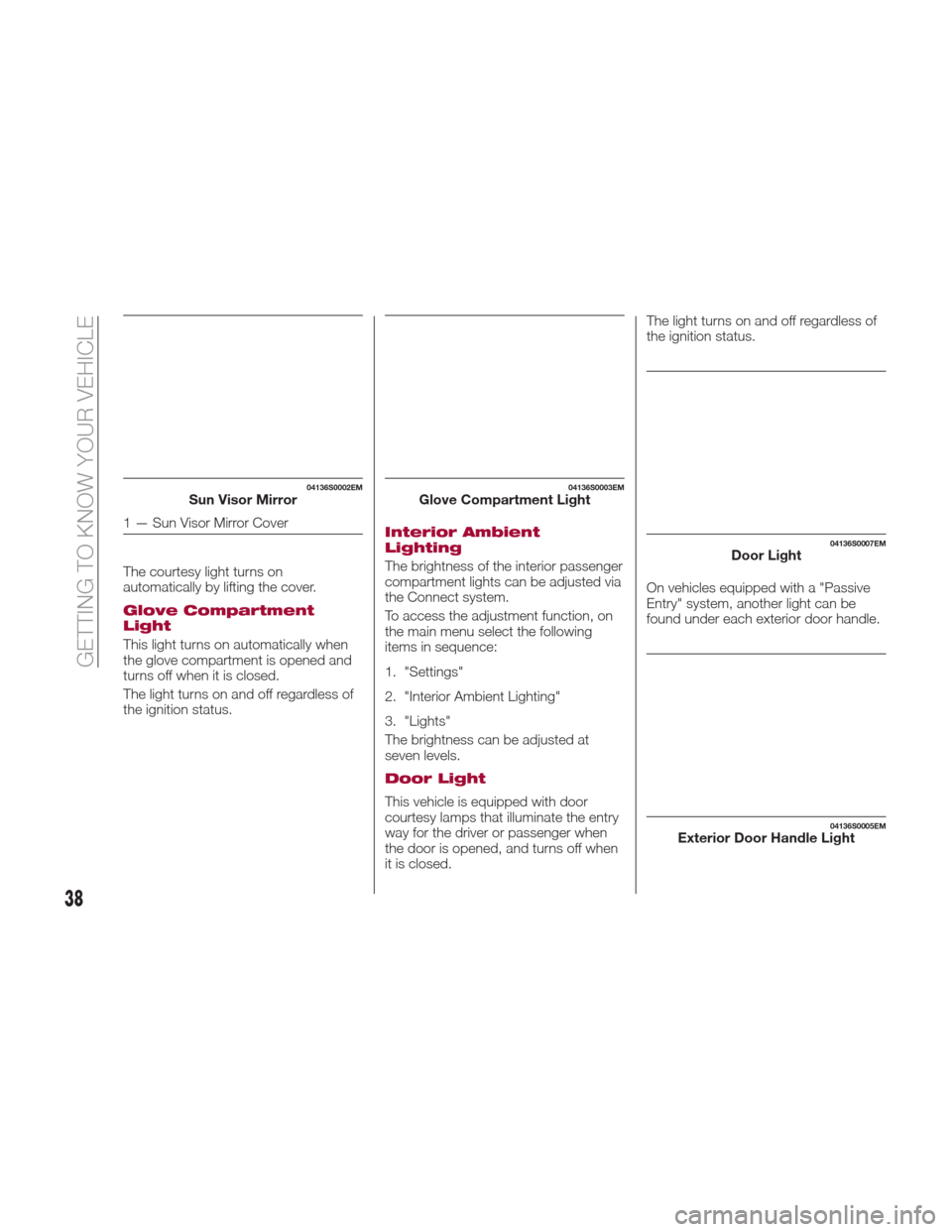
The courtesy light turns on
automatically by lifting the cover.
Glove Compartment
Light
This light turns on automatically when
the glove compartment is opened and
turns off when it is closed.
The light turns on and off regardless of
the ignition status.
Interior Ambient
Lighting
The brightness of the interior passenger
compartment lights can be adjusted via
the Connect system.
To access the adjustment function, on
the main menu select the following
items in sequence:
1. "Settings"
2. "Interior Ambient Lighting"
3. "Lights"
The brightness can be adjusted at
seven levels.
Door Light
This vehicle is equipped with door
courtesy lamps that illuminate the entry
way for the driver or passenger when
the door is opened, and turns off when
it is closed.The light turns on and off regardless of
the ignition status.
On vehicles equipped with a "Passive
Entry" system, another light can be
found under each exterior door handle.
04136S0002EMSun Visor Mirror
1 — Sun Visor Mirror Cover
04136S0003EMGlove Compartment Light
04136S0007EMDoor Light
04136S0005EMExterior Door Handle Light
38
GETTING TO KNOW YOUR VEHICLE
Page 41 of 268
Rear Overhead Light
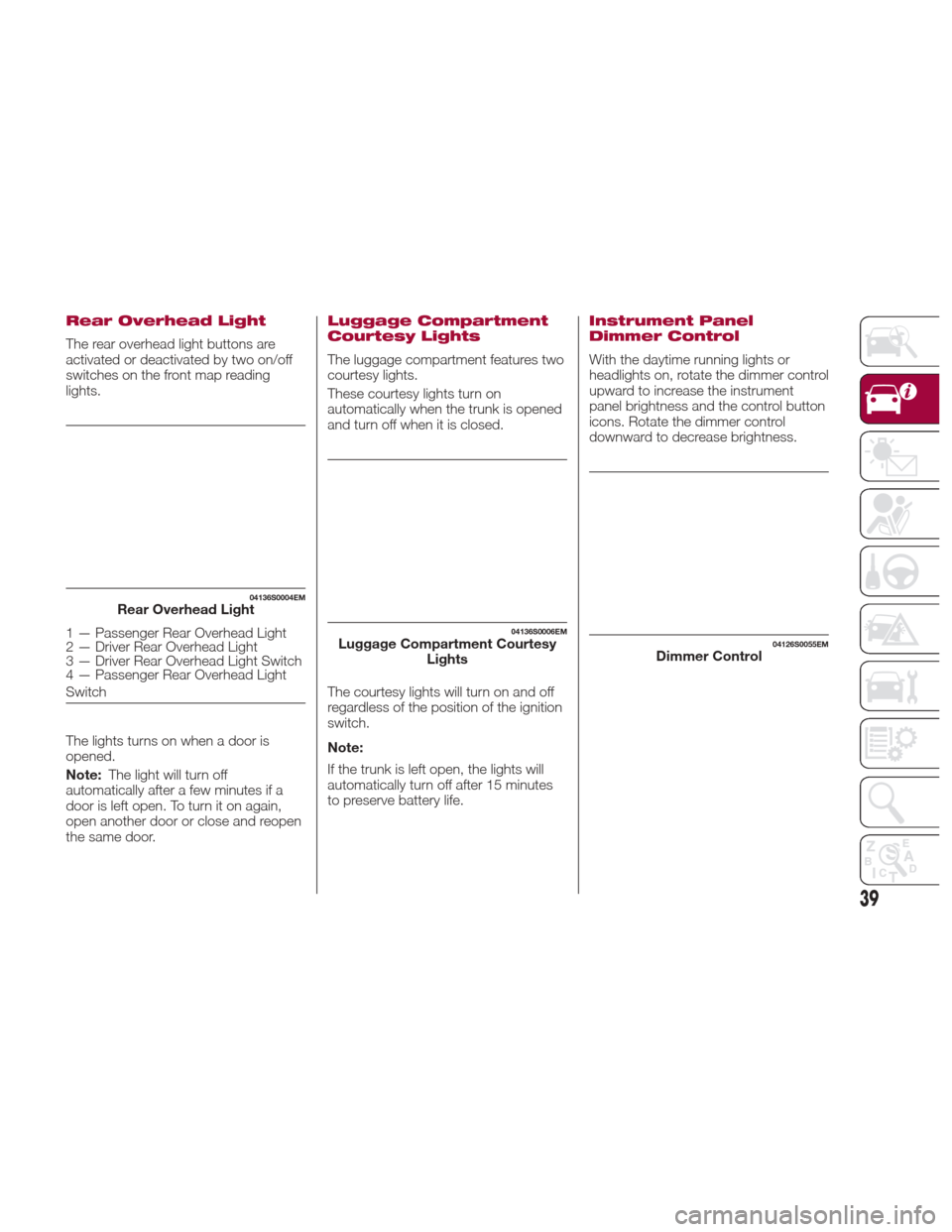
The rear overhead light buttons are
activated or deactivated by two on/off
switches on the front map reading
lights.
The lights turns on when a door is
opened.
Note:The light will turn off
automatically after a few minutes if a
door is left open. To turn it on again,
open another door or close and reopen
the same door.
Luggage Compartment
Courtesy Lights
The luggage compartment features two
courtesy lights.
These courtesy lights turn on
automatically when the trunk is opened
and turn off when it is closed.
The courtesy lights will turn on and off
regardless of the position of the ignition
switch.
Note:
If the trunk is left open, the lights will
automatically turn off after 15 minutes
to preserve battery life.
Instrument Panel
Dimmer Control
With the daytime running lights or
headlights on, rotate the dimmer control
upward to increase the instrument
panel brightness and the control button
icons. Rotate the dimmer control
downward to decrease brightness.
04136S0004EMRear Overhead Light
1 — Passenger Rear Overhead Light
2 — Driver Rear Overhead Light
3 — Driver Rear Overhead Light Switch
4 — Passenger Rear Overhead Light
Switch04136S0006EMLuggage Compartment Courtesy Lights04126S0055EMDimmer Control
39
Page 47 of 268

Climate Control Display
Settings
The Climate Control settings are visible
on the Connect radio screen.
The display on the Connect system is a
pop up window (1), which is activated
by pushing the buttons or turning the
knobs on the Climate Control system.
The indicator lights located on the a
number of the buttons and knobs
indicate that the selected feature is
on/off. If no operation is performed for a
predetermined time, the pop-up will
close on the display.
Air Temperature
Adjustment
Rotate the driver or passenger
Temperature Adjustment Knob to the
right for warmer temperatures or to the
left for cooler temperatures. The set
temperatures are shown on the
Connect system.
Push the SYNC button to sync the
driver and passenger air temperatures.
Rotate the passenger Temperature
Adjustment Knob to cancel the SYNC
function. This will set a new passenger
side temperature.
Rotate the Temperature Adjustment
Knob fully right to engage the HI
(maximum heating) setting or fully left to
engage the LO (maximum cooling)
setting. To deactivate these functions,
rotate the Temperature Adjustment
Knob to the desired temperature.
Air Distribution
Selection
Push the Air Distribution Selection
button on the faceplate to change the
mode of air distribution.
Air flow to the windshield and front
side window vents to
demist/defrost them.
Air flow at the central and side
dashboard vents to ventilate the
chest and the face.
Air flow to the front and rear floor
vents. This setting heats the
passenger compartment the
quickest.
Air flow distributed between the
floor vents (hotter air) and the
central and side dashboard vents
(cooler air). This air distribution
setting is useful on sunny days
during spring and autumn.
Air flow distributed between the
floor vents, windshield, and front
side window defrosting/demisting
vents. This distribution setting
warms the passenger
compartment while preventing the
windows from fogging up.
Air flow distribution between the
windshield demisting/defrosting
vents, and side/central dashboard
vents. This distribution setting
sends air to the windshield in
sunny conditions.
Air flow distribution to all vents on
the vehicle.
In AUTO mode, the Climate Controls
automatically manage the air
distribution. When set manually, the
respective symbols on the Connect
system indicate the air distribution
setting.
04156S0006EM1 — Climate Control Pop-up Display
45
Page 48 of 268

Fan Speed Adjustment
Turn the Blower Speed Knob to
increase or decrease the blower speed.
The speed is displayed with lighted
indicators in the Connect system
display.
Maximum fan speed = all indicators
illuminated
Minimum fan speed = one indicator
illuminated
The fan can be turned off by rotating
the Blower Speed Knob to position O
(all segments on the Connect system
display are turned off).
Note:
To restore automatic control of the fan
speed, push the AUTO button.
AUTO Button
When the AUTO button is pushed
(indicator illuminated), the Climate
Control system automatically adjusts
the following settings:
Quantity and distribution of air flow in
the passenger compartment
The air conditioner
Air recirculation
Cancels any manual settings
Selecting the AUTO function illuminates
the indicator on the A/C button
.
If air distribution or the fan speed is
manual adjusted, the AUTO button
indicator will turn off to indicate that the
Climate Control system is no longer in
AUTO mode. After a manual adjustment, push the
AUTO button to resume the automatic
system.
SYNC Button
Push the SYNC button (indicator
illuminated) to sync the passenger side
air temperature with the driver side air
temperature.
This function makes temperature
regulation easier when the driver is
traveling alone.
Turn the passenger Temperature
Adjustment Knob or push the
passenger side Air Distribution
Selection Button to change the
passenger side air temperature and
return to separate air temperature
management.
Air Recirculation And Air
Quality System (AQS)
Air Recirculation is managed according
to the following operating mode:
Automatic engagement: indicator is
illuminated above the “A” on the Air
Recirculation Button
Forced activation (air circulation
always activated): indicator illuminated
above the
iconontheAir
Recirculation Button
Forced deactivation (air recirculation
always off with intake of outside air):
both indicators illuminated on the Air
Recirculation Button The three operating conditions are
obtained by pushing the Air
Recirculation Button
in sequence.
Enabling The Air Quality System
(AQS) Function — If Equipped
When the automatic recirculation
function is selected, the AQS function
automatically activates internal air
recirculation when the outside air is
polluted (e.g. in heavy traffic and
tunnels).
At low external temperatures or in high
humidity, the automatic function turns
off to avoid fogging up the windows.
The user can select the function again
by pushing the Air Recirculation Button.
In automatic operation, air recirculation
will be controlled by the system
according to outside environmental
conditions.
Note:
With the AQS function active and
after the internal air recirculation
system has been functioning for a set
amount of time, the Climate Control
System enables air intake to cycle the
air in the passenger compartment for a
set time. The AQS function is disabled
during the air changes.
46
GETTING TO KNOW YOUR VEHICLE
Page 49 of 268

The engagement of the recirculation
system makes it possible to reach the
required heating or cooling conditions
faster. It is, however, inadvisable to use
it on rainy/cold days as it can increase
the possibility of the windows fogging.
When the outside temperature is low,
recirculation is forced off to prevent the
windows from fogging up.
A/C Compressor
Push the A/C buttonto activate or
deactivate the A/C compressor
(indicator illuminated when activated).
The A/C compressor will remain off
even after the engine has stopped.
When the A/C compressor is turned off,
the system deactivates air recirculation
to prevent the windows from fogging
up. If the climate control system can
maintain the temperature, with the A/C
turned off, the AUTO feature will remain
on and the AUTO button indicator light
will not switch off.
To restore automatic control of the A/C
compressor, push the A/C button
or
the AUTO button. With the A/C
compressor off, the air speed can be
set manually using the Air Speed
Adjustment Knob.
When the A/C compressor is on, and
the engine is running, air speed cannot
be lower than the minimum speed (only
one indicator light is lit). Note:
When the A/C is off the Climate
Control system can not produce air that
is colder than the current outside
temperature. Under certain
environmental conditions, windows
could fog up rapidly, since the air is not
dehumidified.
Front Defroster And
MAX-DEF Function
Push the Front Defroster button(indicator illuminated) to defrost the
windshield and side windows.
While in MAX-DEF function, the air
conditioner will:
Activate the air conditioner
compressor when the weather allows
Turn air recirculation off
Set the maximum air temperature (HI)
on both the driver and passenger side
Activate a blower speed based on
the temperature of the engine coolant
Adjust the air flow towards the
windshield and front side windows
Activate the Rear Window Defroster
Display the fan speed (indicators
illuminated) and current air distribution
setting
Note: The MAX-DEF function remains
active for approximately three minutes
once the engine coolant reaches the
proper temperature. When the function is on, AUTO mode
will deactivate. The only manual
operations possible are adjusting
blower speed and turning off the Rear
Window Defroster.
Pushing the
button switches off the
MAX-DEF function.
Rear Defroster
Push the Rear Defrosterbutton to
activate (indicators illuminated) the Rear
Defroster.
The Rear Defroster will turn off after
20 minutes or once the engine is turned
off. To reactive the Rear Defroster, push
the Rear Defroster
button.
Note: To avoid damage, do not apply
stickers over the interior heating
filaments of the Rear Defroster.
Humidity Sensor
The Humidity Sensor helps to prevent
the windows from fogging up. The
AUTO function (indicator illuminated)
must be on for the Humidity Sensor to
function.
When outside temperature is low, the
system may turn the compressor on
and turn air recirculation off for safer
driving.
47
Page 54 of 268

HOOD
Opening
To open the hood, proceed as follows:
1. Pull the release lever located on the
driver’s side kick panel.
2. Go to the outside of the vehicle and
position yourself in front of the grille.
3. Lift the hood slightly.
4. From right to left, move the
under-hood latch to release the hood.5. Raise the hood completely. The
operation is assisted by the addition of
two gas shock absorbers which hold it
in the open position.
Note:
Do not tamper with the shock
absorber and accompany the hood
while lifting it.
Use both hands to lift the hood.
Before lifting, check that the windshield
wiper arms are not raised from the
windshield or in operation, that the
vehicle is stationary and that the
electric park brake is engaged.
Closing
As it is extremely light, to close the
hood, lower it to approximately
16 inches (40 cm) from the engine
compartment then apply a slight
pressure. Make sure that the hood is
completely closed and not only
fastened by the locking latch by trying
to open it. If it is not perfectly closed,
do not try to push the hood down but
open it and repeat the procedure
Note: Always check that the hood is
closed correctly to prevent it from
opening while the vehicle is travelling.
Since the hood is equipped with a
double locking system, one for each
side, you must check that it is closed
on both its side ends.
Warning!
Be sure the hood is fully latched before
driving your vehicle. If the hood is not fully
latched, it could open when the vehicle is
in motion and block your vision. Failure to
follow this warning could result in serious
injury or death.
04196S0001EMHood Release Lever
GUID-04196S0002EMLift Under Hood Latch Up Then Left
52
GETTING TO KNOW YOUR VEHICLE
Page 55 of 268
TRUNK
The trunk unlocking is electrically
operated and is deactivated when the
car is in motion.
Opening
Opening From The Outside
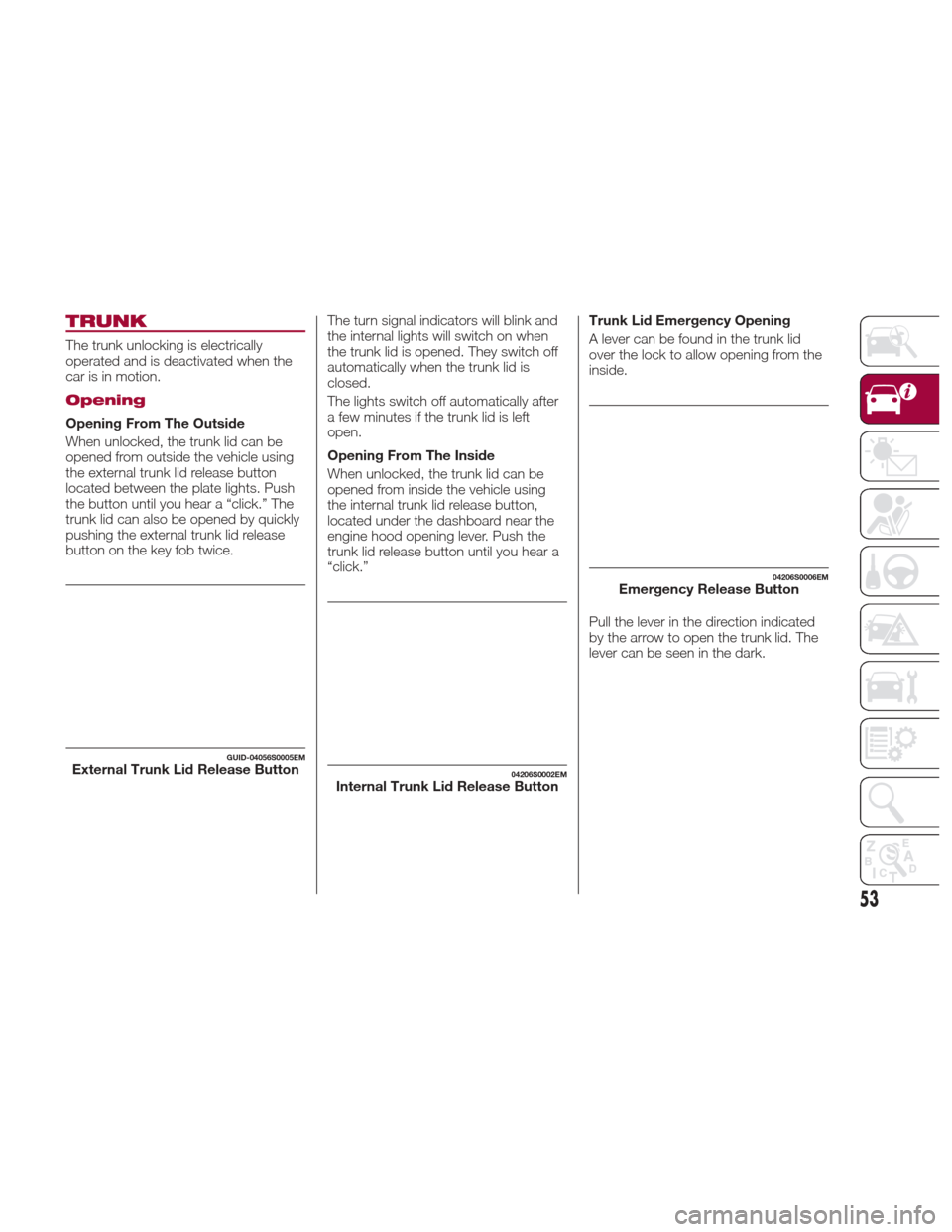
When unlocked, the trunk lid can be
opened from outside the vehicle using
the external trunk lid release button
located between the plate lights. Push
the button until you hear a “click.” The
trunk lid can also be opened by quickly
pushing the external trunk lid release
button on the key fob twice.The turn signal indicators will blink and
the internal lights will switch on when
the trunk lid is opened. They switch off
automatically when the trunk lid is
closed.
The lights switch off automatically after
a few minutes if the trunk lid is left
open.
Opening From The Inside
When unlocked, the trunk lid can be
opened from inside the vehicle using
the internal trunk lid release button,
located under the dashboard near the
engine hood opening lever. Push the
trunk lid release button until you hear a
“click.”Trunk Lid Emergency Opening
A lever can be found in the trunk lid
over the lock to allow opening from the
inside.
Pull the lever in the direction indicated
by the arrow to open the trunk lid. The
lever can be seen in the dark.
GUID-04056S0005EMExternal Trunk Lid Release Button04206S0002EMInternal Trunk Lid Release Button
04206S0006EMEmergency Release Button
53