2016 VOLVO XC90 T8 light
[x] Cancel search: lightPage 189 of 546

CLIMATE
}}
* Option/accessory, for more information, see Introduction.187
2. Activate/deactivate IAQS by selecting/dese-
lecting the
Air Quality Sensor box.
Related information
• Air quality (p. 186)
• Passenger compartment air filter (p. 187)
• Clean Zone Interior Package (CZIP)
*
(p. 186)
• Turning recirculation on and off (p. 194)
Passenger compartment air filter
All air entering the passenger compartment through the climate system air intake is filtered.
Filter replacementThe filter must be replaced according to the serv- ice schedule for your vehicle. When driving in e.g.,dusty or industrial areas, the filer may need to bereplaced more often. Consult your Volvo retailer.
Related information
• Air quality (p. 186)
• Clean Zone Interior Package (CZIP)
*
(p. 186)
• Interior Air Quality System (IAQS)
* (p. 186)
• Volvo's service program (p. 472)
Automatic climate control The Auto feature automatically controls a num- ber of climate system functions.
The Auto climate button in Climate view
1. Go to the center display's Climate view. 2.
Tap or press and hold
AUTO.
> Auto mode is activated (button lights up)/ deactivated (button is off). Auto mode automatically controls air recirculation, airconditioning, and air distribution. Blower speed and temperature change depending on how long the button ispressed.
• Tap: return to previous settings.
• Press and hold: change to default set- tings (level
3 and 72 °F (22 °C).
Page 193 of 546
CLIMATE
}}
* Option/accessory, for more information, see Introduction.191
Setting the blower speed The blower can be set to five different automatic speeds plus
Off and Max. The blower speed
can be set separately for the front and rear seats.
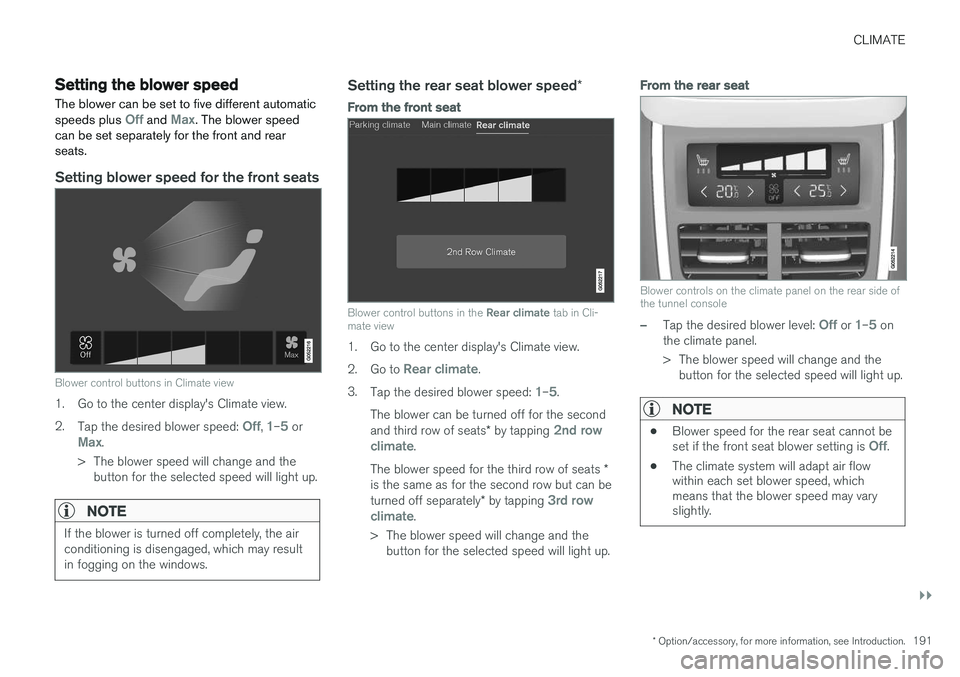
Setting blower speed for the front seats
Blower control buttons in Climate view
1. Go to the center display's Climate view. 2. Tap the desired blower speed:
Off, 1–5 orMax.
> The blower speed will change and the button for the selected speed will light up.
NOTE
If the blower is turned off completely, the air conditioning is disengaged, which may resultin fogging on the windows.
Setting the rear seat blower speed *
From the front seat
Blower control buttons in the Rear climate tab in Cli-
mate view
1. Go to the center display's Climate view. 2. Go to
Rear climate.
3. Tap the desired blower speed:
1–5.
The blower can be turned off for the second and third row of seats * by tapping
2nd row
climate.
The blower speed for the third row of seats *
is the same as for the second row but can be turned off separately * by tapping
3rd row
climate.
> The blower speed will change and the button for the selected speed will light up.
From the rear seat
Blower controls on the climate panel on the rear side of the tunnel console
–Tap the desired blower level: Off or 1–5 on
the climate panel.
> The blower speed will change and the button for the selected speed will light up.
NOTE
• Blower speed for the rear seat cannot be set if the front seat blower setting is Off.
• The climate system will adapt air flow within each set blower speed, whichmeans that the blower speed may varyslightly.
Page 196 of 546
||
CLIMATE
194
From the rear seat
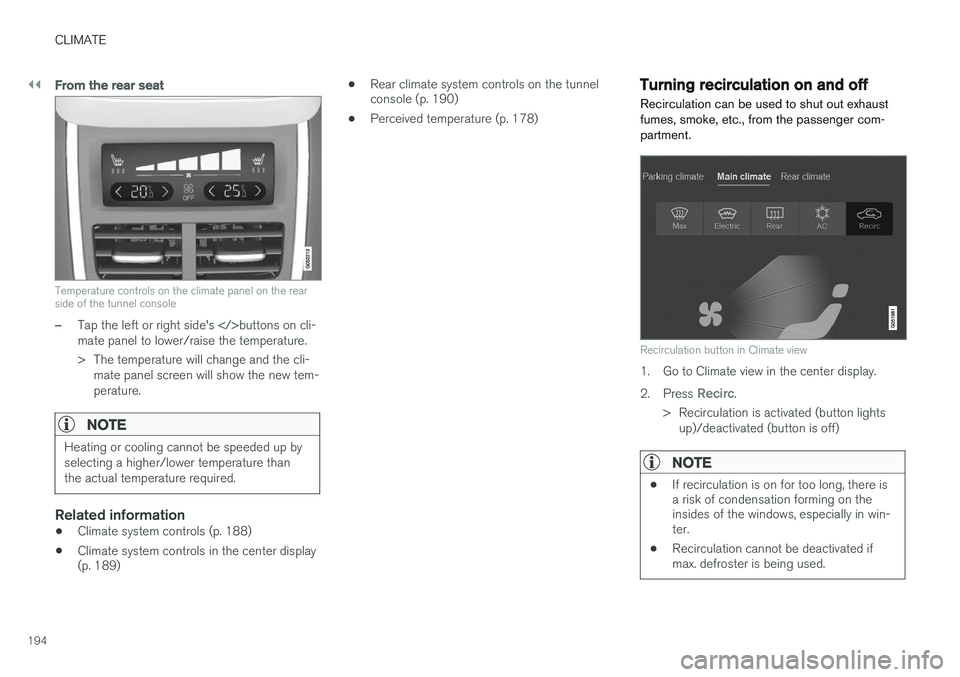
Temperature controls on the climate panel on the rear side of the tunnel console
–Tap the left or right side's buttons on cli-
mate panel to lower/raise the temperature.
> The temperature will change and the cli- mate panel screen will show the new tem- perature.
NOTE
Heating or cooling cannot be speeded up by selecting a higher/lower temperature thanthe actual temperature required.
Related information
• Climate system controls (p. 188)
• Climate system controls in the center display (p. 189) •
Rear climate system controls on the tunnelconsole (p. 190)
• Perceived temperature (p. 178)
Turning recirculation on and off
Recirculation can be used to shut out exhaust fumes, smoke, etc., from the passenger com-partment.
Recirculation button in Climate view
1. Go to Climate view in the center display. 2. Press
Recirc.
> Recirculation is activated (button lights up)/deactivated (button is off)
NOTE
• If recirculation is on for too long, there is a risk of condensation forming on theinsides of the windows, especially in win-ter.
• Recirculation cannot be deactivated ifmax. defroster is being used.
Page 197 of 546
CLIMATE
}}
* Option/accessory, for more information, see Introduction.195
Activating/deactivating the recirculation timer
With the timer activated, recirculation will switch off automatically after 20 minutes. 1.
Tap
Settings in the center display's Top
view.
2. Tap
Climate.
3. Activate/deactivate the timer by selecting/ deselecting the box for
Recirculation
Timer.
Related information
• Climate system controls in the center display (p. 189)
Defrosting windows and mirrors
The max. defroster, heated windshield * and
heated rear window/door mirror functions are used to remove ice or condensation.
Using the buttons in the center consoleThe buttons in the center console offer quick access to the defroster functions. On models with the optional heated windshield, the max. defroster function can only be activatedseparately from the Climate view in the centerdisplay.
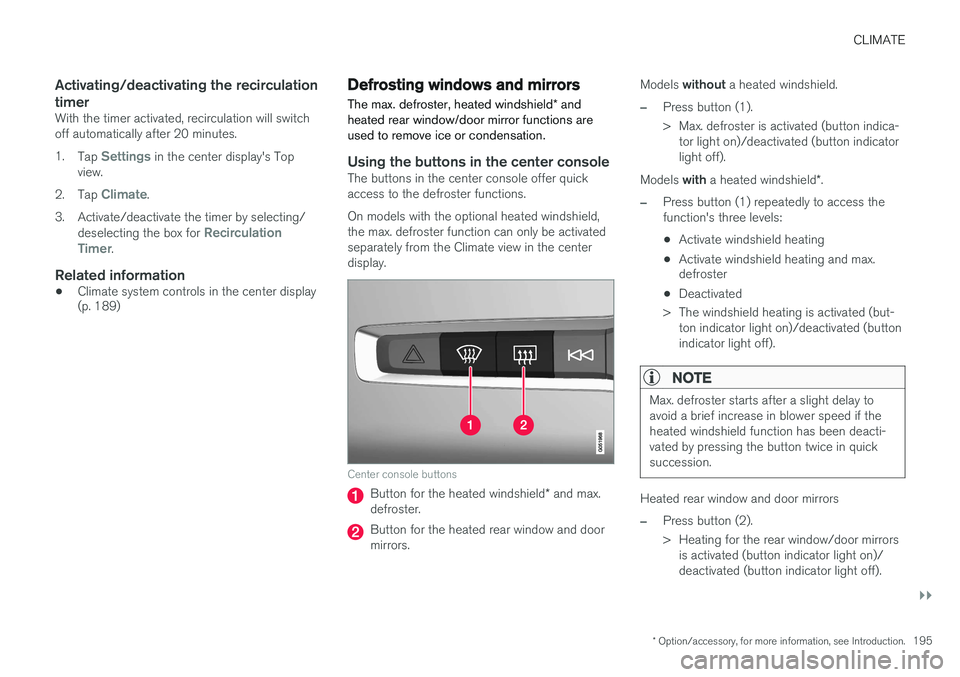
Center console buttons
Button for the heated windshield * and max.
defroster.
Button for the heated rear window and door mirrors. Models
without a heated windshield.
–Press button (1).
> Max. defroster is activated (button indica-
tor light on)/deactivated (button indicator light off).
Models with a heated windshield *.
–Press button (1) repeatedly to access the function's three levels:
• Activate windshield heating
• Activate windshield heating and max. defroster
• Deactivated
> The windshield heating is activated (but- ton indicator light on)/deactivated (button indicator light off).
NOTE
Max. defroster starts after a slight delay to avoid a brief increase in blower speed if theheated windshield function has been deacti-vated by pressing the button twice in quicksuccession.
Heated rear window and door mirrors
–Press button (2).
> Heating for the rear window/door mirrorsis activated (button indicator light on)/ deactivated (button indicator light off).
Page 198 of 546
||
CLIMATE
* Option/accessory, for more information, see Introduction.
196
From the center display's Climate view
Activate/deactivate max. defroster
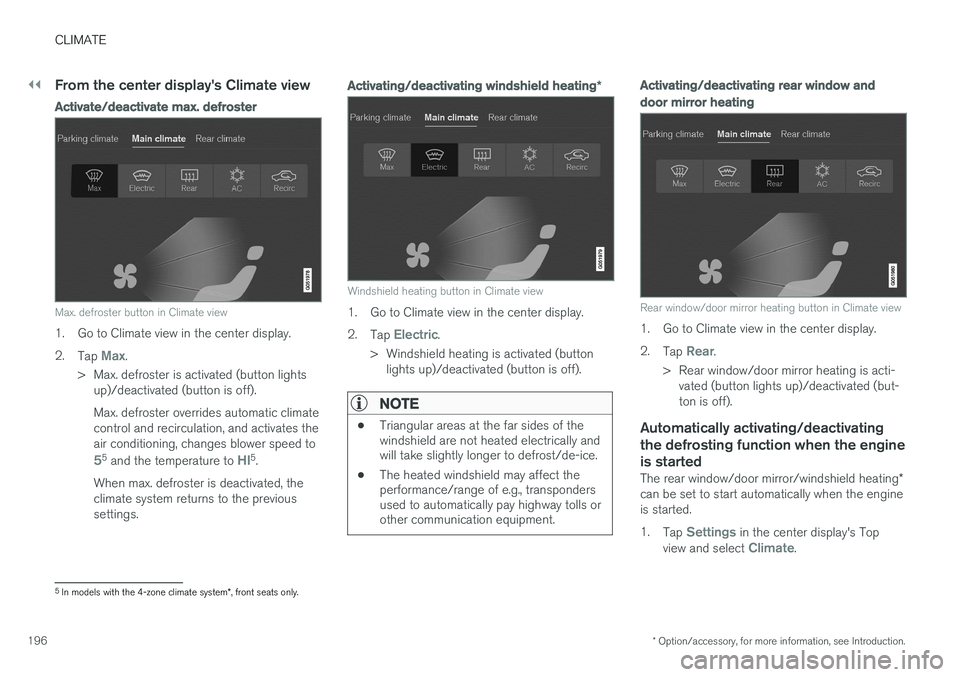
Max. defroster button in Climate view
1. Go to Climate view in the center display. 2.
Tap
Max.
> Max. defroster is activated (button lights up)/deactivated (button is off). Max. defroster overrides automatic climate control and recirculation, and activates theair conditioning, changes blower speed to
55 and the temperature to HI5.
When max. defroster is deactivated, the climate system returns to the previoussettings.
Activating/deactivating windshield heating *
Windshield heating button in Climate view
1. Go to Climate view in the center display. 2.
Tap
Electric.
> Windshield heating is activated (button lights up)/deactivated (button is off).
NOTE
• Triangular areas at the far sides of the windshield are not heated electrically andwill take slightly longer to defrost/de-ice.
• The heated windshield may affect theperformance/range of e.g., transpondersused to automatically pay highway tolls orother communication equipment.
Activating/deactivating rear window and door mirror heating
Rear window/door mirror heating button in Climate view
1. Go to Climate view in the center display. 2.
Tap
Rear.
> Rear window/door mirror heating is acti- vated (button lights up)/deactivated (but- ton is off).
Automatically activating/deactivating the defrosting function when the engineis started
The rear window/door mirror/windshield heating *
can be set to start automatically when the engine is started. 1. Tap
Settings in the center display's Top
view and select Climate.
5 In models with the 4-zone climate system *, front seats only.
Page 200 of 546
CLIMATE
* Option/accessory, for more information, see Introduction.
198
Air conditioning
The air conditioning cools and dehumidifies the air in the passenger compartment.
Activating/deactivating the main air conditioning unit
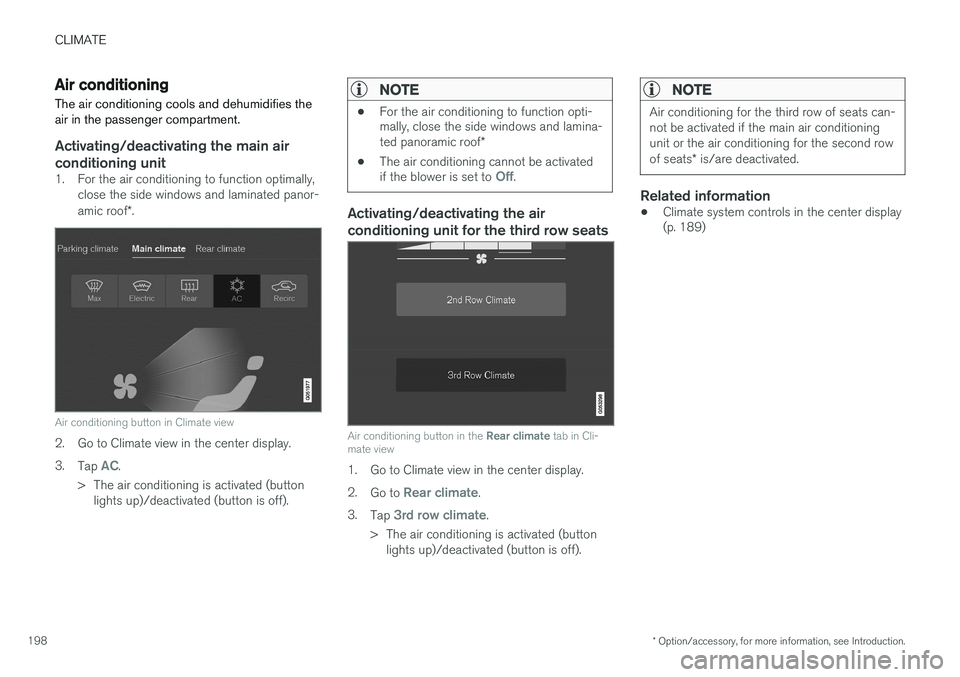
1. For the air conditioning to function optimally, close the side windows and laminated panor- amic roof *.
Air conditioning button in Climate view
2. Go to Climate view in the center display. 3.
Tap
AC.
> The air conditioning is activated (button lights up)/deactivated (button is off).
NOTE
• For the air conditioning to function opti- mally, close the side windows and lamina- ted panoramic roof
*
• The air conditioning cannot be activated if the blower is set to
Off.
Activating/deactivating the air conditioning unit for the third row seats
Air conditioning button in the
Rear climate tab in Cli-
mate view
1. Go to Climate view in the center display. 2. Go to
Rear climate.
3. Tap
3rd row climate.
> The air conditioning is activated (button lights up)/deactivated (button is off).
NOTE
Air conditioning for the third row of seats can- not be activated if the main air conditioningunit or the air conditioning for the second row of seats * is/are deactivated.
Related information
• Climate system controls in the center display (p. 189)
Page 202 of 546
||
CLIMATE
* Option/accessory, for more information, see Introduction.
200
Automatically activating/deactivating the seat heating function when theengine is started
The seat heating * can be set to start automati-
cally when the engine is started. The automatic function starts heating the seats when the ambient temperature is sufficiently cold. 1. Tap
Settings in the center display's Top
view.
2. Tap
Climate.
3. Under
Auto Driver Seat Heating Level andAuto Passenger Seat Heating Level,
select Off, Low, Middle or High to activate/
deactivate the automatic function and select a level for the driver's and passenger's seats.
Related information
• Climate system controls (p. 188)
• Climate system controls in the center display (p. 189)
• Rear climate system controls on the tunnelconsole (p. 190)
Turning front seat ventilation
* on
and off
Seat ventilation can be used e.g., to help remove dampness from the seat occupant's clothing.
The ventilation system consists of fans in the seats and backrests that draw air through theseat upholstery. The cooling effect increases asthe air in the passenger compartment becomescooler. This feature can be activated when theengine is running and it monitors the seat's tem-perature, sunlight in the passenger compartmentand the ambient temperature.
Activating/deactivating front seat ventilation
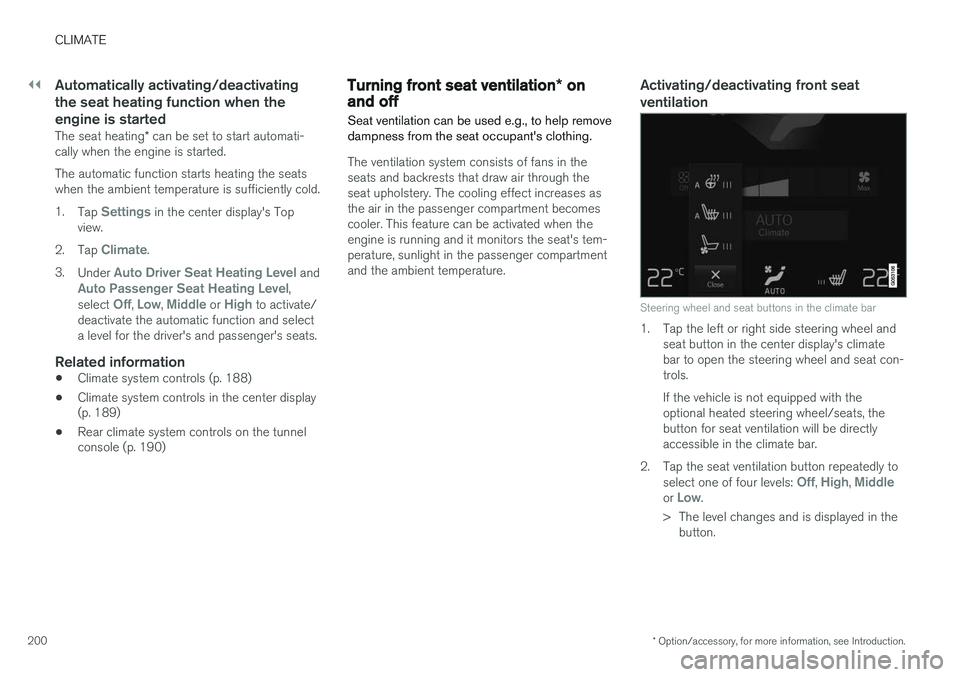
Steering wheel and seat buttons in the climate bar
1. Tap the left or right side steering wheel and seat button in the center display's climate bar to open the steering wheel and seat con-trols. If the vehicle is not equipped with the optional heated steering wheel/seats, thebutton for seat ventilation will be directlyaccessible in the climate bar.
2. Tap the seat ventilation button repeatedly to select one of four levels:
Off, High, Middleor Low.
> The level changes and is displayed in the button.
Page 204 of 546
CLIMATE
202
Opening/closing/directing air vents
Some of the passenger compartment air vents can be open/closed/directed individually.
Direct the dashboard and door pillar outer air vents toward the side windows to defrost. Direct the vents into the passenger compartment to help maintain a comfortable temperature inwarm weather.
Opening/closing air vents
Air vent thumb wheel 6
–Turn the thumb wheel to open/close the air flow from the vent. The more of the white line on the thumb wheel that is visible, the greater the air flow.
Directing air flow
Air flow control 6
–Move the control from side to side or up/ down to direct the flow of air from the vent.
Related information
•
Air distribution (p. 201)
• Adjusting air distribution (p. 202)
• Air distribution table (p. 204)
Adjusting air distribution
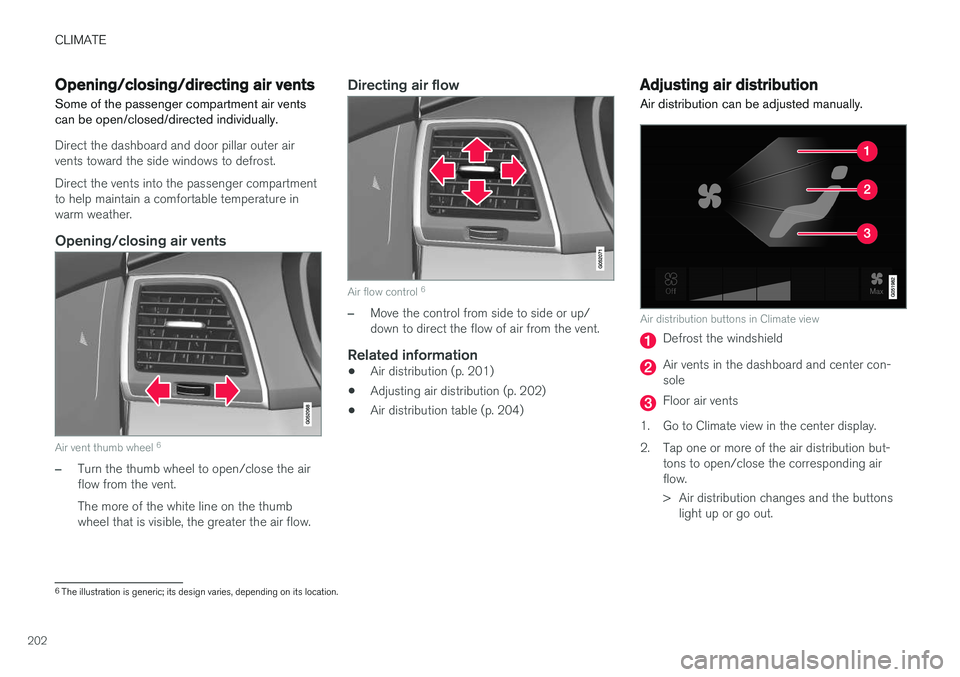
Air distribution can be adjusted manually.
Air distribution buttons in Climate view
Defrost the windshield
Air vents in the dashboard and center con- sole
Floor air vents
1. Go to Climate view in the center display.
2. Tap one or more of the air distribution but- tons to open/close the corresponding air flow.
> Air distribution changes and the buttonslight up or go out.
6The illustration is generic; its design varies, depending on its location.