2016 SUBARU OUTBACK Acc switch
[x] Cancel search: Acc switchPage 187 of 572

as vehicle information, warning informa-
tion, etc., they will interrupt the current
screen, and appear on the display accom-
panied by a beep. If such a screen is
displayed, take proper action according to
the message shown on the screen.
The warning screen will return to the
original screen after a few seconds. While
the“
”information reminder is shown on
the display, it may be possible to display
the warning screen again. To recall the
message marked with“
”on the display,
pull the“/SET”switch on the steering
wheel toward you.
&Welcome screen and Good-
bye screen
When the driver’s door is opened and
closed after unlocking the door, the
welcome screen will appear on the multi
information display for approximately 20
seconds.
When the ignition switch is turned to the
“LOCK”/“OFF”position, the multi informa-
tion display gradually turns off (Good-bye
screen).
NOTE
.The basic screen will be shown
when the ignition switch is turned to
the“ON”position while the welcomescreen is displayed.
.Once the welcome screen appears,
it takes a certain period of time to
display it again.
.If the ignition switch is operated
after unlocking the driver’s door, the
welcome screen will not appear even
when the driver’s door is opened and
closed.
.The welcome screen will disappear
when you lock the driver’s door by
using the remote keyless entry system
(all models) or the keyless access
function (if equipped) while the wel-
come screen is displayed.
.If any of the doors (including the
rear gate) is opened while the welcome
screen is displayed, the door ajar
warning will appear.
.The welcome screen can be set to
on or off. For details, refer to“Welcome
Screen”F3-41.
.The Good-bye screen can be set to
on or off. For details, refer to“Good-
bye Screen”F3-41.
&Warning screen
Example of warning
If there is a warning message or a
maintenance notification, it will appear for
approximately 5 seconds. Take the appro-
priate actions based on the messages
indicated.
Instruments and controls/Multi information display
–CONTINUED–3-35
Page 190 of 572
Instruments and controls/Multi information display
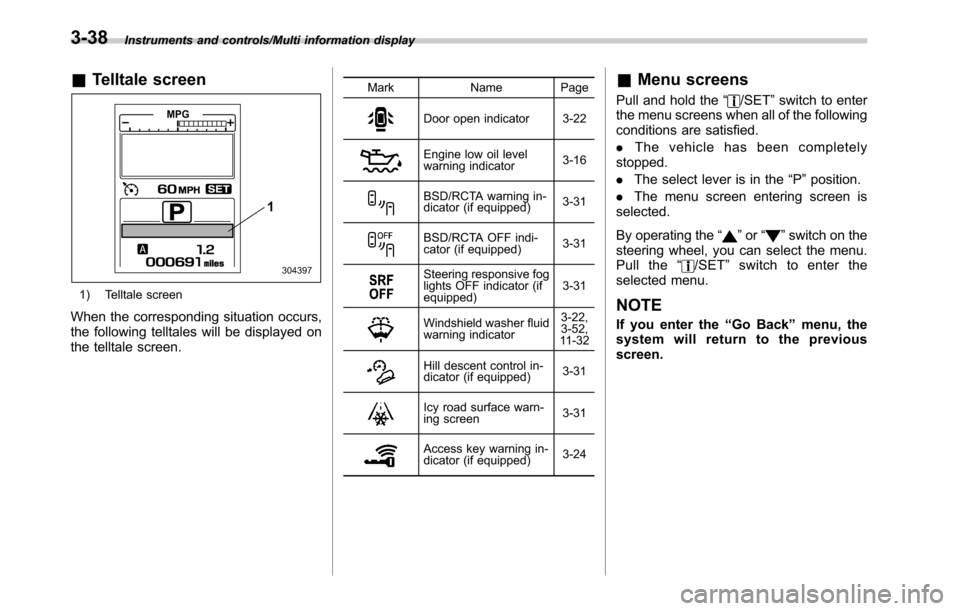
&Telltale screen
1) Telltale screen
When the corresponding situation occurs,
the following telltales will be displayed on
the telltale screen.
Mark Name Page
Door open indicator 3-22
Engine low oil level
warning indicator3-16
BSD/RCTA warning in-
dicator (if equipped)3-31
BSD/RCTA OFF indi-
cator (if equipped)3-31
Steering responsive fog
lights OFF indicator (if
equipped)3-31
Windshield washer fluid
warning indicator3-22,
3-52,
11 - 3 2
Hill descent control in-
dicator (if equipped)3-31
Icy road surface warn-
ing screen3-31
Access key warning in-
dicator (if equipped)3-24
&Menu screens
Pull and hold the“/SET”switch to enter
the menu screens when all of the following
conditions are satisfied.
.The vehicle has been completely
stopped.
.The select lever is in the“P”position.
.The menu screen entering screen is
selected.
By operating the“
”or“”switch on the
steering wheel, you can select the menu.
Pull the“
/SET”switch to enter the
selected menu.
NOTE
If you enter the“Go Back”menu, the
system will return to the previous
screen.
3-38
Page 195 of 572

to customize the operation period. Select
“Off”to deactivate the welcome lighting
function when approaching.
.Leaving Time Set:
The setting for the period of time in which
the low beam headlights remain on when
exiting the vehicle can be set or custo-
mized. Select the preferred seconds to
customize the operation period. Select
“Off”to deactivate the welcome lighting
function when exiting.
!Default Settings
Select“Ye s”to use the menu screen to
restore customized settings to the factory
default settings. Select“No”to return to
the previous screen without restoring to
the factory default settings.Light control switch
CAUTION
.Use of any lights for a long period
of time while the engine is not
running can cause the battery to
discharge.
.Before leaving the vehicle, make
sure that the light control switch
is turned to the off position. If the
vehicle is left unattended for a
long time with the light control
switch set to a position other
than the off position, the battery
may be discharged.
Models with“keyless access with
push-button start system”:
The light control switch operates when the
push-button ignition switch is in the“ACC”
or“ON”position.
Regardless of the position of the light
control switch, the illuminated lights are
turned off when the push-button ignition
switch is turned off.
Models without“keyless access with
push-button start system”:
The light control switch operates when the
key is inserted in the ignition switch.Regardless of the position of the light
control switch, the illuminated lights are
turned off when the key is removed from
the ignition switch.NOTE
The light control switch can be oper-
ated (except auto on/off headlights),
even under the following conditions.
.when the key is not inserted into the
ignition switch (models without“key-
less access with push-button start
system”)
.when the push-button ignition
switch is turned off (models with“key-
less access with push-button start
system”)
If the driver’s door is opened while the
headlights are illuminated under such
conditions, a chirp sound will inform
the driver that the lights are illumi-
nated.
Instruments and controls/Light control switch
–CONTINUED–3-43
Page 197 of 572

When exiting:
While the welcome lighting function is
activated, the low beam headlights will
remain illuminated even when either of the
following operation is done.
.Thepush-buttonignitionswitchis
turned to the“OFF”status (models with
“keyless access with push-button start
system”)
.The key is pulled out from the ignition
switch (models without“keyless access
with push-button start system”)
The low beam headlights will turn off
under any of the following conditions.
.3 minutes have passed since the low
beam headlights were illuminated by the
welcome lighting function.
.30 seconds have passed since the
door is opened and closed.
*1
.The light control switch is turned to a
position other than“AUTO”.
.The locking procedure is performed
twice. When performing the unlocking
procedure after performing the locking
procedure, perform the locking procedure
twice again.
*1: The setting for the period of time in which
the low beam headlights remain on by the
welcome lighting function can be changed by a
SUBARU dealer. Contact your SUBARU dealerfor details. Also, you can change the setting by
operating the multi information display. For
details, refer to“Welcome Lighting”F3-42
.For models with the genuine SUBARU naviga-
tion system, you can change the setting by
using the navigation system. For details, refer to
the Owner’s Manual supplement for the naviga-
tion system.
!Sensor for the auto on/off head-
lights
The sensor is on the instrument panel as
shown in the illustration.
CAUTION
If any object is placed on or near the
sensor, the sensor may not detect
the level of the ambient light cor-
rectly and the auto on/off headlights
may not operate properly.
Instruments and controls/Light control switch
–CONTINUED–3-45
Page 201 of 572
Front fog light switch
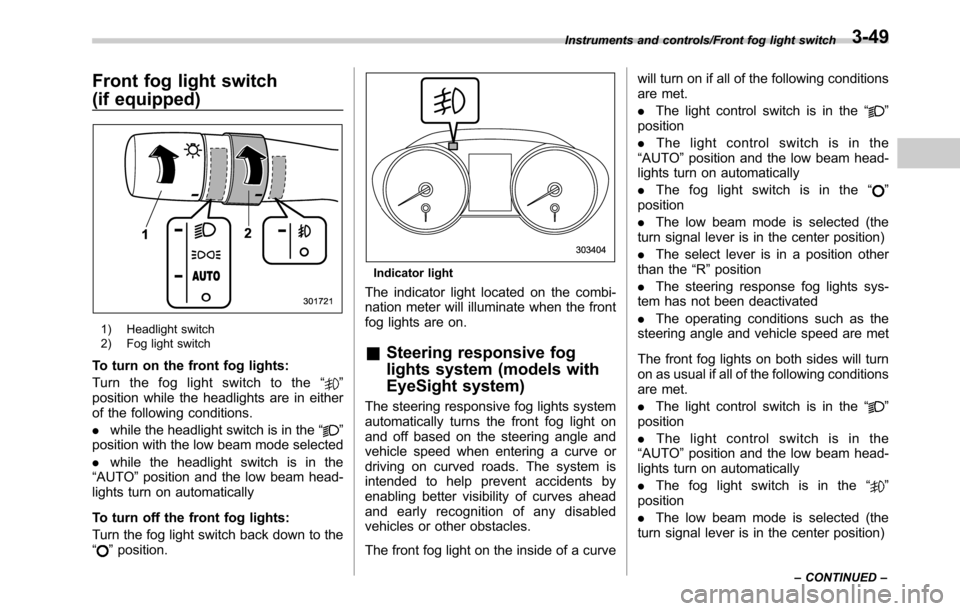
(if equipped)
1) Headlight switch
2) Fog light switch
To turn on the front fog lights:
Turn the fog light switch to the“
”
position while the headlights are in either
of the following conditions.
.while the headlight switch is in the“
”
position with the low beam mode selected
.while the headlight switch is in the
“AUTO”position and the low beam head-
lights turn on automatically
To turn off the front fog lights:
Turn the fog light switch back down to the
“
”position.
Indicator light
The indicator light located on the combi-
nation meter will illuminate when the front
fog lights are on.
&Steering responsive fog
lights system (models with
EyeSight system)
The steering responsive fog lights system
automatically turns the front fog light on
and off based on the steering angle and
vehicle speed when entering a curve or
driving on curved roads. The system is
intended to help prevent accidents by
enabling better visibility of curves ahead
and early recognition of any disabled
vehicles or other obstacles.
The front fog light on the inside of a curvewill turn on if all of the following conditions
are met.
.The light control switch is in the“
”
position
.The light control switch is in the
“AUTO”position and the low beam head-
lights turn on automatically
.The fog light switch is in the“
”
position
.The low beam mode is selected (the
turn signal lever is in the center position)
.The select lever is in a position other
than the“R”position
.The steering response fog lights sys-
tem has not been deactivated
.The operating conditions such as the
steering angle and vehicle speed are met
The front fog lights on both sides will turn
on as usual if all of the following conditions
are met.
.The light control switch is in the“
”
position
.The light control switch is in the
“AUTO”position and the low beam head-
lights turn on automatically
.The fog light switch is in the“
”
position
.The low beam mode is selected (the
turn signal lever is in the center position)
Instruments and controls/Front fog light switch
–CONTINUED–3-49
Page 203 of 572

.In freezing weather, be sure that
the wiper blades are not frozen to
the windshield or rear window
before switching on the wipers.
Attempting to operate the wiper
with the blades frozen to the
window glass could cause not
only the wiper blades to be
damaged but also might cause
the wiper motor to fail. If the
wiper blades are frozen to the
window glass, be sure to operate
the defroster, windshield wiper
deicer (if equipped) or rear win-
dow defogger before turning on
the wiper.
.If the wipers stop during opera-
tion because of ice or some other
obstruction on the window, this
might cause the wiper motor to
fail even if the wiper switch is
turned off. If this occurs,
promptly stop the vehicle in a
safe location, turn the ignition
switch to the“LOCK”/“OFF”po-
sition and clean the window
glass to allow proper wiper op-
eration.
.Use clean water if windshield
washer fluid is unavailable. In
areas where water freezes in
winter, use SUBARU WindshieldWasher Fluid or the equivalent.
Refer to“Windshield washer
fluid”F11-32.
Also, when driving the vehicle
when there are freezing tempera-
tures, use non-freezing type wi-
per blades.
.Do not clean the wiper blades
with gasoline or a solvent, such
as paint thinner or benzine. This
will cause deterioration of the
wiper blades.
NOTE
.The windshield wiper motor is pro-
tected against overloads by a circuit
breaker. If the motor operates continu-
ously under an unusually heavy load,
the circuit breaker may trip to stop the
motor temporarily. If this happens, park
your vehicle in a safe location, turn off
the wiper switch, and wait for approxi-
mately 10 minutes. The circuit breaker
will reset itself, and the wipers will
again operate normally.
.Clean your wiper blades and win-
dow glass periodically with a washer
solution to prevent streaking, and to
remove accumulations of road salt or
road film. Operate the windshield
washer for at least 1 second so thatwasher solution will be sprinkled all
over the windshield or rear window.
.Grease, wax, insects or other mate-
rial on the windshield or the wiper
blades results in jerky wiper operation
and streaking on the glass. If you
cannot remove those streaks after
operating the washer or if the wiper
operation is jerky, clean the outer sur-
face of the windshield or rear window
and the wiper blades using a sponge or
soft cloth with a neutral detergent or
mild abrasive cleaner. After cleaning,
rinse the window glass and wiper
blades with clean water. The glass is
clean if no beads form on the glass
when you rinse with water.
.If you cannot eliminate the streaking
even after following this procedure,
replace the wiper blades with new
ones. For replacement instructions,
refer to“Replacement of wiper blades”
F11-33.
Instruments and controls/Wiper and washer
–CONTINUED–3-51
Page 205 of 572
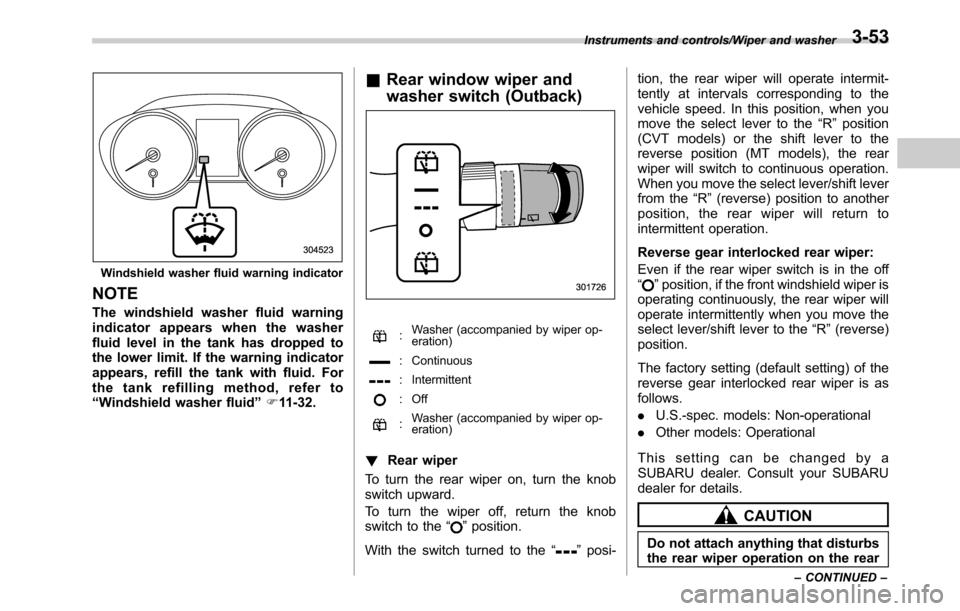
Windshield washer fluid warning indicator
NOTE
The windshield washer fluid warning
indicator appears when the washer
fluid level in the tank has dropped to
the lower limit. If the warning indicator
appears, refill the tank with fluid. For
the tank refilling method, refer to
“Windshield washer fluid”F11-32.
&Rear window wiper and
washer switch (Outback)
:Washer (accompanied by wiper op-
eration)
: Continuous
: Intermittent
: Off
:Washer (accompanied by wiper op-
eration)
!Rear wiper
To turn the rear wiper on, turn the knob
switch upward.
To turn the wiper off, return the knob
switch to the“
”position.
With the switch turned to the“
”posi-tion, the rear wiper will operate intermit-
tently at intervals corresponding to the
vehicle speed. In this position, when you
move the select lever to the“R”position
(CVT models) or the shift lever to the
reverse position (MT models), the rear
wiper will switch to continuous operation.
When you move the select lever/shift lever
from the“R”(reverse) position to another
position, the rear wiper will return to
intermittent operation.
Reverse gear interlocked rear wiper:
Even if the rear wiper switch is in the off
“
”position, if the front windshield wiper is
operating continuously, the rear wiper will
operate intermittently when you move the
select lever/shift lever to the“R”(reverse)
position.
The factory setting (default setting) of the
reverse gear interlocked rear wiper is as
follows.
.U.S.-spec. models: Non-operational
.Other models: Operational
This setting can be changed by a
SUBARU dealer. Consult your SUBARU
dealer for details.
CAUTION
Do not attach anything that disturbs
the rear wiper operation on the rear
Instruments and controls/Wiper and washer
–CONTINUED–3-53
Page 207 of 572

Control switch (type B)
1) Models without outside mirror defogger
2) Models with outside mirror defogger
To activate the defogger and deicer
system, press the control switch. The rear
window defogger, outside mirror defogger
and windshield wiper deicer are activated
simultaneously. The indicator light on the
control switch illuminates while the defog-
ger and deicer system is activated.
To turn them off, press the control switch
again. They also turn off when the ignition
switch is turned to the“ACC”or“LOCK”/
“OFF”position.
The defogger and deicer system will
automatically shut off after approximately
15 minutes. If the rear window and outside
mirrors have been cleared and the wind-shield wiper blades have been deiced
completely before that time, press the
control switch to turn them off. If defrost-
ing, defogging or deicing is not complete,
you have to press the control switch to
turn them on again.
It is possible to set the defogger and
deicer system for the continuous opera-
tion mode by operating the multi informa-
tion display. For details, refer to“Defog-
ger”F3-42.
CAUTION
.To prevent the battery from being
discharged, do not operate the
defogger and deicer system con-
tinuously for any longer than
necessary.
.Do not use sharp instruments or
window cleaner containing abra-
sives to clean the inner surface
of the rear window. They may
damage the conductors printed
on the window.
NOTE
.Turn on the defogger and deicer
system if the wipers are frozen to the
windshield.
.If the windshield is covered withsnow, remove the snow so that the
windshield wiper deicer works effec-
tively.
.While the defogger and deicer sys-
tem is in the continuous operation
mode, if the vehicle speed remains at
9 mph (15 km/h) or lower for 15
minutes, the windshield wiper deicer
automatically stops operating, though
the rear window defogger and outside
mirror defogger maintain continuous
operation in this condition.
.While the defogger and deicer sys-
tem is in the continuous operation
mode, if the battery voltage drops
below the permissible level, continu-
ous operation of the defogger and
deicer system is canceled and the
system stops operating.
Instruments and controls/Defogger and deicer3-55